
5.9 KiB
🐐 ComfyUI GOAT Nodes 🐐
(README still under construction! Not yet on ComfyUI Manager, but will be soon)
Welcome to the ComfyUI GOAT Nodes! These custom nodes both cover things, which had to be done through the use of multiple nodes or simply things, that were not performant enough and had other problems. These nodes currently are categorized into Image manipulation, Math utilities, and Postprocessing effects.
Table of Contents
Node Overview
| Category | Node Name | Description |
|---|---|---|
| Image | 🐐 Image Tiler | Breaks an image into smaller tiles for processing. |
| 🐐 Image Untiler | Seamlessly reassembles tiles into a full image. | |
| 🐐 Get Side Length Of Image | Retrieves the wanted side length of an input image. | |
| 🐐 Advanced Upscale Image | Upscales an image using an upscale model. | |
| Math | 🐐 Capped Int (Positive) | Restricts an integer input within a positive range. |
| 🐐 Capped Float (Positive) | Restricts a float input within a positive range. | |
| 🐐 Int Divide (Rounded) | Divides two integers and rounds the result to an integer. | |
| Postprocessing | 🐐 Fast Film Grain | Quickly adds realistic film grain to an image. |
| 🐐 Fast Color Match | Quickly matches colors between two images. |
Custom Nodes
Image
🐐 Image Tiler
Description:
Add a detailed description of how the Tiler node works here.
Example workflow:

🐐 Image Untiler
Description:
Add a detailed description of how the Untiler node works here.
Example workflow:
See the included workflow for 🐐 Image Tiler
🐐 Get Side Length Of Image
Description:
Add a detailed description of how this node retrieves the side length of an image.
Example workflow:

🐐 Advanced Upscale Image (using Model)
Description:
Add a detailed description of how this node performs advanced upscaling using a machine learning model.
Example workflow:

Math
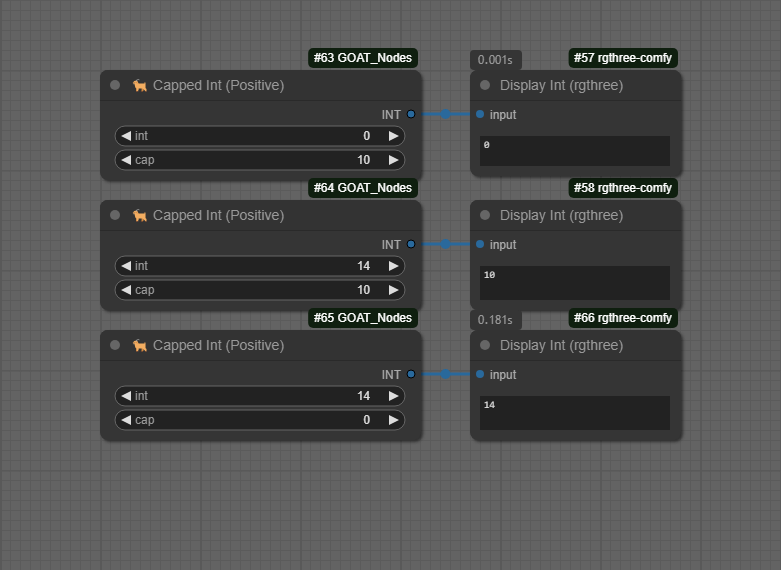
🐐 Capped Int (Positive)
Description:
Add a detailed description of the Capped Int (Positive) node, which restricts integers to a positive range.
Example workflow:
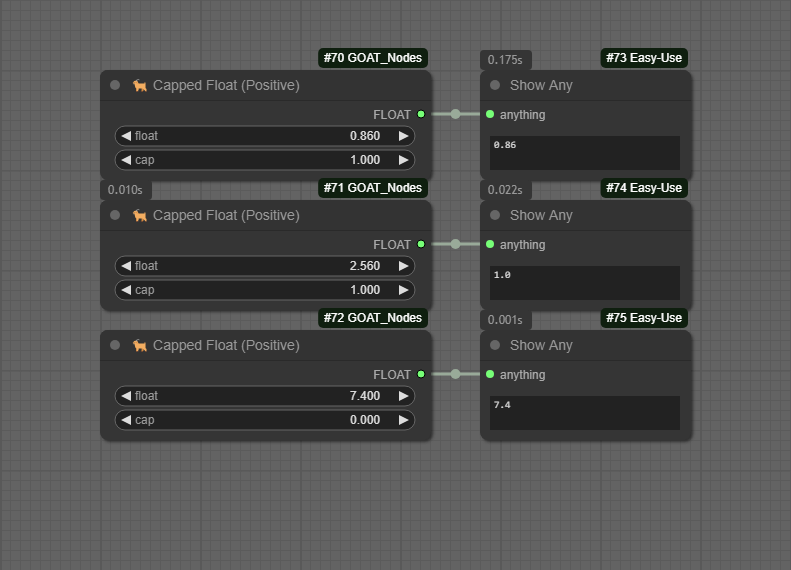
🐐 Capped Float (Positive)
Description:
Add a detailed description of the Capped Float (Positive) node, which restricts float values to a positive range.
Example workflow:
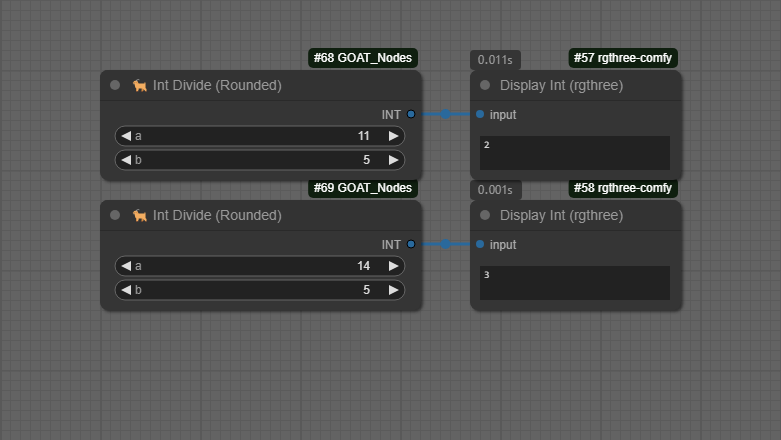
🐐 Int Divide (Rounded)
Description:
Add a detailed description of how the Int Divide (Rounded) node divides integers and rounds the result.
Example workflow:
Postprocessing
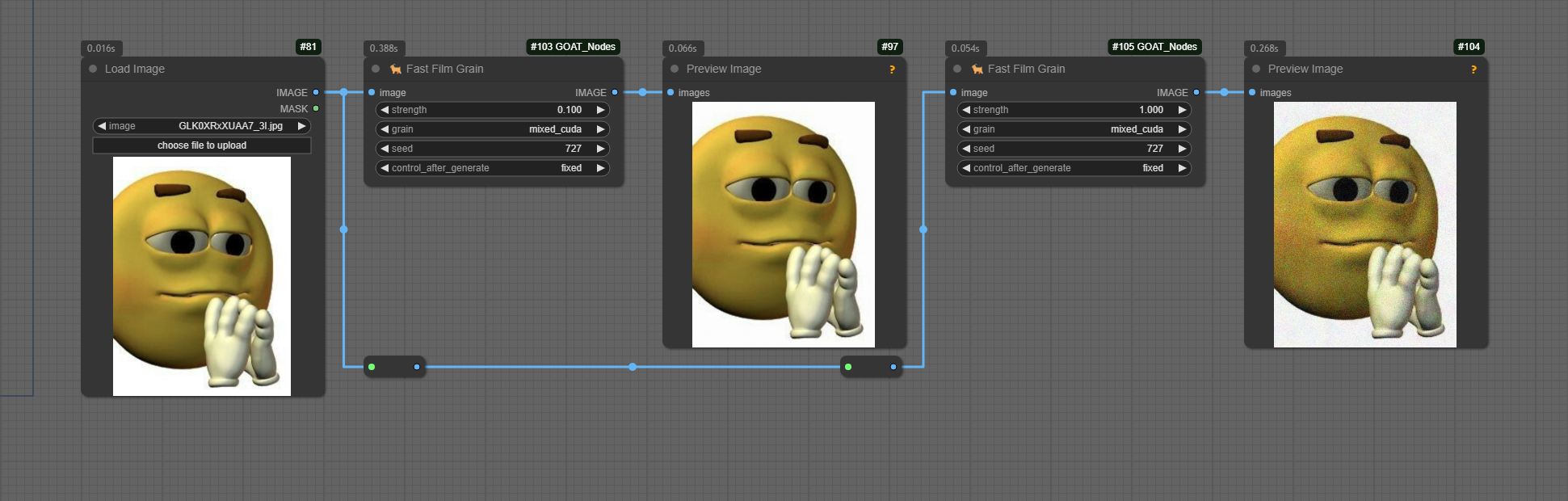
🐐 Fast Film Grain
Description:
Add a detailed description of how this node adds fast, realistic film grain to an image.
Example workflow:
🐐 Fast Color Match
Description:
Add a detailed description of how this node quickly matches the color profile of one image to another.
Example workflow:

Installation
To install these custom nodes, follow do one of the following things below:
Method 1: Clone the repository into your custom nodes folder
git clone https://github.com/your-repo/comfyui-custom-nodes.git
Method 2: Install through ComfyUI Manager (SOON)