 PozzettiAndreaandClaude Opus 4.8
f927d3d638
PozzettiAndreaandClaude Opus 4.8
f927d3d638
- README: add SAM3-style 3-option install (Manager / Git URL / manual) and a
  "report problems" note; keep the live gallery link + demo video.
- assets/icon.png (400x400) cropped from the apple-splat preview screenshot.
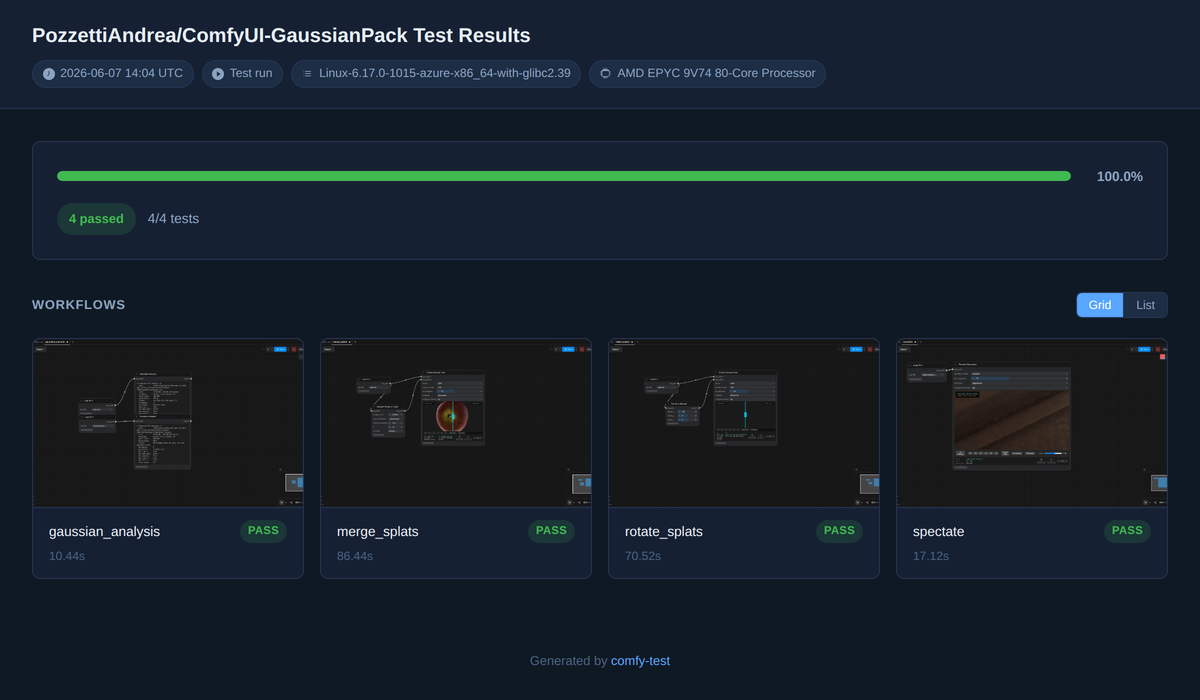
- assets/gallery-preview.png: screenshot of the dev/linux-cpu test gallery
  (4/4 passing). README image points at the dev raw URL; the gallery link still
  points at the live gh-pages results.
- pyproject.toml: set Icon (dev raw URL) and add the comfy-env install warning
  to the description.

Co-Authored-By: Claude Opus 4.8 <noreply@anthropic.com>
2.0 KiB
https://github.com/user-attachments/assets/582f6b84-0a83-4b8a-b449-2cf9bf184bc5
https://github.com/user-attachments/assets/74f17146-3e5b-4dcf-8ab1-dd2e9d18e474
Warning
Warning, uses experimental package
comfy-envto attempt a one click isolated install. Will download and use pixi package manager.
ComfyUI-GaussianPack
Installation
Three options, in order of speed → reliability:
- ComfyUI Manager (recommended) — search for
GaussianPackin the Manager and click Install from the highest version displayed. If that doesn't work, try nightly. - Manager via Git URL — in ComfyUI Manager: "Install via Git URL" with
https://github.com/PozzettiAndrea/ComfyUI-GaussianPack.git. - Manual (most reliable):
cd ComfyUI/custom_nodes
git clone https://github.com/PozzettiAndrea/ComfyUI-GaussianPack.git
cd ComfyUI-GaussianPack
pip install -r requirements.txt --upgrade
python install.py
Please report any problems you hit during installation or use of my nodes — open a Discussion or Issue. Very grateful for your help! 🙏
https://github.com/user-attachments/assets/4ef6b921-52a0-4483-8efd-627d62c7e207
Tiny Gaussian-splat viewer for ComfyUI. One node, Preview Gaussians, with a
gsplat.js WebGL preview and camera-intrinsics widgets (FOV, image width, image height).
ply_path -- Preview Gaussians
GPL-3.0. Forked structurally from XuanYu-github/comfyui-PlyPreview.