# 📷 EasyAnimate | Your Animation Generator.
😊 EasyAnimate is a repo for generating long videos and training transformer based diffusion generators.
😊 Based on Sora like structure and DIT, we use transformer as a diffuser for video generation. In order to ensure good expansibility, we built easyanimate based on motion module. In the future, we will try more training programs to improve the effect.
😊 Welcome!
English | [简体中文](./README_zh-CN.md)
# Table of Contents
- [Table of Contents](#table-of-contents)
- [Introduction](#introduction)
- [TODO List](#todo-list)
- [Model zoo](#model-zoo)
- [1、Motion Weights](#1motion-weights)
- [2、Other Weights](#2other-weights)
- [Quick Start](#quick-start)
- [1. Cloud usage: AliyunDSW/Docker](#1-cloud-usage-aliyundswdocker)
- [2. Local install: Environment Check/Downloading/Installation](#2-local-install-environment-checkdownloadinginstallation)
- [How to use](#how-to-use)
- [1. Inference](#1-inference)
- [2. Model Training](#2-model-training)
- [Algorithm Detailed](#algorithm-detailed)
- [Reference](#reference)
- [License](#license)
# Introduction
EasyAnimate is a pipeline based on the transformer architecture that can be used to generate AI animations, train baseline models and Lora models for the Diffusion Transformer. We support making predictions directly from the pre-trained EasyAnimate model to generate videos of about different resolutions, 6 seconds with 12 fps (40 ~ 80 frames, in the future, we will support longer videos). Users are also supported to train their own baseline models and Lora models to perform certain style transformations.
We will support quick pull-ups from different platforms, refer to [Quick Start](#quick-start).
What's New:
- Add Code for [video-caption](./easyanimate/video_caption/). [ 2024.04.17 ]
- Create Code! Support for Windows and Linux Now. [ 2024.04.12 ]
These are our generated results:
Our UI interface is as follows:

# TODO List
- Support model with larger resolution.
- Support model with magvit.
- Support video inpaint model.
# Model zoo
### 1、Motion Weights
| Name | Type | Storage Space | Url | Description |
|--|--|--|--|--|
| easyanimate_v1_mm.safetensors | Motion Module | 4.1GB | [download](https://pai-aigc-photog.oss-cn-hangzhou.aliyuncs.com/easyanimate/Motion_Module/easyanimate_v1_mm.safetensors) | Training with 80 frames and fps 12 |
### 2、Other Weights
| Name | Type | Storage Space | Url | Description |
|--|--|--|--|--|
| PixArt-XL-2-512x512.tar | Pixart | 11.4GB | [download](https://pai-aigc-photog.oss-cn-hangzhou.aliyuncs.com/easyanimate/Diffusion_Transformer/PixArt-XL-2-512x512.tar)| Pixart-Alpha official weights |
| easyanimate_portrait.safetensors | Checkpoint of Pixart | 2.3GB | [download](https://pai-aigc-photog.oss-cn-hangzhou.aliyuncs.com/easyanimate/Personalized_Model/easyanimate_portrait.safetensors) | Training with internal portrait datasets |
| easyanimate_portrait_lora.safetensors | Lora of Pixart | 654.0MB | [download](https://pai-aigc-photog.oss-cn-hangzhou.aliyuncs.com/easyanimate/Personalized_Model/easyanimate_portrait_lora.safetensors)| Training with internal portrait datasets |
# Result Gallery
When generating landscape animations, the sampler recommends using DPM++and Euler A. When generating portrait animations, the sampler recommends using Euler A and Euler.
Sometimes Github cannot display large GIFs properly. You can download GIFs locally to view them.
Work with origin transformer weights.
| Base Models | Sampler | Seed | Resolution (h x w x f) | Prompt | GenerationResult | Download |
| ------------------------------------------------------------ | ------------------------------------------------------------ | ------------------------------------------------------------ | ------------------------------------------------------------ | ------------------------------------------------------------ | ------------------------------------------------------------ | ------------------------------------------------------------ |
| PixArt | DPM++ | 43 | 512x512x80 | A soaring drone footage captures the majestic beauty of a coastal cliff, its red and yellow stratified rock faces rich in color and against the vibrant turquoise of the sea. Seabirds can be seen taking flight around the cliff\'s precipices. | 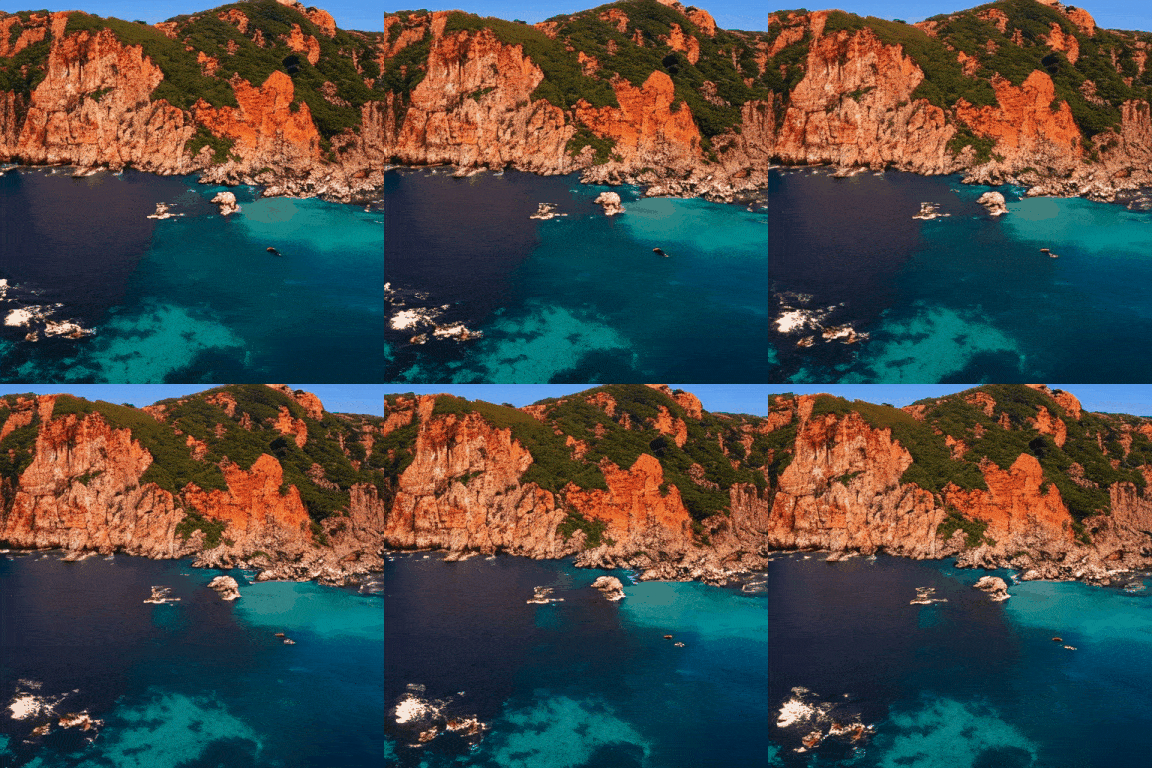 | [Download GIF](https://pai-aigc-photog.oss-cn-hangzhou.aliyuncs.com/easyanimate/asset/1-cliff.gif) |
| PixArt | DPM++ | 43 | 448x640x80 | The video captures the majestic beauty of a waterfall cascading down a cliff into a serene lake. The waterfall, with its powerful flow, is the central focus of the video. The surrounding landscape is lush and green, with trees and foliage adding to the natural beauty of the scene. | 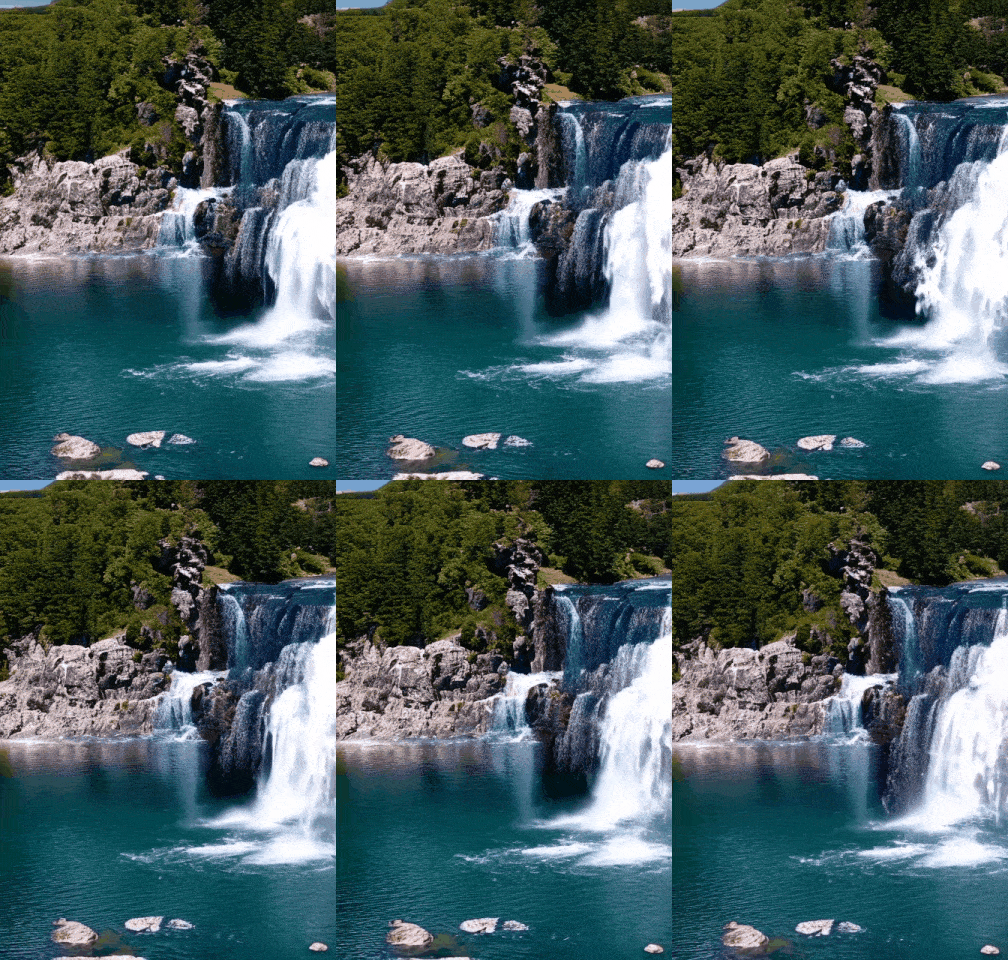 | [Download GIF](https://pai-aigc-photog.oss-cn-hangzhou.aliyuncs.com/easyanimate/asset/2-waterfall.gif) |
| PixArt | DPM++ | 43 | 704x384x80 | A vibrant scene of a snowy mountain landscape. The sky is filled with a multitude of colorful hot air balloons, each floating at different heights, creating a dynamic and lively atmosphere. The balloons are scattered across the sky, some closer to the viewer, others further away, adding depth to the scene. | 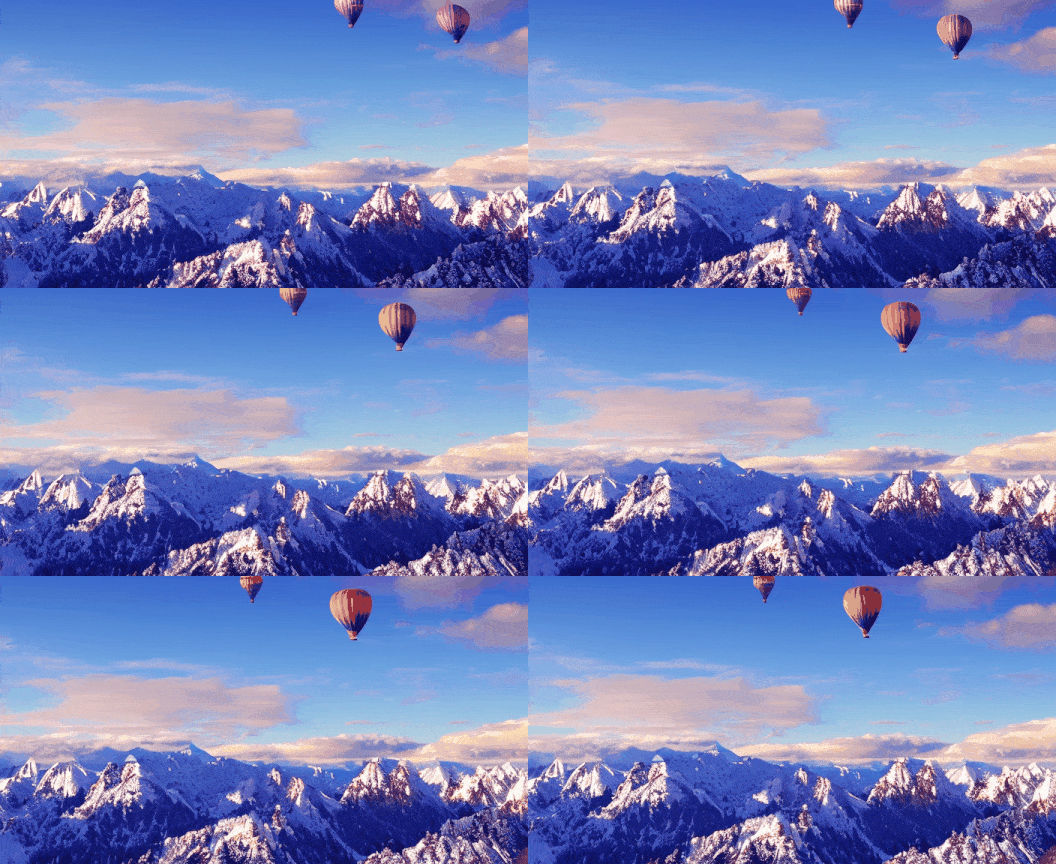 | [Download GIF](https://pai-aigc-photog.oss-cn-hangzhou.aliyuncs.com/easyanimate/asset/3-snowy.gif) |
| PixArt | DPM++ | 43 | 448x640x64 | The vibrant beauty of a sunflower field. The sunflowers, with their bright yellow petals and dark brown centers, are in full bloom, creating a stunning contrast against the green leaves and stems. The sunflowers are arranged in neat rows, creating a sense of order and symmetry. | 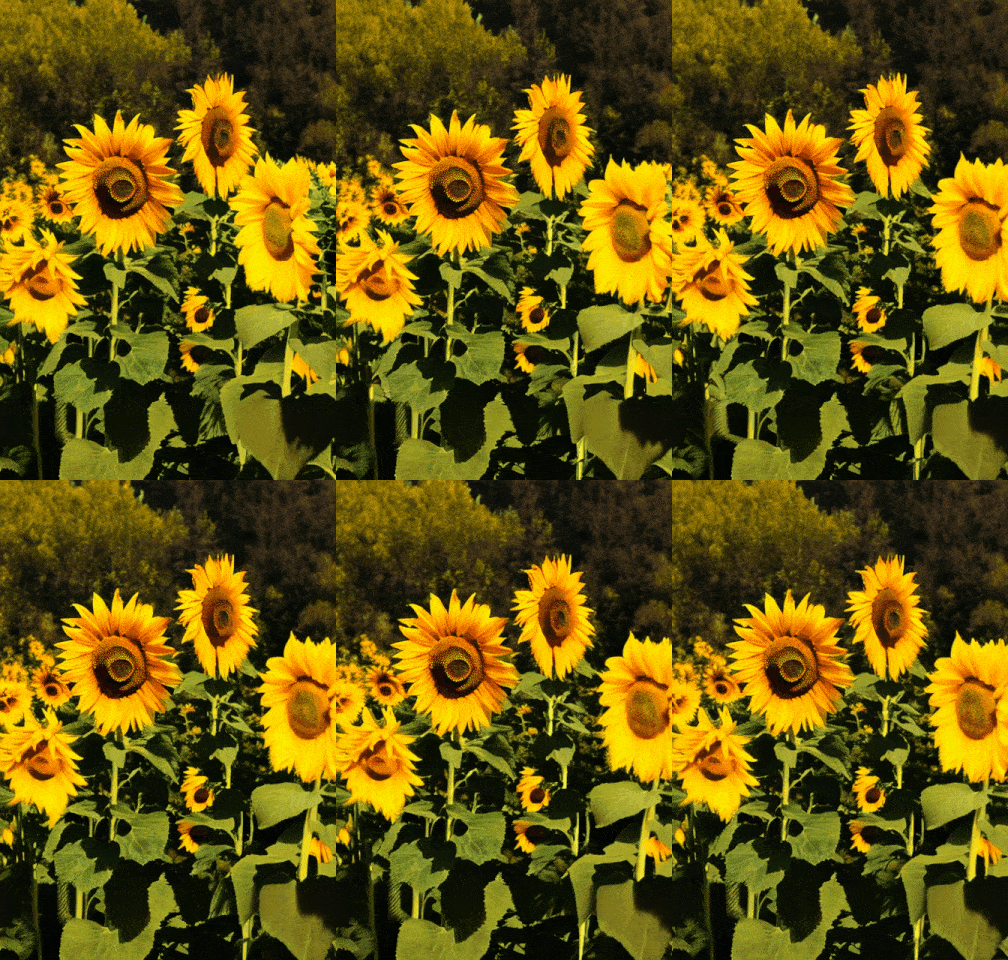 | [Download GIF](https://pai-aigc-photog.oss-cn-hangzhou.aliyuncs.com/easyanimate/asset/4-sunflower.gif) |
| PixArt | DPM++ | 43 | 384x704x48 | A tranquil Vermont autumn, with leaves in vibrant colors of orange and red fluttering down a mountain stream. | 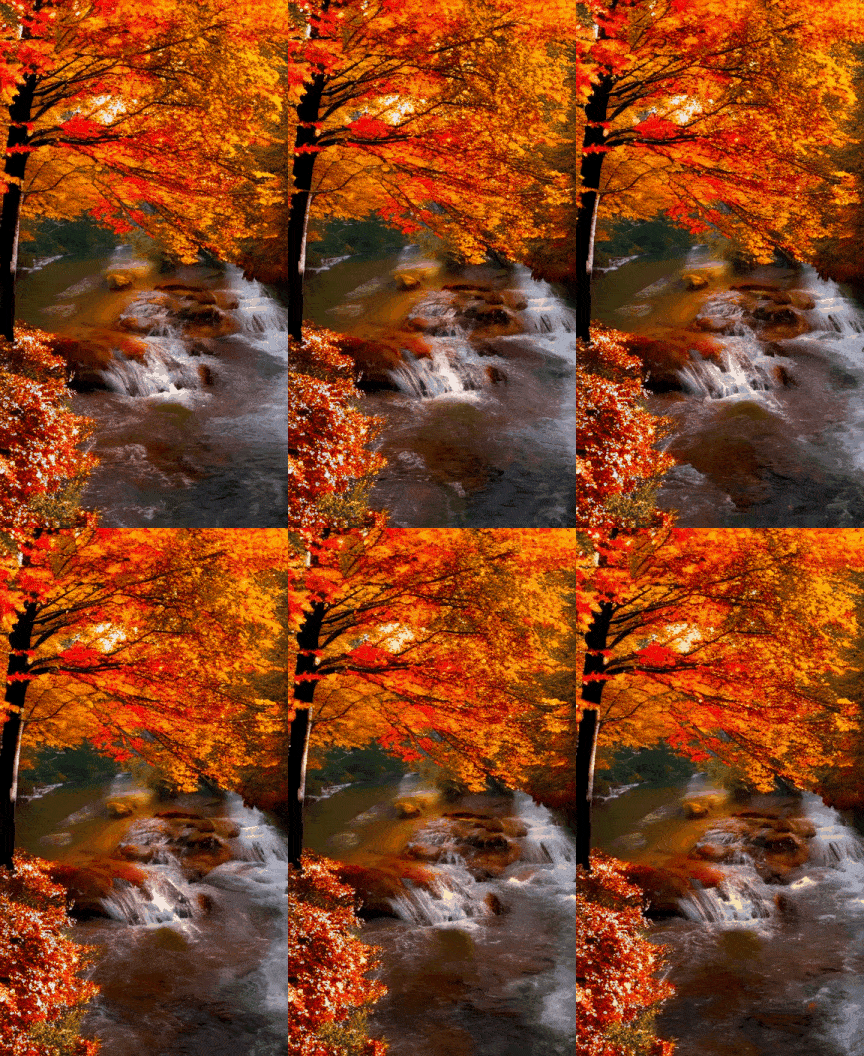 | [Download GIF](https://pai-aigc-photog.oss-cn-hangzhou.aliyuncs.com/easyanimate/asset/5-autumn.gif) |
| PixArt | DPM++ | 43 | 704x384x48 | A vibrant underwater scene. A group of blue fish, with yellow fins, are swimming around a coral reef. The coral reef is a mix of brown and green, providing a natural habitat for the fish. The water is a deep blue, indicating a depth of around 30 feet. The fish are swimming in a circular pattern around the coral reef, indicating a sense of motion and activity. The overall scene is a beautiful representation of marine life. | 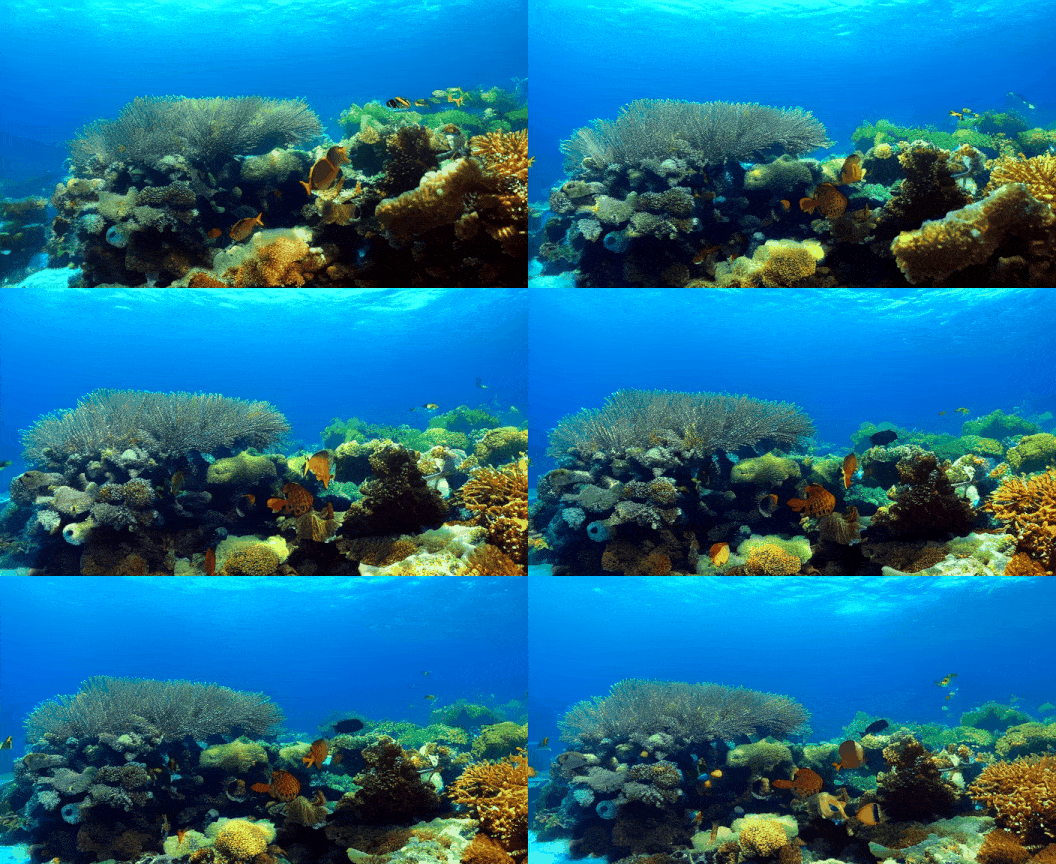 | [Download GIF](https://pai-aigc-photog.oss-cn-hangzhou.aliyuncs.com/easyanimate/asset/6-underwater.gif) |
| PixArt | DPM++ | 43 | 576x448x48 | Pacific coast, carmel by the blue sea ocean and peaceful waves | 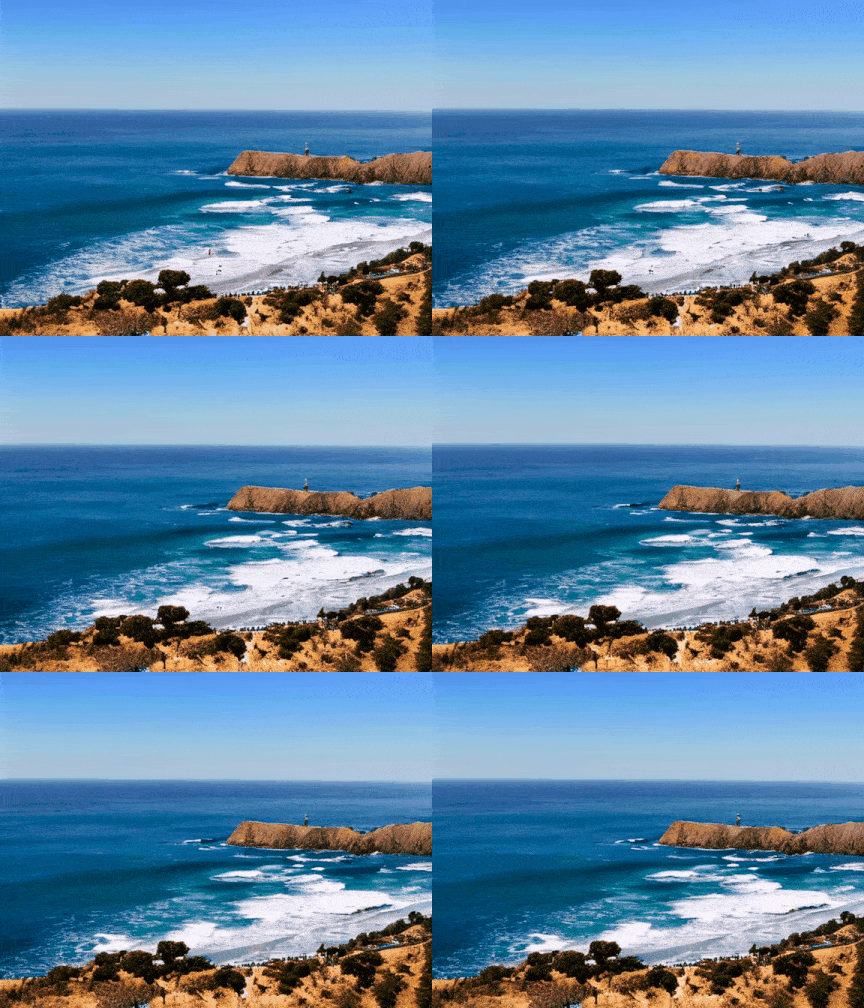 | [Download GIF](https://pai-aigc-photog.oss-cn-hangzhou.aliyuncs.com/easyanimate/asset/7-coast.gif) |
| PixArt | DPM++ | 43 | 576x448x80 | A snowy forest landscape with a dirt road running through it. The road is flanked by trees covered in snow, and the ground is also covered in snow. The sun is shining, creating a bright and serene atmosphere. The road appears to be empty, and there are no people or animals visible in the video. The style of the video is a natural landscape shot, with a focus on the beauty of the snowy forest and the peacefulness of the road. | 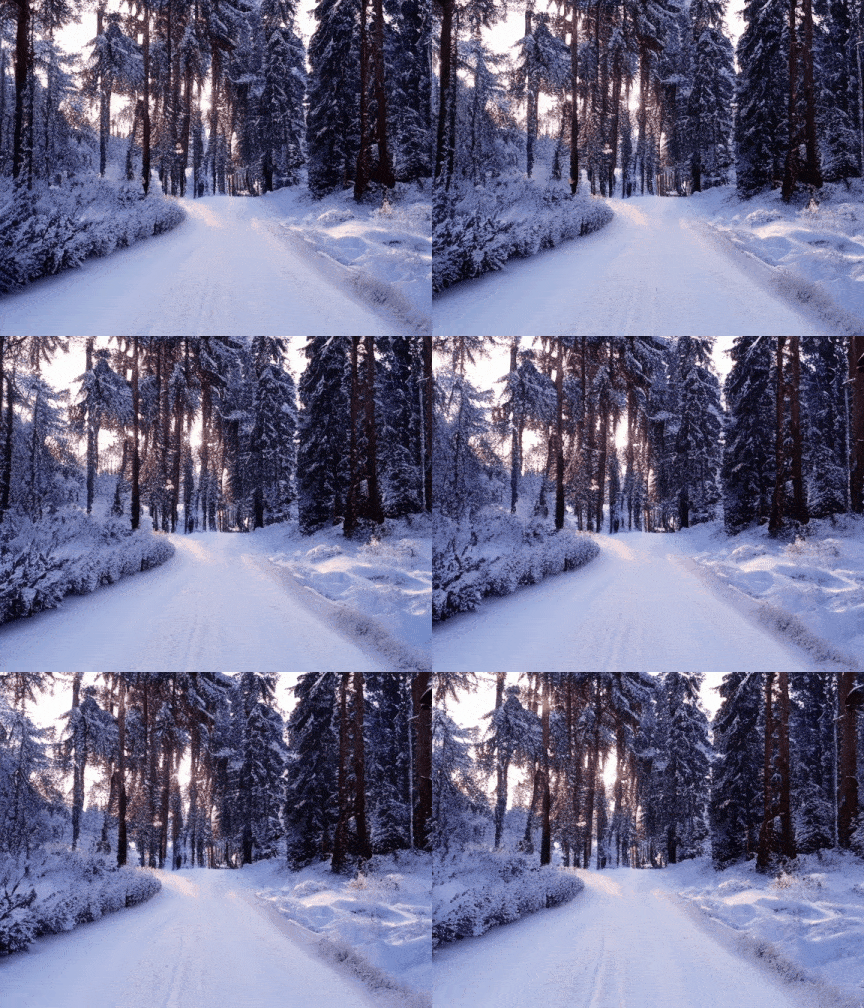 | [Download GIF](https://pai-aigc-photog.oss-cn-hangzhou.aliyuncs.com/easyanimate/asset/8-forest.gif) |
| PixArt | DPM++ | 43 | 640x448x64 | The dynamic movement of tall, wispy grasses swaying in the wind. The sky above is filled with clouds, creating a dramatic backdrop. The sunlight pierces through the clouds, casting a warm glow on the scene. The grasses are a mix of green and brown, indicating a change in seasons. The overall style of the video is naturalistic, capturing the beauty of the landscape in a realistic manner. The focus is on the grasses and their movement, with the sky serving as a secondary element. The video does not contain any human or animal elements. |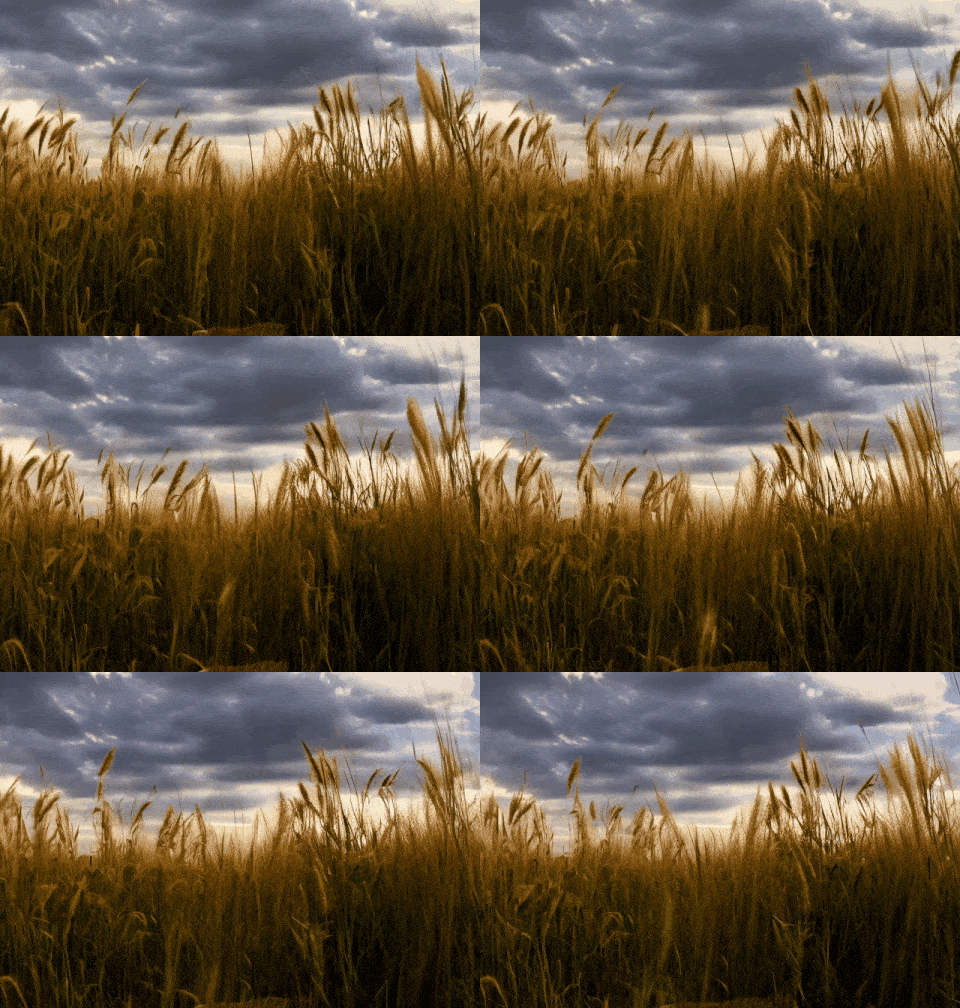 | [Download GIF](https://pai-aigc-photog.oss-cn-hangzhou.aliyuncs.com/easyanimate/asset/9-grasses.gif) |
| PixArt | DPM++ | 43 | 704x384x80 | A serene night scene in a forested area. The first frame shows a tranquil lake reflecting the star-filled sky above. The second frame reveals a beautiful sunset, casting a warm glow over the landscape. The third frame showcases the night sky, filled with stars and a vibrant Milky Way galaxy. The video is a time-lapse, capturing the transition from day to night, with the lake and forest serving as a constant backdrop. The style of the video is naturalistic, emphasizing the beauty of the night sky and the peacefulness of the forest. |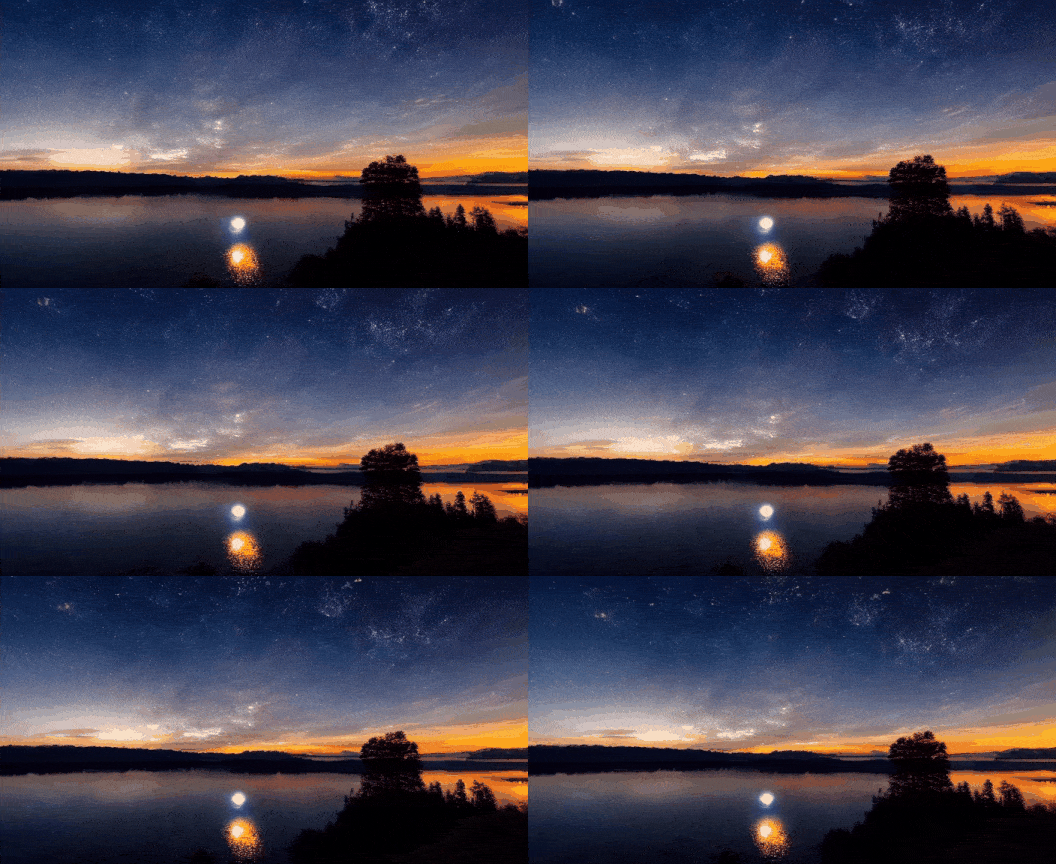 | [Download GIF](https://pai-aigc-photog.oss-cn-hangzhou.aliyuncs.com/easyanimate/asset/10-night.gif) |
| PixArt | DPM++ | 43 | 640x448x80 | Sunset over the sea. |  | [Download GIF](https://pai-aigc-photog.oss-cn-hangzhou.aliyuncs.com/easyanimate/asset/11-sunset.gif) |
Work with Portrait transformer weights.
| Base Models | Sampler | Seed | Resolution (h x w x f) | Prompt | GenerationResult | Download |
| ------------------------------------------------------------ | ------------------------------------------------------------ | ------------------------------------------------------------ | ------------------------------------------------------------ | ------------------------------------------------------------ | ------------------------------------------------------------ | ------------------------------------------------------------ |
| Portrait | Euler A | 43 | 448x576x80 | 1girl, 3d, black hair, brown eyes, earrings, grey background, jewelry, lips, long hair, looking at viewer, photo \\(medium\\), realistic, red lips, solo | 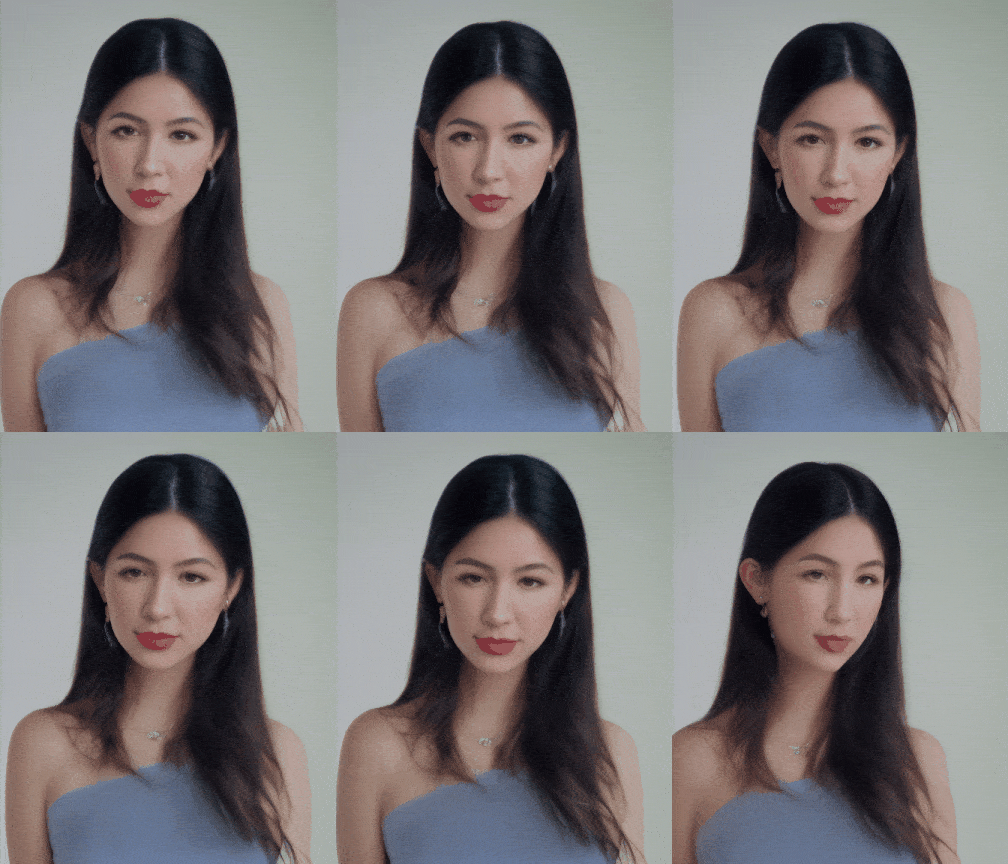 | [Download GIF](https://pai-aigc-photog.oss-cn-hangzhou.aliyuncs.com/easyanimate/asset/1-check.gif) |
| Portrait | Euler A | 43 | 448x576x80 | 1girl, bare shoulders, blurry, brown eyes, dirty, dirty face, freckles, lips, long hair, looking at viewer, realistic, sleeveless, solo, upper body |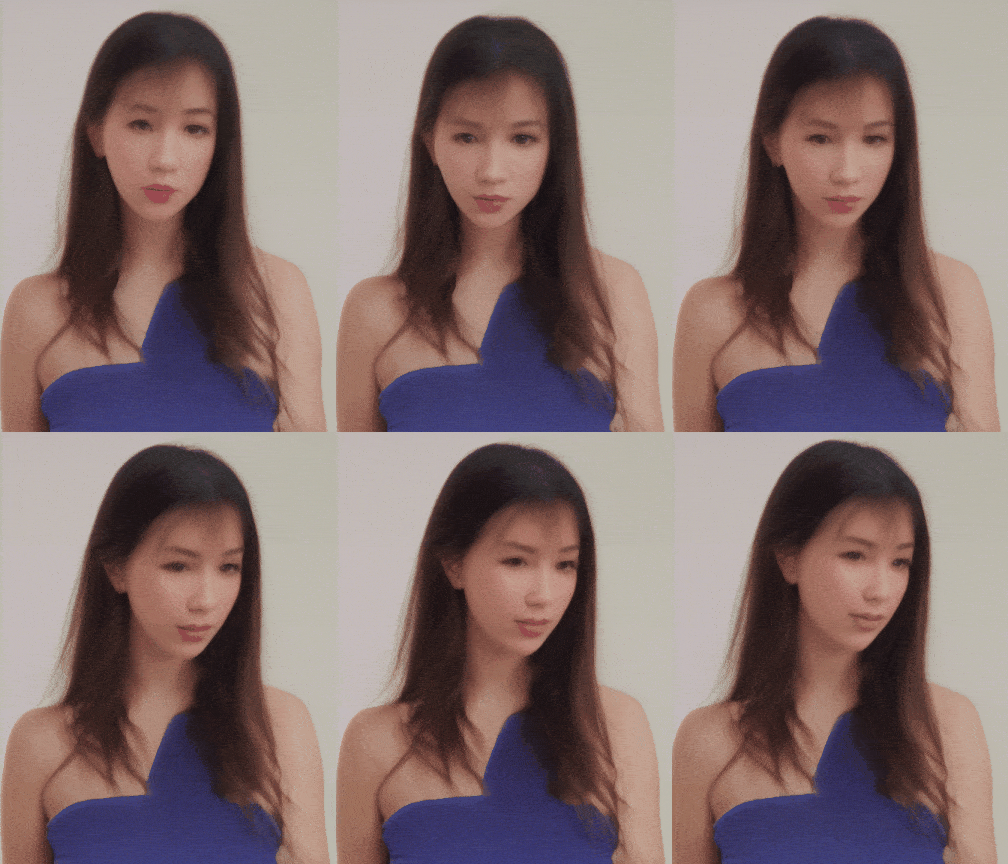 | [Download GIF](https://pai-aigc-photog.oss-cn-hangzhou.aliyuncs.com/easyanimate/asset/2-check.gif) |
| Portrait | Euler A | 43 | 512x512x64 | 1girl, black hair, brown eyes, earrings, grey background, jewelry, lips, looking at viewer, mole, mole under eye, neck tattoo, nose, ponytail, realistic, shirt, simple background, solo, tattoo |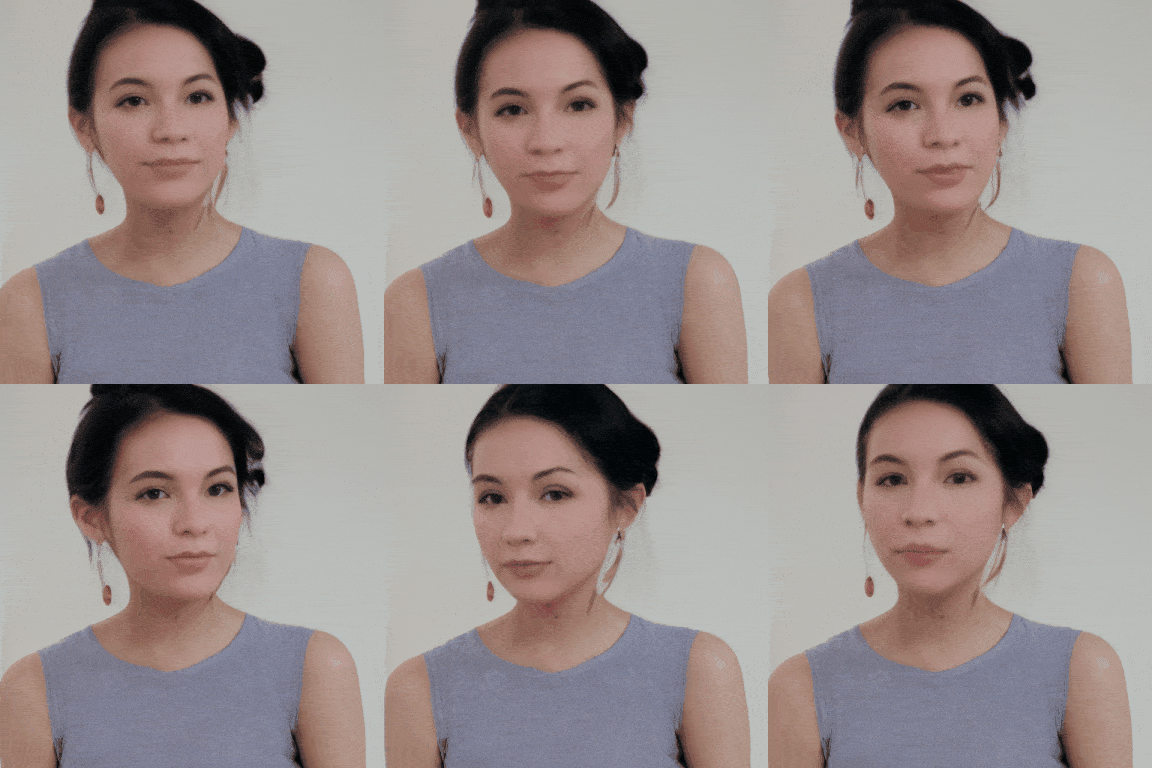 | [Download GIF](https://pai-aigc-photog.oss-cn-hangzhou.aliyuncs.com/easyanimate/asset/3-check.gif) |
| Portrait | Euler A | 43 | 576x448x64 | 1girl, black hair, lips, looking at viewer, mole, mole under eye, mole under mouth, realistic, solo |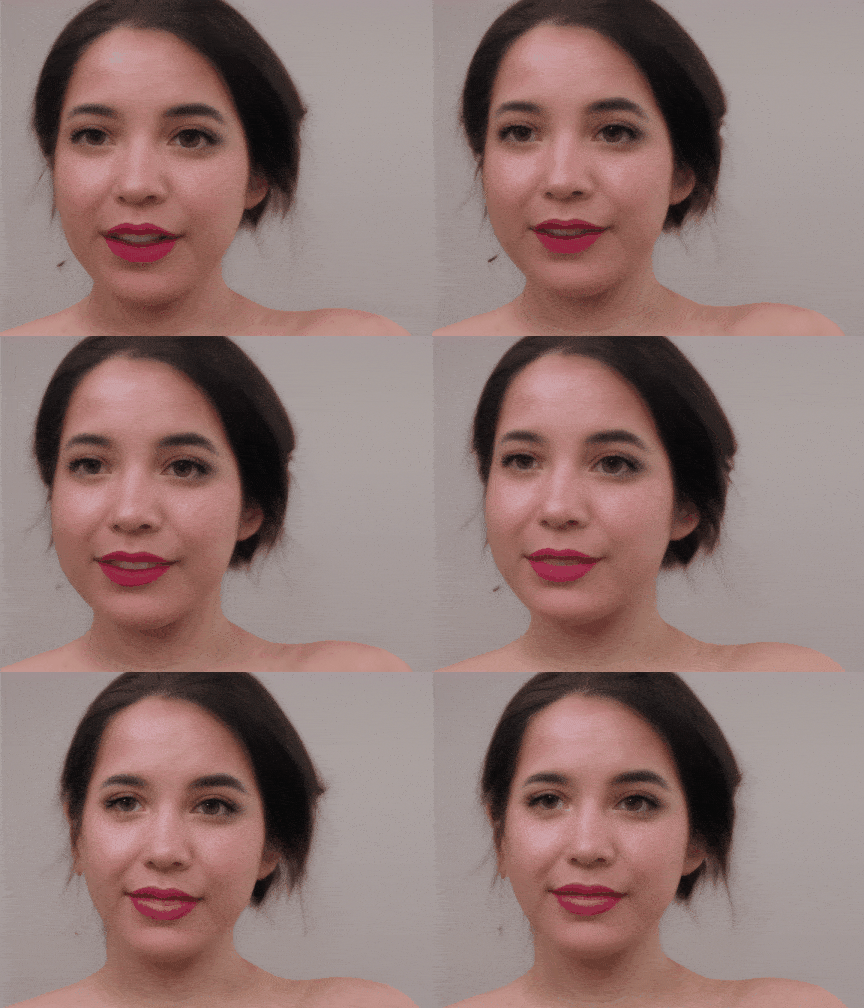 | [Download GIF](https://pai-aigc-photog.oss-cn-hangzhou.aliyuncs.com/easyanimate/asset/5-check.gif) |
Work with Portrait transformer Lora.
| Base Models | Sampler | Seed | Resolution (h x w x f) | Prompt | GenerationResult | Download |
| ------------------------------------------------------------ | ------------------------------------------------------------ | ------------------------------------------------------------ | ------------------------------------------------------------ | ------------------------------------------------------------ | ------------------------------------------------------------ | ------------------------------------------------------------ |
| Pixart + Lora | Euler A | 43 | 512x512x64 | 1girl, 3d, black hair, brown eyes, earrings, grey background, jewelry, lips, long hair, looking at viewer, photo \\(medium\\), realistic, red lips, solo |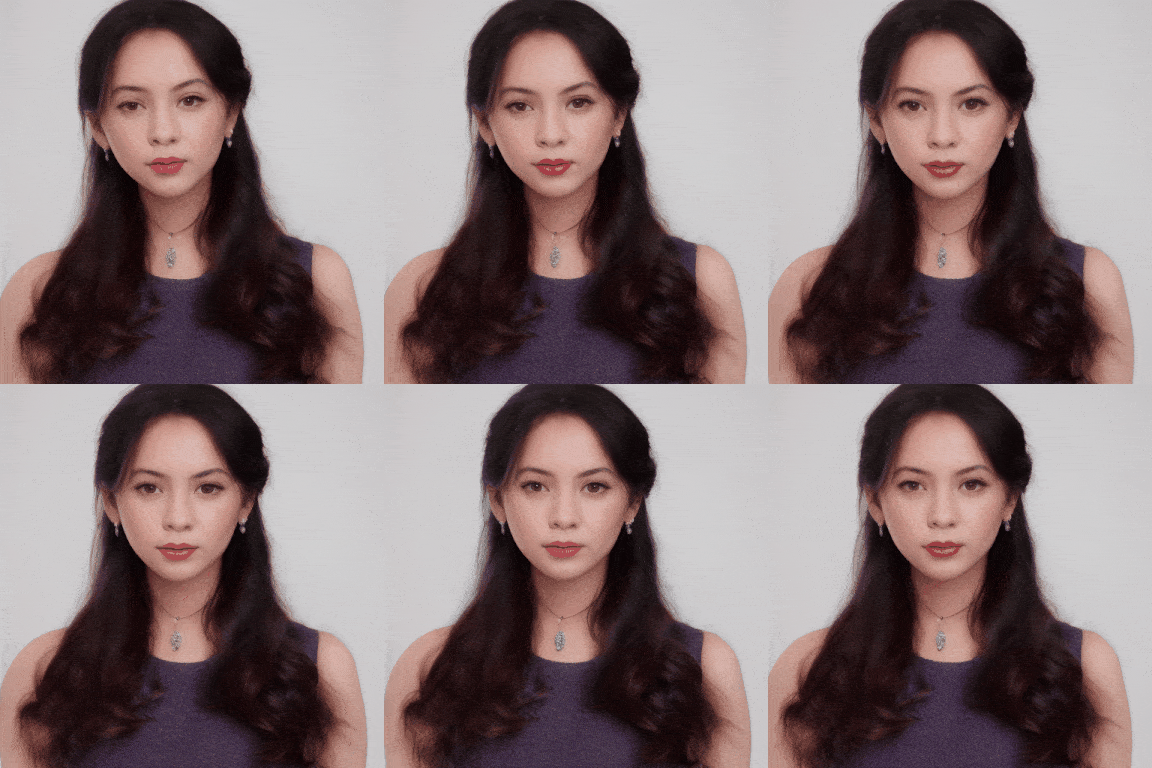 | [Download GIF](https://pai-aigc-photog.oss-cn-hangzhou.aliyuncs.com/easyanimate/asset/1-lora.gif) |
| Pixart + Lora | Euler A | 43 | 512x512x64 | 1girl, bare shoulders, blurry, brown eyes, dirty, dirty face, freckles, lips, long hair, looking at viewer, mole, mole on breast, mole on neck, mole under eye, mole under mouth, realistic, sleeveless, solo, upper body |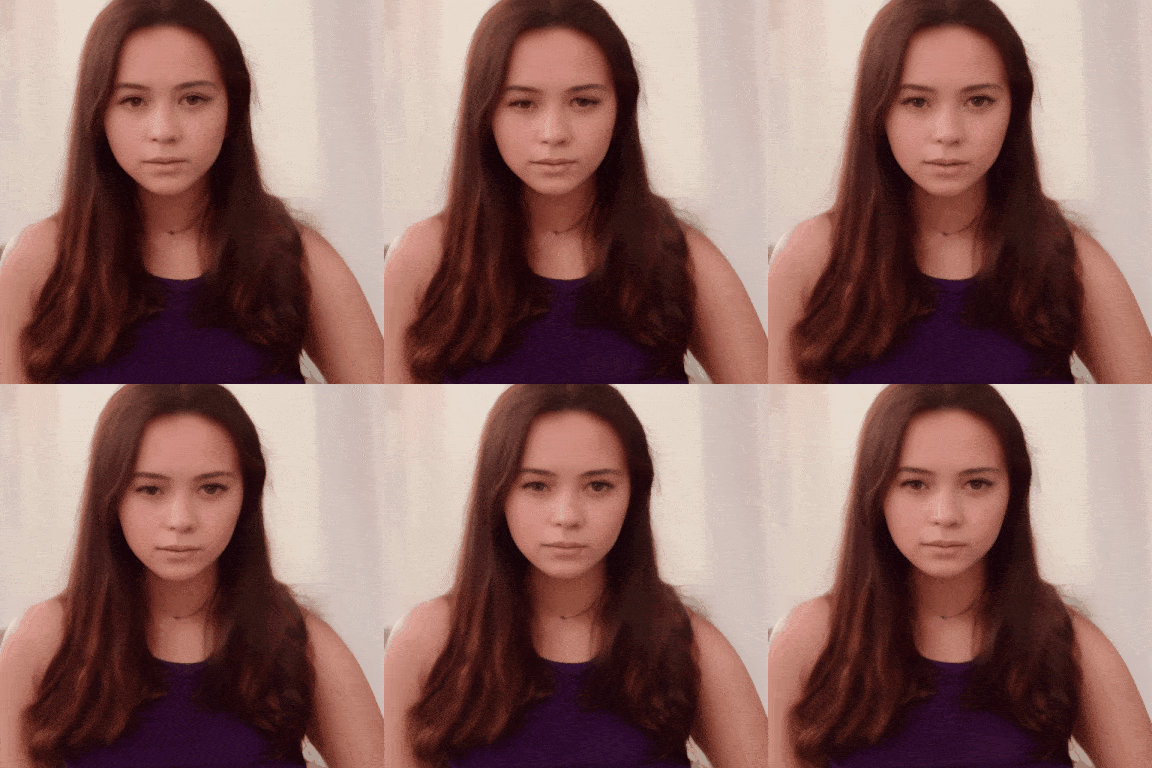 | [Download GIF](https://pai-aigc-photog.oss-cn-hangzhou.aliyuncs.com/easyanimate/asset/2-lora.gif) |
| Pixart + Lora | Euler A | 43 | 512x512x64 | 1girl, black hair, lips, looking at viewer, mole, mole under eye, mole under mouth, realistic, solo |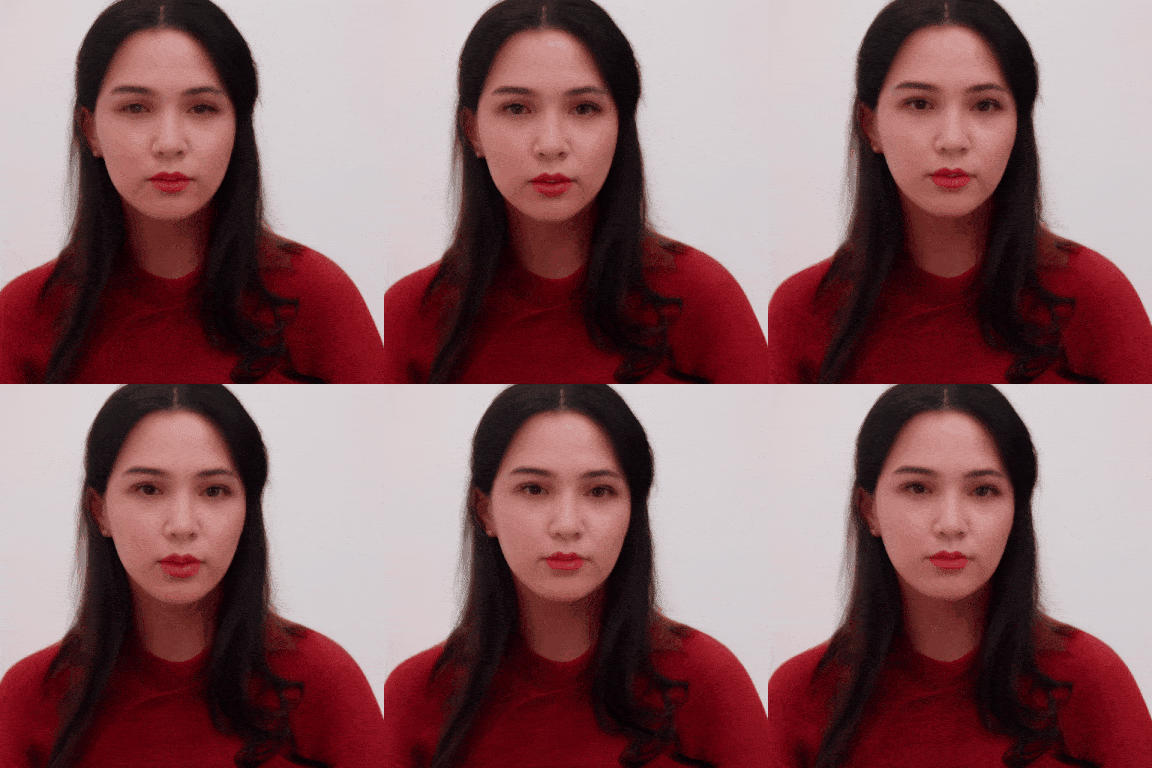 | [Download GIF](https://pai-aigc-photog.oss-cn-hangzhou.aliyuncs.com/easyanimate/asset/5-lora.gif) |
| Pixart + Lora | Euler A | 43 | 512x512x80 | 1girl, bare shoulders, blurry, blurry background, blurry foreground, bokeh, brown eyes, christmas tree, closed mouth, collarbone, depth of field, earrings, jewelry, lips, long hair, looking at viewer, photo \\(medium\\), realistic, smile, solo |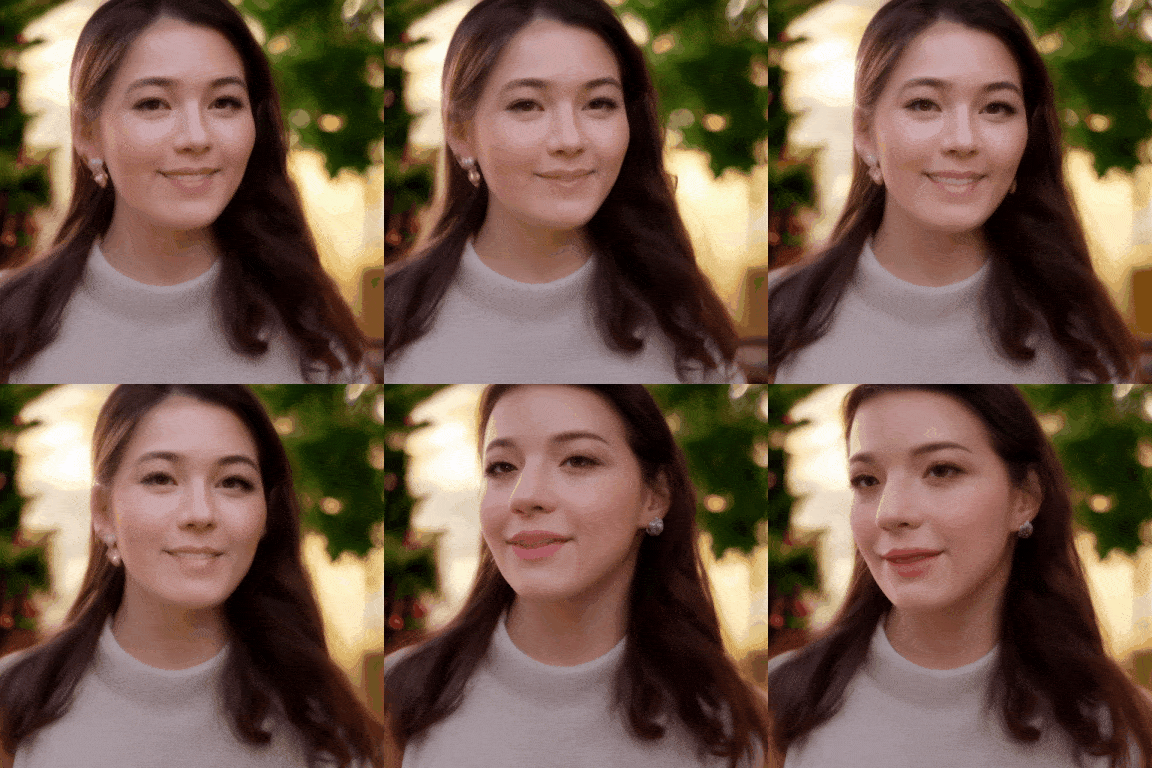 | [Download GIF](https://pai-aigc-photog.oss-cn-hangzhou.aliyuncs.com/easyanimate/asset/8-lora.gif) |
# Quick Start
### 1. Cloud usage: AliyunDSW/Docker
#### a. From AliyunDSW
Stay tuned.
#### b. From docker
If you are using docker, please make sure that the graphics card driver and CUDA environment have been installed correctly in your machine.
Then execute the following commands in this way:
```
# pull image
docker pull mybigpai-public-registry.cn-beijing.cr.aliyuncs.com/easycv/torch_cuda:easyanimate
# enter image
docker run -it -p 7860:7860 --network host --gpus all --security-opt seccomp:unconfined --shm-size 200g mybigpai-public-registry.cn-beijing.cr.aliyuncs.com/easycv/torch_cuda:easyanimate
# clone code
git clone https://github.com/aigc-apps/EasyAnimate.git
# enter EasyAnimate's dir
cd EasyAnimate
# download weights
mkdir models/Diffusion_Transformer
mkdir models/Motion_Module
mkdir models/Personalized_Model
wget https://pai-aigc-photog.oss-cn-hangzhou.aliyuncs.com/easyanimate/Motion_Module/easyanimate_v1_mm.safetensors -O models/Motion_Module/easyanimate_v1_mm.safetensors
wget https://pai-aigc-photog.oss-cn-hangzhou.aliyuncs.com/easyanimate/Personalized_Model/easyanimate_portrait.safetensors -O models/Personalized_Model/easyanimate_portrait.safetensors
wget https://pai-aigc-photog.oss-cn-hangzhou.aliyuncs.com/easyanimate/Personalized_Model/easyanimate_portrait_lora.safetensors -O models/Personalized_Model/easyanimate_portrait_lora.safetensors
wget https://pai-aigc-photog.oss-cn-hangzhou.aliyuncs.com/easyanimate/Diffusion_Transformer/PixArt-XL-2-512x512.tar -O models/Diffusion_Transformer/PixArt-XL-2-512x512.tar
cd models/Diffusion_Transformer/
tar -xvf PixArt-XL-2-512x512.tar
cd ../../
```
### 2. Local install: Environment Check/Downloading/Installation
#### a. Environment Check
We have verified EasyAnimate execution on the following environment:
The detailed of Linux:
- OS: Ubuntu 20.04, CentOS
- python: py3.10 & py3.11
- pytorch: torch2.2.0
- CUDA: 11.8
- CUDNN: 8+
- GPU: Nvidia-A10 24G & Nvidia-A100 40G & Nvidia-A100 80G
We need about 60GB available on disk (for saving weights), please check!
#### b. Weights
We'd better place the weights along the specified path:
```
📦 models/
├── 📂 Diffusion_Transformer/
│ └── 📂 PixArt-XL-2-512x512/
├── 📂 Motion_Module/
│ └── 📄 easyanimate_v1_mm.safetensors
├── 📂 Motion_Module/
│ ├── 📄 easyanimate_portrait.safetensors
│ └── 📄 easyanimate_portrait_lora.safetensors
```
# How to use
### 1. Inference
#### a. Using Python Code
- Step 1: Download the corresponding weights and place them in the models folder.
- Step 2: Modify prompt, neg_prompt, guidance_scale, and seed in the predict_t2v.py file.
- Step 3: Run the predict_t2v.py file, wait for the generated results, and save the results in the samples/easyanimate-videos folder.
- Step 4: If you want to combine other backbones you have trained with Lora, modify the predict_t2v.py and Lora_path in predict_t2v.py depending on the situation.
#### b. Using webui
- Step 1: Download the corresponding weights and place them in the models folder.
- Step 2: Run the app. py file to enter the graph page.
- Step 3: Select the generated model based on the page, fill in prompt, neg_prompt, guidance_scale, and seed, click on generate, wait for the generated result, and save the result in the samples folder.
### 2. Model Training
#### a、Training video generation model
##### i、Base on webvid dataset
If using the webvid dataset for training, you need to download the webvid dataset firstly.
You need to arrange the webvid dataset in this format.
```
📦 project/
├── 📂 datasets/
│ ├── 📂 webvid/
│ ├── 📂 videos/
│ │ ├── 📄 00000001.mp4
│ │ ├── 📄 00000002.mp4
│ │ └── 📄 .....
│ └── 📄 csv_of_webvid.csv
```
Then,set scripts/train_t2v.sh.
```
export DATASET_NAME="datasets/webvid/videos/"
export DATASET_META_NAME="datasets/webvid/csv_of_webvid.csv"
...
train_data_format="webvid"
```
Then, we run scripts/train_t2v.sh.
```sh
sh scripts/train_t2v.sh
```
##### ii、Base on internal dataset
If using the internal dataset for training, you need to format the dataset firstly.
You need to arrange the dataset in this format.
```
📦 project/
├── 📂 datasets/
│ ├── 📂 internal_datasets/
│ ├── 📂 videos/
│ │ ├── 📄 00000001.mp4
│ │ ├── 📄 00000002.mp4
│ │ └── 📄 .....
│ └── 📄 json_of_internal_datasets.json
```
The json_of_internal_datasets.json is a standard JSON file, as shown in below:
```json
[
{
"file_path": "videos/00000001.mp4",
"text": "A group of young men in suits and sunglasses are walking down a city street.",
"type": "video"
},
{
"file_path": "videos/00000002.mp4",
"text": "A notepad with a drawing of a woman on it.",
"type": "video"
}
.....
]
```
The file_path in the json needs to be set as relative path.
Then, set scripts/train_t2v.sh.
```
export DATASET_NAME="datasets/internal_datasets/"
export DATASET_META_NAME="datasets/internal_datasets/json_of_internal_datasets.json"
...
train_data_format="normal"
```
Then, we run scripts/train_t2v.sh.
```sh
sh scripts/train_t2v.sh
```
##### iii、Dataset Captioning (Optional)
We provide the captioning pipeline to get detailed descriptions of the video dataset. Please refer to [video_caption](./easyanimate/video_caption/) for details.
#### b、Training text to image model
##### i、Base on diffusers format
The format of dataset can be set as diffuser format.
If using the diffusers format dataset for training.
```
📦 project/
├── 📂 datasets/
│ ├── 📂 diffusers_datasets/
│ ├── 📂 train/
│ │ ├── 📄 00000001.jpg
│ │ ├── 📄 00000002.jpg
│ │ └── 📄 .....
│ └── 📄 metadata.jsonl
```
Then, set scripts/train_t2i.sh.
```
export DATASET_NAME="datasets/diffusers_datasets/"
...
train_data_format="diffusers"
```
Then, we run scripts/train_t2i.sh.
```sh
sh scripts/train_t2i.sh
```
##### ii、Base on internal dataset
If using the internal dataset for training, you need to format the dataset firstly.
You need to arrange the dataset in this format.
```
📦 project/
├── 📂 datasets/
│ ├── 📂 internal_datasets/
│ ├── 📂 train/
│ │ ├── 📄 00000001.jpg
│ │ ├── 📄 00000002.jpg
│ │ └── 📄 .....
│ └── 📄 json_of_internal_datasets.json
```
The json_of_internal_datasets.json is a standard JSON file, as shown in below:
```json
[
{
"file_path": "train/00000001.jpg",
"text": "A group of young men in suits and sunglasses are walking down a city street.",
"type": "image"
},
{
"file_path": "train/00000002.jpg",
"text": "A notepad with a drawing of a woman on it.",
"type": "image"
}
.....
]
```
The file_path in the json needs to be set as relative path.
Then, set scripts/train_t2i.sh.
```
export DATASET_NAME="datasets/internal_datasets/"
export DATASET_META_NAME="datasets/internal_datasets/json_of_internal_datasets.json"
...
train_data_format="normal"
```
Then, we run scripts/train_t2i.sh.
```sh
sh scripts/train_t2i.sh
```
#### c、Training text to image Lora model
##### i、Base on diffusers format
The format of dataset can be set as diffuser format.
If using the diffusers format dataset for training.
```
📦 project/
├── 📂 datasets/
│ ├── 📂 diffusers_datasets/
│ ├── 📂 train/
│ │ ├── 📄 00000001.jpg
│ │ ├── 📄 00000002.jpg
│ │ └── 📄 .....
│ └── 📄 metadata.jsonl
```
Then, set scripts/train_lora.sh.
```
export DATASET_NAME="datasets/diffusers_datasets/"
...
train_data_format="diffusers"
```
Then, we run scripts/train_lora.sh.
```sh
sh scripts/train_lora.sh
```
##### ii、Base on internal dataset
If using the internal dataset for training, you need to format the dataset firstly.
You need to arrange the dataset in this format.
```
📦 project/
├── 📂 datasets/
│ ├── 📂 internal_datasets/
│ ├── 📂 train/
│ │ ├── 📄 00000001.jpg
│ │ ├── 📄 00000002.jpg
│ │ └── 📄 .....
│ └── 📄 json_of_internal_datasets.json
```
The json_of_internal_datasets.json is a standard JSON file, as shown in below:
```json
[
{
"file_path": "train/00000001.jpg",
"text": "A group of young men in suits and sunglasses are walking down a city street.",
"type": "image"
},
{
"file_path": "train/00000002.jpg",
"text": "A notepad with a drawing of a woman on it.",
"type": "image"
}
.....
]
```
The file_path in the json needs to be set as relative path.
Then, set scripts/train_lora.sh.
```
export DATASET_NAME="datasets/internal_datasets/"
export DATASET_META_NAME="datasets/internal_datasets/json_of_internal_datasets.json"
...
train_data_format="normal"
```
Then, we run scripts/train_lora.sh.
```sh
sh scripts/train_lora.sh
```
# Algorithm Detailed
We build EasyAnimate by introducing additional motion module upon [PixArt-alpha](https://github.com/PixArt-alpha/PixArt-alpha),so that can extend the DiT model from 2D image generation to 3D video generation. The pipeline is shwon as follows.
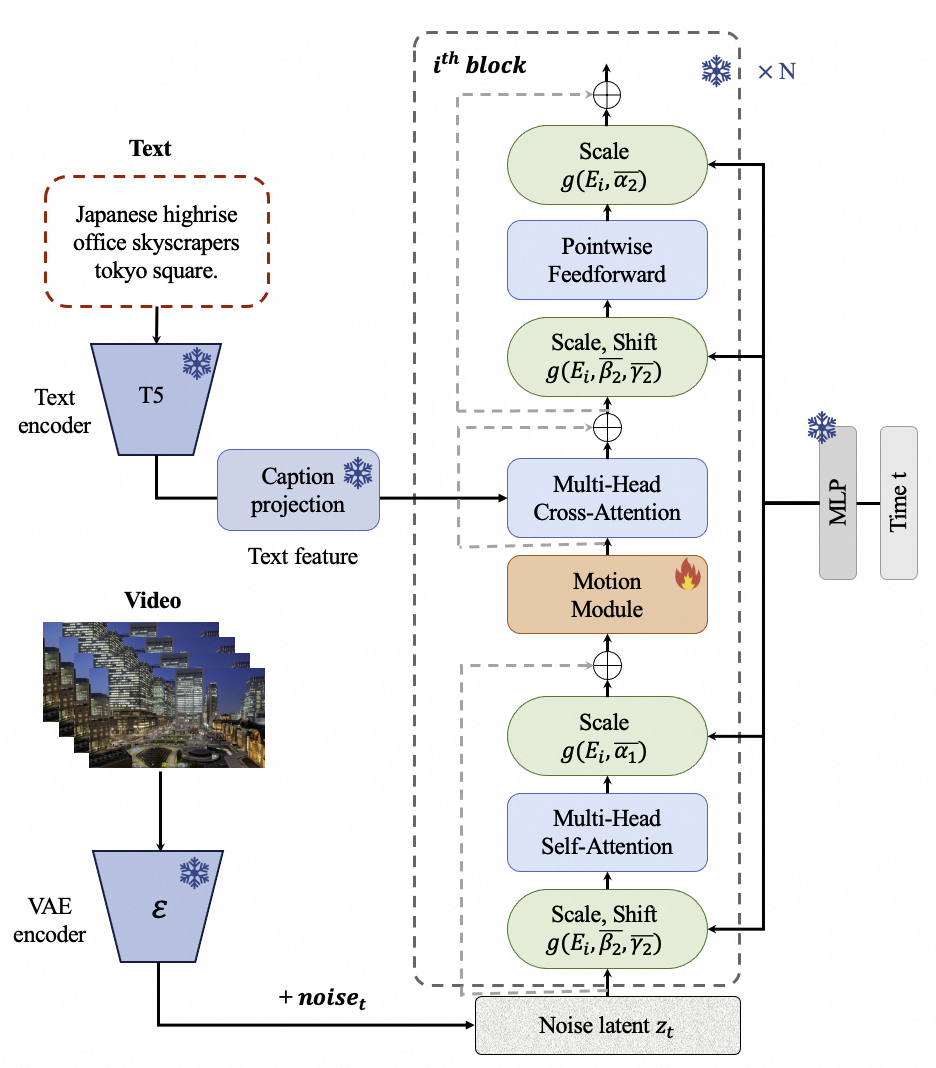 The motion module is used to capture the temporal information among frames. The structure is shown as follows.
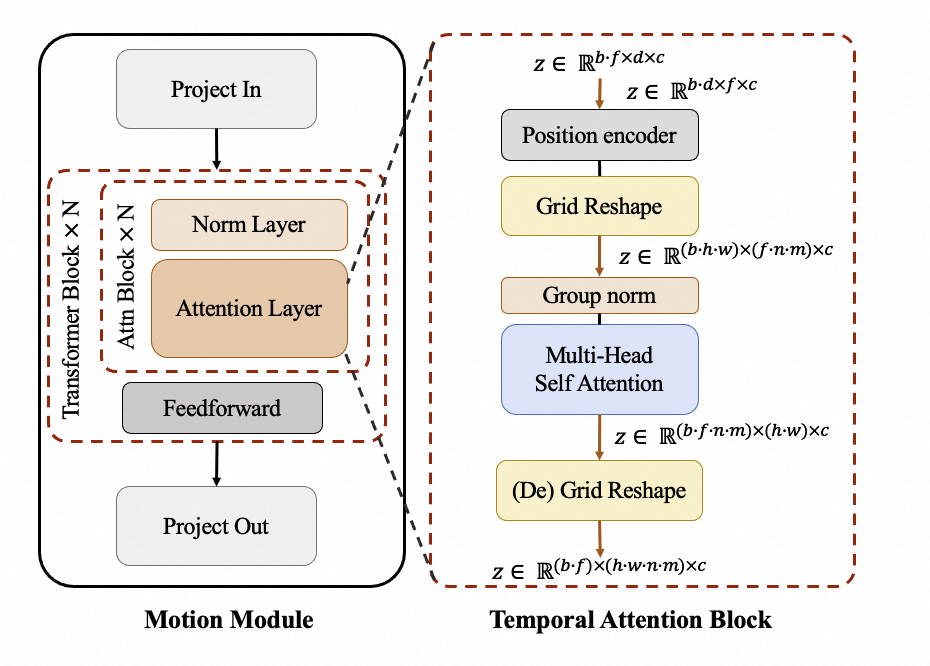 We introduce attention mechanisms in the temporal dimension to enable the model to learn temporal information for generating continuous video frames. At the same time, we utilize an additional Grid Reshape calculation to expand the number of input tokens for the attention mechanism, thus making greater use of the spatial information in images to achieve better generative results.
The Motion Module, as a separate module, can be applied to different DiT baseline models during inference. Furthermore, EasyAnimate not only supports the training of the motion-module but also supports the training of the DiT base model/LoRA model, making it convenient for users to complete training of a customized-style model according to their own needs and thereby generate videos of any style.
# Reference
- magvit: https://github.com/google-research/magvit
- PixArt: https://github.com/PixArt-alpha/PixArt-alpha
- Open-Sora-Plan: https://github.com/PKU-YuanGroup/Open-Sora-Plan
- Open-Sora: https://github.com/hpcaitech/Open-Sora
- Animatediff: https://github.com/guoyww/AnimateDiff
# License
This project is licensed under the [Apache License (Version 2.0)](https://github.com/modelscope/modelscope/blob/master/LICENSE).
We introduce attention mechanisms in the temporal dimension to enable the model to learn temporal information for generating continuous video frames. At the same time, we utilize an additional Grid Reshape calculation to expand the number of input tokens for the attention mechanism, thus making greater use of the spatial information in images to achieve better generative results.
The Motion Module, as a separate module, can be applied to different DiT baseline models during inference. Furthermore, EasyAnimate not only supports the training of the motion-module but also supports the training of the DiT base model/LoRA model, making it convenient for users to complete training of a customized-style model according to their own needs and thereby generate videos of any style.
# Reference
- magvit: https://github.com/google-research/magvit
- PixArt: https://github.com/PixArt-alpha/PixArt-alpha
- Open-Sora-Plan: https://github.com/PKU-YuanGroup/Open-Sora-Plan
- Open-Sora: https://github.com/hpcaitech/Open-Sora
- Animatediff: https://github.com/guoyww/AnimateDiff
# License
This project is licensed under the [Apache License (Version 2.0)](https://github.com/modelscope/modelscope/blob/master/LICENSE).