2.2 KiB
2.2 KiB
Wan2.1 Model Setup Guide
a. Model Links and Storage Locations
Required Files:
| Name | Hugging Face | Model Scope | Description |
|---|---|---|---|
| Wan2.1-T2V-1.3B | 🤗Link | 😄Link | Wan 2.1-1.3B text-to-video weights |
| Wan2.1-T2V-14B | 🤗Link | 😄Link | Wan 2.1-14B text-to-video weights |
| Wan2.1-I2V-14B-480P | 🤗Link | 😄Link | Wan 2.1-14B-480P image-to-video weights |
| Wan2.1-I2V-14B-720P | 🤗Link | 😄Link | Wan 2.1-14B-720P image-to-video weights |
Storage Location:
📂 ComfyUI/
├── 📂 models/
│ └── 📂 Fun_Models/
|   ├── 📂 Wan2.1-T2V-1.3B/
|   ├── 📂 Wan2.1-T2V-14B/
|   ├── 📂 Wan2.1-I2V-14B-480P/
│   └── 📂 Wan2.1-I2V-14B-720P/
b. Node types
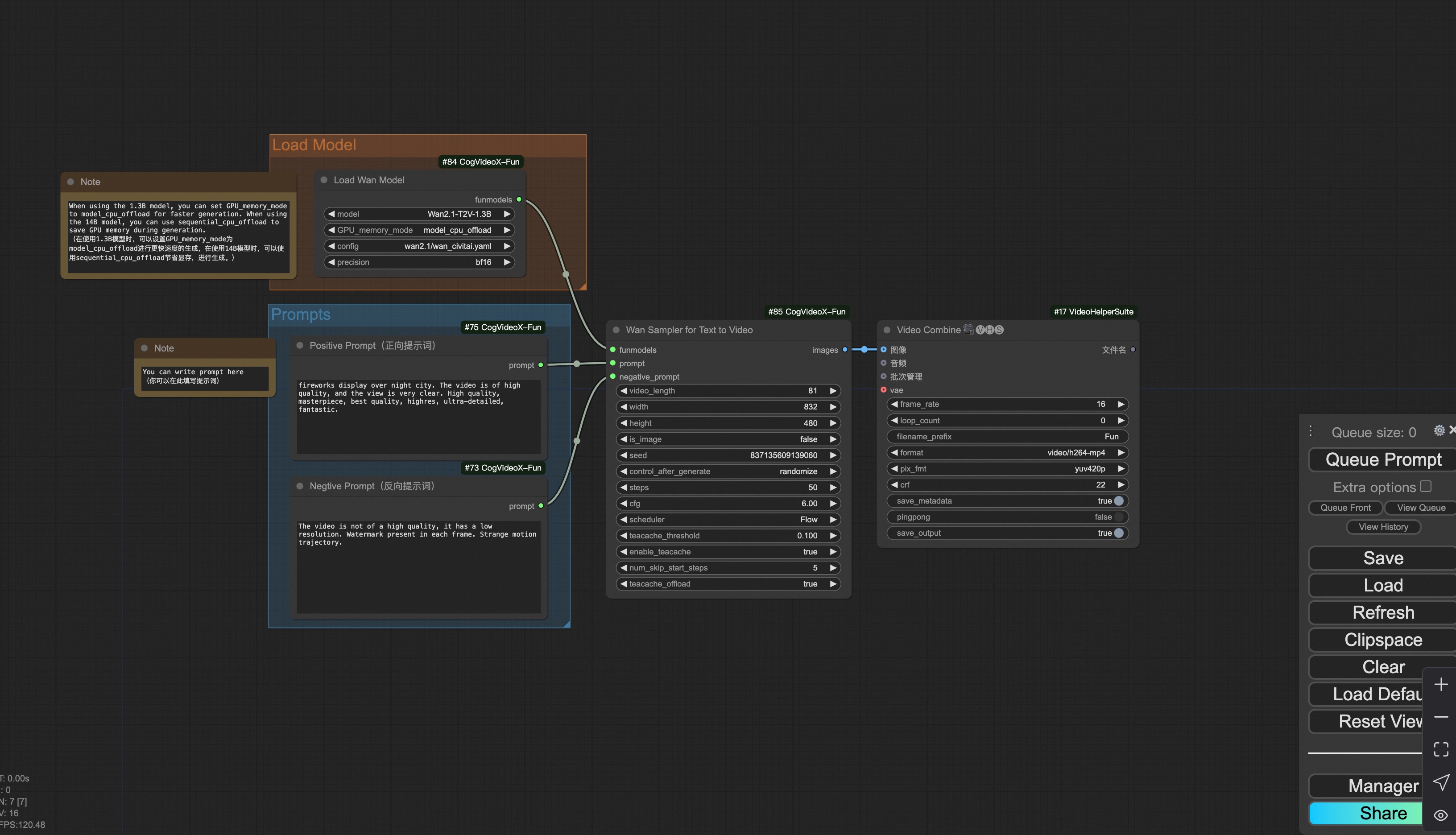
- LoadWanModel
- Loads the Wan Model.
- LoadWanLora
- Write the prompt for Wan-Fun model
- WanI2VSampler
- Wan-Fun Sampler for Image to Video
- WanT2VSampler
- Wan-Fun Sampler for Text to Video
c. ComfyUI Json Workflows
i. Image to video generation
Download link for wan-fun.
Our ui is shown as follow:
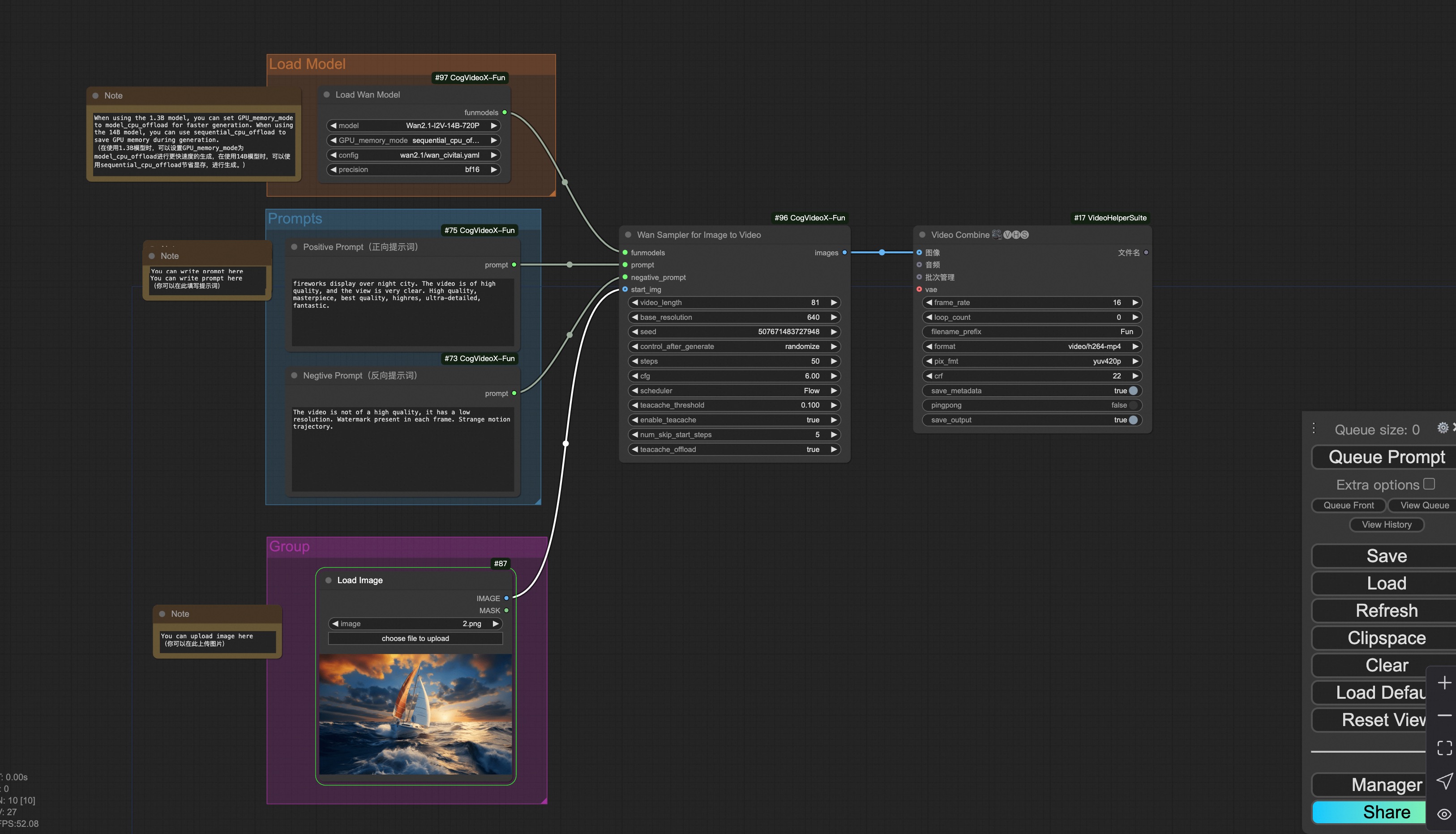
You can run the demo using following photo:

ii. Text to video generation
Download link for wan-fun.