
8.5 KiB
Wan2.1-Fun Model Setup Guide
a. Model Links and Storage Locations
Required Files:
V1.1:
| Name | Storage Size | Hugging Face | Model Scope | Description |
|---|---|---|---|---|
| Wan2.1-Fun-V1.1-1.3B-InP | 19.0 GB | 🤗Link | 😄Link | Wan2.1-Fun-V1.1-1.3B text-to-video generation weights, trained at multiple resolutions, supports start-end image prediction. |
| Wan2.1-Fun-V1.1-14B-InP | 47.0 GB | 🤗Link | 😄Link | Wan2.1-Fun-V1.1-14B text-to-video generation weights, trained at multiple resolutions, supports start-end image prediction. |
| Wan2.1-Fun-V1.1-1.3B-Control | 19.0 GB | 🤗Link | 😄Link | Wan2.1-Fun-V1.1-1.3B video control weights support various control conditions such as Canny, Depth, Pose, MLSD, etc., supports reference image + control condition-based control, and trajectory control. Supports multi-resolution (512, 768, 1024) video prediction, trained with 81 frames at 16 FPS, supports multilingual prediction. |
| Wan2.1-Fun-V1.1-14B-Control | 47.0 GB | 🤗Link | 😄Link | Wan2.1-Fun-V1.1-14B video control weights support various control conditions such as Canny, Depth, Pose, MLSD, etc., supports reference image + control condition-based control, and trajectory control. Supports multi-resolution (512, 768, 1024) video prediction, trained with 81 frames at 16 FPS, supports multilingual prediction. |
| Wan2.1-Fun-V1.1-1.3B-Control-Camera | 19.0 GB | 🤗Link | 😄Link | Wan2.1-Fun-V1.1-1.3B camera lens control weights. Supports multi-resolution (512, 768, 1024) video prediction, trained with 81 frames at 16 FPS, supports multilingual prediction. |
| Wan2.1-Fun-V1.1-14B-Control-Camera | 47.0 GB | 🤗Link | 😄Link | Wan2.1-Fun-V1.1-14B camera lens control weights. Supports multi-resolution (512, 768, 1024) video prediction, trained with 81 frames at 16 FPS, supports multilingual prediction. |
V1.0:
| Name | Storage Space | Hugging Face | Model Scope | Description |
|---|---|---|---|---|
| Wan2.1-Fun-1.3B-InP | 19.0 GB | 🤗Link | 😄Link | Wan2.1-Fun-1.3B text-to-video weights, trained at multiple resolutions, supporting start and end frame prediction. |
| Wan2.1-Fun-14B-InP | 47.0 GB | 🤗Link | 😄Link | Wan2.1-Fun-14B text-to-video weights, trained at multiple resolutions, supporting start and end frame prediction. |
| Wan2.1-Fun-1.3B-Control | 19.0 GB | 🤗Link | 😄Link | Wan2.1-Fun-1.3B video control weights, supporting various control conditions such as Canny, Depth, Pose, MLSD, etc., and trajectory control. Supports multi-resolution (512, 768, 1024) video prediction at 81 frames, trained at 16 frames per second, with multilingual prediction support. |
| Wan2.1-Fun-14B-Control | 47.0 GB | 🤗Link | 😄Link | Wan2.1-Fun-14B video control weights, supporting various control conditions such as Canny, Depth, Pose, MLSD, etc., and trajectory control. Supports multi-resolution (512, 768, 1024) video prediction at 81 frames, trained at 16 frames per second, with multilingual prediction support. |
Storage Location:
📂 ComfyUI/
├── 📂 models/
│ └── 📂 Fun_Models/
|   ├── 📂 Wan2.1-Fun-V1.1-1.3B-InP/
|   ├── 📂 Wan2.1-Fun-V1.1-14B-InP/
|   ├── 📂 Wan2.1-Fun-V1.1-1.3B-Control/
│   └── 📂 Wan2.1-Fun-V1.1-14B-Control/
b. Node types
- LoadWanFunModel
- Loads the Wan-Fun Model.
- LoadWanFunLora
- Write the prompt for Wan-Fun model
- WanFunInpaintSampler
- Wan-Fun Sampler for Image to Video
- WanFunT2VSampler
- Wan-Fun Sampler for Text to Video
c. ComfyUI Json Workflows
i. Image to video generation
Download link for wan-fun.
Our ui is shown as follow:
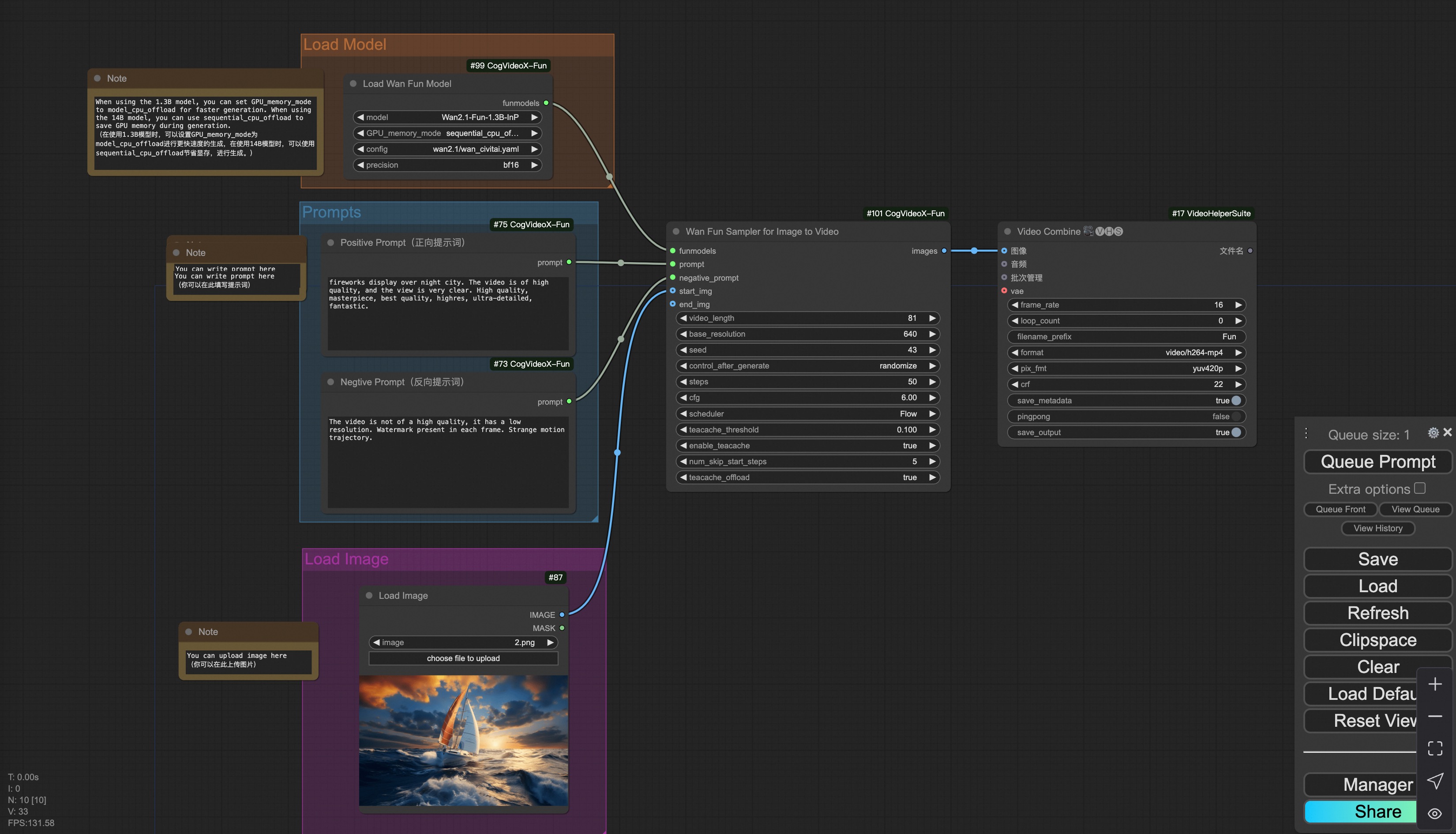
You can run the demo using following photo:

ii. Text to video generation
Download link for wan-fun.
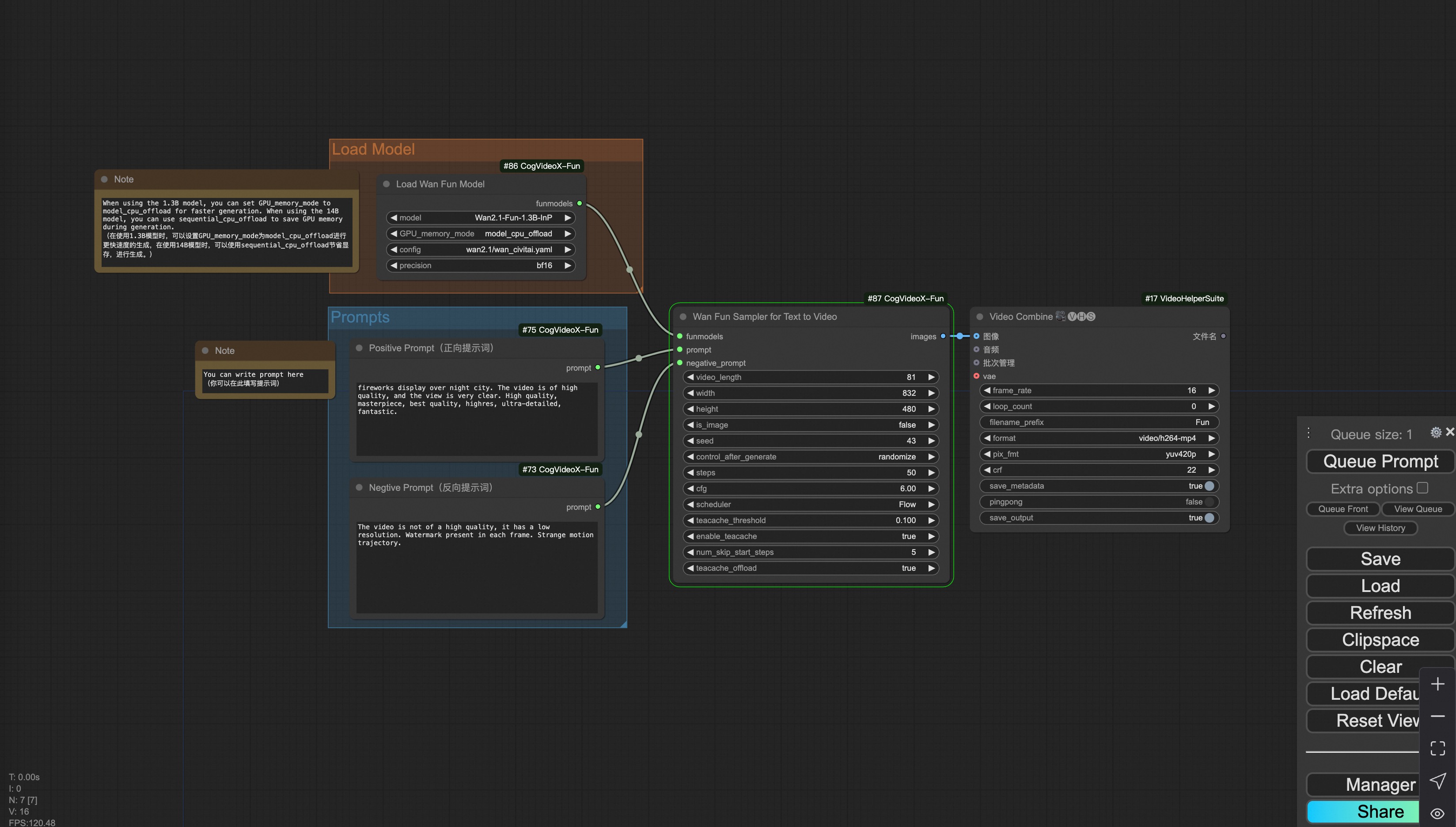
iii. Trajectory Control Video Generation
Our user interface is shown as follows, this is the json:
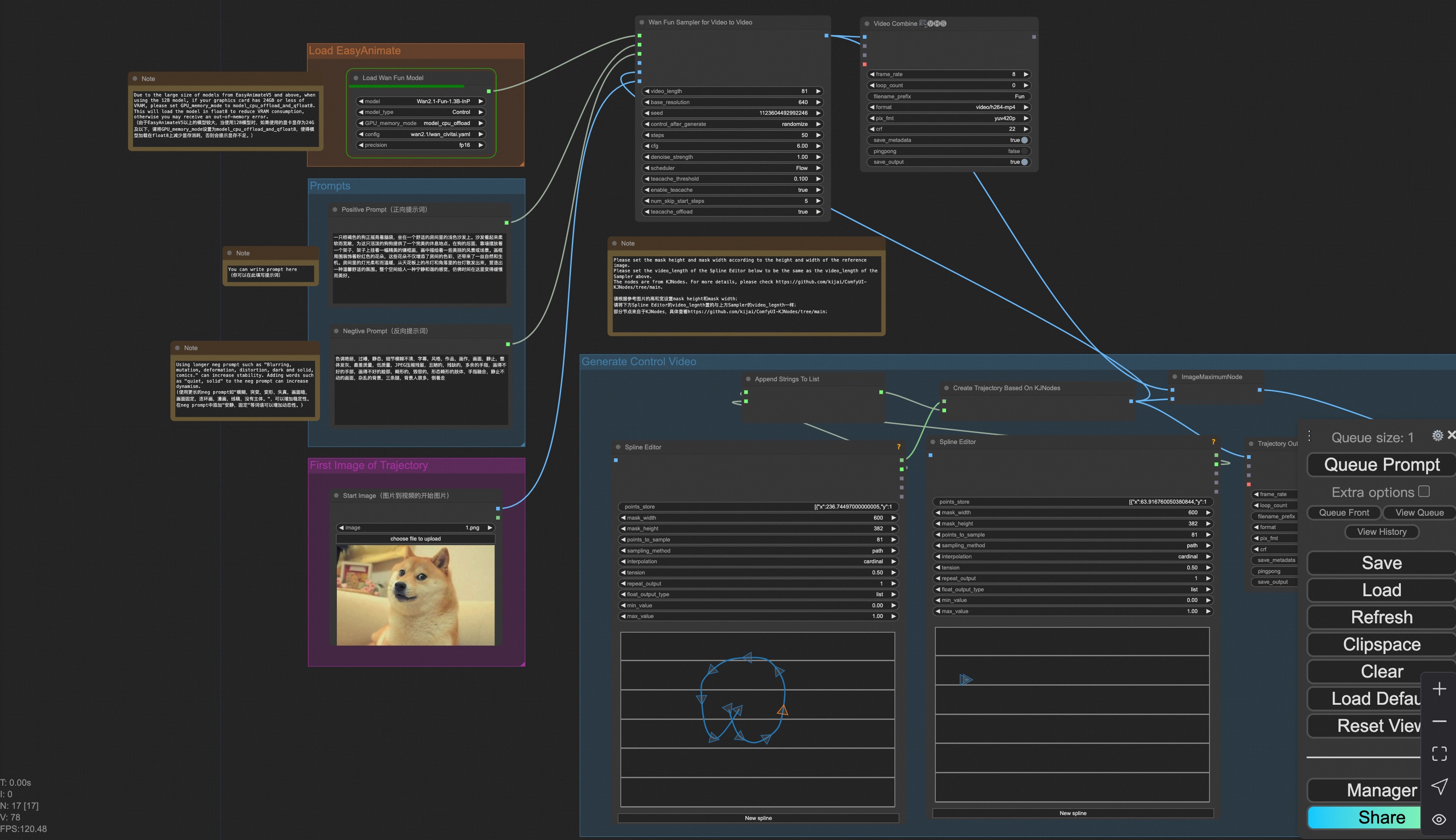
You can run a demo using the following photo:

iv. Control Video Generation
Our user interface is shown as follows, this is the json:
To facilitate usage, we have added several JSON configurations that automatically process input videos into the necessary control videos. These include canny processing, pose processing, and depth processing.
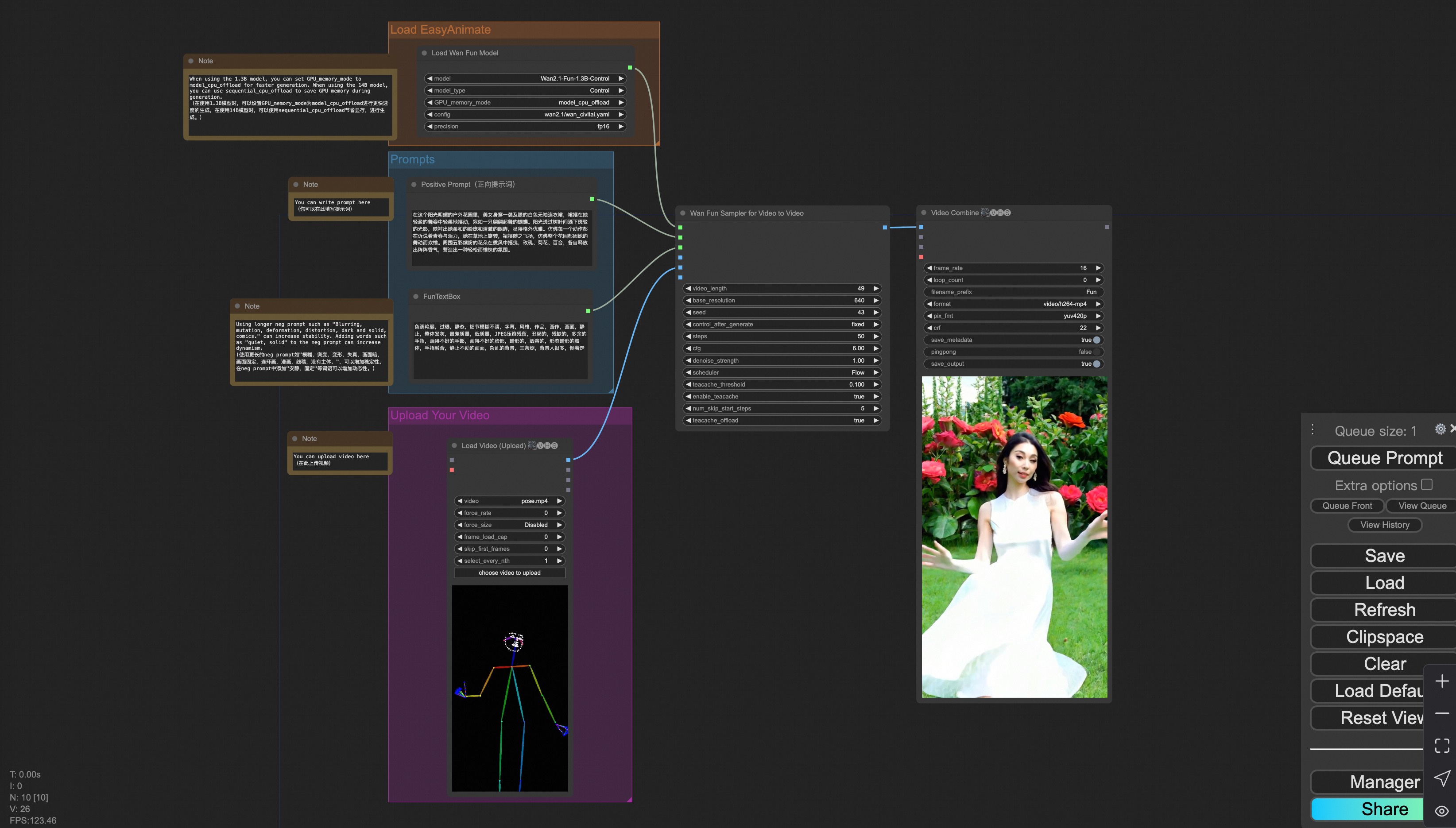
You can run a demo using the following video:
v. Control + Ref Video Generation
Our user interface is shown as follows, this is the json:
To facilitate usage, we have added several JSON configurations that automatically process input videos into the necessary control videos. These include pose processing, and depth processing.
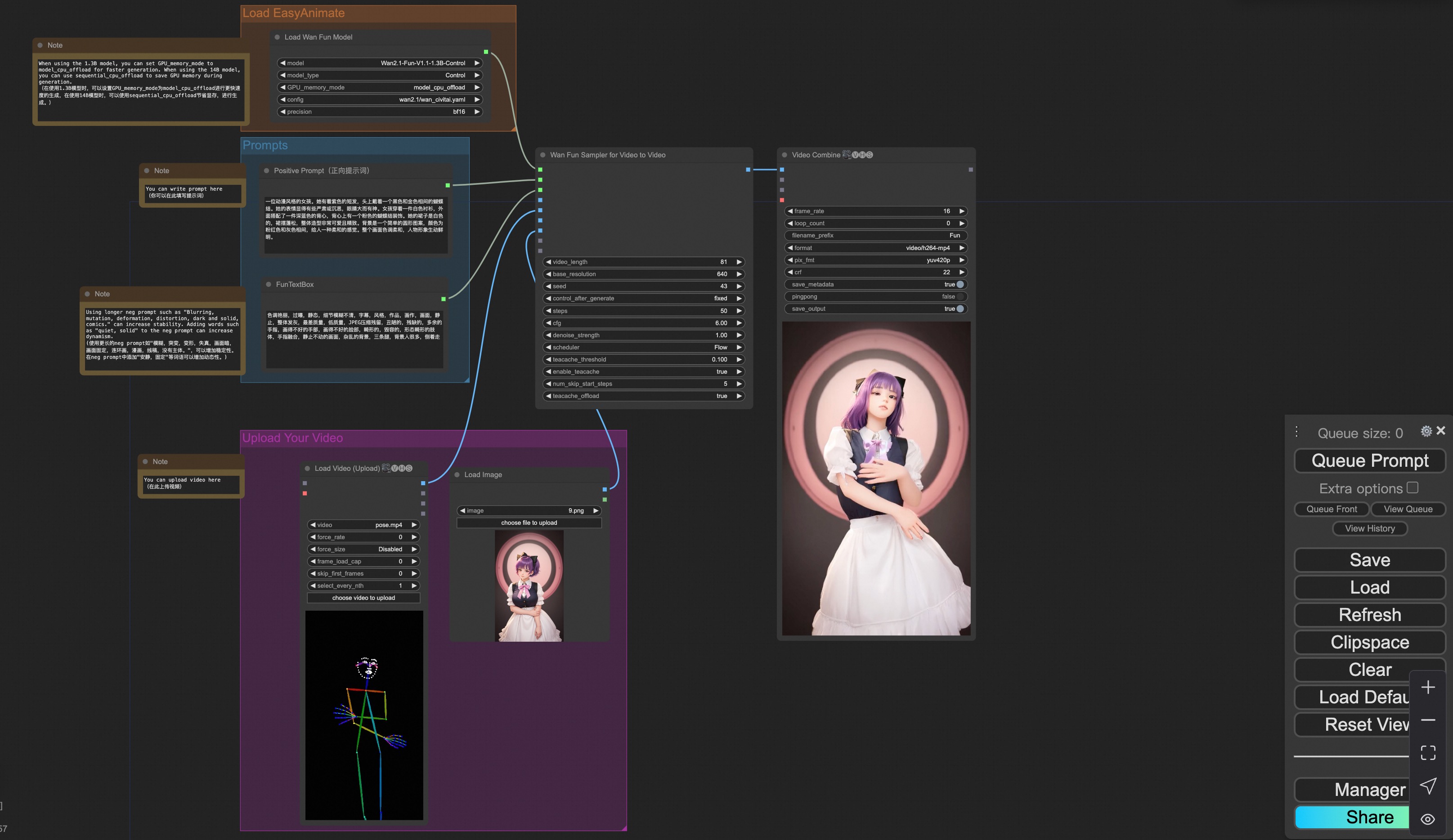
You can run a demo using the following video:

vi. Camera Control Video Generation
Our user interface is shown as follows, this is the json:
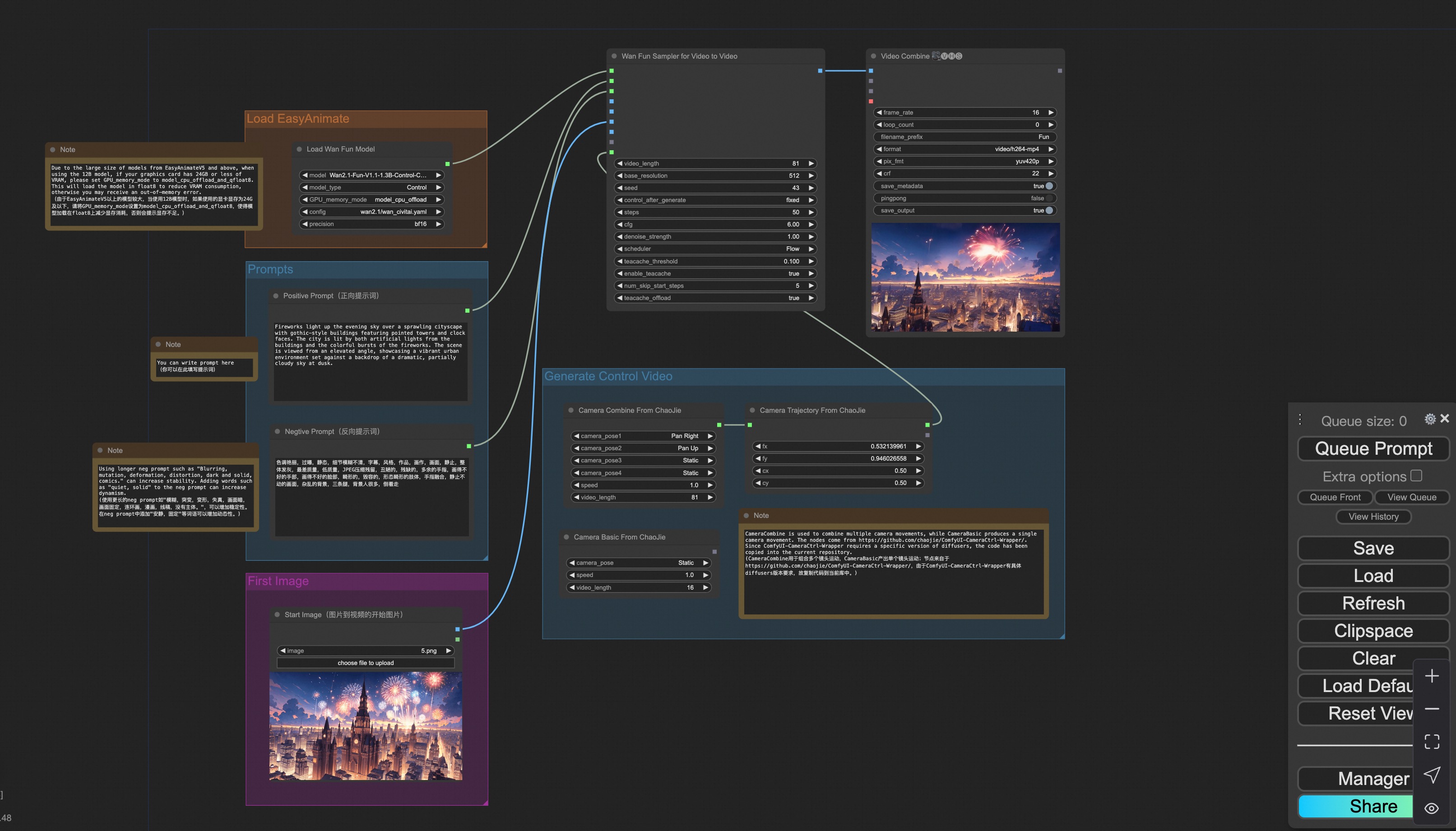
You can run a demo using the following photo: