
5.2 KiB
MiniMax-Remover: Taming Bad Noise Helps Video Object Removal
Bojia Zi*,
Weixuan Peng*,
Xianbiao Qi†,
Jianan Wang, Shihao Zhao, Rong Xiao, Kam-Fai Wong
* Equal contribution. † Corresponding author.






🚀 Overview
MiniMax-Remover is an advanced video object removal pipeline designed to robustly inpaint video regions while taming noise. It achieves state-of-the-art results by carefully handling temporal consistency and mask corruption, as described in our arXiv paper.
🛠️ Installation
All dependencies are listed in requirements.txt.
pip install -r requirements.txt
📺 Demo Video
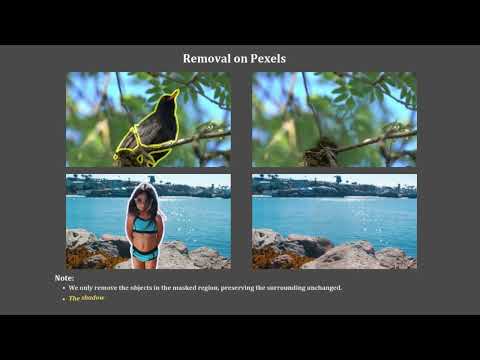
Click the image to watch the demo on YouTube:
⚡ Quick Start
Minimal Example
import torch
from diffusers.utils import export_to_video
from decord import VideoReader
from diffusers.models import AutoencoderKLWan
from transformer_minimax_remover import Transformer3DModel
from diffusers.schedulers import UniPCMultistepScheduler
from pipeline_minimax_remover import Minimax_Remover_Pipeline

random_seed = 42
video_length = 81
device = torch.device("cuda:0")

# Load model weights separately
vae = AutoencoderKLWan.from_pretrained("./vae", torch_dtype=torch.float16)
transformer = Transformer3DModel.from_pretrained("./transformer", torch_dtype=torch.float16)
scheduler = UniPCMultistepScheduler.from_pretrained("./scheduler")

images = # images in range [-1, 1]
masks = # masks in range [0, 1]

# Initialize the pipeline (pass the loaded weights as objects)
pipe = Minimax_Remover_Pipeline(vae=vae, transformer=transformer, \
    scheduler=scheduler, torch_dtype=torch.float16
).to(device)

result = pipe(images=images, masks=masks, \
    num_frames=video_length, height=480, width=832, \
    num_inference_steps=12, generator=torch.Generator(device=device).manual_seed(random_seed), iterations=6 \
).frames[0]
export_to_video(result, "./output.mp4")
images: Video frames, must be normalized to the range[-1, 1]masks: Mask frames, must be normalized to the range[0, 1]
🔑 Important Parameters
When calling the pipeline, do not change these unless you know what you're doing:
height=480width=832num_inference_steps=12
These control output resolution and the speed/quality tradeoff. Changing them may cause shape errors or degrade results.
📥 Input & Output
- Input Video:
./video.mp4 - Mask Video:
./mask.mp4(single channel, auto-binarized) - Output Video:
./output.mp4
Note: The input and mask video must have the same number of frames (default: 81).
⚙️ Parameter Descriptions
| Parameter | Description | Default |
|---|---|---|
iterations |
Mask dilation hyperparameter (controls inpainting margin) | 6 |
num_frames |
Number of frames to process | 81 |
height, width |
Output video resolution | 480x832 |
num_inference_steps |
Diffusion steps | 12 |
Other parameters can be adjusted in the pipeline call.
📂 Model Weights
huggingface-cli download zibojia/minimax-remover --include vae transformer scheduler --local-dir .
🙏 Acknowledgements
This project is for academic research purposes only and must not be used for any commercial activities.
📧 Contact
Feel free to send an email to 19210240030@fudan.edu.cn if you have any questions or suggestions.