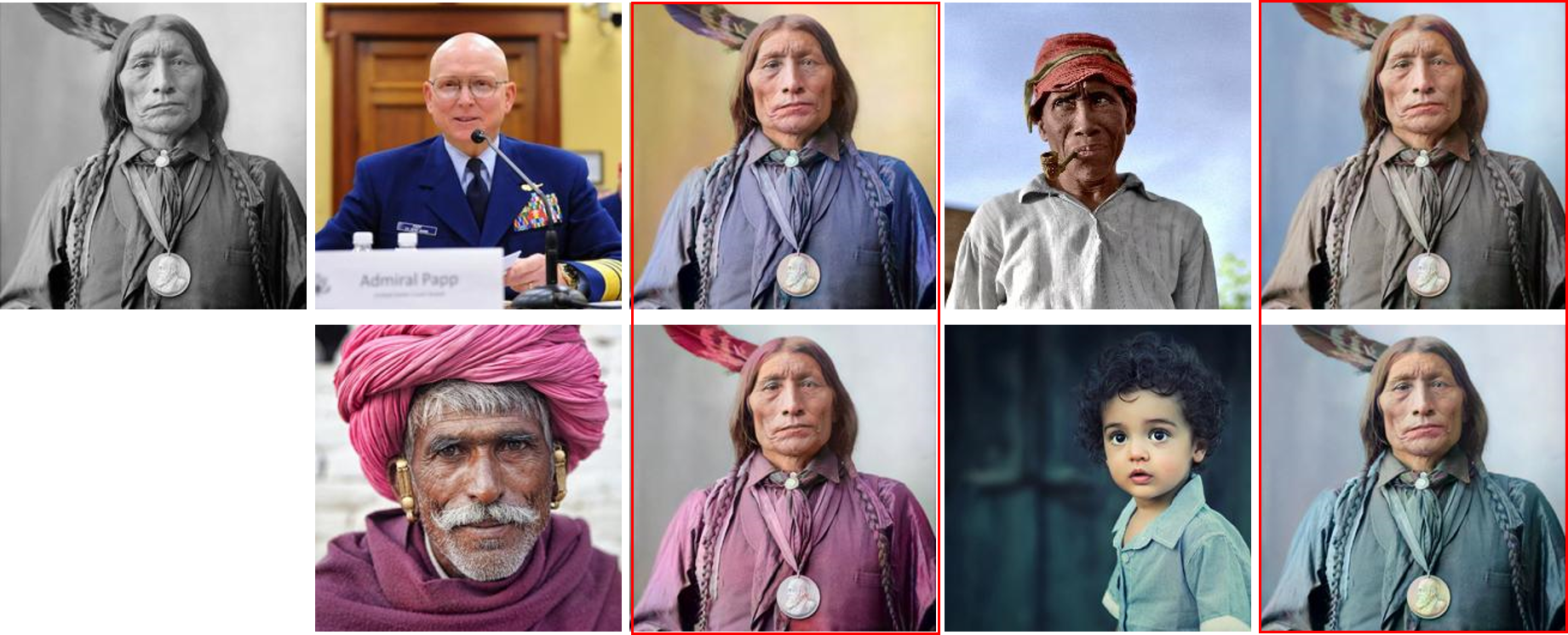
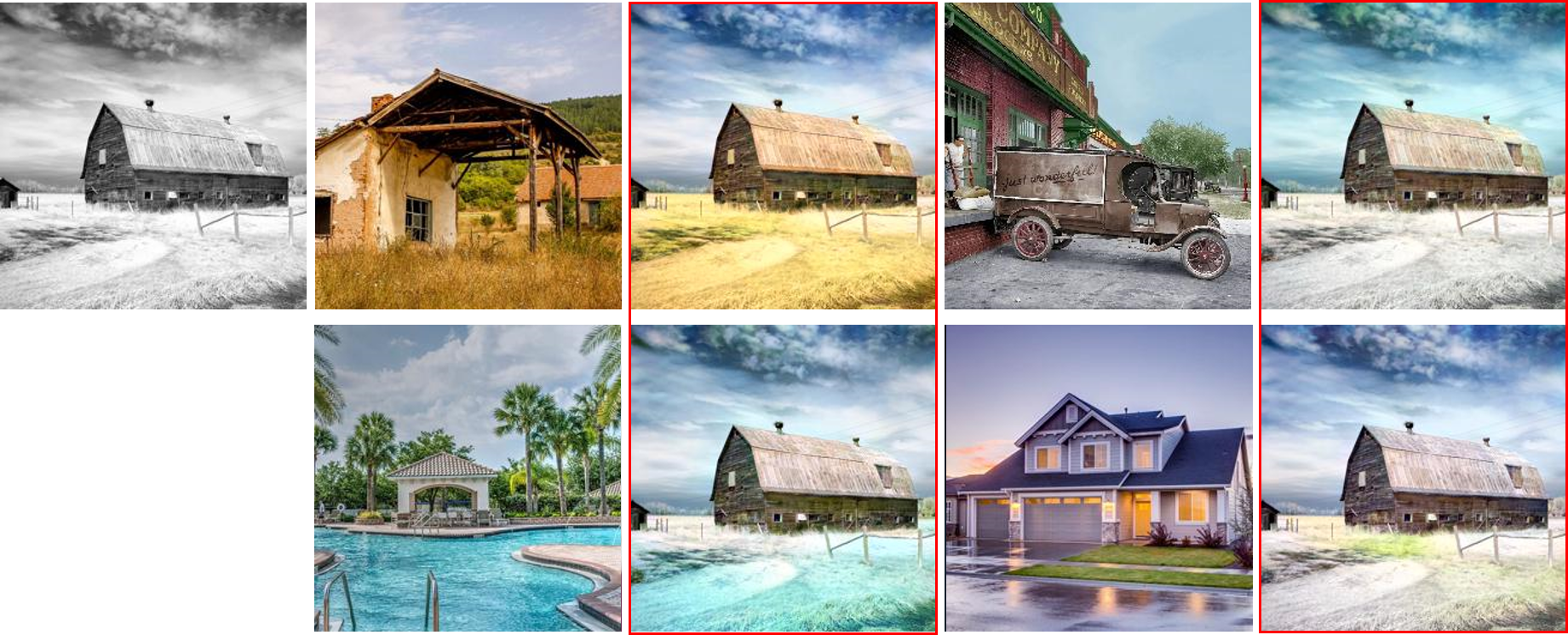
# Deep Exemplar-based Video Colorization (Pytorch Implementation)
### [Paper](https://arxiv.org/abs/1906.09909) | [Pretrained Model](https://facevc.blob.core.windows.net/zhanbo/old_photo/colorization_checkpoint.zip) | [Youtube video](https://youtu.be/HXWR5h5vVYI) :fire:
**Deep Exemplar-based Video Colorization, CVPR2019**
[Bo Zhang](https://www.microsoft.com/en-us/research/people/zhanbo/)1,3,
[Mingming He](http://mingminghe.com/)1,5,
[Jing Liao](https://liaojing.github.io/html/)2,
[Pedro V. Sander](https://www.cse.ust.hk/~psander/)1,
[Lu Yuan](https://www.microsoft.com/en-us/research/people/luyuan/)4,
[Amine Bermak](https://eebermak.home.ece.ust.hk/)1,
[Dong Chen](https://www.microsoft.com/en-us/research/people/doch/)3 1Hong Kong University of Science and Technology,2City University of Hong Kong,
3Microsoft Research Asia, 4Microsoft Cloud&AI, 5USC Institute for Creative Technologies
## Prerequisites
- Python 3.6+
- Nvidia GPU + CUDA, CuDNN
## Installation
First use the following commands to prepare the environment:
```bash
conda create -n ColorVid python=3.6
source activate ColorVid
pip install -r requirements.txt
```
Then, download the pretrained models from [this link](https://facevc.blob.core.windows.net/zhanbo/old_photo/colorization_checkpoint.zip), unzip the file and place the files into the corresponding folders:
- `video_moredata_l1` under the `checkpoints` folder
- `vgg19_conv.pth` and `vgg19_gray.pth` under the `data` folder
## Data Preparation
In order to colorize your own video, it requires to extract the video frames, and provide a reference image as an example.
- Place your video frames into one folder, _e.g._, `./sample_videos/v32_180`
- Place your reference images into another folder, _e.g._, `./sample_videos/v32`
If you want to _automatically_ retrieve color images, you can try the retrieval algorithm from [this link](https://github.com/hmmlillian/Gray-Image-Retrieval) which will retrieve similar images from the ImageNet dataset. Or you can try [this link](https://github.com/pochih/CBIR) on your own image database.
## Test
```bash
python test.py --image-size [image-size] \
--clip_path [path-to-video-frames] \
--ref_path [path-to-reference] \
--output_path [path-to-output]
```
We provide several sample video clips with corresponding references. For example, one can colorize one sample legacy video using:
```bash
python test.py --clip_path ./sample_videos/clips/v32 \
--ref_path ./sample_videos/ref/v32 \
--output_path ./sample_videos/output
```
Note that we use 216\*384 images for training, which has aspect ratio of 1:2. During inference, we scale the input to this size and then rescale the output back to the original size.
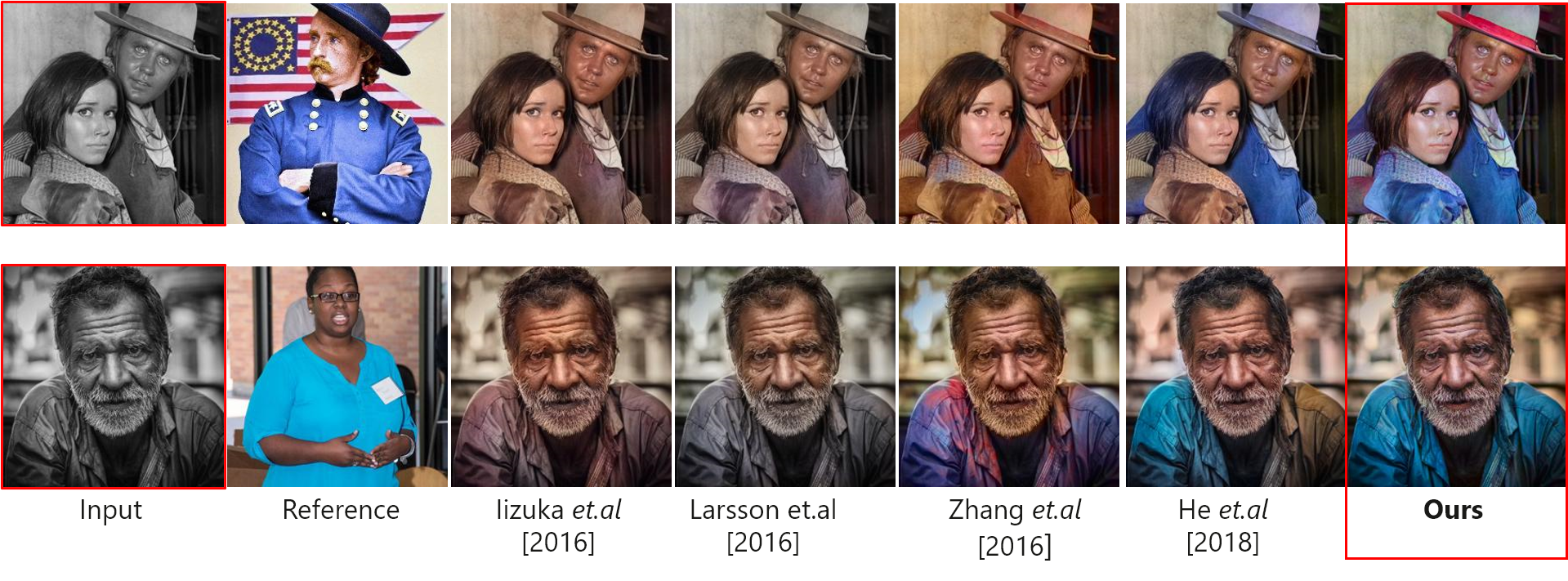
## Comparison with State-of-the-Arts
## More results
:star: Please check our [Youtube demo](https://youtu.be/HXWR5h5vVYI) for results of video colorization.
## Citation
If you use this code for your research, please cite our paper.
```
@inproceedings{zhang2019deep,
title={Deep exemplar-based video colorization},
author={Zhang, Bo and He, Mingming and Liao, Jing and Sander, Pedro V and Yuan, Lu and Bermak, Amine and Chen, Dong},
booktitle={Proceedings of the IEEE Conference on Computer Vision and Pattern Recognition},
pages={8052--8061},
year={2019}
}
```
## Old Photo Restoration :fire:
If you are also interested in restoring the artifacts in the legacy photo, please check our recent work, [bringing old photo back to life](https://github.com/microsoft/Bringing-Old-Photos-Back-to-Life).
```
@inproceedings{wan2020bringing,
title={Bringing Old Photos Back to Life},
author={Wan, Ziyu and Zhang, Bo and Chen, Dongdong and Zhang, Pan and Chen, Dong and Liao, Jing and Wen, Fang},
booktitle={Proceedings of the IEEE/CVF Conference on Computer Vision and Pattern Recognition},
pages={2747--2757},
year={2020}
}
```
## License
This project is licensed under the MIT license.
 ### [Paper](https://arxiv.org/abs/1906.09909) | [Pretrained Model](https://facevc.blob.core.windows.net/zhanbo/old_photo/colorization_checkpoint.zip) | [Youtube video](https://youtu.be/HXWR5h5vVYI) :fire:
**Deep Exemplar-based Video Colorization, CVPR2019**
[Bo Zhang](https://www.microsoft.com/en-us/research/people/zhanbo/)1,3,
[Mingming He](http://mingminghe.com/)1,5,
[Jing Liao](https://liaojing.github.io/html/)2,
[Pedro V. Sander](https://www.cse.ust.hk/~psander/)1,
[Lu Yuan](https://www.microsoft.com/en-us/research/people/luyuan/)4,
[Amine Bermak](https://eebermak.home.ece.ust.hk/)1,
[Dong Chen](https://www.microsoft.com/en-us/research/people/doch/)3
### [Paper](https://arxiv.org/abs/1906.09909) | [Pretrained Model](https://facevc.blob.core.windows.net/zhanbo/old_photo/colorization_checkpoint.zip) | [Youtube video](https://youtu.be/HXWR5h5vVYI) :fire:
**Deep Exemplar-based Video Colorization, CVPR2019**
[Bo Zhang](https://www.microsoft.com/en-us/research/people/zhanbo/)1,3,
[Mingming He](http://mingminghe.com/)1,5,
[Jing Liao](https://liaojing.github.io/html/)2,
[Pedro V. Sander](https://www.cse.ust.hk/~psander/)1,
[Lu Yuan](https://www.microsoft.com/en-us/research/people/luyuan/)4,
[Amine Bermak](https://eebermak.home.ece.ust.hk/)1,
[Dong Chen](https://www.microsoft.com/en-us/research/people/doch/)3