## ComfyUI-BrushNet
Custom nodes for ComfyUI allow to inpaint using Brushnet: ["BrushNet: A Plug-and-Play Image Inpainting Model with Decomposed Dual-Branch Diffusion"](https://arxiv.org/abs/2403.06976).
My contribution is limited to the ComfyUI adaptation, and all credit goes to the authors of the paper.
## Updates
Apr 28, 2014. Another rework, sorry for inconvenience. But now BrushNet is native to ComfyUI. Famous cubiq's [IPAdapter Plus](https://github.com/cubiq/ComfyUI_IPAdapter_plus) is now working with BrushNet! I hope... :) Please, report any bugs you found.
Apr 18, 2024. Complete rework, no more custom `diffusers` library. It is possible to use LoRA models.
Apr 11, 2024. Initial commit.
## Installation
Clone the repo into the custom_nodes directory and install the requirements:
```
git clone https://github.com/nullquant/ComfyUI-BrushNet.git
pip install -r requirements.txt
```
Checkpoints of BrushNet can be downloaded from [here](https://drive.google.com/drive/folders/1fqmS1CEOvXCxNWFrsSYd_jHYXxrydh1n?usp=drive_link).
The checkpoint in `segmentation_mask_brushnet_ckpt` provides checkpoints trained on BrushData, which has segmentation prior (mask are with the same shape of objects). The `random_mask_brushnet_ckpt` provides a more general ckpt for random mask shape.
Both `segmentation_mask_brushnet_ckpt` and `random_mask_brushnet_ckpt` or only one of them should be placed inside `models/inpaint/brushnet` folder.
Base model should be SD1.5 type (realisticVisionV60B1_v51VAE, for example).
## Usage
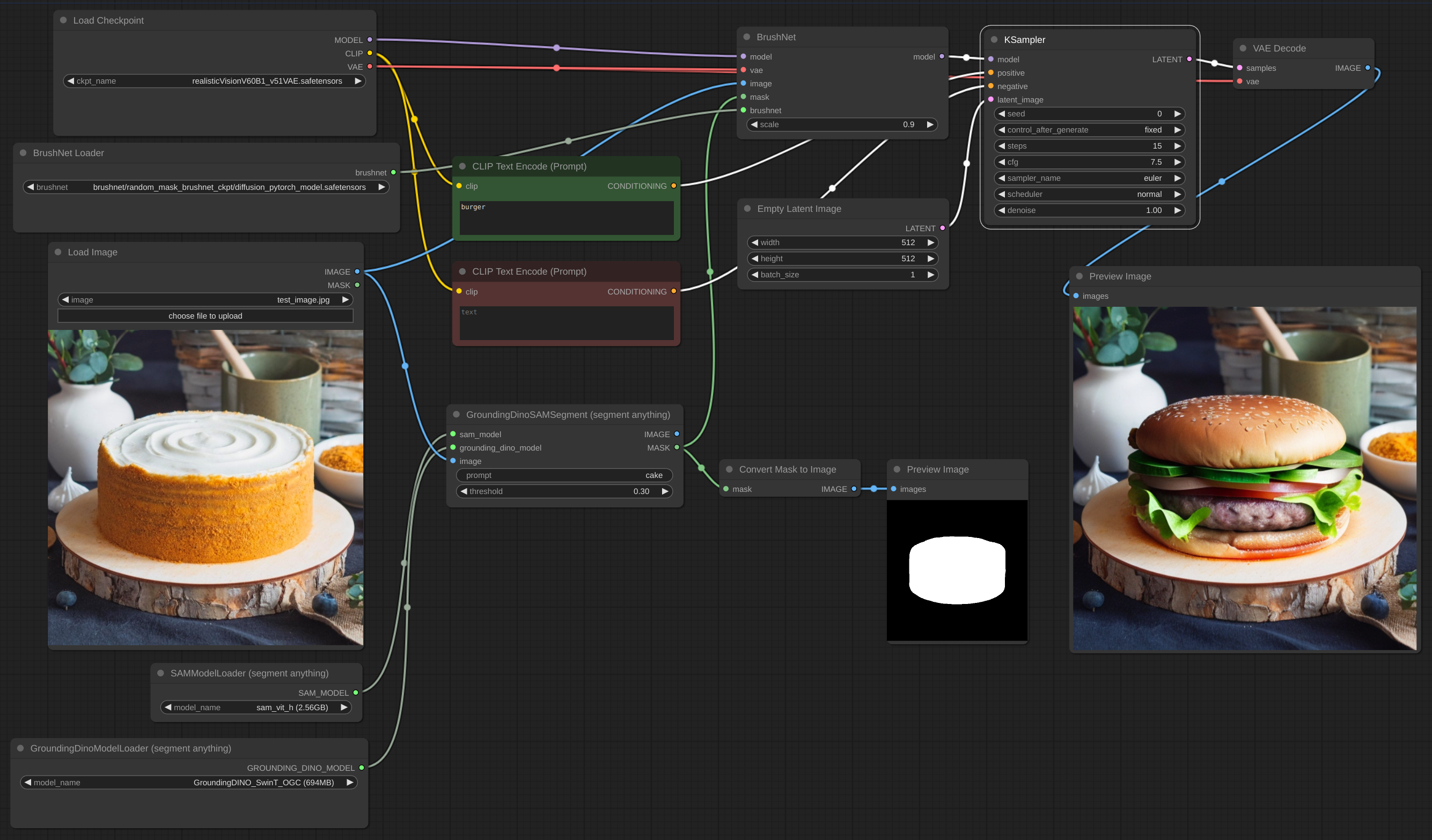
Below is an example for the intended workflow. The [json file](example/BrushNet_basic.json) for the example can be found inside the 'example' directory.
IPAdapter plus
[json file](example/BrushNet_with_IPA.json)

LoRA
[json file](example/BrushNet_with_LoRA.json)

Blending inpaint
Sometimes inference and VAE broke image, so you need to blend inpaint image with the original: [json file](example/BrushNet_inpaint.json)

You can see blurred and broken text after inpainting in the first image and how I suppose to repair it.
ControlNet
[json file](example/BrushNet_with_CN.json)

## Credits
The code is based on
- [BrushNet](https://github.com/TencentARC/BrushNet)
- [PowerPaint](https://github.com/zhuang2002/PowerPaint)
- [diffusers](https://github.com/huggingface/diffusers)