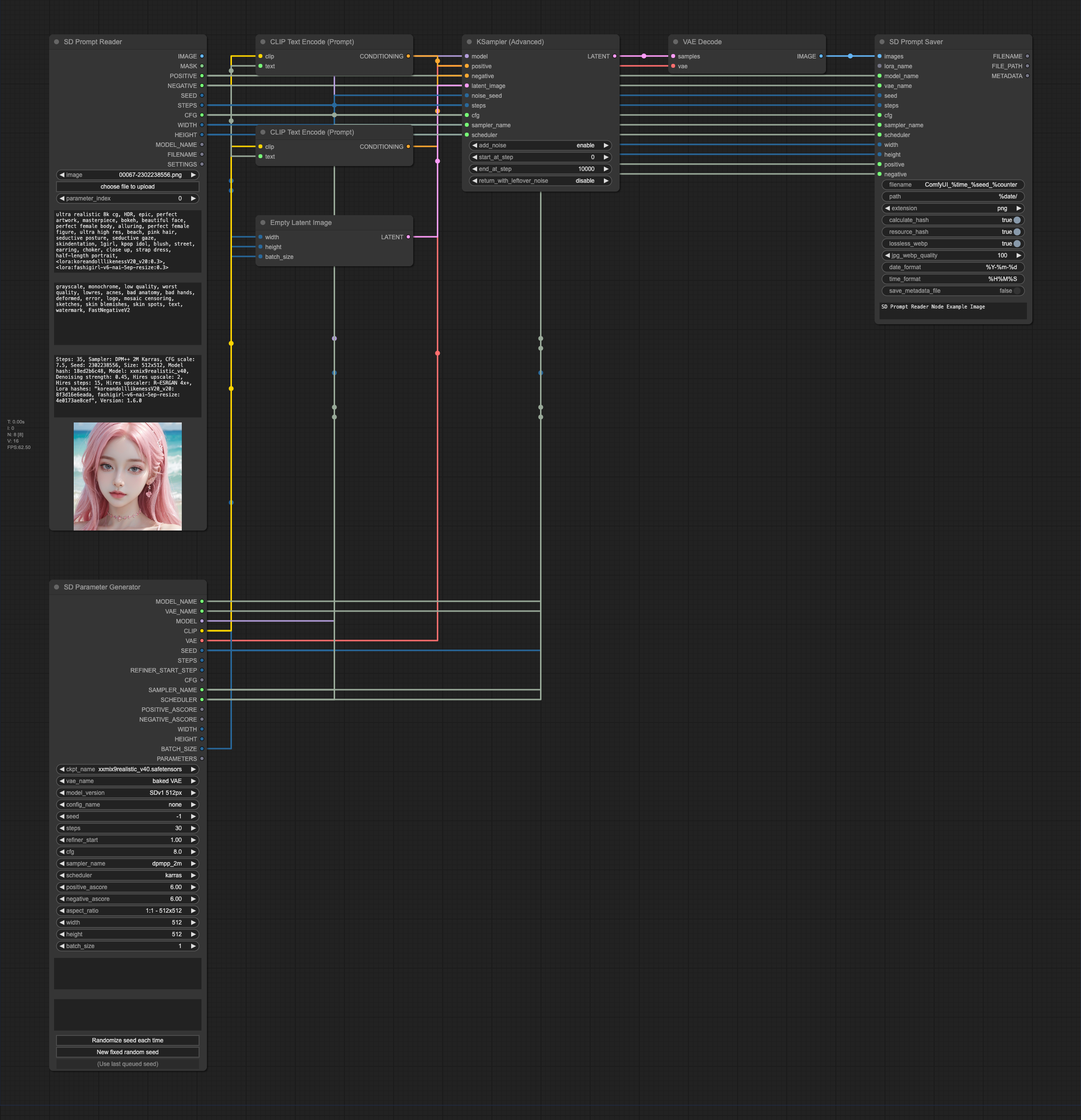
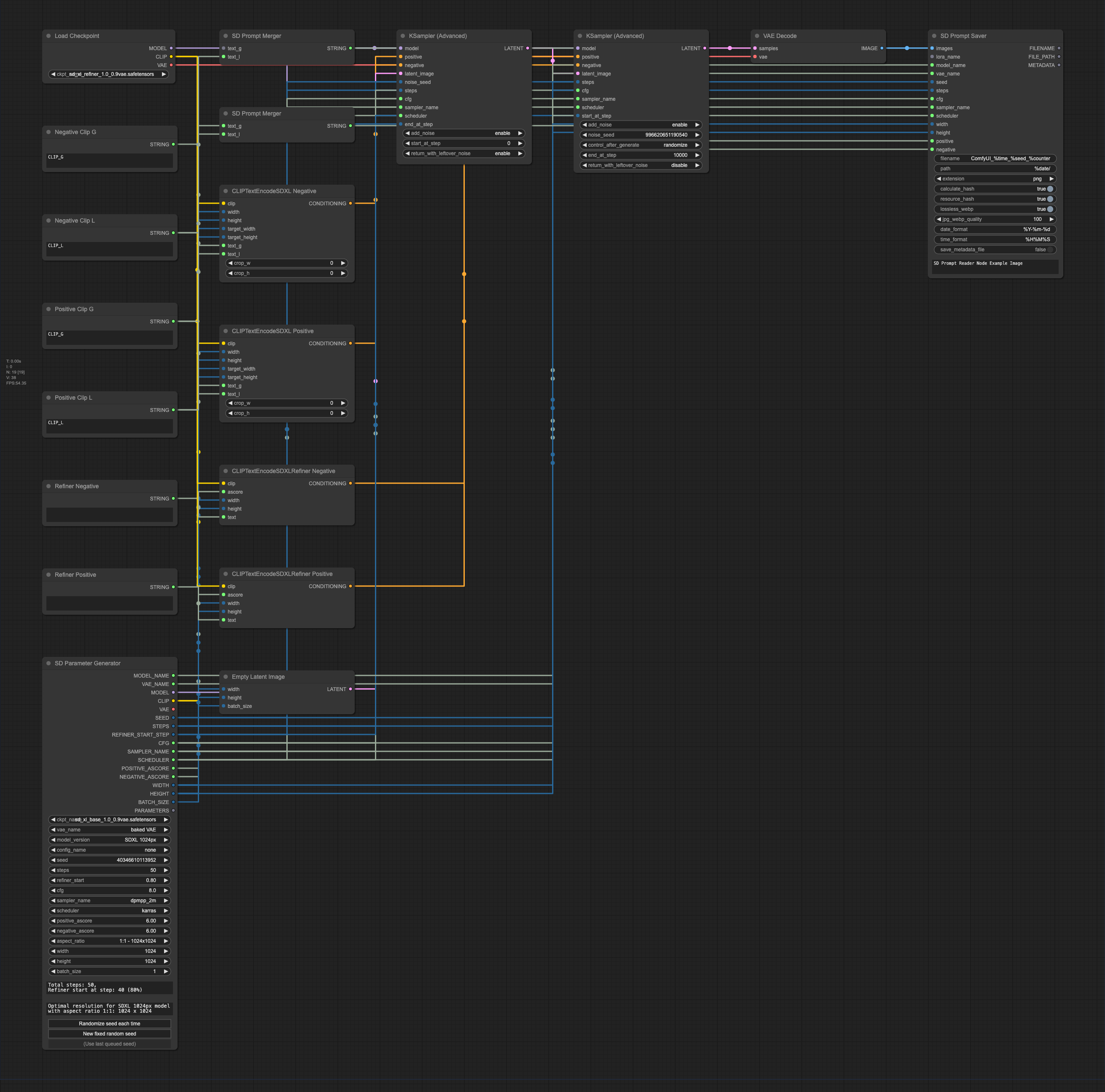
## Supported Formats
| | PNG | JPEG | WEBP | TXT* |
|----------------------------------------------------------------------------------------|:---:|:----:|:----:|:----:|
| [A1111's webUI](https://github.com/AUTOMATIC1111/stable-diffusion-webui) | ✅ | ✅ | ✅ | ✅ |
| [Easy Diffusion](https://github.com/easydiffusion/easydiffusion) | ✅ | ✅ | ✅ | |
| [StableSwarmUI](https://github.com/Stability-AI/StableSwarmUI)* | ✅ | ✅ | | |
| [StableSwarmUI (prior to 0.5.8-alpha)](https://github.com/Stability-AI/StableSwarmUI)* | ✅ | ✅ | | |
| [Fooocus-MRE](https://github.com/MoonRide303/Fooocus-MRE)* | ✅ | ✅ | | |
| [NovelAI (stealth pnginfo)](https://novelai.net/) | ✅ | | ✅ | |
| [NovelAI (legacy)](https://novelai.net/) | ✅ | | | |
| [InvokeAI](https://github.com/invoke-ai/InvokeAI) | ✅ | | | |
| [InvokeAI (prior to 2.3.5-post.2)](https://github.com/invoke-ai/InvokeAI) | ✅ | | | |
| [InvokeAI (prior to 1.15)](https://github.com/invoke-ai/InvokeAI) | ✅ | | | |
| [ComfyUI](https://github.com/comfyanonymous/ComfyUI)* | ✅ | | | |
| [Draw Things](https://drawthings.ai/) | ✅ | | | |
| Naifu(4chan) | ✅ | | | |
See [SD Prompt Reader](https://github.com/receyuki/stable-diffusion-prompt-reader#supported-formats) for details
## Installation
> [!NOTE]
> While ZIP package is available, it is strongly recommended not to use it for installation.
### Install and update via [ComfyUI Manager](https://github.com/ltdrdata/ComfyUI-Manager) (Recommended)
Search for `SD Prompt Reader` in the ComfyUI Manager and install it.
### Install manually
Please make sure to install the submodules along with the main repository.
1. `cd` to the `custom_node` folder
2. Clone this repo
```shell
git clone --recursive https://github.com/receyuki/comfyui-prompt-reader-node.git
```
3. Install dependencies
```shell
cd comfyui-prompt-reader-node
pip install -r requirements.txt
```
#### Update
When updating, don't forget to include the submodules along with the main repository.
```shell
git pull --recurse-submodules
```
## Usage
### Prompt Reader Node