
ComfyUI Image Tiled Nodes
Custom nodes for ComfyUI that allow splitting large images into overlapping tiles for processing (e.g., Inpainting/Upscaling) and merging them back seamlessly with feathering blending.
Image Splitting Example
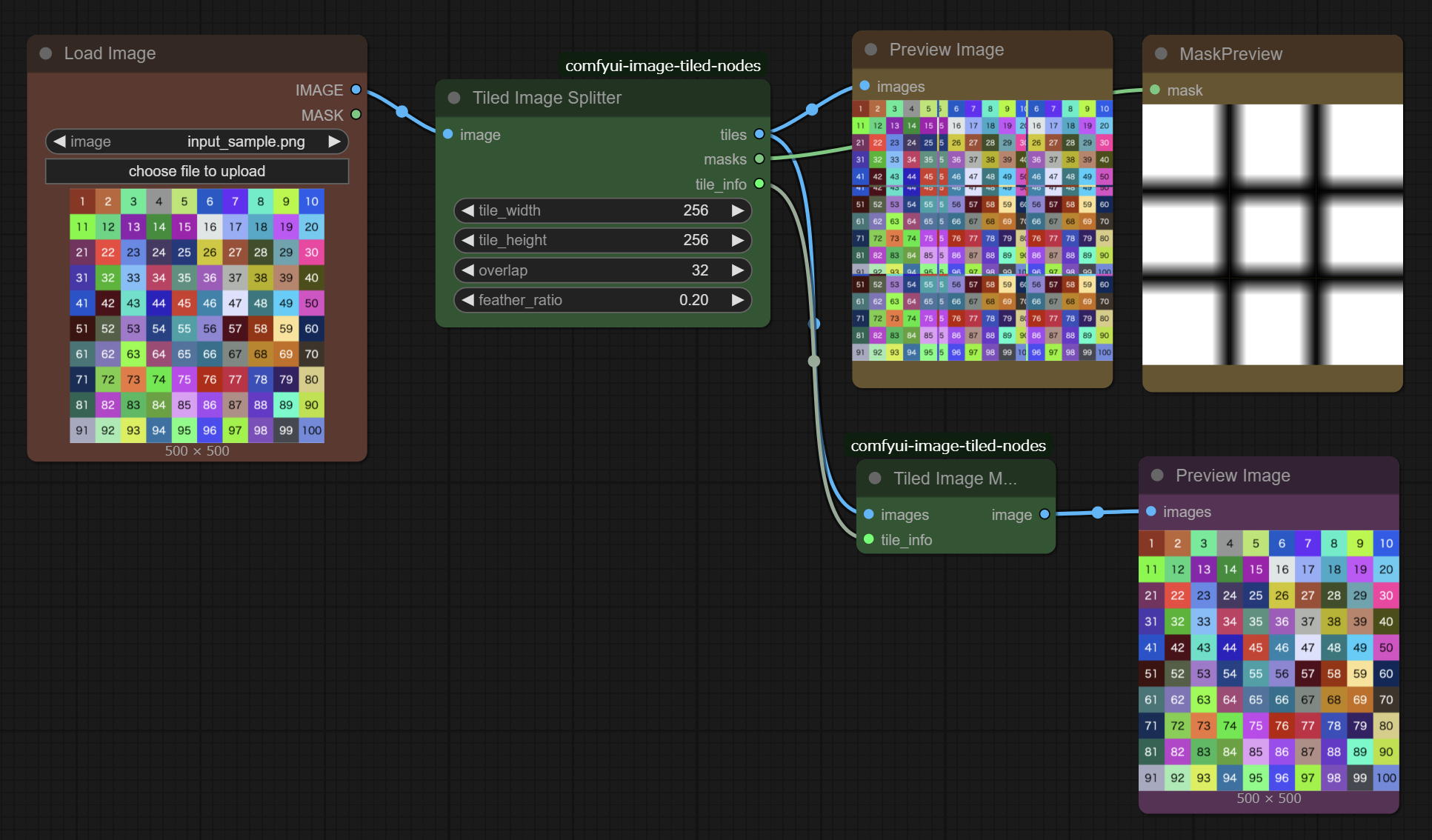
Merging Split Images Example (Upscale)
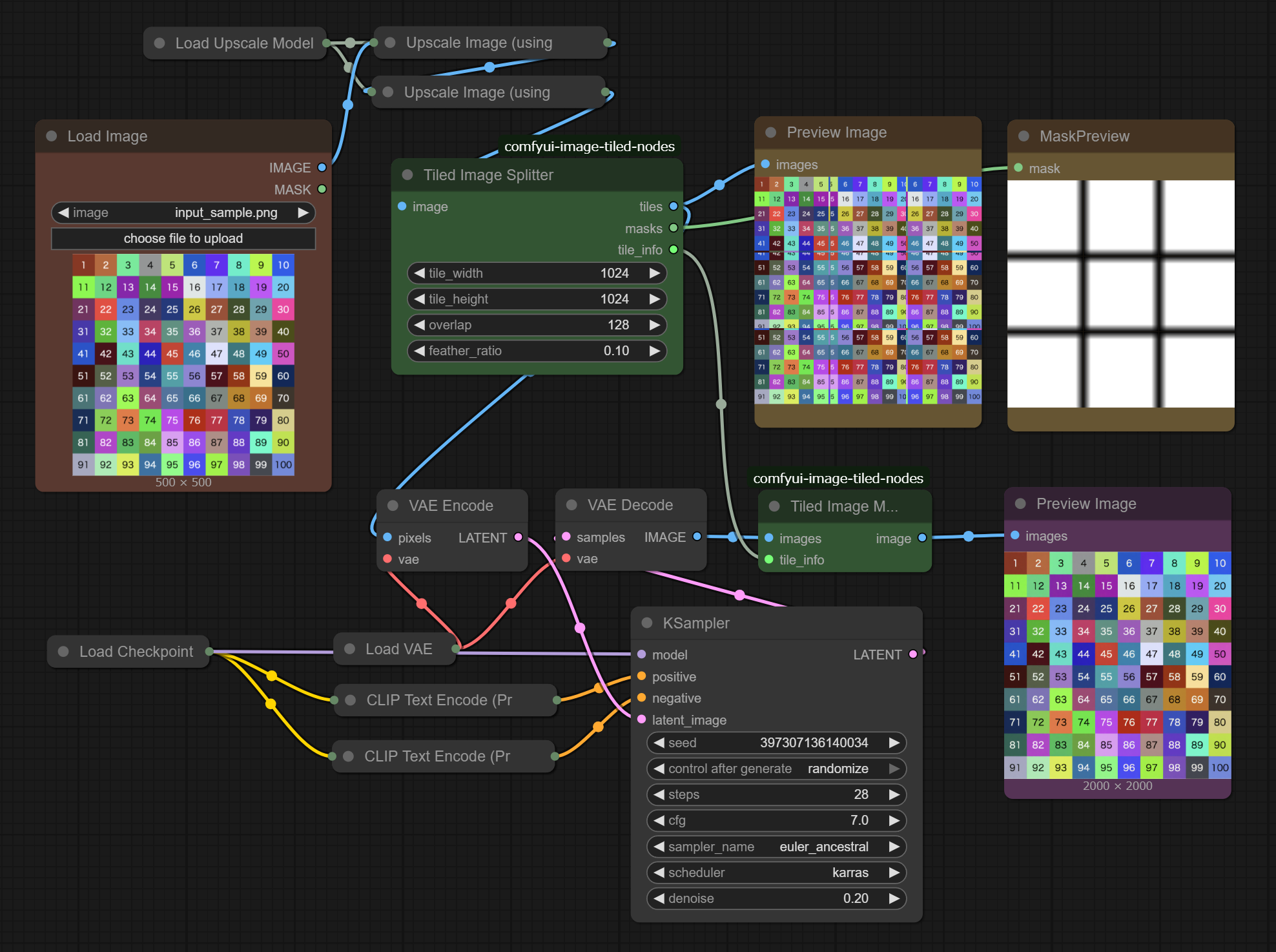
Features
- Split Large Images: Split a large image into smaller tiles suitable for diffusion models.
- Seamless Blending: Automatically generates feathered masks for tile edges to ensure seamless merging after processing.
- Batch Processing: Outputs tiles as a batch, allowing standard ComfyUI nodes (
VAE Encode,KSampler, etc.) to process all tiles at once without complex loop structures. - Flexible Configuration: Customizable tile size, overlap amount, and feathering ratio.
Installation
- Navigate to your ComfyUI
custom_nodesdirectory. - Clone this repository:
git clone https://github.com/tuki0918/comfyui-image-tiled-nodes.git - Restart ComfyUI.
Nodes
Tiled Image Splitter
Splits an input image into tiles.
- Inputs:
image: The source image to split.tile_width/tile_height: The size of each tile.overlap: The size of the overlapping area between tiles (in pixels).feather_ratio: Ratio of the overlap area to use for feathering/blending (0.0 - 0.5).
- Outputs:
tiles: A batch of cropped images.masks: A batch of masks corresponding to the tiles. Edges are feathered for seamless blending.tile_info: Metadata required by the Merger node to reconstruct the image.
Tiled Image Merger
Merges the processed tiles back into a single large image.
- Inputs:
images: A batch of processed tile images (usually fromVAE Decode).tile_info: The metadata output from the Tiled Image Splitter node.
- Outputs:
image: The final merged image.
Workflow Example
- Load Image -> Connect to Tiled Image Splitter (
image). - Tiled Image Splitter (
tiles) -> VAE Encode -> KSampler ... - Tiled Image Splitter (
masks) -> Set Latent Noise Mask (for Inpainting). - Tiled Image Splitter (
tile_info) -> Connect to Tiled Image Merger (tile_info). - KSampler -> VAE Decode -> Connect to Tiled Image Merger (
images). - Tiled Image Merger (
image) -> Save Image.
This setup processes all tiles in a single batch run. Ensure your VRAM is sufficient for the number of tiles generated.
Warning
There is a problem with increased redness.