
73 lines
3.0 KiB
Markdown
73 lines
3.0 KiB
Markdown
# ComfyUI-AniDoc
|
|
ComfyUI Custom Nodes for ["AniDoc: Animation Creation Made Easier"](https://arxiv.org/abs/2412.14173). These nodes, adapted from [the official implementations](https://github.com/yihao-meng/AniDoc), enables automated line art video colorization using a novel model that aligns color information from references, ensures temporal consistency, and reduces manual effort in animation production.
|
|
|
|
## Installation
|
|
|
|
1. Navigate to your ComfyUI's custom_nodes directory:
|
|
```bash
|
|
cd ComfyUI/custom_nodes
|
|
```
|
|
|
|
2. Clone this repository:
|
|
```bash
|
|
git clone https://github.com/LucipherDev/ComfyUI-AniDoc
|
|
```
|
|
|
|
3. Install requirements:
|
|
```bash
|
|
cd ComfyUI-AniDoc
|
|
python install.py
|
|
```
|
|
|
|
### Or Install via ComfyUI Manager
|
|
|
|
****Custom nodes from [ComfyUI-VideoHelperSuite](https://github.com/Kosinkadink/ComfyUI-VideoHelperSuite) are required for these nodes to function properly.***
|
|
|
|
## Example Workflow
|
|
|
|

|
|
|
|
## Usage
|
|
|
|
**All the necessary models should be automatically downloaded when the LoadAniDoc node is used for the first time.**
|
|
|
|
**Models can also be downloaded using the `install.py` script**
|
|
|
|
**Manual Download:**
|
|
- Download Stable Diffusion Video Img2Vid from [here](https://huggingface.co/stabilityai/stable-video-diffusion-img2vid-xt-1-1/tree/main) and put everything in `models/diffusers/stable-video-diffusion-img2vid-xt-1-1`
|
|
- Download AniDoc from [here](https://huggingface.co/Yhmeng1106/anidoc/tree/main/anidoc) and put everything in `models/diffusers/anidoc`
|
|
- Download the [CoTracker Checkpoint](https://huggingface.co/facebook/cotracker/blob/main/cotracker2.pth) and place it in `models/cotracker` folder to use AniDoc with tracking enabled.
|
|
|
|
The nodes can be found in "AniDoc" category as `AniDocLoader`, `LoadCoTracker`, `GetAniDocControlnetImages`, `AniDocSampler`.
|
|
|
|
Take a look at the example workflow for more info.
|
|
|
|
> Currently our model expects `14 frames` video as input, so if you want to colorize your own lineart sequence, you should preprocess it into 14 frames
|
|
|
|
> However, in our test, we found that in most cases our model works well for more than 14 frames (`72 frames`)
|
|
|
|
## Showcases
|
|
|
|
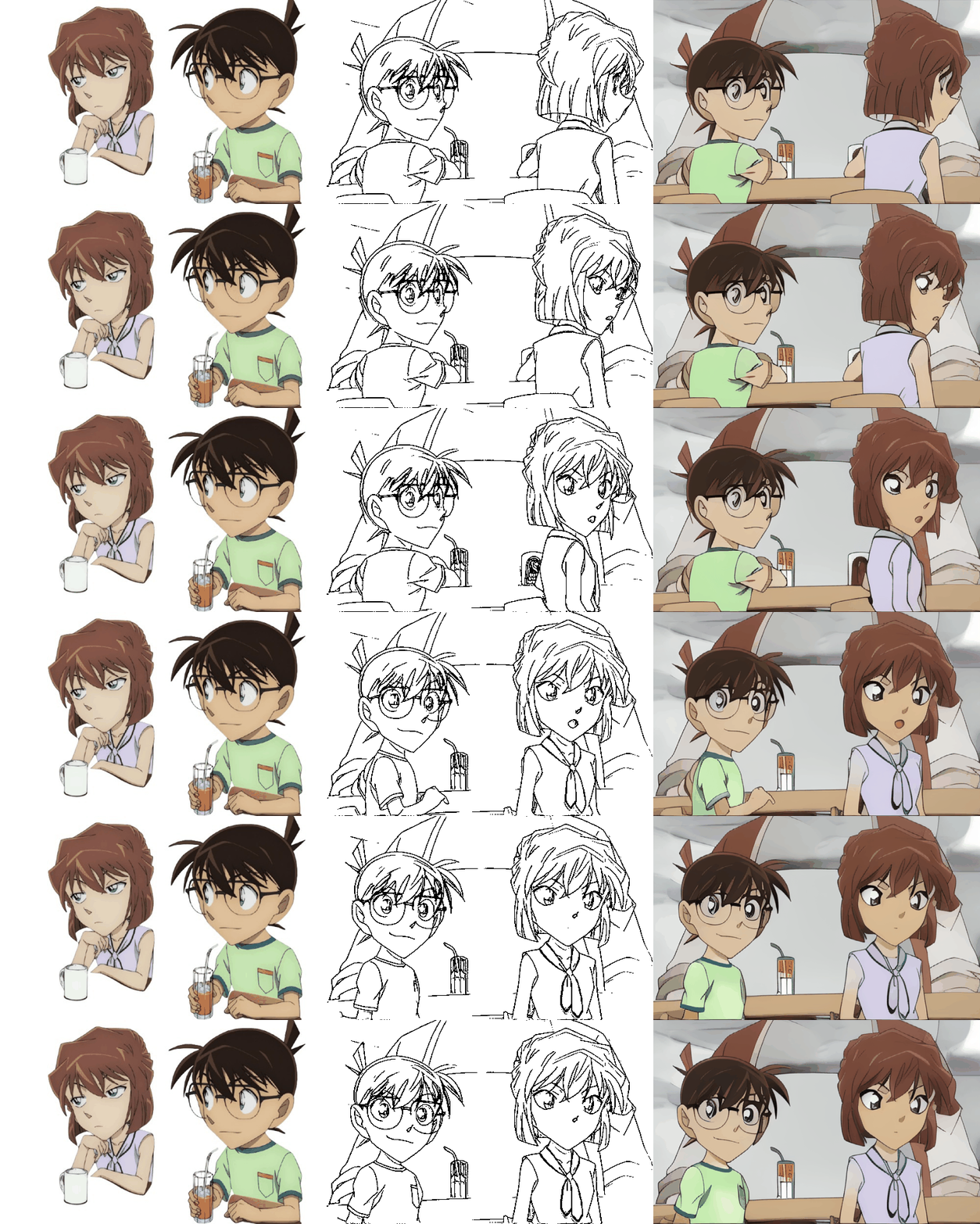
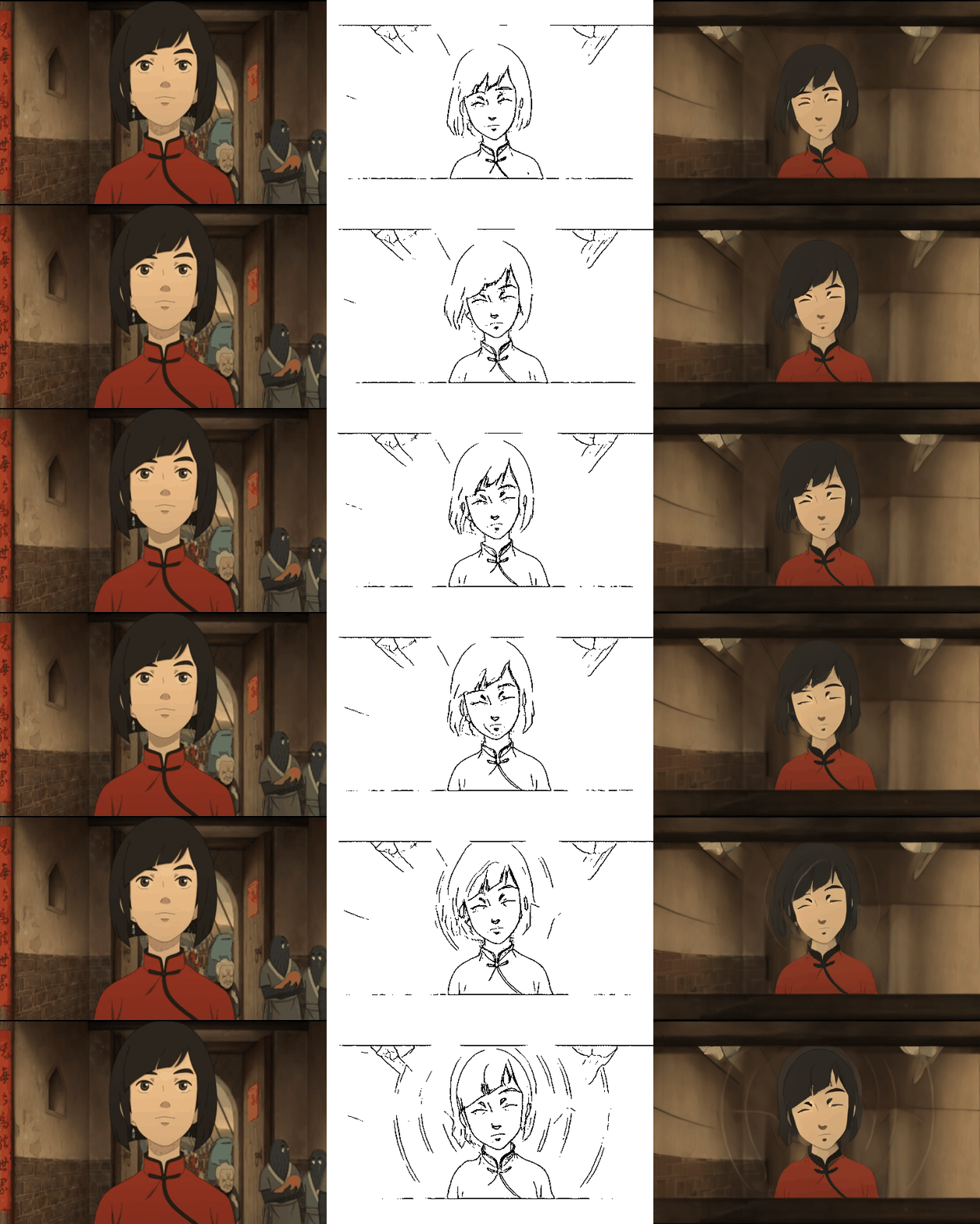
*Some demos from **[the official demo page](https://yihao-meng.github.io/AniDoc_demo)**
|
|
|
|

|
|

|
|

|
|
|
|
*Multiple Characters
|
|
|
|
|
|
*Reference Background
|
|
|
|
|
|
## Citation
|
|
|
|
```bibtex
|
|
@article{meng2024anidoc,
|
|
title={AniDoc: Animation Creation Made Easier},
|
|
author={Yihao Meng and Hao Ouyang and Hanlin Wang and Qiuyu Wang and Wen Wang and Ka Leong Cheng and Zhiheng Liu and Yujun Shen and Huamin Qu},
|
|
journal={arXiv preprint arXiv:2412.14173},
|
|
year={2024}
|
|
}
|
|
```
|