 diodiogod
bca3fa73fd
diodiogod
bca3fa73fd
Major Features:
- Complete OpenSeeFace integration with bundled components and model downloading
- Sophisticated multi-point MAR calculation using both inner and outer mouth landmarks
- Unified preview video creation system for all providers
- Node renamed from "🎥 Mouth Movement Analyzer" to "🗣️ Silent Speech Analyzer"

OpenSeeFace Implementation:
- Handle 3D landmarks (X,Y,Z) with coordinate transformation for 68-point dlib model
- Fallback logic for missing inner mouth landmarks in bundled model
- Adaptive MAR calculation: outer mouth for stability, inner mouth for precision
- Enhanced threshold mapping (0.2-0.8 range) for better speech detection
- Automatic model downloading integrated with existing F5-TTS infrastructure

Preview System Enhancements:
- Unified PreviewVideoCreator utility for consistent preview generation
- Fast WebM encoding with optimized settings (CRF 45, speed 8)
- Full frame rate capture (removed frame skipping) for smoother previews
- Proper coordinate visualization for OpenSeeFace landmarks

UI/UX Improvements:
- Updated tooltips to mark OpenSeeFace as EXPERIMENTAL
- Enhanced provider descriptions with clear recommendations
- Better error handling and user feedback

Technical Fixes:
- Fix OpenSeeFace tracker RetinaFace conditional initialization
- Handle bundled vs downloaded model scenarios
- Proper SRT formatting for viseme sequences (fix TypeError with nested lists)
- Robust landmark attribute detection across different OpenSeeFace versions




TTS Audio Suite v4.3.7
Universal multi-engine TTS extension for ComfyUI - evolved from the original ChatterBox Voice project.

A comprehensive ComfyUI extension providing unified Text-to-Speech and Voice Conversion capabilities through multiple engines including ChatterboxTTS, F5-TTS, and RVC (Real-time Voice Conversion), with modular architecture designed for extensibility and future engine integrations.
📋 Table of Contents
🎥 Demo Videos
📜 Original ShmuelRonen ChatterBox TTS Nodes
- Voice Recording: Smart silence detection for voice capture
- Enhanced Chunking: Intelligent text splitting with multiple combination methods
- Unlimited Text Length: No character limits with smart processing
Original creator: ShmuelRonen
Features
- 🎤 ChatterBox TTS - Generate speech from text with optional voice cloning
- 🎙️ F5-TTS - High-quality voice synthesis with reference audio + text cloning
- 🔄 ChatterBox VC - Convert voice from one speaker to another with iterative refinement
- 🎵 RVC Voice Conversion - Real-time voice conversion using .pth character models
- 🎙️ ChatterBox Voice Capture - Record voice input with smart silence detection
- ⚡ Fast & Quality - Production-grade TTS that outperforms ElevenLabs
- 🎭 Character Switching - Multi-character TTS with
[CharacterName]tags and alias system - 🌍 Language Switching - Use
[language:character]syntax for seamless model switching ([de:Alice],[fr:], etc.) - 😤 Emotion Control - Unique exaggeration parameter for expressive speech
- 🌍 Multi-language ChatterBox - Support for English, German, Norwegian models with automatic download and local model prioritization
- 🌍 Multi-language F5-TTS - Support for English, German, Spanish, French, Japanese, Hindi and more
- 📝 Enhanced Chunking - Intelligent text splitting for long content with multiple combination methods
- 🎵 Advanced Audio Processing - Optional FFmpeg support for premium audio quality with graceful fallback
- 🤐 Vocal/Noise Removal - AI-powered vocal separation, noise reduction, and echo removal with GPU acceleration → 📖 Complete Guide
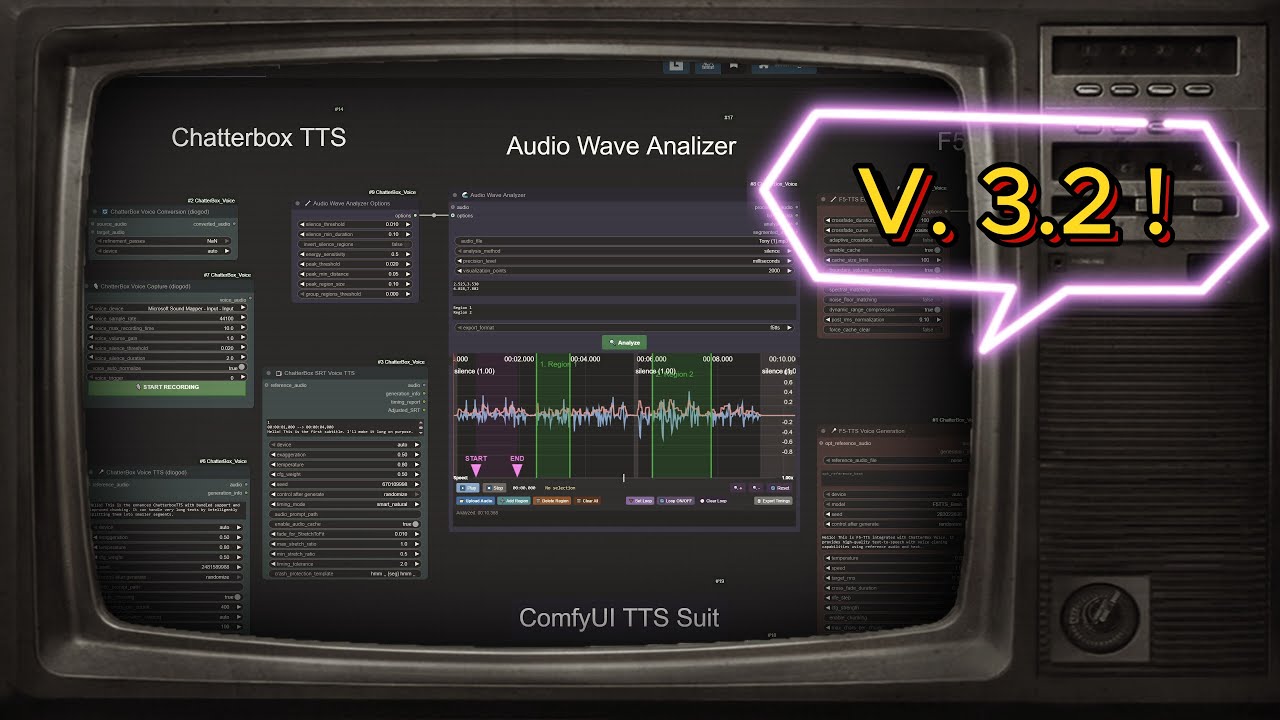
- 🌊 Audio Wave Analyzer - Interactive waveform visualization and precise timing extraction for F5-TTS workflows → 📖 Complete Guide
- ⚙️ Parallel Processing - Configurable worker-based processing via
batch_sizeparameter (Note: sequential processing withbatch_size=0remains optimal for performance)
🆕 What's New in my Project?
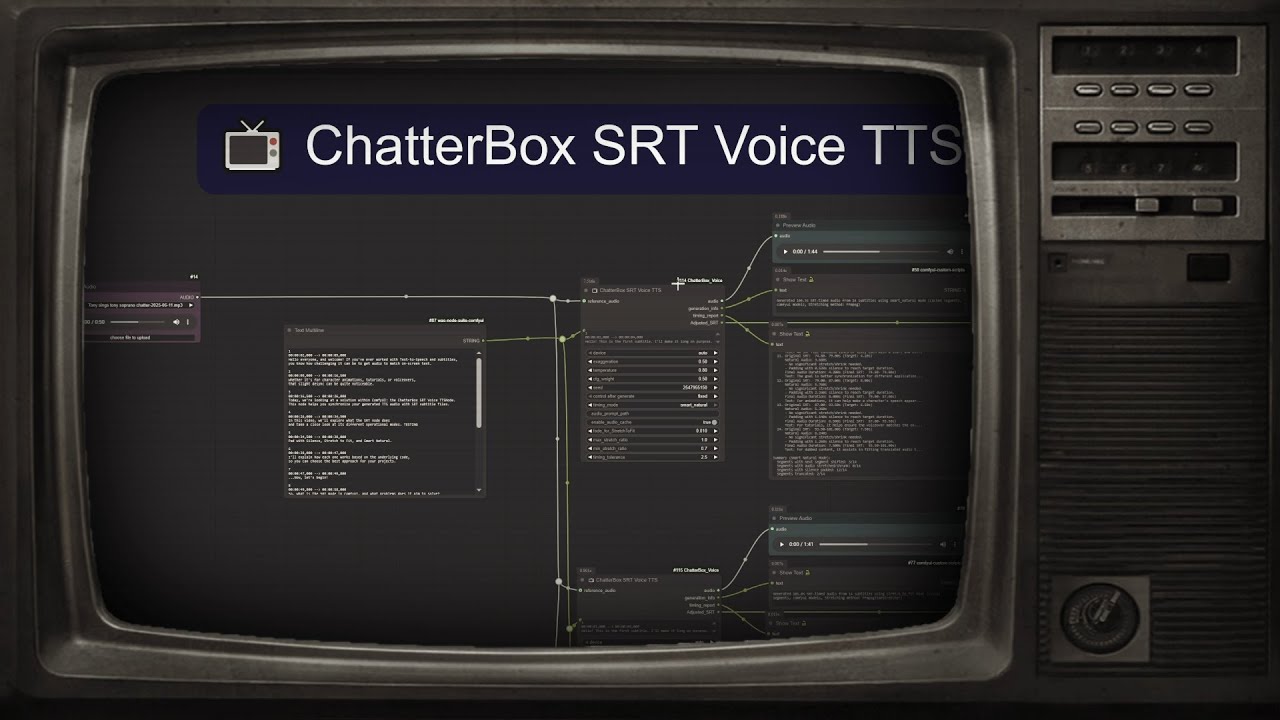
📺 SRT Timing and TTS Node

The "ChatterBox SRT Voice TTS" node allows TTS generation by processing SRT content (SubRip Subtitle) files, ensuring precise timing and synchronization with your audio.
Key SRT Features:
- SRT style Processing: Uses SRT style to generate TTS, aligning audio with subtitle timings
smart_naturalTiming Mode: Intelligent shifting logic that prevents overlaps and ensures natural speech flowAdjusted_SRTOutput: Provides actual timings for generated audio for accurate post-processing- Segment-Level Caching: Only regenerates modified segments, significantly speeding up workflows
For comprehensive technical information, refer to the SRT_IMPLEMENTATION.md file.
🆕 F5-TTS Integration and 🆕 Audio Analyzer

- F5-TTS Voice Synthesis: High-quality voice cloning with reference audio + text
- Audio Wave Analyzer: Interactive waveform visualization for precise timing extraction
- Multi-language Support: English, German, Spanish, French, Japanese models
- Speech Editing Workflows: Advanced F5-TTS editing capabilities
🎭 Character & Narrator Switching
NEW in v3.1.0: Seamless character switching for both F5TTS and ChatterBox engines!
- Multi-Character Support: Use
[CharacterName]tags to switch between different voices - Voice Folder Integration: Organized character voice management system
- 🏷️ Character Aliases: User-friendly alias system - use
[Alice]instead of[female_01]with#character_alias_map.txt - Robust Fallback: Graceful handling when characters not found (no errors!)
- Universal Compatibility: Works with both F5TTS and ChatterBox TTS engines
- SRT Integration: Character switching within subtitle timing
- Backward Compatible: Existing workflows work unchanged
📖 Complete Character Switching Guide
Example usage:
Hello! This is the narrator speaking.
[Alice] Hi there! I'm Alice, nice to meet you.
[Bob] And I'm Bob! Great to meet you both.
Back to the narrator for the conclusion.
🌍 Language Switching with Bracket Syntax
NEW in v3.4.0: Seamless language switching using simple bracket notation!
- Language Code Syntax: Use
[language:character]tags to switch languages and models automatically - Smart Model Loading: Automatically loads correct language models (F5-DE, F5-FR, German, Norwegian, etc.)
- Flexible Aliases (v3.4.3): Support for
[German:Alice],[Brazil:Bob],[USA:],[Portugal:]- no need to remember language codes! - Standard Format: Also supports traditional
[fr:Alice],[de:Bob], or[es:](language only) patterns - Character Integration: Combines perfectly with character switching and alias system
- Performance Optimized: Language groups processed efficiently to minimize model switching
- Alias Support: Language defaults work with character alias system
Supported Languages:
- F5-TTS: English (en), German (de), Spanish (es), French (fr), Italian (it), Japanese (jp), Thai (th), Portuguese (pt), Hindi (hi)
- ChatterBox: English (en), German (de), Norwegian (no/nb/nn)
Example usage:
Hello! This is English text with the default model.
[de:Alice] Hallo! Ich spreche Deutsch mit Alice's Stimme.
[fr:] Bonjour! Je parle français avec la voix du narrateur.
[es:Bob] ¡Hola! Soy Bob hablando en español.
Back to English with the original model.
Advanced SRT Integration:
1
00:00:01,000 --> 00:00:04,000
Hello! Welcome to our multilingual show.

2
00:00:04,500 --> 00:00:08,000
[de:female_01] Willkommen zu unserer mehrsprachigen Show!

3
00:00:08,500 --> 00:00:12,000
[fr:] Bienvenue à notre émission multilingue!
🔄 Iterative Voice Conversion
NEW: Progressive voice refinement with intelligent caching for instant experimentation!
- Refinement Passes: Multiple conversion iterations (1-30, recommended 1-5)
- Smart Caching: Results cached up to 5 iterations - change from 5→3→4 passes instantly
- Progressive Quality: Each pass refines output to sound more like target voice
🎵 RVC Voice Conversion Integration
NEW in v4.1.0: Professional-grade Real-time Voice Conversion with .pth character models!
- RVC Character Models: Load .pth voice models with 🎭 Load RVC Character Model node
- Unified Voice Changer: Full RVC integration in the Voice Changer node
- Iterative Refinement: 1-30 passes with smart caching (like ChatterBox)
- Enhanced Quality: Automatic .index file loading for improved voice similarity
- Auto-Download: Required models download from official sources automatically
- Cache Intelligence: Skip recomputation - change 5→3→4 passes instantly
- Neural Network Quality: High-quality voice conversion using trained RVC models
📖 See RVC Models Setup for detailed installation guide
How it works:
- Load your .pth RVC model with 🎭 Load RVC Character Model
- Connect to 🔄 Voice Changer, select "RVC" engine
- Process with iterative refinement for progressive quality improvement
- Results cached for instant experimentation with different pass counts
⏸️ Pause Tags System
NEW: Intelligent pause insertion for natural speech timing control!
- Smart Pause Syntax: Use pause tags anywhere in your text with multiple aliases
- Flexible Duration Formats:
- Seconds:
[pause:1.5],[wait:2s],[stop:3] - Milliseconds:
[pause:500ms],[wait:1200ms],[stop:800ms] - Supported aliases:
pause,wait,stop(all work identically)
- Seconds:
- Character Integration: Pause tags work seamlessly with character switching
- Intelligent Caching: Changing pause durations won't regenerate unchanged text segments
- Universal Support: Works across all TTS nodes (ChatterBox, F5-TTS, SRT)
- Automatic Processing: No additional parameters needed - just add tags to your text
Example usage:
Welcome to our show! [pause:1s] Today we'll discuss exciting topics.
[Alice] I'm really excited! [wait:500ms] This will be great.
[stop:2] Let's get started with the main content.
🌍 Multi-language ChatterBox Support
NEW in v3.3.0: ChatterBox TTS and SRT nodes now support multiple languages with automatic model management!
Supported Languages:
- 🇺🇸 English: Original ResembleAI model (default)
- 🇩🇪 German: High-quality German ChatterBox model (stlohrey/chatterbox_de)
- 🇳🇴 Norwegian: Norwegian ChatterBox model (akhbar/chatterbox-tts-norwegian)
Key Features:
- Language Dropdown: Simple language selection in all ChatterBox nodes
- Auto-Download: Models download automatically on first use (~1GB per language)
- Local Priority: Prefers locally installed models over downloads for offline use
- Safetensors Support: Modern format support for newer language models
- Seamless Integration: Works with existing workflows - just select your language
Usage: Select language from dropdown → First generation downloads model → Subsequent generations use cached model
⚙️ Universal Streaming Architecture
NEW in v4.3.0: Complete architectural overhaul implementing universal streaming system with parallel processing capabilities!
Key Features:
- Universal Streaming Infrastructure: Unified processing system eliminating engine-specific code complexity
- Parallel Processing: Configurable worker-based processing via
batch_sizeparameter - Thread-Safe Design: Stateless wrapper architecture eliminates shared state corruption
- Future-Proof: New engines require only adapter implementation
Performance Notes:
- Sequential Recommended: Use
batch_size=0for optimal performance (sequential processing) - Parallel Available:
batch_size > 1enables parallel workers but typically slower due to GPU inference characteristics - Memory Efficiency: Improved model sharing prevents memory exhaustion when switching modes
🚀 Quick Start
Option 1: ComfyUI Manager (Recommended)
Use ComfyUI Manager to install "TTS Audio Suite" - it handles dependencies automatically.
Option 2: Manual Installation
Get running in 5 minutes:
-
Clone the repository
cd ComfyUI/custom_nodes git clone https://github.com/diodiogod/TTS-Audio-Suite.git cd TTS-Audio-Suite -
Install Dependencies (⚠️ Critical for Manual Install):
ComfyUI Portable:
# Windows:
..\..\..\python_embeded\python.exe -m pip install -r requirements.txt --no-user

# Linux/Mac:
../../../python_embeded/python.exe -m pip install -r requirements.txt --no-user
ComfyUI with venv/conda:
# First activate your ComfyUI environment, then:
pip install -r TTS-Audio-Suite/requirements.txt
⚠️ Important: Manual installs require installing dependencies in your ComfyUI's Python environment. If you get missing dependency errors, see the detailed installation guide below.
-
Download Models (Required)
- Download from HuggingFace ChatterBox
- Place in
ComfyUI/models/TTS/chatterbox/(recommended) orComfyUI/models/chatterbox/(legacy)
-
Try a Workflow
- Download: ChatterBox Integration Workflow
- Drag into ComfyUI and start generating!
-
Restart ComfyUI and look for 🎤 ChatterBox nodes
Need F5-TTS? Also download F5-TTS models to
ComfyUI/models/F5-TTS/from the links in the detailed installation below.
Installation
📋 Detailed Installation Guide (Click to expand if you're having dependency issues)
This section provides a detailed guide for installing TTS Audio Suite, covering different ComfyUI installation methods.
Prerequisites
- ComfyUI installation (Portable, Direct with venv, or through Manager)
- Python 3.12 or higher
- PortAudio library (required for voice recording features):
- Linux:
sudo apt-get install portaudio19-dev - macOS:
brew install portaudio - Windows: Usually bundled with pip packages (no action needed)
- Linux:
Installation Methods
1. Portable Installation
For portable installations, follow these steps:
-
Clone the repository into the
ComfyUI/custom_nodesfolder:cd ComfyUI/custom_nodes git clone https://github.com/diodiogod/TTS-Audio-Suite.git -
Navigate to the cloned directory:
cd TTS-Audio-Suite -
Install the required dependencies. Important: Use the
python.exeexecutable located in your ComfyUI portable installation with environment isolation flags.../../../python_embeded/python.exe -m pip install -r requirements.txt --no-userWhy the
--no-userflag?- Prevents installing to your system Python's user directory, which can cause import conflicts
- Ensures packages install only to the portable environment for proper isolation
2. Direct Installation with venv
If you have a direct installation with a virtual environment (venv), follow these steps:
-
Clone the repository into the
ComfyUI/custom_nodesfolder:cd ComfyUI/custom_nodes git clone https://github.com/diodiogod/TTS-Audio-Suite.git -
Activate your ComfyUI virtual environment. This is crucial to ensure dependencies are installed in the correct environment. The method to activate the venv may vary depending on your setup. Here's a common example:
cd ComfyUI . ./venv/bin/activateor on Windows:
ComfyUI\venv\Scripts\activate -
Navigate to the cloned directory:
cd custom_nodes/TTS-Audio-Suite -
Install the required dependencies using
pip:pip install -r requirements.txt
3. Installation through the ComfyUI Manager
-
Install the ComfyUI Manager if you haven't already.
-
Use the Manager to install the "TTS Audio Suite" node.
-
The manager might handle dependencies automatically, but it's still recommended to verify the installation. Navigate to the node's directory:
cd ComfyUI/custom_nodes/TTS-Audio-Suite -
Activate your ComfyUI virtual environment (see instructions in "Direct Installation with venv").
-
If you encounter issues, manually install the dependencies:
pip install -r requirements.txt
Troubleshooting Dependency Issues
A common problem is installing dependencies in the wrong Python environment. Always ensure you are installing dependencies within your ComfyUI's Python environment.
-
Verify your Python environment: After activating your venv or navigating to your portable ComfyUI installation, check the Python executable being used:
which pythonThis should point to the Python executable within your ComfyUI installation (e.g.,
ComfyUI/python_embeded/python.exeorComfyUI/venv/bin/python). -
If
s3tokenizerfails to install: This dependency can be problematic. Try upgrading your pip and setuptools:python -m pip install --upgrade pip setuptools wheelThen, try installing the requirements again.
-
If you cloned the node manually (without the Manager): Make sure you install the requirements.txt file.
Updating the Node
To update the node to the latest version:
-
Navigate to the node's directory:
cd ComfyUI/custom_nodes/TTS-Audio-Suite -
Pull the latest changes from the repository:
git pull -
Reinstall the dependencies (in case they have been updated):
pip install -r requirements.txt
1. Clone Repository
cd ComfyUI/custom_nodes
git clone https://github.com/diodiogod/TTS-Audio-Suite.git
2. Install Dependencies
Some dependencies, particularly s3tokenizer, can occasionally cause installation issues on certain Python setups (e.g., Python 3.10, sometimes used by tools like Stability Matrix).
To minimize potential problems, it's highly recommended to first ensure your core packaging tools are up-to-date in your ComfyUI's virtual environment:
python -m pip install --upgrade pip setuptools wheel
After running the command above, install the node's specific requirements:
pip install -r requirements.txt
3. Optional: Install FFmpeg for Enhanced Audio Processing
ChatterBox Voice now supports FFmpeg for high-quality audio stretching. While not required, it's recommended for the best audio quality:
Windows:
winget install FFmpeg
# or with Chocolatey
choco install ffmpeg
macOS:
brew install ffmpeg
Linux:
# Ubuntu/Debian
sudo apt-get install ffmpeg

# Fedora
sudo dnf install ffmpeg
If FFmpeg is not available, ChatterBox will automatically fall back to using the built-in phase vocoder method for audio stretching - your workflows will continue to work without interruption.
4. Download Models
Download the ChatterboxTTS models and place them in the new organized structure:
ComfyUI/models/TTS/chatterbox/ ← Recommended (new structure)
Or use the legacy location (still supported):
ComfyUI/models/chatterbox/ ← Legacy (still works)
Required files:
conds.pt(105 KB)s3gen.pt(~1 GB)t3_cfg.pt(~1 GB)tokenizer.json(25 KB)ve.pt(5.5 MB)
Download from: https://huggingface.co/ResembleAI/chatterbox/tree/main
4.1. Multilanguage ChatterBox Models (Optional)
NEW in v3.3.0: ChatterBox now supports multiple languages! Models will auto-download on first use, or you can manually install them for offline use.
For manual installation, create language-specific folders in the organized structure:
ComfyUI/models/TTS/chatterbox/    ← Recommended structure
├── English/          # Optional - for explicit English organization
│   ├── conds.pt
│   ├── s3gen.pt
│   ├── t3_cfg.pt
│   ├── tokenizer.json
│   └── ve.pt
├── German/           # German language models
│   ├── conds.safetensors
│   ├── s3gen.safetensors
│   ├── t3_cfg.safetensors
│   ├── tokenizer.json
│   └── ve.safetensors
└── Norwegian/        # Norwegian language models
    ├── conds.safetensors
    ├── s3gen.safetensors
    ├── t3_cfg.safetensors
    ├── tokenizer.json
    └── ve.safetensors
Note
: Legacy location
ComfyUI/models/chatterbox/still works for backward compatibility.
Available ChatterBox Language Models:
| Language | HuggingFace Repository | Format | Auto-Download |
|---|---|---|---|
| English | ResembleAI/chatterbox | .pt | ✅ |
| German | stlohrey/chatterbox_de | .safetensors | ✅ |
| Norwegian | akhbar/chatterbox-tts-norwegian | .safetensors | ✅ |
Usage: Simply select your desired language from the dropdown in ChatterBox TTS or SRT nodes. First generation will auto-download the model (~1GB per language).
5. F5-TTS Models (Optional)
For F5-TTS voice synthesis capabilities, download F5-TTS models and place them in the organized structure:
ComfyUI/models/TTS/F5-TTS/ ← Recommended (new structure)
Or use the legacy location (still supported):
ComfyUI/models/F5-TTS/ ← Legacy (still works)
Available F5-TTS Models:
| Model | Language | Download | Size |
|---|---|---|---|
| F5TTS_Base | English | HuggingFace | ~1.2GB |
| F5TTS_v1_Base | English (v1) | HuggingFace | ~1.2GB |
| E2TTS_Base | English (E2-TTS) | HuggingFace | ~1.2GB |
| F5-DE | German | HuggingFace | ~1.2GB |
| F5-ES | Spanish | HuggingFace | ~1.2GB |
| F5-FR | French | HuggingFace | ~1.2GB |
| F5-JP | Japanese | HuggingFace | ~1.2GB |
| F5-Hindi-Small | Hindi | HuggingFace | ~632MB |
Vocoder (Optional but Recommended):
ComfyUI/models/TTS/F5-TTS/vocos/     ← Recommended
├── config.yaml
├── pytorch_model.bin
└── vocab.txt
Legacy location also supported: ComfyUI/models/F5-TTS/vocos/
Download from: Vocos Mel-24kHz
Complete Folder Structure (Recommended):
ComfyUI/models/TTS/F5-TTS/
├── F5TTS_Base/
│   ├── model_1200000.safetensors    ← Main model file
│   └── vocab.txt                    ← Vocabulary file
├── vocos/                           ← For offline vocoder
│   ├── config.yaml
│   └── pytorch_model.bin
└── F5TTS_v1_Base/
    ├── model_1250000.safetensors
    └── vocab.txt
Required Files for Each Model:
model_XXXXXX.safetensors- The main model weightsvocab.txt- Vocabulary/tokenizer file (download from same HuggingFace repo)
Note: F5-TTS uses internal config files, no config.yaml needed. Vocos vocoder doesn't need vocab.txt.
Note: F5-TTS models and vocoder will auto-download from HuggingFace if not found locally. The first generation may take longer while downloading (~1.2GB per model).
6. F5-TTS Voice References Setup
For easy voice reference management, create a dedicated voices folder:
ComfyUI/models/voices/
├── character1.wav
├── character1.reference.txt ← Contains: "Hello, I am character one speaking clearly."
├── character1.txt          ← Contains: "BBC Radio sample, licensed under CC3..."
├── narrator.wav
├── narrator.txt            ← Contains: "This is the narrator voice for storytelling."
├── my_voice.wav
└── my_voice.txt            ← Contains: "This is my personal voice sample."
Voice Reference Requirements:
- Audio files: WAV format, 5-30 seconds, clean speech, 24kHz recommended
- Text files: Exact transcription of what's spoken in the audio file
- Naming:
filename.wav+filename.reference.txt(preferred) orfilename.txt(fallback) - Character Names: Character name = audio filename (without extension). Subfolders supported for organization.
⚠️ F5-TTS Best Practices: Follow these guidelines to avoid inference failures
📋 F5-TTS Inference Guidelines
To avoid possible inference failures, make sure you follow these F5-TTS optimization guidelines:
-
Reference Audio Duration: Use reference audio <12s and leave proper silence space (e.g. 1s) at the end. Otherwise there is a risk of truncating in the middle of word, leading to suboptimal generation.
-
Letter Case Handling: Uppercased letters (best with form like K.F.C.) will be uttered letter by letter, and lowercased letters used for common words.
-
Pause Control: Add some spaces (blank: " ") or punctuations (e.g. "," ".") to explicitly introduce some pauses.
-
Punctuation Spacing: If English punctuation marks the end of a sentence, make sure there is a space " " after it. Otherwise not regarded as sentence chunk.
-
Number Processing: Preprocess numbers to Chinese letters if you want to have them read in Chinese, otherwise they will be read in English.
These guidelines help ensure optimal F5-TTS generation quality and prevent common audio artifacts.
7. RVC Models (Optional - NEW in v4.0.0+)
For Real-time Voice Conversion capabilities, RVC models are automatically downloaded to the organized structure:
ComfyUI/models/TTS/RVC/          ← Recommended (new structure)
├── Claire.pth                   ← Character voice models
├── Sayano.pth
├── Mae_v2.pth
├── Fuji.pth
├── Monika.pth
├── content-vec-best.safetensors ← Base models (auto-download)
├── rmvpe.pt
├── hubert/                      ← HuBERT models (auto-organized)
│   ├── hubert-base-rvc.safetensors
│   ├── hubert-soft-japanese.safetensors
│   └── hubert-soft-korean.safetensors
└── .index/                      ← Index files for better similarity
    ├── added_IVF1063_Flat_nprobe_1_Sayano_v2.index
    ├── added_IVF985_Flat_nprobe_1_Fuji_v2.index
    ├── Monika_v2_40k.index
    └── Sayano_v2_40k.index
Note
: Legacy location
ComfyUI/models/RVC/still works for backward compatibility.
Available RVC Character Models (Auto-Download):
| Model | Type | Source | Auto-Download |
|---|---|---|---|
| Claire.pth | Character | SayanoAI RVC-Studio | ✅ |
| Sayano.pth | Character | SayanoAI RVC-Studio | ✅ |
| Mae_v2.pth | Character | SayanoAI RVC-Studio | ✅ |
| Fuji.pth | Character | SayanoAI RVC-Studio | ✅ |
| Monika.pth | Character | SayanoAI RVC-Studio | ✅ |
Required Base Models (Auto-Download):
| Model | Purpose | Source | Size |
|---|---|---|---|
| content-vec-best.safetensors | Voice features | lengyue233/content-vec-best | ~300MB |
| rmvpe.pt | Pitch extraction | lj1995/VoiceConversionWebUI | ~55MB |
How RVC Auto-Download Works:
- Select Character Model: Choose from available models in 🎭 Load RVC Character Model node
- Auto-Download: Models download automatically when first selected (with auto_download=True)
- Base Models: Required base models download automatically when RVC engine first runs
- Index Files: Optional FAISS index files download for improved voice similarity
- Local Cache: Once downloaded, models are used from local cache for fast loading
UVR Models for Vocal Separation (Auto-Download):
Additional models for the 🤐 Noise or Vocal Removal node download to ComfyUI/models/TTS/UVR/ (recommended) or ComfyUI/models/UVR/ (legacy) as needed.
Usage: Simply use the 🎭 Load RVC Character Model node → Select a character → Connect to Voice Changer node. All required models download automatically!
8. Restart ComfyUI
Enhanced Features
📝 Intelligent Text Chunking (NEW!)
Long text support with smart processing:
- Character-based limits (100-1000 chars per chunk)
- Sentence boundary preservation - won't cut mid-sentence
- Multiple combination methods:
auto- Smart selection based on text lengthconcatenate- Simple joiningsilence_padding- Add configurable silence between chunkscrossfade- Smooth audio blending
- Comma-based splitting for very long sentences
- Backward compatible - works with existing workflows
Chunking Controls (all optional):
enable_chunking- Enable/disable smart chunking (default: True)max_chars_per_chunk- Chunk size limit (default: 400)chunk_combination_method- How to join audio (default: auto)silence_between_chunks_ms- Silence duration (default: 100ms)
Auto-selection logic:
- Text > 1000 chars → silence_padding (natural pauses)
- Text > 500 chars → crossfade (smooth blending)
- Text < 500 chars → concatenate (simple joining)
📦 Smart Model Loading
Priority-based model detection:
- Bundled models in node folder (self-contained)
- ComfyUI models in standard location
- HuggingFace download with authentication
Console output shows source:
📦 Using BUNDLED ChatterBox (self-contained)
📦 Loading from bundled models: ./models/chatterbox
✅ ChatterboxTTS model loaded from bundled!
Usage
Voice Recording
- Add "🎤 ChatterBox Voice Capture" node
- Select your microphone from the dropdown
- Adjust recording settings:
- Silence Threshold: How quiet to consider "silence" (0.001-0.1)
- Silence Duration: How long to wait before stopping (0.5-5.0 seconds)
- Sample Rate: Audio quality (8000-96000 Hz, default 44100)
- Change the Trigger value to start a new recording
- Connect output to TTS (for voice cloning) or VC nodes
Enhanced Text-to-Speech
- Add "🎤 ChatterBox Voice TTS" node
- Enter your text (any length - automatic chunking)
- Optionally connect reference audio for voice cloning
- Adjust TTS settings:
- Exaggeration: Emotion intensity (0.25-2.0)
- Temperature: Randomness (0.05-5.0)
- CFG Weight: Guidance strength (0.0-1.0)
F5-TTS Voice Synthesis
- Add "🎤 F5-TTS Voice Generation" node
- Enter your target text (any length - automatic chunking)
- Required: Connect reference audio for voice cloning
- Required: Enter reference text that matches the reference audio exactly
📖 Voice Reference Setup Options
Two ways to provide voice references:
- Easy Method: Select voice from
reference_audio_filedropdown → text auto-detected from companion.txtfile - Manual Method: Set
reference_audio_fileto "none" → connectopt_reference_audio+opt_reference_textinputs
- Select F5-TTS model:
- F5TTS_Base: English base model (recommended)
- F5TTS_v1_Base: English v1 model
- E2TTS_Base: E2-TTS model
- F5-DE: German model
- F5-ES: Spanish model
- F5-FR: French model
- F5-JP: Japanese model
- Adjust F5-TTS settings:
- Temperature: Voice variation (0.1-2.0, default: 0.8)
- Speed: Speech speed (0.5-2.0, default: 1.0)
- CFG Strength: Guidance strength (0.0-10.0, default: 2.0)
- NFE Step: Quality vs speed (1-100, default: 32)
Voice Conversion with Iterative Refinement
- Add "🔄 ChatterBox Voice Conversion" node
- Connect source audio (voice to convert)
- Connect target audio (voice style to copy)
- Configure refinement settings:
- Refinement Passes: Number of conversion iterations (1-30, recommended 1-5)
- Each pass refines the output to sound more like the target
- Smart Caching: Results cached up to 5 iterations for instant experimentation
🧠 Intelligent Caching Examples:
- Run 3 passes → caches iterations 1, 2, 3
- Change to 5 passes → resumes from cached 3, runs 4, 5
- Change to 2 passes → returns cached iteration 2 instantly
- Change to 4 passes → resumes from cached 3, runs 4
💡 Pro Tip: Start with 1 pass, then experiment with 2-5 passes to find the sweet spot for your audio. Each iteration can improves voice similarity!
📁 Example Workflows
Ready-to-use ComfyUI workflows - Download and drag into ComfyUI:
Unified Workflows
| Workflow | Description | Status | Files |
|---|---|---|---|
| Unified Voice Changer - RVC X ChatterBox | Modern unified voice conversion with RVC and ChatterBox engines | ✅ Updated for v4.3 | 📁 JSON |
ChatterBox Workflows
| Workflow | Description | Status | Files |
|---|---|---|---|
| ChatterBox SRT | SRT subtitle timing and TTS generation | ⚠️ Needs Update | 📁 JSON |
| ChatterBox Integration | General ChatterBox TTS and Voice Conversion | ✅ Updated for v4 | 📁 JSON |
F5-TTS Workflows
| Workflow | Description | Status | Files |
|---|---|---|---|
| Audio Wave Analyzer + F5 Speech Edit | Interactive waveform analysis for F5-TTS speech editing | ⚠️ Needs Update | 📁 JSON |
| F5-TTS SRT and Normal Generation | F5-TTS integration with SRT subtitle processing | ⚠️ Needs Update | 📁 JSON |
Note: To use workflows, download the
.jsonfiles and drag them directly into your ComfyUI interface. The workflows will automatically load with the proper node connections.⚠️ Workflow Status: After the v4 architecture changes, most workflows need updates except ChatterBox Integration which has been verified and updated. The other workflows are available but may need node reconnections.
Settings Guide
Enhanced Chunking Settings
For Long Articles/Books:
max_chars_per_chunk=600,combination_method=silence_padding,silence_between_chunks_ms=200
For Natural Speech:
max_chars_per_chunk=400,combination_method=auto(default - works well)
For Fast Processing:
max_chars_per_chunk=800,combination_method=concatenate
For Smooth Audio:
max_chars_per_chunk=300,combination_method=crossfade
Voice Recording Settings
General Recording:
silence_threshold=0.01,silence_duration=2.0(default settings)
Noisy Environment:
- Higher
silence_threshold(~0.05) to ignore background noise - Longer
silence_duration(~3.0) to avoid cutting off speech
Quiet Environment:
- Lower
silence_threshold(~0.005) for sensitive detection - Shorter
silence_duration(~1.0) for quick stopping
TTS Settings
General Use:
exaggeration=0.5,cfg_weight=0.5(default settings work well)
Expressive Speech:
- Lower
cfg_weight(~0.3) + higherexaggeration(~0.7) - Higher exaggeration speeds up speech; lower CFG slows it down
Text Processing Capabilities
📚 No Hard Text Limits!
Unlike many TTS systems:
- OpenAI TTS: 4096 character limit
- ElevenLabs: 2500 character limit
- ChatterBox: No documented limits + intelligent chunking
🧠 Smart Text Splitting
Sentence Boundary Detection:
- Splits on
.!?with proper spacing - Preserves sentence integrity
- Handles abbreviations and edge cases
Long Sentence Handling:
- Splits on commas when sentences are too long
- Maintains natural speech patterns
- Falls back to character limits only when necessary
License
MIT License - Same as ChatterboxTTS
Credits
- ResembleAI for ChatterboxTTS
- ComfyUI team for the amazing framework
- sounddevice library for audio recording functionality
- ShmuelRonen for the Original ChatteBox Voice TTS node
- Diogod for the TTS Audio Suite universal multi-engine implementation
🔗 Links
- Resemble AI ChatterBox
- Model Downloads (Hugging Face) ⬅️ Download models here
- ChatterBox Demo
- ComfyUI
- Resemble AI Official Site
Note: The original ChatterBox model includes Resemble AI's Perth watermarking system for responsible AI usage. This ComfyUI integration includes the Perth dependency but has watermarking disabled by default to ensure maximum compatibility. Users can re-enable watermarking by modifying the code if needed, while maintaining the full quality and capabilities of the underlying TTS model.