 diodiogodandClaude
de4e6e4c85
- Add peak_threshold, peak_min_distance, peak_region_size controls to Audio Analyzer node
- Fix broken peak detection algorithm: replace flat envelope with proper RMS downsampling
- Change from 20ms to 5ms windows for better peak resolution
- Add blue/cyan color for detected peak regions (vs green manual regions)
- Peak detection now works for percussion, sound effects, and emphasis detection

🤖 Generated with [Claude Code](https://claude.ai/code)

Co-Authored-By: Claude <noreply@anthropic.com>


ComfyUI ChatterBox SRT Voice (diogod) v2.0.2
This is a refactored node, originally created by ShmuelRonen.
An unofficial ComfyUI custom node integration for High-quality Text-to-Speech and Voice Conversion nodes for ComfyUI using ResembleAI's ChatterboxTTS with unlimited text length and with a node specially made for dealing with SRT timings.
NEW!: SRT Timing and TTS Node

The "ChatterBox SRT Voice TTS" node allows TTS generation by processing SRT content (SubRip Subtitle) files, ensuring precise timing and synchronization with your audio.
YouTube Video
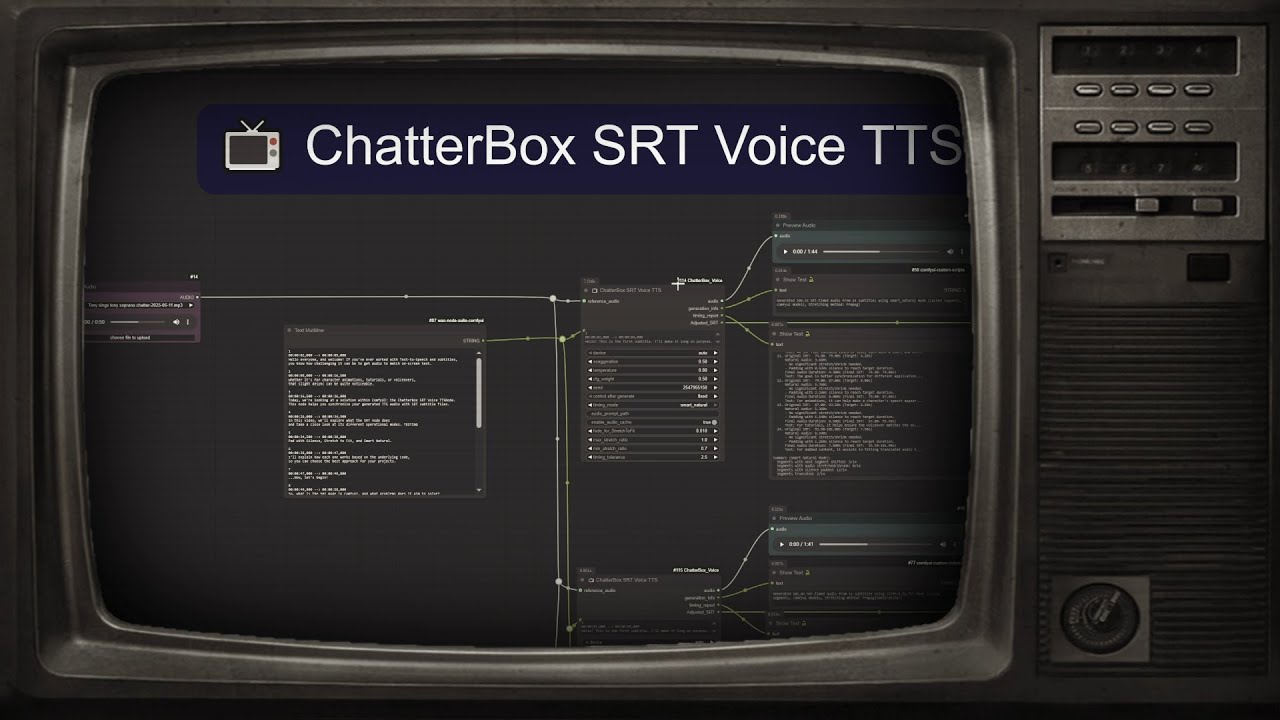
Key Features:
- SRT style Processing: uses SRT style to generate TTS, aligning audio with subtitle timings.
smart_naturalTiming Mode: Features flexible shifting logic that intelligently considers "room" in subsequent segments, preventing overlaps and ensuring natural speech flow.Adjusted_SRTOutput: Provides actual timings for generated audio, allowing for accurate post-processing and integration.- Segment-Level Caching: Only regenerates modified segments, significantly speeding up workflows. Timing-only changes do not trigger regeneration, optimizing resource usage.
For more detailed technical information, refer to the SRT_IMPLEMENTATION.md file.
ChatterBox Text to Speech:
NEW: Audio capture node
Features
🎤 ChatterBox TTS - Generate speech from text with optional voice cloning 🎙️ F5-TTS - High-quality voice synthesis with reference audio + text cloning 🔄 ChatterBox VC - Convert voice from one speaker to another 🎙️ ChatterBox Voice Capture - Record voice input with smart silence detection ⚡ Fast & Quality - Production-grade TTS that outperforms ElevenLabs 🎭 Emotion Control - Unique exaggeration parameter for expressive speech 🌍 Multi-language F5-TTS - Support for English, German, Spanish, French, Japanese and more 📝 Enhanced Chunking - Intelligent text splitting for long content with multiple combination methods 📦 Self-Contained - Bundled ChatterBox for zero-installation-hassle experience 🎵 Advanced Audio Processing - Optional FFmpeg support for premium audio quality with graceful fallback
Note: There are multiple ChatterBox extensions available. This implementation focuses on simplicity, ComfyUI standards, and enhanced text processing capabilities.
Installation
cd ComfyUI/custom_nodes
git clone https://github.com/diodiogod/ComfyUI_ChatterBox_SRT_Voice.git
2.3. Install Additional Dependencies
Some dependencies, particularly s3tokenizer, can occasionally cause installation issues on certain Python setups (e.g., Python 3.10, sometimes used by tools like Stability Matrix).
Add comment
More actions
To minimize potential problems, it's highly recommended to first ensure your core packaging tools are up-to-date in your ComfyUI's virtual environment:
python -m pip install --upgrade pip setuptools wheel
After running the command above, install the node's specific requirements:
pip install -r requirements.txt
2.4. Optional: Install FFmpeg for Enhanced Audio Processing
ChatterBox Voice now supports FFmpeg for high-quality audio stretching. While not required, it's recommended for the best audio quality:
Windows:
winget install FFmpeg
# or with Chocolatey
choco install ffmpeg
macOS:
brew install ffmpeg
Linux:
# Ubuntu/Debian
sudo apt-get install ffmpeg

# Fedora
sudo dnf install ffmpeg
If FFmpeg is not available, ChatterBox will automatically fall back to using the built-in phase vocoder method for audio stretching - your workflows will continue to work without interruption.
2.4. Download Models
Download the ChatterboxTTS models and place them in:
ComfyUI/models/TTS/chatterbox/
Required files:
conds.pt(105 KB)s3gen.pt(~1 GB)t3_cfg.pt(~1 GB)tokenizer.json(25 KB)ve.pt(5.5 MB)
Download from: https://huggingface.co/ResembleAI/chatterbox/tree/main
2.5. F5-TTS Models (Optional)
For F5-TTS voice synthesis capabilities, download F5-TTS models and place them in:
ComfyUI/models/F5-TTS/
Available F5-TTS Models:
| Model | Language | Download | Size |
|---|---|---|---|
| F5TTS_Base | English | HuggingFace | ~1.2GB |
| F5TTS_v1_Base | English (v1) | HuggingFace | ~1.2GB |
| E2TTS_Base | English (E2-TTS) | HuggingFace | ~1.2GB |
| F5-DE | German | HuggingFace | ~1.2GB |
| F5-ES | Spanish | HuggingFace | ~1.2GB |
| F5-FR | French | HuggingFace | ~1.2GB |
| F5-JP | Japanese | HuggingFace | ~1.2GB |
Vocoder (Optional but Recommended):
ComfyUI/models/F5-TTS/vocos/
├── config.yaml
├── pytorch_model.bin
└── vocab.txt
Download from: Vocos Mel-24kHz
Complete Folder Structure:
ComfyUI/models/F5-TTS/
├── F5TTS_Base/
│   ├── model_1200000.safetensors    ← Main model file
│   └── vocab.txt                    ← Vocabulary file
├── vocos/                           ← For offline vocoder
│   ├── config.yaml
│   └── pytorch_model.bin
└── F5TTS_v1_Base/
    ├── model_1250000.safetensors
    └── vocab.txt
Required Files for Each Model:
model_XXXXXX.safetensors- The main model weightsvocab.txt- Vocabulary/tokenizer file (download from same HuggingFace repo)
Note: F5-TTS uses internal config files, no config.yaml needed. Vocos vocoder doesn't need vocab.txt.
Note: F5-TTS models and vocoder will auto-download from HuggingFace if not found locally. The first generation may take longer while downloading (~1.2GB per model).
2.6. F5-TTS Voice References Setup
For easy voice reference management, create a dedicated voices folder:
ComfyUI/models/voices/
├── character1.wav
├── character1.txt          ← Contains: "Hello, I am character one speaking clearly."
├── narrator.wav
├── narrator.txt            ← Contains: "This is the narrator voice for storytelling."
├── my_voice.wav
└── my_voice.txt            ← Contains: "This is my personal voice sample."
Voice Reference Requirements:
- Audio files: WAV format, 5-30 seconds, clean speech, 24kHz recommended
- Text files: Exact transcription of what's spoken in the audio file
- Naming:
filename.wav+filename.txt(same base name)
Usage:
- Easy Method: Select voice from
reference_audio_filedropdown → text auto-detected - Manual Method: Set
reference_audio_fileto "none" → connectopt_reference_audio+opt_reference_textinputs
3. Install Voice Recording Dependencies (Optional)
pip install sounddevice
4. Restart ComfyUI
Enhanced Features
📝 Intelligent Text Chunking (NEW!)
Long text support with smart processing:
- Character-based limits (100-1000 chars per chunk)
- Sentence boundary preservation - won't cut mid-sentence
- Multiple combination methods:
auto- Smart selection based on text lengthconcatenate- Simple joiningsilence_padding- Add configurable silence between chunkscrossfade- Smooth audio blending
- Comma-based splitting for very long sentences
- Backward compatible - works with existing workflows
Chunking Controls (all optional):
enable_chunking- Enable/disable smart chunking (default: True)max_chars_per_chunk- Chunk size limit (default: 400)chunk_combination_method- How to join audio (default: auto)silence_between_chunks_ms- Silence duration (default: 100ms)
Auto-selection logic:
- Text > 1000 chars → silence_padding (natural pauses)
- Text > 500 chars → crossfade (smooth blending)
- Text < 500 chars → concatenate (simple joining)
📦 Smart Model Loading
Priority-based model detection:
- Bundled models in node folder (self-contained)
- ComfyUI models in standard location
- HuggingFace download with authentication
Console output shows source:
📦 Using BUNDLED ChatterBox (self-contained)
📦 Loading from bundled models: ./models/chatterbox
✅ ChatterboxTTS model loaded from bundled!
Usage
Voice Recording
- Add "🎤 ChatterBox Voice Capture" node
- Select your microphone from the dropdown
- Adjust recording settings:
- Silence Threshold: How quiet to consider "silence" (0.001-0.1)
- Silence Duration: How long to wait before stopping (0.5-5.0 seconds)
- Sample Rate: Audio quality (8000-96000 Hz, default 44100)
- Change the Trigger value to start a new recording
- Connect output to TTS (for voice cloning) or VC nodes
Enhanced Text-to-Speech
- Add "🎤 ChatterBox Voice TTS" node
- Enter your text (any length - automatic chunking)
- Optionally connect reference audio for voice cloning
- Adjust TTS settings:
- Exaggeration: Emotion intensity (0.25-2.0)
- Temperature: Randomness (0.05-5.0)
- CFG Weight: Guidance strength (0.0-1.0)
- Configure chunking (optional):
- Enable Chunking: For long texts
- Max Chars Per Chunk: Chunk size (100-1000)
- Combination Method: How to join chunks
- Silence Between Chunks: Pause duration
F5-TTS Voice Synthesis
- Add "🎤 F5-TTS Voice Generation" node
- Enter your target text (any length - automatic chunking)
- Required: Connect reference audio for voice cloning
- Required: Enter reference text that matches the reference audio exactly
- Select F5-TTS model:
- F5TTS_Base: English base model (recommended)
- F5TTS_v1_Base: English v1 model
- E2TTS_Base: E2-TTS model
- F5-DE: German model
- F5-ES: Spanish model
- F5-FR: French model
- F5-JP: Japanese model
- Adjust F5-TTS settings:
- Temperature: Voice variation (0.1-2.0, default: 0.8)
- Speed: Speech speed (0.5-2.0, default: 1.0)
- CFG Strength: Guidance strength (0.0-10.0, default: 2.0)
- NFE Step: Quality vs speed (1-100, default: 32)
Voice Conversion
- Add "🔄 ChatterBox Voice Conversion" node
- Connect source audio (voice to convert)
- Connect target audio (voice style to copy)
Workflow Examples
Long Text with Smart Chunking:
Text Input (2000+ chars) → ChatterBox TTS (chunking enabled) → PreviewAudio
Voice Cloning with Recording:
🎤 Voice Capture → ChatterBox TTS (reference_audio) → PreviewAudio
F5-TTS Voice Cloning:
Load Audio (reference) → F5-TTS Voice Generation ← Text Input (target)
Text Input (ref_text) → ↗                        ↘ PreviewAudio
Multi-language F5-TTS:
German Text → F5-TTS (F5-DE model) → PreviewAudio
Spanish Text → F5-TTS (F5-ES model) → PreviewAudio
Voice Conversion Pipeline:
🎤 Voice Capture (source) → ChatterBox VC ← 🎤 Voice Capture (target)
Complete Advanced Pipeline:
Long Text Input → ChatterBox TTS (with voice reference) → PreviewAudio
                ↘ ChatterBox VC ← 🎤 Target Voice Recording
F5-TTS + Voice Conversion:
F5-TTS Voice Generation → ChatterBox VC ← 🎤 Target Voice Recording
Settings Guide
Enhanced Chunking Settings
For Long Articles/Books:
max_chars_per_chunk=600,combination_method=silence_padding,silence_between_chunks_ms=200
For Natural Speech:
max_chars_per_chunk=400,combination_method=auto(default - works well)
For Fast Processing:
max_chars_per_chunk=800,combination_method=concatenate
For Smooth Audio:
max_chars_per_chunk=300,combination_method=crossfade
Voice Recording Settings
General Recording:
silence_threshold=0.01,silence_duration=2.0(default settings)
Noisy Environment:
- Higher
silence_threshold(~0.05) to ignore background noise - Longer
silence_duration(~3.0) to avoid cutting off speech
Quiet Environment:
- Lower
silence_threshold(~0.005) for sensitive detection - Shorter
silence_duration(~1.0) for quick stopping
TTS Settings
General Use:
exaggeration=0.5,cfg_weight=0.5(default settings work well)
Expressive Speech:
- Lower
cfg_weight(~0.3) + higherexaggeration(~0.7) - Higher exaggeration speeds up speech; lower CFG slows it down
Text Processing Capabilities
📚 No Hard Text Limits!
Unlike many TTS systems:
- OpenAI TTS: 4096 character limit
- ElevenLabs: 2500 character limit
- ChatterBox: No documented limits + intelligent chunking
🧠 Smart Text Splitting
Sentence Boundary Detection:
- Splits on
.!?with proper spacing - Preserves sentence integrity
- Handles abbreviations and edge cases
Long Sentence Handling:
- Splits on commas when sentences are too long
- Maintains natural speech patterns
- Falls back to character limits only when necessary
Examples:
Input: "This is a very long article about artificial intelligence and machine learning. It contains multiple sentences and complex punctuation, including lists, quotes, and technical terms. The enhanced chunking system will split this intelligently."

Output: 3 well-formed chunks with natural boundaries
License
MIT License - Same as ChatterboxTTS
Credits
- ResembleAI for ChatterboxTTS
- ComfyUI team for the amazing framework
- sounddevice library for audio recording functionality
- ShmuelRonen for the Original ChatteBox Voice TTS node
- Diogod for the SRT Timing and TTS Node implementation
🔗 Links
- Resemble AI ChatterBox
- Model Downloads (Hugging Face) ⬅️ Download models here
- ChatterBox Demo
- ComfyUI
- Resemble AI Official Site
Note: The original ChatterBox model includes Resemble AI's Perth watermarking system for responsible AI usage. This ComfyUI integration includes the Perth dependency but has watermarking disabled by default to ensure maximum compatibility. Users can re-enable watermarking by modifying the code if needed, while maintaining the full quality and capabilities of the underlying TTS model.