
ComfyUI Painting Coder Utilities Nodes
A practical collection of nodes designed for ComfyUI that streamlines image and text processing workflows. Features include optimized resolution adjustment, text cleaning tools, dynamic image/text combination, and mask preview utilities. Created by a programmer who enjoys painting, this collection is perfect for artists and developers looking to enhance their AI art creation pipeline.
🎯 Nodes
📐Image Resolution Adjuster
A utility node for adjusting image resolutions according to SDXL optimal aspect ratios.
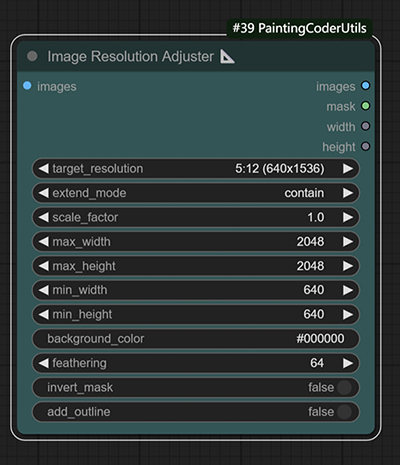
Image resolution adjustment with customizable background color fill
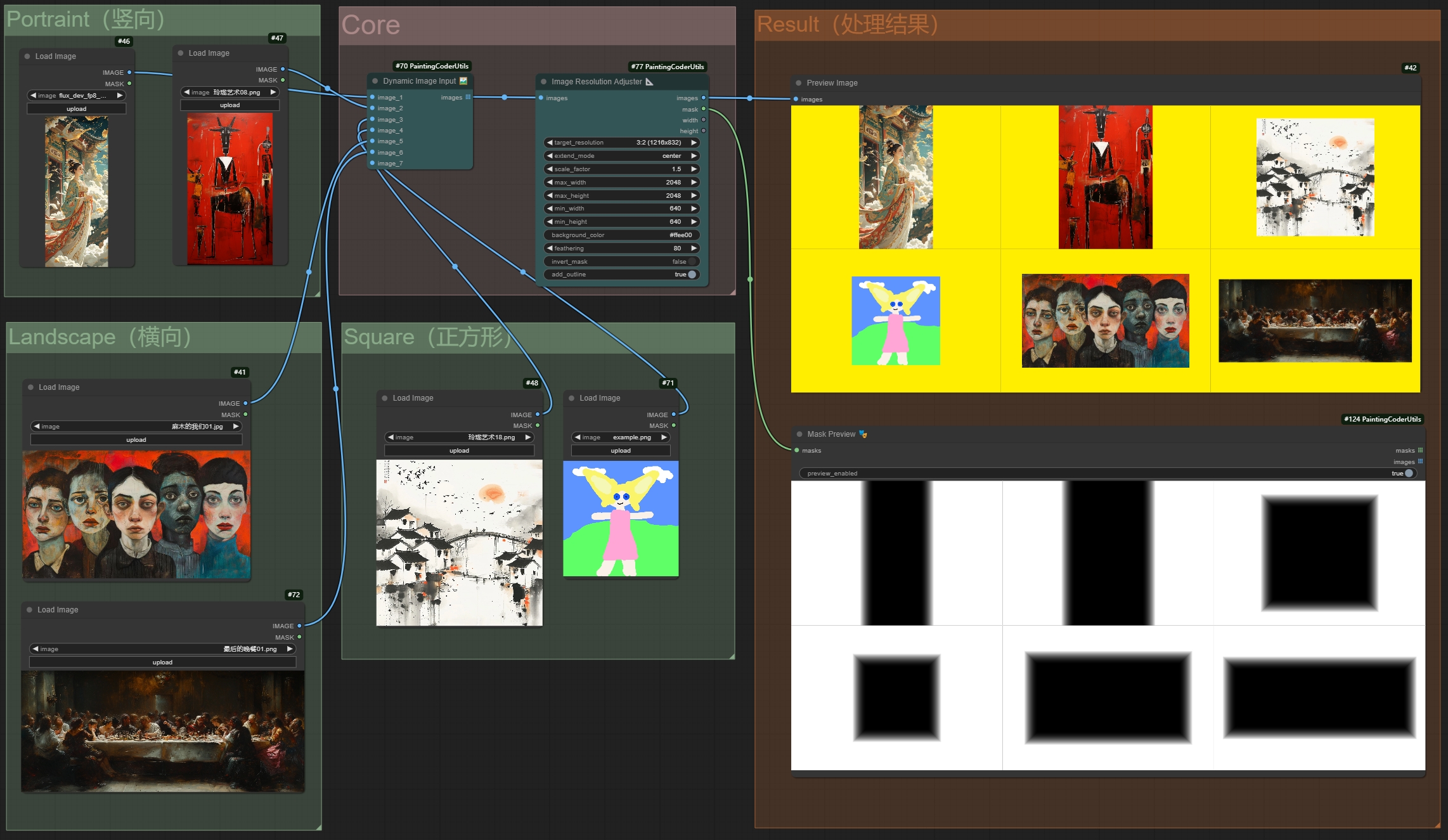
Batch image redrawing with aspect ratio preservation
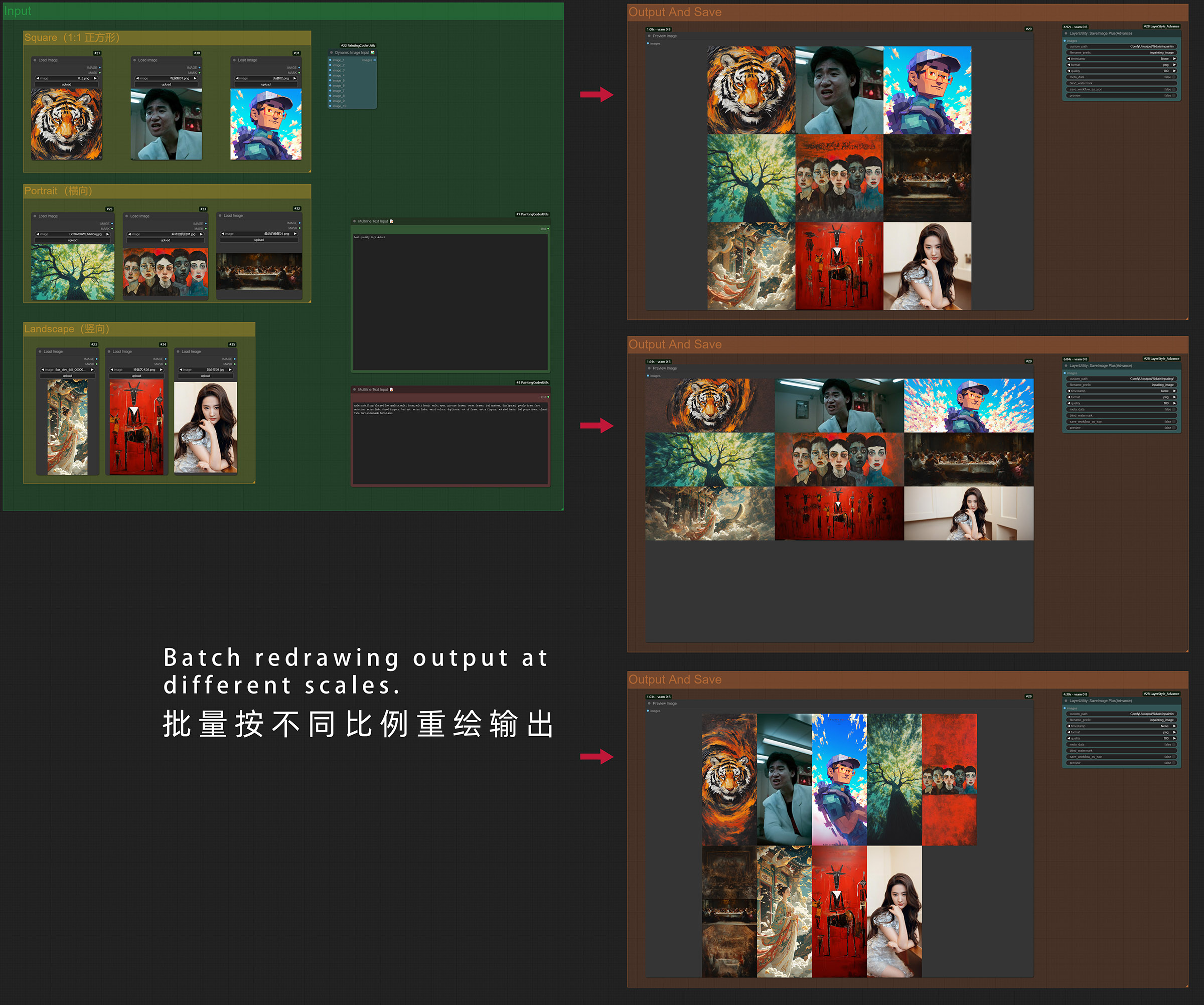
Flux Image Resolution Adjuster Batch Workflow Download
⬇️ Download Workflow JSON (Right Click Save As)
Features:
- Supports all SDXL optimal resolutions:
- 1:1 (1024x1024)
- 9:7 (1152x896)
- 7:9 (896x1152)
- 3:2 (1216x832)
- 2:3 (832x1216)
- 7:4 (1344x768)
- 4:7 (768x1344)
- 12:5 (1536x640)
- 5:12 (640x1536)
- Multiple extend modes:
- contain: Scale proportionally to fit within target size
- cover: Scale proportionally to cover target size
- fill: Stretch to fill target size
- inside: Like contain, but only downscale
- outside: Like cover, but only upscale
- top/bottom/left/right/center: Position image within target size
- Adjustable scaling factor
- Configurable maximum and minimum resolution limits
- Background color picker
- Maintains aspect ratio during adjustment
Usage:
- Add the node to your workflow
- Select target resolution from SDXL presets
- Choose extend mode as needed
- Use color picker to set background color
- Adjust scaling factor and resolution limits as needed
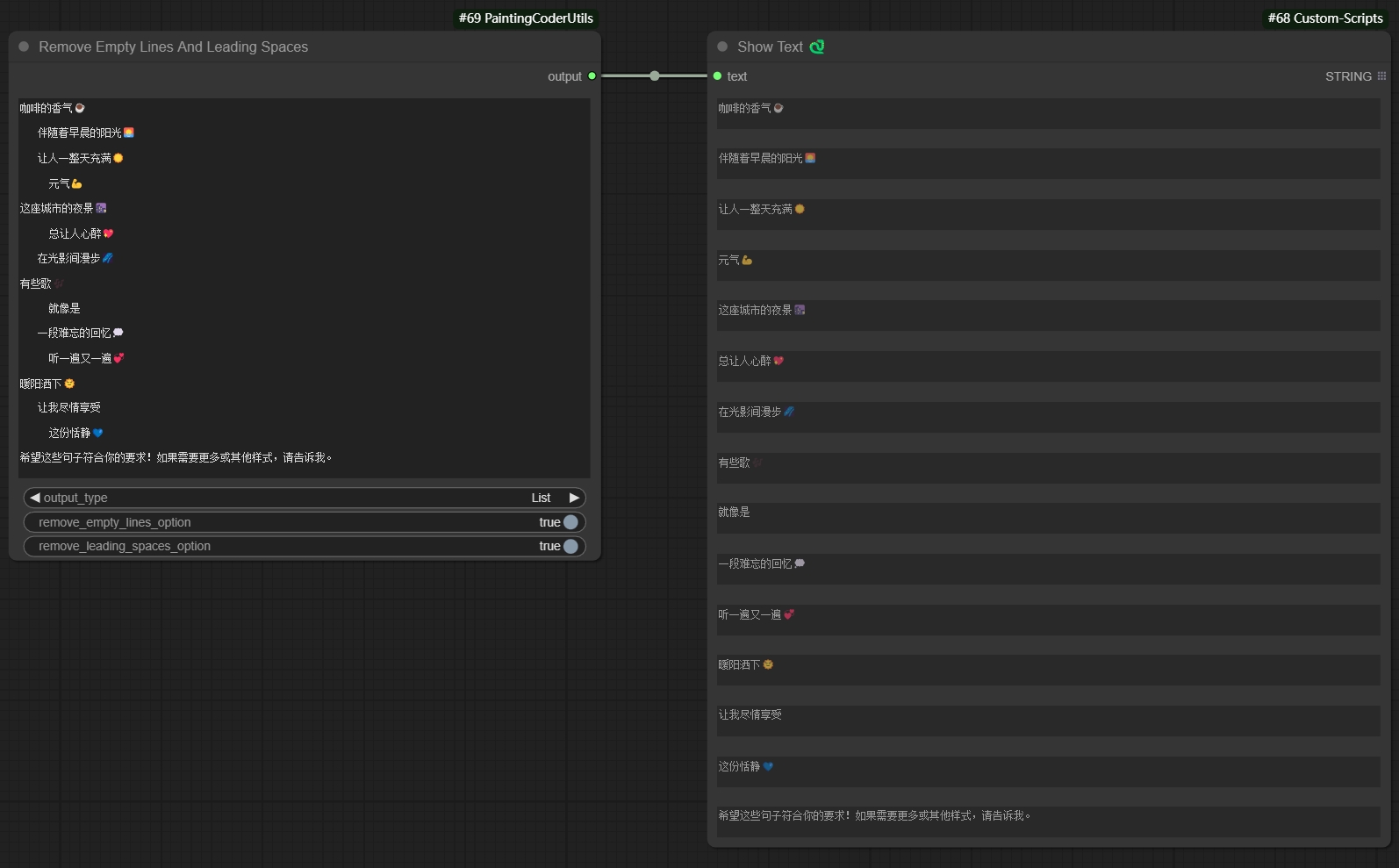
✂️Remove Empty Lines And Leading Spaces
A text processing node that cleans up text by removing empty lines and leading/trailing spaces.
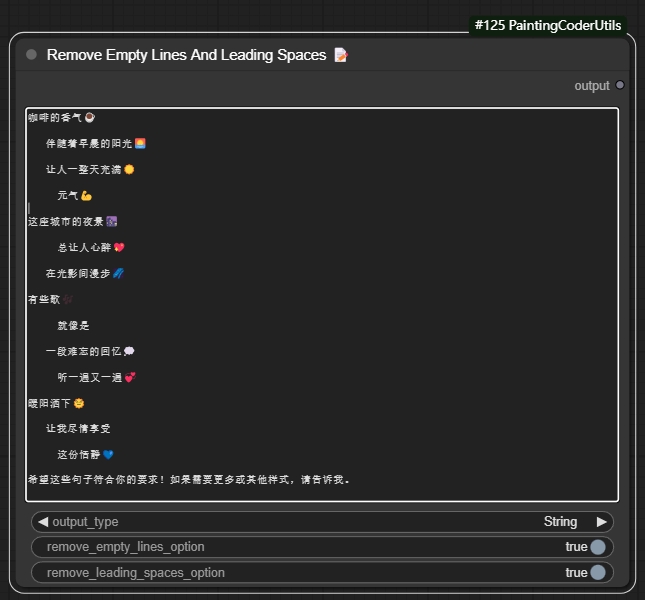
Features:
- Removes empty lines from text
- Removes leading and trailing spaces
- Option to keep single empty line between paragraphs
- Option to preserve indentation
- Supports batch text processing
Usage Example:
Input text:
    Hello World

     This is a test


    Multiple empty lines above

Output text (with default settings):
Hello World
This is a test
Multiple empty lines above
Parameters:
output type: Output type (text, list)remove empty line option: Remove empty linesremove loading space option: Remove spaces
Use Cases:
- Cleaning up prompt text
- Formatting text for LoRA training
- Preparing text for text-to-image generation
- Standardizing text input format
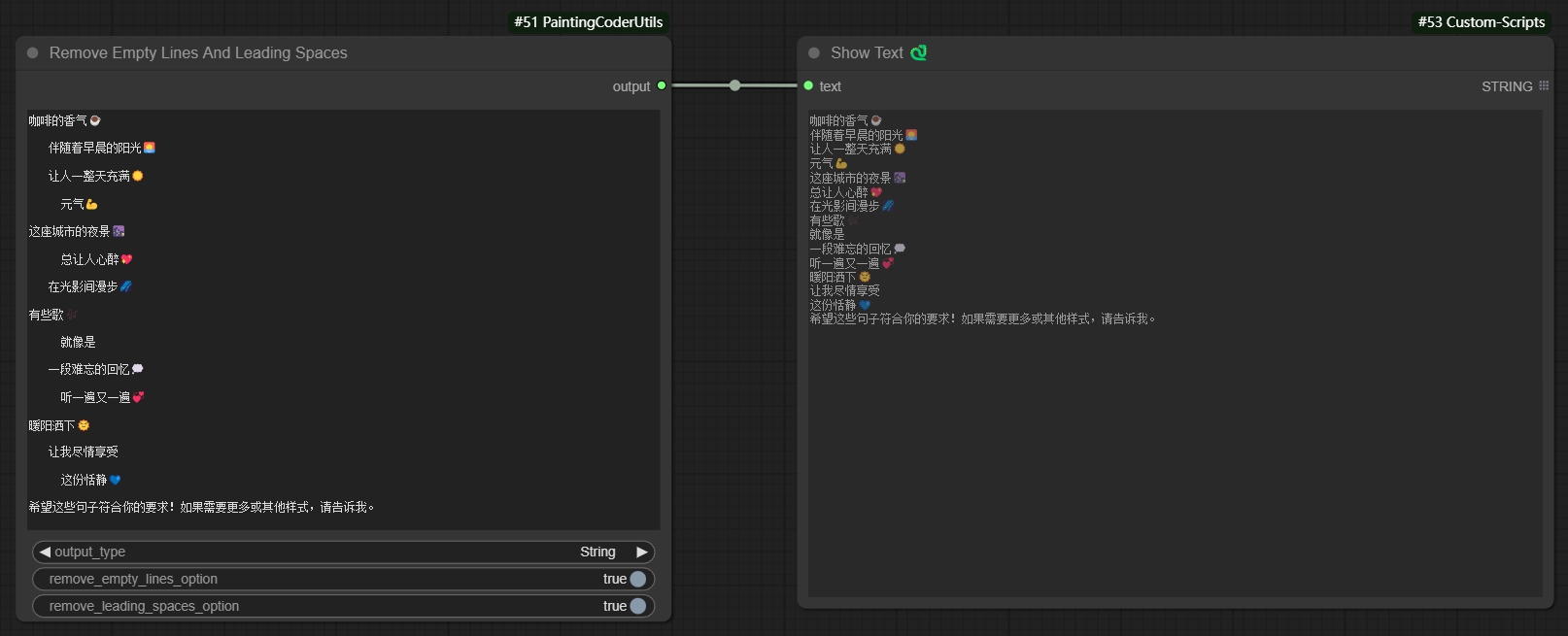
Remove extra empty lines and spaces to generate text:
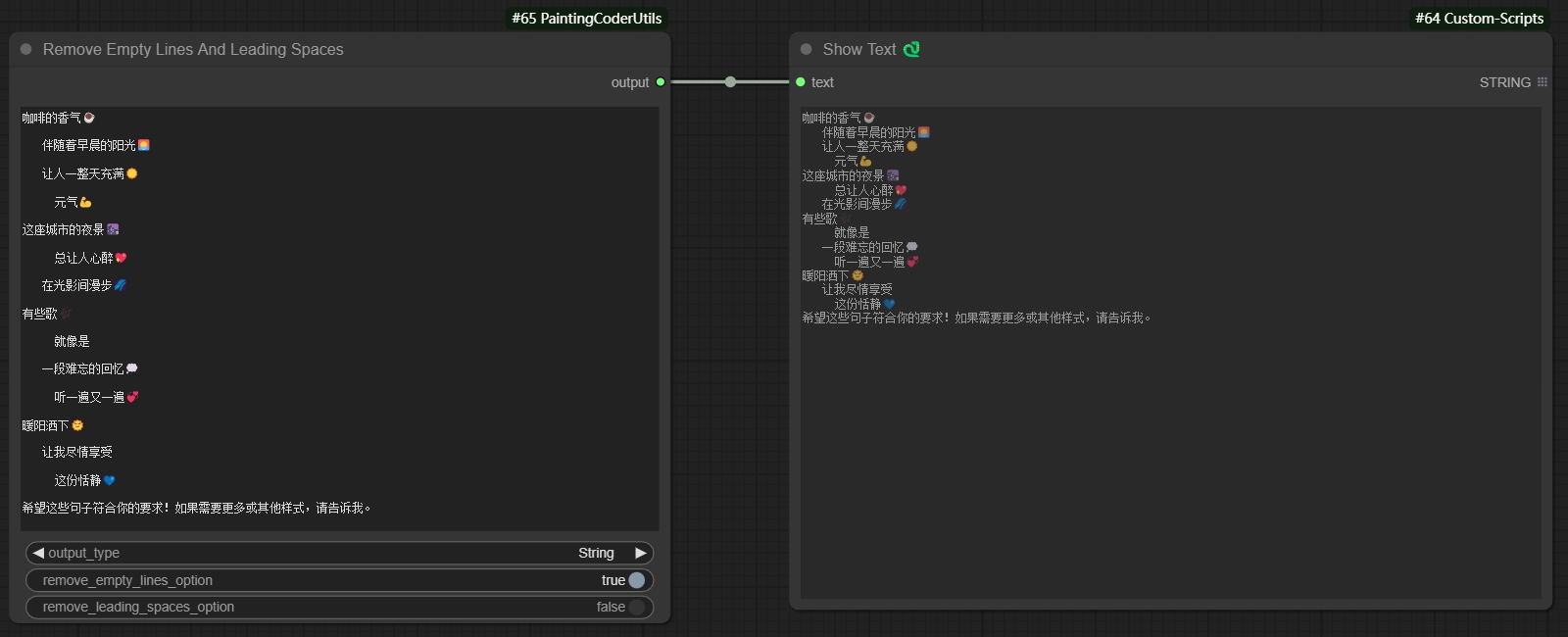
Remove empty lines while keeping spaces to generate text:
Remove spaces while keeping empty lines to generate text:
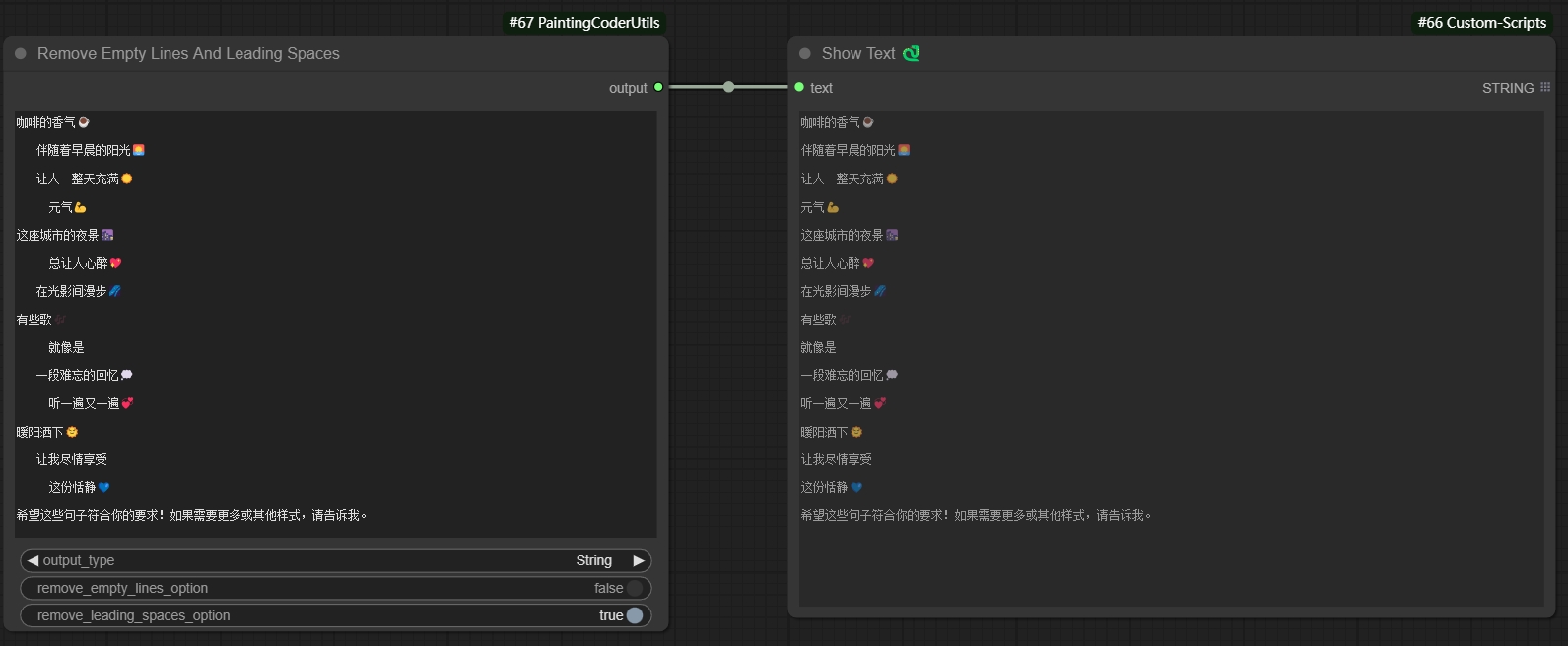
Remove empty lines and spaces to generate list:
🔗Text Combiner✨
Added Text Combiner node for combining multiple text inputs into a single output.
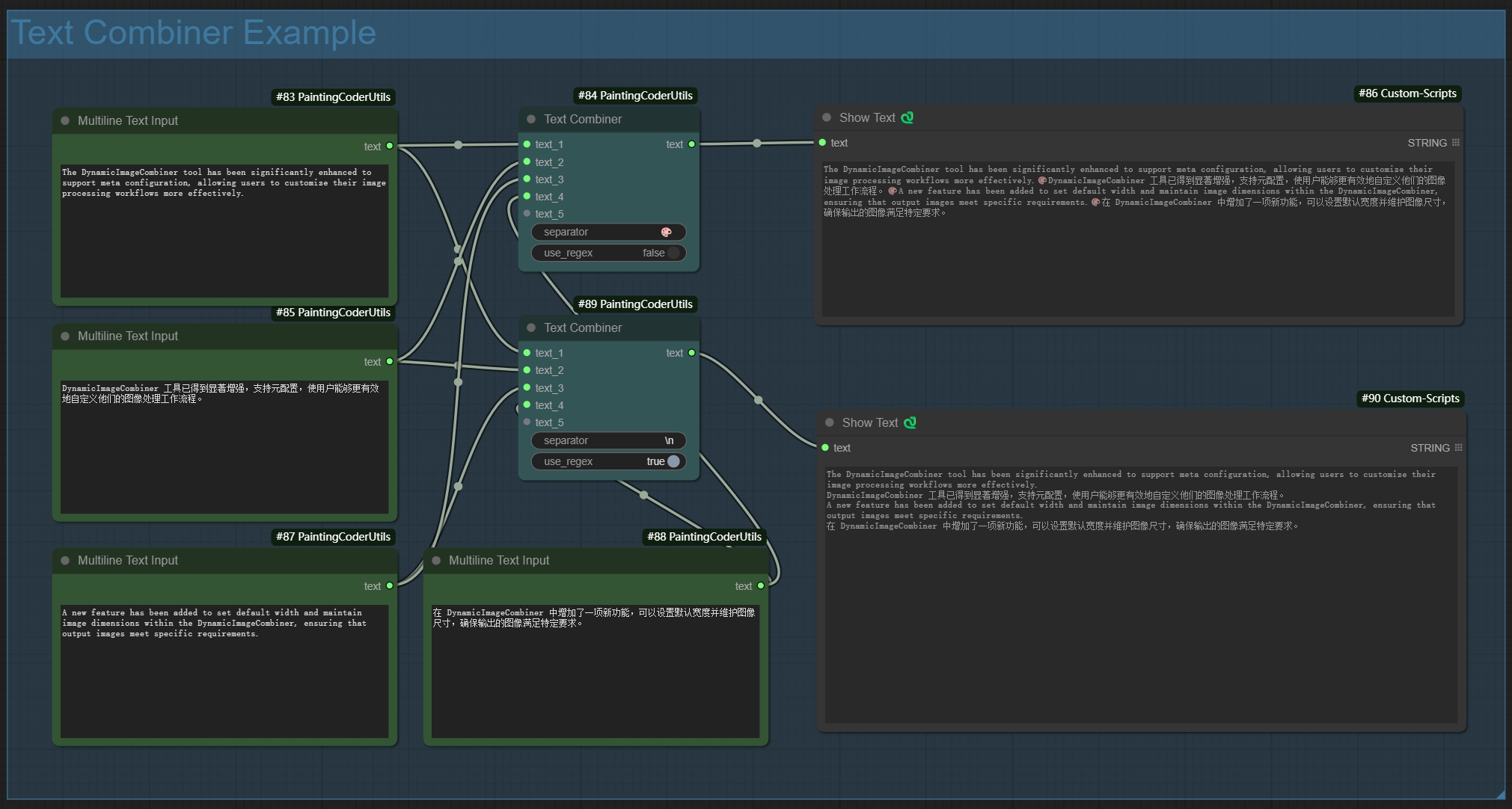
Features:
- Dynamic inputs: automatically adds new input points when connected
- Flexible separators:
- Supports regular expressions
- Supports escape characters (e.g., \n, \r)
- Uses space when left empty
- Smart line breaks: automatically splits output by line when separator includes newline
- Auto filtering: removes empty lines while preserving pure space content
Usage Examples:
-
Basic Usage:
- Using comma separator:
, - Output: text1, text2, text3
- Using comma separator:
-
Line Break Separator:
- Using newline:
\n - Output:
text1
text2
text3
- Using newline:
-
Mixed Separator:
- Using comma or newline:
,|\n - Supports both separator types
- Using comma or newline:
-
Empty Separator:
- Leave empty
- Directly joins text with spaces
🖼️Dynamic Image Input
A node for dynamically combining multiple image inputs.
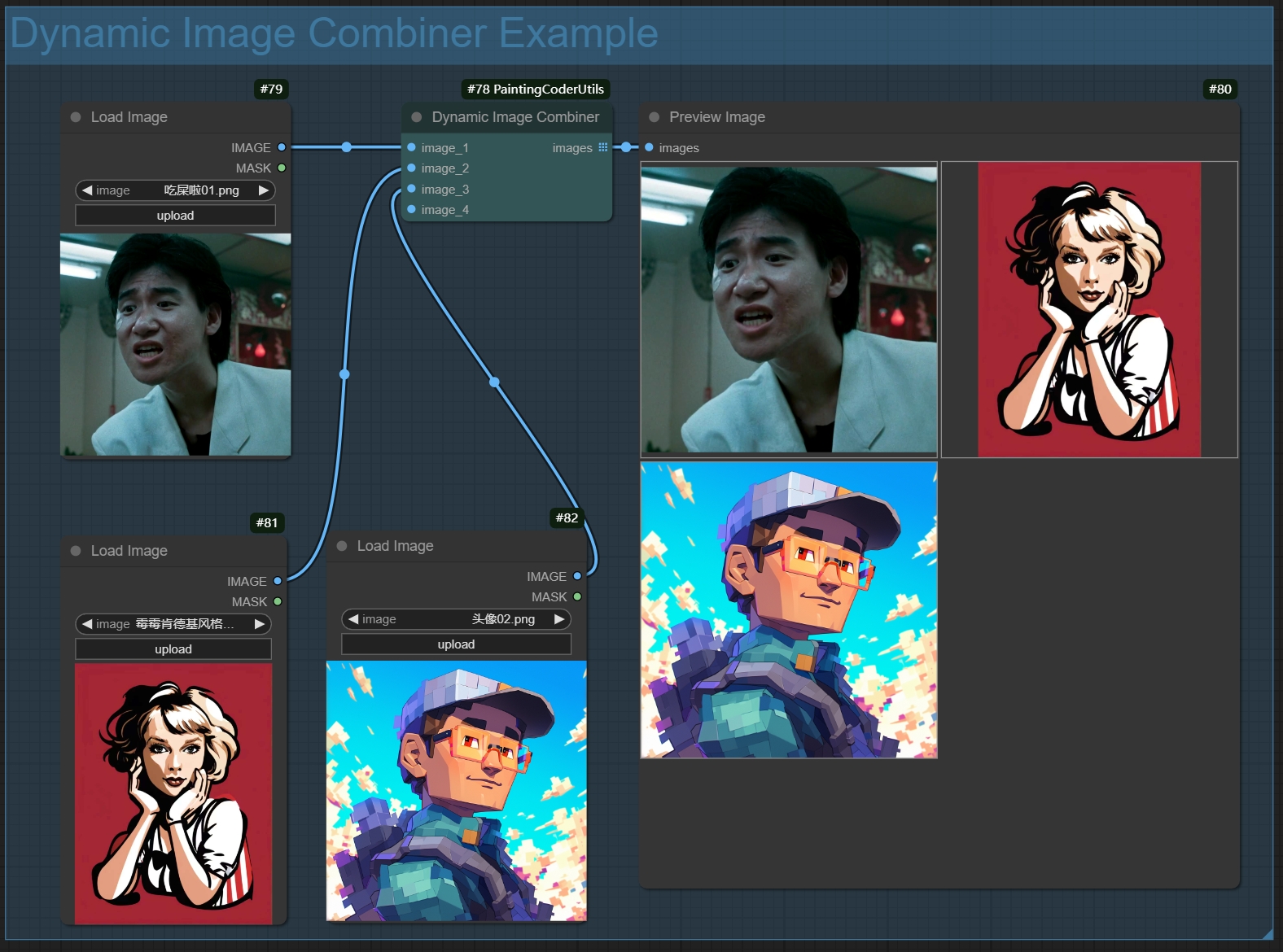 Features:
- Dynamic input ports: automatically adds new image input points when connected
- Smart image processing:
- Automatically filters empty inputs
- Maintains image format and quality
- Supports batch image processing
- Error handling:
- Returns blank image when no valid inputs
- Gracefully handles exceptions
- Output format: returns image list for further processing
Usage:
- Add the node to your workflow
- Connect image inputs (new input ports will be created automatically)
- Node will automatically combine all non-empty image inputs
- Output can be connected to other nodes that require image lists
Use Cases:
- Batch image processing
- Image collection management
- Dynamic workflow building
- Image list generation
📝 Text Display Enhancer (Show Text Plus)
An enhanced text display node that provides more text formatting and display options.
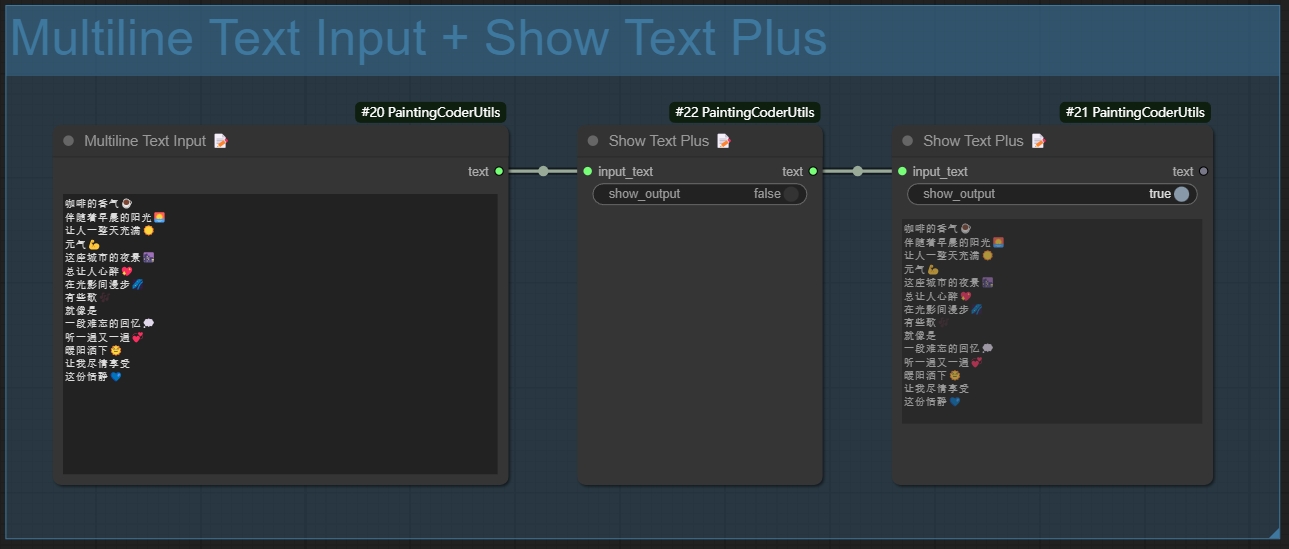
Features:
- Display Mode Options:
- Normal Mode: Displays text directly
- Text Statistics Functionality:
- Character Count
- Word Count
- Line Count
- Supports automatic line wrapping for long texts
- Supports multilingual text
Usage Instructions:
- Add the node to your workflow
- Connect the text input
- Select the display mode
📝 Multiline Text Input (Multiline Text)
A node that supports multiline text input, making it easy to input and edit long text content.
Features:
- Supports multiline text input and editing
- Retains text formatting and line breaks
- Compatible with both Chinese and English input
- User-friendly text editing interface
- Supports copy and paste operations
Usage Instructions:
- Add the node to your workflow
- Double-click the text box to edit
- Supports direct pasting of multiline text
- Click outside the area to save after editing
Usage Scenarios:
- Inputting long prompt phrases
- Editing multiline descriptive texts
- Batch text processing
- Preparing texts for LoRA training
🎭Mask Preview
A utility node for previewing and inspecting image masks.
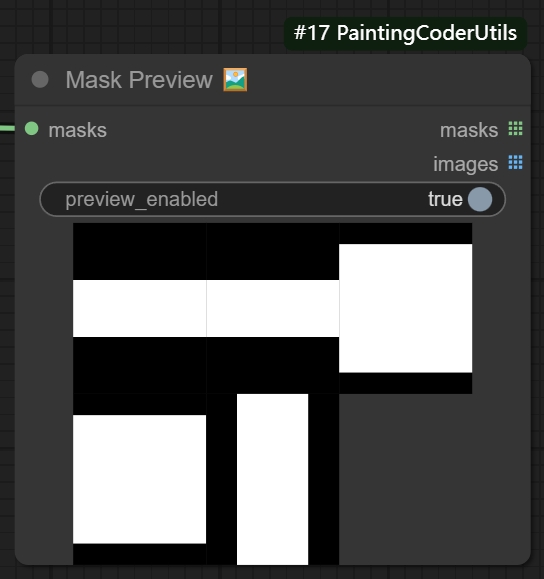
Features:
- Intuitive mask area visualization
- Multiple preview modes:
- Original mask
- Outline highlight
- Support for batch mask preview
- Real-time preview updates
Usage:
- Add the node to your workflow
- Connect mask input
- Select preview mode
- Adjust display parameters
📦 Installation
- Navigate to ComfyUI's
custom_nodesdirectory - Clone the repository:
cd custom_nodes git clone https://github.com/jammyfu/ComfyUI_PaintingCoderUtils.git - Restart ComfyUI
📝 License
MIT License
🤝 Updates
v0.1.9 (2024-01-05)
- Enhanced Image Resolution Adjuster
- Added mask feathering functionality
- Improved mask edge processing algorithm
- Enhanced mask processing performance
- Optimized edge smoothing effects
v0.1.8 (2024-01-04)
- Optimized Text Combiner
- Improved text concatenation logic
- Enhanced performance for large text processing
- Fixed special character handling issues
- Optimized memory usage
v0.1.7 (2024-01-03)
- Enhanced Image Resolution Adjuster
- Improved extend mode algorithms
- Enhanced image processing performance
- Fixed edge handling issues
- Optimized memory usage
v0.1.6 (2024-01-02)
- Added Multiline Text Input node
- Support for multiline text input and editing
- Preserves text formatting and line breaks
- Compatible with both Chinese and English input
- User-friendly text editing interface
- Supports copy and paste operations
v0.1.5 (2024-12-28)
- Added Mask Preview node
- Added real-time preview update
- Added batch mask preview
v0.1.4 (2024-12-27)
- Added Show Text Plus node
- Added multiple display modes
- Implemented text statistics functionality
- Added support for custom display options
- Optimized long text display
v0.1.3 (2024-12-26)
- Added Dynamic Image Input Combiner
- Implemented dynamic input ports
- Added smart image processing
- Optimized error handling mechanism
- Added support for image list output
v0.1.2 (2024-12-25)
- Added image outline feature
- Added text combiner node
v0.1.1 (2024-12-25)
- Added TextCombiner node
- Implemented dynamic input connections
- Added support for regex separators
- Added support for newlines and escape characters
- Added empty separator handling
- Optimized text joining logic
v0.1.0 (2024-12-23)
- Initial release
- Added Image Resolution Adjuster:
- Support for SDXL optimal resolutions
- Multiple extend modes
- Color picker for background
- Scale factor adjustment
- Resolution limits
- Added Remove Empty Lines And Leading Spaces:
- Text cleaning functionality
- Configurable preservation options
- Batch processing support
Planned Features
- Dynamic image input combination
- Text template system
- More image processing utilities
🤝 Contributions
Issues and Pull Requests are welcome!
🙏 Acknowledgements
- ComfyUI Team
- Impact-Pack Project