


ComfyUI-Background-Replacement

Instantly replace your image's background.
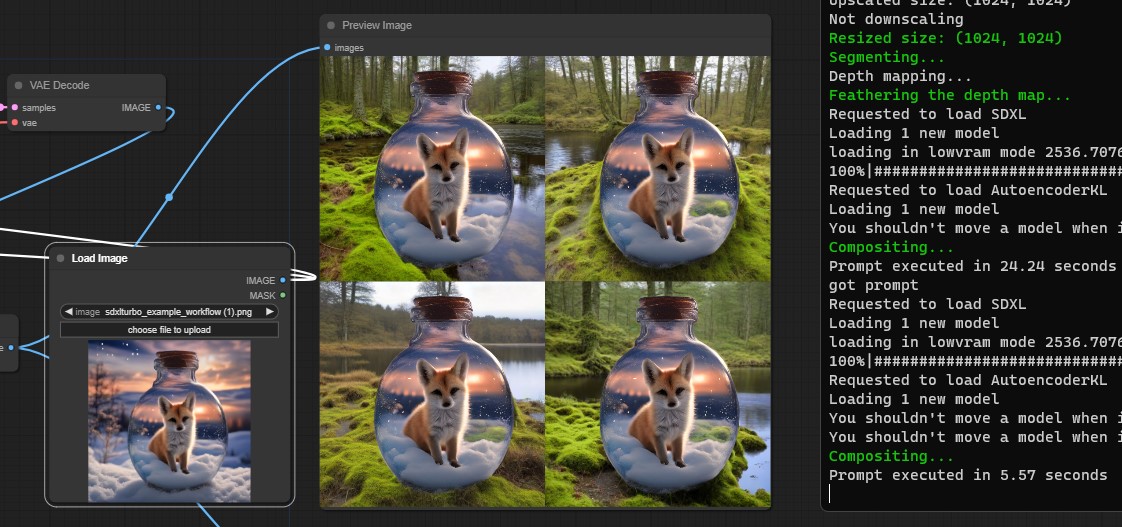
Replace your image's background with the newly generated backgrounds and composite the primary subject/object onto your images. The example workflow utilizes SDXL-Turbo and ControlNet-LoRA Depth models, resulting in an extremely fast generation time. Alternatively, you could also utilize other workflows or checkpoints for images of higher quality.
In my testing, it only takes a few seconds to generate a batch of 4 images, depending on your machine's capacities.
Many thanks to the authors of the Shopify/background-replacement project for generously providing most of the code.
Installation
- To install this custom node for ComfyUI, clone the repository using Git or download it, and then extract the the files to: ComfyUI\custom_nodes\ComfyUI-Background-Replacement:
https://github.com/meap158/ComfyUI-Background-Replacement.git
Usage
There are 2 custom nodes (both located within the 'utils' submenu): Background Replacement and Image Composite.
You can also load the example workflow by dragging the workflow file (workflow_background_replacement_sdxl_turbo.json or workflow_background_replacement_sdxl_turbo.png) onto ComfyUI.
Background Replacement
- Inputs:
image: Your source image.
- Outputs:
depth_image: An image representing the depth map of your source image, which will be used as conditioning for ControlNet.cropped_image: The main subject or object in your source image, cropped with an alpha channel.
- Parameters:
depth_map_feather_threshold: This sets the smoothness level of the transition between the subject and the background. The default is 128, and it ranges from 0 to 255.depth_map_dilation_iterations: It determines how much the edges of the background are expanded. The default is 1.depth_map_blur_radius: This sets how much the edges of the background are blurred. The default is 5.
Image Composite
- Inputs:
background_image: The main image that serves as the background.overlay_image: The image to be placed on top of the background.
- Output:
composited_image: The resulting image after combining the background and overlay.
Note
- The Background Replacement node makes use of the "Get Image Size" custom node from this repository, so you will need to have it installed in "ComfyUI\custom_nodes." You can find it here: Derfuu_ComfyUI_ModdedNodes.
- The example workflow utilizes two models:
control-lora-depth-rank128.safetensorsandsd_xl_turbo_1.0_fp16.safetensors. You can obtain them and place them in the respective directories here:ComfyUI\models\controlnet\ control-lora-depth-rank128.safetensors andComfyUI\models\checkpoints\ sd_xl_turbo_1.0_fp16.safetensors- Alternatively, you could run
download_models.bat, and it will handle the downloading for you (Recommended).