
ComfyUI-JM-KlingAI-API
This is a custom node for ComfyUI that allows you to use the KLingAI API directly within the ComfyUI environment. It is developed based on the KLingAI API documentation. For more details, please refer to the official documentation.KLingAI API Documentation。
Requirements
Before using this node, you need to have a KLing AI API key.
Installation
Installing manually
- Navigate to the
ComfyUI/custom_nodesdirectory. - Clone this repository:
git clone https://github.com/synthetai/ComfyUI-JM-KLing-API.git - Install the dependencies:
- Windows (ComfyUI portable):
python -m pip install -r ComfyUI\custom_nodes\ComfyUI-JM-KLingAI-API\requirements.txt - Linux or MacOS:
cd ComfyUI-JM-KLingAI-API && pip install -r requirements.txt
- Start ComfyUI and enjoy using the KLing AI API node!
Nodes
KLingAI API Key
This node generates an API Token
Text2Video
This node is used to generate a video given a text prompt.
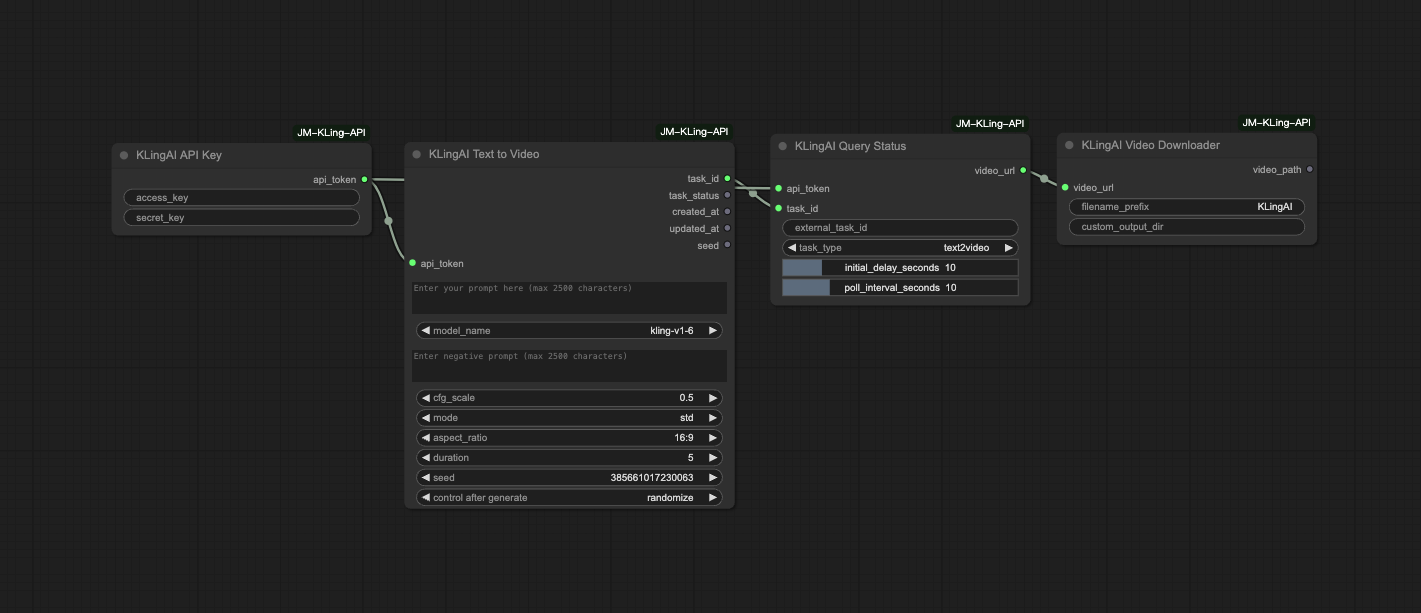
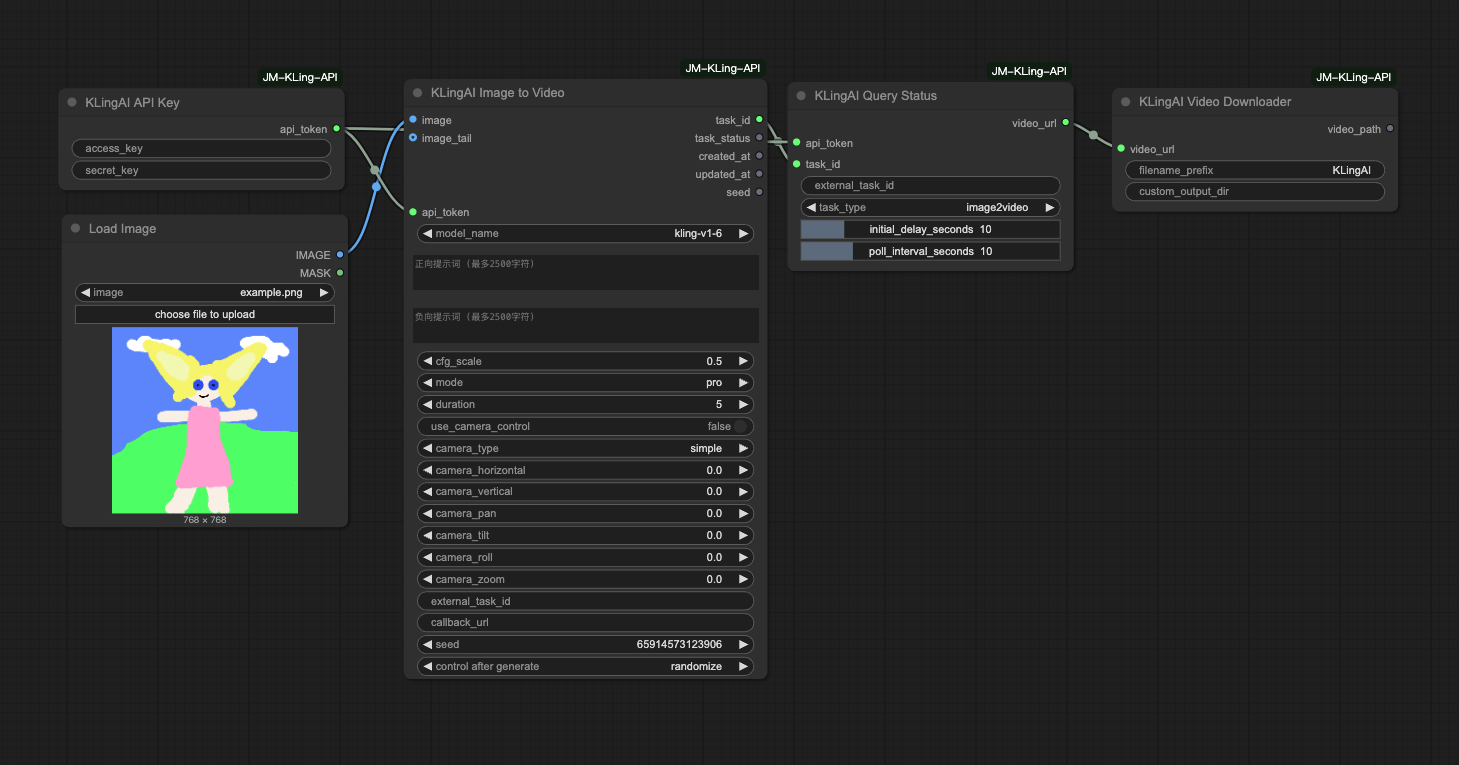
Image2Video
This node is used to generate a video given an image.
KLingAI Lip Sync
This node is used to create a lip sync task that makes a video's mouth movements match with provided audio.
KLingAI Lip Sync Async
This node processes longer audio files by automatically splitting them into segments and creates lip sync tasks asynchronously. It then monitors task progress, downloads the generated videos, and merges them into a single output video.
Features:
- Splits audio into 10-second segments (configurable)
- Supports both local audio files and audio URLs
- Maintains segment order during processing and final merging
- Asynchronously creates tasks for all segments
- Monitors task status with configurable poll interval
- Downloads and merges videos using FFmpeg
- Organizes files in a structured temporary directory
Note: This node requires the pydub package and FFmpeg to be installed on your system.
KLingAI Image Generation
This node is used to generate images from text prompts using KLingAI's image generation API.
Features:
- Text-to-image generation with customizable parameters
- Support for reference images (both via direct upload and URL)
- Different reference modes: subject (clothing, pose, etc.) and face (appearance)
- Adjustable fidelity settings for reference images
- Multiple aspect ratios to choose from
- Ability to generate multiple images per request (up to 9)
- Support for both kling-v1 and kling-v1-5 models
KLingAI Image Downloader
该节点用于从URL下载图片并保存到本地。
功能特点
- 支持从URL直接下载图片
- 自动保存到ComfyUI输出目录
- 支持自定义输出子目录
- 自动生成序列文件名(如 KLingAI_0001.png)
输入参数
image_url(必填): 图片的URL地址filename_prefix(必填): 图片文件名前缀,默认为 "KLingAI"custom_output_dir(可选): 自定义输出子目录,相对于ComfyUI输出目录
输出
IMAGE: 下载的图片,可用于后续处理image_path: 图片在输出目录中的相对路径image_url: 原始图片URL
使用示例
- 在ComfyUI中添加KLingAI Image Downloader节点
- 输入图片URL和可选的文件名前缀
- 运行工作流,图片将被下载并保存
- 使用ComfyUI的预览节点查看下载的图片
KLingAI Video Downloader
This node downloads videos from a URL and saves them to a local directory.
Features:
- Downloads videos from a specified URL
- Saves videos with customizable filename prefixes
- Supports MP4 video format
- Optional custom output directory
- Returns the saved video path and original URL for further processing
KLingAI Multi-Image to Image
这个节点使用可灵AI的多图参考生图API,支持使用2-4张图片作为主体参考来生成新图片。
功能特点:
- 支持2-4张主体参考图片(必需)
- 可选场景参考图和风格参考图
- 支持文本提示词优化生成效果
- 可生成1-9张图片
- 多种画面比例选择
- 支持自定义输出目录和文件名前缀
- 内置图片预览功能
- 支持随机种子控制
输入参数:
- 主体图片1-2(必需)
- 主体图片3-4(可选)
- 场景参考图(可选)
- 风格参考图(可选)
- 文本提示词
- 输出文件名前缀和目录
- 生成数量、画面比例、随机种子
KLingAI 混合视频生成
这是一个融合了文生视频和图生视频功能的节点,能够根据用户输入自动选择合适的API。
功能特点:
- 智能判断:如果提供了图像则使用图生视频API,否则使用文生视频API
- 统一界面:在一个节点中同时支持两种视频生成方式
- 支持图像输入(Base64或URL方式)
- 支持正向和负向提示词
- 支持图生视频的摄像机控制功能
- 支持尾帧图像设置
- 兼容所有KLingAI视频模型