
✨🍬An extension pack that adds functionality to Efficiency Nodes, enhancing the user experience. The original version can be found at: https://github.com/jags111/efficiency-nodes-comfyui 🍬
Efficiency Nodes 💬ExtendeD (V8)
Workflow Examples:
-
Main Workflow
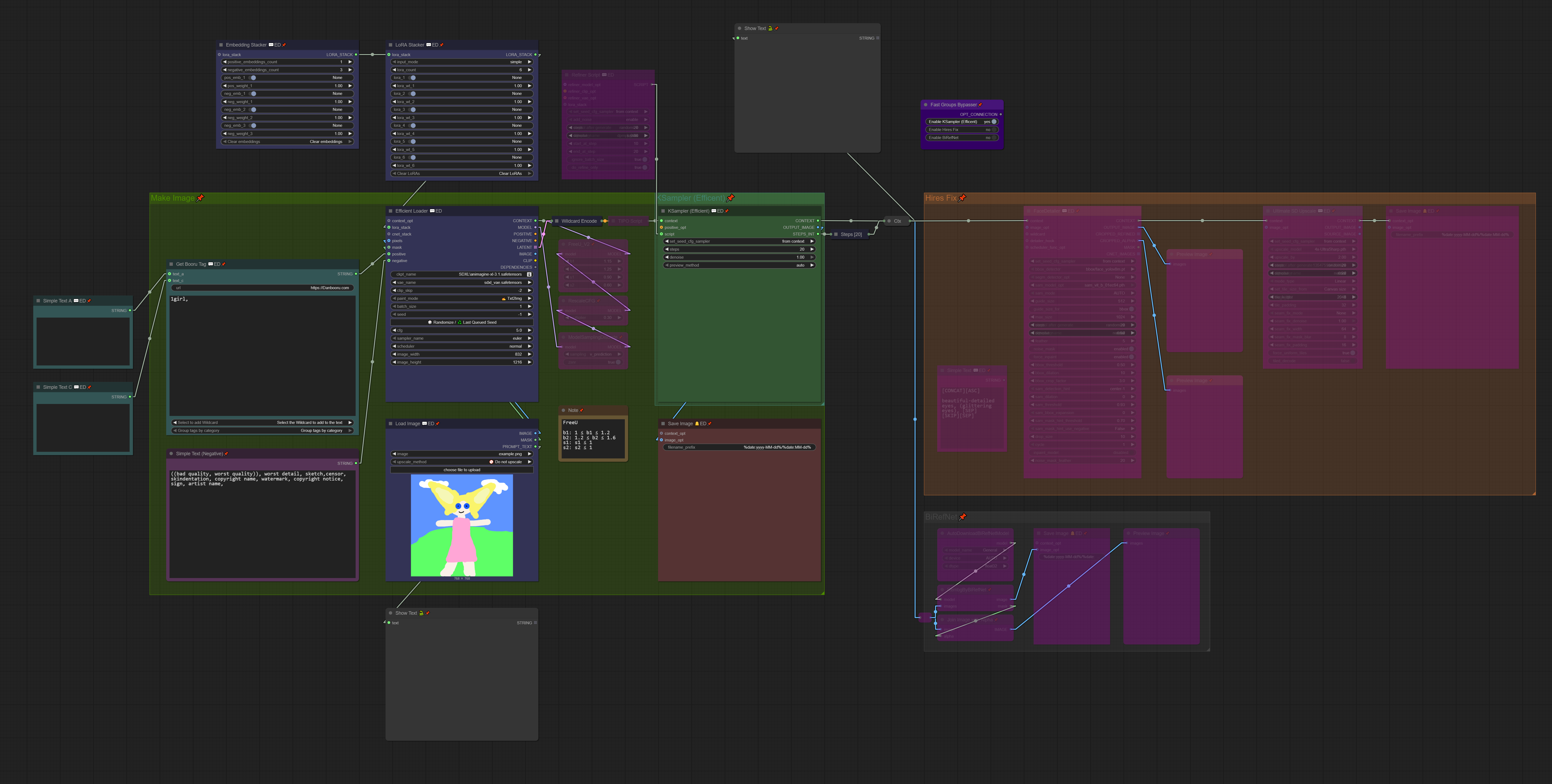
(EXIF included)
-
Regional Workflow

(EXIF included)
-
Flux Workflow

(EXIF included)
Basic Overview:
-
Context:
Unlike the original Efficiency Nodes, 💬ED Nodes exchange the
contextlink.Think of the
contextlink as a bundle combining multiple links likemodel,clip,vae,conditioning, etc.-
When creating workflows, you might end up with spaghetti-like connections like this:
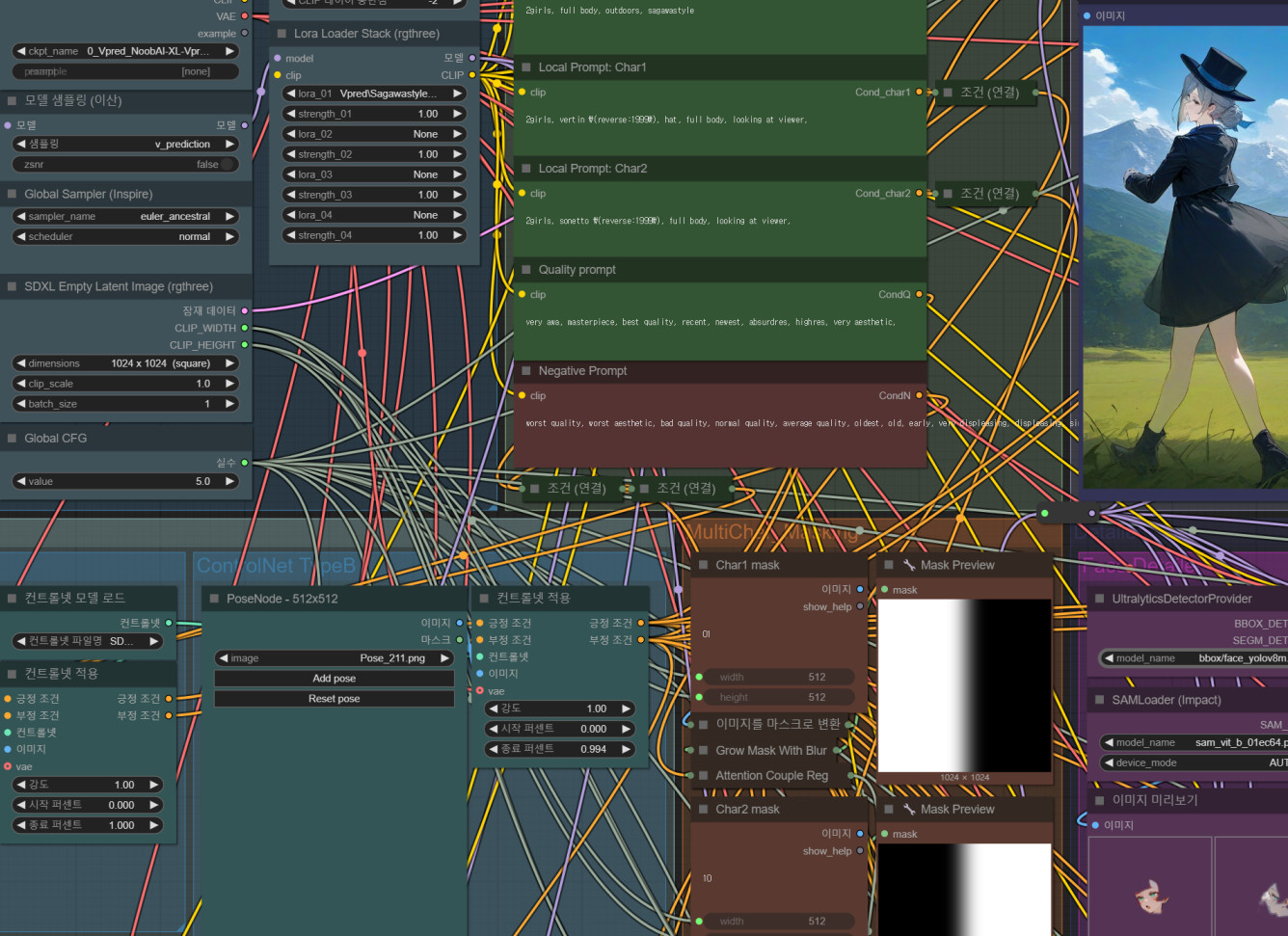
-
Using the
contextlink simplifies it: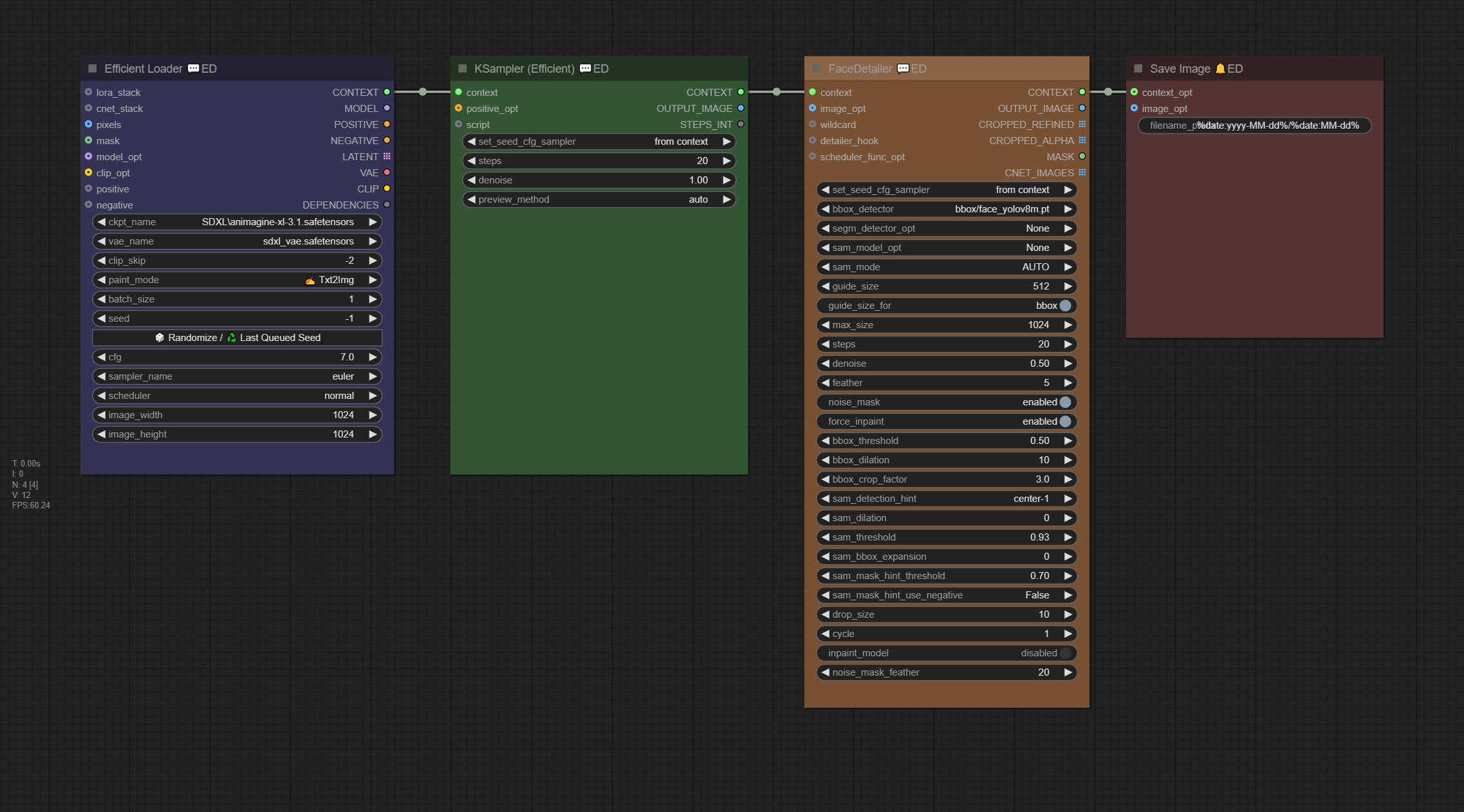
-
It’s not limited to 💬ED Nodes - other nodes can use it too.
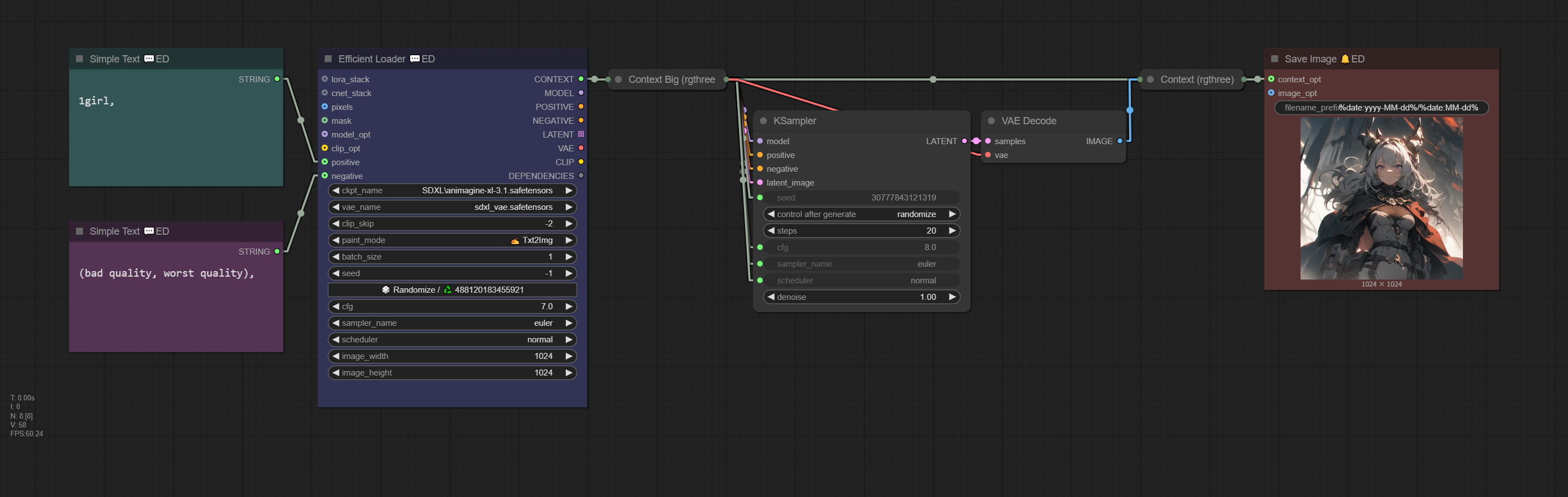
(EXIF included)
-
The
contextlink output by Efficient Loader 💬ED includes the following: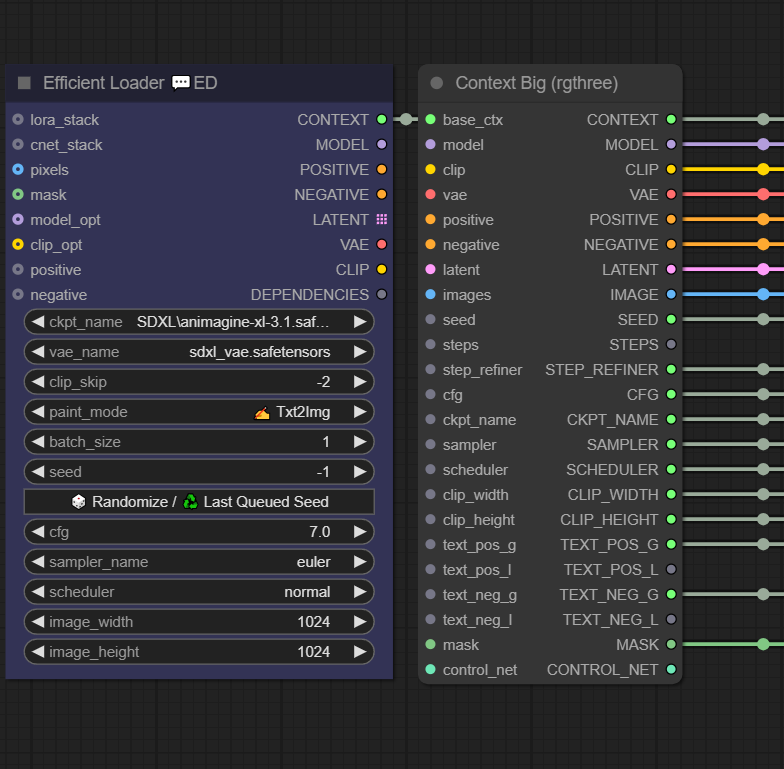
context model clip vae positive conditioning negative conditioning latent image seed step_refiner Instead contains batch_size cfg ckpt_name clip_width image width clip_height image height text_pos_g positive prompt text_neg_g negative prompt mask
-
-
Checkpoint, LoRA, and Embedding Thumbnails:
Efficient Loader 💬ED, LoRA Stacker 💬ED, and Embedding Stacker 💬ED display thumbnails when selecting models.
-
Thumbnail Style
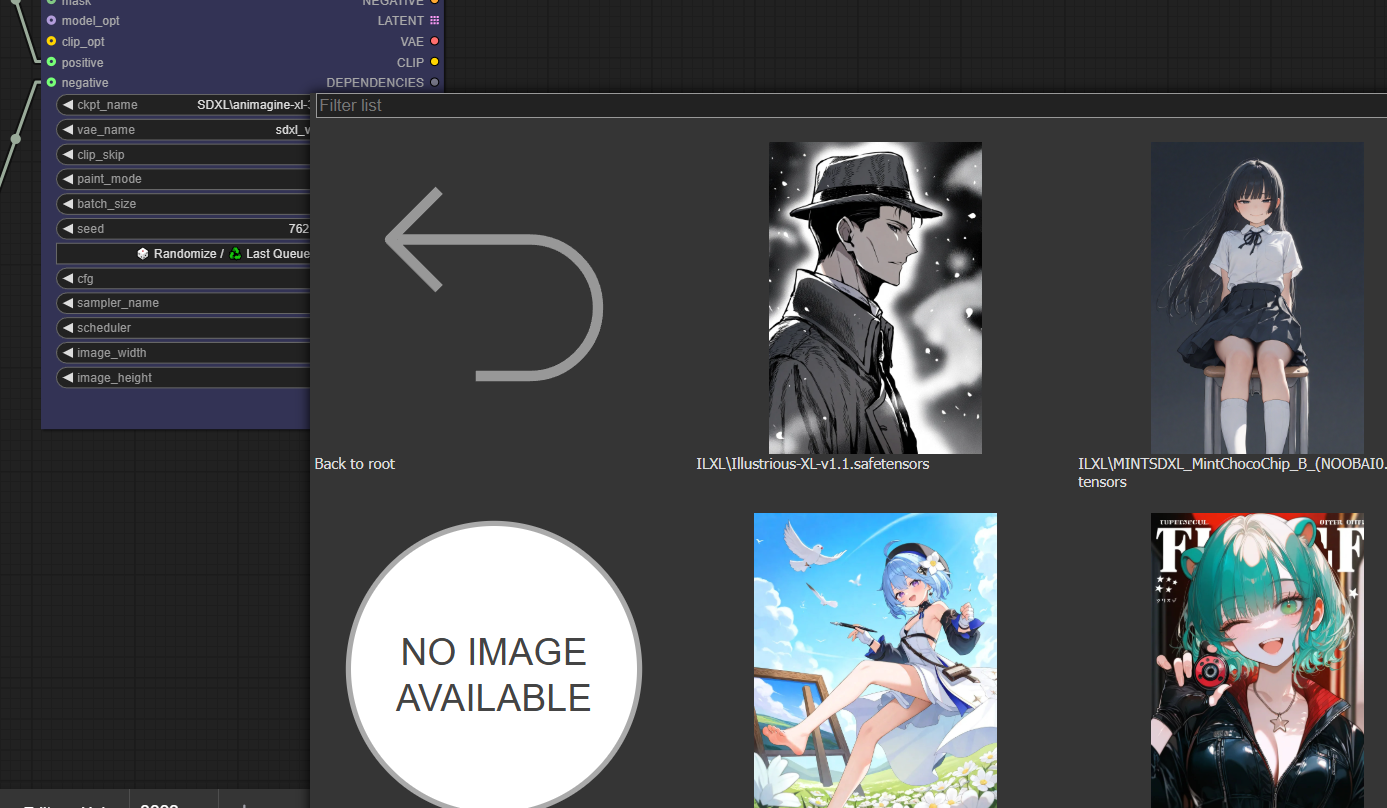
-
Tree Style
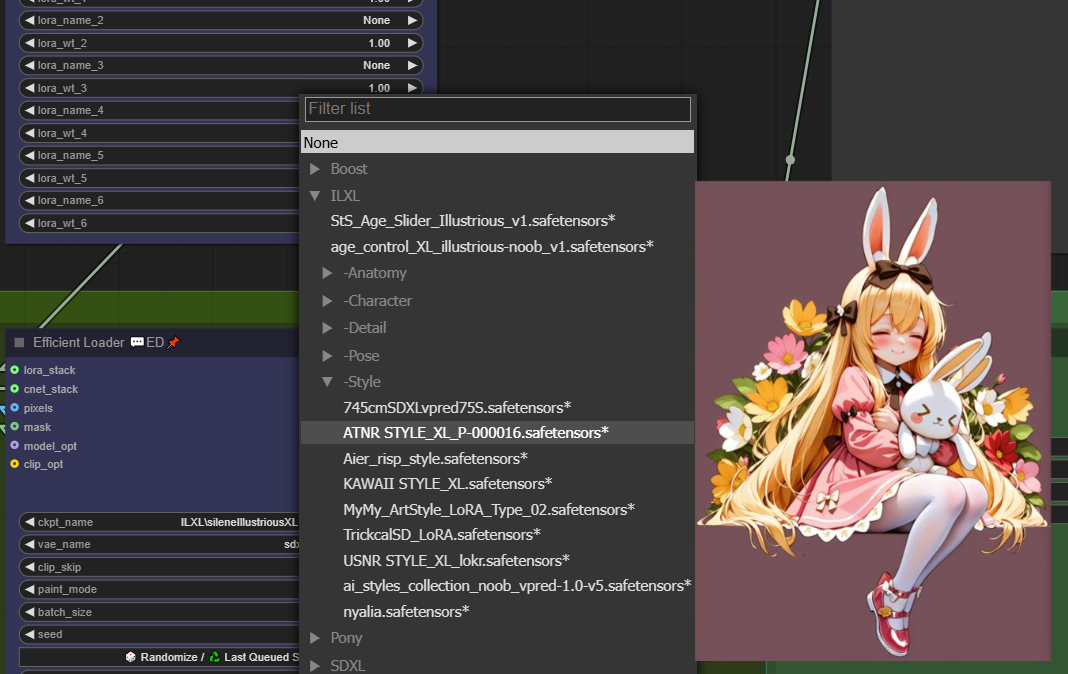
-
You can select the style in: Settings > pysssss > Combo++ > Lora/Checkpoint Loader Display Mode
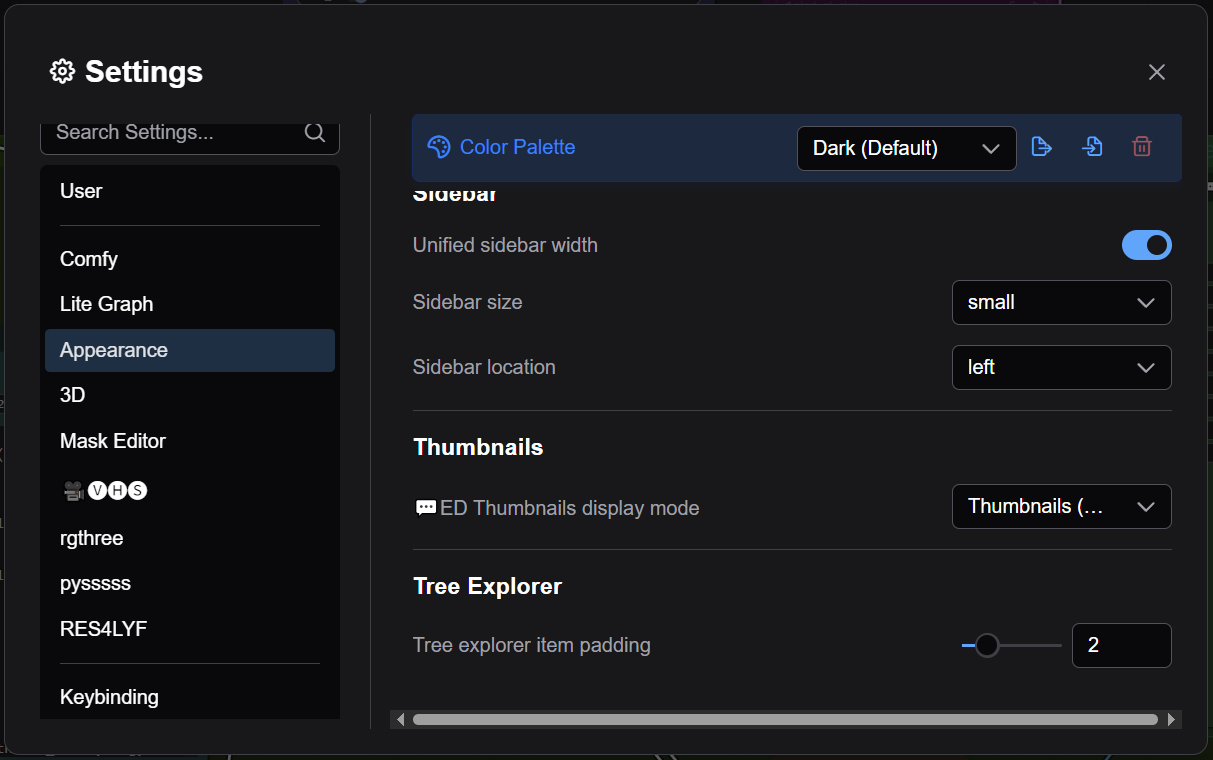
-
Thumbnails may not appear initially. To enable them:
Right-click on Efficient Loader 💬ED or LoRA Stacker 💬ED >
🔍 View model info...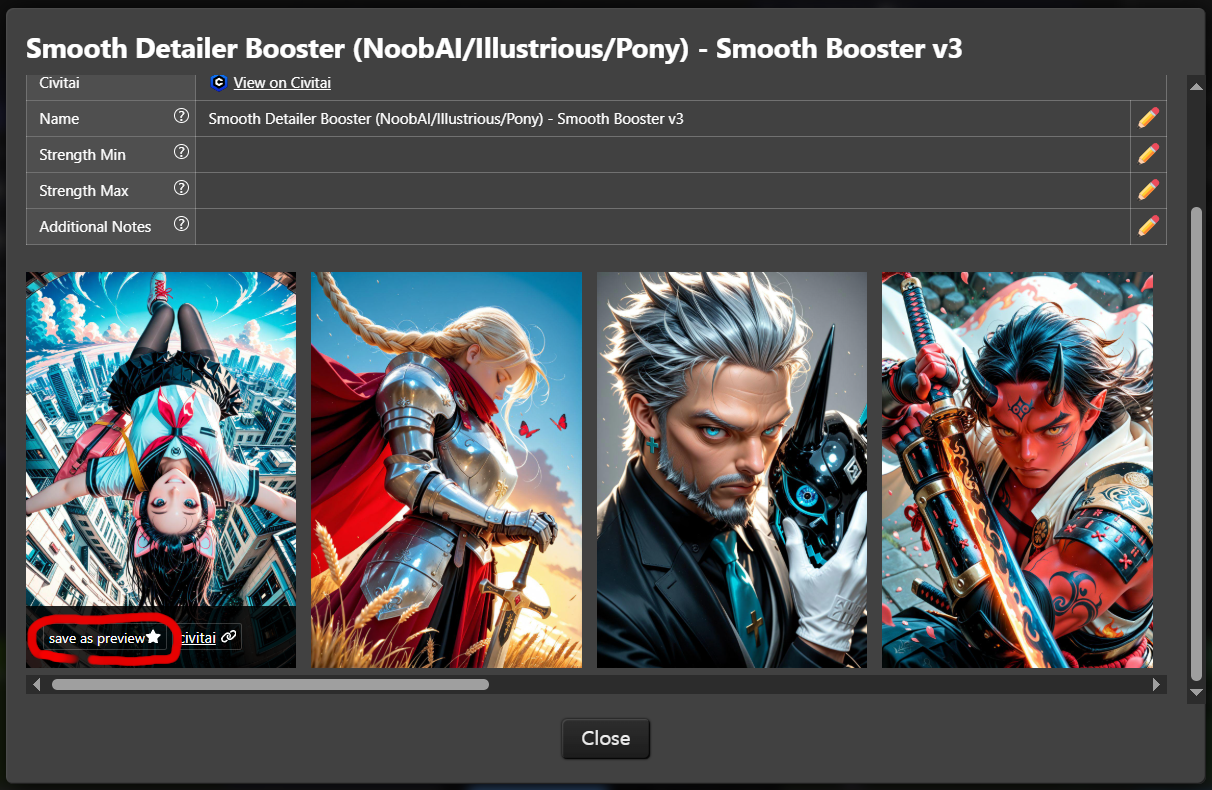
Click
Use as previewin the red section to save it. (You can also manually specify the filename asMODEL NAME.jpgor.png)
-
-
Wildcards:
Efficiency Nodes 💬ED supports wildcards.
-
Usage
-
Use
Select to add wildcardin Get booru Tag 💬ED to easily add wildcards.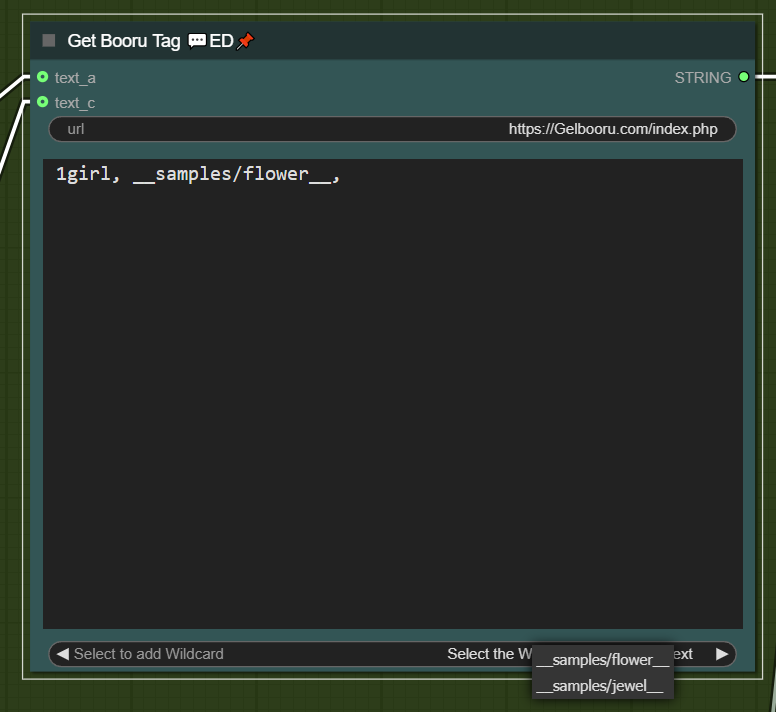
-
Wildcards are shared with Impact Pack’s wildcards:
ComfyUI\custom_nodes\comfyui-impact-pack\wildcards -
All standard wildcard syntax is supported, but nested wildcards and LoRAs are not.
-
Wildcard encoding is handled by Efficient Loader 💬ED, so Get booru Tag 💬ED is not strictly required.
-
Supports comments:
#,//,/* */.
-
-
Sequential Wildcards
-
In Get booru Tag 💬ED, write
__wildcard__#ASC0in thetext_bfield.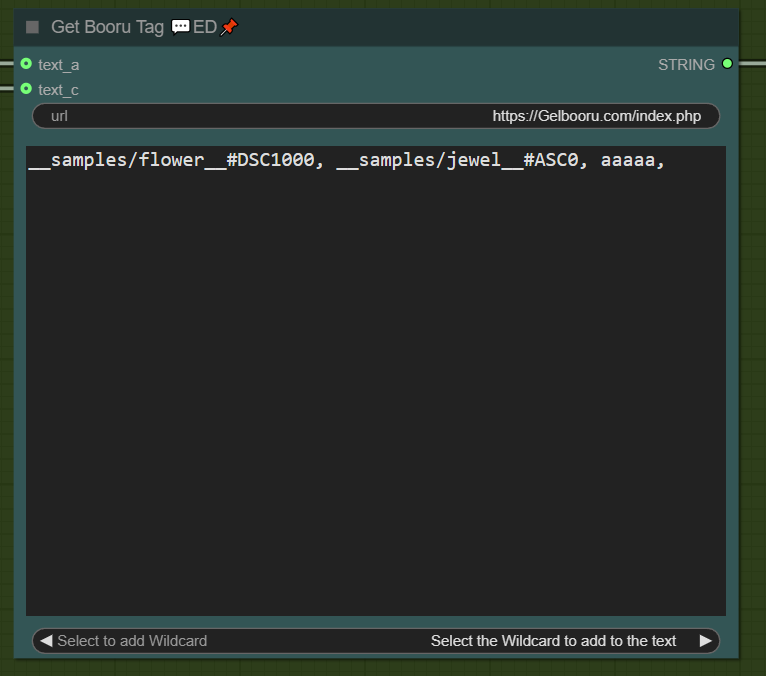
-
#ASCXXiterates upward from the specified number (stops at max). -
#DSCXXiterates downward from the specified number (stops at 0). (If unsure of the max, use#DSC1000as a rough estimate.) -
#FIXXXfixes the value -
Sequential wildcards are only available via Get booru Tag 💬ED.
-
-
-
Regional Prompt:
Regional prompts allow different prompts for specific areas. (Regional Workflow)
Requires installation of A8R8 ComfyUI Nodes.
-
Regional Prompt - Text 2 Image
-
Right-click Regional Stacker 💬ED, input aspect ratio, and click
Create empty image. This auto-fills dimensions in Efficient Loader 💬ED and loads an empty image intoLoad Imageconnected to Regional Script 💬ED.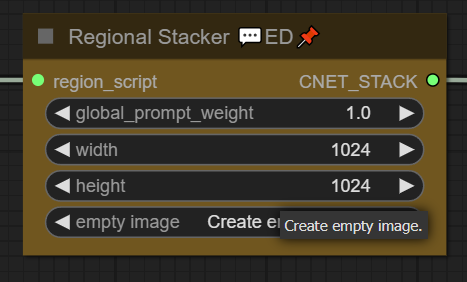
-
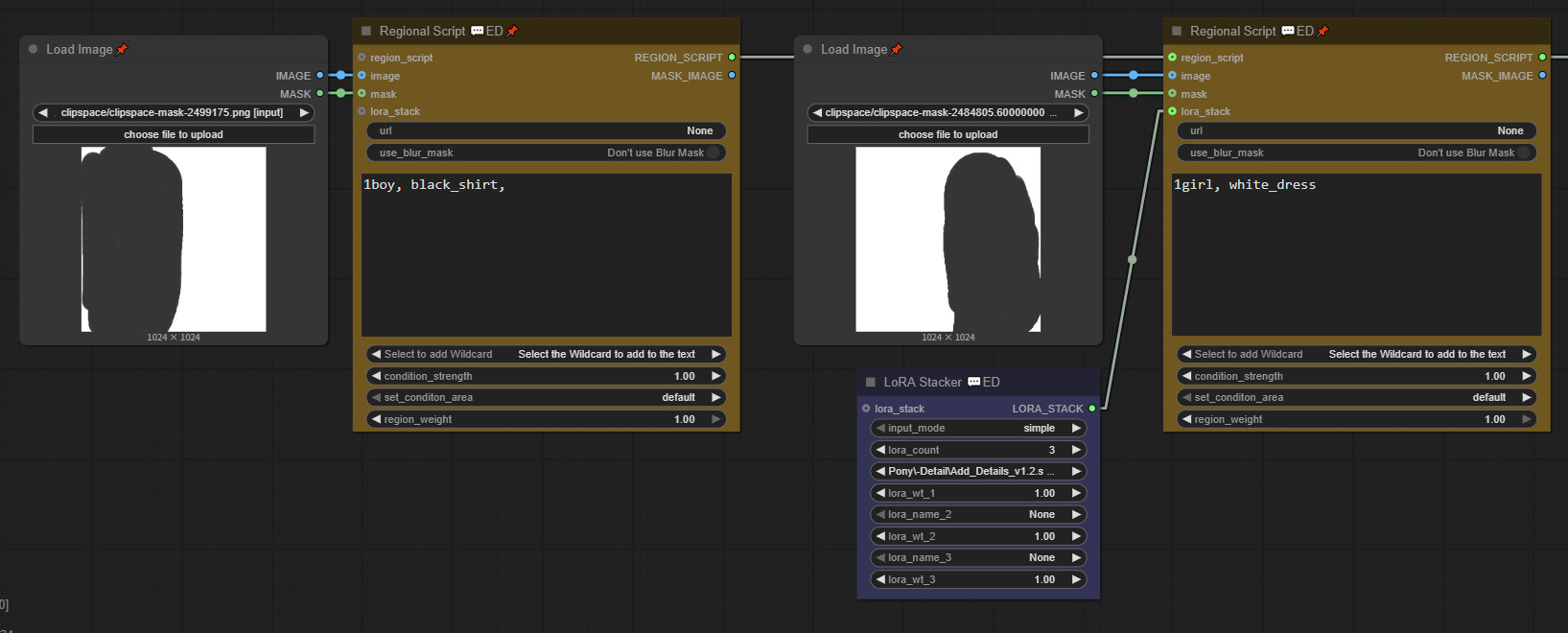
Define regions with masks and write prompts. (Attach LoRA Stacker 💬ED if needed.)
-
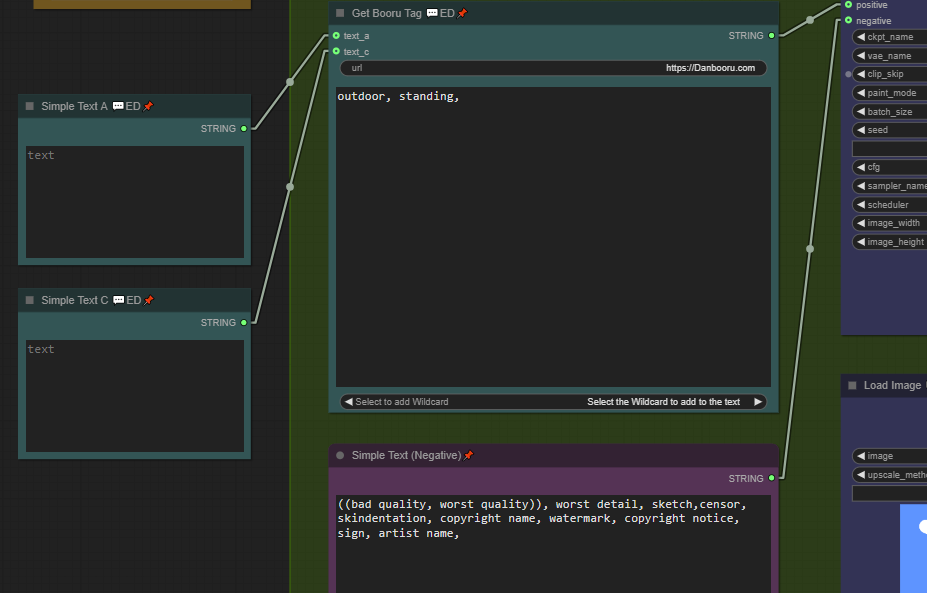
Write a base prompt and execute the queue.
-
Result:

(EXIF included)
-
-
Regional Prompt - Image 2 Image
-
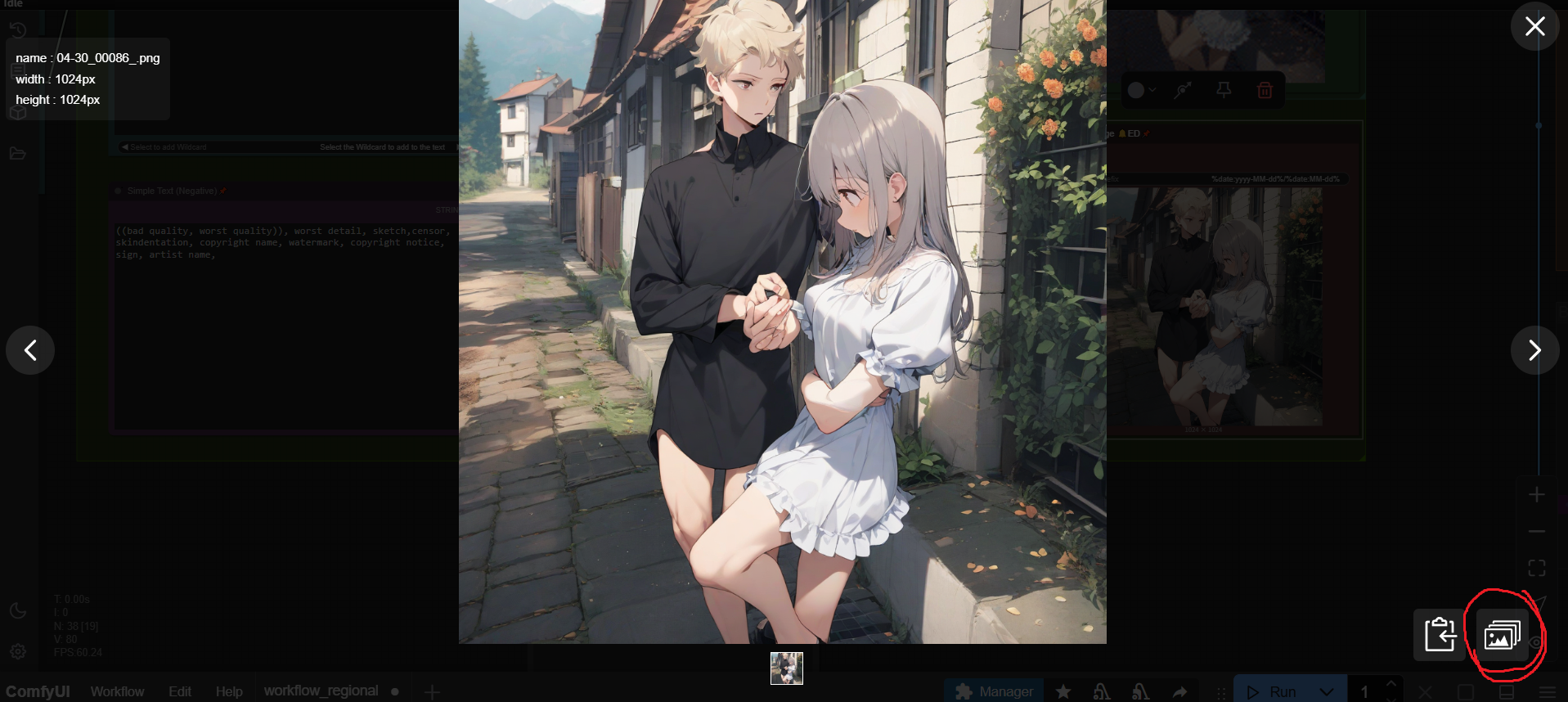
If ComfyUI-ImageGallery-ED is installed, double-clicking an image opens the gallery.
-
Click the red section to load the current image into
Load Imageconnected to Regional Script 💬ED. -
Define masks, write prompts, and queue.
-
-
-
ControlNet:
Attach
Control Net Stackerto Efficient Loader 💬ED to use ControlNet.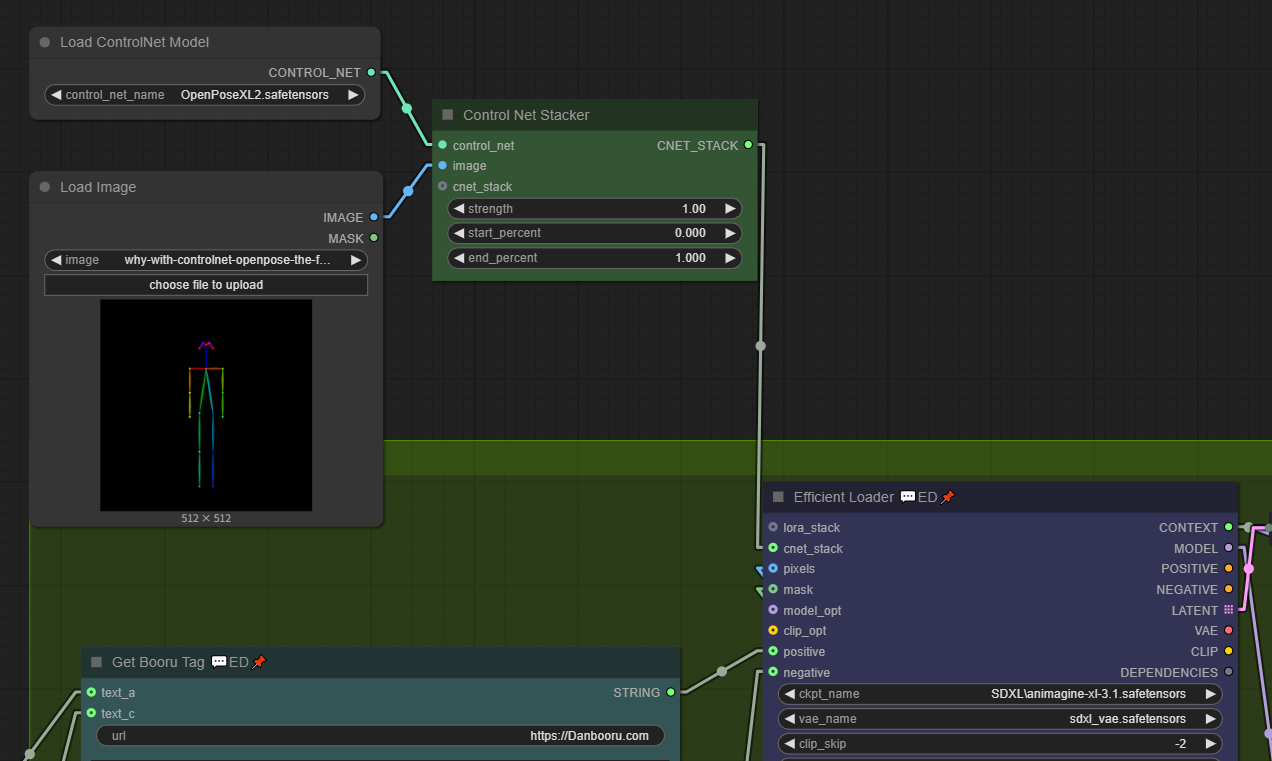
ControlNet and Regional Script can be used simultaneously.
-
Get booru Tag:
-
If you find a good image on Danbooru or Gelbooru, copy its URL:
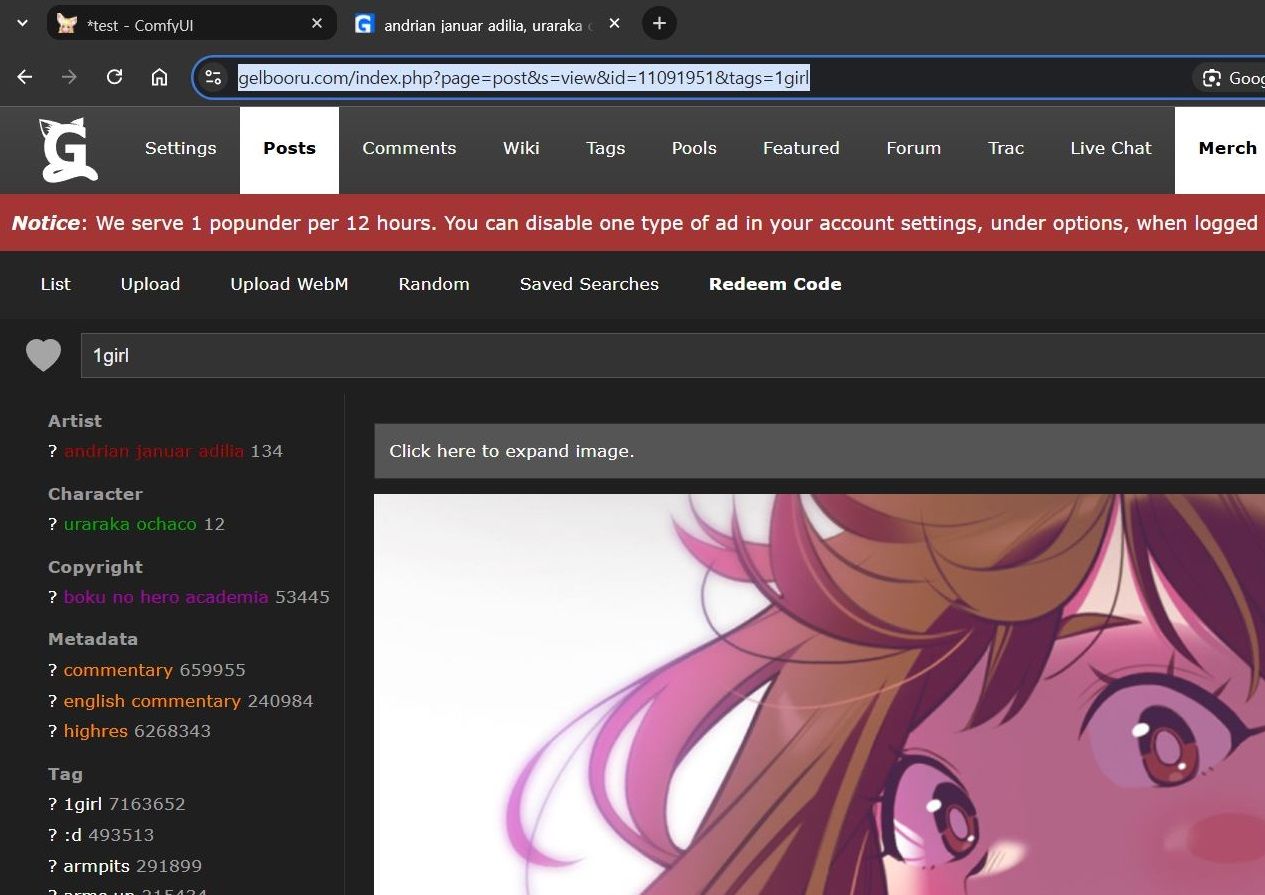
-
Paste it into the
urlfield ofGet booru Tag 💬ED: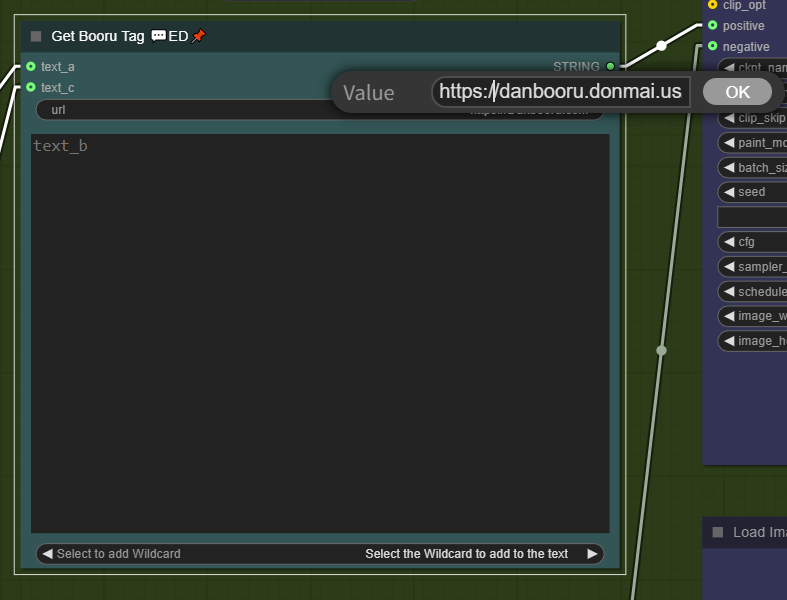
-
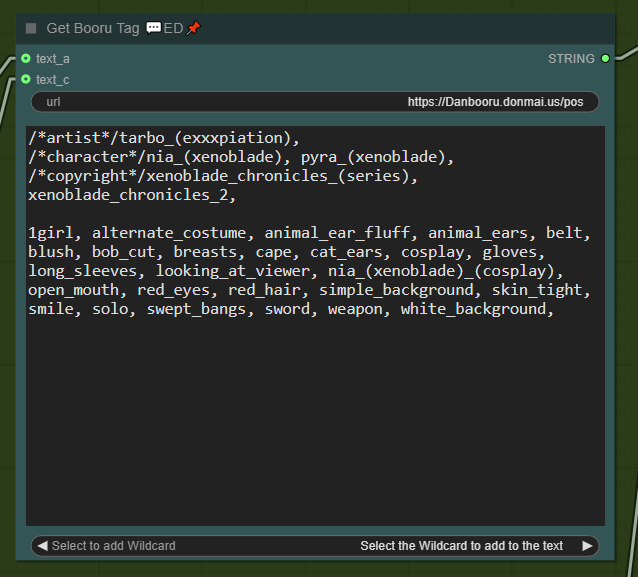
Tags are extracted in real-time (comments are marked with
/* */):
-
-
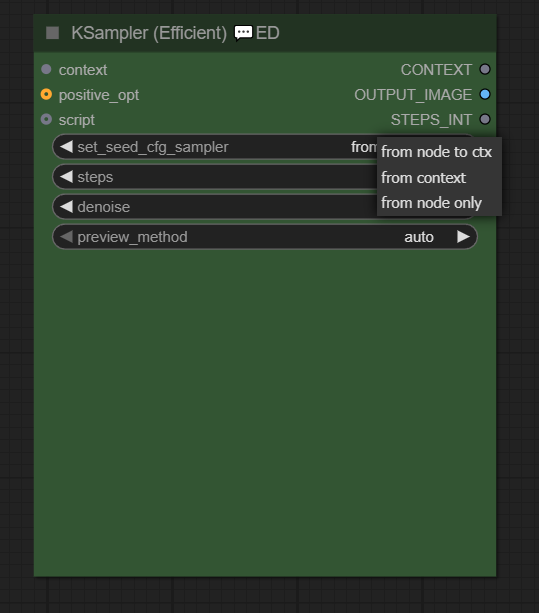
Set_seed_cfg_sampler:
Nodes like
KSampler (Efficient) 💬ED,FaceDetailer 💬ED, andUltimate SD Upscale 💬EDinclude theset_seed_cfg_samplerwidget.Configure
seed,cfg,sampler, andscheduleronce inEfficient Loader 💬ED- no need to set them repeatedly.from context: Uses settings fromcontextoutput byEfficient Loader 💬ED.from node to ctx: Exports current node settings tocontext.from node only: Uses current node settings without saving tocontext.
-
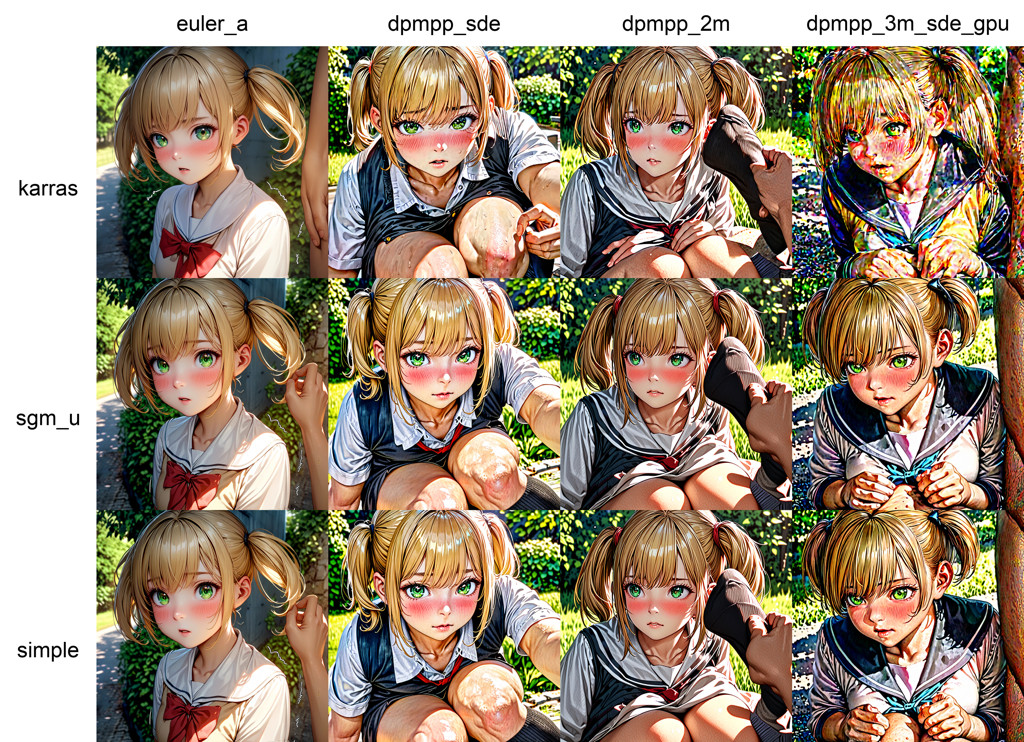
XY Plot:
XY plots help find optimal settings (e.g., for
cfgorsampler).-
Right-click
KSampler (Efficient) 💬ED>Add script>XY plot.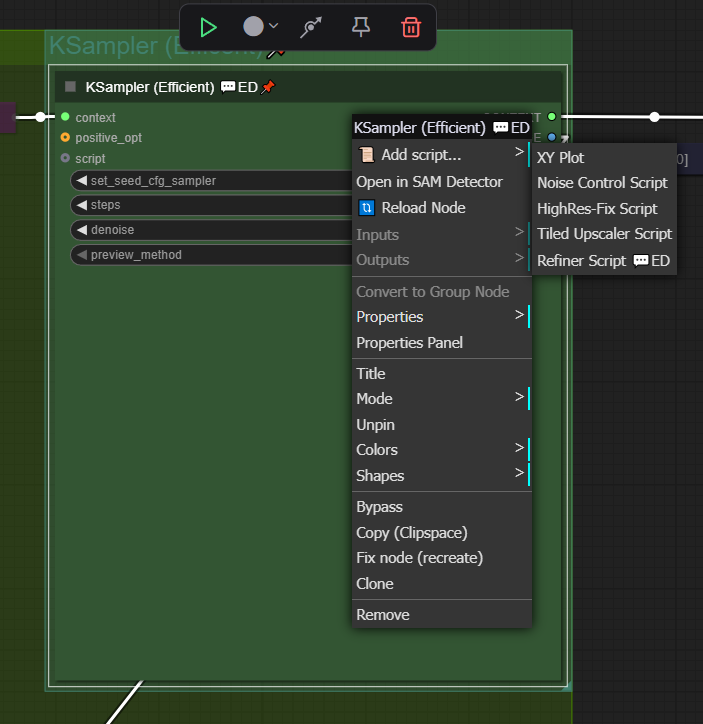
-
Set
ksampler_output_imagetoPlot.Right-click
XY plot>Add X input>XY Input: Sampler/SchedulerRight-click
XY plot>Add Y input>XY Input: Sampler/Scheduler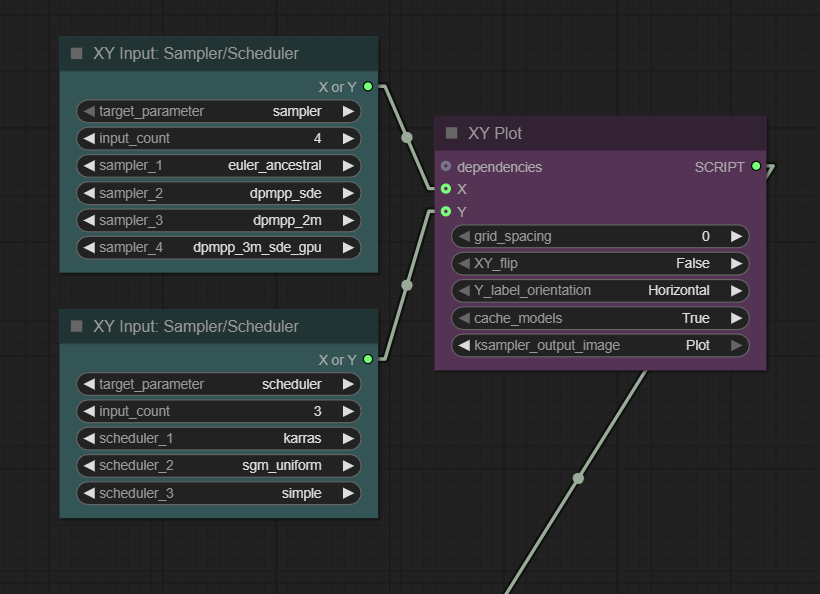
-
Running the queue displays optimal settings at a glance:
-
-
Refiner script:
Adapted from
KSampler (Advanced).-
Uses Cases
-
Hires FIx
- Faster and less distortion compared to
Ultimate SD Upscale 💬ED.
- Faster and less distortion compared to
-
Refining with Different Models:
- Adjust colors, textures, etc.
-
-
Hires Fix with Refiner Script
-
Upscale 2x using
Load Image 💬ED(withupscale_methodandkeep_proportions).(Setting
keep_proportionsto 2x automatically adjusts thewidthandheightwithout needing to input them manually.)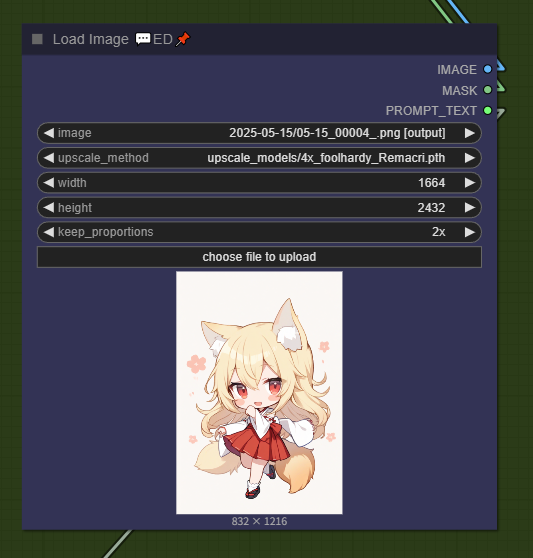
-
Right-click
KSampler (Efficient) 💬ED>Add script>Refiner Script 💬ED.Set
steps,denoise, andstart_at_step.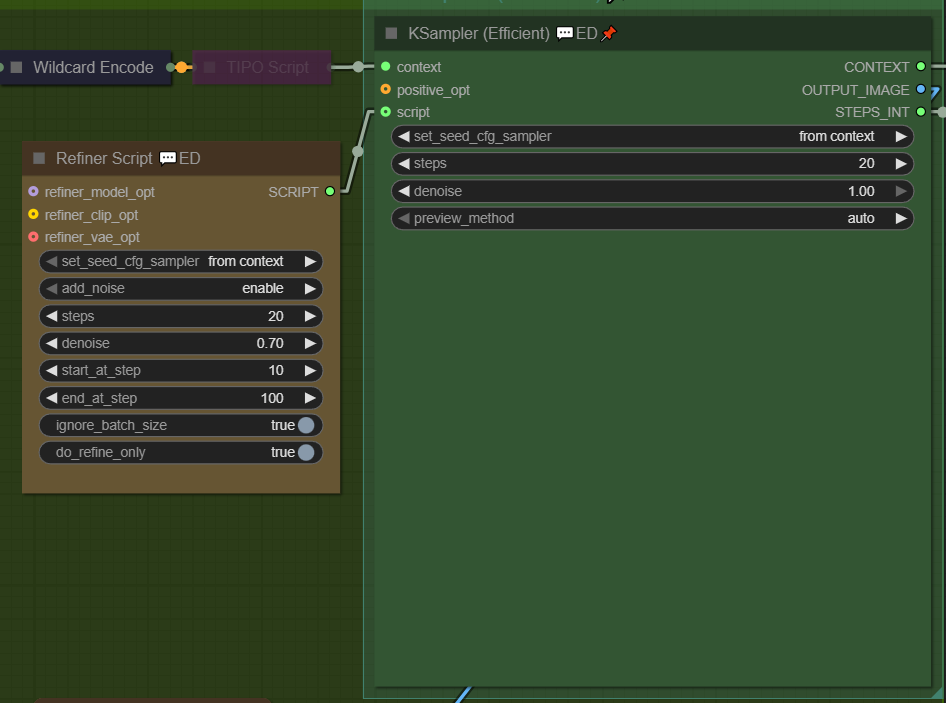
-
Run the queue.

(EXIF included)
-
-
-
💬ED Node Descriptions:
Efficient Loader 💬ED
- Combines Load Checkpoint, CLIP Set Last Layer, Empty Latent Image, and Repeat Latent Batch into one node with enhanced functionality.
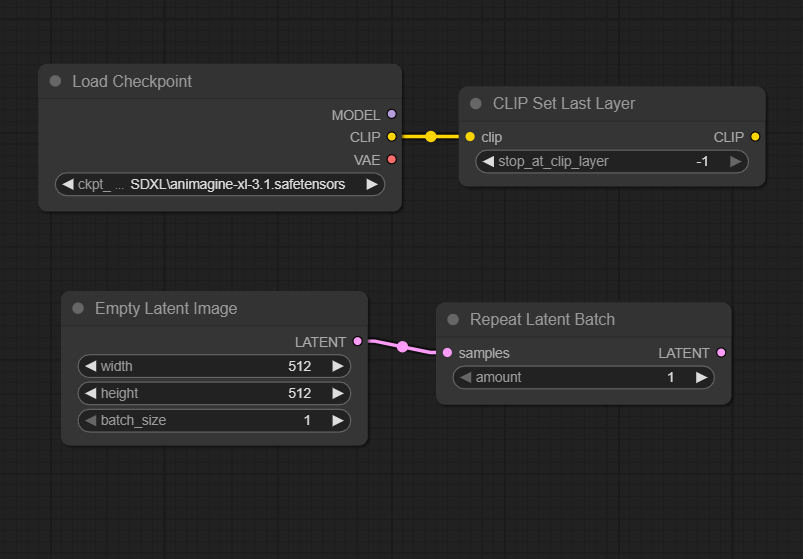
- Switch between
Txt2Img,Img2Img, andInpaintwith one click.
(Txt2Imgmode auto-sets denoise=1 in connected KSampler (Efficient) 💬ED.)
Inpaint(MaskDetailer)mode: Uses Impact Pack’s MaskDetailer for better quality (avoids degradation)
- Saves seed, cfg, sampler, and scheduler to
contextfor reuse in other nodes. - Right-click menu:
🔍 View model info...Displays model's info.
(It is recommended to clickUse as previewthe first time.)📐 Aspect Ratio...Auto-fillsimage_width/image_heightwith preset ratios (◆ = recommended).
- Tiled VAE Encoding
- In the Property Panel, settingUse tiled VAE encodeto true enables the use of Tiled VAE
- Supports
lora_stackandcnet_stackconnections. - In the Property Panel, you can configure the prompt encoding method using
Token normalizationandWeight interpretation. Use Latent Rebatch(default: true) splits batch processing for stability.Clip skip=0disables CLIP skip.
KSampler (Efficient) 💬ED
- Modified to acceptcontextinput. Outputs sampled images toCONTEXTandOUTPUT_IMAGE;stepstoSTEPS_INT.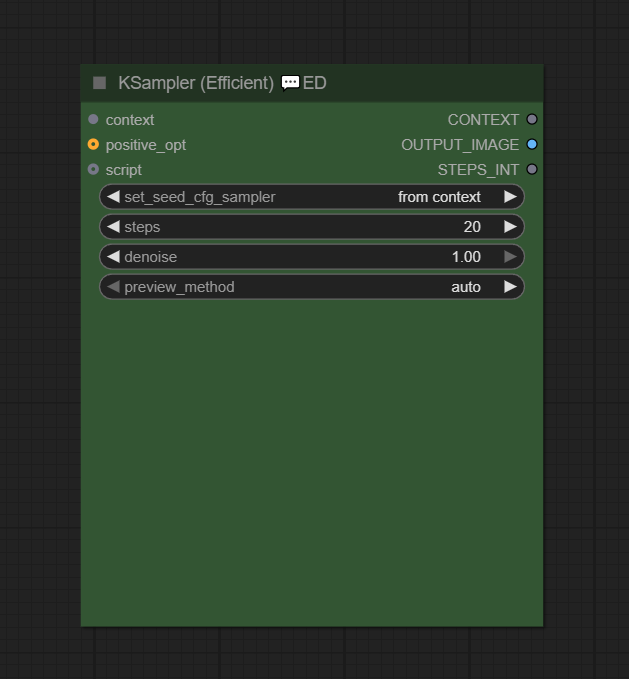
- Tiled VAE Decode
- EnableUse tiled VAE decodein Properties Panel for large images
Inpaint(MaskDetailer) Mode
- When you select Inpaint (MaskDetailer) mode in Efficient Loader 💬ED, the Efficient Sampler 💬ED switches to Mask Detailer mode. - Integrates Impact Pack’s MaskDetailer for good quality.
- Can configuredrop size, cycle, inpaint model, noise mask featherin Properties Panel.Load Image 💬ED
- Combines image loading and upscaling. Extracts prompt text from metadata.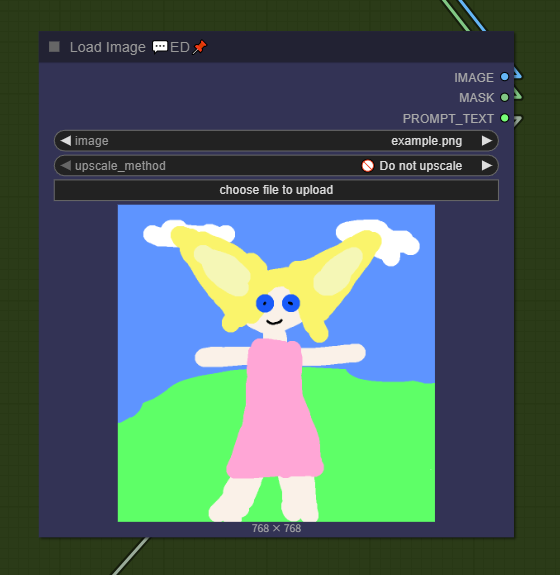
- Upscale: Select method in
upscale_method, inputwidth/height.
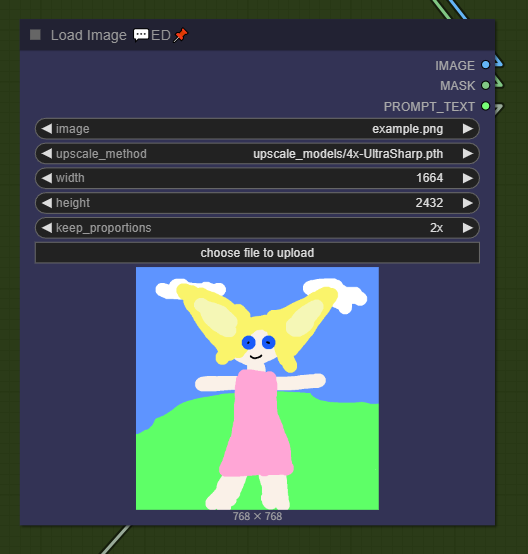
- You can upscale an image while preserving its aspect ratio using
keep_proportions.- Values like 1.5x, 2x, or 3x ignore the
widthandheightsettings and automatically adjust the dimensions according to the aspect ratio.based on widthkeeps the specifiedwidthand automatically adjusts the height according to the aspect ratio.
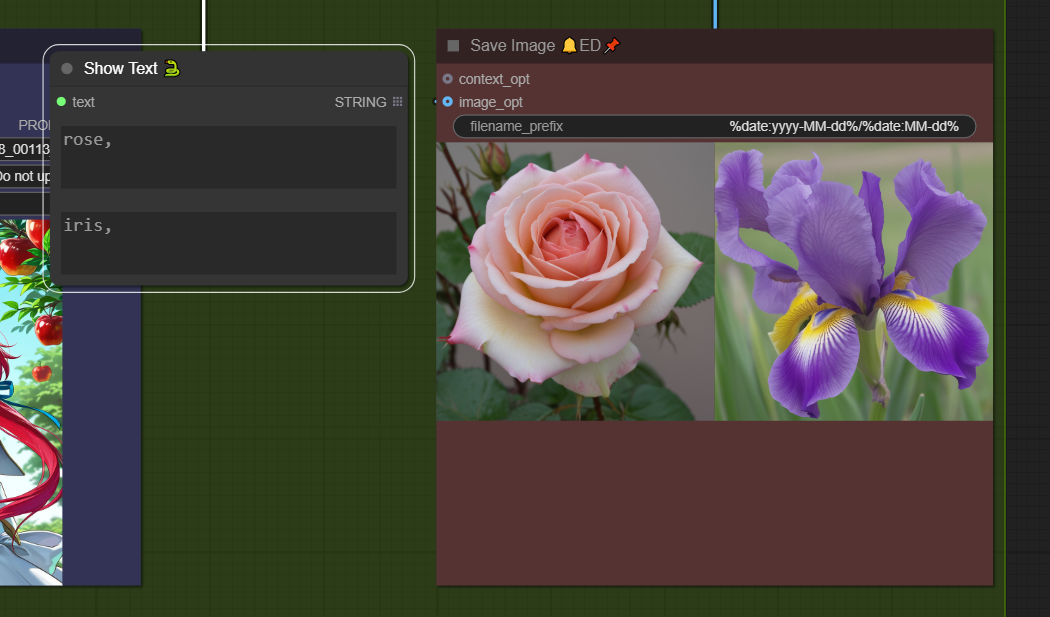
Save Image 🔔ED
- Modified Save Image node withcontextinput and audible notification.- Toggle sound in Properties Panel (Play sound, Sound Volume 0–1).
- To change the notification sound, replace the file at
efficiency-nodes-comfyui\js\assets\notify.mp3.LoRA Stacker 💬ED
- Loads up to 9 LoRAs simultaneously.- Folder-based submenus with previews
🔍 View model info...displays trained trigger words.
Embedding Stacker 💬ED
- As a simple feature, Efficient Loader 💬ED appends embedding strings to the end of both positive and negative prompts.
- Works only with Efficient Loader 💬ED.
- You can view Embedding info by clicking
🔍 View model info....
Wildcard Encode 💬ED
- The node that handles wildcards when Efficient Loader 💬ED's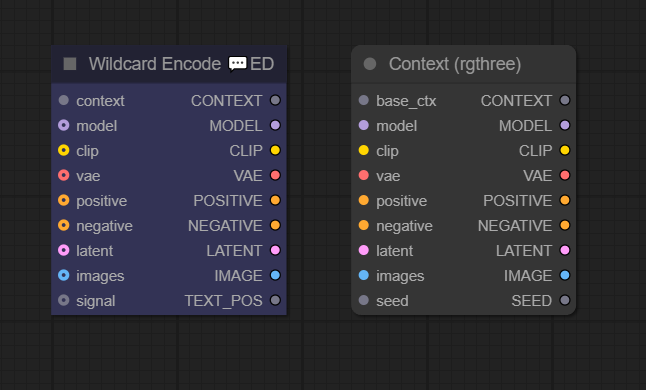
Use Latent Rebatchis set to true.
(It was created to apply wildcards separately for each batch.)
- It looks similar to the Context node and performs the same function.
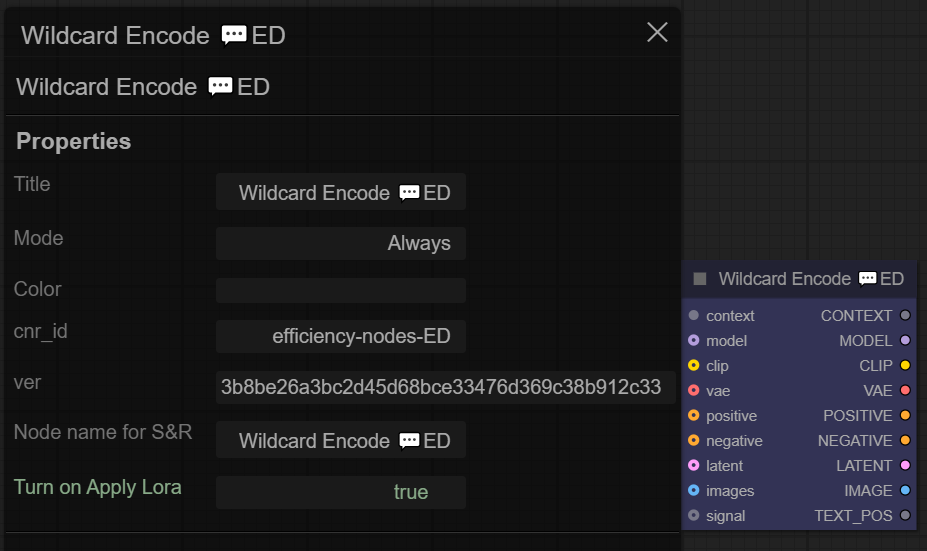
- If you set
Turn on Apply Lorato true in the Properties Panel, you can delay the timing of Lora application.
TIPO Script 💬ED
- A modified version of the TIPO node that can accept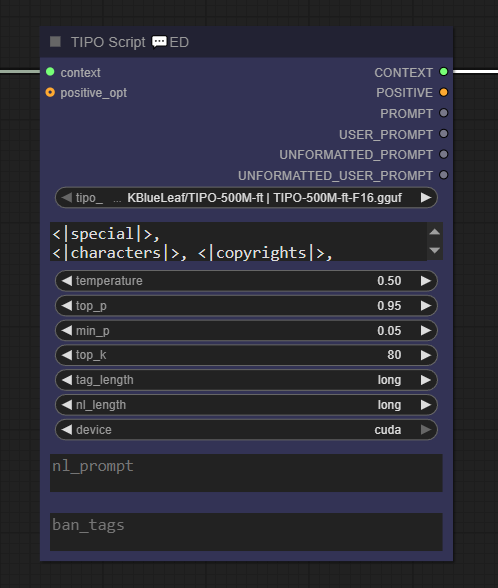
contextas an input. - This is a node that randomly creates prompts. For more details, refer to this link. - To use this, you need to install z-tipo-extension.Regional Stacker 💬ED, Regional Script 💬ED
- Nodes used for regional prompts. - The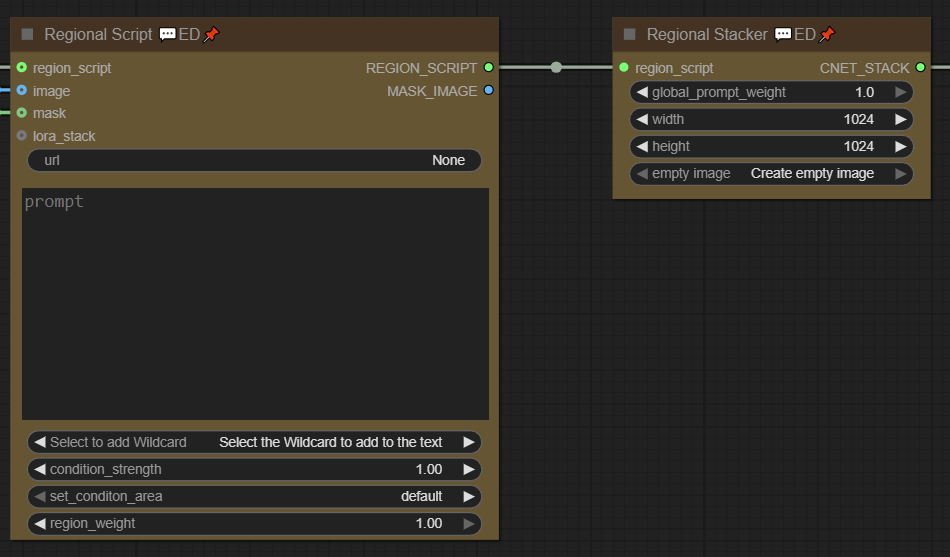
urlin Regional Script 💬ED functions the same as theurlin Get booru Tag 💬ED. It can get tags from Gelbooru or Danbooru. - Regional Script 💬ED supports wildcard input.Refiner Script 💬ED
- A node that adds a refining process to the KSampler (Efficient) 💬ED node. - By attaching a Load Checkpoint node, you can perform refining with a different model as shown below.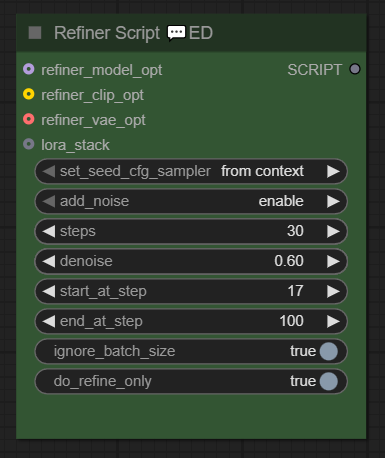
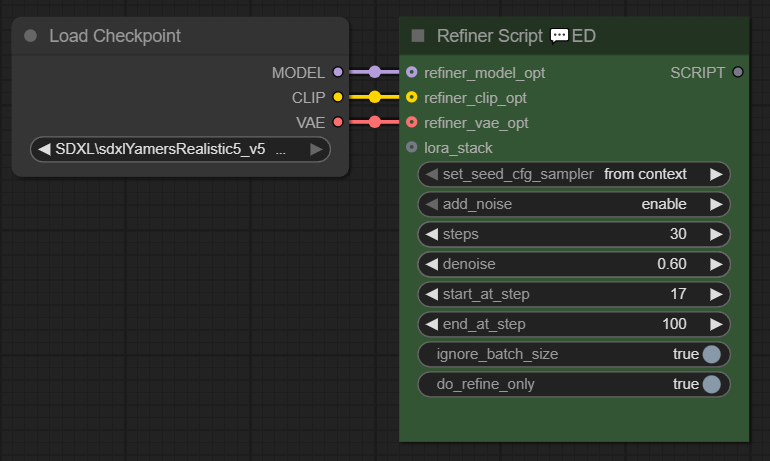 - Setting
 ignore_batch_sizeto true means the operation runs only once, ignoringibatch_size. -do_refine_onlyset to true means only refining is done; set to false means the image is sampled first, then refined.Int Holder 💬ED
- A node that remembers the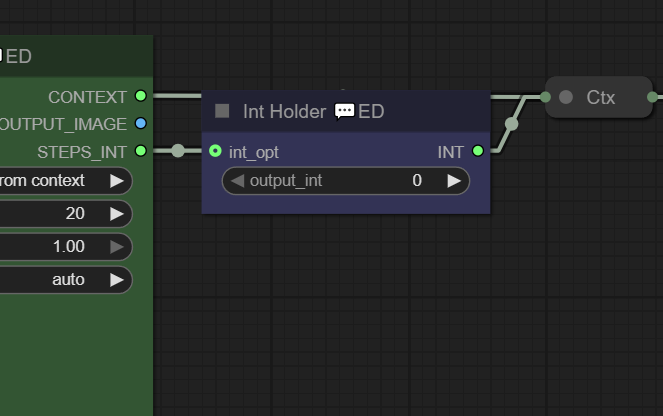
stepsused when generating an image with KSampler (Efficient) 💬ED and stores it incontextwhen running Hires Fix. - Ifstepsexists incontext, FaceDetailer 💬ED and Ultimate SD Upscale 💬ED will prioritize using it. - A node created to avoid the hassle of enteringstepsmanually each time.FaceDetailer 💬ED
- FaceDetailer addon from Impact pack. - A modified version that can acceptcontextas input.MaskDetailer 💬ED
- MaskDetailer addon from Impact pack. - A modified version that can acceptcontextas input.Detailer (SEGS) 💬ED
- Detailer (SEGS) addon from Impact pack. - A modified version that can acceptcontextas input.Ultimate SD Upscale 💬ED
- Ultimate SD Upscale addon. - A modified version that can acceptcontextas input.SUPIR 💬ED
- An addon for ComfyUI-SUPIR. While SUPIR excels at High-res Fix, it normally requires six nodes, but this addon reduces them to just two. - SUPIR requires a dedicated model. For downloading the model and more details, refer to this link - Installation of ComfyUI-SUPIR is required. - Example video - Combines Load Checkpoint, CLIP Set Last Layer, Empty Latent Image, and Repeat Latent Batch into one node with enhanced functionality.
Installation:
-
In Manager > Custom Node Manager > Search, install the following:
ComfyUI Impact Pack (Optional)
ComfyUI Impact Subpack (Optional)
ComfyUI-Custom-Scripts (Absolutely Required!)
ComfyUI_UltimateSDUpscale (Optional)
rgthree-comfy (Optional)
efficiency-nodes-comfyui (Absolutely Required!)
efficiency-nodes-ED (This Nodes)
ComfyUI-ImageGallery-ED (It's more convenient when used together)
ComfyUI_BiRefNet_ll (Optional)
z-tipo-extension (Optional)
A8R8 ComfyUI Nodes (Optional)
-
After installation > restart > Run
ComfyUI\custom_nodes\efficiency-nodes-ED\start.bat
How to fix errors
-
The issue where the
stepsin FaceDetailer 💬ED and Ultimate SD Upscale 💬ED gets fixed unexpectedly is caused by this node: Int Holder 💬ED.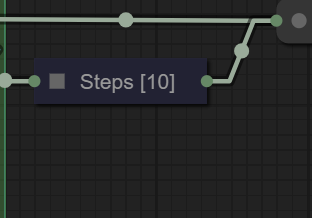
This node remembers the
stepsused when generating an image with Sampler (Efficient) 💬ED and stores it incontextduring Hires Fix. Since FaceDetailer 💬ED and Ultimate SD Upscale 💬ED prioritize using thestepsstored incontext, it avoids having to input steps manually every time.If this behavior is unnecessary or if you want to input
stepsmanually, simply mute this node (Ctrl+M) or delete it.
Known bug
-
There is a bug in efficiency-nodes-comfyui. If used as is, it causes a
Cannot redefine propertyerror. After updating, be sure to runstart.batto fix this. -
There is a bug where clicking
🔍 View model info...fails to find the model on civitai.com as shown below.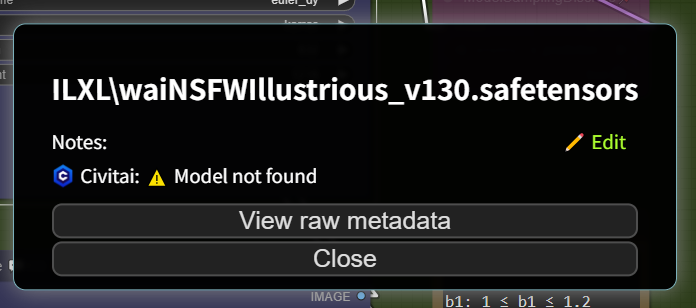
This issue happens because the hash value doesn't match.
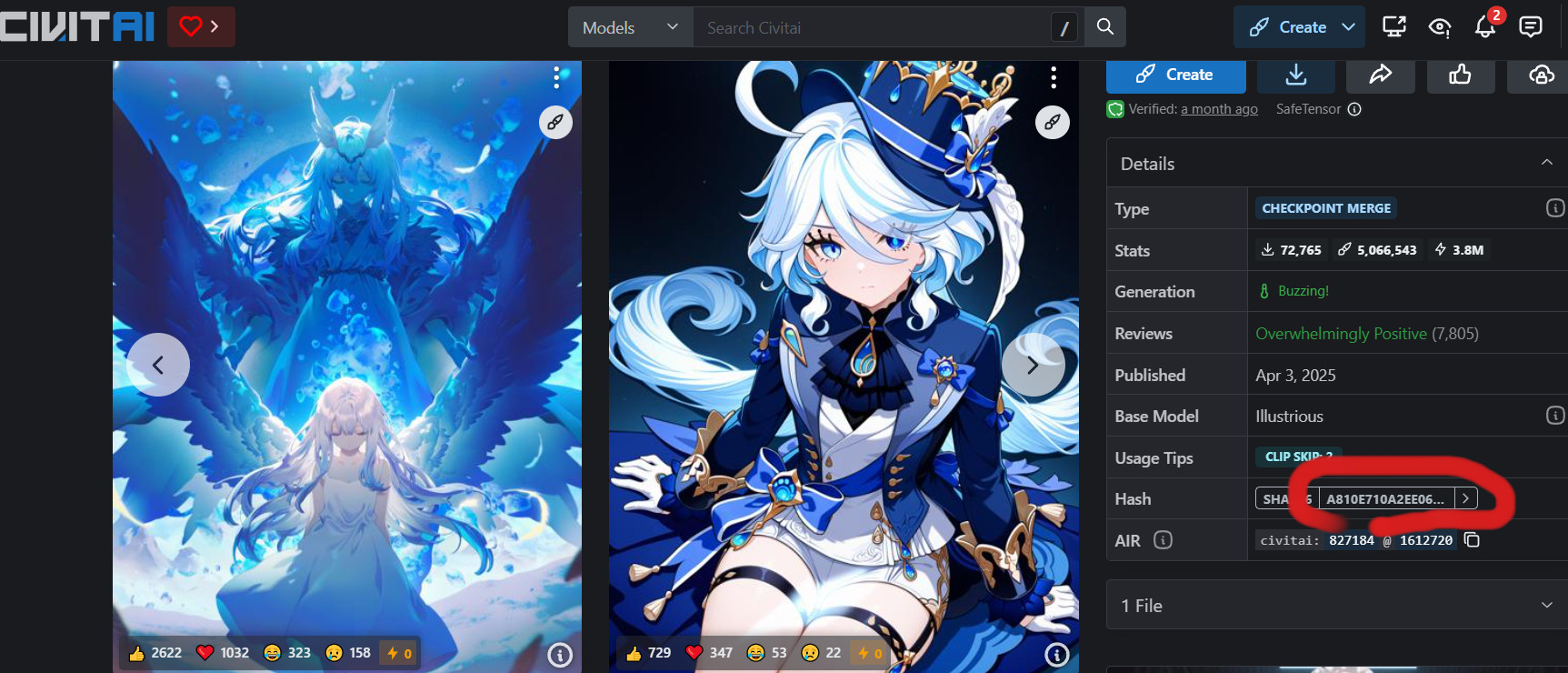
On civitai.com, click the highlighted red area to copy the hash value.
Open
ComfyUI\models\checkpoints\MODEL_NAME.sha256with a text editor and overwrite its contents with the copied hash value.