Compare commits
68
Commits
| Author | SHA1 | Date | |
|---|---|---|---|
 huangkunzhe.hkz huangkunzhe.hkz
|
959a7a01b5 | ||
|
Bubbliiiing
|
e3d2ae4b1c | ||
|
hkzandbubbliiiing
|
9dbb4f88d4 | ||
|
hkzandbubbliiiing
|
f74a6cb427 | ||
|
Bubbliiiingandhkunzhe
|
9f34f7c8c5 | ||
|
|
78415be882 | ||
|
Robin Huangandsnomiao
|
5b9777d364 | ||
|
Bubbliiiing
|
45c298af71 | ||
|
|
2eb809a0c8 | ||
|
hkz
|
58b27cee1c | ||
|
hkz
|
485e771acf | ||
|
Bubbliiiing
|
ccbdce4492 | ||
|
hkzandbubbliiiing
|
17c1f02ba8 | ||
|
Bubbliiiing
|
f419bf850b | ||
|
Bubbliiiing
|
6d15f2799f | ||
|
Bubbliiiing
|
94f420c257 | ||
|
Bubbliiiing
|
9d8fed9cec | ||
|
hkz
|
30682ba3c5 | ||
|
Bubbliiiing
|
5dde5c9a7e | ||
|
Bubbliiiing
|
59bb7f0169 | ||
|
Bubbliiiing
|
2f76bace4d | ||
|
yunkchen
|
3e3e4756ce | ||
|
Ikko Eltociear Ashimine
|
95f11a5403 | ||
|
Bubbliiiing
|
9da6b79ece | ||
|
Bubbliiiing
|
44539fe77b | ||
|
Bubbliiiing
|
62de94e2f1 | ||
|
yunkchen
|
abcf42bce7 | ||
|
Bubbliiiing
|
d3b8bbbd14 | ||
|
hkz
|
5ea1bf2450 | ||
|
Bubbliiiing
|
f2f0cbccc9 | ||
|
Bubbliiiing
|
aa3d2afb34 | ||
|
Bubbliiiing
|
c7c2fc1cd0 | ||
|
|
e4f1a4fe97 | ||
|
Bubbliiiing
|
b54412ceb0 | ||
|
bubbliiiing
|
039d67acf1 | ||
|
bubbliiiing
|
1a5bab2234 | ||
|
bubbliiiing
|
2eef3f9f78 | ||
|
Bubbliiiing
|
616a35425d | ||
|
Bubbliiiing
|
8b7722463e | ||
|
Bubbliiiing
|
883c0a20a8 | ||
|
Bubbliiiing
|
e6ec6f0e04 | ||
|
Bubbliiiing
|
fbbfc818ea | ||
|
yunkchen
|
3cc15c456a | ||
|
bubbliiiing
|
deaa46ff42 | ||
|
bubbliiiing
|
8fd346a9af | ||
|
bubbliiiing
|
c1d7e503d3 | ||
|
yunkchenandbubbliiiiing
|
047712c8bd | ||
|
Bubbliiiing
|
6ed8619ad4 | ||
|
bubbliiiing
|
4f6bd0f6a6 | ||
|
yunkchen
|
19b38f674e | ||
|
Wang Qiang
|
d57c779217 | ||
|
Bubbliiiing
|
f1e013619c | ||
|
bubbliiiing
|
a396e2cee4 | ||
|
bubbliiiiing
|
9e55766f06 | ||
|
Bubbliiiingandchenyunkuo.cyk
|
f9eeabe231 | ||
|
zouxinyi0625
|
e4c824a1c5 | ||
|
bubbliiiing
|
59bd5de1ad | ||
|
bubbliiiing
|
60d205111b | ||
|
Bubbliiiing
|
d196f64d93 | ||
|
zouxinyi0625
|
dc9305b0fe | ||
|
Bubbliiiing
|
58d793659d | ||
|
hkz
|
96ebec14c1 | ||
|
hkunzhe
|
9e2fba7d40 | ||
|
zouxinyi0625
|
480e52c796 | ||
|
Bubbliiiingandzouxinyi0625
|
fb0916f4da | ||
|
Bubbliiiing
|
362521e5da | ||
|
hkunzhe
|
a8cfe4ec7e | ||
|
hkunzhe
|
6efc7de3f2 |
@@ -0,0 +1,25 @@
|
||||
name: Publish to Comfy registry
|
||||
on:
|
||||
workflow_dispatch:
|
||||
push:
|
||||
branches:
|
||||
- main
|
||||
- master
|
||||
paths:
|
||||
- "pyproject.toml"
|
||||
|
||||
jobs:
|
||||
publish-node:
|
||||
name: Publish Custom Node to registry
|
||||
runs-on: ubuntu-latest
|
||||
if: ${{ github.repository_owner == 'aigc-apps' }}
|
||||
steps:
|
||||
- name: Check out code
|
||||
uses: actions/checkout@v4
|
||||
with:
|
||||
submodules: true
|
||||
- name: Publish Custom Node
|
||||
uses: Comfy-Org/publish-node-action@main
|
||||
with:
|
||||
## Add your own personal access token to your Github Repository secrets and reference it here.
|
||||
personal_access_token: ${{ secrets.REGISTRY_ACCESS_TOKEN }}
|
||||
@@ -2,9 +2,13 @@
|
||||
models*
|
||||
output*
|
||||
samples*
|
||||
datasets*
|
||||
asset*
|
||||
_*
|
||||
__pycache__/
|
||||
*.py[cod]
|
||||
*$py.class
|
||||
scripts_demo*
|
||||
|
||||
# C extensions
|
||||
*.so
|
||||
|
||||
+30
-10
@@ -1,4 +1,4 @@
|
||||
FROM nvidia/cuda:11.8.0-devel-ubuntu22.04
|
||||
FROM nvidia/cuda:12.1.0-cudnn8-devel-ubuntu22.04
|
||||
ENV DEBIAN_FRONTEND noninteractive
|
||||
|
||||
RUN rm -r /etc/apt/sources.list.d/
|
||||
@@ -6,26 +6,46 @@ RUN rm -r /etc/apt/sources.list.d/
|
||||
RUN apt-get update -y && apt-get install -y \
|
||||
libgl1 libglib2.0-0 google-perftools \
|
||||
sudo wget git git-lfs vim tig pkg-config libcairo2-dev \
|
||||
telnet curl net-tools iputils-ping wget jq \
|
||||
python3-pip python-is-python3 python3.10-venv tzdata lsof && \
|
||||
rm -rf /var/lib/apt/lists/*
|
||||
aria2 telnet curl net-tools iputils-ping jq \
|
||||
python3-pip python-is-python3 python3.10-venv tzdata lsof zip tmux
|
||||
RUN apt-get update && \
|
||||
apt-get install -y software-properties-common && \
|
||||
add-apt-repository ppa:ubuntuhandbook1/ffmpeg6 && \
|
||||
apt-get update && \
|
||||
apt-get install -y ffmpeg
|
||||
|
||||
RUN pip3 install --upgrade pip -i https://mirrors.aliyun.com/pypi/simple/
|
||||
|
||||
# add all extensions
|
||||
RUN apt-get update -y && apt-get install -y zip && \
|
||||
rm -rf /var/lib/apt/lists/*
|
||||
RUN pip install wandb tqdm GitPython==3.1.32 Pillow==9.5.0 setuptools --upgrade -i https://mirrors.aliyun.com/pypi/simple/
|
||||
|
||||
# reinstall torch to keep compatible with xformers
|
||||
RUN pip uninstall -qy torch torchvision && \
|
||||
pip install torch==2.2.0 torchvision==0.17.0 torchaudio==2.2.0 --index-url https://download.pytorch.org/whl/cu118
|
||||
RUN pip uninstall -qy xfromers && pip install xformers==0.0.24 --index-url https://download.pytorch.org/whl/cu118
|
||||
RUN pip install torch==2.4.0 torchvision==0.19.0 torchaudio==2.4.0 --index-url https://download.pytorch.org/whl/cu118
|
||||
RUN pip install xformers==0.0.27.post2 --index-url https://download.pytorch.org/whl/cu118
|
||||
|
||||
# install vllm (video-caption)
|
||||
RUN pip install vllm==0.6.3
|
||||
|
||||
# install requirements (video-caption)
|
||||
WORKDIR /root/
|
||||
COPY easyanimate/video_caption/requirements.txt /root/requirements-video_caption.txt
|
||||
RUN pip install -r /root/requirements-video_caption.txt
|
||||
RUN rm /root/requirements-video_caption.txt
|
||||
|
||||
RUN pip install -U http://eas-data.oss-cn-shanghai.aliyuncs.com/sdk/allspark-0.15-py2.py3-none-any.whl
|
||||
RUN pip install -e git+https://github.com/CompVis/taming-transformers.git@master#egg=taming-transformers
|
||||
RUN pip install came-pytorch deepspeed pytorch_lightning==1.9.4 func_timeout -i https://mirrors.aliyun.com/pypi/simple/
|
||||
|
||||
# install requirements
|
||||
RUN pip install bitsandbytes mamba-ssm causal-conv1d>=1.4.0 -i https://mirrors.aliyun.com/pypi/simple/
|
||||
RUN pip install ipykernel -i https://mirrors.aliyun.com/pypi/simple/
|
||||
COPY ./requirements.txt /root/requirements.txt
|
||||
RUN pip install -r /root/requirements.txt -i https://mirrors.aliyun.com/pypi/simple/
|
||||
RUN rm -rf /root/requirements.txt
|
||||
|
||||
# install package patches (video-caption)
|
||||
COPY easyanimate/video_caption/package_patches/easyocr_detection_patched.py /usr/local/lib/python3.10/dist-packages/easyocr/detection.py
|
||||
COPY easyanimate/video_caption/package_patches/vila_siglip_encoder_patched.py /usr/local/lib/python3.10/dist-packages/llava/model/multimodal_encoder/siglip_encoder.py
|
||||
|
||||
ENV PYTHONUNBUFFERED 1
|
||||
ENV NVIDIA_DISABLE_REQUIRE 1
|
||||
|
||||
|
||||
@@ -1,107 +1,68 @@
|
||||
# 📷 EasyAnimate | Your Animation Generator.
|
||||
😊 EasyAnimate is a repo for generating long videos and training transformer based diffusion generators.
|
||||
# 📷 EasyAnimate | An End-to-End Solution for High-Resolution and Long Video Generation
|
||||
😊 EasyAnimate is an end-to-end solution for generating high-resolution and long videos. We can train transformer based diffusion generators, train VAEs for processing long videos, and preprocess metadata.
|
||||
|
||||
😊 Based on Sora like structure and DIT, we use transformer as a diffuser for video generation. In order to ensure good expansibility, we built easyanimate based on motion module. In the future, we will try more training programs to improve the effect.
|
||||
😊 We use DIT and transformer as a diffuser for video and image generation.
|
||||
|
||||
😊 Welcome!
|
||||
|
||||
English | [简体中文](./README_zh-CN.md)
|
||||
[](https://arxiv.org/abs/2405.18991)
|
||||
[](https://easyanimate.github.io/)
|
||||
[](https://modelscope.cn/studios/PAI/EasyAnimate/summary)
|
||||
[](https://huggingface.co/spaces/alibaba-pai/EasyAnimate)
|
||||
[](https://discord.gg/UzkpB4Bn)
|
||||
|
||||
English | [简体中文](./README_zh-CN.md) | [日本語](./README_ja-JP.md)
|
||||
|
||||
# Table of Contents
|
||||
- [Table of Contents](#table-of-contents)
|
||||
- [Introduction](#introduction)
|
||||
- [TODO List](#todo-list)
|
||||
- [Model zoo](#model-zoo)
|
||||
- [1、Motion Weights](#1motion-weights)
|
||||
- [2、Other Weights](#2other-weights)
|
||||
- [Quick Start](#quick-start)
|
||||
- [1. Cloud usage: AliyunDSW/Docker](#1-cloud-usage-aliyundswdocker)
|
||||
- [2. Local install: Environment Check/Downloading/Installation](#2-local-install-environment-checkdownloadinginstallation)
|
||||
- [Video Result](#video-result)
|
||||
- [How to use](#how-to-use)
|
||||
- [1. Inference](#1-inference)
|
||||
- [2. Model Training](#2-model-training)
|
||||
- [Algorithm Detailed](#algorithm-detailed)
|
||||
- [Model zoo](#model-zoo)
|
||||
- [TODO List](#todo-list)
|
||||
- [Contact Us](#contact-us)
|
||||
- [Reference](#reference)
|
||||
- [License](#license)
|
||||
|
||||
# Introduction
|
||||
EasyAnimate is a pipeline based on the transformer architecture that can be used to generate AI animations, train baseline models and Lora models for the Diffusion Transformer. We support making predictions directly from the pre-trained EasyAnimate model to generate videos of about different resolutions, 6 seconds with 12 fps (40 ~ 80 frames, in the future, we will support longer videos). Users are also supported to train their own baseline models and Lora models to perform certain style transformations.
|
||||
EasyAnimate is a pipeline based on the transformer architecture, designed for generating AI images and videos, and for training baseline models and Lora models for Diffusion Transformer. We support direct prediction from pre-trained EasyAnimate models, allowing for the generation of videos with various resolutions, approximately 6 seconds in length, at 8fps (EasyAnimateV5, 1 to 49 frames). Additionally, users can train their own baseline and Lora models for specific style transformations.
|
||||
|
||||
We will support quick pull-ups from different platforms, refer to [Quick Start](#quick-start).
|
||||
|
||||
What's New:
|
||||
- Add Code for [video-caption](./easyanimate/video_caption/). [ 2024.04.17 ]
|
||||
- Create Code! Support for Windows and Linux Now. [ 2024.04.12 ]
|
||||
**New Features:**
|
||||
- **Updated to version v5.1**, the Qwen2 VL is used as the text encoder, and Flow is used as the sampling method. It supports bilingual prediction in both Chinese and English. In addition to common controls such as Canny and Pose, it also supports trajectory control, camera control. [2025.01.21]
|
||||
- Use reward backpropagation to train Lora and optimize the video, aligning it better with human preferences, detailes in [here](scripts/README_TRAIN_REWARD.md). EasyAnimateV5-7b is released now. [2024.11.27]
|
||||
- **Updated to v5**, supporting video generation up to 1024x1024, 49 frames, 6s, 8fps, with expanded model scale to 12B, incorporating the MMDIT structure, and enabling control models with diverse inputs; supports bilingual predictions in Chinese and English. [2024.11.08]
|
||||
- **Updated to v4**, allowing for video generation up to 1024x1024, 144 frames, 6s, 24fps; supports video generation from text, image, and video, with a single model handling resolutions from 512 to 1280; bilingual predictions in Chinese and English enabled. [2024.08.15]
|
||||
- **Updated to v3**, supporting video generation up to 960x960, 144 frames, 6s, 24fps, from text and image. [2024.07.01]
|
||||
- **ModelScope-Sora “Data Director” Creative Race** — The third Data-Juicer Big Model Data Challenge is now officially launched! Utilizing EasyAnimate as the base model, it explores the impact of data processing on model training. Visit the [competition website](https://tianchi.aliyun.com/competition/entrance/532219) for details. [2024.06.17]
|
||||
- **Updated to v2**, supporting video generation up to 768x768, 144 frames, 6s, 24fps. [2024.05.26]
|
||||
- **Code Created!** Now supporting Windows and Linux. [2024.04.12]
|
||||
|
||||
These are our generated results:
|
||||
Function:
|
||||
- [Data Preprocessing](#data-preprocess)
|
||||
- [Train VAE](#vae-train)
|
||||
- [Train DiT](#dit-train)
|
||||
- [Video Generation](#video-gen)
|
||||
|
||||
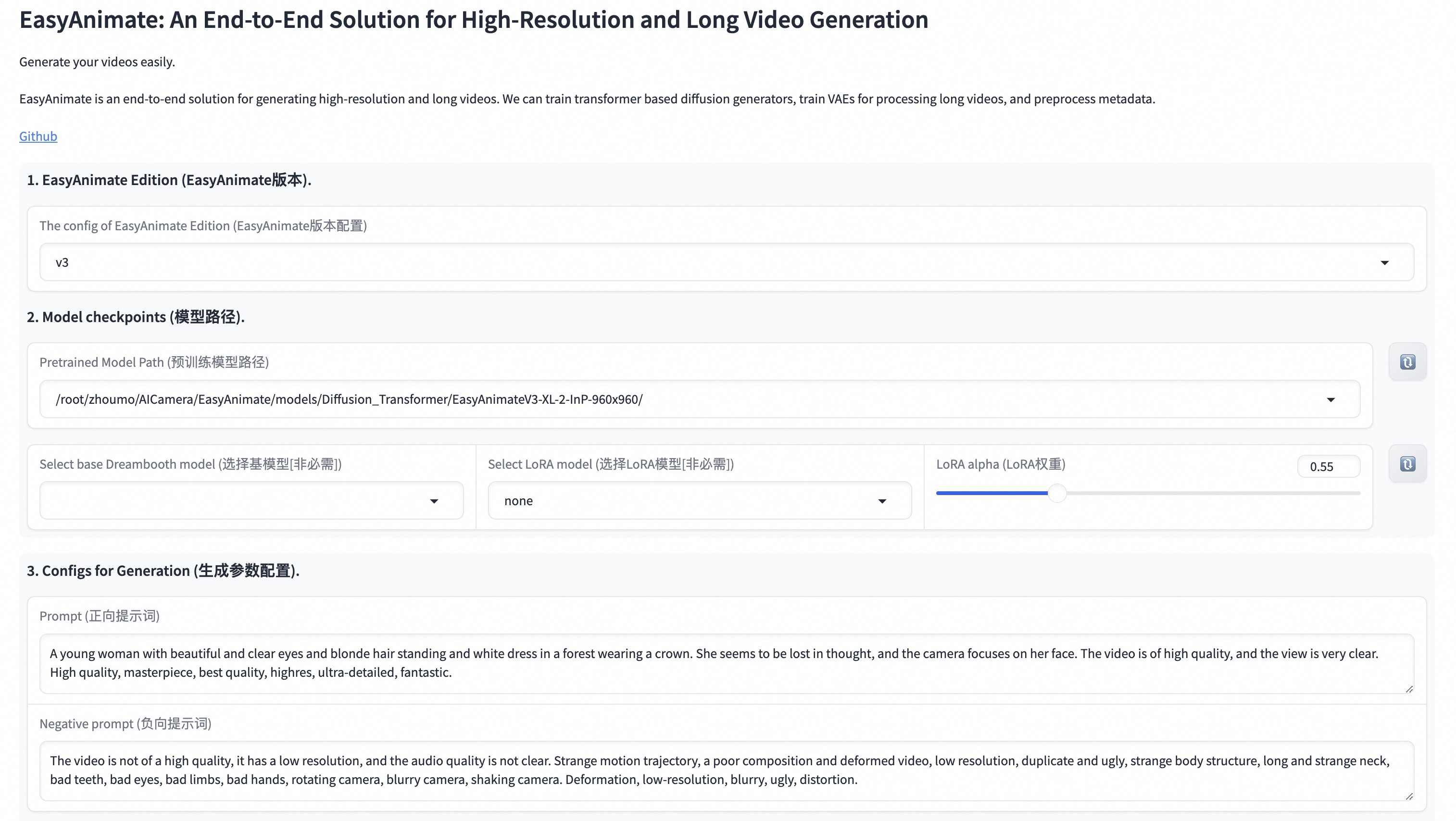
Our UI interface is as follows:
|
||||

|
||||
|
||||
# TODO List
|
||||
- Support model with larger resolution.
|
||||
- Support model with magvit.
|
||||
- Support video inpaint model.
|
||||
|
||||
# Model zoo
|
||||
### 1、Motion Weights
|
||||
| Name | Type | Storage Space | Url | Description |
|
||||
|--|--|--|--|--|
|
||||
| easyanimate_v1_mm.safetensors | Motion Module | 4.1GB | [download](https://pai-aigc-photog.oss-cn-hangzhou.aliyuncs.com/easyanimate/Motion_Module/easyanimate_v1_mm.safetensors) | Training with 80 frames and fps 12 |
|
||||
|
||||
### 2、Other Weights
|
||||
| Name | Type | Storage Space | Url | Description |
|
||||
|--|--|--|--|--|
|
||||
| PixArt-XL-2-512x512.tar | Pixart | 11.4GB | [download](https://pai-aigc-photog.oss-cn-hangzhou.aliyuncs.com/easyanimate/Diffusion_Transformer/PixArt-XL-2-512x512.tar)| Pixart-Alpha official weights |
|
||||
| easyanimate_portrait.safetensors | Checkpoint of Pixart | 2.3GB | [download](https://pai-aigc-photog.oss-cn-hangzhou.aliyuncs.com/easyanimate/Personalized_Model/easyanimate_portrait.safetensors) | Training with internal portrait datasets |
|
||||
| easyanimate_portrait_lora.safetensors | Lora of Pixart | 654.0MB | [download](https://pai-aigc-photog.oss-cn-hangzhou.aliyuncs.com/easyanimate/Personalized_Model/easyanimate_portrait_lora.safetensors)| Training with internal portrait datasets |
|
||||
|
||||
# Result Gallery
|
||||
When generating landscape animations, the sampler recommends using DPM++and Euler A. When generating portrait animations, the sampler recommends using Euler A and Euler.
|
||||
|
||||
Sometimes Github cannot display large GIFs properly. You can download GIFs locally to view them.
|
||||
|
||||
Work with origin transformer weights.
|
||||
|
||||
| Base Models | Sampler | Seed | Resolution (h x w x f) | Prompt | GenerationResult | Download |
|
||||
| ------------------------------------------------------------ | ------------------------------------------------------------ | ------------------------------------------------------------ | ------------------------------------------------------------ | ------------------------------------------------------------ | ------------------------------------------------------------ | ------------------------------------------------------------ |
|
||||
| PixArt | DPM++ | 43 | 512x512x80 | A soaring drone footage captures the majestic beauty of a coastal cliff, its red and yellow stratified rock faces rich in color and against the vibrant turquoise of the sea. Seabirds can be seen taking flight around the cliff\'s precipices. | 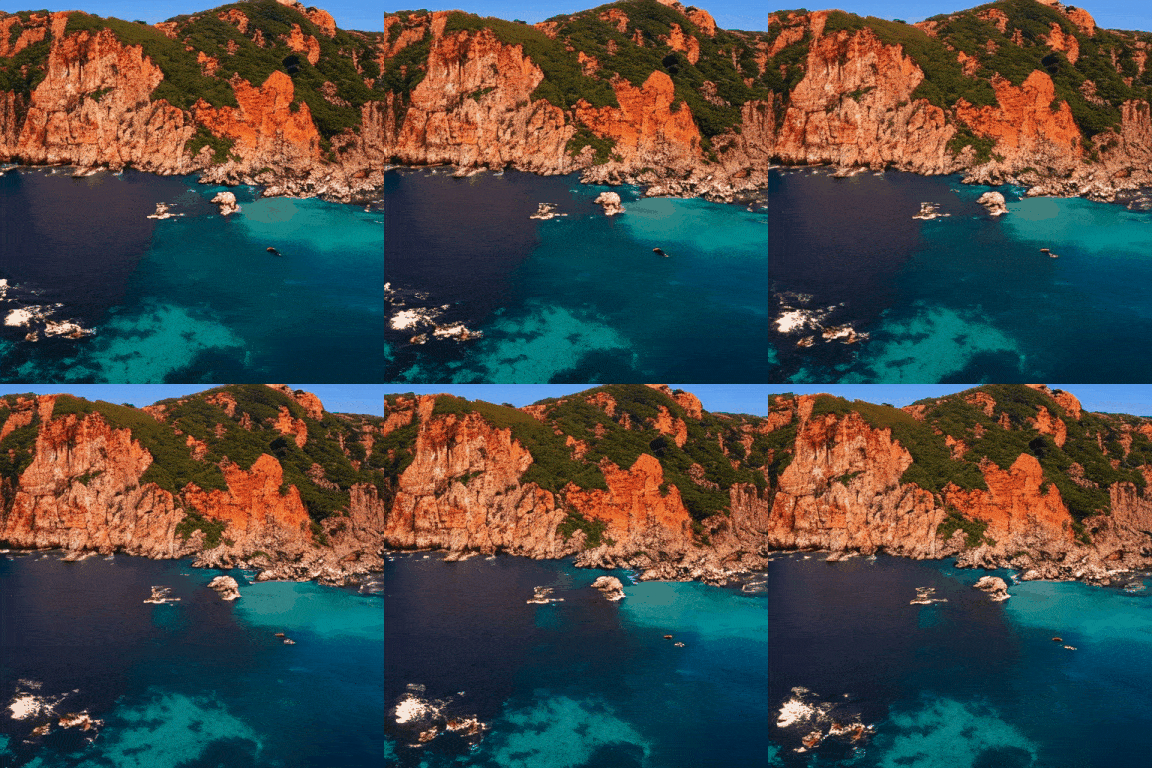 | [Download GIF](https://pai-aigc-photog.oss-cn-hangzhou.aliyuncs.com/easyanimate/asset/1-cliff.gif) |
|
||||
| PixArt | DPM++ | 43 | 448x640x80 | The video captures the majestic beauty of a waterfall cascading down a cliff into a serene lake. The waterfall, with its powerful flow, is the central focus of the video. The surrounding landscape is lush and green, with trees and foliage adding to the natural beauty of the scene. | 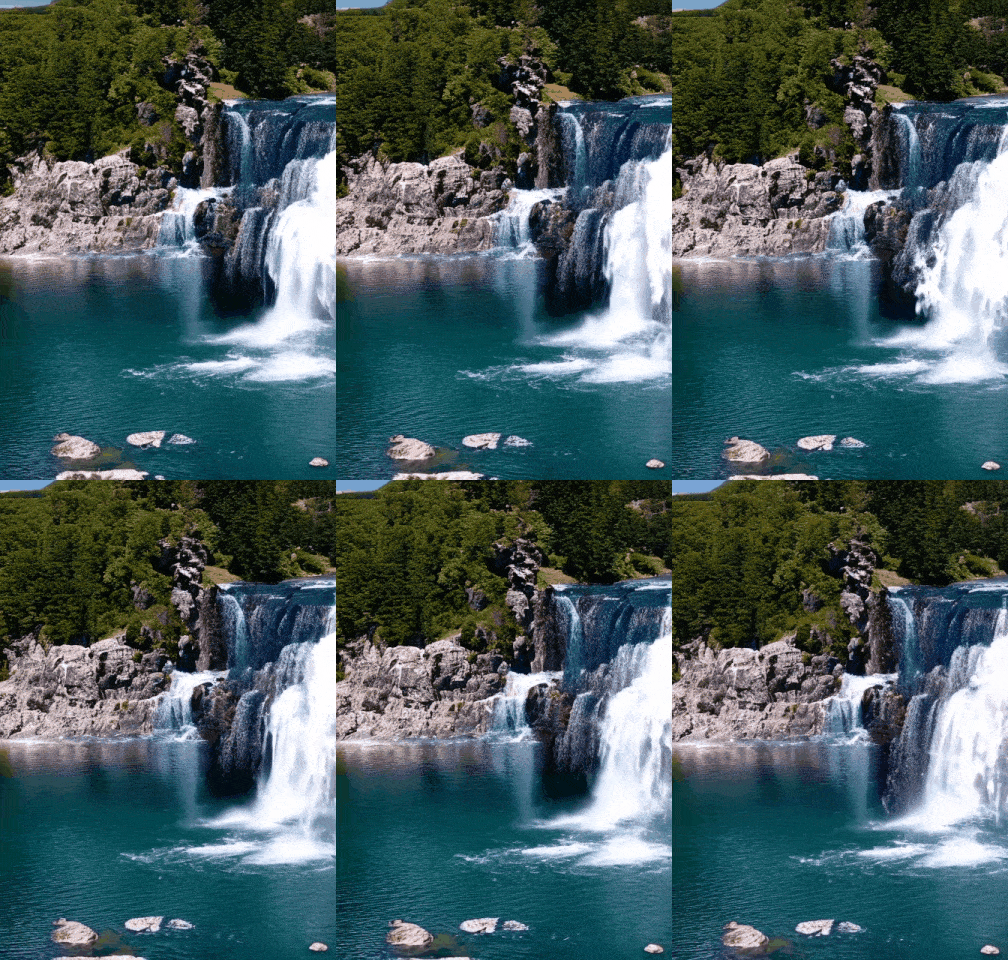 | [Download GIF](https://pai-aigc-photog.oss-cn-hangzhou.aliyuncs.com/easyanimate/asset/2-waterfall.gif) |
|
||||
| PixArt | DPM++ | 43 | 704x384x80 | A vibrant scene of a snowy mountain landscape. The sky is filled with a multitude of colorful hot air balloons, each floating at different heights, creating a dynamic and lively atmosphere. The balloons are scattered across the sky, some closer to the viewer, others further away, adding depth to the scene. |  | [Download GIF](https://pai-aigc-photog.oss-cn-hangzhou.aliyuncs.com/easyanimate/asset/3-snowy.gif) |
|
||||
| PixArt | DPM++ | 43 | 448x640x64 | The vibrant beauty of a sunflower field. The sunflowers, with their bright yellow petals and dark brown centers, are in full bloom, creating a stunning contrast against the green leaves and stems. The sunflowers are arranged in neat rows, creating a sense of order and symmetry. | 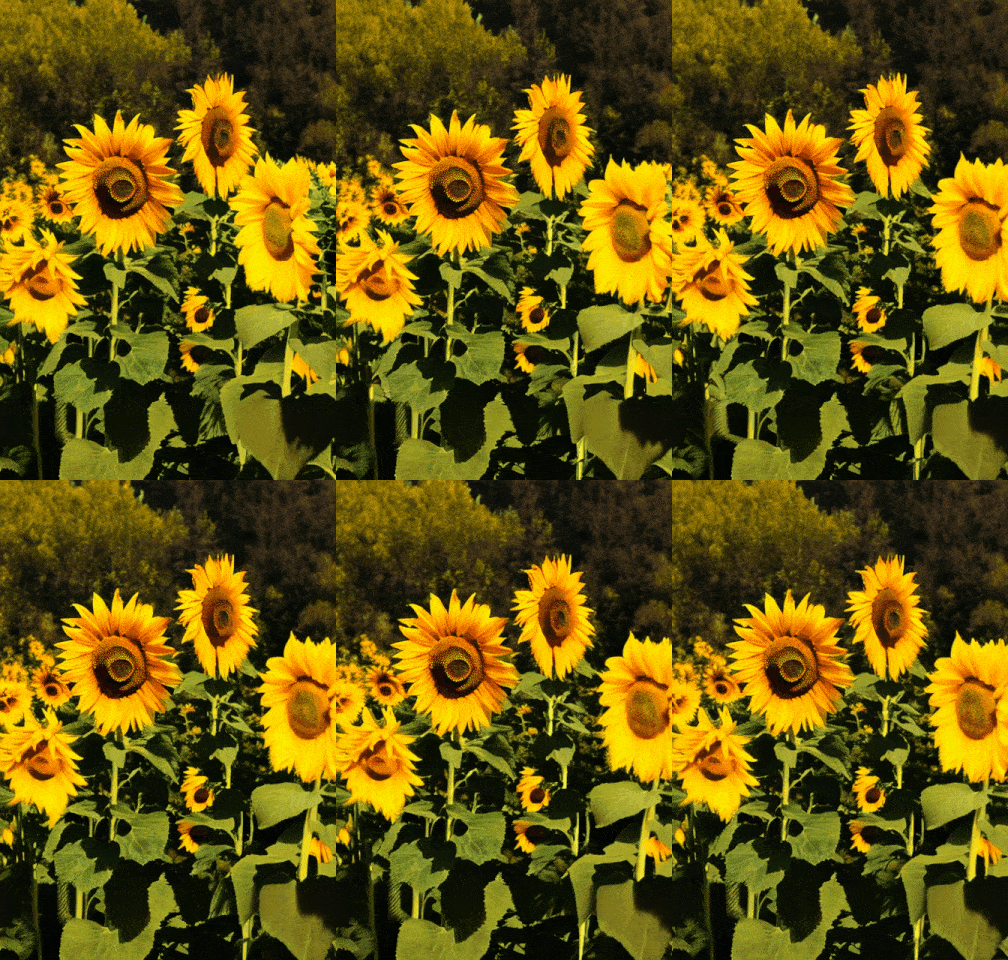 | [Download GIF](https://pai-aigc-photog.oss-cn-hangzhou.aliyuncs.com/easyanimate/asset/4-sunflower.gif) |
|
||||
| PixArt | DPM++ | 43 | 384x704x48 | A tranquil Vermont autumn, with leaves in vibrant colors of orange and red fluttering down a mountain stream. |  | [Download GIF](https://pai-aigc-photog.oss-cn-hangzhou.aliyuncs.com/easyanimate/asset/5-autumn.gif) |
|
||||
| PixArt | DPM++ | 43 | 704x384x48 | A vibrant underwater scene. A group of blue fish, with yellow fins, are swimming around a coral reef. The coral reef is a mix of brown and green, providing a natural habitat for the fish. The water is a deep blue, indicating a depth of around 30 feet. The fish are swimming in a circular pattern around the coral reef, indicating a sense of motion and activity. The overall scene is a beautiful representation of marine life. | 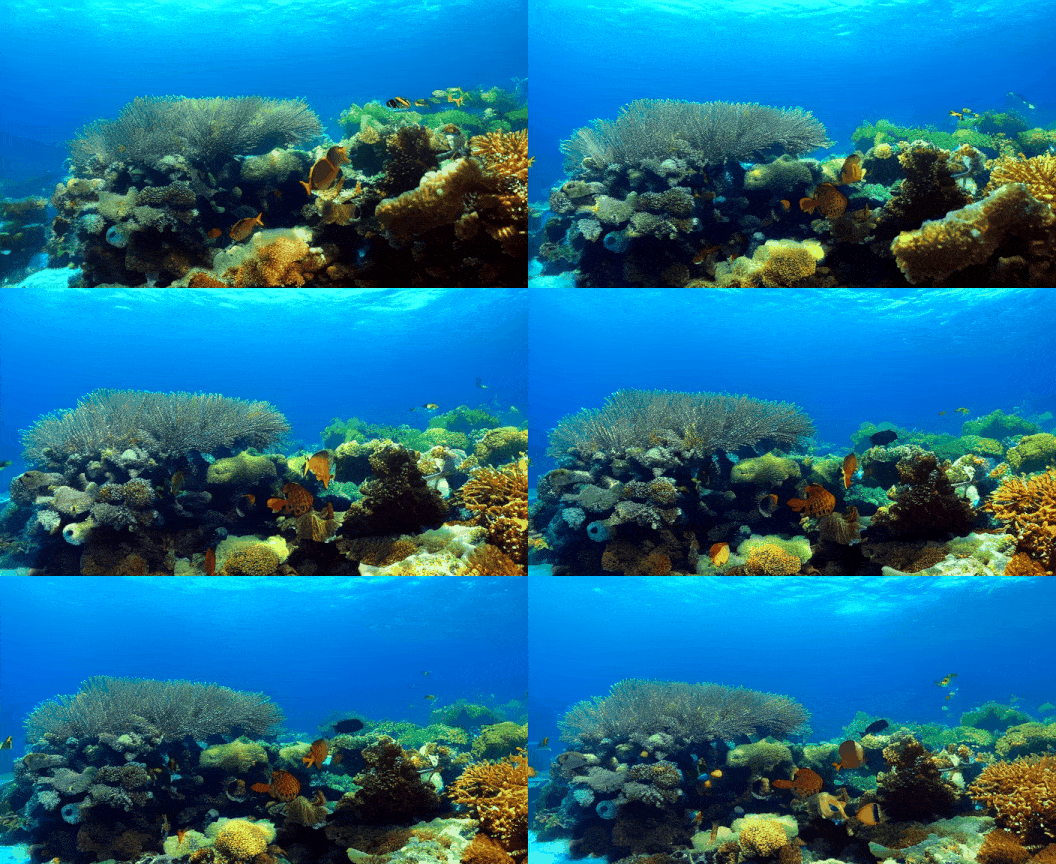 | [Download GIF](https://pai-aigc-photog.oss-cn-hangzhou.aliyuncs.com/easyanimate/asset/6-underwater.gif) |
|
||||
| PixArt | DPM++ | 43 | 576x448x48 | Pacific coast, carmel by the blue sea ocean and peaceful waves | 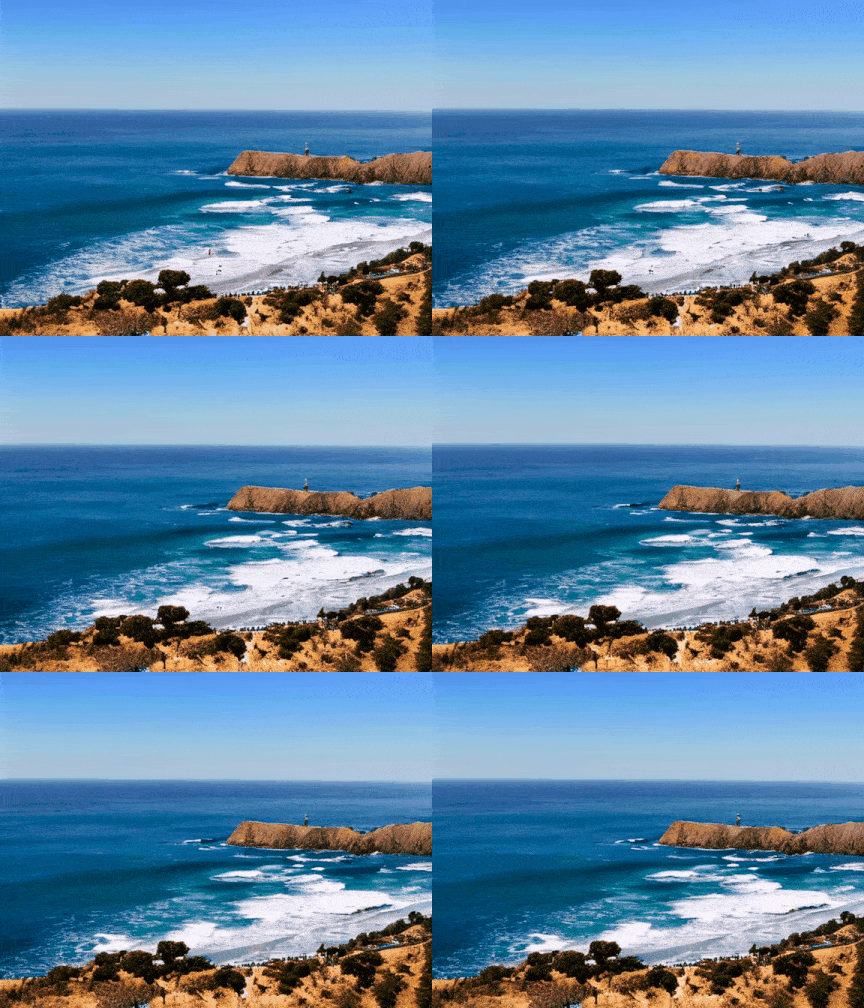 | [Download GIF](https://pai-aigc-photog.oss-cn-hangzhou.aliyuncs.com/easyanimate/asset/7-coast.gif) |
|
||||
| PixArt | DPM++ | 43 | 576x448x80 | A snowy forest landscape with a dirt road running through it. The road is flanked by trees covered in snow, and the ground is also covered in snow. The sun is shining, creating a bright and serene atmosphere. The road appears to be empty, and there are no people or animals visible in the video. The style of the video is a natural landscape shot, with a focus on the beauty of the snowy forest and the peacefulness of the road. | 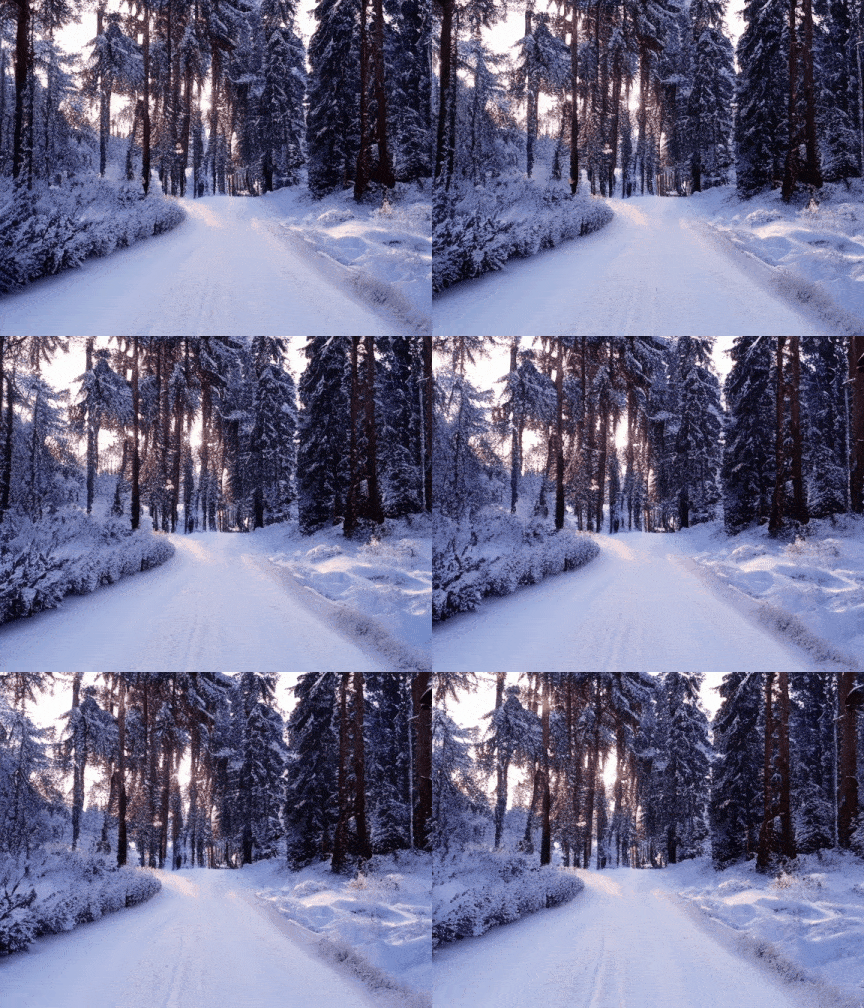 | [Download GIF](https://pai-aigc-photog.oss-cn-hangzhou.aliyuncs.com/easyanimate/asset/8-forest.gif) |
|
||||
| PixArt | DPM++ | 43 | 640x448x64 | The dynamic movement of tall, wispy grasses swaying in the wind. The sky above is filled with clouds, creating a dramatic backdrop. The sunlight pierces through the clouds, casting a warm glow on the scene. The grasses are a mix of green and brown, indicating a change in seasons. The overall style of the video is naturalistic, capturing the beauty of the landscape in a realistic manner. The focus is on the grasses and their movement, with the sky serving as a secondary element. The video does not contain any human or animal elements. | | [Download GIF](https://pai-aigc-photog.oss-cn-hangzhou.aliyuncs.com/easyanimate/asset/9-grasses.gif) |
|
||||
| PixArt | DPM++ | 43 | 704x384x80 | A serene night scene in a forested area. The first frame shows a tranquil lake reflecting the star-filled sky above. The second frame reveals a beautiful sunset, casting a warm glow over the landscape. The third frame showcases the night sky, filled with stars and a vibrant Milky Way galaxy. The video is a time-lapse, capturing the transition from day to night, with the lake and forest serving as a constant backdrop. The style of the video is naturalistic, emphasizing the beauty of the night sky and the peacefulness of the forest. | | [Download GIF](https://pai-aigc-photog.oss-cn-hangzhou.aliyuncs.com/easyanimate/asset/10-night.gif) |
|
||||
| PixArt | DPM++ | 43 | 640x448x80 | Sunset over the sea. |  | [Download GIF](https://pai-aigc-photog.oss-cn-hangzhou.aliyuncs.com/easyanimate/asset/11-sunset.gif) |
|
||||
|
||||
Work with Portrait transformer weights.
|
||||
|
||||
| Base Models | Sampler | Seed | Resolution (h x w x f) | Prompt | GenerationResult | Download |
|
||||
| ------------------------------------------------------------ | ------------------------------------------------------------ | ------------------------------------------------------------ | ------------------------------------------------------------ | ------------------------------------------------------------ | ------------------------------------------------------------ | ------------------------------------------------------------ |
|
||||
| Portrait | Euler A | 43 | 448x576x80 | 1girl, 3d, black hair, brown eyes, earrings, grey background, jewelry, lips, long hair, looking at viewer, photo \\(medium\\), realistic, red lips, solo | 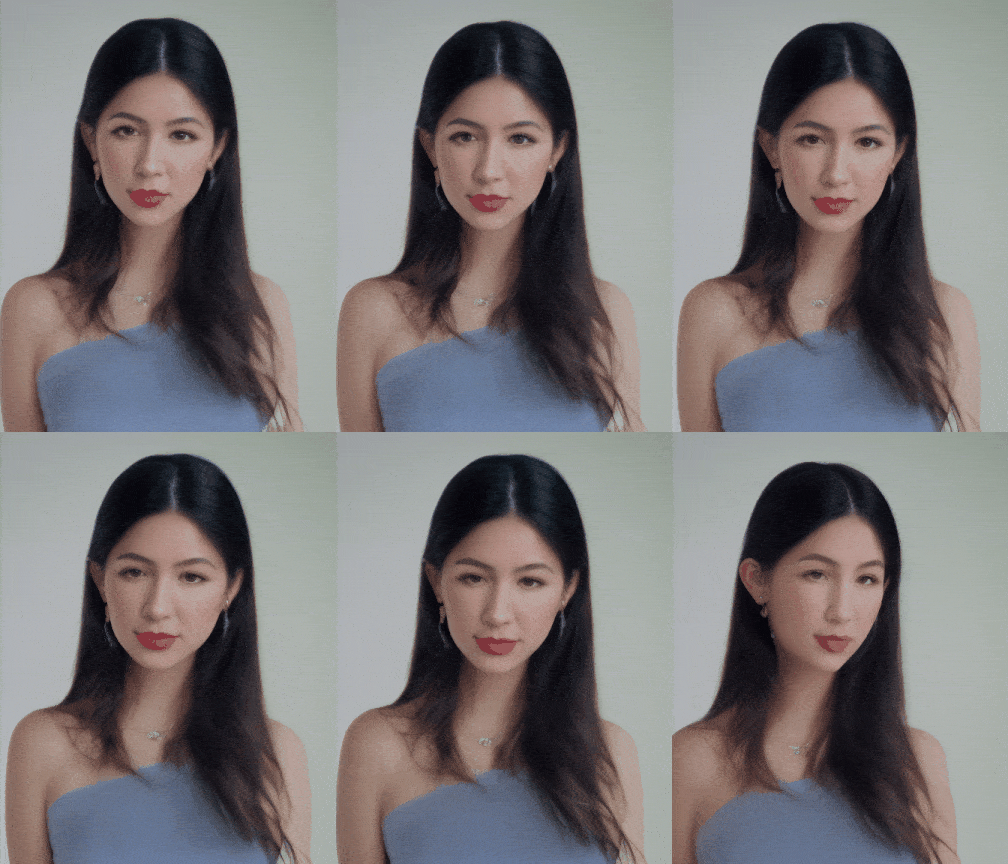 | [Download GIF](https://pai-aigc-photog.oss-cn-hangzhou.aliyuncs.com/easyanimate/asset/1-check.gif) |
|
||||
| Portrait | Euler A | 43 | 448x576x80 | 1girl, bare shoulders, blurry, brown eyes, dirty, dirty face, freckles, lips, long hair, looking at viewer, realistic, sleeveless, solo, upper body |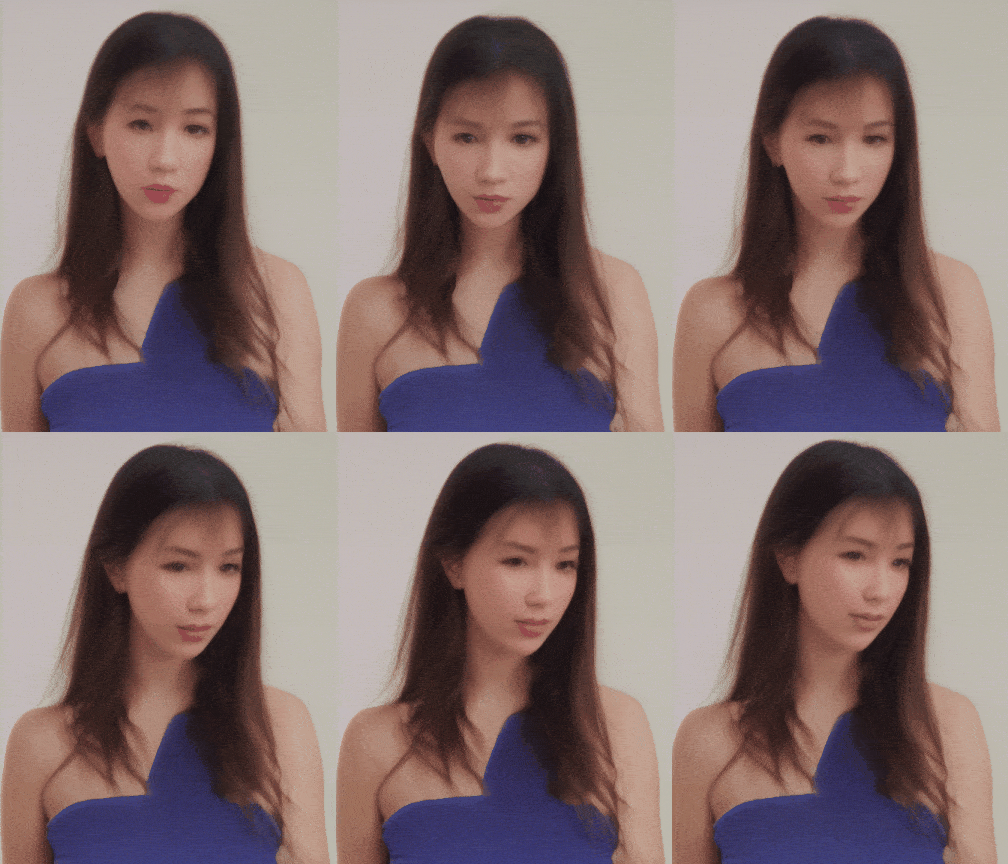 | [Download GIF](https://pai-aigc-photog.oss-cn-hangzhou.aliyuncs.com/easyanimate/asset/2-check.gif) |
|
||||
| Portrait | Euler A | 43 | 512x512x64 | 1girl, black hair, brown eyes, earrings, grey background, jewelry, lips, looking at viewer, mole, mole under eye, neck tattoo, nose, ponytail, realistic, shirt, simple background, solo, tattoo |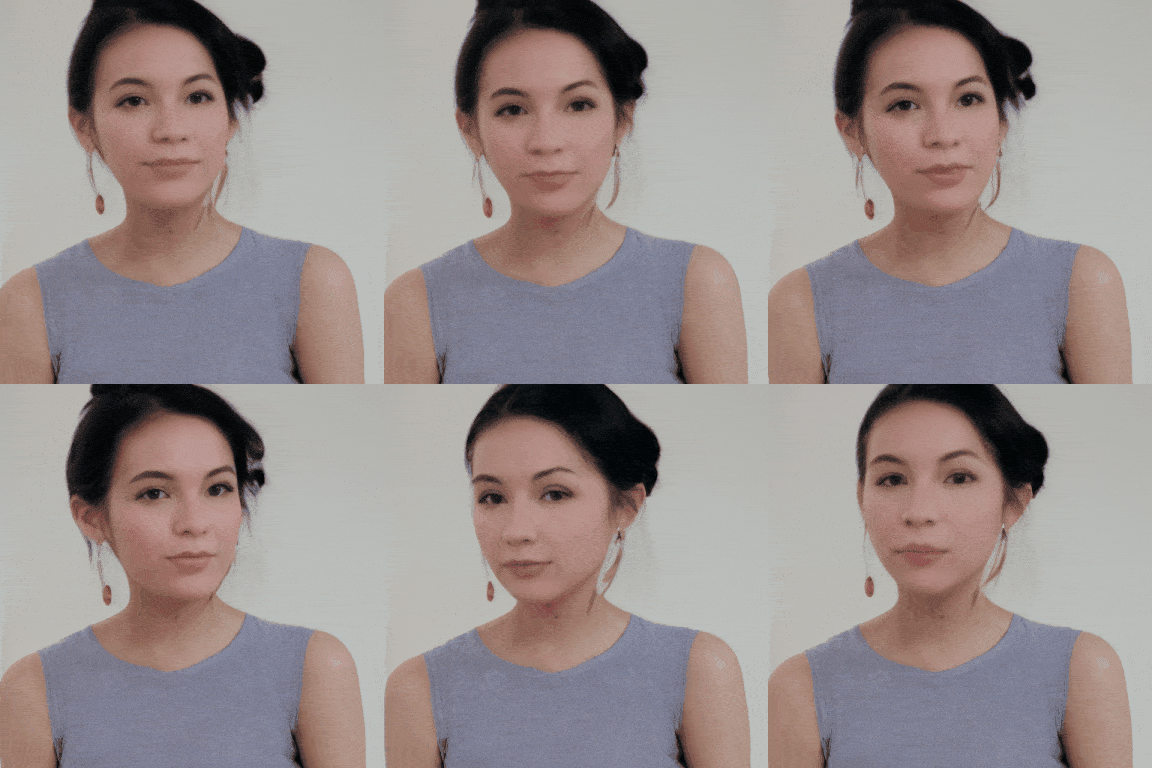 | [Download GIF](https://pai-aigc-photog.oss-cn-hangzhou.aliyuncs.com/easyanimate/asset/3-check.gif) |
|
||||
| Portrait | Euler A | 43 | 576x448x64 | 1girl, black hair, lips, looking at viewer, mole, mole under eye, mole under mouth, realistic, solo | | [Download GIF](https://pai-aigc-photog.oss-cn-hangzhou.aliyuncs.com/easyanimate/asset/5-check.gif) |
|
||||
|
||||
Work with Portrait transformer Lora.
|
||||
|
||||
| Base Models | Sampler | Seed | Resolution (h x w x f) | Prompt | GenerationResult | Download |
|
||||
| ------------------------------------------------------------ | ------------------------------------------------------------ | ------------------------------------------------------------ | ------------------------------------------------------------ | ------------------------------------------------------------ | ------------------------------------------------------------ | ------------------------------------------------------------ |
|
||||
| Pixart + Lora | Euler A | 43 | 512x512x64 | 1girl, 3d, black hair, brown eyes, earrings, grey background, jewelry, lips, long hair, looking at viewer, photo \\(medium\\), realistic, red lips, solo | | [Download GIF](https://pai-aigc-photog.oss-cn-hangzhou.aliyuncs.com/easyanimate/asset/1-lora.gif) |
|
||||
| Pixart + Lora | Euler A | 43 | 512x512x64 | 1girl, bare shoulders, blurry, brown eyes, dirty, dirty face, freckles, lips, long hair, looking at viewer, mole, mole on breast, mole on neck, mole under eye, mole under mouth, realistic, sleeveless, solo, upper body |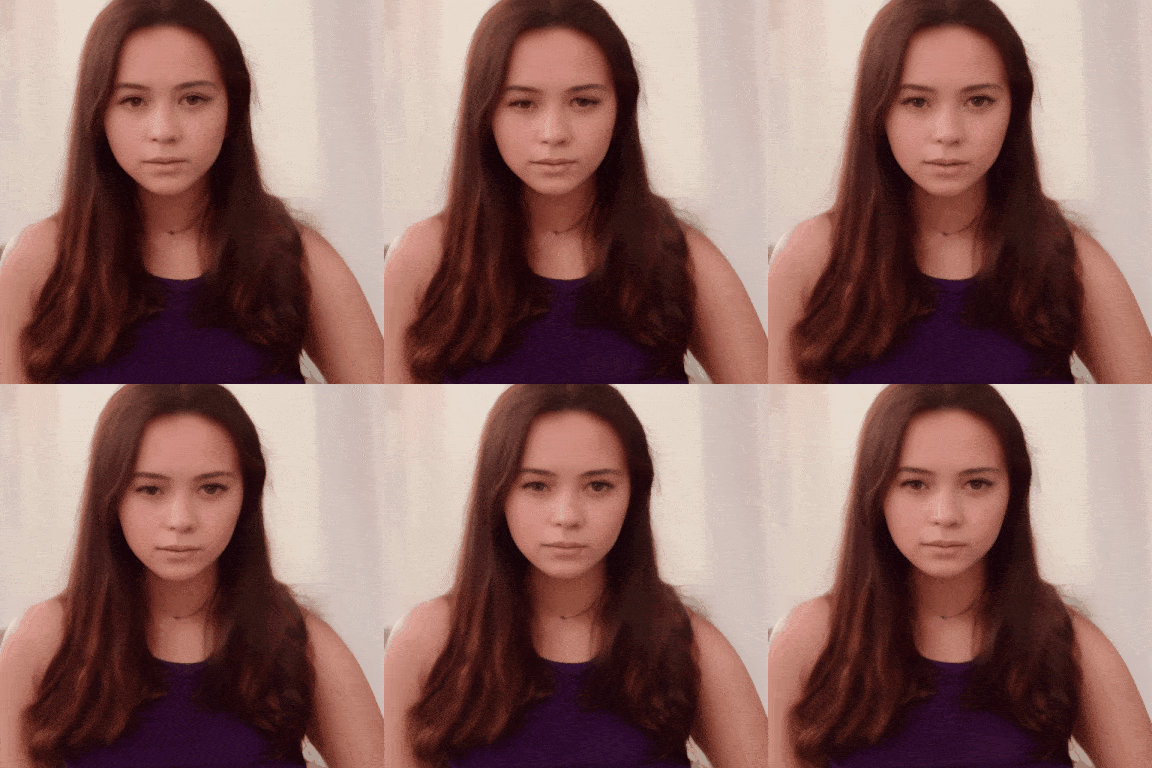 | [Download GIF](https://pai-aigc-photog.oss-cn-hangzhou.aliyuncs.com/easyanimate/asset/2-lora.gif) |
|
||||
| Pixart + Lora | Euler A | 43 | 512x512x64 | 1girl, black hair, lips, looking at viewer, mole, mole under eye, mole under mouth, realistic, solo | | [Download GIF](https://pai-aigc-photog.oss-cn-hangzhou.aliyuncs.com/easyanimate/asset/5-lora.gif) |
|
||||
| Pixart + Lora | Euler A | 43 | 512x512x80 | 1girl, bare shoulders, blurry, blurry background, blurry foreground, bokeh, brown eyes, christmas tree, closed mouth, collarbone, depth of field, earrings, jewelry, lips, long hair, looking at viewer, photo \\(medium\\), realistic, smile, solo |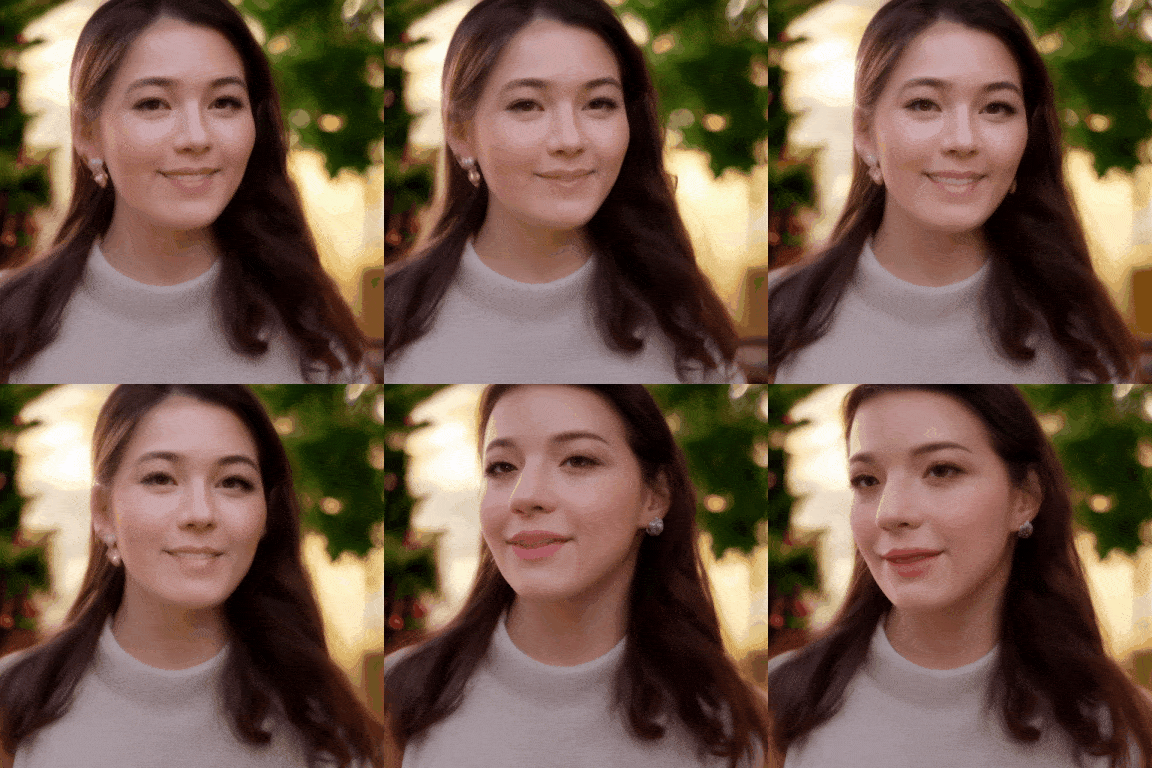 | [Download GIF](https://pai-aigc-photog.oss-cn-hangzhou.aliyuncs.com/easyanimate/asset/8-lora.gif) |
|
||||
|
||||
|
||||
|
||||
# Quick Start
|
||||
### 1. Cloud usage: AliyunDSW/Docker
|
||||
#### a. From AliyunDSW
|
||||
Stay tuned.
|
||||
DSW has free GPU time, which can be applied once by a user and is valid for 3 months after applying.
|
||||
|
||||
#### b. From docker
|
||||
Aliyun provide free GPU time in [Freetier](https://free.aliyun.com/?product=9602825&crowd=enterprise&spm=5176.28055625.J_5831864660.1.e939154aRgha4e&scm=20140722.M_9974135.P_110.MO_1806-ID_9974135-MID_9974135-CID_30683-ST_8512-V_1), get it and use in Aliyun PAI-DSW to start EasyAnimate within 5min!
|
||||
|
||||
[](https://gallery.pai-ml.com/#/preview/deepLearning/cv/easyanimate_v5)
|
||||
|
||||
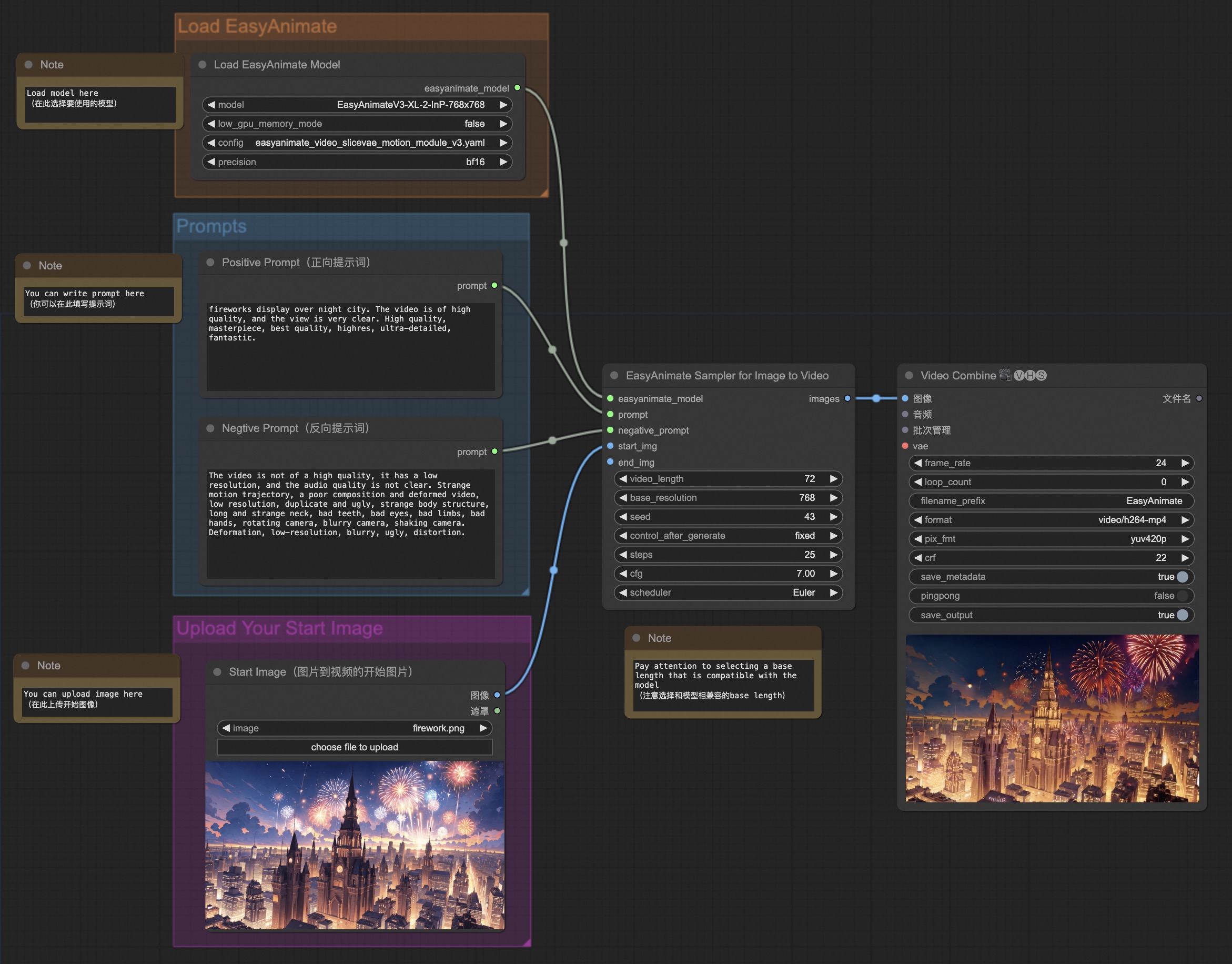
#### b. From ComfyUI
|
||||
Our ComfyUI is as follows, please refer to [ComfyUI README](comfyui/README.md) for details.
|
||||
|
||||
|
||||
#### c. From docker
|
||||
If you are using docker, please make sure that the graphics card driver and CUDA environment have been installed correctly in your machine.
|
||||
|
||||
Then execute the following commands in this way:
|
||||
@@ -123,319 +84,525 @@ mkdir models/Diffusion_Transformer
|
||||
mkdir models/Motion_Module
|
||||
mkdir models/Personalized_Model
|
||||
|
||||
wget https://pai-aigc-photog.oss-cn-hangzhou.aliyuncs.com/easyanimate/Motion_Module/easyanimate_v1_mm.safetensors -O models/Motion_Module/easyanimate_v1_mm.safetensors
|
||||
wget https://pai-aigc-photog.oss-cn-hangzhou.aliyuncs.com/easyanimate/Personalized_Model/easyanimate_portrait.safetensors -O models/Personalized_Model/easyanimate_portrait.safetensors
|
||||
wget https://pai-aigc-photog.oss-cn-hangzhou.aliyuncs.com/easyanimate/Personalized_Model/easyanimate_portrait_lora.safetensors -O models/Personalized_Model/easyanimate_portrait_lora.safetensors
|
||||
wget https://pai-aigc-photog.oss-cn-hangzhou.aliyuncs.com/easyanimate/Diffusion_Transformer/PixArt-XL-2-512x512.tar -O models/Diffusion_Transformer/PixArt-XL-2-512x512.tar
|
||||
# Please use the hugginface link or modelscope link to download the EasyAnimateV5.1 model.
|
||||
# https://huggingface.co/alibaba-pai/EasyAnimateV5.1-12b-zh-InP
|
||||
# https://modelscope.cn/models/PAI/EasyAnimateV5.1-12b-zh-InP
|
||||
|
||||
cd models/Diffusion_Transformer/
|
||||
tar -xvf PixArt-XL-2-512x512.tar
|
||||
cd ../../
|
||||
# https://huggingface.co/alibaba-pai/EasyAnimateV5.1-12b-zh
|
||||
# https://modelscope.cn/models/PAI/EasyAnimateV5.1-12b-zh
|
||||
```
|
||||
|
||||
### 2. Local install: Environment Check/Downloading/Installation
|
||||
#### a. Environment Check
|
||||
We have verified EasyAnimate execution on the following environment:
|
||||
|
||||
The detailed of Windows:
|
||||
- OS: Windows 10
|
||||
- python: python3.10 & python3.11
|
||||
- pytorch: torch2.2.0
|
||||
- CUDA: 11.8 & 12.1
|
||||
- CUDNN: 8+
|
||||
- GPU: Nvidia-3060 12G
|
||||
|
||||
The detailed of Linux:
|
||||
- OS: Ubuntu 20.04, CentOS
|
||||
- python: py3.10 & py3.11
|
||||
- python: python3.10 & python3.11
|
||||
- pytorch: torch2.2.0
|
||||
- CUDA: 11.8
|
||||
- CUDA: 11.8 & 12.1
|
||||
- CUDNN: 8+
|
||||
- GPU: Nvidia-A10 24G & Nvidia-A100 40G & Nvidia-A100 80G
|
||||
- GPU:Nvidia-V100 16G & Nvidia-A10 24G & Nvidia-A100 40G & Nvidia-A100 80G
|
||||
|
||||
We need about 60GB available on disk (for saving weights), please check!
|
||||
|
||||
#### b. Weights
|
||||
We'd better place the weights along the specified path:
|
||||
The video size for EasyAnimateV5.1-12B can be generated by different GPU Memory, including:
|
||||
| GPU memory | 384x672x25 | 384x672x49 | 576x1008x25 | 576x1008x49 | 768x1344x25 | 768x1344x49 |
|
||||
|------------|------------|------------|------------|------------|------------|------------|
|
||||
| 16GB | 🧡 | ⭕️ | ⭕️ | ⭕️ | ❌ | ❌ |
|
||||
| 24GB | 🧡 | 🧡 | 🧡 | 🧡 | 🧡 | ❌ |
|
||||
| 40GB | ✅ | ✅ | ✅ | ✅ | ✅ | ✅ |
|
||||
| 80GB | ✅ | ✅ | ✅ | ✅ | ✅ | ✅ |
|
||||
|
||||
The video size for EasyAnimateV5.1-7B can be generated by different GPU Memory, including:
|
||||
| GPU memory |384x672x25|384x672x49|576x1008x25|576x1008x49|768x1344x25|768x1344x49|
|
||||
|----------|----------|----------|----------|----------|----------|----------|
|
||||
| 16GB | 🧡 | 🧡 | ⭕️ | ⭕️ | ❌ | ❌ |
|
||||
| 24GB | ✅ | ✅ | ✅ | 🧡 | 🧡 | ❌ |
|
||||
| 40GB | ✅ | ✅ | ✅ | ✅ | ✅ | ✅ |
|
||||
| 80GB | ✅ | ✅ | ✅ | ✅ | ✅ | ✅ |
|
||||
|
||||
✅ indicates it can run under "model_cpu_offload", 🧡 represents it can run under "model_cpu_offload_and_qfloat8", ⭕️ indicates it can run under "sequential_cpu_offload", ❌ means it can't run. Please note that running with sequential_cpu_offload will be slower.
|
||||
|
||||
Some GPUs that do not support torch.bfloat16, such as 2080ti and V100, require changing the weight_dtype in app.py and predict files to torch.float16 in order to run.
|
||||
|
||||
The generation time for EasyAnimateV5.1-12B using different GPUs over 25 steps is as follows:
|
||||
|
||||
| GPU | 384x672x25 | 384x672x49 | 576x1008x25 | 576x1008x49 | 768x1344x25 | 768x1344x49 |
|
||||
|-----------|------------------|------------------|------------------|------------------|------------------|-----------------|
|
||||
| A10 24GB | ~120s (4.8s/it) | ~240s (9.6s/it) | ~320s (12.7s/it) | ~750s (29.8s/it) | ❌ | ❌ |
|
||||
| A100 80GB | ~45s (1.75s/it) | ~90s (3.7s/it) | ~120s (4.7s/it) | ~300s (11.4s/it) | ~265s (10.6s/it) | ~710s (28.3s/it) |
|
||||
|
||||
<details>
|
||||
<summary>(Obsolete) EasyAnimateV3:</summary>
|
||||
|
||||
The video size for EasyAnimateV3 can be generated by different GPU Memory, including:
|
||||
|
||||
| GPU memory | 384x672x72 | 384x672x144 | 576x1008x72 | 576x1008x144 | 720x1280x72 | 720x1280x144 |
|
||||
|------------|------------|-------------|-------------|--------------|-------------|--------------|
|
||||
| 12GB | ⭕️ | ⭕️ | ⭕️ | ⭕️ | ❌ | ❌ |
|
||||
| 16GB | ✅ | ✅ | ⭕️ | ⭕️ | ⭕️ | ❌ |
|
||||
| 24GB | ✅ | ✅ | ✅ | ✅ | ✅ | ❌ |
|
||||
| 40GB | ✅ | ✅ | ✅ | ✅ | ✅ | ✅ |
|
||||
| 80GB | ✅ | ✅ | ✅ | ✅ | ✅ | ✅ |
|
||||
|
||||
(⭕️) indicates it can run with low_gpu_memory_mode=True, but at a slower speed, and ❌ means it can't run.
|
||||
</details>
|
||||
|
||||
#### b. Weights
|
||||
We'd better place the [weights](#model-zoo) along the specified path:
|
||||
|
||||
EasyAnimateV5.1:
|
||||
```
|
||||
📦 models/
|
||||
├── 📂 Diffusion_Transformer/
|
||||
│ └── 📂 PixArt-XL-2-512x512/
|
||||
├── 📂 Motion_Module/
|
||||
│ └── 📄 easyanimate_v1_mm.safetensors
|
||||
├── 📂 Motion_Module/
|
||||
│ ├── 📄 easyanimate_portrait.safetensors
|
||||
│ └── 📄 easyanimate_portrait_lora.safetensors
|
||||
│ ├── 📂 EasyAnimateV5.1-12b-zh-InP/
|
||||
│ └── 📂 EasyAnimateV5.1-12b-zh/
|
||||
├── 📂 Personalized_Model/
|
||||
│ └── your trained trainformer model / your trained lora model (for UI load)
|
||||
```
|
||||
|
||||
# Video Result
|
||||
|
||||
### Image to Video with EasyAnimateV5.1-12b-zh-InP
|
||||
<table border="0" style="width: 100%; text-align: left; margin-top: 20px;">
|
||||
<tr>
|
||||
<td>
|
||||
<video src="https://github.com/user-attachments/assets/74a23109-f555-4026-a3d8-1ac27bb3884c" width="100%" controls autoplay loop></video>
|
||||
</td>
|
||||
<td>
|
||||
<video src="https://github.com/user-attachments/assets/ab5aab27-fbd7-4f55-add9-29644125bde7" width="100%" controls autoplay loop></video>
|
||||
</td>
|
||||
<td>
|
||||
<video src="https://github.com/user-attachments/assets/238043c2-cdbd-4288-9857-a273d96f021f" width="100%" controls autoplay loop></video>
|
||||
</td>
|
||||
<td>
|
||||
<video src="https://github.com/user-attachments/assets/48881a0e-5513-4482-ae49-13a0ad7a2557" width="100%" controls autoplay loop></video>
|
||||
</td>
|
||||
</tr>
|
||||
</table>
|
||||
|
||||
|
||||
<table border="0" style="width: 100%; text-align: left; margin-top: 20px;">
|
||||
<tr>
|
||||
<td>
|
||||
<video src="https://github.com/user-attachments/assets/3e7aba7f-6232-4f39-80a8-6cfae968f38c" width="100%" controls autoplay loop></video>
|
||||
</td>
|
||||
<td>
|
||||
<video src="https://github.com/user-attachments/assets/986d9f77-8dc3-45fa-bc9d-8b26023fffbc" width="100%" controls autoplay loop></video>
|
||||
</td>
|
||||
<td>
|
||||
<video src="https://github.com/user-attachments/assets/7f62795a-2b3b-4c14-aeb1-1230cb818067" width="100%" controls autoplay loop></video>
|
||||
</td>
|
||||
<td>
|
||||
<video src="https://github.com/user-attachments/assets/b581df84-ade1-4605-a7a8-fd735ce3e222" width="100%" controls autoplay loop></video>
|
||||
</td>
|
||||
</tr>
|
||||
</table>
|
||||
|
||||
<table border="0" style="width: 100%; text-align: left; margin-top: 20px;">
|
||||
<tr>
|
||||
<td>
|
||||
<video src="https://github.com/user-attachments/assets/eab1db91-1082-4de2-bb0a-d97fd25ceea1" width="100%" controls autoplay loop></video>
|
||||
</td>
|
||||
<td>
|
||||
<video src="https://github.com/user-attachments/assets/3fda0e96-c1a8-4186-9c4c-043e11420f05" width="100%" controls autoplay loop></video>
|
||||
</td>
|
||||
<td>
|
||||
<video src="https://github.com/user-attachments/assets/4b53145d-7e98-493a-83c9-4ea4f5b58289" width="100%" controls autoplay loop></video>
|
||||
</td>
|
||||
<td>
|
||||
<video src="https://github.com/user-attachments/assets/75f7935f-17a8-4e20-b24c-b61479cf07fc" width="100%" controls autoplay loop></video>
|
||||
</td>
|
||||
</tr>
|
||||
</table>
|
||||
|
||||
### Text to Video with EasyAnimateV5.1-12b-zh
|
||||
|
||||
<table border="0" style="width: 100%; text-align: left; margin-top: 20px;">
|
||||
<tr>
|
||||
<td>
|
||||
<video src="https://github.com/user-attachments/assets/8818dae8-e329-4b08-94fa-00d923f38fd2" width="100%" controls autoplay loop></video>
|
||||
</td>
|
||||
<td>
|
||||
<video src="https://github.com/user-attachments/assets/d3e483c3-c710-47d2-9fac-89f732f2260a" width="100%" controls autoplay loop></video>
|
||||
</td>
|
||||
<td>
|
||||
<video src="https://github.com/user-attachments/assets/4dfa2067-d5d4-4741-a52c-97483de1050d" width="100%" controls autoplay loop></video>
|
||||
</td>
|
||||
<td>
|
||||
<video src="https://github.com/user-attachments/assets/fb44c2db-82c6-427e-9297-97dcce9a4948" width="100%" controls autoplay loop></video>
|
||||
</td>
|
||||
</tr>
|
||||
</table>
|
||||
|
||||
<table border="0" style="width: 100%; text-align: left; margin-top: 20px;">
|
||||
<tr>
|
||||
<td>
|
||||
<video src="https://github.com/user-attachments/assets/dc6b8eaf-f21b-4576-a139-0e10438f20e4" width="100%" controls autoplay loop></video>
|
||||
</td>
|
||||
<td>
|
||||
<video src="https://github.com/user-attachments/assets/b3f8fd5b-c5c8-44ee-9b27-49105a08fbff" width="100%" controls autoplay loop></video>
|
||||
</td>
|
||||
<td>
|
||||
<video src="https://github.com/user-attachments/assets/a68ed61b-eed3-41d2-b208-5f039bf2788e" width="100%" controls autoplay loop></video>
|
||||
</td>
|
||||
<td>
|
||||
<video src="https://github.com/user-attachments/assets/4e33f512-0126-4412-9ae8-236ff08bcd21" width="100%" controls autoplay loop></video>
|
||||
</td>
|
||||
</tr>
|
||||
</table>
|
||||
|
||||
### Control Video with EasyAnimateV5.1-12b-zh-Control
|
||||
|
||||
Trajectory Control:
|
||||
<table border="0" style="width: 100%; text-align: left; margin-top: 20px;">
|
||||
<tr>
|
||||
<td>
|
||||
<video src="https://github.com/user-attachments/assets/bf3b8970-ca7b-447f-8301-72dfe028055b" width="100%" controls autoplay loop></video>
|
||||
</td>
|
||||
<td>
|
||||
<video src="https://github.com/user-attachments/assets/63a7057b-573e-4f73-9d7b-8f8001245af4" width="100%" controls autoplay loop></video>
|
||||
</td>
|
||||
<td>
|
||||
<video src="https://github.com/user-attachments/assets/090ac2f3-1a76-45cf-abe5-4e326113389b" width="100%" controls autoplay loop></video>
|
||||
</td>
|
||||
<tr>
|
||||
</table>
|
||||
|
||||
Generic Control Video (Canny, Pose, Depth, etc.):
|
||||
<table border="0" style="width: 100%; text-align: left; margin-top: 20px;">
|
||||
<tr>
|
||||
<td>
|
||||
<video src="https://github.com/user-attachments/assets/53002ce2-dd18-4d4f-8135-b6f68364cabd" width="100%" controls autoplay loop></video>
|
||||
</td>
|
||||
<td>
|
||||
<video src="https://github.com/user-attachments/assets/fce43c0b-81fa-4ab2-9ca7-78d786f520e6" width="100%" controls autoplay loop></video>
|
||||
</td>
|
||||
<td>
|
||||
<video src="https://github.com/user-attachments/assets/b208b92c-5add-4ece-a200-3dbbe47b93c3" width="100%" controls autoplay loop></video>
|
||||
</td>
|
||||
<tr>
|
||||
<td>
|
||||
<video src="https://github.com/user-attachments/assets/3aec95d5-d240-49fb-a9e9-914446c7a4cf" width="100%" controls autoplay loop></video>
|
||||
</td>
|
||||
<td>
|
||||
<video src="https://github.com/user-attachments/assets/60fa063b-5c1f-485f-b663-09bd6669de3f" width="100%" controls autoplay loop></video>
|
||||
</td>
|
||||
<td>
|
||||
<video src="https://github.com/user-attachments/assets/4adde728-8397-42f3-8a2a-23f7b39e9a1e" width="100%" controls autoplay loop></video>
|
||||
</td>
|
||||
</tr>
|
||||
</table>
|
||||
|
||||
### Camera Control with EasyAnimateV5.1-12b-zh-Control-Camera
|
||||
|
||||
<table border="0" style="width: 100%; text-align: left; margin-top: 20px;">
|
||||
<tr>
|
||||
<td>
|
||||
Pan Up
|
||||
</td>
|
||||
<td>
|
||||
Pan Left
|
||||
</td>
|
||||
<td>
|
||||
Pan Right
|
||||
</td>
|
||||
<tr>
|
||||
<td>
|
||||
<video src="https://github.com/user-attachments/assets/a88f81da-e263-4038-a5b3-77b26f79719e" width="100%" controls autoplay loop></video>
|
||||
</td>
|
||||
<td>
|
||||
<video src="https://github.com/user-attachments/assets/e346c59d-7bca-4253-97fb-8cbabc484afb" width="100%" controls autoplay loop></video>
|
||||
</td>
|
||||
<td>
|
||||
<video src="https://github.com/user-attachments/assets/4de470d4-47b7-46e3-82d3-b714a2f6aef6" width="100%" controls autoplay loop></video>
|
||||
</td>
|
||||
<tr>
|
||||
<td>
|
||||
Pan Down
|
||||
</td>
|
||||
<td>
|
||||
Pan Up + Pan Left
|
||||
</td>
|
||||
<td>
|
||||
Pan Up + Pan Right
|
||||
</td>
|
||||
<tr>
|
||||
<td>
|
||||
<video src="https://github.com/user-attachments/assets/7a3fecc2-d41a-4de3-86cd-5e19aea34a0d" width="100%" controls autoplay loop></video>
|
||||
</td>
|
||||
<td>
|
||||
<video src="https://github.com/user-attachments/assets/cb281259-28b6-448e-a76f-643c3465672e" width="100%" controls autoplay loop></video>
|
||||
</td>
|
||||
<td>
|
||||
<video src="https://github.com/user-attachments/assets/44faf5b6-d83c-4646-9436-971b2b9c7216" width="100%" controls autoplay loop></video>
|
||||
</td>
|
||||
</tr>
|
||||
</table>
|
||||
|
||||
# How to use
|
||||
### 1. Inference
|
||||
#### a. Using Python Code
|
||||
- Step 1: Download the corresponding weights and place them in the models folder.
|
||||
- Step 2: Modify prompt, neg_prompt, guidance_scale, and seed in the predict_t2v.py file.
|
||||
- Step 3: Run the predict_t2v.py file, wait for the generated results, and save the results in the samples/easyanimate-videos folder.
|
||||
- Step 4: If you want to combine other backbones you have trained with Lora, modify the predict_t2v.py and Lora_path in predict_t2v.py depending on the situation.
|
||||
|
||||
#### b. Using webui
|
||||
- Step 1: Download the corresponding weights and place them in the models folder.
|
||||
- Step 2: Run the app. py file to enter the graph page.
|
||||
- Step 3: Select the generated model based on the page, fill in prompt, neg_prompt, guidance_scale, and seed, click on generate, wait for the generated result, and save the result in the samples folder.
|
||||
<h3 id="video-gen">1. Inference </h3>
|
||||
|
||||
#### a. Memory-Saving Options
|
||||
Since EasyAnimateV5 and V5.1 have very large parameters, we need to consider memory-saving options to adapt to consumer-grade graphics cards. We provide GPU_memory_mode for each prediction file, allowing you to choose from model_cpu_offload, model_cpu_offload_and_qfloat8, or sequential_cpu_offload.
|
||||
|
||||
- model_cpu_offload means the entire model will move to the CPU after use, saving some memory.
|
||||
- model_cpu_offload_and_qfloat8 means the entire model will move to the CPU after use and applies float8 quantization to the transformer model, saving more memory.
|
||||
- sequential_cpu_offload means each layer of the model moves to CPU after use, which is slower but saves a lot of memory.
|
||||
|
||||
qfloat8 may reduce model performance but saves more memory. If memory is sufficient, it's recommended to use model_cpu_offload.
|
||||
|
||||
#### b. Via ComfyUI
|
||||
For more details, see the [ComfyUI README](comfyui/README.md).
|
||||
|
||||
#### c. Run Python Files
|
||||
- Step 1: Download the corresponding [weights](#model-zoo) and place them in the models folder.
|
||||
- Step 2: Use different files for predictions based on the weights and prediction goals.
|
||||
- Text-to-Video:
|
||||
- Modify the prompt, neg_prompt, guidance_scale, and seed in the predict_t2v.py file.
|
||||
- Then run the predict_t2v.py file and wait for the results, which are stored in the samples/easyanimate-videos folder.
|
||||
- Image-to-Video:
|
||||
- Modify validation_image_start, validation_image_end, prompt, neg_prompt, guidance_scale, and seed in the predict_i2v.py file.
|
||||
- validation_image_start is the starting image, and validation_image_end is the ending image of the video.
|
||||
- Then run the predict_i2v.py file and wait for the results, which are stored in the samples/easyanimate-videos_i2v folder.
|
||||
- Video-to-Video:
|
||||
- Modify validation_video, validation_image_end, prompt, neg_prompt, guidance_scale, and seed in the predict_v2v.py file.
|
||||
- validation_video is the reference video for video-to-video. You can run a demo with the following video: [Demo Video](https://pai-aigc-photog.oss-cn-hangzhou.aliyuncs.com/cogvideox_fun/asset/v1/play_guitar.mp4)
|
||||
- Then run the predict_v2v.py file and wait for the results, which are stored in samples/easyanimate-videos_v2v folder.
|
||||
- Generic Control Video (Canny, Pose, Depth, etc.):
|
||||
- Modify control_video, validation_image_end, prompt, neg_prompt, guidance_scale, and seed in the predict_v2v_control.py file.
|
||||
- control_video is the control video for video generation, extracted using Canny, Pose, Depth, etc. You can run a demo with the following video: [Demo Video](https://pai-aigc-photog.oss-cn-hangzhou.aliyuncs.com/cogvideox_fun/asset/v1.1/pose.mp4)
|
||||
- Then run the predict_v2v_control.py file and wait for the results, which are stored in samples/easyanimate-videos_v2v_control folder.
|
||||
- Trajectory Control Video:
|
||||
- Modify control_video, ref_image, validation_image_end, prompt, neg_prompt, guidance_scale, and seed in the predict_v2v_control.py file.
|
||||
- control_video is the control video, and ref_image is the reference first frame image. You can run a demo with the following image and video: [Demo Image](https://pai-aigc-photog.oss-cn-hangzhou.aliyuncs.com/easyanimate/asset/v5.1/dog.png), [Demo Video](https://pai-aigc-photog.oss-cn-hangzhou.aliyuncs.com/easyanimate/asset/v5.1/trajectory_demo.mp4)
|
||||
- Then run the predict_v2v_control.py file and wait for the results, which are stored in samples/easyanimate-videos_v2v_control folder.
|
||||
- Interaction via ComfyUI is recommended.
|
||||
- Camera Control Video:
|
||||
- Modify control_video, ref_image, validation_image_end, prompt, neg_prompt, guidance_scale, and seed in the predict_v2v_control.py file.
|
||||
- control_camera_txt is the control file for camera control video, and ref_image is the reference first frame image. You can run a demo with the following image and control file: [Demo Image](https://pai-aigc-photog.oss-cn-hangzhou.aliyuncs.com/cogvideox_fun/asset/v1/firework.png), [Demo File (from CameraCtrl)](https://pai-aigc-photog.oss-cn-hangzhou.aliyuncs.com/easyanimate/asset/v5.1/0a3b5fb184936a83.txt)
|
||||
- Then run the predict_v2v_control.py file and wait for the results, which are stored in samples/easyanimate-videos_v2v_control folder.
|
||||
- Interaction via ComfyUI is recommended.
|
||||
- Step 3: To combine with other backbones and Lora trained by yourself, modify predict_t2v.py and lora_path accordingly in the predict_t2v.py file.
|
||||
|
||||
#### d. Via WebUI Interface
|
||||
|
||||
WebUI supports text-to-video, image-to-video, video-to-video, and control-based video generation (such as Canny, Pose, Depth, etc.).
|
||||
|
||||
- Step 1: Download the corresponding [weights](#model-zoo) and place them in the models folder.
|
||||
- Step 2: Run the app.py file to enter the Gradio page.
|
||||
- Step 3: Choose the generation model from the page, fill in prompt, neg_prompt, guidance_scale, seed, etc., click generate, and wait for the results, which are stored in the sample folder.
|
||||
|
||||
|
||||
### 2. Model Training
|
||||
#### a、Training video generation model
|
||||
##### i、Base on webvid dataset
|
||||
If using the webvid dataset for training, you need to download the webvid dataset firstly.
|
||||
A complete EasyAnimate training pipeline should include data preprocessing, Video VAE training, and Video DiT training. Among these, Video VAE training is optional because we have already provided a pre-trained Video VAE.
|
||||
|
||||
You need to arrange the webvid dataset in this format.
|
||||
<h4 id="data-preprocess">a. data preprocessing</h4>
|
||||
|
||||
```
|
||||
📦 project/
|
||||
├── 📂 datasets/
|
||||
│ ├── 📂 webvid/
|
||||
│ ├── 📂 videos/
|
||||
│ │ ├── 📄 00000001.mp4
|
||||
│ │ ├── 📄 00000002.mp4
|
||||
│ │ └── 📄 .....
|
||||
│ └── 📄 csv_of_webvid.csv
|
||||
```
|
||||
We provide two simple demos:
|
||||
- Train a Lora model using image data. For more details, you can refer to the [wiki](https://github.com/aigc-apps/EasyAnimate/wiki/Training-Lora).
|
||||
- Perform SFT model training using video data. For more details, you can refer to the [wiki](https://github.com/aigc-apps/EasyAnimate/wiki/Training-SFT).
|
||||
|
||||
Then,set scripts/train_t2v.sh.
|
||||
```
|
||||
export DATASET_NAME="datasets/webvid/videos/"
|
||||
export DATASET_META_NAME="datasets/webvid/csv_of_webvid.csv"
|
||||
A complete data preprocessing link for long video segmentation, cleaning, and description can refer to [README](./easyanimate/video_caption/README.md) in the video captions section.
|
||||
|
||||
...
|
||||
|
||||
train_data_format="webvid"
|
||||
```
|
||||
|
||||
Then, we run scripts/train_t2v.sh.
|
||||
```sh
|
||||
sh scripts/train_t2v.sh
|
||||
```
|
||||
|
||||
##### ii、Base on internal dataset
|
||||
If using the internal dataset for training, you need to format the dataset firstly.
|
||||
|
||||
You need to arrange the dataset in this format.
|
||||
If you want to train a text to image and video generation model. You need to arrange the dataset in this format.
|
||||
|
||||
```
|
||||
📦 project/
|
||||
├── 📂 datasets/
|
||||
│ ├── 📂 internal_datasets/
|
||||
│ ├── 📂 videos/
|
||||
│ ├── 📂 train/
|
||||
│ │ ├── 📄 00000001.mp4
|
||||
│ │ ├── 📄 00000002.mp4
|
||||
│ │ ├── 📄 00000002.jpg
|
||||
│ │ └── 📄 .....
|
||||
│ └── 📄 json_of_internal_datasets.json
|
||||
```
|
||||
|
||||
The json_of_internal_datasets.json is a standard JSON file, as shown in below:
|
||||
The json_of_internal_datasets.json is a standard JSON file. The file_path in the json can to be set as relative path, as shown in below:
|
||||
```json
|
||||
[
|
||||
{
|
||||
"file_path": "videos/00000001.mp4",
|
||||
"file_path": "train/00000001.mp4",
|
||||
"text": "A group of young men in suits and sunglasses are walking down a city street.",
|
||||
"type": "video"
|
||||
},
|
||||
{
|
||||
"file_path": "videos/00000002.mp4",
|
||||
"text": "A notepad with a drawing of a woman on it.",
|
||||
"file_path": "train/00000002.jpg",
|
||||
"text": "A group of young men in suits and sunglasses are walking down a city street.",
|
||||
"type": "image"
|
||||
},
|
||||
.....
|
||||
]
|
||||
```
|
||||
|
||||
You can also set the path as absolute path as follow:
|
||||
```json
|
||||
[
|
||||
{
|
||||
"file_path": "/mnt/data/videos/00000001.mp4",
|
||||
"text": "A group of young men in suits and sunglasses are walking down a city street.",
|
||||
"type": "video"
|
||||
}
|
||||
.....
|
||||
]
|
||||
```
|
||||
The file_path in the json needs to be set as relative path.
|
||||
|
||||
Then, set scripts/train_t2v.sh.
|
||||
```
|
||||
export DATASET_NAME="datasets/internal_datasets/"
|
||||
export DATASET_META_NAME="datasets/internal_datasets/json_of_internal_datasets.json"
|
||||
|
||||
...
|
||||
|
||||
train_data_format="normal"
|
||||
```
|
||||
|
||||
Then, we run scripts/train_t2v.sh.
|
||||
```sh
|
||||
sh scripts/train_t2v.sh
|
||||
```
|
||||
|
||||
##### iii、Dataset Captioning (Optional)
|
||||
We provide the captioning pipeline to get detailed descriptions of the video dataset. Please refer to [video_caption](./easyanimate/video_caption/) for details.
|
||||
|
||||
#### b、Training text to image model
|
||||
##### i、Base on diffusers format
|
||||
The format of dataset can be set as diffuser format.
|
||||
If using the diffusers format dataset for training.
|
||||
|
||||
```
|
||||
📦 project/
|
||||
├── 📂 datasets/
|
||||
│ ├── 📂 diffusers_datasets/
|
||||
│ ├── 📂 train/
|
||||
│ │ ├── 📄 00000001.jpg
|
||||
│ │ ├── 📄 00000002.jpg
|
||||
│ │ └── 📄 .....
|
||||
│ └── 📄 metadata.jsonl
|
||||
```
|
||||
|
||||
Then, set scripts/train_t2i.sh.
|
||||
```
|
||||
export DATASET_NAME="datasets/diffusers_datasets/"
|
||||
|
||||
...
|
||||
|
||||
train_data_format="diffusers"
|
||||
```
|
||||
|
||||
Then, we run scripts/train_t2i.sh.
|
||||
```sh
|
||||
sh scripts/train_t2i.sh
|
||||
```
|
||||
##### ii、Base on internal dataset
|
||||
If using the internal dataset for training, you need to format the dataset firstly.
|
||||
|
||||
You need to arrange the dataset in this format.
|
||||
|
||||
```
|
||||
📦 project/
|
||||
├── 📂 datasets/
|
||||
│ ├── 📂 internal_datasets/
|
||||
│ ├── 📂 train/
|
||||
│ │ ├── 📄 00000001.jpg
|
||||
│ │ ├── 📄 00000002.jpg
|
||||
│ │ └── 📄 .....
|
||||
│ └── 📄 json_of_internal_datasets.json
|
||||
```
|
||||
|
||||
The json_of_internal_datasets.json is a standard JSON file, as shown in below:
|
||||
```json
|
||||
[
|
||||
},
|
||||
{
|
||||
"file_path": "train/00000001.jpg",
|
||||
"file_path": "/mnt/data/train/00000001.jpg",
|
||||
"text": "A group of young men in suits and sunglasses are walking down a city street.",
|
||||
"type": "image"
|
||||
},
|
||||
{
|
||||
"file_path": "train/00000002.jpg",
|
||||
"text": "A notepad with a drawing of a woman on it.",
|
||||
"type": "image"
|
||||
}
|
||||
.....
|
||||
]
|
||||
```
|
||||
The file_path in the json needs to be set as relative path.
|
||||
|
||||
Then, set scripts/train_t2i.sh.
|
||||
<h4 id="vae-train">b. Video VAE training (optional)</h4>
|
||||
|
||||
Video VAE training is an optional option as we have already provided pre trained Video VAEs.
|
||||
If you want to train video vae, you can refer to [README](easyanimate/vae/README.md) in the video vae section.
|
||||
|
||||
<h4 id="dit-train">c. Video DiT training </h4>
|
||||
|
||||
If the data format is relative path during data preprocessing, please set ```scripts/train.sh``` as follow.
|
||||
```
|
||||
export DATASET_NAME="datasets/internal_datasets/"
|
||||
export DATASET_META_NAME="datasets/internal_datasets/json_of_internal_datasets.json"
|
||||
|
||||
...
|
||||
|
||||
train_data_format="normal"
|
||||
```
|
||||
|
||||
Then, we run scripts/train_t2i.sh.
|
||||
If the data format is absolute path during data preprocessing, please set ```scripts/train.sh``` as follow.
|
||||
```
|
||||
export DATASET_NAME=""
|
||||
export DATASET_META_NAME="/mnt/data/json_of_internal_datasets.json"
|
||||
```
|
||||
|
||||
Then, we run scripts/train.sh.
|
||||
```sh
|
||||
sh scripts/train_t2i.sh
|
||||
sh scripts/train.sh
|
||||
```
|
||||
|
||||
#### c、Training text to image Lora model
|
||||
##### i、Base on diffusers format
|
||||
The format of dataset can be set as diffuser format.
|
||||
If using the diffusers format dataset for training.
|
||||
For details on setting some parameters, please refer to [Readme Train](scripts/README_TRAIN.md) and [Readme Lora](scripts/README_TRAIN_LORA.md).
|
||||
|
||||
```
|
||||
📦 project/
|
||||
├── 📂 datasets/
|
||||
│ ├── 📂 diffusers_datasets/
|
||||
│ ├── 📂 train/
|
||||
│ │ ├── 📄 00000001.jpg
|
||||
│ │ ├── 📄 00000002.jpg
|
||||
│ │ └── 📄 .....
|
||||
│ └── 📄 metadata.jsonl
|
||||
```
|
||||
<details>
|
||||
<summary>(Obsolete) EasyAnimateV1:</summary>
|
||||
If you want to train EasyAnimateV1. Please switch to the git branch v1.
|
||||
</details>
|
||||
|
||||
Then, set scripts/train_lora.sh.
|
||||
```
|
||||
export DATASET_NAME="datasets/diffusers_datasets/"
|
||||
|
||||
...
|
||||
# Model zoo
|
||||
|
||||
train_data_format="diffusers"
|
||||
```
|
||||
EasyAnimateV5.1:
|
||||
|
||||
Then, we run scripts/train_lora.sh.
|
||||
```sh
|
||||
sh scripts/train_lora.sh
|
||||
```
|
||||
7B:
|
||||
| Name | Type | Storage Space | Hugging Face | Model Scope | Description |
|
||||
|--|--|--|--|--|--|
|
||||
| EasyAnimateV5.1-7b-zh-InP | EasyAnimateV5.1 | 30 GB | [🤗Link](https://huggingface.co/alibaba-pai/EasyAnimateV5.1-7b-zh-InP) | [😄Link](https://modelscope.cn/models/PAI/EasyAnimateV5.1-7b-zh-InP) | Official image-to-video weights. Supports video prediction at multiple resolutions (512, 768, 1024), trained with 49 frames at 8 frames per second, and supports for multilingual prediction. |
|
||||
| EasyAnimateV5.1-7b-zh-Control | EasyAnimateV5.1 | 30 GB | [🤗Link](https://huggingface.co/alibaba-pai/EasyAnimateV5.1-7b-zh-Control) | [😄Link](https://modelscope.cn/models/PAI/EasyAnimateV5.1-7b-zh-Control) | Official video control weights, supporting various control conditions such as Canny, Depth, Pose, MLSD, and trajectory control. Supports video prediction at multiple resolutions (512, 768, 1024), trained with 49 frames at 8 frames per second, and supports for multilingual prediction. |
|
||||
| EasyAnimateV5.1-7b-zh-Control-Camera | EasyAnimateV5.1 | 30 GB | [🤗Link](https://huggingface.co/alibaba-pai/EasyAnimateV5.1-7b-zh-Control-Camera) | [😄Link](https://modelscope.cn/models/PAI/EasyAnimateV5.1-7b-zh-Control-Camera) | Official video camera control weights, supporting direction generation control by inputting camera motion trajectories. Supports video prediction at multiple resolutions (512, 768, 1024), trained with 49 frames at 8 frames per second, and supports for multilingual prediction. |
|
||||
| EasyAnimateV5.1-7b-zh | EasyAnimateV5.1 | 30 GB | [🤗Link](https://huggingface.co/alibaba-pai/EasyAnimateV5.1-7b-zh) | [😄Link](https://modelscope.cn/models/PAI/EasyAnimateV5.1-7b-zh) | Official text-to-video weights. Supports video prediction at multiple resolutions (512, 768, 1024), trained with 49 frames at 8 frames per second, and supports for multilingual prediction. |
|
||||
|
||||
##### ii、Base on internal dataset
|
||||
If using the internal dataset for training, you need to format the dataset firstly.
|
||||
12B:
|
||||
| Name | Type | Storage Space | Hugging Face | Model Scope | Description |
|
||||
|--|--|--|--|--|--|
|
||||
| EasyAnimateV5.1-12b-zh-InP | EasyAnimateV5.1 | 39 GB | [🤗Link](https://huggingface.co/alibaba-pai/EasyAnimateV5.1-12b-zh-InP) | [😄Link](https://modelscope.cn/models/PAI/EasyAnimateV5.1-12b-zh-InP) | Official image-to-video weights. Supports video prediction at multiple resolutions (512, 768, 1024), trained with 49 frames at 8 frames per second, and supports for multilingual prediction. |
|
||||
| EasyAnimateV5.1-12b-zh-Control | EasyAnimateV5.1 | 39 GB | [🤗Link](https://huggingface.co/alibaba-pai/EasyAnimateV5.1-12b-zh-Control) | [😄Link](https://modelscope.cn/models/PAI/EasyAnimateV5.1-12b-zh-Control) | Official video control weights, supporting various control conditions such as Canny, Depth, Pose, MLSD, and trajectory control. Supports video prediction at multiple resolutions (512, 768, 1024), trained with 49 frames at 8 frames per second, and supports for multilingual prediction. |
|
||||
| EasyAnimateV5.1-12b-zh-Control-Camera | EasyAnimateV5.1 | 39 GB | [🤗Link](https://huggingface.co/alibaba-pai/EasyAnimateV5.1-12b-zh-Control-Camera) | [😄Link](https://modelscope.cn/models/PAI/EasyAnimateV5.1-12b-zh-Control-Camera) | Official video camera control weights, supporting direction generation control by inputting camera motion trajectories. Supports video prediction at multiple resolutions (512, 768, 1024), trained with 49 frames at 8 frames per second, and supports for multilingual prediction. |
|
||||
| EasyAnimateV5.1-12b-zh | EasyAnimateV5.1 | 39 GB | [🤗Link](https://huggingface.co/alibaba-pai/EasyAnimateV5.1-12b-zh) | [😄Link](https://modelscope.cn/models/PAI/EasyAnimateV5.1-12b-zh) | Official text-to-video weights. Supports video prediction at multiple resolutions (512, 768, 1024), trained with 49 frames at 8 frames per second, and supports for multilingual prediction. |
|
||||
|
||||
You need to arrange the dataset in this format.
|
||||
<details>
|
||||
<summary>(Obsolete) EasyAnimateV5:</summary>
|
||||
|
||||
```
|
||||
📦 project/
|
||||
├── 📂 datasets/
|
||||
│ ├── 📂 internal_datasets/
|
||||
│ ├── 📂 train/
|
||||
│ │ ├── 📄 00000001.jpg
|
||||
│ │ ├── 📄 00000002.jpg
|
||||
│ │ └── 📄 .....
|
||||
│ └── 📄 json_of_internal_datasets.json
|
||||
```
|
||||
7B:
|
||||
| Name | Type | Storage Space | Hugging Face | Model Scope | Description |
|
||||
|--|--|--|--|--|--|
|
||||
| EasyAnimateV5-7b-zh-InP | EasyAnimateV5 | 22 GB | [🤗Link](https://huggingface.co/alibaba-pai/EasyAnimateV5-7b-zh-InP) | [😄Link](https://modelscope.cn/models/PAI/EasyAnimateV5-7b-zh-InP) | Official 7B image-to-video weights. Supports video prediction at multiple resolutions (512, 768, 1024), trained with 49 frames at 8 frames per second, and supports bilingual prediction in Chinese and English. |
|
||||
| EasyAnimateV5-7b-zh | EasyAnimateV5 | 22 GB | [🤗Link](https://huggingface.co/alibaba-pai/EasyAnimateV5-7b-zh) | [😄Link](https://modelscope.cn/models/PAI/EasyAnimateV5-7b-zh) | Official 7B text-to-video weights. Supports video prediction at multiple resolutions (512, 768, 1024), trained with 49 frames at 8 frames per second, and supports bilingual prediction in Chinese and English. |
|
||||
| EasyAnimateV5-Reward-LoRAs | EasyAnimateV5 | - | [🤗Link](https://huggingface.co/alibaba-pai/EasyAnimateV5-Reward-LoRAs) | [😄Link](https://modelscope.cn/models/PAI/EasyAnimateV5-Reward-LoRAs) | The official reward backpropagation technology model optimizes the videos generated by EasyAnimateV5-12b to better match human preferences. |
|
||||
|
||||
The json_of_internal_datasets.json is a standard JSON file, as shown in below:
|
||||
```json
|
||||
[
|
||||
{
|
||||
"file_path": "train/00000001.jpg",
|
||||
"text": "A group of young men in suits and sunglasses are walking down a city street.",
|
||||
"type": "image"
|
||||
},
|
||||
{
|
||||
"file_path": "train/00000002.jpg",
|
||||
"text": "A notepad with a drawing of a woman on it.",
|
||||
"type": "image"
|
||||
}
|
||||
.....
|
||||
]
|
||||
```
|
||||
The file_path in the json needs to be set as relative path.
|
||||
12B:
|
||||
| Name | Type | Storage Space | Hugging Face | Model Scope | Description |
|
||||
|--|--|--|--|--|--|
|
||||
| EasyAnimateV5-12b-zh-InP | EasyAnimateV5 | 34 GB | [🤗Link](https://huggingface.co/alibaba-pai/EasyAnimateV5-12b-zh-InP) | [😄Link](https://modelscope.cn/models/PAI/EasyAnimateV5-12b-zh-InP) | Official image-to-video weights. Supports video prediction at multiple resolutions (512, 768, 1024), trained with 49 frames at 8 frames per second, and supports bilingual prediction in Chinese and English. |
|
||||
| EasyAnimateV5-12b-zh-Control | EasyAnimateV5 | 34 GB | [🤗Link](https://huggingface.co/alibaba-pai/EasyAnimateV5-12b-zh-Control) | [😄Link](https://modelscope.cn/models/PAI/EasyAnimateV5-12b-zh-Control) | Official video control weights, supporting various control conditions such as Canny, Depth, Pose, MLSD, etc. Supports video prediction at multiple resolutions (512, 768, 1024) and is trained with 49 frames at 8 frames per second. Bilingual prediction in Chinese and English is supported. |
|
||||
| EasyAnimateV5-12b-zh | EasyAnimateV5 | 34 GB | [🤗Link](https://huggingface.co/alibaba-pai/EasyAnimateV5-12b-zh) | [😄Link](https://modelscope.cn/models/PAI/EasyAnimateV5-12b-zh) | Official text-to-video weights. Supports video prediction at multiple resolutions (512, 768, 1024), trained with 49 frames at 8 frames per second, and supports bilingual prediction in Chinese and English. |
|
||||
| EasyAnimateV5-Reward-LoRAs | EasyAnimateV5 | - | [🤗Link](https://huggingface.co/alibaba-pai/EasyAnimateV5-Reward-LoRAs) | [😄Link](https://modelscope.cn/models/PAI/EasyAnimateV5-Reward-LoRAs) | The official reward backpropagation technology model optimizes the videos generated by EasyAnimateV5-12b to better match human preferences. |
|
||||
</details>
|
||||
|
||||
Then, set scripts/train_lora.sh.
|
||||
```
|
||||
export DATASET_NAME="datasets/internal_datasets/"
|
||||
export DATASET_META_NAME="datasets/internal_datasets/json_of_internal_datasets.json"
|
||||
<details>
|
||||
<summary>(Obsolete) EasyAnimateV4:</summary>
|
||||
|
||||
...
|
||||
| Name | Type | Storage Space | Hugging Face | Model Scope | Description |
|
||||
|--|--|--|--|--|--|
|
||||
| EasyAnimateV4-XL-2-InP | EasyAnimateV4 | Before extraction: 8.9 GB \/ After extraction: 14.0 GB |[🤗Link](https://huggingface.co/alibaba-pai/EasyAnimateV4-XL-2-InP)| [😄Link](https://modelscope.cn/models/PAI/EasyAnimateV4-XL-2-InP)| | Our official graph-generated video model is capable of predicting videos at multiple resolutions (512, 768, 1024, 1280) and has been trained on 144 frames at a rate of 24 frames per second. |
|
||||
</details>
|
||||
|
||||
train_data_format="normal"
|
||||
```
|
||||
<details>
|
||||
<summary>(Obsolete) EasyAnimateV3:</summary>
|
||||
|
||||
Then, we run scripts/train_lora.sh.
|
||||
```sh
|
||||
sh scripts/train_lora.sh
|
||||
```
|
||||
| Name | Type | Storage Space | Hugging Face | Model Scope | Description |
|
||||
|--|--|--|--|--|--|
|
||||
| EasyAnimateV3-XL-2-InP-512x512 | EasyAnimateV3 | 18.2GB | [🤗Link](https://huggingface.co/alibaba-pai/EasyAnimateV3-XL-2-InP-512x512)| [😄Link](https://modelscope.cn/models/PAI/EasyAnimateV3-XL-2-InP-512x512) | EasyAnimateV3 official weights for 512x512 text and image to video resolution. Training with 144 frames and fps 24 |
|
||||
| EasyAnimateV3-XL-2-InP-768x768 | EasyAnimateV3 | 18.2GB | [🤗Link](https://huggingface.co/alibaba-pai/EasyAnimateV3-XL-2-InP-768x768) | [😄Link](https://modelscope.cn/models/PAI/EasyAnimateV3-XL-2-InP-768x768) | EasyAnimateV3 official weights for 768x768 text and image to video resolution. Training with 144 frames and fps 24 |
|
||||
| EasyAnimateV3-XL-2-InP-960x960 | EasyAnimateV3 | 18.2GB | [🤗Link](https://huggingface.co/alibaba-pai/EasyAnimateV3-XL-2-InP-960x960) | [😄Link](https://modelscope.cn/models/PAI/EasyAnimateV3-XL-2-InP-960x960) | EasyAnimateV3 official weights for 960x960 text and image to video resolution. Training with 144 frames and fps 24 |
|
||||
</details>
|
||||
|
||||
# Algorithm Detailed
|
||||
We build EasyAnimate by introducing additional motion module upon [PixArt-alpha](https://github.com/PixArt-alpha/PixArt-alpha),so that can extend the DiT model from 2D image generation to 3D video generation. The pipeline is shwon as follows.
|
||||
<details>
|
||||
<summary>(Obsolete) EasyAnimateV2:</summary>
|
||||
|
||||
<img src="https://pai-aigc-photog.oss-cn-hangzhou.aliyuncs.com/easyanimate/asset/pipeline.png" alt="ui" style="zoom:50%;" />
|
||||
| Name | Type | Storage Space | Url | Hugging Face | Model Scope | Description |
|
||||
|--|--|--|--|--|--|--|
|
||||
| EasyAnimateV2-XL-2-512x512 | EasyAnimateV2 | 16.2GB | - | [🤗Link](https://huggingface.co/alibaba-pai/EasyAnimateV2-XL-2-512x512)| [😄Link](https://modelscope.cn/models/PAI/EasyAnimateV2-XL-2-512x512)| EasyAnimateV2 official weights for 512x512 resolution. Training with 144 frames and fps 24 |
|
||||
| EasyAnimateV2-XL-2-768x768 | EasyAnimateV2 | 16.2GB | - | [🤗Link](https://huggingface.co/alibaba-pai/EasyAnimateV2-XL-2-768x768) | [😄Link](https://modelscope.cn/models/PAI/EasyAnimateV2-XL-2-768x768)| EasyAnimateV2 official weights for 768x768 resolution. Training with 144 frames and fps 24 |
|
||||
| easyanimatev2_minimalism_lora.safetensors | Lora of Pixart | 485.1MB | [Download](https://pai-aigc-photog.oss-cn-hangzhou.aliyuncs.com/easyanimate/Personalized_Model/easyanimatev2_minimalism_lora.safetensors)| - | - | A lora training with a specifial type images. Images can be downloaded from [Url](https://pai-aigc-photog.oss-cn-hangzhou.aliyuncs.com/easyanimate/asset/v2/Minimalism.zip). |
|
||||
</details>
|
||||
|
||||
The motion module is used to capture the temporal information among frames. The structure is shown as follows.
|
||||
<details>
|
||||
<summary>(Obsolete) EasyAnimateV1:</summary>
|
||||
|
||||
<img src="https://pai-aigc-photog.oss-cn-hangzhou.aliyuncs.com/easyanimate/asset/motion_module.png" alt="motion" style="zoom:50%;" />
|
||||
### 1、Motion Weights
|
||||
| Name | Type | Storage Space | Url | Description |
|
||||
|--|--|--|--|--|
|
||||
| easyanimate_v1_mm.safetensors | Motion Module | 4.1GB | [download](https://pai-aigc-photog.oss-cn-hangzhou.aliyuncs.com/easyanimate/Motion_Module/easyanimate_v1_mm.safetensors) | Training with 80 frames and fps 12 |
|
||||
|
||||
We introduce attention mechanisms in the temporal dimension to enable the model to learn temporal information for generating continuous video frames. At the same time, we utilize an additional Grid Reshape calculation to expand the number of input tokens for the attention mechanism, thus making greater use of the spatial information in images to achieve better generative results.
|
||||
### 2、Other Weights
|
||||
| Name | Type | Storage Space | Url | Description |
|
||||
|--|--|--|--|--|
|
||||
| PixArt-XL-2-512x512.tar | Pixart | 11.4GB | [download](https://pai-aigc-photog.oss-cn-hangzhou.aliyuncs.com/easyanimate/Diffusion_Transformer/PixArt-XL-2-512x512.tar)| Pixart-Alpha official weights |
|
||||
| easyanimate_portrait.safetensors | Checkpoint of Pixart | 2.3GB | [download](https://pai-aigc-photog.oss-cn-hangzhou.aliyuncs.com/easyanimate/Personalized_Model/easyanimate_portrait.safetensors) | Training with internal portrait datasets |
|
||||
| easyanimate_portrait_lora.safetensors | Lora of Pixart | 654.0MB | [download](https://pai-aigc-photog.oss-cn-hangzhou.aliyuncs.com/easyanimate/Personalized_Model/easyanimate_portrait_lora.safetensors)| Training with internal portrait datasets |
|
||||
</details>
|
||||
|
||||
The Motion Module, as a separate module, can be applied to different DiT baseline models during inference. Furthermore, EasyAnimate not only supports the training of the motion-module but also supports the training of the DiT base model/LoRA model, making it convenient for users to complete training of a customized-style model according to their own needs and thereby generate videos of any style.
|
||||
# TODO List
|
||||
- Support model with larger params.
|
||||
|
||||
# Contact Us
|
||||
1. Use Dingding to search group 77450006752 or Scan to join
|
||||
2. You need to scan the image to join the WeChat group or if it is expired, add this student as a friend first to invite you.
|
||||
|
||||
<img src="https://pai-aigc-photog.oss-cn-hangzhou.aliyuncs.com/easyanimate/asset/group/dd.png" alt="ding group" width="30%"/>
|
||||
<img src="https://pai-aigc-photog.oss-cn-hangzhou.aliyuncs.com/easyanimate/asset/group/wechat.jpg" alt="Wechat group" width="30%"/>
|
||||
<img src="https://pai-aigc-photog.oss-cn-hangzhou.aliyuncs.com/easyanimate/asset/group/person.jpg" alt="Person" width="30%"/>
|
||||
|
||||
|
||||
# Reference
|
||||
- CogVideo: https://github.com/THUDM/CogVideo/
|
||||
- Flux: https://github.com/black-forest-labs/flux
|
||||
- magvit: https://github.com/google-research/magvit
|
||||
- PixArt: https://github.com/PixArt-alpha/PixArt-alpha
|
||||
- Open-Sora-Plan: https://github.com/PKU-YuanGroup/Open-Sora-Plan
|
||||
- Open-Sora: https://github.com/hpcaitech/Open-Sora
|
||||
- Animatediff: https://github.com/guoyww/AnimateDiff
|
||||
- HunYuan DiT: https://github.com/tencent/HunyuanDiT
|
||||
- ComfyUI-KJNodes: https://github.com/kijai/ComfyUI-KJNodes
|
||||
- ComfyUI-EasyAnimateWrapper: https://github.com/kijai/ComfyUI-EasyAnimateWrapper
|
||||
- ComfyUI-CameraCtrl-Wrapper: https://github.com/chaojie/ComfyUI-CameraCtrl-Wrapper
|
||||
- CameraCtrl: https://github.com/hehao13/CameraCtrl
|
||||
- DragAnything: https://github.com/showlab/DragAnything
|
||||
|
||||
# License
|
||||
This project is licensed under the [Apache License (Version 2.0)](https://github.com/modelscope/modelscope/blob/master/LICENSE).
|
||||
This project is licensed under the [Apache License (Version 2.0)](https://github.com/modelscope/modelscope/blob/master/LICENSE).
|
||||
|
||||
Executable
+593
@@ -0,0 +1,593 @@
|
||||
# 📷 EasyAnimate | 高解像度および長時間動画生成のためのエンドツーエンドソリューション
|
||||
😊 EasyAnimateは、高解像度および長時間動画を生成するためのエンドツーエンドソリューションです。トランスフォーマーベースの拡散生成器をトレーニングし、長時間動画を処理するためのVAEをトレーニングし、メタデータを前処理することができます。
|
||||
|
||||
😊 DITをベースに、トランスフォーマーを拡散器として使用して動画や画像を生成します。
|
||||
|
||||
😊 ようこそ!
|
||||
|
||||
[](https://arxiv.org/abs/2405.18991)
|
||||
[](https://easyanimate.github.io/)
|
||||
[](https://modelscope.cn/studios/PAI/EasyAnimate/summary)
|
||||
[](https://huggingface.co/spaces/alibaba-pai/EasyAnimate)
|
||||
[](https://discord.gg/UzkpB4Bn)
|
||||
|
||||
English | [简体中文](./README_zh-CN.md) | 日本語
|
||||
|
||||
# 目次
|
||||
- [目次](#目次)
|
||||
- [紹介](#紹介)
|
||||
- [クイックスタート](#クイックスタート)
|
||||
- [ビデオ結果](#ビデオ結果)
|
||||
- [使い方](#使い方)
|
||||
- [モデルズー](#モデルズー)
|
||||
- [TODOリスト](#todoリスト)
|
||||
- [お問い合わせ](#お問い合わせ)
|
||||
- [参考文献](#参考文献)
|
||||
- [ライセンス](#ライセンス)
|
||||
|
||||
# 紹介
|
||||
EasyAnimateは、トランスフォーマーアーキテクチャに基づいたパイプラインで、AI画像および動画の生成、Diffusion TransformerのベースラインモデルおよびLoraモデルのトレーニングに使用されます。事前トレーニング済みのEasyAnimateモデルから直接予測を行い、さまざまな解像度で約6秒間、8fpsの動画を生成できます(EasyAnimateV5、1〜49フレーム)。さらに、ユーザーは特定のスタイル変換のために独自のベースラインおよびLoraモデルをトレーニングできます。
|
||||
|
||||
異なるプラットフォームからのクイックプルアップをサポートします。詳細は[クイックスタート](#クイックスタート)を参照してください。
|
||||
|
||||
**新機能:**
|
||||
- **バージョンv5.1に更新**、Qwen2 VLがテキストエンコーダーとして使用され、Flowがサンプリング方法として使用されます。中国語と英語の両方でバイリンガル予測をサポートしています。CannyやPoseといった一般的なコントロールに加えて、軌道制御やカメラ制御もサポートしています。[2025.01.21]
|
||||
- インセンティブ逆伝播を使用してLoraを訓練し、人間の好みに合うようにビデオを最適化します。詳細は、[ここ](scripts/README _ train _ REVARD.md)を参照してください。EasyAnimateV 5-7 bがリリースされました。[2024.11.27]
|
||||
- **v5に更新**、1024x1024までの動画生成をサポート、49フレーム、6秒、8fps、モデルスケールを12Bに拡張、MMDIT構造を組み込み、さまざまな入力を持つ制御モデルをサポート。中国語と英語のバイリンガル予測をサポート。[2024.11.08]
|
||||
- **v4に更新**、1024x1024までの動画生成をサポート、144フレーム、6秒、24fps、テキスト、画像、動画からの動画生成をサポート、512から1280までの解像度を単一モデルで処理。中国語と英語のバイリンガル予測をサポート。[2024.08.15]
|
||||
- **v3に更新**、960x960までの動画生成をサポート、144フレーム、6秒、24fps、テキストと画像からの動画生成をサポート。[2024.07.01]
|
||||
- **ModelScope-Sora “データディレクター” クリエイティブレース** — 第三回Data-Juicerビッグモデルデータチャレンジが正式に開始されました!EasyAnimateをベースモデルとして使用し、データ処理がモデルトレーニングに与える影響を探ります。詳細は[競技ウェブサイト](https://tianchi.aliyun.com/competition/entrance/532219)をご覧ください。[2024.06.17]
|
||||
- **v2に更新**、768x768までの動画生成をサポート、144フレーム、6秒、24fps。[2024.05.26]
|
||||
- **コード作成!** 現在、WindowsおよびLinuxをサポート。[2024.04.12]
|
||||
|
||||
機能:
|
||||
- [データ前処理](#data-preprocess)
|
||||
- [VAEのトレーニング](#vae-train)
|
||||
- [DiTのトレーニング](#dit-train)
|
||||
- [動画生成](#video-gen)
|
||||
|
||||
私たちのUIインターフェースは次のとおりです:
|
||||

|
||||
|
||||
# クイックスタート
|
||||
### 1. クラウド使用: AliyunDSW/Docker
|
||||
#### a. AliyunDSWから
|
||||
DSWには無料のGPU時間があり、ユーザーは一度申請でき、申請後3ヶ月間有効です。
|
||||
|
||||
Aliyunは[Freetier](https://free.aliyun.com/?product=9602825&crowd=enterprise&spm=5176.28055625.J_5831864660.1.e939154aRgha4e&scm=20140722.M_9974135.P_110.MO_1806-ID_9974135-MID_9974135-CID_30683-ST_8512-V_1)で無料のGPU時間を提供しており、取得してAliyun PAI-DSWで使用し、5分以内にEasyAnimateを開始できます!
|
||||
|
||||
[](https://gallery.pai-ml.com/#/preview/deepLearning/cv/easyanimate_v5)
|
||||
|
||||
#### b. ComfyUIから
|
||||
私たちのComfyUIは次のとおりです。詳細は[ComfyUI README](comfyui/README.md)を参照してください。
|
||||

|
||||
|
||||
#### c. Dockerから
|
||||
Dockerを使用している場合は、マシンにグラフィックスカードドライバとCUDA環境が正しくインストールされていることを確認してください。
|
||||
|
||||
次のコマンドを実行します:
|
||||
```
|
||||
# イメージをプル
|
||||
docker pull mybigpai-public-registry.cn-beijing.cr.aliyuncs.com/easycv/torch_cuda:easyanimate
|
||||
|
||||
# イメージに入る
|
||||
docker run -it -p 7860:7860 --network host --gpus all --security-opt seccomp:unconfined --shm-size 200g mybigpai-public-registry.cn-beijing.cr.aliyuncs.com/easycv/torch_cuda:easyanimate
|
||||
|
||||
# コードをクローン
|
||||
git clone https://github.com/aigc-apps/EasyAnimate.git
|
||||
|
||||
# EasyAnimateのディレクトリに入る
|
||||
cd EasyAnimate
|
||||
|
||||
# 重みをダウンロード
|
||||
mkdir models/Diffusion_Transformer
|
||||
mkdir models/Motion_Module
|
||||
mkdir models/Personalized_Model
|
||||
|
||||
# EasyAnimateV5モデルをダウンロードするには、hugginfaceリンクまたはmodelscopeリンクを使用してください。
|
||||
# I2Vモデル
|
||||
# https://huggingface.co/alibaba-pai/EasyAnimateV5.1-12b-zh-InP
|
||||
# https://modelscope.cn/models/PAI/EasyAnimateV5.1-12b-zh-InP
|
||||
# T2Vモデル
|
||||
# https://huggingface.co/alibaba-pai/EasyAnimateV5.1-12b-zh
|
||||
# https://modelscope.cn/models/PAI/EasyAnimateV5.1-12b-zh
|
||||
```
|
||||
|
||||
### 2. ローカルインストール: 環境チェック/ダウンロード/インストール
|
||||
#### a. 環境チェック
|
||||
次の環境でEasyAnimateの実行を確認しました:
|
||||
|
||||
Windowsの詳細:
|
||||
- OS: Windows 10
|
||||
- python: python3.10 & python3.11
|
||||
- pytorch: torch2.2.0
|
||||
- CUDA: 11.8 & 12.1
|
||||
- CUDNN: 8+
|
||||
- GPU: Nvidia-3060 12G
|
||||
|
||||
Linuxの詳細:
|
||||
- OS: Ubuntu 20.04, CentOS
|
||||
- python: python3.10 & python3.11
|
||||
- pytorch: torch2.2.0
|
||||
- CUDA: 11.8 & 12.1
|
||||
- CUDNN: 8+
|
||||
- GPU:Nvidia-V100 16G & Nvidia-A10 24G & Nvidia-A100 40G & Nvidia-A100 80G
|
||||
|
||||
ディスクに約60GBの空き容量が必要です(重みを保存するため)、確認してください!
|
||||
|
||||
EasyAnimateV5.1-12Bのビデオサイズは異なるGPUメモリにより生成できます。以下の表をご覧ください:
|
||||
| GPUメモリ |384x672x25|384x672x49|576x1008x25|576x1008x49|768x1344x25|768x1344x49|
|
||||
|----------|----------|----------|----------|----------|----------|----------|
|
||||
| 16GB | 🧡 | ⭕️ | ⭕️ | ⭕️ | ❌ | ❌ |
|
||||
| 24GB | 🧡 | 🧡 | 🧡 | 🧡 | 🧡 | ❌ |
|
||||
| 40GB | ✅ | ✅ | ✅ | ✅ | ✅ | ✅ |
|
||||
| 80GB | ✅ | ✅ | ✅ | ✅ | ✅ | ✅ |
|
||||
|
||||
EasyAnimateV5.1-7Bのビデオサイズは異なるGPUメモリにより生成できます。以下の表をご覧ください:
|
||||
| GPU memory |384x672x25|384x672x49|576x1008x25|576x1008x49|768x1344x25|768x1344x49|
|
||||
|----------|----------|----------|----------|----------|----------|----------|
|
||||
| 16GB | 🧡 | 🧡 | ⭕️ | ⭕️ | ❌ | ❌ |
|
||||
| 24GB | ✅ | ✅ | ✅ | 🧡 | 🧡 | ❌ |
|
||||
| 40GB | ✅ | ✅ | ✅ | ✅ | ✅ | ✅ |
|
||||
| 80GB | ✅ | ✅ | ✅ | ✅ | ✅ | ✅ |
|
||||
|
||||
✅ は"model_cpu_offload"の条件で実行可能であることを示し、🧡は"model_cpu_offload_and_qfloat8"の条件で実行可能を示し、⭕️ は"sequential_cpu_offload"の条件では実行可能であることを示しています。❌は実行できないことを示します。sequential_cpu_offloadにより実行する場合は遅くなります。
|
||||
|
||||
一部のGPU(例:2080ti、V100)はtorch.bfloat16をサポートしていないため、app.pyおよびpredictファイル内のweight_dtypeをtorch.float16に変更する必要があります。
|
||||
|
||||
EasyAnimateV5-12Bは異なるGPUで25ステップ生成する時間は次の通りです:
|
||||
| GPU |384x672x25|384x672x49|576x1008x25|576x1008x49|768x1344x25|768x1344x49|
|
||||
|----------|----------|----------|----------|----------|----------|----------|
|
||||
| A10 24GB |約120秒 (4.8s/it)|約240秒 (9.6s/it)|約320秒 (12.7s/it)|約750秒 (29.8s/it)| ❌ | ❌ |
|
||||
| A100 80GB |約45秒 (1.75s/it)|約90秒 (3.7s/it)|約120秒 (4.7s/it)|約300秒 (11.4s/it)|約265秒 (10.6s/it)| 約710秒 (28.3s/it)|
|
||||
|
||||
<details>
|
||||
<summary>(廃止予定) EasyAnimateV3:</summary>
|
||||
EasyAnimateV3のビデオサイズは異なるGPUメモリにより生成できます。以下の表をご覧ください:
|
||||
| GPUメモリ | 384x672x72 | 384x672x144 | 576x1008x72 | 576x1008x144 | 720x1280x72 | 720x1280x144 |
|
||||
|----------|----------|----------|----------|----------|----------|----------|
|
||||
| 12GB | ⭕️ | ⭕️ | ⭕️ | ⭕️ | ❌ | ❌ |
|
||||
| 16GB | ✅ | ✅ | ⭕️ | ⭕️ | ⭕️ | ❌ |
|
||||
| 24GB | ✅ | ✅ | ✅ | ✅ | ✅ | ❌ |
|
||||
| 40GB | ✅ | ✅ | ✅ | ✅ | ✅ | ✅ |
|
||||
| 80GB | ✅ | ✅ | ✅ | ✅ | ✅ | ✅ |
|
||||
|
||||
(⭕️) はlow_gpu_memory_mode=Trueの条件で実行可能であるが、速度が遅くなることを示しています。また、❌は実行できないことを示します。
|
||||
</details>
|
||||
|
||||
#### b. 重み
|
||||
[重み](#model-zoo)を指定されたパスに配置することをお勧めします:
|
||||
|
||||
EasyAnimateV5:
|
||||
```
|
||||
📦 models/
|
||||
├── 📂 Diffusion_Transformer/
|
||||
│ ├── 📂 EasyAnimateV5.1-12b-zh-InP/
|
||||
│ └── 📂 EasyAnimateV5.1-12b-zh/
|
||||
├── 📂 Personalized_Model/
|
||||
│ └── あなたのトレーニング済みのトランスフォーマーモデル / あなたのトレーニング済みのLoraモデル(UIロード用)
|
||||
```
|
||||
|
||||
# ビデオ結果
|
||||
|
||||
### Image to Video with EasyAnimateV5.1-12b-zh-InP
|
||||
<table border="0" style="width: 100%; text-align: left; margin-top: 20px;">
|
||||
<tr>
|
||||
<td>
|
||||
<video src="https://github.com/user-attachments/assets/74a23109-f555-4026-a3d8-1ac27bb3884c" width="100%" controls autoplay loop></video>
|
||||
</td>
|
||||
<td>
|
||||
<video src="https://github.com/user-attachments/assets/ab5aab27-fbd7-4f55-add9-29644125bde7" width="100%" controls autoplay loop></video>
|
||||
</td>
|
||||
<td>
|
||||
<video src="https://github.com/user-attachments/assets/238043c2-cdbd-4288-9857-a273d96f021f" width="100%" controls autoplay loop></video>
|
||||
</td>
|
||||
<td>
|
||||
<video src="https://github.com/user-attachments/assets/48881a0e-5513-4482-ae49-13a0ad7a2557" width="100%" controls autoplay loop></video>
|
||||
</td>
|
||||
</tr>
|
||||
</table>
|
||||
|
||||
|
||||
<table border="0" style="width: 100%; text-align: left; margin-top: 20px;">
|
||||
<tr>
|
||||
<td>
|
||||
<video src="https://github.com/user-attachments/assets/3e7aba7f-6232-4f39-80a8-6cfae968f38c" width="100%" controls autoplay loop></video>
|
||||
</td>
|
||||
<td>
|
||||
<video src="https://github.com/user-attachments/assets/986d9f77-8dc3-45fa-bc9d-8b26023fffbc" width="100%" controls autoplay loop></video>
|
||||
</td>
|
||||
<td>
|
||||
<video src="https://github.com/user-attachments/assets/7f62795a-2b3b-4c14-aeb1-1230cb818067" width="100%" controls autoplay loop></video>
|
||||
</td>
|
||||
<td>
|
||||
<video src="https://github.com/user-attachments/assets/b581df84-ade1-4605-a7a8-fd735ce3e222" width="100%" controls autoplay loop></video>
|
||||
</td>
|
||||
</tr>
|
||||
</table>
|
||||
|
||||
<table border="0" style="width: 100%; text-align: left; margin-top: 20px;">
|
||||
<tr>
|
||||
<td>
|
||||
<video src="https://github.com/user-attachments/assets/eab1db91-1082-4de2-bb0a-d97fd25ceea1" width="100%" controls autoplay loop></video>
|
||||
</td>
|
||||
<td>
|
||||
<video src="https://github.com/user-attachments/assets/3fda0e96-c1a8-4186-9c4c-043e11420f05" width="100%" controls autoplay loop></video>
|
||||
</td>
|
||||
<td>
|
||||
<video src="https://github.com/user-attachments/assets/4b53145d-7e98-493a-83c9-4ea4f5b58289" width="100%" controls autoplay loop></video>
|
||||
</td>
|
||||
<td>
|
||||
<video src="https://github.com/user-attachments/assets/75f7935f-17a8-4e20-b24c-b61479cf07fc" width="100%" controls autoplay loop></video>
|
||||
</td>
|
||||
</tr>
|
||||
</table>
|
||||
|
||||
### Text to Video with EasyAnimateV5.1-12b-zh
|
||||
<table border="0" style="width: 100%; text-align: left; margin-top: 20px;">
|
||||
<tr>
|
||||
<td>
|
||||
<video src="https://github.com/user-attachments/assets/8818dae8-e329-4b08-94fa-00d923f38fd2" width="100%" controls autoplay loop></video>
|
||||
</td>
|
||||
<td>
|
||||
<video src="https://github.com/user-attachments/assets/d3e483c3-c710-47d2-9fac-89f732f2260a" width="100%" controls autoplay loop></video>
|
||||
</td>
|
||||
<td>
|
||||
<video src="https://github.com/user-attachments/assets/4dfa2067-d5d4-4741-a52c-97483de1050d" width="100%" controls autoplay loop></video>
|
||||
</td>
|
||||
<td>
|
||||
<video src="https://github.com/user-attachments/assets/fb44c2db-82c6-427e-9297-97dcce9a4948" width="100%" controls autoplay loop></video>
|
||||
</td>
|
||||
</tr>
|
||||
</table>
|
||||
|
||||
<table border="0" style="width: 100%; text-align: left; margin-top: 20px;">
|
||||
<tr>
|
||||
<td>
|
||||
<video src="https://github.com/user-attachments/assets/dc6b8eaf-f21b-4576-a139-0e10438f20e4" width="100%" controls autoplay loop></video>
|
||||
</td>
|
||||
<td>
|
||||
<video src="https://github.com/user-attachments/assets/b3f8fd5b-c5c8-44ee-9b27-49105a08fbff" width="100%" controls autoplay loop></video>
|
||||
</td>
|
||||
<td>
|
||||
<video src="https://github.com/user-attachments/assets/a68ed61b-eed3-41d2-b208-5f039bf2788e" width="100%" controls autoplay loop></video>
|
||||
</td>
|
||||
<td>
|
||||
<video src="https://github.com/user-attachments/assets/4e33f512-0126-4412-9ae8-236ff08bcd21" width="100%" controls autoplay loop></video>
|
||||
</td>
|
||||
</tr>
|
||||
</table>
|
||||
|
||||
### Control Video with EasyAnimateV5.1-12b-zh-Control
|
||||
|
||||
Trajectory Control:
|
||||
<table border="0" style="width: 100%; text-align: left; margin-top: 20px;">
|
||||
<tr>
|
||||
<td>
|
||||
<video src="https://github.com/user-attachments/assets/bf3b8970-ca7b-447f-8301-72dfe028055b" width="100%" controls autoplay loop></video>
|
||||
</td>
|
||||
<td>
|
||||
<video src="https://github.com/user-attachments/assets/63a7057b-573e-4f73-9d7b-8f8001245af4" width="100%" controls autoplay loop></video>
|
||||
</td>
|
||||
<td>
|
||||
<video src="https://github.com/user-attachments/assets/090ac2f3-1a76-45cf-abe5-4e326113389b" width="100%" controls autoplay loop></video>
|
||||
</td>
|
||||
<tr>
|
||||
</table>
|
||||
|
||||
Generic Control Video (Canny, Pose, Depth, etc.):
|
||||
<table border="0" style="width: 100%; text-align: left; margin-top: 20px;">
|
||||
<tr>
|
||||
<td>
|
||||
<video src="https://github.com/user-attachments/assets/53002ce2-dd18-4d4f-8135-b6f68364cabd" width="100%" controls autoplay loop></video>
|
||||
</td>
|
||||
<td>
|
||||
<video src="https://github.com/user-attachments/assets/fce43c0b-81fa-4ab2-9ca7-78d786f520e6" width="100%" controls autoplay loop></video>
|
||||
</td>
|
||||
<td>
|
||||
<video src="https://github.com/user-attachments/assets/b208b92c-5add-4ece-a200-3dbbe47b93c3" width="100%" controls autoplay loop></video>
|
||||
</td>
|
||||
<tr>
|
||||
<td>
|
||||
<video src="https://github.com/user-attachments/assets/3aec95d5-d240-49fb-a9e9-914446c7a4cf" width="100%" controls autoplay loop></video>
|
||||
</td>
|
||||
<td>
|
||||
<video src="https://github.com/user-attachments/assets/60fa063b-5c1f-485f-b663-09bd6669de3f" width="100%" controls autoplay loop></video>
|
||||
</td>
|
||||
<td>
|
||||
<video src="https://github.com/user-attachments/assets/4adde728-8397-42f3-8a2a-23f7b39e9a1e" width="100%" controls autoplay loop></video>
|
||||
</td>
|
||||
</tr>
|
||||
</table>
|
||||
|
||||
### Camera Control with EasyAnimateV5.1-12b-zh-Control-Camera
|
||||
|
||||
<table border="0" style="width: 100%; text-align: left; margin-top: 20px;">
|
||||
<tr>
|
||||
<td>
|
||||
Pan Up
|
||||
</td>
|
||||
<td>
|
||||
Pan Left
|
||||
</td>
|
||||
<td>
|
||||
Pan Right
|
||||
</td>
|
||||
<tr>
|
||||
<td>
|
||||
<video src="https://github.com/user-attachments/assets/a88f81da-e263-4038-a5b3-77b26f79719e" width="100%" controls autoplay loop></video>
|
||||
</td>
|
||||
<td>
|
||||
<video src="https://github.com/user-attachments/assets/e346c59d-7bca-4253-97fb-8cbabc484afb" width="100%" controls autoplay loop></video>
|
||||
</td>
|
||||
<td>
|
||||
<video src="https://github.com/user-attachments/assets/4de470d4-47b7-46e3-82d3-b714a2f6aef6" width="100%" controls autoplay loop></video>
|
||||
</td>
|
||||
<tr>
|
||||
<td>
|
||||
Pan Down
|
||||
</td>
|
||||
<td>
|
||||
Pan Up + Pan Left
|
||||
</td>
|
||||
<td>
|
||||
Pan Up + Pan Right
|
||||
</td>
|
||||
<tr>
|
||||
<td>
|
||||
<video src="https://github.com/user-attachments/assets/7a3fecc2-d41a-4de3-86cd-5e19aea34a0d" width="100%" controls autoplay loop></video>
|
||||
</td>
|
||||
<td>
|
||||
<video src="https://github.com/user-attachments/assets/cb281259-28b6-448e-a76f-643c3465672e" width="100%" controls autoplay loop></video>
|
||||
</td>
|
||||
<td>
|
||||
<video src="https://github.com/user-attachments/assets/44faf5b6-d83c-4646-9436-971b2b9c7216" width="100%" controls autoplay loop></video>
|
||||
</td>
|
||||
</tr>
|
||||
</table>
|
||||
|
||||
# 使い方
|
||||
|
||||
<h3 id="video-gen">1. 推論 </h3>
|
||||
|
||||
#### a、メモリ節約策
|
||||
EasyAnimateV5およびV5.1のパラメータが非常に大きいため、消費者向けグラフィックスカードに適応させるためにメモリの節約策を考慮する必要があります。各予測ファイルにはGPU_memory_modeを提供しており、model_cpu_offload、model_cpu_offload_and_qfloat8、sequential_cpu_offloadから選択することができます。
|
||||
|
||||
- model_cpu_offloadは、使用後にモデル全体がCPUに移動することを示し、メモリの一部を節約できます。
|
||||
- model_cpu_offload_and_qfloat8は、使用後にモデル全体がCPUに移動し、トランスフォーマーモデルをfloat8に量子化することを示し、さらに多くのメモリを節約できます。
|
||||
- sequential_cpu_offloadは、使用後に各レイヤーが順次CPUに移動することを示し、速度は遅くなりますが、大量のメモリを節約できます。
|
||||
|
||||
qfloat8はモデルの性能を低下させますが、さらに多くのメモリを節約できます。メモリが十分にある場合は、model_cpu_offloadを使用することをお勧めします。
|
||||
|
||||
#### b、ComfyUIを使用する
|
||||
詳細は[ComfyUI README](comfyui/README.md)をご覧ください。
|
||||
|
||||
#### c、pythonファイルを実行する
|
||||
- ステップ1:対応する[重み](#model-zoo)をダウンロードし、modelsフォルダに入れます。
|
||||
- ステップ2:異なる重みと予測目標に応じて異なるファイルを使用して予測を行います。
|
||||
- テキストからビデオの生成:
|
||||
- predict_t2v.pyファイルでprompt、neg_prompt、guidance_scale、seedを変更します。
|
||||
- 次にpredict_t2v.pyファイルを実行し、生成結果を待ちます。結果はsamples/easyanimate-videosフォルダに保存されます。
|
||||
- 画像からビデオの生成:
|
||||
- predict_i2v.pyファイルでvalidation_image_start、validation_image_end、prompt、neg_prompt、guidance_scale、seedを変更します。
|
||||
- validation_image_startはビデオの開始画像、validation_image_endはビデオの終了画像です。
|
||||
- 次にpredict_i2v.pyファイルを実行し、生成結果を待ちます。結果はsamples/easyanimate-videos_i2vフォルダに保存されます。
|
||||
- ビデオからビデオの生成:
|
||||
- predict_v2v.pyファイルでvalidation_video、validation_image_end、prompt、neg_prompt、guidance_scale、seedを変更します。
|
||||
- validation_videoはビデオの参照ビデオです。以下のビデオを使用してデモを実行できます:[デモビデオ](https://pai-aigc-photog.oss-cn-hangzhou.aliyuncs.com/cogvideox_fun/asset/v1/play_guitar.mp4)
|
||||
- 次にpredict_v2v.pyファイルを実行し、生成結果を待ちます。結果はsamples/easyanimate-videos_v2vフォルダに保存されます。
|
||||
- 通常のコントロールビデオ生成(Canny、Pose、Depthなど):
|
||||
- predict_v2v_control.pyファイルでcontrol_video、validation_image_end、prompt、neg_prompt、guidance_scale、seedを変更します。
|
||||
- control_videoはCanny、Pose、Depthなどのフィルタを適用した後のビデオです。以下のビデオを使用してデモを実行できます:[デモビデオ](https://pai-aigc-photog.oss-cn-hangzhou.aliyuncs.com/cogvideox_fun/asset/v1.1/pose.mp4)
|
||||
- 次にpredict_v2v_control.pyファイルを実行し、生成結果を待ちます。結果はsamples/easyanimate-videos_v2v_controlフォルダに保存されます。
|
||||
- トラジェクトリーコントロールビデオ:
|
||||
- predict_v2v_control.pyファイルでcontrol_video、ref_image、validation_image_end、prompt、neg_prompt、guidance_scale、seedを変更します。
|
||||
- control_videoはトラジェクトリーコントロールビデオのコントロールビデオ、ref_imageは参照の初期フレーム画像です。以下の画像とコントロールビデオを使用してデモを実行できます:[デモ画像](https://pai-aigc-photog.oss-cn-hangzhou.aliyuncs.com/easyanimate/asset/v5.1/dog.png)、[デモビデオ](https://pai-aigc-photog.oss-cn-hangzhou.aliyuncs.com/easyanimate/asset/v5.1/trajectory_demo.mp4)
|
||||
- 次にpredict_v2v_control.pyファイルを実行し、生成結果を待ちます。結果はsamples/easyanimate-videos_v2v_controlフォルダに保存されます。
|
||||
- 交互利用にComfyUIの使用を推奨します。
|
||||
- カメラコントロールビデオ:
|
||||
- predict_v2v_control.pyファイルでcontrol_video、ref_image、validation_image_end、prompt、neg_prompt、guidance_scale、seedを変更します。
|
||||
- control_camera_txtはカメラコントロールビデオのコントロールファイル、ref_imageは参照の初期フレーム画像です。以下の画像とコントロールビデオを使用してデモを実行できます:[デモ画像](https://pai-aigc-photog.oss-cn-hangzhou.aliyuncs.com/cogvideox_fun/asset/v1/firework.png)、[デモファイル(CameraCtrlから)](https://pai-aigc-photog.oss-cn-hangzhou.aliyuncs.com/easyanimate/asset/v5.1/0a3b5fb184936a83.txt)
|
||||
- 次にpredict_v2v_control.pyファイルを実行し、生成結果を待ちます。結果はsamples/easyanimate-videos_v2v_controlフォルダに保存されます。
|
||||
- 交互利用にComfyUIの使用を推奨します。
|
||||
- ステップ3:他のトレーニング済みバックボーンとLoraを組み合わせたい場合、predict_t2v.pyでpredict_t2v.pyとlora_pathを適宜変更してください。
|
||||
|
||||
#### d、UIインターフェイスを使用する
|
||||
|
||||
webuiはテキストからビデオ、画像からビデオ、ビデオからビデオ、および通常のコントロールビデオ(Canny、Pose、Depthなど)の生成をサポートしています。
|
||||
|
||||
- ステップ1:対応する[重み](#model-zoo)をダウンロードし、modelsフォルダに入れます。
|
||||
- ステップ2:app.pyファイルを実行し、gradioページに入ります。
|
||||
- ステップ3:ページで生成モデルを選択し、prompt、neg_prompt、guidance_scale、seedなどを入力して生成をクリックし、生成結果を待ちます。結果はsampleフォルダに保存されます。
|
||||
|
||||
### 2. モデルトレーニング
|
||||
完全なEasyAnimateトレーニングパイプラインには、データ前処理、Video VAEトレーニング、およびVideo DiTトレーニングが含まれる必要があります。これらの中で、Video VAEトレーニングはオプションです。すでにトレーニング済みのVideo VAEを提供しているためです。
|
||||
|
||||
<h4 id="data-preprocess">a. データ前処理</h4>
|
||||
|
||||
私たちは2つの簡単なデモを提供します:
|
||||
- 画像データを使用してLoraモデルを訓練します。詳細はこちらの[wiki](https://github.com/aigc-apps/EasyAnimate/wiki/Training-Lora)をご覧ください。
|
||||
- 動画データを使用してSFTモデルを訓練します。詳細はこちらの[wiki](https://github.com/aigc-apps/EasyAnimate/wiki/Training-SFT)をご覧ください。
|
||||
|
||||
長時間動画のセグメンテーション、クリーニング、および説明のための完全なデータ前処理リンクは、ビデオキャプションセクションの[README](./easyanimate/video_caption/README.md)を参照してください。
|
||||
|
||||
テキストから画像および動画生成モデルをトレーニングする場合は、データセットを次の形式で配置する必要があります。
|
||||
|
||||
```
|
||||
📦 project/
|
||||
├── 📂 datasets/
|
||||
│ ├── 📂 internal_datasets/
|
||||
│ ├── 📂 train/
|
||||
│ │ ├── 📄 00000001.mp4
|
||||
│ │ ├── 📄 00000002.jpg
|
||||
│ │ └── 📄 .....
|
||||
│ └── 📄 json_of_internal_datasets.json
|
||||
```
|
||||
|
||||
json_of_internal_datasets.jsonは標準のJSONファイルです。json内のfile_pathは相対パスとして設定できます。以下のように:
|
||||
```json
|
||||
[
|
||||
{
|
||||
"file_path": "train/00000001.mp4",
|
||||
"text": "A group of young men in suits and sunglasses are walking down a city street.",
|
||||
"type": "video"
|
||||
},
|
||||
{
|
||||
"file_path": "train/00000002.jpg",
|
||||
"text": "A group of young men in suits and sunglasses are walking down a city street.",
|
||||
"type": "image"
|
||||
},
|
||||
.....
|
||||
]
|
||||
```
|
||||
|
||||
パスを絶対パスとして設定することもできます:
|
||||
```json
|
||||
[
|
||||
{
|
||||
"file_path": "/mnt/data/videos/00000001.mp4",
|
||||
"text": "A group of young men in suits and sunglasses are walking down a city street.",
|
||||
"type": "video"
|
||||
},
|
||||
{
|
||||
"file_path": "/mnt/data/train/00000001.jpg",
|
||||
"text": "A group of young men in suits and sunglasses are walking down a city street.",
|
||||
"type": "image"
|
||||
},
|
||||
.....
|
||||
]
|
||||
```
|
||||
|
||||
<h4 id="vae-train">b. Video VAEトレーニング(オプション)</h4>
|
||||
|
||||
Video VAEトレーニングはオプションです。すでにトレーニング済みのVideo VAEを提供しているためです。
|
||||
Video VAEをトレーニングする場合は、ビデオVAEセクションの[README](easyanimate/vae/README.md)を参照してください。
|
||||
|
||||
<h4 id="dit-train">c. Video DiTトレーニング </h4>
|
||||
|
||||
データ前処理時にデータ形式が相対パスの場合、```scripts/train.sh```を次のように設定します。
|
||||
```
|
||||
export DATASET_NAME="datasets/internal_datasets/"
|
||||
export DATASET_META_NAME="datasets/internal_datasets/json_of_internal_datasets.json"
|
||||
```
|
||||
|
||||
データ前処理時にデータ形式が絶対パスの場合、```scripts/train.sh```を次のように設定します。
|
||||
```
|
||||
export DATASET_NAME=""
|
||||
export DATASET_META_NAME="/mnt/data/json_of_internal_datasets.json"
|
||||
```
|
||||
|
||||
次に、scripts/train.shを実行します。
|
||||
```sh
|
||||
sh scripts/train.sh
|
||||
```
|
||||
|
||||
一部のパラメータの設定の詳細については、[Readme Train](scripts/README_TRAIN.md)および[Readme Lora](scripts/README_TRAIN_LORA.md)を参照してください。
|
||||
|
||||
<details>
|
||||
<summary>(Obsolete) EasyAnimateV1:</summary>
|
||||
EasyAnimateV1をトレーニングする場合は、gitブランチv1に切り替えてください。
|
||||
</details>
|
||||
|
||||
# モデルズー
|
||||
|
||||
12B:
|
||||
| 名前 | タイプ | ストレージスペース | Hugging Face | モデルスコープ | 説明 |
|
||||
|--|--|--|--|--|--|
|
||||
| EasyAnimateV5.1-12b-zh-InP | EasyAnimateV5.1 | 39 GB | [🤗リンク](https://huggingface.co/alibaba-pai/EasyAnimateV5.1-12b-zh-InP) | [😄リンク](https://modelscope.cn/models/PAI/EasyAnimateV5.1-12b-zh-InP) | 公式の画像からビデオへの変換用の重み。支持多解像度(512、768、1024)的ビデオ予測、49フレームで毎秒8フレームの訓練、多言語予測をサポート |
|
||||
| EasyAnimateV5.1-12b-zh-Control | EasyAnimateV5.1 | 39 GB | [🤗リンク](https://huggingface.co/alibaba-pai/EasyAnimateV5.1-12b-zh-Control) | [😄リンク](https://modelscope.cn/models/PAI/EasyAnimateV5.1-12b-zh-Control) | 公式のビデオ制御用の重み。Canny、Depth、Pose、MLSD、および軌道制御などのさまざまな制御条件をサポートします。支持多解像度(512、768、1024)的ビデオ予測、49フレームで毎秒8フレームの訓練、多言語予測をサポート |
|
||||
| EasyAnimateV5.1-12b-zh-Control-Camera | EasyAnimateV5.1 | 39 GB | [🤗リンク](https://huggingface.co/alibaba-pai/EasyAnimateV5.1-12b-zh-Control-Camera) | [😄リンク](https://modelscope.cn/models/PAI/EasyAnimateV5.1-12b-zh-Control-Camera) | 公式のビデオカメラ制御用の重み。カメラの動きの軌跡を入力することで方向生成を制御します。支持多解像度(512、768、1024)的ビデオ予測、49フレームで毎秒8フレームの訓練、多言語予測をサポート |
|
||||
| EasyAnimateV5.1-12b-zh | EasyAnimateV5.1 | 39 GB | [🤗リンク](https://huggingface.co/alibaba-pai/EasyAnimateV5.1-12b-zh) | [😄リンク](https://modelscope.cn/models/PAI/EasyAnimateV5.1-12b-zh) | 公式のテキストからビデオへの変換用の重み。支持多解像度(512、768、1024)的ビデオ予測、49フレームで毎秒8フレームの訓練、多言語予測をサポート |
|
||||
|
||||
<details>
|
||||
<summary>(Obsolete) EasyAnimateV5:</summary>
|
||||
|
||||
7B:
|
||||
| 名前 | 種類 | ストレージスペース | Hugging Face | Model Scope | 説明 |
|
||||
|--|--|--|--|--|--|
|
||||
| EasyAnimateV5-7b-zh-InP | EasyAnimateV5 | 22 GB | [🤗Link](https://huggingface.co/alibaba-pai/EasyAnimateV5-7b-zh-InP) | [😄Link](https://modelscope.cn/models/PAI/EasyAnimateV5-7b-zh-InP) | 公式の画像から動画への重み。複数の解像度(512、768、1024)での動画予測をサポートし、49フレーム、毎秒8フレームでトレーニングされ、中国語と英語のバイリンガル予測をサポートします。 |
|
||||
| EasyAnimateV5-7b-zh | EasyAnimateV5 | 22 GB | [🤗Link](https://huggingface.co/alibaba-pai/EasyAnimateV5-7b-zh) | [😄Link](https://modelscope.cn/models/PAI/EasyAnimateV5-7b-zh) | 公式のテキストから動画への重み。複数の解像度(512、768、1024)での動画予測をサポートし、49フレーム、毎秒8フレームでトレーニングされ、中国語と英語のバイリンガル予測をサポートします。 |
|
||||
| EasyAnimateV5-Reward-LoRAs | EasyAnimateV5 | - | [🤗Link](https://huggingface.co/alibaba-pai/EasyAnimateV5-Reward-LoRAs) | [😄Link](https://modelscope.cn/models/PAI/EasyAnimateV5-Reward-LoRAs) | 公式インバース伝播技術モデルによるEasyAnimateV 5-12 b生成ビデオの最適化によるヒト選好の最適化|
|
||||
|
||||
12B:
|
||||
| 名前 | 種類 | ストレージスペース | Hugging Face | Model Scope | 説明 |
|
||||
|--|--|--|--|--|--|
|
||||
| EasyAnimateV5-12b-zh-InP | EasyAnimateV5 | 34 GB | [🤗Link](https://huggingface.co/alibaba-pai/EasyAnimateV5-12b-zh-InP) | [😄Link](https://modelscope.cn/models/PAI/EasyAnimateV5-12b-zh-InP) | 公式の画像から動画への重み。複数の解像度(512、768、1024)での動画予測をサポートし、49フレーム、毎秒8フレームでトレーニングされ、中国語と英語のバイリンガル予測をサポートします。 |
|
||||
| EasyAnimateV5-12b-zh-Control | EasyAnimateV5 | 34 GB | [🤗Link](https://huggingface.co/alibaba-pai/EasyAnimateV5-12b-zh-Control) | [😄Link](https://modelscope.cn/models/PAI/EasyAnimateV5-12b-zh-Control) | 公式の動画制御重み。Canny、Depth、Pose、MLSDなどのさまざまな制御条件をサポートします。複数の解像度(512、768、1024)での動画予測をサポートし、49フレーム、毎秒8フレームでトレーニングされ、中国語と英語のバイリンガル予測をサポートします。 |
|
||||
| EasyAnimateV5-12b-zh | EasyAnimateV5 | 34 GB | [🤗Link](https://huggingface.co/alibaba-pai/EasyAnimateV5-12b-zh) | [😄Link](https://modelscope.cn/models/PAI/EasyAnimateV5-12b-zh) | 公式のテキストから動画への重み。複数の解像度(512、768、1024)での動画予測をサポートし、49フレーム、毎秒8フレームでトレーニングされ、中国語と英語のバイリンガル予測をサポートします。 |
|
||||
| EasyAnimateV5-Reward-LoRAs | EasyAnimateV5 | - | [🤗Link](https://huggingface.co/alibaba-pai/EasyAnimateV5-Reward-LoRAs) | [😄Link](https://modelscope.cn/models/PAI/EasyAnimateV5-Reward-LoRAs) | 公式インバース伝播技術モデルによるEasyAnimateV 5-12 b生成ビデオの最適化によるヒト選好の最適化|
|
||||
</details>
|
||||
|
||||
<details>
|
||||
<summary>(Obsolete) EasyAnimateV4:</summary>
|
||||
|
||||
| 名前 | 種類 | ストレージスペース | Hugging Face | Model Scope | 説明 |
|
||||
|--|--|--|--|--|--|
|
||||
| EasyAnimateV4-XL-2-InP | EasyAnimateV4 | 解凍前: 8.9 GB / 解凍後: 14.0 GB | [🤗Link](https://huggingface.co/alibaba-pai/EasyAnimateV4-XL-2-InP)| [😄Link](https://modelscope.cn/models/PAI/EasyAnimateV4-XL-2-InP) | 公式のグラフ生成動画モデル。複数の解像度(512、768、1024、1280)での動画予測をサポートし、144フレーム、毎秒24フレームでトレーニングされています。 |
|
||||
</details>
|
||||
|
||||
<details>
|
||||
<summary>(Obsolete) EasyAnimateV3:</summary>
|
||||
|
||||
| 名前 | 種類 | ストレージスペース | Hugging Face | Model Scope | 説明 |
|
||||
|--|--|--|--|--|--|
|
||||
| EasyAnimateV3-XL-2-InP-512x512 | EasyAnimateV3 | 18.2GB | [🤗Link](https://huggingface.co/alibaba-pai/EasyAnimateV3-XL-2-InP-512x512)| [😄Link](https://modelscope.cn/models/PAI/EasyAnimateV3-XL-2-InP-512x512) | EasyAnimateV3公式の512x512テキストおよび画像から動画への重み。144フレーム、毎秒24フレームでトレーニングされています。 |
|
||||
| EasyAnimateV3-XL-2-InP-768x768 | EasyAnimateV3 | 18.2GB | [🤗Link](https://huggingface.co/alibaba-pai/EasyAnimateV3-XL-2-InP-768x768) | [😄Link](https://modelscope.cn/models/PAI/EasyAnimateV3-XL-2-InP-768x768) | EasyAnimateV3公式の768x768テキストおよび画像から動画への重み。144フレーム、毎秒24フレームでトレーニングされています。 |
|
||||
| EasyAnimateV3-XL-2-InP-960x960 | EasyAnimateV3 | 18.2GB | [🤗Link](https://huggingface.co/alibaba-pai/EasyAnimateV3-XL-2-InP-960x960) | [😄Link](https://modelscope.cn/models/PAI/EasyAnimateV3-XL-2-InP-960x960) | EasyAnimateV3公式の960x960テキストおよび画像から動画への重み。144フレーム、毎秒24フレームでトレーニングされています。 |
|
||||
</details>
|
||||
|
||||
<details>
|
||||
<summary>(Obsolete) EasyAnimateV2:</summary>
|
||||
|
||||
| 名前 | 種類 | ストレージスペース | URL | Hugging Face | Model Scope | 説明 |
|
||||
|--|--|--|--|--|--|--|
|
||||
| EasyAnimateV2-XL-2-512x512 | EasyAnimateV2 | 16.2GB | - | [🤗Link](https://huggingface.co/alibaba-pai/EasyAnimateV2-XL-2-512x512)| [😄Link](https://modelscope.cn/models/PAI/EasyAnimateV2-XL-2-512x512) | EasyAnimateV2公式の512x512解像度の重み。144フレーム、毎秒24フレームでトレーニングされています。 |
|
||||
| EasyAnimateV2-XL-2-768x768 | EasyAnimateV2 | 16.2GB | - | [🤗Link](https://huggingface.co/alibaba-pai/EasyAnimateV2-XL-2-768x768) | [😄Link](https://modelscope.cn/models/PAI/EasyAnimateV2-XL-2-768x768) | EasyAnimateV2公式の768x768解像度の重み。144フレーム、毎秒24フレームでトレーニングされています。 |
|
||||
| easyanimatev2_minimalism_lora.safetensors | Lora of Pixart | 485.1MB | [ダウンロード](https://pai-aigc-photog.oss-cn-hangzhou.aliyuncs.com/easyanimate/Personalized_Model/easyanimatev2_minimalism_lora.safetensors) | - | - | 特定のタイプの画像でトレーニングされたLora。画像は[URL](https://pai-aigc-photog.oss-cn-hangzhou.aliyuncs.com/easyanimate/asset/v2/Minimalism.zip)からダウンロードできます。 |
|
||||
</details>
|
||||
|
||||
<details>
|
||||
<summary>(Obsolete) EasyAnimateV1:</summary>
|
||||
|
||||
### 1、モーション重み
|
||||
| 名前 | 種類 | ストレージスペース | URL | 説明 |
|
||||
|--|--|--|--|--|
|
||||
| easyanimate_v1_mm.safetensors | モーションモジュール | 4.1GB | [ダウンロード](https://pai-aigc-photog.oss-cn-hangzhou.aliyuncs.com/easyanimate/Motion_Module/easyanimate_v1_mm.safetensors) | 80フレーム、毎秒12フレームでトレーニングされています。 |
|
||||
|
||||
### 2、その他の重み
|
||||
| 名前 | 種類 | ストレージスペース | URL | 説明 |
|
||||
|--|--|--|--|--|
|
||||
| PixArt-XL-2-512x512.tar | Pixart | 11.4GB | [ダウンロード](https://pai-aigc-photog.oss-cn-hangzhou.aliyuncs.com/easyanimate/Diffusion_Transformer/PixArt-XL-2-512x512.tar)| Pixart-Alpha公式の重み。 |
|
||||
| easyanimate_portrait.safetensors | Pixartのチェックポイント | 2.3GB | [ダウンロード](https://pai-aigc-photog.oss-cn-hangzhou.aliyuncs.com/easyanimate/Personalized_Model/easyanimate_portrait.safetensors) | 内部のポートレートデータセットでトレーニングされています。 |
|
||||
| easyanimate_portrait_lora.safetensors | PixartのLora | 654.0MB | [ダウンロード](https://pai-aigc-photog.oss-cn-hangzhou.aliyuncs.com/easyanimate/Personalized_Model/easyanimate_portrait_lora.safetensors)| 内部のポートレートデータセットでトレーニングされています。 |
|
||||
</details>
|
||||
|
||||
# TODOリスト
|
||||
- より大きなパラメータを持つモデルをサポートします。
|
||||
|
||||
# お問い合わせ
|
||||
1. Dingdingを使用してグループ77450006752を検索するか、スキャンして参加します。
|
||||
2. WeChatグループに参加するには画像をスキャンするか、期限切れの場合はこの学生を友達として追加して招待します。
|
||||
|
||||
<img src="https://pai-aigc-photog.oss-cn-hangzhou.aliyuncs.com/easyanimate/asset/group/dd.png" alt="ding group" width="30%"/>
|
||||
<img src="https://pai-aigc-photog.oss-cn-hangzhou.aliyuncs.com/easyanimate/asset/group/wechat.jpg" alt="Wechat group" width="30%"/>
|
||||
<img src="https://pai-aigc-photog.oss-cn-hangzhou.aliyuncs.com/easyanimate/asset/group/person.jpg" alt="Person" width="30%"/>
|
||||
|
||||
|
||||
# 参考文献
|
||||
- CogVideo: https://github.com/THUDM/CogVideo/
|
||||
- Flux: https://github.com/black-forest-labs/flux
|
||||
- magvit: https://github.com/google-research/magvit
|
||||
- PixArt: https://github.com/PixArt-alpha/PixArt-alpha
|
||||
- Open-Sora-Plan: https://github.com/PKU-YuanGroup/Open-Sora-Plan
|
||||
- Open-Sora: https://github.com/hpcaitech/Open-Sora
|
||||
- Animatediff: https://github.com/guoyww/AnimateDiff
|
||||
- HunYuan DiT: https://github.com/tencent/HunyuanDiT
|
||||
- ComfyUI-KJNodes: https://github.com/kijai/ComfyUI-KJNodes
|
||||
- ComfyUI-EasyAnimateWrapper: https://github.com/kijai/ComfyUI-EasyAnimateWrapper
|
||||
- ComfyUI-CameraCtrl-Wrapper: https://github.com/chaojie/ComfyUI-CameraCtrl-Wrapper
|
||||
- CameraCtrl: https://github.com/hehao13/CameraCtrl
|
||||
- DragAnything: https://github.com/showlab/DragAnything
|
||||
|
||||
# ライセンス
|
||||
このプロジェクトは[Apache License (Version 2.0)](https://github.com/modelscope/modelscope/blob/master/LICENSE)の下でライセンスされています。
|
||||
Regular → Executable
+555
-395
@@ -1,52 +1,567 @@
|
||||
# EasyAnimate | 您的智能生成器。
|
||||
😊 EasyAnimate是一个用于生成长视频和训练基于transformer的扩散生成器的repo。
|
||||
# EasyAnimate | 高分辨率长视频生成的端到端解决方案
|
||||
😊 EasyAnimate是一个用于生成高分辨率和长视频的端到端解决方案。我们可以训练基于转换器的扩散生成器,训练用于处理长视频的VAE,以及预处理元数据。
|
||||
|
||||
😊 我们基于类SORA结构与DIT,使用transformer进行作为扩散器进行视频生成。为了保证良好的拓展性,我们基于motion module构建了EasyAnimate,未来我们也会尝试更多的训练方案一提高效果。
|
||||
😊 我们基于DIT,使用transformer进行作为扩散器进行视频与图片生成。
|
||||
|
||||
😊 Welcome!
|
||||
|
||||
[](https://arxiv.org/abs/2405.18991)
|
||||
[](https://easyanimate.github.io/)
|
||||
[](https://modelscope.cn/studios/PAI/EasyAnimate/summary)
|
||||
[](https://huggingface.co/spaces/alibaba-pai/EasyAnimate)
|
||||
[](https://discord.gg/UzkpB4Bn)
|
||||
|
||||
[English](./README.md) | 简体中文
|
||||
[English](./README.md) | 简体中文 | [日本語](./README_ja-JP.md)
|
||||
|
||||
# 目录
|
||||
- [目录](#目录)
|
||||
- [简介](#简介)
|
||||
- [TODO List](#todo-list)
|
||||
- [Model zoo](#model-zoo)
|
||||
- [1、运动权重](#1运动权重)
|
||||
- [2、其他权重](#2其他权重)
|
||||
- [快速启动](#快速启动)
|
||||
- [1. 云使用: AliyunDSW/Docker](#1-云使用-aliyundswdocker)
|
||||
- [2. 本地安装: 环境检查/下载/安装](#2-本地安装-环境检查下载安装)
|
||||
- [视频作品](#视频作品)
|
||||
- [如何使用](#如何使用)
|
||||
- [1. 生成](#1-生成)
|
||||
- [2. 模型训练](#2-模型训练)
|
||||
- [算法细节](#算法细节)
|
||||
- [模型地址](#模型地址)
|
||||
- [未来计划](#未来计划)
|
||||
- [联系我们](#联系我们)
|
||||
- [参考文献](#参考文献)
|
||||
- [许可证](#许可证)
|
||||
|
||||
# 简介
|
||||
EasyAnimate是一个基于transformer结构的pipeline,可用于生成AI动画、训练Diffusion Transformer的基线模型与Lora模型,我们支持从已经训练好的EasyAnimate模型直接进行预测,生成不同分辨率,6秒左右、fps12的视频(40 ~ 80帧, 未来会支持更长的视频),也支持用户训练自己的基线模型与Lora模型,进行一定的风格变换。
|
||||
EasyAnimate是一个基于transformer结构的pipeline,可用于生成AI图片与视频、训练Diffusion Transformer的基线模型与Lora模型,我们支持从已经训练好的EasyAnimate模型直接进行预测,生成不同分辨率,6秒左右、fps8的视频(EasyAnimateV5.1,1 ~ 49帧),也支持用户训练自己的基线模型与Lora模型,进行一定的风格变换。
|
||||
|
||||
我们会逐渐支持从不同平台快速启动,请参阅 [快速启动](#快速启动)。
|
||||
|
||||
新特性:
|
||||
- 添加视频数据标注的[代码](./easyanimate/video_caption/)。[ 2024.04.17 ]
|
||||
- 更新到v5.1版本,应用Qwen2 VL作为文本编码器,支持多语言预测,使用Flow作为采样方式,除去常见控制如Canny、Pose外,还支持轨迹控制,相机控制等。[ 2025.01.21 ]
|
||||
- 使用奖励反向传播来训练Lora并优化视频,使其更好地符合人类偏好,详细信息请参见[此处](scripts/README_train_REVARD.md)。EasyAnimateV5-7b现已发布。[ 2024.11.27 ]
|
||||
- 更新到v5版本,最大支持1024x1024,49帧, 6s, 8fps视频生成,拓展模型规模到12B,应用MMDIT结构,支持不同输入的控制模型,支持中文与英文双语预测。[ 2024.11.08 ]
|
||||
- 更新到v4版本,最大支持1024x1024,144帧, 6s, 24fps视频生成,支持文、图、视频生视频,单个模型可支持512到1280任意分辨率,支持中文与英文双语预测。[ 2024.08.15 ]
|
||||
- 更新到v3版本,最大支持960x960,144帧,6s, 24fps视频生成,支持文与图生视频模型。[ 2024.07.01 ]
|
||||
- ModelScope-Sora“数据导演”创意竞速——第三届Data-Juicer大模型数据挑战赛已经正式启动!其使用EasyAnimate作为基础模型,探究数据处理对于模型训练的作用。立即访问[竞赛官网](https://tianchi.aliyun.com/competition/entrance/532219),了解赛事详情。[ 2024.06.17 ]
|
||||
- 更新到v2版本,最大支持768x768,144帧,6s, 24fps视频生成。[ 2024.05.26 ]
|
||||
- 创建代码!现在支持 Windows 和 Linux。[ 2024.04.12 ]
|
||||
|
||||
这些是我们的生成结果:
|
||||
功能概览:
|
||||
- [数据预处理](#data-preprocess)
|
||||
- [训练VAE](#vae-train)
|
||||
- [训练DiT](#dit-train)
|
||||
- [模型生成](#video-gen)
|
||||
|
||||
我们的ui界面如下:
|
||||

|
||||

|
||||
|
||||
# TODO List
|
||||
- 支持更大分辨率的文视频生成模型。
|
||||
- 支持基于magvit的文视频生成模型。
|
||||
- 支持视频inpaint模型。
|
||||
# 快速启动
|
||||
### 1. 云使用: AliyunDSW/Docker
|
||||
#### a. 通过阿里云 DSW
|
||||
DSW 有免费 GPU 时间,用户可申请一次,申请后3个月内有效。
|
||||
|
||||
阿里云在[Freetier](https://free.aliyun.com/?product=9602825&crowd=enterprise&spm=5176.28055625.J_5831864660.1.e939154aRgha4e&scm=20140722.M_9974135.P_110.MO_1806-ID_9974135-MID_9974135-CID_30683-ST_8512-V_1)提供免费GPU时间,获取并在阿里云PAI-DSW中使用,5分钟内即可启动EasyAnimate
|
||||
|
||||
[](https://gallery.pai-ml.com/#/preview/deepLearning/cv/easyanimate_v5)
|
||||
|
||||
#### b. 通过ComfyUI
|
||||
我们的ComfyUI界面如下,具体查看[ComfyUI README](comfyui/README.md)。
|
||||

|
||||
|
||||
#### c. 通过docker
|
||||
使用docker的情况下,请保证机器中已经正确安装显卡驱动与CUDA环境,然后以此执行以下命令:
|
||||
```
|
||||
# pull image
|
||||
docker pull mybigpai-public-registry.cn-beijing.cr.aliyuncs.com/easycv/torch_cuda:easyanimate
|
||||
|
||||
# enter image
|
||||
docker run -it -p 7860:7860 --network host --gpus all --security-opt seccomp:unconfined --shm-size 200g mybigpai-public-registry.cn-beijing.cr.aliyuncs.com/easycv/torch_cuda:easyanimate
|
||||
|
||||
# clone code
|
||||
git clone https://github.com/aigc-apps/EasyAnimate.git
|
||||
|
||||
# enter EasyAnimate's dir
|
||||
cd EasyAnimate
|
||||
|
||||
# download weights
|
||||
mkdir models/Diffusion_Transformer
|
||||
mkdir models/Motion_Module
|
||||
mkdir models/Personalized_Model
|
||||
|
||||
# Please use the hugginface link or modelscope link to download the EasyAnimateV5.1 model.
|
||||
# https://huggingface.co/alibaba-pai/EasyAnimateV5.1-12b-zh-InP
|
||||
# https://modelscope.cn/models/PAI/EasyAnimateV5.1-12b-zh-InP
|
||||
|
||||
# https://huggingface.co/alibaba-pai/EasyAnimateV5.1-12b-zh
|
||||
# https://modelscope.cn/models/PAI/EasyAnimateV5.1-12b-zh
|
||||
```
|
||||
|
||||
### 2. 本地安装: 环境检查/下载/安装
|
||||
#### a. 环境检查
|
||||
我们已验证EasyAnimate可在以下环境中执行:
|
||||
|
||||
Windows 的详细信息:
|
||||
- 操作系统 Windows 10
|
||||
- python: python3.10 & python3.11
|
||||
- pytorch: torch2.2.0
|
||||
- CUDA: 11.8 & 12.1
|
||||
- CUDNN: 8+
|
||||
- GPU: Nvidia-3060 12G
|
||||
|
||||
Linux 的详细信息:
|
||||
- 操作系统 Ubuntu 20.04, CentOS
|
||||
- python: python3.10 & python3.11
|
||||
- pytorch: torch2.2.0
|
||||
- CUDA: 11.8 & 12.1
|
||||
- CUDNN: 8+
|
||||
- GPU:Nvidia-V100 16G & Nvidia-A10 24G & Nvidia-A100 40G & Nvidia-A100 80G
|
||||
|
||||
我们需要大约 60GB 的可用磁盘空间,请检查!
|
||||
|
||||
EasyAnimateV5.1-12B的视频大小可以由不同的GPU Memory生成,包括:
|
||||
| GPU memory |384x672x25|384x672x49|576x1008x25|576x1008x49|768x1344x25|768x1344x49|
|
||||
|----------|----------|----------|----------|----------|----------|----------|
|
||||
| 16GB | 🧡 | ⭕️ | ⭕️ | ⭕️ | ❌ | ❌ |
|
||||
| 24GB | 🧡 | 🧡 | 🧡 | 🧡 | 🧡 | ❌ |
|
||||
| 40GB | ✅ | ✅ | ✅ | ✅ | ✅ | ✅ |
|
||||
| 80GB | ✅ | ✅ | ✅ | ✅ | ✅ | ✅ |
|
||||
|
||||
EasyAnimateV5.1-7B的视频大小可以由不同的GPU Memory生成,包括:
|
||||
| GPU memory |384x672x25|384x672x49|576x1008x25|576x1008x49|768x1344x25|768x1344x49|
|
||||
|----------|----------|----------|----------|----------|----------|----------|
|
||||
| 16GB | 🧡 | 🧡 | ⭕️ | ⭕️ | ❌ | ❌ |
|
||||
| 24GB | ✅ | ✅ | ✅ | 🧡 | 🧡 | ❌ |
|
||||
| 40GB | ✅ | ✅ | ✅ | ✅ | ✅ | ✅ |
|
||||
| 80GB | ✅ | ✅ | ✅ | ✅ | ✅ | ✅ |
|
||||
|
||||
✅ 表示它可以在"model_cpu_offload"的情况下运行,🧡代表它可以在"model_cpu_offload_and_qfloat8"的情况下运行,⭕️ 表示它可以在"sequential_cpu_offload"的情况下运行,❌ 表示它无法运行。请注意,使用sequential_cpu_offload运行会更慢。
|
||||
|
||||
有一些不支持torch.bfloat16的卡型,如2080ti、V100,需要将app.py、predict文件中的weight_dtype修改为torch.float16才可以运行。
|
||||
|
||||
EasyAnimateV5.1-12B使用不同GPU在25个steps中的生成时间如下:
|
||||
| GPU |384x672x25|384x672x49|576x1008x25|576x1008x49|768x1344x25|768x1344x49|
|
||||
|----------|----------|----------|----------|----------|----------|----------|
|
||||
| A10 24GB |约120秒 (4.8s/it)|约240秒 (9.6s/it)|约320秒 (12.7s/it)| 约750秒 (29.8s/it)| ❌ | ❌ |
|
||||
| A100 80GB |约45秒 (1.75s/it)|约90秒 (3.7s/it)|约120秒 (4.7s/it)|约300秒 (11.4s/it)|约265秒 (10.6s/it)| 约710秒 (28.3s/it)|
|
||||
|
||||
<details>
|
||||
<summary>(Obsolete) EasyAnimateV3:</summary>
|
||||
|
||||
EasyAnimateV3的视频大小可以由不同的GPU Memory生成,包括:
|
||||
| GPU memory | 384x672x72 | 384x672x144 | 576x1008x72 | 576x1008x144 | 720x1280x72 | 720x1280x144 |
|
||||
|----------|----------|----------|----------|----------|----------|----------|
|
||||
| 12GB | ⭕️ | ⭕️ | ⭕️ | ⭕️ | ❌ | ❌ |
|
||||
| 16GB | ✅ | ✅ | ⭕️ | ⭕️ | ⭕️ | ❌ |
|
||||
| 24GB | ✅ | ✅ | ✅ | ✅ | ✅ | ❌ |
|
||||
| 40GB | ✅ | ✅ | ✅ | ✅ | ✅ | ✅ |
|
||||
| 80GB | ✅ | ✅ | ✅ | ✅ | ✅ | ✅ |
|
||||
|
||||
(⭕️) 表示它可以在low_gpu_memory_mode=True的情况下运行,但速度较慢,同时❌ 表示它无法运行。
|
||||
</details>
|
||||
|
||||
#### b. 权重放置
|
||||
我们最好将[权重](#model-zoo)按照指定路径进行放置:
|
||||
|
||||
EasyAnimateV5.1:
|
||||
```
|
||||
📦 models/
|
||||
├── 📂 Diffusion_Transformer/
|
||||
│ ├── 📂 EasyAnimateV5.1-12b-zh-InP/
|
||||
│ └── 📂 EasyAnimateV5.1-12b-zh/
|
||||
├── 📂 Personalized_Model/
|
||||
│ └── your trained trainformer model / your trained lora model (for UI load)
|
||||
```
|
||||
|
||||
# 视频作品
|
||||
|
||||
### 图生视频 EasyAnimateV5.1-12b-zh-InP
|
||||
<table border="0" style="width: 100%; text-align: left; margin-top: 20px;">
|
||||
<tr>
|
||||
<td>
|
||||
<video src="https://github.com/user-attachments/assets/74a23109-f555-4026-a3d8-1ac27bb3884c" width="100%" controls autoplay loop></video>
|
||||
</td>
|
||||
<td>
|
||||
<video src="https://github.com/user-attachments/assets/ab5aab27-fbd7-4f55-add9-29644125bde7" width="100%" controls autoplay loop></video>
|
||||
</td>
|
||||
<td>
|
||||
<video src="https://github.com/user-attachments/assets/238043c2-cdbd-4288-9857-a273d96f021f" width="100%" controls autoplay loop></video>
|
||||
</td>
|
||||
<td>
|
||||
<video src="https://github.com/user-attachments/assets/48881a0e-5513-4482-ae49-13a0ad7a2557" width="100%" controls autoplay loop></video>
|
||||
</td>
|
||||
</tr>
|
||||
</table>
|
||||
|
||||
|
||||
<table border="0" style="width: 100%; text-align: left; margin-top: 20px;">
|
||||
<tr>
|
||||
<td>
|
||||
<video src="https://github.com/user-attachments/assets/3e7aba7f-6232-4f39-80a8-6cfae968f38c" width="100%" controls autoplay loop></video>
|
||||
</td>
|
||||
<td>
|
||||
<video src="https://github.com/user-attachments/assets/986d9f77-8dc3-45fa-bc9d-8b26023fffbc" width="100%" controls autoplay loop></video>
|
||||
</td>
|
||||
<td>
|
||||
<video src="https://github.com/user-attachments/assets/7f62795a-2b3b-4c14-aeb1-1230cb818067" width="100%" controls autoplay loop></video>
|
||||
</td>
|
||||
<td>
|
||||
<video src="https://github.com/user-attachments/assets/b581df84-ade1-4605-a7a8-fd735ce3e222" width="100%" controls autoplay loop></video>
|
||||
</td>
|
||||
</tr>
|
||||
</table>
|
||||
|
||||
<table border="0" style="width: 100%; text-align: left; margin-top: 20px;">
|
||||
<tr>
|
||||
<td>
|
||||
<video src="https://github.com/user-attachments/assets/eab1db91-1082-4de2-bb0a-d97fd25ceea1" width="100%" controls autoplay loop></video>
|
||||
</td>
|
||||
<td>
|
||||
<video src="https://github.com/user-attachments/assets/3fda0e96-c1a8-4186-9c4c-043e11420f05" width="100%" controls autoplay loop></video>
|
||||
</td>
|
||||
<td>
|
||||
<video src="https://github.com/user-attachments/assets/4b53145d-7e98-493a-83c9-4ea4f5b58289" width="100%" controls autoplay loop></video>
|
||||
</td>
|
||||
<td>
|
||||
<video src="https://github.com/user-attachments/assets/75f7935f-17a8-4e20-b24c-b61479cf07fc" width="100%" controls autoplay loop></video>
|
||||
</td>
|
||||
</tr>
|
||||
</table>
|
||||
|
||||
### 文生视频 EasyAnimateV5.1-12b-zh
|
||||
<table border="0" style="width: 100%; text-align: left; margin-top: 20px;">
|
||||
<tr>
|
||||
<td>
|
||||
<video src="https://github.com/user-attachments/assets/8818dae8-e329-4b08-94fa-00d923f38fd2" width="100%" controls autoplay loop></video>
|
||||
</td>
|
||||
<td>
|
||||
<video src="https://github.com/user-attachments/assets/d3e483c3-c710-47d2-9fac-89f732f2260a" width="100%" controls autoplay loop></video>
|
||||
</td>
|
||||
<td>
|
||||
<video src="https://github.com/user-attachments/assets/4dfa2067-d5d4-4741-a52c-97483de1050d" width="100%" controls autoplay loop></video>
|
||||
</td>
|
||||
<td>
|
||||
<video src="https://github.com/user-attachments/assets/fb44c2db-82c6-427e-9297-97dcce9a4948" width="100%" controls autoplay loop></video>
|
||||
</td>
|
||||
</tr>
|
||||
</table>
|
||||
|
||||
<table border="0" style="width: 100%; text-align: left; margin-top: 20px;">
|
||||
<tr>
|
||||
<td>
|
||||
<video src="https://github.com/user-attachments/assets/dc6b8eaf-f21b-4576-a139-0e10438f20e4" width="100%" controls autoplay loop></video>
|
||||
</td>
|
||||
<td>
|
||||
<video src="https://github.com/user-attachments/assets/b3f8fd5b-c5c8-44ee-9b27-49105a08fbff" width="100%" controls autoplay loop></video>
|
||||
</td>
|
||||
<td>
|
||||
<video src="https://github.com/user-attachments/assets/a68ed61b-eed3-41d2-b208-5f039bf2788e" width="100%" controls autoplay loop></video>
|
||||
</td>
|
||||
<td>
|
||||
<video src="https://github.com/user-attachments/assets/4e33f512-0126-4412-9ae8-236ff08bcd21" width="100%" controls autoplay loop></video>
|
||||
</td>
|
||||
</tr>
|
||||
</table>
|
||||
|
||||
### 控制生视频 EasyAnimateV5.1-12b-zh-Control
|
||||
|
||||
轨迹控制
|
||||
<table border="0" style="width: 100%; text-align: left; margin-top: 20px;">
|
||||
<tr>
|
||||
<td>
|
||||
<video src="https://github.com/user-attachments/assets/bf3b8970-ca7b-447f-8301-72dfe028055b" width="100%" controls autoplay loop></video>
|
||||
</td>
|
||||
<td>
|
||||
<video src="https://github.com/user-attachments/assets/63a7057b-573e-4f73-9d7b-8f8001245af4" width="100%" controls autoplay loop></video>
|
||||
</td>
|
||||
<td>
|
||||
<video src="https://github.com/user-attachments/assets/090ac2f3-1a76-45cf-abe5-4e326113389b" width="100%" controls autoplay loop></video>
|
||||
</td>
|
||||
<tr>
|
||||
</table>
|
||||
|
||||
普通控制生视频(Canny、Pose、Depth等)
|
||||
<table border="0" style="width: 100%; text-align: left; margin-top: 20px;">
|
||||
<tr>
|
||||
<td>
|
||||
<video src="https://github.com/user-attachments/assets/53002ce2-dd18-4d4f-8135-b6f68364cabd" width="100%" controls autoplay loop></video>
|
||||
</td>
|
||||
<td>
|
||||
<video src="https://github.com/user-attachments/assets/fce43c0b-81fa-4ab2-9ca7-78d786f520e6" width="100%" controls autoplay loop></video>
|
||||
</td>
|
||||
<td>
|
||||
<video src="https://github.com/user-attachments/assets/b208b92c-5add-4ece-a200-3dbbe47b93c3" width="100%" controls autoplay loop></video>
|
||||
</td>
|
||||
<tr>
|
||||
<td>
|
||||
<video src="https://github.com/user-attachments/assets/3aec95d5-d240-49fb-a9e9-914446c7a4cf" width="100%" controls autoplay loop></video>
|
||||
</td>
|
||||
<td>
|
||||
<video src="https://github.com/user-attachments/assets/60fa063b-5c1f-485f-b663-09bd6669de3f" width="100%" controls autoplay loop></video>
|
||||
</td>
|
||||
<td>
|
||||
<video src="https://github.com/user-attachments/assets/4adde728-8397-42f3-8a2a-23f7b39e9a1e" width="100%" controls autoplay loop></video>
|
||||
</td>
|
||||
</tr>
|
||||
</table>
|
||||
|
||||
### 相机镜头控制 EasyAnimateV5.1-12b-zh-Control-Camera
|
||||
|
||||
<table border="0" style="width: 100%; text-align: left; margin-top: 20px;">
|
||||
<tr>
|
||||
<td>
|
||||
Pan Up
|
||||
</td>
|
||||
<td>
|
||||
Pan Left
|
||||
</td>
|
||||
<td>
|
||||
Pan Right
|
||||
</td>
|
||||
<tr>
|
||||
<td>
|
||||
<video src="https://github.com/user-attachments/assets/a88f81da-e263-4038-a5b3-77b26f79719e" width="100%" controls autoplay loop></video>
|
||||
</td>
|
||||
<td>
|
||||
<video src="https://github.com/user-attachments/assets/e346c59d-7bca-4253-97fb-8cbabc484afb" width="100%" controls autoplay loop></video>
|
||||
</td>
|
||||
<td>
|
||||
<video src="https://github.com/user-attachments/assets/4de470d4-47b7-46e3-82d3-b714a2f6aef6" width="100%" controls autoplay loop></video>
|
||||
</td>
|
||||
<tr>
|
||||
<td>
|
||||
Pan Down
|
||||
</td>
|
||||
<td>
|
||||
Pan Up + Pan Left
|
||||
</td>
|
||||
<td>
|
||||
Pan Up + Pan Right
|
||||
</td>
|
||||
<tr>
|
||||
<td>
|
||||
<video src="https://github.com/user-attachments/assets/7a3fecc2-d41a-4de3-86cd-5e19aea34a0d" width="100%" controls autoplay loop></video>
|
||||
</td>
|
||||
<td>
|
||||
<video src="https://github.com/user-attachments/assets/cb281259-28b6-448e-a76f-643c3465672e" width="100%" controls autoplay loop></video>
|
||||
</td>
|
||||
<td>
|
||||
<video src="https://github.com/user-attachments/assets/44faf5b6-d83c-4646-9436-971b2b9c7216" width="100%" controls autoplay loop></video>
|
||||
</td>
|
||||
</tr>
|
||||
</table>
|
||||
|
||||
|
||||
# 如何使用
|
||||
|
||||
<h3 id="video-gen">1. 生成 </h3>
|
||||
|
||||
#### a、显存节省方案
|
||||
由于EasyAnimateV5和V5.1的参数非常大,我们需要考虑显存节省方案,以节省显存适应消费级显卡。我们给每个预测文件都提供了GPU_memory_mode,可以在model_cpu_offload,model_cpu_offload_and_qfloat8,sequential_cpu_offload中进行选择。
|
||||
|
||||
- model_cpu_offload代表整个模型在使用后会进入cpu,可以节省部分显存。
|
||||
- model_cpu_offload_and_qfloat8代表整个模型在使用后会进入cpu,并且对transformer模型进行了float8的量化,可以节省更多的显存。
|
||||
- sequential_cpu_offload代表模型的每一层在使用后会进入cpu,速度较慢,节省大量显存。
|
||||
|
||||
qfloat8会降低模型的性能,但可以节省更多的显存。如果显存足够,推荐使用model_cpu_offload。
|
||||
|
||||
#### b、通过comfyui
|
||||
具体查看[ComfyUI README](comfyui/README.md)。
|
||||
|
||||
#### c、运行python文件
|
||||
- 步骤1:下载对应[权重](#model-zoo)放入models文件夹。
|
||||
- 步骤2:根据不同的权重与预测目标使用不同的文件进行预测。
|
||||
- 文生视频:
|
||||
- 使用predict_t2v.py文件中修改prompt、neg_prompt、guidance_scale和seed。
|
||||
- 而后运行predict_t2v.py文件,等待生成结果,结果保存在samples/easyanimate-videos文件夹中。
|
||||
- 图生视频:
|
||||
- 使用predict_i2v.py文件中修改validation_image_start、validation_image_end、prompt、neg_prompt、guidance_scale和seed。
|
||||
- validation_image_start是视频的开始图片,validation_image_end是视频的结尾图片。
|
||||
- 而后运行predict_i2v.py文件,等待生成结果,结果保存在samples/easyanimate-videos_i2v文件夹中。
|
||||
- 视频生视频:
|
||||
- 使用predict_v2v.py文件中修改validation_video、validation_image_end、prompt、neg_prompt、guidance_scale和seed。
|
||||
- validation_video是视频生视频的参考视频。您可以使用以下视频运行演示:[演示视频](https://pai-aigc-photog.oss-cn-hangzhou.aliyuncs.com/cogvideox_fun/asset/v1/play_guitar.mp4)
|
||||
- 而后运行predict_v2v.py文件,等待生成结果,结果保存在samples/easyanimate-videos_v2v文件夹中。
|
||||
- 普通控制生视频(Canny、Pose、Depth等):
|
||||
- 使用predict_v2v_control.py文件中修改control_video、validation_image_end、prompt、neg_prompt、guidance_scale和seed。
|
||||
- control_video是控制生视频的控制视频,是使用Canny、Pose、Depth等算子提取后的视频。您可以使用以下视频运行演示:[演示视频](https://pai-aigc-photog.oss-cn-hangzhou.aliyuncs.com/cogvideox_fun/asset/v1.1/pose.mp4)
|
||||
- 而后运行predict_v2v_control.py文件,等待生成结果,结果保存在samples/easyanimate-videos_v2v_control文件夹中。
|
||||
- 轨迹控制视频:
|
||||
- 使用predict_v2v_control.py文件中修改control_video、ref_image、validation_image_end、prompt、neg_prompt、guidance_scale和seed。
|
||||
- control_video是轨迹控制视频的控制视频,ref_image是参考的首帧图片。您可以使用以下图片和控制视频运行演示:[演示图像](https://pai-aigc-photog.oss-cn-hangzhou.aliyuncs.com/easyanimate/asset/v5.1/dog.png),[演示视频](https://pai-aigc-photog.oss-cn-hangzhou.aliyuncs.com/easyanimate/asset/v5.1/trajectory_demo.mp4)
|
||||
- 而后运行predict_v2v_control.py文件,等待生成结果,结果保存在samples/easyanimate-videos_v2v_control文件夹中。
|
||||
- 推荐使用ComfyUI进行交互。
|
||||
- 相机控制视频:
|
||||
- 使用predict_v2v_control.py文件中修改control_video、ref_image、validation_image_end、prompt、neg_prompt、guidance_scale和seed。
|
||||
- control_camera_txt是相机控制视频的控制文件,ref_image是参考的首帧图片。您可以使用以下图片和控制视频运行演示:[演示图像](https://pai-aigc-photog.oss-cn-hangzhou.aliyuncs.com/cogvideox_fun/asset/v1/firework.png),[演示文件(来自于CameraCtrl)](https://pai-aigc-photog.oss-cn-hangzhou.aliyuncs.com/easyanimate/asset/v5.1/0a3b5fb184936a83.txt)
|
||||
- 而后运行predict_v2v_control.py文件,等待生成结果,结果保存在samples/easyanimate-videos_v2v_control文件夹中。
|
||||
- 推荐使用ComfyUI进行交互。
|
||||
- 步骤3:如果想结合自己训练的其他backbone与Lora,则看情况修改predict_t2v.py中的predict_t2v.py和lora_path。
|
||||
|
||||
#### d、通过ui界面
|
||||
|
||||
webui支持文生视频、图生视频、视频生视频和普通控制生视频(Canny、Pose、Depth等)
|
||||
|
||||
- 步骤1:下载对应[权重](#model-zoo)放入models文件夹。
|
||||
- 步骤2:运行app.py文件,进入gradio页面。
|
||||
- 步骤3:根据页面选择生成模型,填入prompt、neg_prompt、guidance_scale和seed等,点击生成,等待生成结果,结果保存在sample文件夹中。
|
||||
|
||||
### 2. 模型训练
|
||||
一个完整的EasyAnimate训练链路应该包括数据预处理、Video VAE训练、Video DiT训练。其中Video VAE训练是一个可选项,因为我们已经提供了训练好的Video VAE。
|
||||
|
||||
<h4 id="data-preprocess">a.数据预处理</h4>
|
||||
|
||||
我们给出了两个简单的demo:
|
||||
- 通过图片数据训练lora模型,详情可以查看[wiki](https://github.com/aigc-apps/EasyAnimate/wiki/Training-Lora)。
|
||||
- 通过视频数据进行SFT模型,详情可以查看[wiki](https://github.com/aigc-apps/EasyAnimate/wiki/Training-SFT)。
|
||||
|
||||
一个完整的长视频切分、清洗、描述的数据预处理链路可以参考video caption部分的[README](easyanimate/video_caption/README.md)进行。
|
||||
|
||||
如果期望训练一个文生图视频的生成模型,您需要以这种格式排列数据集。
|
||||
```
|
||||
📦 project/
|
||||
├── 📂 datasets/
|
||||
│ ├── 📂 internal_datasets/
|
||||
│ ├── 📂 train/
|
||||
│ │ ├── 📄 00000001.mp4
|
||||
│ │ ├── 📄 00000002.jpg
|
||||
│ │ └── 📄 .....
|
||||
│ └── 📄 json_of_internal_datasets.json
|
||||
```
|
||||
|
||||
json_of_internal_datasets.json是一个标准的json文件。json中的file_path可以被设置为相对路径,如下所示:
|
||||
```json
|
||||
[
|
||||
{
|
||||
"file_path": "train/00000001.mp4",
|
||||
"text": "A group of young men in suits and sunglasses are walking down a city street.",
|
||||
"type": "video"
|
||||
},
|
||||
{
|
||||
"file_path": "train/00000002.jpg",
|
||||
"text": "A group of young men in suits and sunglasses are walking down a city street.",
|
||||
"type": "image"
|
||||
},
|
||||
.....
|
||||
]
|
||||
```
|
||||
|
||||
你也可以将路径设置为绝对路径:
|
||||
```json
|
||||
[
|
||||
{
|
||||
"file_path": "/mnt/data/videos/00000001.mp4",
|
||||
"text": "A group of young men in suits and sunglasses are walking down a city street.",
|
||||
"type": "video"
|
||||
},
|
||||
{
|
||||
"file_path": "/mnt/data/train/00000001.jpg",
|
||||
"text": "A group of young men in suits and sunglasses are walking down a city street.",
|
||||
"type": "image"
|
||||
},
|
||||
.....
|
||||
]
|
||||
```
|
||||
<h4 id="vae-train">b. Video VAE训练 (可选)</h4>
|
||||
Video VAE训练是一个可选项,因为我们已经提供了训练好的Video VAE。
|
||||
|
||||
如果想要进行训练,可以参考video vae部分的[README](easyanimate/vae/README.md)进行。
|
||||
|
||||
<h4 id="dit-train">c. Video DiT训练 </h4>
|
||||
|
||||
如果数据预处理时,数据的格式为相对路径,则进入scripts/train.sh进行如下设置。
|
||||
```
|
||||
export DATASET_NAME="datasets/internal_datasets/"
|
||||
export DATASET_META_NAME="datasets/internal_datasets/json_of_internal_datasets.json"
|
||||
|
||||
...
|
||||
|
||||
train_data_format="normal"
|
||||
```
|
||||
|
||||
如果数据的格式为绝对路径,则进入scripts/train.sh进行如下设置。
|
||||
```
|
||||
export DATASET_NAME=""
|
||||
export DATASET_META_NAME="/mnt/data/json_of_internal_datasets.json"
|
||||
```
|
||||
|
||||
最后运行scripts/train.sh。
|
||||
```sh
|
||||
sh scripts/train.sh
|
||||
```
|
||||
|
||||
关于一些参数的设置细节,可以查看[Readme Train](scripts/README_TRAIN.md)与[Readme Lora](scripts/README_TRAIN_LORA.md)
|
||||
|
||||
<details>
|
||||
<summary>(Obsolete) EasyAnimateV1:</summary>
|
||||
如果你想训练EasyAnimateV1。请切换到git分支v1。
|
||||
</details>
|
||||
|
||||
# 模型地址
|
||||
EasyAnimateV5.1:
|
||||
|
||||
7B:
|
||||
| 名称 | 种类 | 存储空间 | Hugging Face | Model Scope | 描述 |
|
||||
|--|--|--|--|--|--|
|
||||
| EasyAnimateV5.1-7b-zh-InP | EasyAnimateV5.1 | 30 GB | [🤗Link](https://huggingface.co/alibaba-pai/EasyAnimateV5.1-7b-zh-InP) | [😄Link](https://modelscope.cn/models/PAI/EasyAnimateV5.1-7b-zh-InP)| 官方的图生视频权重。支持多分辨率(512,768,1024)的视频预测,支持多分辨率(512,768,1024)的视频预测,以49帧、每秒8帧进行训练,支持多语言预测 |
|
||||
| EasyAnimateV5.1-7b-zh-Control | EasyAnimateV5.1 | 30 GB | [🤗Link](https://huggingface.co/alibaba-pai/EasyAnimateV5.1-7b-zh-Control) | [😄Link](https://modelscope.cn/models/PAI/EasyAnimateV5.1-7b-zh-Control)| 官方的视频控制权重,支持不同的控制条件,如Canny、Depth、Pose、MLSD等,同时支持使用轨迹控制。支持多分辨率(512,768,1024)的视频预测,支持多分辨率(512,768,1024)的视频预测,以49帧、每秒8帧进行训练,支持多语言预测 |
|
||||
| EasyAnimateV5.1-7b-zh-Control-Camera | EasyAnimateV5.1 | 30 GB | [🤗Link](https://huggingface.co/alibaba-pai/EasyAnimateV5.1-7b-zh-Control-Camera) | [😄Link](https://modelscope.cn/models/PAI/EasyAnimateV5.1-7b-zh-Control-Camera)| 官方的视频相机控制权重,支持通过输入相机运动轨迹控制生成方向。支持多分辨率(512,768,1024)的视频预测,支持多分辨率(512,768,1024)的视频预测,以49帧、每秒8帧进行训练,支持多语言预测 |
|
||||
| EasyAnimateV5.1-7b-zh | EasyAnimateV5.1 | 30 GB | [🤗Link](https://huggingface.co/alibaba-pai/EasyAnimateV5.1-7b-zh) | [😄Link](https://modelscope.cn/models/PAI/EasyAnimateV5.1-7b-zh)| 官方的文生视频权重。支持多分辨率(512,768,1024)的视频预测,支持多分辨率(512,768,1024)的视频预测,以49帧、每秒8帧进行训练,支持多语言预测 |
|
||||
|
||||
12B:
|
||||
| 名称 | 种类 | 存储空间 | Hugging Face | Model Scope | 描述 |
|
||||
|--|--|--|--|--|--|
|
||||
| EasyAnimateV5.1-12b-zh-InP | EasyAnimateV5.1 | 39 GB | [🤗Link](https://huggingface.co/alibaba-pai/EasyAnimateV5.1-12b-zh-InP) | [😄Link](https://modelscope.cn/models/PAI/EasyAnimateV5.1-12b-zh-InP)| 官方的图生视频权重。支持多分辨率(512,768,1024)的视频预测,支持多分辨率(512,768,1024)的视频预测,以49帧、每秒8帧进行训练,支持多语言预测 |
|
||||
| EasyAnimateV5.1-12b-zh-Control | EasyAnimateV5.1 | 39 GB | [🤗Link](https://huggingface.co/alibaba-pai/EasyAnimateV5.1-12b-zh-Control) | [😄Link](https://modelscope.cn/models/PAI/EasyAnimateV5.1-12b-zh-Control)| 官方的视频控制权重,支持不同的控制条件,如Canny、Depth、Pose、MLSD等,同时支持使用轨迹控制。支持多分辨率(512,768,1024)的视频预测,支持多分辨率(512,768,1024)的视频预测,以49帧、每秒8帧进行训练,支持多语言预测 |
|
||||
| EasyAnimateV5.1-12b-zh-Control-Camera | EasyAnimateV5.1 | 39 GB | [🤗Link](https://huggingface.co/alibaba-pai/EasyAnimateV5.1-12b-zh-Control-Camera) | [😄Link](https://modelscope.cn/models/PAI/EasyAnimateV5.1-12b-zh-Control-Camera)| 官方的视频相机控制权重,支持通过输入相机运动轨迹控制生成方向。支持多分辨率(512,768,1024)的视频预测,支持多分辨率(512,768,1024)的视频预测,以49帧、每秒8帧进行训练,支持多语言预测 |
|
||||
| EasyAnimateV5.1-12b-zh | EasyAnimateV5.1 | 39 GB | [🤗Link](https://huggingface.co/alibaba-pai/EasyAnimateV5.1-12b-zh) | [😄Link](https://modelscope.cn/models/PAI/EasyAnimateV5.1-12b-zh)| 官方的文生视频权重。支持多分辨率(512,768,1024)的视频预测,支持多分辨率(512,768,1024)的视频预测,以49帧、每秒8帧进行训练,支持多语言预测 |
|
||||
|
||||
<details>
|
||||
<summary>(Obsolete) EasyAnimateV5:</summary>
|
||||
|
||||
7B:
|
||||
| 名称 | 种类 | 存储空间 | Hugging Face | Model Scope | 描述 |
|
||||
|--|--|--|--|--|--|
|
||||
| EasyAnimateV5-7b-zh-InP | EasyAnimateV5 | 22 GB | [🤗Link](https://huggingface.co/alibaba-pai/EasyAnimateV5-7b-zh-InP) | [😄Link](https://modelscope.cn/models/PAI/EasyAnimateV5-7b-zh-InP)| 官方的7B图生视频权重。支持多分辨率(512,768,1024)的视频预测,支持多分辨率(512,768,1024)的视频预测,以49帧、每秒8帧进行训练,支持中文与英文双语预测 |
|
||||
| EasyAnimateV5-7b-zh | EasyAnimateV5 | 22 GB | [🤗Link](https://huggingface.co/alibaba-pai/EasyAnimateV5-7b-zh) | [😄Link](https://modelscope.cn/models/PAI/EasyAnimateV5-12b-zh)| 官方的7B文生视频权重。可用于进行下游任务的fientune。支持多分辨率(512,768,1024)的视频预测,支持多分辨率(512,768,1024)的视频预测,以49帧、每秒8帧进行训练,支持中文与英文双语预测 |
|
||||
| EasyAnimateV5-Reward-LoRAs | EasyAnimateV5 | - | [🤗Link](https://huggingface.co/alibaba-pai/EasyAnimateV5-Reward-LoRAs) | [😄Link](https://modelscope.cn/models/PAI/EasyAnimateV5-Reward-LoRAs) | 通过奖励反向传播技术,优化了EasyAnimateV5-12b生成的视频,以更好地匹配人类偏好|
|
||||
|
||||
12B:
|
||||
| 名称 | 种类 | 存储空间 | Hugging Face | Model Scope | 描述 |
|
||||
|--|--|--|--|--|--|
|
||||
| EasyAnimateV5-12b-zh-InP | EasyAnimateV5 | 34 GB | [🤗Link](https://huggingface.co/alibaba-pai/EasyAnimateV5-12b-zh-InP) | [😄Link](https://modelscope.cn/models/PAI/EasyAnimateV5-12b-zh-InP)| 官方的图生视频权重。支持多分辨率(512,768,1024)的视频预测,支持多分辨率(512,768,1024)的视频预测,以49帧、每秒8帧进行训练,支持中文与英文双语预测 |
|
||||
| EasyAnimateV5-12b-zh-Control | EasyAnimateV5 | 34 GB | [🤗Link](https://huggingface.co/alibaba-pai/EasyAnimateV5-12b-zh-Control) | [😄Link](https://modelscope.cn/models/PAI/EasyAnimateV5-12b-zh-Control)| 官方的视频控制权重,支持不同的控制条件,如Canny、Depth、Pose、MLSD等。支持多分辨率(512,768,1024)的视频预测,支持多分辨率(512,768,1024)的视频预测,以49帧、每秒8帧进行训练,支持中文与英文双语预测 |
|
||||
| EasyAnimateV5-12b-zh | EasyAnimateV5 | 34 GB | [🤗Link](https://huggingface.co/alibaba-pai/EasyAnimateV5-12b-zh) | [😄Link](https://modelscope.cn/models/PAI/EasyAnimateV5-12b-zh)| 官方的文生视频权重。可用于进行下游任务的fientune。支持多分辨率(512,768,1024)的视频预测,支持多分辨率(512,768,1024)的视频预测,以49帧、每秒8帧进行训练,支持中文与英文双语预测 |
|
||||
| EasyAnimateV5-Reward-LoRAs | EasyAnimateV5 | - | [🤗Link](https://huggingface.co/alibaba-pai/EasyAnimateV5-Reward-LoRAs) | [😄Link](https://modelscope.cn/models/PAI/EasyAnimateV5-Reward-LoRAs) | 通过奖励反向传播技术,优化了EasyAnimateV5-12b生成的视频,以更好地匹配人类偏好|
|
||||
</details>
|
||||
|
||||
<details>
|
||||
<summary>(Obsolete) EasyAnimateV4:</summary>
|
||||
|
||||
| 名称 | 种类 | 存储空间 | Hugging Face | Model Scope | 描述 |
|
||||
|--|--|--|--|--|--|
|
||||
| EasyAnimateV4-XL-2-InP | EasyAnimateV4 | 解压前 8.9 GB / 解压后 14.0 GB | [🤗Link](https://huggingface.co/alibaba-pai/EasyAnimateV4-XL-2-InP)| [😄Link](https://modelscope.cn/models/PAI/EasyAnimateV4-XL-2-InP)| 官方的图生视频权重。支持多分辨率(512,768,1024,1280)的视频预测,以144帧、每秒24帧进行训练 |
|
||||
</details>
|
||||
|
||||
<details>
|
||||
<summary>(Obsolete) EasyAnimateV3:</summary>
|
||||
|
||||
| 名称 | 种类 | 存储空间 | Hugging Face | Model Scope | 描述 |
|
||||
|--|--|--|--|--|--|
|
||||
| EasyAnimateV3-XL-2-InP-512x512 | EasyAnimateV3 | 18.2GB| [🤗Link](https://huggingface.co/alibaba-pai/EasyAnimateV3-XL-2-InP-512x512)| [😄Link](https://modelscope.cn/models/PAI/EasyAnimateV3-XL-2-InP-512x512)| 官方的512x512分辨率的图生视频权重。以144帧、每秒24帧进行训练 |
|
||||
| EasyAnimateV3-XL-2-InP-768x768 | EasyAnimateV3 | 18.2GB | [🤗Link](https://huggingface.co/alibaba-pai/EasyAnimateV3-XL-2-InP-768x768) | [😄Link](https://modelscope.cn/models/PAI/EasyAnimateV3-XL-2-InP-768x768)| 官方的768x768分辨率的图生视频权重。以144帧、每秒24帧进行训练 |
|
||||
| EasyAnimateV3-XL-2-InP-960x960 | EasyAnimateV3 | 18.2GB | [🤗Link](https://huggingface.co/alibaba-pai/EasyAnimateV3-XL-2-InP-960x960) | [😄Link](https://modelscope.cn/models/PAI/EasyAnimateV3-XL-2-InP-960x960)| 官方的960x960(720P)分辨率的图生视频权重。以144帧、每秒24帧进行训练 |
|
||||
</details>
|
||||
|
||||
<details>
|
||||
<summary>(Obsolete) EasyAnimateV2:</summary>
|
||||
|
||||
| 名称 | 种类 | 存储空间 | 下载地址 | Hugging Face | Model Scope | 描述 |
|
||||
|--|--|--|--|--|--|--|
|
||||
| EasyAnimateV2-XL-2-512x512 | EasyAnimateV2 | 16.2GB | - | [🤗Link](https://huggingface.co/alibaba-pai/EasyAnimateV2-XL-2-512x512)| [😄Link](https://modelscope.cn/models/PAI/EasyAnimateV2-XL-2-512x512)| 官方的512x512分辨率的重量。以144帧、每秒24帧进行训练 |
|
||||
| EasyAnimateV2-XL-2-768x768 | EasyAnimateV2 | 16.2GB | - | [🤗Link](https://huggingface.co/alibaba-pai/EasyAnimateV2-XL-2-768x768) | [😄Link](https://modelscope.cn/models/PAI/EasyAnimateV2-XL-2-768x768)| 官方的768x768分辨率的重量。以144帧、每秒24帧进行训练 |
|
||||
| easyanimatev2_minimalism_lora.safetensors | Lora of Pixart | 485.1MB | [Download](https://pai-aigc-photog.oss-cn-hangzhou.aliyuncs.com/easyanimate/Personalized_Model/easyanimatev2_minimalism_lora.safetensors)| - | - | 使用特定类型的图像进行lora训练的结果。图片可从这里[下载](https://pai-aigc-photog.oss-cn-hangzhou.aliyuncs.com/webui/Minimalism.zip). |
|
||||
</details>
|
||||
|
||||
<details>
|
||||
<summary>(Obsolete) EasyAnimateV1:</summary>
|
||||
|
||||
# Model zoo
|
||||
### 1、运动权重
|
||||
| 名称 | 种类 | 存储空间 | 下载地址 | 描述 |
|
||||
|--|--|--|--|--|
|
||||
|--|--|--|--|--|
|
||||
| easyanimate_v1_mm.safetensors | Motion Module | 4.1GB | [download](https://pai-aigc-photog.oss-cn-hangzhou.aliyuncs.com/easyanimate/Motion_Module/easyanimate_v1_mm.safetensors) | Training with 80 frames and fps 12 |
|
||||
|
||||
### 2、其他权重
|
||||
@@ -55,387 +570,32 @@ EasyAnimate是一个基于transformer结构的pipeline,可用于生成AI动画
|
||||
| PixArt-XL-2-512x512.tar | Pixart | 11.4GB | [download](https://pai-aigc-photog.oss-cn-hangzhou.aliyuncs.com/easyanimate/Diffusion_Transformer/PixArt-XL-2-512x512.tar)| Pixart-Alpha official weights |
|
||||
| easyanimate_portrait.safetensors | Checkpoint of Pixart | 2.3GB | [download](https://pai-aigc-photog.oss-cn-hangzhou.aliyuncs.com/easyanimate/Personalized_Model/easyanimate_portrait.safetensors) | Training with internal portrait datasets |
|
||||
| easyanimate_portrait_lora.safetensors | Lora of Pixart | 654.0MB | [download](https://pai-aigc-photog.oss-cn-hangzhou.aliyuncs.com/easyanimate/Personalized_Model/easyanimate_portrait_lora.safetensors)| Training with internal portrait datasets |
|
||||
</details>
|
||||
|
||||
# 未来计划
|
||||
- 支持更大规模参数量的文视频生成模型。
|
||||
|
||||
# 生成效果
|
||||
在生成风景类animation时,采样器推荐使用DPM++和Euler A。在生成人像类animation时,采样器推荐使用Euler A和Euler。
|
||||
|
||||
有些时候Github无法正常显示大GIF,可以通过Download GIF下载到本地查看。
|
||||
|
||||
使用原始的pixart checkpoint进行预测。
|
||||
|
||||
| Base Models | Sampler | Seed | Resolution (h x w x f) | Prompt | GenerationResult | Download |
|
||||
| ------------------------------------------------------------ | ------------------------------------------------------------ | ------------------------------------------------------------ | ------------------------------------------------------------ | ------------------------------------------------------------ | ------------------------------------------------------------ | ------------------------------------------------------------ |
|
||||
| PixArt | DPM++ | 43 | 512x512x80 | A soaring drone footage captures the majestic beauty of a coastal cliff, its red and yellow stratified rock faces rich in color and against the vibrant turquoise of the sea. Seabirds can be seen taking flight around the cliff\'s precipices. |  | [Download GIF](https://pai-aigc-photog.oss-cn-hangzhou.aliyuncs.com/easyanimate/asset/1-cliff.gif) |
|
||||
| PixArt | DPM++ | 43 | 448x640x80 | The video captures the majestic beauty of a waterfall cascading down a cliff into a serene lake. The waterfall, with its powerful flow, is the central focus of the video. The surrounding landscape is lush and green, with trees and foliage adding to the natural beauty of the scene. |  | [Download GIF](https://pai-aigc-photog.oss-cn-hangzhou.aliyuncs.com/easyanimate/asset/2-waterfall.gif) |
|
||||
| PixArt | DPM++ | 43 | 704x384x80 | A vibrant scene of a snowy mountain landscape. The sky is filled with a multitude of colorful hot air balloons, each floating at different heights, creating a dynamic and lively atmosphere. The balloons are scattered across the sky, some closer to the viewer, others further away, adding depth to the scene. |  | [Download GIF](https://pai-aigc-photog.oss-cn-hangzhou.aliyuncs.com/easyanimate/asset/3-snowy.gif) |
|
||||
| PixArt | DPM++ | 43 | 448x640x64 | The vibrant beauty of a sunflower field. The sunflowers, with their bright yellow petals and dark brown centers, are in full bloom, creating a stunning contrast against the green leaves and stems. The sunflowers are arranged in neat rows, creating a sense of order and symmetry. |  | [Download GIF](https://pai-aigc-photog.oss-cn-hangzhou.aliyuncs.com/easyanimate/asset/4-sunflower.gif) |
|
||||
| PixArt | DPM++ | 43 | 384x704x48 | A tranquil Vermont autumn, with leaves in vibrant colors of orange and red fluttering down a mountain stream. |  | [Download GIF](https://pai-aigc-photog.oss-cn-hangzhou.aliyuncs.com/easyanimate/asset/5-autumn.gif) |
|
||||
| PixArt | DPM++ | 43 | 704x384x48 | A vibrant underwater scene. A group of blue fish, with yellow fins, are swimming around a coral reef. The coral reef is a mix of brown and green, providing a natural habitat for the fish. The water is a deep blue, indicating a depth of around 30 feet. The fish are swimming in a circular pattern around the coral reef, indicating a sense of motion and activity. The overall scene is a beautiful representation of marine life. |  | [Download GIF](https://pai-aigc-photog.oss-cn-hangzhou.aliyuncs.com/easyanimate/asset/6-underwater.gif) |
|
||||
| PixArt | DPM++ | 43 | 576x448x48 | Pacific coast, carmel by the blue sea ocean and peaceful waves |  | [Download GIF](https://pai-aigc-photog.oss-cn-hangzhou.aliyuncs.com/easyanimate/asset/7-coast.gif) |
|
||||
| PixArt | DPM++ | 43 | 576x448x80 | A snowy forest landscape with a dirt road running through it. The road is flanked by trees covered in snow, and the ground is also covered in snow. The sun is shining, creating a bright and serene atmosphere. The road appears to be empty, and there are no people or animals visible in the video. The style of the video is a natural landscape shot, with a focus on the beauty of the snowy forest and the peacefulness of the road. |  | [Download GIF](https://pai-aigc-photog.oss-cn-hangzhou.aliyuncs.com/easyanimate/asset/8-forest.gif) |
|
||||
| PixArt | DPM++ | 43 | 640x448x64 | The dynamic movement of tall, wispy grasses swaying in the wind. The sky above is filled with clouds, creating a dramatic backdrop. The sunlight pierces through the clouds, casting a warm glow on the scene. The grasses are a mix of green and brown, indicating a change in seasons. The overall style of the video is naturalistic, capturing the beauty of the landscape in a realistic manner. The focus is on the grasses and their movement, with the sky serving as a secondary element. The video does not contain any human or animal elements. | | [Download GIF](https://pai-aigc-photog.oss-cn-hangzhou.aliyuncs.com/easyanimate/asset/9-grasses.gif) |
|
||||
| PixArt | DPM++ | 43 | 704x384x80 | A serene night scene in a forested area. The first frame shows a tranquil lake reflecting the star-filled sky above. The second frame reveals a beautiful sunset, casting a warm glow over the landscape. The third frame showcases the night sky, filled with stars and a vibrant Milky Way galaxy. The video is a time-lapse, capturing the transition from day to night, with the lake and forest serving as a constant backdrop. The style of the video is naturalistic, emphasizing the beauty of the night sky and the peacefulness of the forest. | | [Download GIF](https://pai-aigc-photog.oss-cn-hangzhou.aliyuncs.com/easyanimate/asset/10-night.gif) |
|
||||
| PixArt | DPM++ | 43 | 640x448x80 | Sunset over the sea. |  | [Download GIF](https://pai-aigc-photog.oss-cn-hangzhou.aliyuncs.com/easyanimate/asset/11-sunset.gif) |
|
||||
|
||||
使用人像checkpoint进行预测。
|
||||
|
||||
| Base Models | Sampler | Seed | Resolution (h x w x f) | Prompt | GenerationResult | Download |
|
||||
| ------------------------------------------------------------ | ------------------------------------------------------------ | ------------------------------------------------------------ | ------------------------------------------------------------ | ------------------------------------------------------------ | ------------------------------------------------------------ | ------------------------------------------------------------ |
|
||||
| Portrait | Euler A | 43 | 448x576x80 | 1girl, 3d, black hair, brown eyes, earrings, grey background, jewelry, lips, long hair, looking at viewer, photo \\(medium\\), realistic, red lips, solo |  | [Download GIF](https://pai-aigc-photog.oss-cn-hangzhou.aliyuncs.com/easyanimate/asset/1-check.gif) |
|
||||
| Portrait | Euler A | 43 | 448x576x80 | 1girl, bare shoulders, blurry, brown eyes, dirty, dirty face, freckles, lips, long hair, looking at viewer, realistic, sleeveless, solo, upper body | | [Download GIF](https://pai-aigc-photog.oss-cn-hangzhou.aliyuncs.com/easyanimate/asset/2-check.gif) |
|
||||
| Portrait | Euler A | 43 | 512x512x64 | 1girl, black hair, brown eyes, earrings, grey background, jewelry, lips, looking at viewer, mole, mole under eye, neck tattoo, nose, ponytail, realistic, shirt, simple background, solo, tattoo | | [Download GIF](https://pai-aigc-photog.oss-cn-hangzhou.aliyuncs.com/easyanimate/asset/3-check.gif) |
|
||||
| Portrait | Euler A | 43 | 576x448x64 | 1girl, black hair, lips, looking at viewer, mole, mole under eye, mole under mouth, realistic, solo | | [Download GIF](https://pai-aigc-photog.oss-cn-hangzhou.aliyuncs.com/easyanimate/asset/5-check.gif) |
|
||||
|
||||
使用人像Lora进行预测。
|
||||
|
||||
| Base Models | Sampler | Seed | Resolution (h x w x f) | Prompt | GenerationResult | Download |
|
||||
| ------------------------------------------------------------ | ------------------------------------------------------------ | ------------------------------------------------------------ | ------------------------------------------------------------ | ------------------------------------------------------------ | ------------------------------------------------------------ | ------------------------------------------------------------ |
|
||||
| Pixart + Lora | Euler A | 43 | 512x512x64 | 1girl, 3d, black hair, brown eyes, earrings, grey background, jewelry, lips, long hair, looking at viewer, photo \\(medium\\), realistic, red lips, solo | | [Download GIF](https://pai-aigc-photog.oss-cn-hangzhou.aliyuncs.com/easyanimate/asset/1-lora.gif) |
|
||||
| Pixart + Lora | Euler A | 43 | 512x512x64 | 1girl, bare shoulders, blurry, brown eyes, dirty, dirty face, freckles, lips, long hair, looking at viewer, mole, mole on breast, mole on neck, mole under eye, mole under mouth, realistic, sleeveless, solo, upper body | | [Download GIF](https://pai-aigc-photog.oss-cn-hangzhou.aliyuncs.com/easyanimate/asset/2-lora.gif) |
|
||||
| Pixart + Lora | Euler A | 43 | 512x512x64 | 1girl, black hair, lips, looking at viewer, mole, mole under eye, mole under mouth, realistic, solo | | [Download GIF](https://pai-aigc-photog.oss-cn-hangzhou.aliyuncs.com/easyanimate/asset/5-lora.gif) |
|
||||
| Pixart + Lora | Euler A | 43 | 512x512x80 | 1girl, bare shoulders, blurry, blurry background, blurry foreground, bokeh, brown eyes, christmas tree, closed mouth, collarbone, depth of field, earrings, jewelry, lips, long hair, looking at viewer, photo \\(medium\\), realistic, smile, solo | | [Download GIF](https://pai-aigc-photog.oss-cn-hangzhou.aliyuncs.com/easyanimate/asset/8-lora.gif) |
|
||||
|
||||
# 快速启动
|
||||
### 1. 云使用: AliyunDSW/Docker
|
||||
#### a. 通过阿里云 DSW
|
||||
敬请期待。
|
||||
|
||||
#### b. 通过docker
|
||||
使用docker的情况下,请保证机器中已经正确安装显卡驱动与CUDA环境,然后以此执行以下命令:
|
||||
```
|
||||
# 拉取镜像
|
||||
docker pull mybigpai-public-registry.cn-beijing.cr.aliyuncs.com/easycv/torch_cuda:easyanimate
|
||||
|
||||
# 进入镜像
|
||||
docker run -it -p 7860:7860 --network host --gpus all --security-opt seccomp:unconfined --shm-size 200g mybigpai-public-registry.cn-beijing.cr.aliyuncs.com/easycv/torch_cuda:easyanimate
|
||||
|
||||
# clone 代码
|
||||
git clone https://github.com/aigc-apps/EasyAnimate.git
|
||||
|
||||
# 进入EasyAnimate文件夹
|
||||
cd EasyAnimate
|
||||
|
||||
# 下载权重
|
||||
mkdir models/Diffusion_Transformer
|
||||
mkdir models/Motion_Module
|
||||
mkdir models/Personalized_Model
|
||||
|
||||
wget https://pai-aigc-photog.oss-cn-hangzhou.aliyuncs.com/easyanimate/Motion_Module/easyanimate_v1_mm.safetensors -O models/Motion_Module/easyanimate_v1_mm.safetensors
|
||||
wget https://pai-aigc-photog.oss-cn-hangzhou.aliyuncs.com/easyanimate/Personalized_Model/easyanimate_portrait.safetensors -O models/Personalized_Model/easyanimate_portrait.safetensors
|
||||
wget https://pai-aigc-photog.oss-cn-hangzhou.aliyuncs.com/easyanimate/Personalized_Model/easyanimate_portrait_lora.safetensors -O models/Personalized_Model/easyanimate_portrait_lora.safetensors
|
||||
wget https://pai-aigc-photog.oss-cn-hangzhou.aliyuncs.com/easyanimate/Diffusion_Transformer/PixArt-XL-2-512x512.tar -O models/Diffusion_Transformer/PixArt-XL-2-512x512.tar
|
||||
|
||||
cd models/Diffusion_Transformer/
|
||||
tar -xvf PixArt-XL-2-512x512.tar
|
||||
cd ../../
|
||||
```
|
||||
|
||||
### 2. 本地安装: 环境检查/下载/安装
|
||||
#### a. 环境检查
|
||||
我们已验证EasyAnimate可在以下环境中执行:
|
||||
|
||||
Linux 的详细信息:
|
||||
- 操作系统 Ubuntu 20.04, CentOS
|
||||
- python: python3.10 & python3.11
|
||||
- pytorch: torch2.2.0
|
||||
- CUDA: 11.8
|
||||
- CUDNN: 8+
|
||||
- GPU: Nvidia-A10 24G & Nvidia-A100 40G & Nvidia-A100 80G
|
||||
|
||||
我们需要大约 60GB 的可用磁盘空间,请检查!
|
||||
|
||||
#### b. 权重放置
|
||||
我们最好将权重按照指定路径进行放置:
|
||||
|
||||
```
|
||||
📦 models/
|
||||
├── 📂 Diffusion_Transformer/
|
||||
│ └── 📂 PixArt-XL-2-512x512/
|
||||
├── 📂 Motion_Module/
|
||||
│ └── 📄 easyanimate_v1_mm.safetensors
|
||||
├── 📂 Motion_Module/
|
||||
│ ├── 📄 easyanimate_portrait.safetensors
|
||||
│ └── 📄 easyanimate_portrait_lora.safetensors
|
||||
```
|
||||
|
||||
# 如何使用
|
||||
### 1. 生成
|
||||
#### a. 视频生成
|
||||
##### i、运行python文件
|
||||
- 步骤1:下载对应权重放入models文件夹。
|
||||
- 步骤2:在predict_t2v.py文件中修改prompt、neg_prompt、guidance_scale和seed。
|
||||
- 步骤3:运行predict_t2v.py文件,等待生成结果,结果保存在samples/easyanimate-videos文件夹中。
|
||||
- 步骤4:如果想结合自己训练的其他backbone与Lora,则看情况修改predict_t2v.py中的predict_t2v.py和lora_path。
|
||||
|
||||
##### ii、通过ui界面
|
||||
- 步骤1:下载对应权重放入models文件夹。
|
||||
- 步骤2:运行app.py文件,进入gradio页面。
|
||||
- 步骤3:根据页面选择生成模型,填入prompt、neg_prompt、guidance_scale和seed等,点击生成,等待生成结果,结果保存在sample文件夹中。
|
||||
|
||||
### 2. 模型训练
|
||||
#### a、训练视频生成模型
|
||||
##### i、基于webvid数据集
|
||||
如果使用webvid数据集进行训练,则需要首先下载webvid的数据集。
|
||||
|
||||
您需要以这种格式排列webvid数据集。
|
||||
```
|
||||
📦 project/
|
||||
├── 📂 datasets/
|
||||
│ ├── 📂 webvid/
|
||||
│ ├── 📂 videos/
|
||||
│ │ ├── 📄 00000001.mp4
|
||||
│ │ ├── 📄 00000002.mp4
|
||||
│ │ └── 📄 .....
|
||||
│ └── 📄 csv_of_webvid.csv
|
||||
```
|
||||
|
||||
然后,进入scripts/train_t2v.sh进行设置。
|
||||
```
|
||||
export DATASET_NAME="datasets/webvid/videos/"
|
||||
export DATASET_META_NAME="datasets/webvid/csv_of_webvid.csv"
|
||||
|
||||
...
|
||||
|
||||
train_data_format="webvid"
|
||||
```
|
||||
|
||||
最后运行scripts/train_t2v.sh。
|
||||
```sh
|
||||
sh scripts/train_t2v.sh
|
||||
```
|
||||
|
||||
##### ii、基于自建数据集
|
||||
如果使用内部数据集进行训练,则需要首先格式化数据集。
|
||||
|
||||
您需要以这种格式排列数据集。
|
||||
```
|
||||
📦 project/
|
||||
├── 📂 datasets/
|
||||
│ ├── 📂 internal_datasets/
|
||||
│ ├── 📂 videos/
|
||||
│ │ ├── 📄 00000001.mp4
|
||||
│ │ ├── 📄 00000002.mp4
|
||||
│ │ └── 📄 .....
|
||||
│ └── 📄 json_of_internal_datasets.json
|
||||
```
|
||||
|
||||
json_of_internal_datasets.json是一个标准的json文件,如下所示:
|
||||
```json
|
||||
[
|
||||
{
|
||||
"file_path": "videos/00000001.mp4",
|
||||
"text": "A group of young men in suits and sunglasses are walking down a city street.",
|
||||
"type": "video"
|
||||
},
|
||||
{
|
||||
"file_path": "videos/00000002.mp4",
|
||||
"text": "A notepad with a drawing of a woman on it.",
|
||||
"type": "video"
|
||||
}
|
||||
.....
|
||||
]
|
||||
```
|
||||
json中的file_path需要设置为相对路径。
|
||||
|
||||
然后,进入scripts/train_t2v.sh进行设置。
|
||||
```
|
||||
export DATASET_NAME="datasets/internal_datasets/"
|
||||
export DATASET_META_NAME="datasets/internal_datasets/json_of_internal_datasets.json"
|
||||
|
||||
...
|
||||
|
||||
train_data_format="normal"
|
||||
```
|
||||
|
||||
最后运行scripts/train_t2v.sh。
|
||||
```sh
|
||||
sh scripts/train_t2v.sh
|
||||
```
|
||||
|
||||
##### iii、标注视频数据集(可选)
|
||||
如果需要获取更为详细且丰富的视频描述,请参考 [video_caption](./easyanimate/video_caption/)。
|
||||
|
||||
#### b、训练基础文生图模型
|
||||
##### i、基于diffusers格式
|
||||
数据集的格式可以设置为diffusers格式。
|
||||
|
||||
```
|
||||
📦 project/
|
||||
├── 📂 datasets/
|
||||
│ ├── 📂 diffusers_datasets/
|
||||
│ ├── 📂 train/
|
||||
│ │ ├── 📄 00000001.jpg
|
||||
│ │ ├── 📄 00000002.jpg
|
||||
│ │ └── 📄 .....
|
||||
│ └── 📄 metadata.jsonl
|
||||
```
|
||||
|
||||
然后,进入scripts/train_t2i.sh进行设置。
|
||||
```
|
||||
export DATASET_NAME="datasets/diffusers_datasets/"
|
||||
|
||||
...
|
||||
|
||||
train_data_format="diffusers"
|
||||
```
|
||||
|
||||
最后运行scripts/train_t2i.sh。
|
||||
```sh
|
||||
sh scripts/train_t2i.sh
|
||||
```
|
||||
##### ii、基于自建数据集
|
||||
如果使用自建数据集进行训练,则需要首先格式化数据集。
|
||||
|
||||
您需要以这种格式排列数据集。
|
||||
```
|
||||
📦 project/
|
||||
├── 📂 datasets/
|
||||
│ ├── 📂 internal_datasets/
|
||||
│ ├── 📂 train/
|
||||
│ │ ├── 📄 00000001.jpg
|
||||
│ │ ├── 📄 00000002.jpg
|
||||
│ │ └── 📄 .....
|
||||
│ └── 📄 json_of_internal_datasets.json
|
||||
```
|
||||
|
||||
json_of_internal_datasets.json是一个标准的json文件,如下所示:
|
||||
```json
|
||||
[
|
||||
{
|
||||
"file_path": "train/00000001.jpg",
|
||||
"text": "A group of young men in suits and sunglasses are walking down a city street.",
|
||||
"type": "image"
|
||||
},
|
||||
{
|
||||
"file_path": "train/00000002.jpg",
|
||||
"text": "A notepad with a drawing of a woman on it.",
|
||||
"type": "image"
|
||||
}
|
||||
.....
|
||||
]
|
||||
```
|
||||
json中的file_path需要设置为相对路径。
|
||||
|
||||
然后,进入scripts/train_t2i.sh进行设置。
|
||||
```
|
||||
export DATASET_NAME="datasets/internal_datasets/"
|
||||
export DATASET_META_NAME="datasets/internal_datasets/json_of_internal_datasets.json"
|
||||
|
||||
...
|
||||
|
||||
train_data_format="normal"
|
||||
```
|
||||
|
||||
最后运行scripts/train_t2i.sh。
|
||||
```sh
|
||||
sh scripts/train_t2i.sh
|
||||
```
|
||||
|
||||
#### c、训练Lora模型
|
||||
##### i、基于diffusers格式
|
||||
数据集的格式可以设置为diffusers格式。
|
||||
```
|
||||
📦 project/
|
||||
├── 📂 datasets/
|
||||
│ ├── 📂 diffusers_datasets/
|
||||
│ ├── 📂 train/
|
||||
│ │ ├── 📄 00000001.jpg
|
||||
│ │ ├── 📄 00000002.jpg
|
||||
│ │ └── 📄 .....
|
||||
│ └── 📄 metadata.jsonl
|
||||
```
|
||||
|
||||
然后,进入scripts/train_lora.sh进行设置。
|
||||
```
|
||||
export DATASET_NAME="datasets/diffusers_datasets/"
|
||||
|
||||
...
|
||||
|
||||
train_data_format="diffusers"
|
||||
```
|
||||
|
||||
最后运行scripts/train_lora.sh。
|
||||
```sh
|
||||
sh scripts/train_lora.sh
|
||||
```
|
||||
|
||||
##### ii、基于自建数据集
|
||||
如果使用自建数据集进行训练,则需要首先格式化数据集。
|
||||
|
||||
您需要以这种格式排列数据集。
|
||||
```
|
||||
📦 project/
|
||||
├── 📂 datasets/
|
||||
│ ├── 📂 internal_datasets/
|
||||
│ ├── 📂 train/
|
||||
│ │ ├── 📄 00000001.jpg
|
||||
│ │ ├── 📄 00000002.jpg
|
||||
│ │ └── 📄 .....
|
||||
│ └── 📄 json_of_internal_datasets.json
|
||||
```
|
||||
|
||||
json_of_internal_datasets.json是一个标准的json文件,如下所示:
|
||||
```json
|
||||
[
|
||||
{
|
||||
"file_path": "train/00000001.jpg",
|
||||
"text": "A group of young men in suits and sunglasses are walking down a city street.",
|
||||
"type": "image"
|
||||
},
|
||||
{
|
||||
"file_path": "train/00000002.jpg",
|
||||
"text": "A notepad with a drawing of a woman on it.",
|
||||
"type": "image"
|
||||
}
|
||||
.....
|
||||
]
|
||||
```
|
||||
json中的file_path需要设置为相对路径。
|
||||
|
||||
然后,进入scripts/train_lora.sh进行设置。
|
||||
```
|
||||
export DATASET_NAME="datasets/internal_datasets/"
|
||||
export DATASET_META_NAME="datasets/internal_datasets/json_of_internal_datasets.json"
|
||||
|
||||
...
|
||||
|
||||
train_data_format="normal"
|
||||
```
|
||||
|
||||
最后运行scripts/train_lora.sh。
|
||||
```sh
|
||||
sh scripts/train_lora.sh
|
||||
```
|
||||
# 算法细节
|
||||
我们使用了[PixArt-alpha](https://github.com/PixArt-alpha/PixArt-alpha)作为基础模型,并在此基础上引入额外的运动模块(motion module)来将DiT模型从2D图像生成扩展到3D视频生成上来。其框架图如下:
|
||||
|
||||
|
||||
|
||||
<img src="https://pai-aigc-photog.oss-cn-hangzhou.aliyuncs.com/easyanimate/asset/pipeline.png" alt="ui" style="zoom:50%;" />
|
||||
|
||||
|
||||
|
||||
其中,Motion Module 用于捕捉时序维度的帧间关系,其结构如下:
|
||||
|
||||
|
||||
|
||||
<img src="https://pai-aigc-photog.oss-cn-hangzhou.aliyuncs.com/easyanimate/asset/motion_module.png" alt="motion" style="zoom:50%;" />
|
||||
|
||||
|
||||
|
||||
我们在时序维度上引入注意力机制来让模型学习时序信息,以进行连续视频帧的生成。同时,我们利用额外的网格计算(Grid Reshape),来扩大注意力机制的input token数目,从而更多地利用图像的空间信息以达到更好的生成效果。Motion Module 作为一个单独的模块,在推理时可以用在不同的DiT基线模型上。此外,EasyAnimate不仅支持了motion-module模块的训练,也支持了DiT基模型/LoRA模型的训练,以方便用户根据自身需要来完成自定义风格的模型训练,进而生成任意风格的视频。
|
||||
|
||||
|
||||
# 算法限制
|
||||
- 受
|
||||
# 联系我们
|
||||
1. 扫描下方二维码或搜索群号:77450006752 来加入钉钉群。
|
||||
2. 扫描下方二维码来加入微信群(如果二维码失效,可扫描最右边同学的微信,邀请您入群)
|
||||
<img src="https://pai-aigc-photog.oss-cn-hangzhou.aliyuncs.com/easyanimate/asset/group/dd.png" alt="ding group" width="30%"/>
|
||||
<img src="https://pai-aigc-photog.oss-cn-hangzhou.aliyuncs.com/easyanimate/asset/group/wechat.jpg" alt="Wechat group" width="30%"/>
|
||||
<img src="https://pai-aigc-photog.oss-cn-hangzhou.aliyuncs.com/easyanimate/asset/group/person.jpg" alt="Person" width="30%"/>
|
||||
|
||||
# 参考文献
|
||||
- CogVideo: https://github.com/THUDM/CogVideo/
|
||||
- Flux: https://github.com/black-forest-labs/flux
|
||||
- magvit: https://github.com/google-research/magvit
|
||||
- PixArt: https://github.com/PixArt-alpha/PixArt-alpha
|
||||
- Open-Sora-Plan: https://github.com/PKU-YuanGroup/Open-Sora-Plan
|
||||
- Open-Sora: https://github.com/hpcaitech/Open-Sora
|
||||
- Animatediff: https://github.com/guoyww/AnimateDiff
|
||||
- HunYuan DiT: https://github.com/tencent/HunyuanDiT
|
||||
- ComfyUI-KJNodes: https://github.com/kijai/ComfyUI-KJNodes
|
||||
- ComfyUI-EasyAnimateWrapper: https://github.com/kijai/ComfyUI-EasyAnimateWrapper
|
||||
- ComfyUI-CameraCtrl-Wrapper: https://github.com/chaojie/ComfyUI-CameraCtrl-Wrapper
|
||||
- CameraCtrl: https://github.com/hehao13/CameraCtrl
|
||||
- DragAnything: https://github.com/showlab/DragAnything
|
||||
|
||||
# 许可证
|
||||
本项目采用 [Apache License (Version 2.0)](https://github.com/modelscope/modelscope/blob/master/LICENSE).
|
||||
|
||||
@@ -0,0 +1,3 @@
|
||||
from .comfyui.comfyui_nodes import NODE_CLASS_MAPPINGS, NODE_DISPLAY_NAME_MAPPINGS
|
||||
|
||||
__all__ = ["NODE_CLASS_MAPPINGS", "NODE_DISPLAY_NAME_MAPPINGS"]
|
||||
@@ -1,6 +1,71 @@
|
||||
from easyanimate.ui.ui import ui
|
||||
import time
|
||||
|
||||
import torch
|
||||
|
||||
from easyanimate.api.api import (infer_forward_api,
|
||||
update_diffusion_transformer_api,
|
||||
update_edition_api)
|
||||
from easyanimate.ui.ui import ui, ui_eas, ui_modelscope
|
||||
|
||||
if __name__ == "__main__":
|
||||
# Choose the ui mode
|
||||
ui_mode = "normal"
|
||||
|
||||
# GPU memory mode, which can be choosen in ["model_cpu_offload", "model_cpu_offload_and_qfloat8", "sequential_cpu_offload"].
|
||||
# "model_cpu_offload" means that the entire model will be moved to the CPU after use, which can save some GPU memory.
|
||||
#
|
||||
# "model_cpu_offload_and_qfloat8" indicates that the entire model will be moved to the CPU after use,
|
||||
# and the transformer model has been quantized to float8, which can save more GPU memory.
|
||||
#
|
||||
# "sequential_cpu_offload" means that each layer of the model will be moved to the CPU after use,
|
||||
# resulting in slower speeds but saving a large amount of GPU memory.
|
||||
#
|
||||
# EasyAnimateV1, V2 and V3 support "model_cpu_offload" "sequential_cpu_offload"
|
||||
# EasyAnimateV4, V5 and V5.1 support "model_cpu_offload" "model_cpu_offload_and_qfloat8" "sequential_cpu_offload"
|
||||
GPU_memory_mode = "model_cpu_offload_and_qfloat8"
|
||||
# EasyAnimateV5.1 support TeaCache.
|
||||
enable_teacache = True
|
||||
# Recommended to be set between 0.05 and 0.1. A larger threshold can cache more steps, speeding up the inference process,
|
||||
# but it may cause slight differences between the generated content and the original content.
|
||||
teacache_threshold = 0.08
|
||||
# Use torch.float16 if GPU does not support torch.bfloat16
|
||||
# ome graphics cards, such as v100, 2080ti, do not support torch.bfloat16
|
||||
weight_dtype = torch.bfloat16
|
||||
|
||||
# Server ip
|
||||
server_name = "0.0.0.0"
|
||||
demo = ui()
|
||||
demo.launch(server_name=server_name)
|
||||
server_port = 7860
|
||||
|
||||
# Params below is used when ui_mode = "modelscope"
|
||||
edition = "v5.1"
|
||||
# Config
|
||||
config_path = "config/easyanimate_video_v5.1_magvit_qwen.yaml"
|
||||
# Model path of the pretrained model
|
||||
model_name = "models/Diffusion_Transformer/EasyAnimateV5.1-12b-zh-InP"
|
||||
# "Inpaint" or "Control"
|
||||
model_type = "Inpaint"
|
||||
# Save dir
|
||||
savedir_sample = "samples"
|
||||
|
||||
if ui_mode == "modelscope":
|
||||
demo, controller = ui_modelscope(model_type, edition, config_path, model_name, savedir_sample, GPU_memory_mode, enable_teacache, teacache_threshold, weight_dtype)
|
||||
elif ui_mode == "eas":
|
||||
demo, controller = ui_eas(edition, config_path, model_name, savedir_sample)
|
||||
else:
|
||||
demo, controller = ui(GPU_memory_mode, enable_teacache, teacache_threshold, weight_dtype)
|
||||
|
||||
# launch gradio
|
||||
app, _, _ = demo.queue(status_update_rate=1).launch(
|
||||
server_name=server_name,
|
||||
server_port=server_port,
|
||||
prevent_thread_lock=True
|
||||
)
|
||||
|
||||
# launch api
|
||||
infer_forward_api(None, app, controller)
|
||||
update_diffusion_transformer_api(None, app, controller)
|
||||
update_edition_api(None, app, controller)
|
||||
|
||||
# not close the python
|
||||
while True:
|
||||
time.sleep(5)
|
||||
@@ -0,0 +1,175 @@
|
||||
https://www.youtube.com/watch?v=jQRHwqNC_0U
|
||||
308341367 0.532139961 0.946026558 0.500000000 0.500000000 0.000000000 0.000000000 0.978989959 -0.010294991 -0.203648433 -0.000762398 -0.007398812 0.996273518 -0.085932352 -0.031535059 0.203774214 0.085633665 0.975265563 -0.153683138
|
||||
308374733 0.532139961 0.946026558 0.500000000 0.500000000 0.000000000 0.000000000 0.977586806 -0.011497887 -0.210218683 0.002481976 -0.007218716 0.996089876 -0.088050455 -0.033528951 0.210409090 0.087594472 0.973681271 -0.161050474
|
||||
308408100 0.532139961 0.946026558 0.500000000 0.500000000 0.000000000 0.000000000 0.976103604 -0.012630552 -0.216938347 0.005673227 -0.007174566 0.995891988 -0.090264283 -0.034554699 0.217187256 0.089663729 0.972003162 -0.168504957
|
||||
308441467 0.532139961 0.946026558 0.500000000 0.500000000 0.000000000 0.000000000 0.974509835 -0.013677491 -0.223927394 0.008982419 -0.007251760 0.995697796 -0.092376187 -0.035320741 0.224227488 0.091645375 0.970218122 -0.175504380
|
||||
308474833 0.532139961 0.946026558 0.500000000 0.500000000 0.000000000 0.000000000 0.972881317 -0.014926891 -0.230822623 0.012480344 -0.007060312 0.995534182 -0.094137549 -0.036223930 0.231196985 0.093214348 0.968431234 -0.182418105
|
||||
308508200 0.532139961 0.946026558 0.500000000 0.500000000 0.000000000 0.000000000 0.971116245 -0.015677260 -0.238091335 0.016362104 -0.007245381 0.995441616 -0.095097564 -0.037379468 0.238496885 0.094075851 0.966575921 -0.188874438
|
||||
308541567 0.532139961 0.946026558 0.500000000 0.500000000 0.000000000 0.000000000 0.969348371 -0.016915115 -0.245107263 0.019519189 -0.007186836 0.995248139 -0.097105585 -0.037570019 0.245585099 0.095890686 0.964620590 -0.194434889
|
||||
308608300 0.532139961 0.946026558 0.500000000 0.500000000 0.000000000 0.000000000 0.965482831 -0.019274237 -0.259752661 0.026318709 -0.007045615 0.994960845 -0.100016415 -0.039387193 0.260371476 0.098394245 0.960481763 -0.206582088
|
||||
308641667 0.532139961 0.946026558 0.500000000 0.500000000 0.000000000 0.000000000 0.963333905 -0.020359756 -0.267531812 0.029517279 -0.007176768 0.994804621 -0.101549059 -0.039716119 0.268209398 0.099745661 0.958182931 -0.212002640
|
||||
308675033 0.532139961 0.946026558 0.500000000 0.500000000 0.000000000 0.000000000 0.961007357 -0.021468673 -0.275688171 0.032829264 -0.007240514 0.994686186 -0.102698565 -0.040377398 0.276428014 0.100690201 0.955745280 -0.217063216
|
||||
308708400 0.532139961 0.946026558 0.500000000 0.500000000 0.000000000 0.000000000 0.958558679 -0.022696253 -0.283989727 0.036218875 -0.007334619 0.994525313 -0.104238495 -0.041102245 0.284800768 0.102001667 0.953144372 -0.221993067
|
||||
308741767 0.532139961 0.946026558 0.500000000 0.500000000 0.000000000 0.000000000 0.955935478 -0.023643453 -0.292623252 0.039282347 -0.007694451 0.994391501 -0.105481185 -0.040878463 0.293476015 0.103084780 0.950392187 -0.226182594
|
||||
308775133 0.532139961 0.946026558 0.500000000 0.500000000 0.000000000 0.000000000 0.953253388 -0.024266239 -0.301196188 0.041521166 -0.008146173 0.994344234 -0.105892323 -0.041338713 0.302062303 0.103395812 0.947664320 -0.229231401
|
||||
308808500 0.532139961 0.946026558 0.500000000 0.500000000 0.000000000 0.000000000 0.950509310 -0.025124749 -0.309678584 0.044002359 -0.008489858 0.994252503 -0.106723674 -0.041918199 0.310580105 0.104070969 0.944832921 -0.232545524
|
||||
308875233 0.532139961 0.946026558 0.500000000 0.500000000 0.000000000 0.000000000 0.944740891 -0.027402855 -0.326670647 0.049495607 -0.008745467 0.994038582 -0.108677343 -0.043024623 0.327701300 0.105528817 0.938869298 -0.238573853
|
||||
308908600 0.532139961 0.946026558 0.500000000 0.500000000 0.000000000 0.000000000 0.941721439 -0.028621495 -0.335173875 0.052471544 -0.008895036 0.993906736 -0.109864593 -0.043136616 0.336276084 0.106443226 0.935728729 -0.241383039
|
||||
308941967 0.532139961 0.946026558 0.500000000 0.500000000 0.000000000 0.000000000 0.938513279 -0.029339867 -0.343994170 0.055158821 -0.009417908 0.993835866 -0.110460714 -0.042776764 0.345114648 0.106908552 0.932451844 -0.243680639
|
||||
308975333 0.532139961 0.946026558 0.500000000 0.500000000 0.000000000 0.000000000 0.935223758 -0.030297186 -0.352758616 0.057885988 -0.009723495 0.993758440 -0.111129038 -0.043273624 0.353923738 0.107360564 0.929091871 -0.245835520
|
||||
309008700 0.532139961 0.946026558 0.500000000 0.500000000 0.000000000 0.000000000 0.931820571 -0.030954622 -0.361596853 0.060782047 -0.010214265 0.993724287 -0.111389861 -0.043572254 0.362775594 0.107488804 0.925656557 -0.247905504
|
||||
309042067 0.532139961 0.946026558 0.500000000 0.500000000 0.000000000 0.000000000 0.928349078 -0.031636182 -0.370360881 0.063609461 -0.010624910 0.993705988 -0.111514710 -0.043950611 0.371557742 0.107459627 0.922169864 -0.249844265
|
||||
309075433 0.532139961 0.946026558 0.500000000 0.500000000 0.000000000 0.000000000 0.924848616 -0.032647923 -0.378931642 0.066337543 -0.010918945 0.993619144 -0.112257645 -0.044287495 0.380178690 0.107958861 0.918590784 -0.251641562
|
||||
309108800 0.532139961 0.946026558 0.500000000 0.500000000 0.000000000 0.000000000 0.921171725 -0.033373199 -0.387722611 0.069763984 -0.011345040 0.993589520 -0.112477288 -0.045101364 0.388990849 0.108009629 0.914887965 -0.254094049
|
||||
309142167 0.532139961 0.946026558 0.500000000 0.500000000 0.000000000 0.000000000 0.917566240 -0.034442890 -0.396088243 0.072676557 -0.011466603 0.993533552 -0.112958498 -0.045261007 0.397417575 0.108188689 0.911237895 -0.255692348
|
||||
309208900 0.532139961 0.946026558 0.500000000 0.500000000 0.000000000 0.000000000 0.910201550 -0.035699584 -0.412624091 0.078700093 -0.012179646 0.993540049 -0.112826422 -0.046712792 0.413986415 0.107720405 0.903886914 -0.259251707
|
||||
309242267 0.532139961 0.946026558 0.500000000 0.500000000 0.000000000 0.000000000 0.906504273 -0.036408246 -0.420623928 0.081863254 -0.012601309 0.993497729 -0.113152504 -0.047517248 0.422008604 0.107873634 0.900151134 -0.260734715
|
||||
309275633 0.532139961 0.946026558 0.500000000 0.500000000 0.000000000 0.000000000 0.902823627 -0.037298322 -0.428390414 0.085099882 -0.012867143 0.993441820 -0.113612421 -0.048487376 0.429818511 0.108084142 0.896422803 -0.262961863
|
||||
309309000 0.532139961 0.946026558 0.500000000 0.500000000 0.000000000 0.000000000 0.899192631 -0.037919387 -0.435906827 0.088240571 -0.013205825 0.993431985 -0.113659412 -0.050131037 0.437353671 0.107958212 0.892785966 -0.264952805
|
||||
309342367 0.532139961 0.946026558 0.500000000 0.500000000 0.000000000 0.000000000 0.895653009 -0.038608752 -0.443074495 0.091415472 -0.013500394 0.993405759 -0.113854058 -0.051581030 0.444548517 0.107955411 0.889225662 -0.267106652
|
||||
309409100 0.532139961 0.946026558 0.500000000 0.500000000 0.000000000 0.000000000 0.889143944 -0.039823636 -0.455891609 0.096863763 -0.014223916 0.993320107 -0.114511266 -0.055615774 0.457406580 0.108301558 0.882638097 -0.271985441
|
||||
309442467 0.532139961 0.946026558 0.500000000 0.500000000 0.000000000 0.000000000 0.886038363 -0.040410291 -0.461847425 0.099748874 -0.014641317 0.993258059 -0.114996016 -0.057240949 0.463380694 0.108652942 0.879473090 -0.275233826
|
||||
309475833 0.532139961 0.946026558 0.500000000 0.500000000 0.000000000 0.000000000 0.883017659 -0.040438525 -0.467594445 0.102214218 -0.015467658 0.993232727 -0.115106329 -0.059105627 0.469084859 0.108873509 0.876416564 -0.278934678
|
||||
309509200 0.532139961 0.946026558 0.500000000 0.500000000 0.000000000 0.000000000 0.880132735 -0.040309701 -0.473013163 0.104434028 -0.016339598 0.993225932 -0.115044698 -0.062218033 0.474446356 0.108983450 0.873512030 -0.284099169
|
||||
309542567 0.532139961 0.946026558 0.500000000 0.500000000 0.000000000 0.000000000 0.877503335 -0.040934134 -0.477820396 0.106557835 -0.016707798 0.993136227 -0.115763828 -0.063666219 0.479279459 0.109566472 0.870796442 -0.287968235
|
||||
309575933 0.532139961 0.946026558 0.500000000 0.500000000 0.000000000 0.000000000 0.874932587 -0.041235302 -0.482485890 0.109189737 -0.017189724 0.993095100 -0.116045728 -0.065114870 0.483939558 0.109825991 0.868182421 -0.292159517
|
||||
309609300 0.532139961 0.946026558 0.500000000 0.500000000 0.000000000 0.000000000 0.872594893 -0.041835159 -0.486649781 0.111891410 -0.017455684 0.993017972 -0.116664611 -0.066478178 0.488132656 0.110295743 0.865772128 -0.296800241
|
||||
309642667 0.532139961 0.946026558 0.500000000 0.500000000 0.000000000 0.000000000 0.870423913 -0.042362280 -0.490476996 0.114751898 -0.017655376 0.992963910 -0.117093928 -0.068415958 0.491986305 0.110580906 0.863551557 -0.302172177
|
||||
309676033 0.532139961 0.946026558 0.500000000 0.500000000 0.000000000 0.000000000 0.868541598 -0.042488880 -0.493791699 0.117357209 -0.018038228 0.992948353 -0.117167257 -0.070397371 0.495287955 0.110671766 0.861650527 -0.307614305
|
||||
309709400 0.532139961 0.946026558 0.500000000 0.500000000 0.000000000 0.000000000 0.867060125 -0.042669602 -0.496372908 0.120216022 -0.018459057 0.992890000 -0.117595725 -0.072785828 0.497861445 0.111125141 0.860107660 -0.313736773
|
||||
309742767 0.532139961 0.946026558 0.500000000 0.500000000 0.000000000 0.000000000 0.866088688 -0.043403506 -0.498002529 0.122453533 -0.018637195 0.992727280 -0.118933745 -0.074490817 0.499542832 0.112288542 0.858980954 -0.320628504
|
||||
309776133 0.532139961 0.946026558 0.500000000 0.500000000 0.000000000 0.000000000 0.865360856 -0.043743186 -0.499236524 0.125043974 -0.018964697 0.992611408 -0.119845577 -0.076056429 0.500790298 0.113177545 0.858137488 -0.327066266
|
||||
309809500 0.532139961 0.946026558 0.500000000 0.500000000 0.000000000 0.000000000 0.864906728 -0.043624546 -0.500033319 0.127037753 -0.019370638 0.992572725 -0.120100662 -0.077751779 0.501558721 0.113561831 0.857637763 -0.333684160
|
||||
309842867 0.532139961 0.946026558 0.500000000 0.500000000 0.000000000 0.000000000 0.864720166 -0.043874834 -0.500333965 0.129334470 -0.019549016 0.992482126 -0.120818146 -0.078636717 0.501873374 0.114254922 0.857361615 -0.339359986
|
||||
309876233 0.532139961 0.946026558 0.500000000 0.500000000 0.000000000 0.000000000 0.864809155 -0.044859517 -0.500092745 0.131949856 -0.019065719 0.992348671 -0.121986344 -0.079543457 0.501738608 0.115029529 0.857336879 -0.345644978
|
||||
309909600 0.532139961 0.946026558 0.500000000 0.500000000 0.000000000 0.000000000 0.864958882 -0.045732468 -0.499754608 0.135265495 -0.018738804 0.992201388 -0.123228706 -0.079543122 0.501492739 0.115952566 0.857356429 -0.352907848
|
||||
309942967 0.532139961 0.946026558 0.500000000 0.500000000 0.000000000 0.000000000 0.865252912 -0.046075005 -0.499213874 0.137627428 -0.018783100 0.992089391 -0.124120452 -0.079804843 0.500983596 0.116772369 0.857542753 -0.358817645
|
||||
309976333 0.532139961 0.946026558 0.500000000 0.500000000 0.000000000 0.000000000 0.865726292 -0.046780419 -0.498326808 0.140424549 -0.018578010 0.991933227 -0.125392660 -0.079780661 0.500172853 0.117813639 0.857873559 -0.365907578
|
||||
310009700 0.532139961 0.946026558 0.500000000 0.500000000 0.000000000 0.000000000 0.866338551 -0.047223259 -0.497219771 0.142905036 -0.018469006 0.991810381 -0.126376569 -0.079630830 0.499115646 0.118668057 0.858371377 -0.372282108
|
||||
310043067 0.532139961 0.946026558 0.500000000 0.500000000 0.000000000 0.000000000 0.867112100 -0.048142657 -0.495781094 0.145746867 -0.017913677 0.991660655 -0.127625570 -0.079277595 0.497790813 0.119546935 0.859018505 -0.379002051
|
||||
310076433 0.532139961 0.946026558 0.500000000 0.500000000 0.000000000 0.000000000 0.868119121 -0.048691329 -0.493961900 0.147833429 -0.017613675 0.991528034 -0.128693298 -0.078908849 0.496043295 0.120421596 0.859906793 -0.385541694
|
||||
310109800 0.532139961 0.946026558 0.500000000 0.500000000 0.000000000 0.000000000 0.869378269 -0.049083445 -0.491703421 0.149461353 -0.017440626 0.991386771 -0.129800156 -0.078681040 0.493839294 0.121421054 0.861034095 -0.391950834
|
||||
310143167 0.532139961 0.946026558 0.500000000 0.500000000 0.000000000 0.000000000 0.870869160 -0.049489144 -0.489017129 0.150919036 -0.017325647 0.991209030 -0.131166071 -0.078495760 0.491209477 0.122701019 0.862355888 -0.397968385
|
||||
310176533 0.532139961 0.946026558 0.500000000 0.500000000 0.000000000 0.000000000 0.872643054 -0.050130539 -0.485778838 0.152483740 -0.016998386 0.990996718 -0.132802665 -0.078367440 0.488062710 0.124146774 0.863934219 -0.404034113
|
||||
310209900 0.532139961 0.946026558 0.500000000 0.500000000 0.000000000 0.000000000 0.874584794 -0.050529797 -0.482232451 0.154256000 -0.016926475 0.990767121 -0.134513766 -0.078088113 0.484577030 0.125806183 0.865654588 -0.410133718
|
||||
310243267 0.532139961 0.946026558 0.500000000 0.500000000 0.000000000 0.000000000 0.876766086 -0.051406279 -0.478161752 0.155479703 -0.016476333 0.990476072 -0.136695534 -0.077475491 0.480634779 0.127728358 0.867568851 -0.416093417
|
||||
310276633 0.532139961 0.946026558 0.500000000 0.500000000 0.000000000 0.000000000 0.878964126 -0.051730625 -0.474073857 0.156369104 -0.016295806 0.990260482 -0.138270065 -0.077875636 0.476609409 0.129259840 0.869560421 -0.421790538
|
||||
310310000 0.532139961 0.946026558 0.500000000 0.500000000 0.000000000 0.000000000 0.881164610 -0.052391429 -0.469897866 0.158341644 -0.015933618 0.989986777 -0.140258059 -0.077393435 0.472541004 0.131077617 0.871506572 -0.427604406
|
||||
310343367 0.532139961 0.946026558 0.500000000 0.500000000 0.000000000 0.000000000 0.883479238 -0.053010881 -0.465461344 0.159226902 -0.015646443 0.989683807 -0.142412066 -0.076457552 0.468208939 0.133100927 0.873535633 -0.432891901
|
||||
310376733 0.532139961 0.946026558 0.500000000 0.500000000 0.000000000 0.000000000 0.885817289 -0.053641621 -0.460923284 0.160340201 -0.015189376 0.989411891 -0.144337848 -0.076142363 0.463785470 0.134858102 0.875623405 -0.438094773
|
||||
310410100 0.532139961 0.946026558 0.500000000 0.500000000 0.000000000 0.000000000 0.888150871 -0.054433405 -0.456316859 0.161588987 -0.014720289 0.989080846 -0.146636873 -0.075492546 0.459316224 0.136952788 0.877651751 -0.443043392
|
||||
310443467 0.532139961 0.946026558 0.500000000 0.500000000 0.000000000 0.000000000 0.890383422 -0.055029280 -0.451872855 0.163150185 -0.014452326 0.988748491 -0.148887515 -0.074526466 0.454981804 0.139097601 0.879570007 -0.448171618
|
||||
310476833 0.532139961 0.946026558 0.500000000 0.500000000 0.000000000 0.000000000 0.892586112 -0.055750020 -0.447417051 0.164995991 -0.014085147 0.988394022 -0.151257530 -0.074047945 0.450656950 0.141312301 0.881441534 -0.453008463
|
||||
310510200 0.532139961 0.946026558 0.500000000 0.500000000 0.000000000 0.000000000 0.894740224 -0.056834452 -0.442955762 0.167782038 -0.013566600 0.987951994 -0.154165044 -0.073001057 0.446380883 0.143947065 0.883189321 -0.458082426
|
||||
310543567 0.532139961 0.946026558 0.500000000 0.500000000 0.000000000 0.000000000 0.896918535 -0.057157692 -0.438486159 0.169308129 -0.013389797 0.987645686 -0.156130597 -0.072796601 0.441993028 0.145907670 0.885072410 -0.463078899
|
||||
310576933 0.532139961 0.946026558 0.500000000 0.500000000 0.000000000 0.000000000 0.899071574 -0.057735413 -0.433977962 0.171331268 -0.012979353 0.987315476 -0.158239439 -0.073365528 0.437609196 0.147901341 0.886917949 -0.467917732
|
||||
310610300 0.532139961 0.946026558 0.500000000 0.500000000 0.000000000 0.000000000 0.901260018 -0.058569729 -0.429301769 0.173732582 -0.012589230 0.986863136 -0.161067307 -0.073096514 0.433095753 0.150568098 0.888682902 -0.473122013
|
||||
310643667 0.532139961 0.946026558 0.500000000 0.500000000 0.000000000 0.000000000 0.903436303 -0.058904551 -0.424656391 0.175884090 -0.012623640 0.986431837 -0.163685232 -0.072987367 0.428536385 0.153239891 0.890434802 -0.478237266
|
||||
310677033 0.532139961 0.946026558 0.500000000 0.500000000 0.000000000 0.000000000 0.905687928 -0.059230026 -0.419787079 0.177477414 -0.012393922 0.986069798 -0.165869713 -0.073552826 0.423763841 0.155429006 0.892337382 -0.483350707
|
||||
310710400 0.532139961 0.946026558 0.500000000 0.500000000 0.000000000 0.000000000 0.907836795 -0.059959110 -0.415014774 0.180778921 -0.011716512 0.985710561 -0.168039829 -0.074532453 0.419159949 0.157415256 0.894161820 -0.488501040
|
||||
310743767 0.532139961 0.946026558 0.500000000 0.500000000 0.000000000 0.000000000 0.910057962 -0.060243253 -0.410079598 0.183003510 -0.011557028 0.985307992 -0.170395508 -0.075045629 0.414319873 0.159809083 0.895991147 -0.493310403
|
||||
310777133 0.532139961 0.946026558 0.500000000 0.500000000 0.000000000 0.000000000 0.912262857 -0.061014563 -0.405035436 0.186047988 -0.010837990 0.984901488 -0.172776058 -0.075995106 0.409461886 0.162006959 0.897827804 -0.498587911
|
||||
310810500 0.532139961 0.946026558 0.500000000 0.500000000 0.000000000 0.000000000 0.914368153 -0.061986543 -0.400110722 0.189918152 -0.009896113 0.984494388 -0.175136760 -0.076662609 0.404762864 0.164099008 0.899576843 -0.503910219
|
||||
310843867 0.532139961 0.946026558 0.500000000 0.500000000 0.000000000 0.000000000 0.916438997 -0.062444899 -0.395272344 0.193107816 -0.009283510 0.984166741 -0.177001923 -0.078113470 0.400066763 0.165880978 0.901349068 -0.509387915
|
||||
310877233 0.532139961 0.946026558 0.500000000 0.500000000 0.000000000 0.000000000 0.918424070 -0.063240312 -0.390509814 0.197583308 -0.008470051 0.983769834 -0.179234952 -0.079494934 0.395506650 0.167921335 0.902982235 -0.515165633
|
||||
310910600 0.532139961 0.946026558 0.500000000 0.500000000 0.000000000 0.000000000 0.920403063 -0.064143844 -0.385673106 0.202006428 -0.007444195 0.983395875 -0.181320533 -0.080844478 0.390899926 0.169759005 0.904643118 -0.521350926
|
||||
310943967 0.532139961 0.946026558 0.500000000 0.500000000 0.000000000 0.000000000 0.922320426 -0.064726412 -0.380966574 0.206782136 -0.006681100 0.983053684 -0.183196262 -0.082257295 0.386368215 0.171510920 0.906258047 -0.527740396
|
||||
310977333 0.532139961 0.946026558 0.500000000 0.500000000 0.000000000 0.000000000 0.924230337 -0.065651573 -0.376149088 0.212224392 -0.005523140 0.982706308 -0.185088485 -0.084043648 0.381795466 0.173141927 0.907884419 -0.534609231
|
||||
311010700 0.532139961 0.946026558 0.500000000 0.500000000 0.000000000 0.000000000 0.926216066 -0.066453293 -0.371089995 0.217445108 -0.004528342 0.982309401 -0.187210441 -0.086343467 0.376965940 0.175077736 0.909529805 -0.542115507
|
||||
311044067 0.532139961 0.946026558 0.500000000 0.500000000 0.000000000 0.000000000 0.928198338 -0.067681506 -0.365878463 0.223651886 -0.003151126 0.981852353 -0.189620674 -0.087078935 0.372072458 0.177158520 0.911140442 -0.549962431
|
||||
311077433 0.532139961 0.946026558 0.500000000 0.500000000 0.000000000 0.000000000 0.930172324 -0.068023682 -0.360766143 0.229434932 -0.002271302 0.981599092 -0.190939993 -0.089419263 0.367116153 0.178426504 0.912901819 -0.557824120
|
||||
311110800 0.532139961 0.946026558 0.500000000 0.500000000 0.000000000 0.000000000 0.932240486 -0.069168136 -0.355166763 0.236034988 -0.000758263 0.981183887 -0.193074211 -0.090408553 0.361838460 0.180260912 0.914646864 -0.565607851
|
||||
311144167 0.532139961 0.946026558 0.500000000 0.500000000 0.000000000 0.000000000 0.934392452 -0.069684349 -0.349363536 0.241615506 0.000344464 0.980858505 -0.194721580 -0.091157813 0.356245220 0.181826025 0.916530788 -0.573942644
|
||||
311177533 0.532139961 0.946026558 0.500000000 0.500000000 0.000000000 0.000000000 0.936547995 -0.069909394 -0.343497574 0.247953960 0.001326483 0.980611086 -0.195959508 -0.092038047 0.350536942 0.183069825 0.918482065 -0.582354554
|
||||
311210900 0.532139961 0.946026558 0.500000000 0.500000000 0.000000000 0.000000000 0.938818872 -0.070407048 -0.337137878 0.254541679 0.002780362 0.980399191 -0.197001785 -0.093128492 0.344399989 0.184011623 0.920613050 -0.591251028
|
||||
311244267 0.532139961 0.946026558 0.500000000 0.500000000 0.000000000 0.000000000 0.941219509 -0.071606763 -0.330118626 0.261408430 0.004858018 0.980041802 -0.198732078 -0.093668373 0.337760627 0.185446784 0.922782362 -0.600339638
|
||||
311277633 0.532139961 0.946026558 0.500000000 0.500000000 0.000000000 0.000000000 0.943640530 -0.073040113 -0.322812200 0.268115280 0.007165964 0.979625583 -0.200704545 -0.093540800 0.330894560 0.187079668 0.924937844 -0.610000653
|
||||
311311000 0.532139961 0.946026558 0.500000000 0.500000000 0.000000000 0.000000000 0.945890248 -0.073155127 -0.316132903 0.274995138 0.008447010 0.979476154 -0.201382905 -0.093009238 0.324376851 0.187815741 0.927094877 -0.618876927
|
||||
311344367 0.532139961 0.946026558 0.500000000 0.500000000 0.000000000 0.000000000 0.948223889 -0.073267952 -0.309036076 0.280257918 0.010031201 0.979450643 -0.201434463 -0.094604409 0.317444265 0.187904969 0.929473460 -0.627696107
|
||||
311377733 0.532139961 0.946026558 0.500000000 0.500000000 0.000000000 0.000000000 0.950452030 -0.073764659 -0.301992863 0.286158851 0.011713448 0.979248285 -0.202325478 -0.094314557 0.310650468 0.188763276 0.931592584 -0.636671149
|
||||
311411100 0.532139961 0.946026558 0.500000000 0.500000000 0.000000000 0.000000000 0.952679396 -0.074046955 -0.294820279 0.291001410 0.013235929 0.979062200 -0.203130454 -0.093537715 0.303688586 0.189615980 0.933712482 -0.646112429
|
||||
311444467 0.532139961 0.946026558 0.500000000 0.500000000 0.000000000 0.000000000 0.954840362 -0.073838852 -0.287797987 0.295123006 0.014388267 0.978982508 -0.203435913 -0.093086854 0.296770692 0.190107912 0.935834467 -0.654897124
|
||||
311477833 0.532139961 0.946026558 0.500000000 0.500000000 0.000000000 0.000000000 0.956956148 -0.073810153 -0.280690134 0.298572477 0.015708711 0.978876293 -0.203849196 -0.091982212 0.289807051 0.190665469 0.937901139 -0.663605042
|
||||
311511200 0.532139961 0.946026558 0.500000000 0.500000000 0.000000000 0.000000000 0.958909094 -0.073471151 -0.274035364 0.302887300 0.016908780 0.978969991 -0.203302488 -0.091291349 0.283209264 0.190314993 0.939985514 -0.671861542
|
||||
311544567 0.532139961 0.946026558 0.500000000 0.500000000 0.000000000 0.000000000 0.960915208 -0.073034637 -0.267035455 0.305233885 0.018035194 0.979039550 -0.202870086 -0.090740338 0.276254803 0.190124914 0.942091167 -0.679444737
|
||||
311577933 0.532139961 0.946026558 0.500000000 0.500000000 0.000000000 0.000000000 0.962860346 -0.072711810 -0.260024965 0.307762635 0.019370908 0.979177117 -0.202081606 -0.090920256 0.269304216 0.189539433 0.944219291 -0.687383897
|
||||
311611300 0.532139961 0.946026558 0.500000000 0.500000000 0.000000000 0.000000000 0.964723289 -0.072647713 -0.253043920 0.310300920 0.020861125 0.979244888 -0.201604083 -0.090013857 0.262438059 0.189213380 0.946215928 -0.695448574
|
||||
311644667 0.532139961 0.946026558 0.500000000 0.500000000 0.000000000 0.000000000 0.966474175 -0.072109833 -0.246430144 0.312982566 0.021857465 0.979376078 -0.200860038 -0.089453733 0.255831778 0.188739702 0.948117852 -0.703693245
|
||||
311678033 0.532139961 0.946026558 0.500000000 0.500000000 0.000000000 0.000000000 0.968180656 -0.071329243 -0.239871487 0.315451422 0.022735778 0.979626119 -0.199538723 -0.090076508 0.249217331 0.187735870 0.950076818 -0.711800049
|
||||
311711400 0.532139961 0.946026558 0.500000000 0.500000000 0.000000000 0.000000000 0.969955564 -0.071214139 -0.232625648 0.317100588 0.024302205 0.979777157 -0.198610634 -0.090612638 0.242065176 0.186990172 0.952070951 -0.720312801
|
||||
311744767 0.532139961 0.946026558 0.500000000 0.500000000 0.000000000 0.000000000 0.971625566 -0.070924461 -0.225640222 0.319752746 0.025612244 0.979922652 -0.197726145 -0.089705197 0.235133588 0.186336622 0.953934431 -0.728574924
|
||||
311778133 0.532139961 0.946026558 0.500000000 0.500000000 0.000000000 0.000000000 0.973283887 -0.070123084 -0.218634889 0.321794502 0.026567144 0.980219960 -0.196119979 -0.090112218 0.228062809 0.185071915 0.955895245 -0.736742499
|
||||
311811500 0.532139961 0.946026558 0.500000000 0.500000000 0.000000000 0.000000000 0.974936903 -0.069585592 -0.211319387 0.323677056 0.027854756 0.980532587 -0.194370747 -0.091601931 0.220730945 0.183612958 0.957895696 -0.745155898
|
||||
311844867 0.532139961 0.946026558 0.500000000 0.500000000 0.000000000 0.000000000 0.976595521 -0.069111675 -0.203678071 0.325412651 0.029160401 0.980770290 -0.192974925 -0.093024940 0.213098213 0.182519123 0.959831178 -0.754124007
|
||||
311878233 0.532139961 0.946026558 0.500000000 0.500000000 0.000000000 0.000000000 0.978225887 -0.068719827 -0.195835873 0.326756322 0.030567350 0.981006324 -0.191552296 -0.094584758 0.205279663 0.181395233 0.961746335 -0.763424584
|
||||
311911600 0.532139961 0.946026558 0.500000000 0.500000000 0.000000000 0.000000000 0.979814947 -0.068927020 -0.187647790 0.328006537 0.032526776 0.981138051 -0.190552205 -0.095768335 0.197242588 0.180602327 0.963575721 -0.773234588
|
||||
311944967 0.532139961 0.946026558 0.500000000 0.500000000 0.000000000 0.000000000 0.981304646 -0.068062313 -0.180024162 0.328447396 0.033387616 0.981400371 -0.189046592 -0.097650805 0.189542726 0.179501727 0.965325177 -0.782386835
|
||||
312011700 0.532139961 0.946026558 0.500000000 0.500000000 0.000000000 0.000000000 0.984019220 -0.066852629 -0.165036008 0.330236824 0.035566866 0.981961370 -0.185706273 -0.102535450 0.174473941 0.176868737 0.968646646 -0.801399816
|
||||
312045067 0.532139961 0.946026558 0.500000000 0.500000000 0.000000000 0.000000000 0.985290170 -0.067055240 -0.157184348 0.331143493 0.037411377 0.982126057 -0.184468970 -0.104100012 0.166744456 0.175874978 0.970187783 -0.810926836
|
||||
312078433 0.532139961 0.946026558 0.500000000 0.500000000 0.000000000 0.000000000 0.986511946 -0.066422537 -0.149607107 0.331300563 0.038505107 0.982488394 -0.182301641 -0.108530280 0.159096181 0.174082100 0.971794128 -0.821033556
|
||||
312111800 0.532139961 0.946026558 0.500000000 0.500000000 0.000000000 0.000000000 0.987675488 -0.066199258 -0.141826585 0.331072149 0.039902102 0.982707620 -0.180813685 -0.111372361 0.151343793 0.172926068 0.973237693 -0.830963007
|
||||
312145167 0.532139961 0.946026558 0.500000000 0.500000000 0.000000000 0.000000000 0.988770187 -0.066454358 -0.133855835 0.331553583 0.041716520 0.982821703 -0.179780975 -0.112955349 0.143503651 0.172178060 0.974557042 -0.841682363
|
||||
312178533 0.532139961 0.946026558 0.500000000 0.500000000 0.000000000 0.000000000 0.989837110 -0.066110969 -0.125903890 0.331052202 0.042937610 0.982986569 -0.178588212 -0.114563927 0.135568470 0.171367228 0.975835264 -0.852094252
|
||||
312211900 0.532139961 0.946026558 0.500000000 0.500000000 0.000000000 0.000000000 0.990878463 -0.065578103 -0.117725685 0.330035525 0.044033892 0.983213663 -0.177064568 -0.116183646 0.127361059 0.170265540 0.977132976 -0.862277506
|
||||
312278633 0.532139961 0.946026558 0.500000000 0.500000000 0.000000000 0.000000000 0.992744386 -0.066010535 -0.100504406 0.327745317 0.047590412 0.983286500 -0.175735101 -0.116441532 0.110424995 0.169676989 0.979293644 -0.882789347
|
||||
312312000 0.532139961 0.946026558 0.500000000 0.500000000 0.000000000 0.000000000 0.993589461 -0.066247106 -0.091604158 0.325707106 0.049457088 0.983374178 -0.174726233 -0.116631901 0.101656273 0.169075668 0.980346560 -0.892507297
|
||||
312345367 0.532139961 0.946026558 0.500000000 0.500000000 0.000000000 0.000000000 0.994361401 -0.066342220 -0.082729384 0.323188511 0.051096663 0.983346462 -0.174410120 -0.115774985 0.092922404 0.169199482 0.981191576 -0.902159014
|
||||
312378733 0.532139961 0.946026558 0.500000000 0.500000000 0.000000000 0.000000000 0.995042205 -0.066394515 -0.074045502 0.321123021 0.052643880 0.983293295 -0.174249545 -0.114348298 0.084377661 0.169487610 0.981913626 -0.912162258
|
||||
312412100 0.532139961 0.946026558 0.500000000 0.500000000 0.000000000 0.000000000 0.995613933 -0.066976570 -0.065322898 0.318750973 0.054698888 0.983161271 -0.174361438 -0.112374767 0.075901076 0.170023575 0.982512593 -0.921916724
|
||||
312445467 0.532139961 0.946026558 0.500000000 0.500000000 0.000000000 0.000000000 0.996080637 -0.067227937 -0.057478175 0.317307963 0.056290012 0.983075321 -0.174339861 -0.110280604 0.068225883 0.170421124 0.983006537 -0.931334752
|
||||
312478833 0.532139961 0.946026558 0.500000000 0.500000000 0.000000000 0.000000000 0.996468782 -0.067571491 -0.049840629 0.315618106 0.057968128 0.983067632 -0.173832446 -0.109043532 0.060742829 0.170329422 0.983513176 -0.939837206
|
||||
312545567 0.532139961 0.946026558 0.500000000 0.500000000 0.000000000 0.000000000 0.996968269 -0.069315284 -0.035350382 0.314066124 0.062181991 0.982864857 -0.173522487 -0.105838595 0.046772409 0.170798257 0.984195232 -0.955363982
|
||||
312578933 0.532139961 0.946026558 0.500000000 0.500000000 0.000000000 0.000000000 0.997107208 -0.070450135 -0.028530471 0.313899569 0.064466320 0.982708693 -0.173573241 -0.103689727 0.040265400 0.171231866 0.984407604 -0.963730355
|
||||
312612300 0.532139961 0.946026558 0.500000000 0.500000000 0.000000000 0.000000000 0.997229338 -0.070999384 -0.022197181 0.313870797 0.066098705 0.982622564 -0.173446819 -0.101718329 0.034126069 0.171499059 0.984593034 -0.971128799
|
||||
312645667 0.532139961 0.946026558 0.500000000 0.500000000 0.000000000 0.000000000 0.997287095 -0.071806230 -0.016196592 0.314430778 0.067936778 0.982572377 -0.173020676 -0.100299084 0.028338285 0.171450943 0.984785020 -0.978330016
|
||||
312679033 0.532139961 0.946026558 0.500000000 0.500000000 0.000000000 0.000000000 0.997283638 -0.072916023 -0.010419844 0.315631738 0.070025228 0.982450604 -0.172879487 -0.098055672 0.022842666 0.171680242 0.984887838 -0.984845557
|
||||
312712400 0.532139961 0.946026558 0.500000000 0.500000000 0.000000000 0.000000000 0.997224033 -0.074311025 -0.004705389 0.317342441 0.072381146 0.982274473 -0.172909766 -0.096280689 0.017471086 0.172089189 0.984926403 -0.992249970
|
||||
312745767 0.532139961 0.946026558 0.500000000 0.500000000 0.000000000 0.000000000 0.997132242 -0.075674556 0.000820772 0.318938381 0.074675784 0.982096016 -0.172947705 -0.094996659 0.012281665 0.172513023 0.984930694 -0.999476186
|
||||
312812500 0.532139961 0.946026558 0.500000000 0.500000000 0.000000000 0.000000000 0.996909559 -0.077861786 0.010432968 0.324937323 0.078491226 0.981783450 -0.173032805 -0.093071054 0.003229727 0.173316956 0.984860778 -1.013745687
|
||||
312845867 0.532139961 0.946026558 0.500000000 0.500000000 0.000000000 0.000000000 0.996714592 -0.079571702 0.015111177 0.328924485 0.080987111 0.981538177 -0.173274204 -0.092338295 -0.001044474 0.173928753 0.984757662 -1.021159174
|
||||
312879233 0.532139961 0.946026558 0.500000000 0.500000000 0.000000000 0.000000000 0.996513069 -0.081097923 0.019618591 0.333397250 0.083276160 0.981306016 -0.173503771 -0.091893403 -0.005181046 0.174532533 0.984637797 -1.029133014
|
||||
312912600 0.532139961 0.946026558 0.500000000 0.500000000 0.000000000 0.000000000 0.996304870 -0.082457803 0.024027303 0.337992655 0.085388854 0.981065631 -0.173836112 -0.091045184 -0.009238216 0.175245434 0.984481454 -1.037087884
|
||||
312945967 0.532139961 0.946026558 0.500000000 0.500000000 0.000000000 0.000000000 0.996070623 -0.083987780 0.028095186 0.343686830 0.087608948 0.980874479 -0.173810199 -0.091655046 -0.012959917 0.175588638 0.984378338 -1.044999310
|
||||
312979333 0.532139961 0.946026558 0.500000000 0.500000000 0.000000000 0.000000000 0.995813906 -0.085612535 0.032017611 0.350273173 0.089899555 0.980658352 -0.173859864 -0.091970538 -0.016513752 0.176010445 0.984249771 -1.053555188
|
||||
313012700 0.532139961 0.946026558 0.500000000 0.500000000 0.000000000 0.000000000 0.995503247 -0.087631822 0.035970747 0.357148609 0.092598148 0.980293870 -0.174497828 -0.090711195 -0.019970341 0.177043974 0.984000325 -1.061743164
|
||||
313079433 0.532139961 0.946026558 0.500000000 0.500000000 0.000000000 0.000000000 0.994937420 -0.090959743 0.042729396 0.373297310 0.097084567 0.979798555 -0.174840838 -0.090398274 -0.025962725 0.178104073 0.983669102 -1.078977520
|
||||
313112800 0.532139961 0.946026558 0.500000000 0.500000000 0.000000000 0.000000000 0.994614422 -0.092794865 0.046166051 0.381723551 0.099512480 0.979511738 -0.175082847 -0.089482401 -0.028973402 0.178734019 0.983470738 -1.087453627
|
||||
313146167 0.532139961 0.946026558 0.500000000 0.500000000 0.000000000 0.000000000 0.994313717 -0.094416864 0.049250986 0.390708714 0.101667836 0.979261696 -0.175243229 -0.088835057 -0.031683687 0.179253995 0.983292520 -1.095919010
|
||||
313179533 0.532139961 0.946026558 0.500000000 0.500000000 0.000000000 0.000000000 0.993896365 -0.096884072 0.052758712 0.399868176 0.104732476 0.978918135 -0.175357893 -0.087236466 -0.034657072 0.179813117 0.983090103 -1.104234639
|
||||
313212900 0.532139961 0.946026558 0.500000000 0.500000000 0.000000000 0.000000000 0.993500292 -0.099100336 0.056002490 0.409121225 0.107507646 0.978583992 -0.175543502 -0.085376763 -0.037406720 0.180423230 0.982877493 -1.112553390
|
||||
313246267 0.532139961 0.946026558 0.500000000 0.500000000 0.000000000 0.000000000 0.993204832 -0.100486375 0.058708660 0.418360786 0.109358117 0.978399456 -0.175428808 -0.084241278 -0.039812319 0.180656999 0.982740045 -1.120491631
|
||||
313279633 0.532139961 0.946026558 0.500000000 0.500000000 0.000000000 0.000000000 0.992889166 -0.101999812 0.061376773 0.427805427 0.111317404 0.978242636 -0.175070733 -0.083516541 -0.042184193 0.180658147 0.982640922 -1.127647949
|
||||
313346367 0.532139961 0.946026558 0.500000000 0.500000000 0.000000000 0.000000000 0.992061853 -0.106166579 0.067394227 0.445514137 0.116490223 0.977736056 -0.174534425 -0.080255502 -0.047364041 0.180999696 0.982341945 -1.142586657
|
||||
313379733 0.532139961 0.946026558 0.500000000 0.500000000 0.000000000 0.000000000 0.991662741 -0.107884496 0.070469089 0.453512451 0.118734807 0.977493227 -0.174381718 -0.078337505 -0.050069973 0.181294993 0.982153296 -1.150170997
|
||||
313413100 0.532139961 0.946026558 0.500000000 0.500000000 0.000000000 0.000000000 0.991388381 -0.108525760 0.073288999 0.460772594 0.119887300 0.977330446 -0.174505711 -0.076005143 -0.052689210 0.181789353 0.981924891 -1.158226337
|
||||
313446467 0.532139961 0.946026558 0.500000000 0.500000000 0.000000000 0.000000000 0.991075039 -0.109311312 0.076297723 0.467606044 0.121208653 0.977176785 -0.174453244 -0.073937978 -0.055486653 0.182144195 0.981705010 -1.166156226
|
||||
313479833 0.532139961 0.946026558 0.500000000 0.500000000 0.000000000 0.000000000 0.990619421 -0.110958062 0.079758711 0.474376029 0.123461276 0.976910770 -0.174363598 -0.071721072 -0.058570098 0.182575077 0.981445789 -1.174459386
|
||||
313513200 0.532139961 0.946026558 0.500000000 0.500000000 0.000000000 0.000000000 0.990172505 -0.112342887 0.083291881 0.480516238 0.125477433 0.976650715 -0.174381196 -0.068654050 -0.061756589 0.183118701 0.981149137 -1.183004429
|
||||
313546567 0.532139961 0.946026558 0.500000000 0.500000000 0.000000000 0.000000000 0.989827931 -0.113005586 0.086431257 0.486888950 0.126704708 0.976506293 -0.174302593 -0.067375589 -0.064703502 0.183480829 0.980891585 -1.191320360
|
||||
313613300 0.532139961 0.946026558 0.500000000 0.500000000 0.000000000 0.000000000 0.988945186 -0.115346938 0.093179770 0.499662732 0.130252182 0.976069808 -0.174132317 -0.063686413 -0.070864335 0.184344187 0.980303764 -1.208898578
|
||||
313646667 0.532139961 0.946026558 0.500000000 0.500000000 0.000000000 0.000000000 0.988459945 -0.116609581 0.096691161 0.506144929 0.132137433 0.975849390 -0.173947304 -0.062244953 -0.074072085 0.184716463 0.979996502 -1.217641786
|
||||
313680033 0.532139961 0.946026558 0.500000000 0.500000000 0.000000000 0.000000000 0.988017082 -0.117491372 0.100090228 0.512718848 0.133605868 0.975730240 -0.173493326 -0.061754347 -0.077277094 0.184787005 0.979735672 -1.226863594
|
||||
313713400 0.532139961 0.946026558 0.500000000 0.500000000 0.000000000 0.000000000 0.987563848 -0.118110009 0.103767216 0.518689193 0.134914964 0.975524366 -0.173638180 -0.060329507 -0.080719039 0.185478538 0.979327381 -1.236867288
|
||||
313746767 0.532139961 0.946026558 0.500000000 0.500000000 0.000000000 0.000000000 0.987033010 -0.118996739 0.107729606 0.524762689 0.136519402 0.975330830 -0.173470974 -0.059829060 -0.084429525 0.185928762 0.978929102 -1.246822833
|
||||
313780133 0.532139961 0.946026558 0.500000000 0.500000000 0.000000000 0.000000000 0.986401439 -0.120181613 0.112109698 0.530664721 0.138509735 0.975059330 -0.173419476 -0.059006379 -0.088471778 0.186589509 0.978446245 -1.258217434
|
||||
313813500 0.532139961 0.946026558 0.500000000 0.500000000 0.000000000 0.000000000 0.985843003 -0.120521255 0.116568401 0.535510951 0.139647990 0.974971712 -0.172998726 -0.059314780 -0.092800871 0.186828136 0.977999628 -1.269093504
|
||||
313846867 0.532139961 0.946026558 0.500000000 0.500000000 0.000000000 0.000000000 0.985232770 -0.121064983 0.121076837 0.540980122 0.140994951 0.974857450 -0.172549531 -0.060076193 -0.097142950 0.187072679 0.977531075 -1.280287059
|
||||
313880233 0.532139961 0.946026558 0.500000000 0.500000000 0.000000000 0.000000000 0.984595537 -0.121475510 0.125759080 0.546086741 0.142260700 0.974723399 -0.172267690 -0.060268856 -0.101654008 0.187504575 0.976989508 -1.291598254
|
||||
313913600 0.532139961 0.946026558 0.500000000 0.500000000 0.000000000 0.000000000 0.983899355 -0.121927045 0.130674735 0.550774390 0.143620268 0.974562824 -0.172047913 -0.060330612 -0.106373444 0.188045368 0.976382911 -1.304011370
|
||||
313946967 0.532139961 0.946026558 0.500000000 0.500000000 0.000000000 0.000000000 0.983338177 -0.121466361 0.135247782 0.555621417 0.143982768 0.974595249 -0.171560779 -0.061902538 -0.110972978 0.188175604 0.975845754 -1.315990335
|
||||
313980333 0.532139961 0.946026558 0.500000000 0.500000000 0.000000000 0.000000000 0.982553363 -0.122138359 0.140253618 0.560540623 0.145558864 0.974434435 -0.171143770 -0.061990912 -0.115764737 0.188573048 0.975212157 -1.328550227
|
||||
314013700 0.532139961 0.946026558 0.500000000 0.500000000 0.000000000 0.000000000 0.981700897 -0.122885726 0.145473063 0.564752855 0.147349611 0.974100709 -0.171510577 -0.060449997 -0.120629206 0.189807490 0.974382758 -1.341307995
|
||||
314047067 0.532139961 0.946026558 0.500000000 0.500000000 0.000000000 0.000000000 0.981288731 -0.121079043 0.149707228 0.568971736 0.146342263 0.974299014 -0.171246439 -0.061612007 -0.125125244 0.189950690 0.973787665 -1.353429746
|
||||
314080433 0.532139961 0.946026558 0.500000000 0.500000000 0.000000000 0.000000000 0.980634212 -0.120555021 0.154347181 0.573425937 0.146657199 0.974337697 -0.170756325 -0.061823666 -0.129800752 0.190085620 0.973149121 -1.365053305
|
||||
314113800 0.532139961 0.946026558 0.500000000 0.500000000 0.000000000 0.000000000 0.979800701 -0.120869070 0.159314975 0.577789203 0.147821948 0.974305928 -0.169931293 -0.061812832 -0.134682089 0.190049052 0.972492695 -1.376315743
|
||||
314147167 0.532139961 0.946026558 0.500000000 0.500000000 0.000000000 0.000000000 0.979101181 -0.120271996 0.163998693 0.582034585 0.148152247 0.974241316 -0.170014083 -0.060640746 -0.139326364 0.190757766 0.971699357 -1.388087496
|
||||
314180533 0.532139961 0.946026558 0.500000000 0.500000000 0.000000000 0.000000000 0.978274286 -0.120084383 0.168994710 0.585730462 0.148978561 0.974074721 -0.170246392 -0.058376753 -0.144169539 0.191724256 0.970802248 -1.399741900
|
||||
314213900 0.532139961 0.946026558 0.500000000 0.500000000 0.000000000 0.000000000 0.977639973 -0.118906699 0.173439533 0.589550700 0.148618758 0.974200964 -0.169837952 -0.057725391 -0.148770094 0.191816747 0.970089555 -1.410344264
|
||||
314247267 0.532139961 0.946026558 0.500000000 0.500000000 0.000000000 0.000000000 0.977026641 -0.117842659 0.177572533 0.593727427 0.148278132 0.974358559 -0.169230476 -0.057729606 -0.153076753 0.191672817 0.969447792 -1.420295571
|
||||
314280633 0.532139961 0.946026558 0.500000000 0.500000000 0.000000000 0.000000000 0.976238608 -0.117690220 0.181953743 0.597938800 0.148924977 0.974331498 -0.168817803 -0.056156679 -0.157415062 0.191903919 0.968707085 -1.430101872
|
||||
314314000 0.532139961 0.946026558 0.500000000 0.500000000 0.000000000 0.000000000 0.975512862 -0.117311463 0.186044857 0.602367459 0.149293035 0.974342108 -0.168431297 -0.054473966 -0.161512420 0.192082092 0.967997015 -1.439945870
|
||||
314347367 0.532139961 0.946026558 0.500000000 0.500000000 0.000000000 0.000000000 0.974990189 -0.115997307 0.189575255 0.606349966 0.148653150 0.974467874 -0.168269381 -0.053204794 -0.165216208 0.192241952 0.967339993 -1.448945088
|
||||
314380733 0.532139961 0.946026558 0.500000000 0.500000000 0.000000000 0.000000000 0.974489450 -0.115080222 0.192683354 0.612068472 0.148202047 0.974687278 -0.167394280 -0.053188083 -0.168542251 0.191680029 0.966877580 -1.457338892
|
||||
314414100 0.532139961 0.946026558 0.500000000 0.500000000 0.000000000 0.000000000 0.974016428 -0.114069194 0.195653155 0.617461597 0.147714734 0.974824429 -0.167025849 -0.052650804 -0.171674982 0.191586778 0.966344774 -1.466093030
|
||||
314480833 0.532139961 0.946026558 0.500000000 0.500000000 0.000000000 0.000000000 0.973019421 -0.112725042 0.201311350 0.630637185 0.147350907 0.975013077 -0.166244537 -0.051408918 -0.177541271 0.191422582 0.965316772 -1.483657565
|
||||
314514200 0.532139961 0.946026558 0.500000000 0.500000000 0.000000000 0.000000000 0.972666502 -0.111541182 0.203662574 0.637904932 0.146565586 0.975191951 -0.165888965 -0.051916880 -0.180106655 0.191204563 0.964884639 -1.492338334
|
||||
BIN
Binary file not shown.
BIN

Binary file not shown.
|
After Width: | Height: | Size: 188 KiB |
BIN

Binary file not shown.
|
After Width: | Height: | Size: 71 KiB |
BIN

Binary file not shown.
|
After Width: | Height: | Size: 118 KiB |
BIN

Binary file not shown.
|
After Width: | Height: | Size: 110 KiB |
BIN

Binary file not shown.
|
After Width: | Height: | Size: 186 KiB |

Binary file not shown.
|
After Width: | Height: | Size: 11 KiB |
Binary file not shown.
Executable
+147
@@ -0,0 +1,147 @@
|
||||
# ComfyUI EasyAnimate
|
||||
Easily use EasyAnimate inside ComfyUI!
|
||||
|
||||
[](https://arxiv.org/abs/2405.18991)
|
||||
[](https://easyanimate.github.io/)
|
||||
[](https://modelscope.cn/studios/PAI/EasyAnimate/summary)
|
||||
[](https://huggingface.co/spaces/alibaba-pai/EasyAnimate)
|
||||
|
||||
English | [简体中文](./README_zh-CN.md)
|
||||
|
||||
- [Installation](#installation)
|
||||
- [Node types](#node-types)
|
||||
- [Example workflows](#example-workflows)
|
||||
|
||||
## Installation
|
||||
|
||||
### Option 1: Install via ComfyUI Manager
|
||||

|
||||
|
||||
### Option 2: Install manually
|
||||
The EasyAnimate repository needs to be placed at `ComfyUI/custom_nodes/EasyAnimate/`.
|
||||
|
||||
```
|
||||
cd ComfyUI/custom_nodes/
|
||||
|
||||
# Git clone the easyanimate itself
|
||||
git clone https://github.com/aigc-apps/EasyAnimate.git
|
||||
|
||||
# Git clone the video outout node
|
||||
git clone https://github.com/Kosinkadink/ComfyUI-VideoHelperSuite.git
|
||||
git clone https://github.com/kijai/ComfyUI-KJNodes.git
|
||||
|
||||
cd EasyAnimate/
|
||||
pip install -r comfyui/requirements.txt
|
||||
```
|
||||
|
||||
### Download models into `ComfyUI/models/EasyAnimate/`
|
||||
|
||||
EasyAnimateV5.1:
|
||||
|
||||
7B:
|
||||
| Name | Type | Storage Space | Hugging Face | Model Scope | Description |
|
||||
|--|--|--|--|--|--|
|
||||
| EasyAnimateV5.1-7b-zh-InP | EasyAnimateV5.1 | 30 GB | [🤗Link](https://huggingface.co/alibaba-pai/EasyAnimateV5.1-7b-zh-InP) | [😄Link](https://modelscope.cn/models/PAI/EasyAnimateV5.1-7b-zh-InP) | Official image-to-video weights. Supports video prediction at multiple resolutions (512, 768, 1024), trained with 49 frames at 8 frames per second, and supports for multilingual prediction. |
|
||||
| EasyAnimateV5.1-7b-zh-Control | EasyAnimateV5.1 | 30 GB | [🤗Link](https://huggingface.co/alibaba-pai/EasyAnimateV5.1-7b-zh-Control) | [😄Link](https://modelscope.cn/models/PAI/EasyAnimateV5.1-7b-zh-Control) | Official video control weights, supporting various control conditions such as Canny, Depth, Pose, MLSD, and trajectory control. Supports video prediction at multiple resolutions (512, 768, 1024), trained with 49 frames at 8 frames per second, and supports for multilingual prediction. |
|
||||
| EasyAnimateV5.1-7b-zh-Control-Camera | EasyAnimateV5.1 | 30 GB | [🤗Link](https://huggingface.co/alibaba-pai/EasyAnimateV5.1-7b-zh-Control-Camera) | [😄Link](https://modelscope.cn/models/PAI/EasyAnimateV5.1-7b-zh-Control-Camera) | Official video camera control weights, supporting direction generation control by inputting camera motion trajectories. Supports video prediction at multiple resolutions (512, 768, 1024), trained with 49 frames at 8 frames per second, and supports for multilingual prediction. |
|
||||
| EasyAnimateV5.1-7b-zh | EasyAnimateV5.1 | 30 GB | [🤗Link](https://huggingface.co/alibaba-pai/EasyAnimateV5.1-7b-zh) | [😄Link](https://modelscope.cn/models/PAI/EasyAnimateV5.1-7b-zh) | Official text-to-video weights. Supports video prediction at multiple resolutions (512, 768, 1024), trained with 49 frames at 8 frames per second, and supports for multilingual prediction. |
|
||||
|
||||
12B:
|
||||
| Name | Type | Storage Space | Hugging Face | Model Scope | Description |
|
||||
|--|--|--|--|--|--|
|
||||
| EasyAnimateV5.1-12b-zh-InP | EasyAnimateV5.1 | 39 GB | [🤗Link](https://huggingface.co/alibaba-pai/EasyAnimateV5.1-12b-zh-InP) | [😄Link](https://modelscope.cn/models/PAI/EasyAnimateV5.1-12b-zh-InP) | Official image-to-video weights. Supports video prediction at multiple resolutions (512, 768, 1024), trained with 49 frames at 8 frames per second, and supports for multilingual prediction. |
|
||||
| EasyAnimateV5.1-12b-zh-Control | EasyAnimateV5.1 | 39 GB | [🤗Link](https://huggingface.co/alibaba-pai/EasyAnimateV5.1-12b-zh-Control) | [😄Link](https://modelscope.cn/models/PAI/EasyAnimateV5.1-12b-zh-Control) | Official video control weights, supporting various control conditions such as Canny, Depth, Pose, MLSD, and trajectory control. Supports video prediction at multiple resolutions (512, 768, 1024), trained with 49 frames at 8 frames per second, and supports for multilingual prediction. |
|
||||
| EasyAnimateV5.1-12b-zh-Control-Camera | EasyAnimateV5.1 | 39 GB | [🤗Link](https://huggingface.co/alibaba-pai/EasyAnimateV5.1-12b-zh-Control-Camera) | [😄Link](https://modelscope.cn/models/PAI/EasyAnimateV5.1-12b-zh-Control-Camera) | Official video camera control weights, supporting direction generation control by inputting camera motion trajectories. Supports video prediction at multiple resolutions (512, 768, 1024), trained with 49 frames at 8 frames per second, and supports for multilingual prediction. |
|
||||
| EasyAnimateV5.1-12b-zh | EasyAnimateV5.1 | 39 GB | [🤗Link](https://huggingface.co/alibaba-pai/EasyAnimateV5.1-12b-zh) | [😄Link](https://modelscope.cn/models/PAI/EasyAnimateV5.1-12b-zh) | Official text-to-video weights. Supports video prediction at multiple resolutions (512, 768, 1024), trained with 49 frames at 8 frames per second, and supports for multilingual prediction. |
|
||||
|
||||
<details>
|
||||
<summary>(Obsolete) EasyAnimateV5:</summary>
|
||||
|
||||
| Name | Type | Storage Space | Hugging Face | Model Scope | Description |
|
||||
|--|--|--|--|--|--|
|
||||
| EasyAnimateV5-12b-zh-InP | EasyAnimateV5 | 34 GB | [🤗Link](https://huggingface.co/alibaba-pai/EasyAnimateV5-12b-zh-InP) | [😄Link](https://modelscope.cn/models/PAI/EasyAnimateV5-12b-zh-InP) | Official image-to-video weights. Supports video prediction at multiple resolutions (512, 768, 1024), trained with 49 frames at 8 frames per second, and supports bilingual prediction in Chinese and English. |
|
||||
| EasyAnimateV5-12b-zh-Control | EasyAnimateV5 | 34 GB | [🤗Link](https://huggingface.co/alibaba-pai/EasyAnimateV5-12b-zh-Control) | [😄Link](https://modelscope.cn/models/PAI/EasyAnimateV5-12b-zh-Control) | Official video control weights, supporting various control conditions such as Canny, Depth, Pose, MLSD, etc. Supports video prediction at multiple resolutions (512, 768, 1024) and is trained with 49 frames at 8 frames per second. Bilingual prediction in Chinese and English is supported. |
|
||||
| EasyAnimateV5-12b-zh | EasyAnimateV5 | 34 GB | [🤗Link](https://huggingface.co/alibaba-pai/EasyAnimateV5-12b-zh) | [😄Link](https://modelscope.cn/models/PAI/EasyAnimateV5-12b-zh) | Official text-to-video weights. Supports video prediction at multiple resolutions (512, 768, 1024), trained with 49 frames at 8 frames per second, and supports bilingual prediction in Chinese and English. |
|
||||
</details>
|
||||
|
||||
<details>
|
||||
<summary>(Obsolete) EasyAnimateV4:</summary>
|
||||
|
||||
| Name | Type | Storage Space | Hugging Face | Model Scope | Description |
|
||||
|--|--|--|--|--|--|
|
||||
| EasyAnimateV4-XL-2-InP | EasyAnimateV4 | Before extraction: 8.9 GB \/ After extraction: 14.0 GB |[🤗Link](https://huggingface.co/alibaba-pai/EasyAnimateV4-XL-2-InP)| [😄Link](https://modelscope.cn/models/PAI/EasyAnimateV4-XL-2-InP)| | Our official graph-generated video model is capable of predicting videos at multiple resolutions (512, 768, 1024, 1280) and has been trained on 144 frames at a rate of 24 frames per second. |
|
||||
</details>
|
||||
|
||||
<details>
|
||||
<summary>(Obsolete) EasyAnimateV3:</summary>
|
||||
|
||||
| Name | Type | Storage Space | Hugging Face | Model Scope | Description |
|
||||
|--|--|--|--|--|--|
|
||||
| EasyAnimateV3-XL-2-InP-512x512 | EasyAnimateV3 | 18.2GB | [🤗Link](https://huggingface.co/alibaba-pai/EasyAnimateV3-XL-2-InP-512x512)| [😄Link](https://modelscope.cn/models/PAI/EasyAnimateV3-XL-2-InP-512x512) | EasyAnimateV3 official weights for 512x512 text and image to video resolution. Training with 144 frames and fps 24 |
|
||||
| EasyAnimateV3-XL-2-InP-768x768 | EasyAnimateV3 | 18.2GB | [🤗Link](https://huggingface.co/alibaba-pai/EasyAnimateV3-XL-2-InP-768x768) | [😄Link](https://modelscope.cn/models/PAI/EasyAnimateV3-XL-2-InP-768x768) | EasyAnimateV3 official weights for 768x768 text and image to video resolution. Training with 144 frames and fps 24 |
|
||||
| EasyAnimateV3-XL-2-InP-960x960 | EasyAnimateV3 | 18.2GB | [🤗Link](https://huggingface.co/alibaba-pai/EasyAnimateV3-XL-2-InP-960x960) | [😄Link](https://modelscope.cn/models/PAI/EasyAnimateV3-XL-2-InP-960x960) | EasyAnimateV3 official weights for 960x960 text and image to video resolution. Training with 144 frames and fps 24 |
|
||||
</details>
|
||||
|
||||
## Node types
|
||||
- **LoadEasyAnimateModel**
|
||||
- Loads the EasyAnimate model
|
||||
- **EasyAnimate_TextBox**
|
||||
- Write the prompt for EasyAnimate model
|
||||
- **EasyAnimateI2VSampler**
|
||||
- EasyAnimate Sampler for Image to Video
|
||||
- **EasyAnimateT2VSampler**
|
||||
- EasyAnimate Sampler for Text to Video
|
||||
- **EasyAnimateV2VSampler**
|
||||
- EasyAnimate Sampler for Video to Video
|
||||
|
||||
## Example workflows
|
||||
|
||||
### Text to Video Generation
|
||||
Our user interface is shown as follows, this is the [json](https://pai-aigc-photog.oss-cn-hangzhou.aliyuncs.com/easyanimate/asset/v5.1/easyanimatev5.1_workflow_t2v.json):
|
||||
|
||||
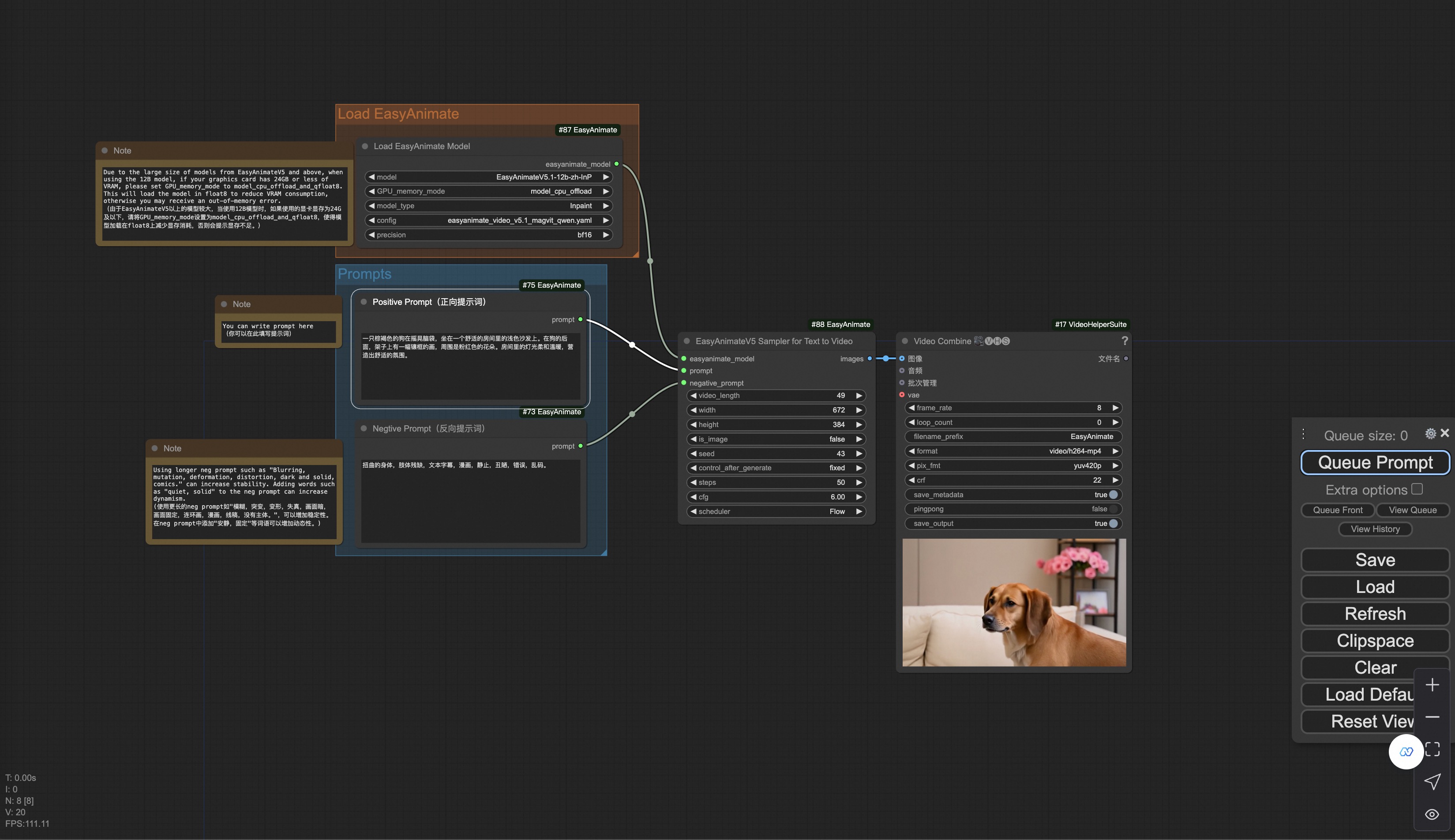
|
||||
|
||||
### Image to Video Generation
|
||||
Our user interface is shown as follows, this is the [json](https://pai-aigc-photog.oss-cn-hangzhou.aliyuncs.com/easyanimate/asset/v5.1/easyanimatev5.1_workflow_i2v.json):
|
||||
|
||||
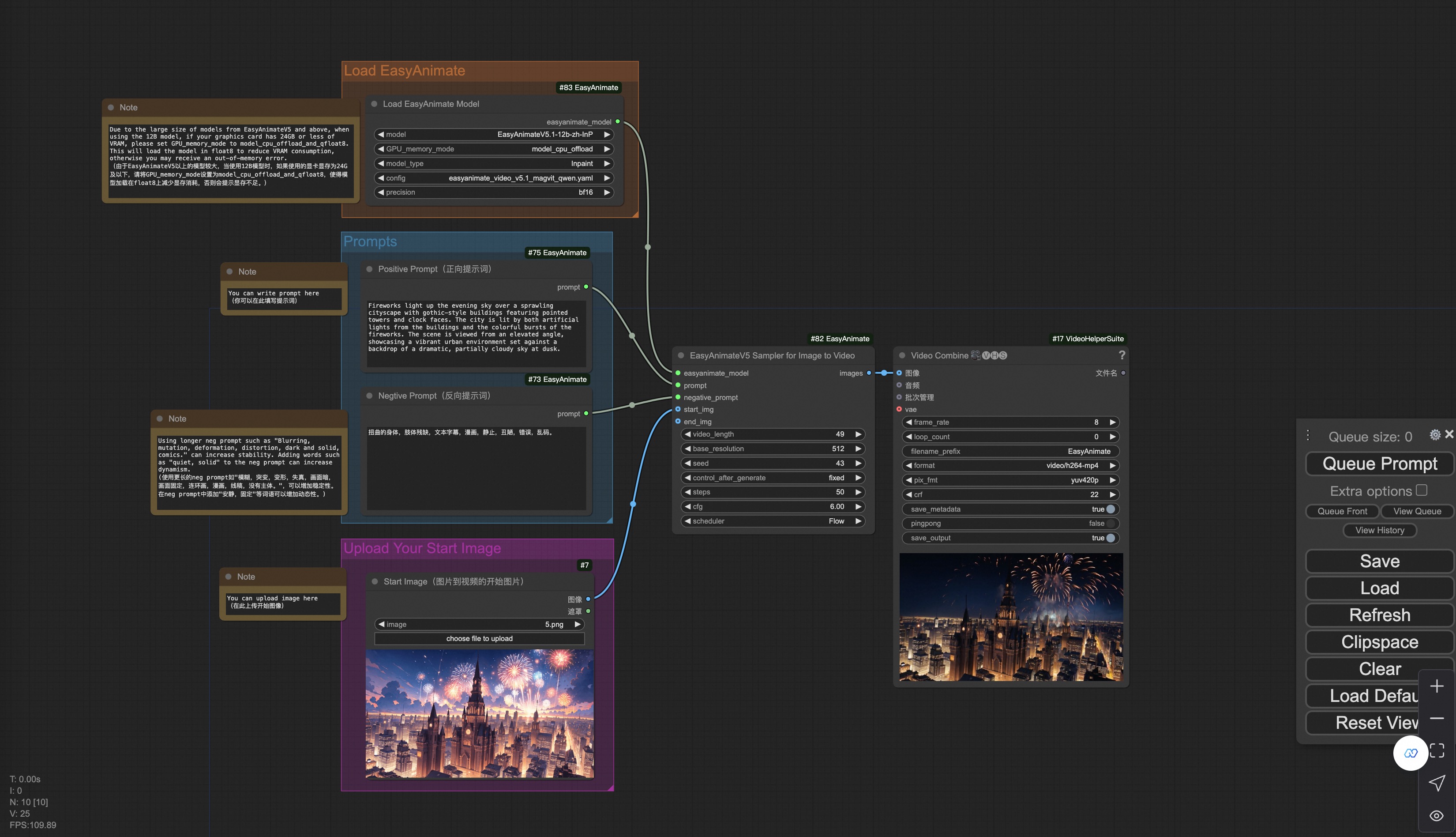
|
||||
|
||||
You can run a demo using the following photo:
|
||||
|
||||

|
||||
|
||||
### Video to Video Generation
|
||||
Our user interface is shown as follows, this is the [json](https://pai-aigc-photog.oss-cn-hangzhou.aliyuncs.com/easyanimate/asset/v5.1/easyanimatev5.1_workflow_v2v.json):
|
||||
|
||||
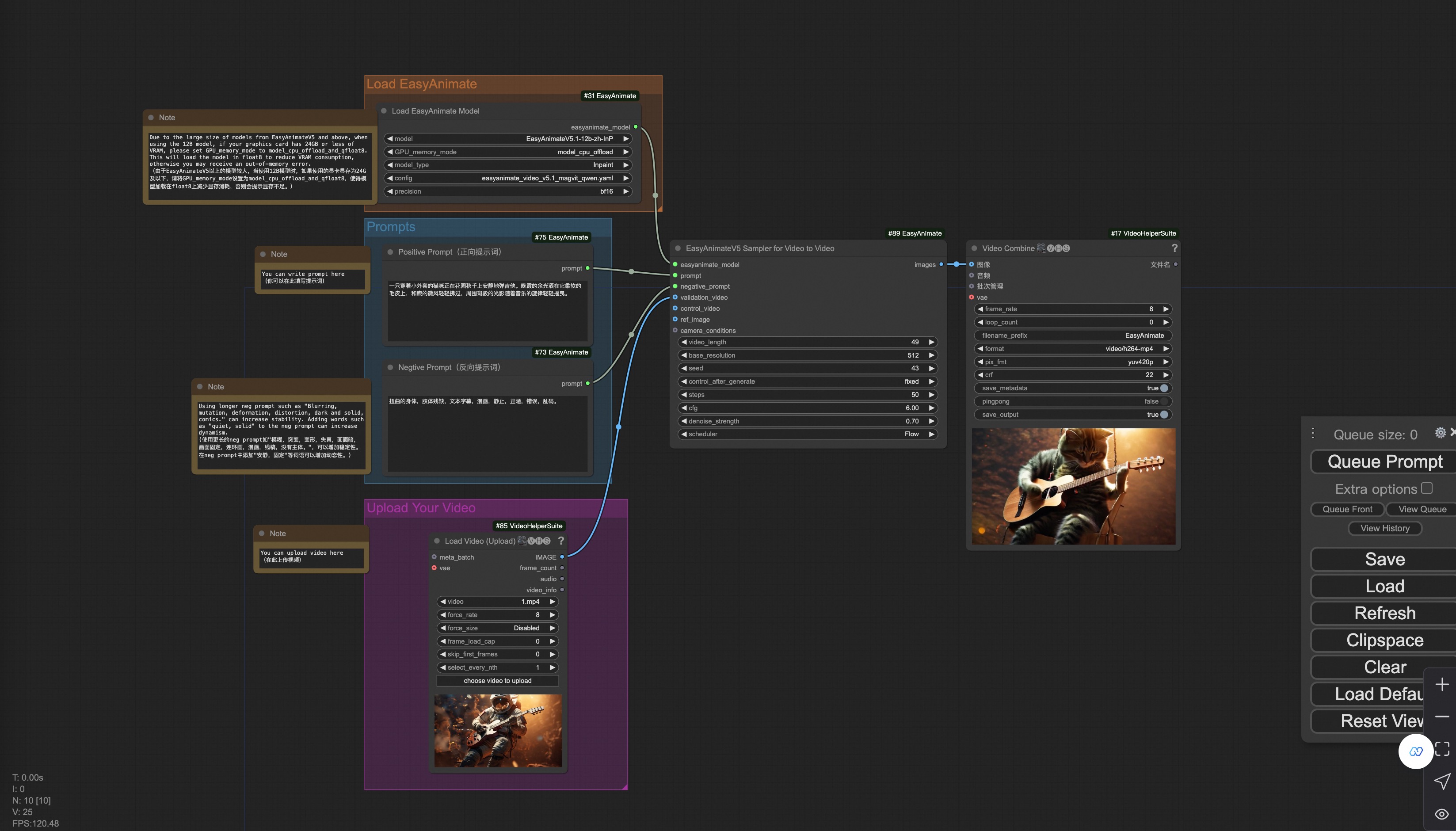
|
||||
|
||||
You can run a demo using the following video:
|
||||
|
||||
[Demo Video](https://pai-aigc-photog.oss-cn-hangzhou.aliyuncs.com/cogvideox_fun/asset/v1/play_guitar.mp4)
|
||||
|
||||
### Camera Control Video Generation
|
||||
Our user interface is shown as follows, this is the [json](https://pai-aigc-photog.oss-cn-hangzhou.aliyuncs.com/easyanimate/asset/v5.1/easyanimatev5.1_workflow_control_camera.json):
|
||||
|
||||
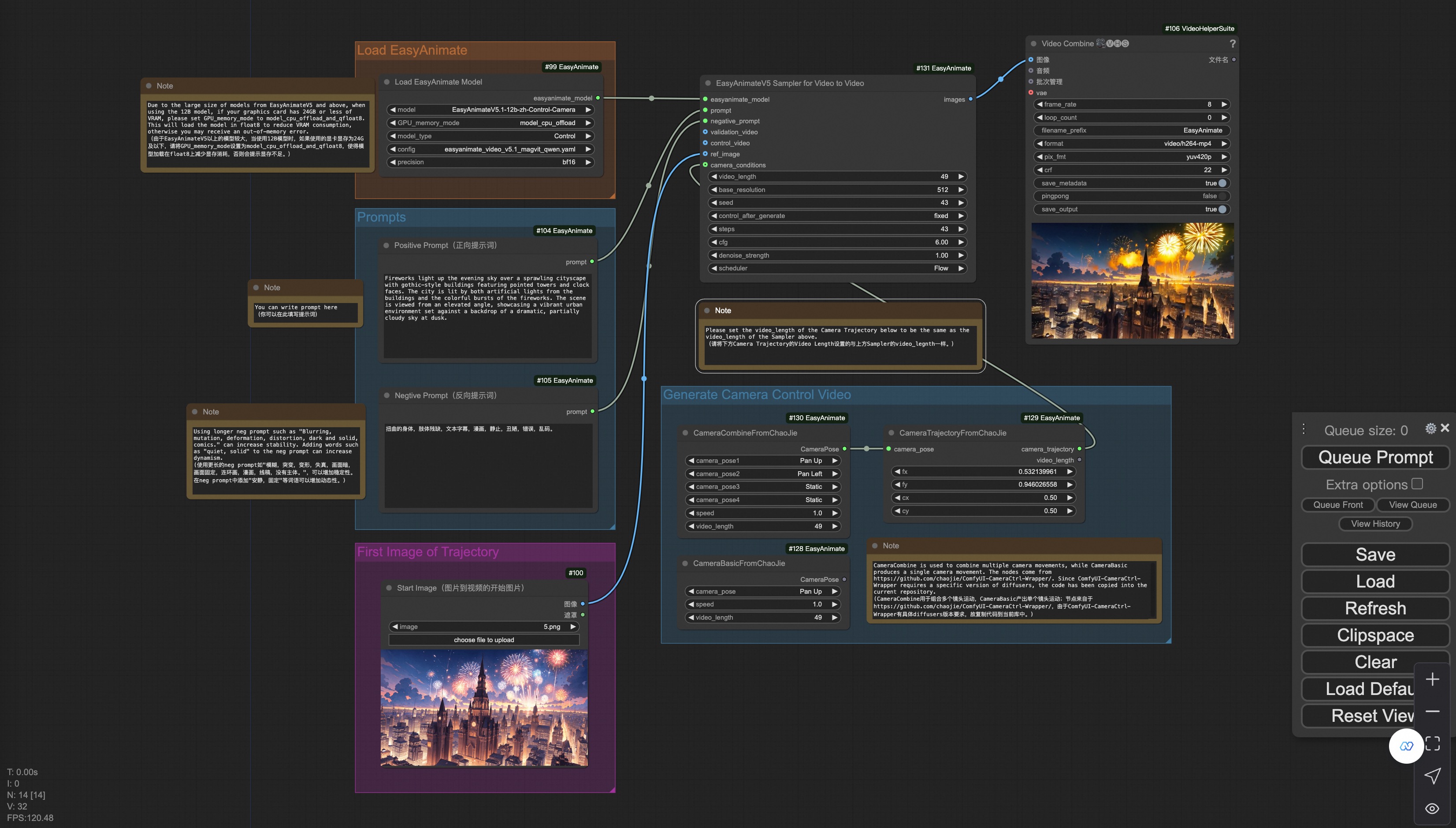
|
||||
|
||||
You can run a demo using the following photo:
|
||||
|
||||

|
||||
|
||||
### Trajectory Control Video Generation
|
||||
Our user interface is shown as follows, this is the [json](https://pai-aigc-photog.oss-cn-hangzhou.aliyuncs.com/easyanimate/asset/v5.1/easyanimatev5.1_workflow_control_trajectory.json):
|
||||
|
||||
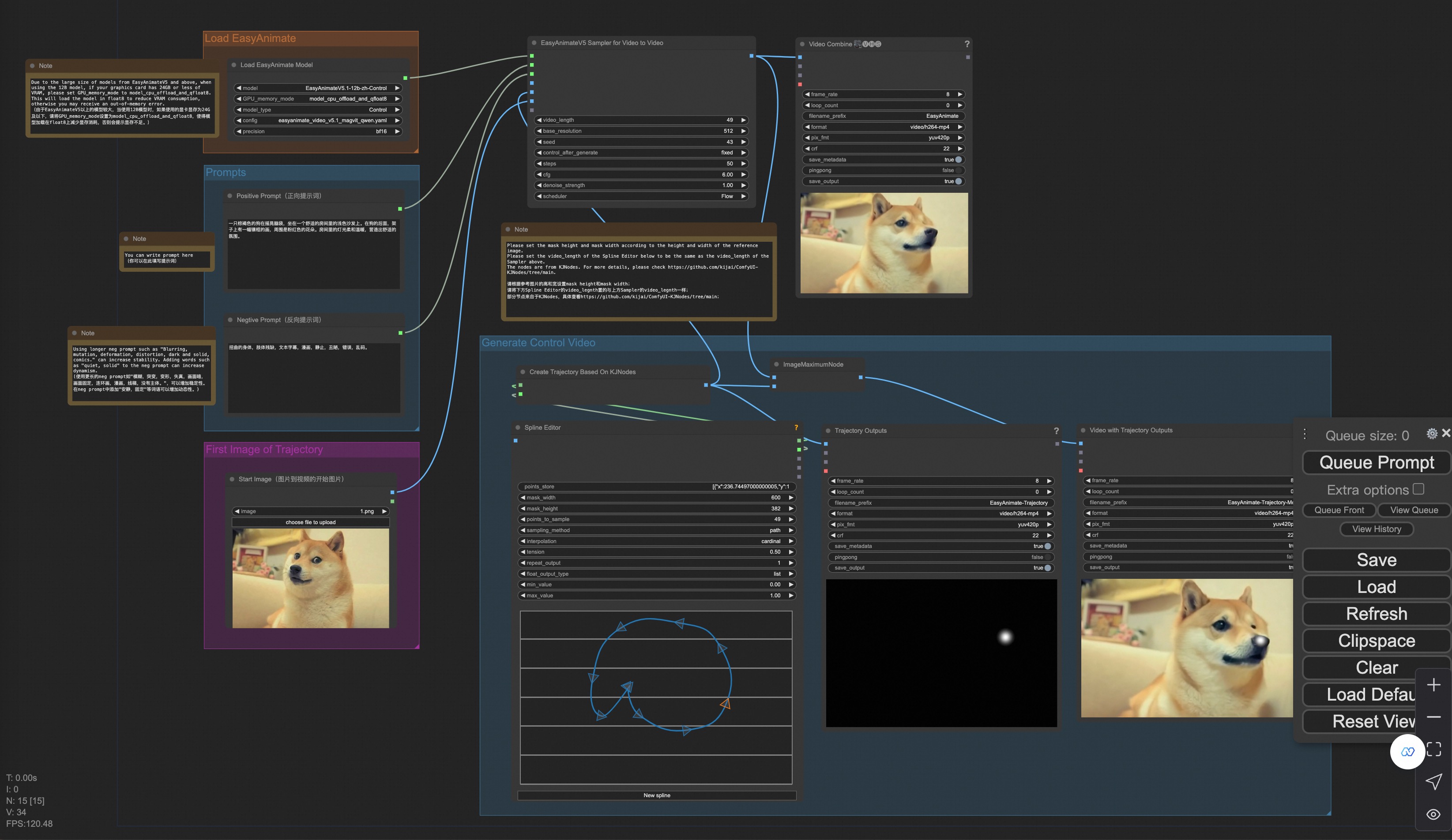
|
||||
|
||||
You can run a demo using the following photo:
|
||||
|
||||

|
||||
|
||||
### Control Video Generation
|
||||
Our user interface is shown as follows, this is the [json](https://pai-aigc-photog.oss-cn-hangzhou.aliyuncs.com/easyanimate/asset/v5/easyanimatev5.1_workflow_v2v_control.json):
|
||||
|
||||
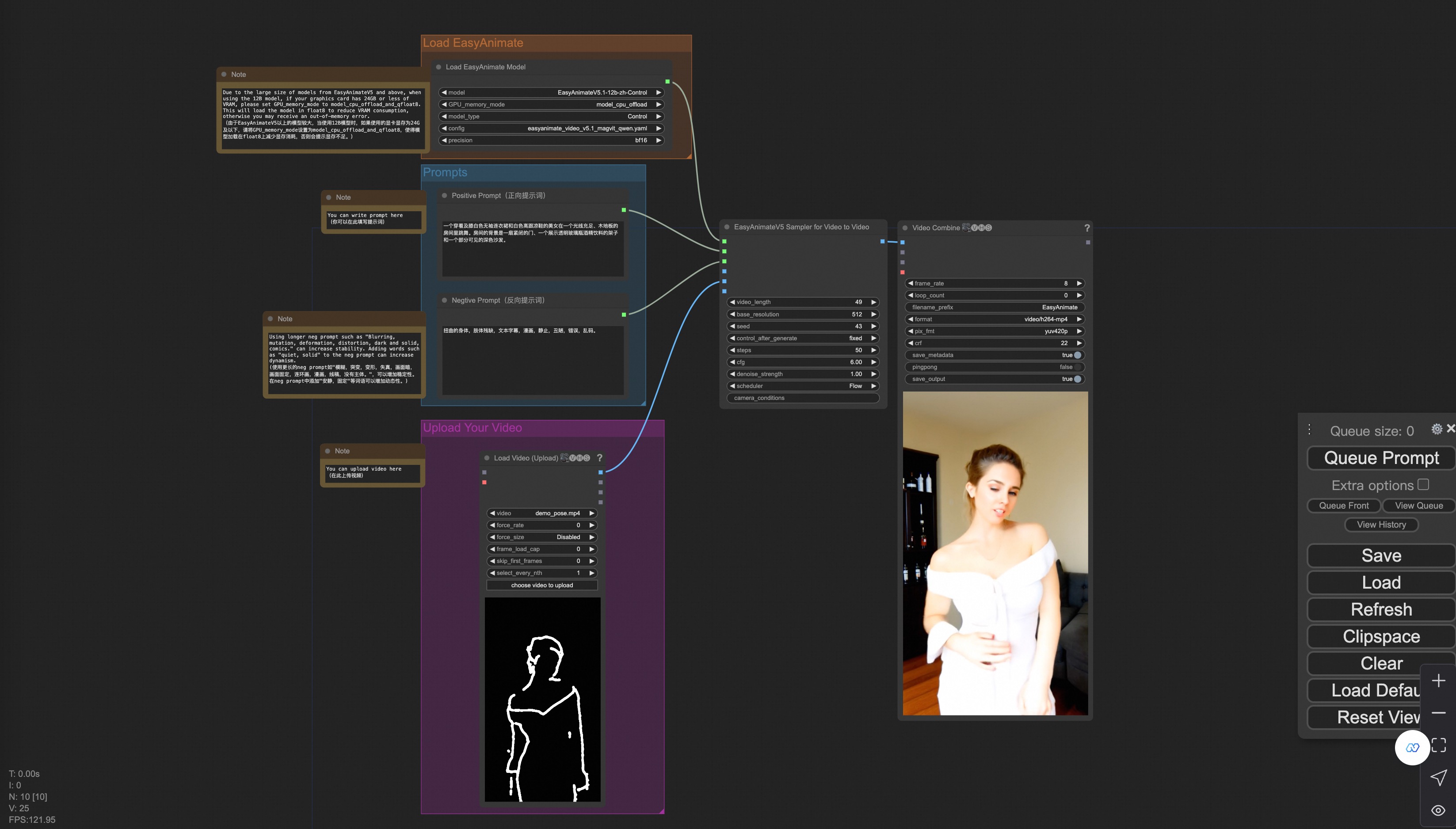
|
||||
|
||||
You can run a demo using the following video:
|
||||
|
||||
[Demo Video](https://pai-aigc-photog.oss-cn-hangzhou.aliyuncs.com/cogvideox_fun/asset/v1.1/pose.mp4)
|
||||
Executable
+155
@@ -0,0 +1,155 @@
|
||||
# ComfyUI EasyAnimate
|
||||
在ComfyUI中使用EasyAnimate!
|
||||
|
||||
[](https://arxiv.org/abs/2405.18991)
|
||||
[](https://easyanimate.github.io/)
|
||||
[](https://modelscope.cn/studios/PAI/EasyAnimate/summary)
|
||||
[](https://huggingface.co/spaces/alibaba-pai/EasyAnimate)
|
||||
|
||||
[English](./README.md) | 简体中文
|
||||
|
||||
- [安装](#安装)
|
||||
- [节点类型](#节点类型)
|
||||
- [示例工作流](#示例工作流)
|
||||
|
||||
## 安装
|
||||
### 选项1:通过ComfyUI管理器安装
|
||||

|
||||
|
||||
### 选项2:手动安装
|
||||
EasyAnimate存储库需要放置在`ComfyUI/custom_nodes/EasyAnimate/`。
|
||||
|
||||
```
|
||||
cd ComfyUI/custom_nodes/
|
||||
|
||||
# Git clone the easyanimate itself
|
||||
git clone https://github.com/aigc-apps/EasyAnimate.git
|
||||
|
||||
# Git clone the video outout node
|
||||
git clone https://github.com/Kosinkadink/ComfyUI-VideoHelperSuite.git
|
||||
git clone https://github.com/kijai/ComfyUI-KJNodes.git
|
||||
|
||||
cd EasyAnimate/
|
||||
pip install -r comfyui/requirements.txt
|
||||
```
|
||||
|
||||
## 将模型下载到`ComfyUI/models/EasyAnimate/`
|
||||
|
||||
EasyAnimateV5.1:
|
||||
|
||||
7B:
|
||||
| 名称 | 种类 | 存储空间 | Hugging Face | Model Scope | 描述 |
|
||||
|--|--|--|--|--|--|
|
||||
| EasyAnimateV5.1-7b-zh-InP | EasyAnimateV5.1 | 30 GB | [🤗Link](https://huggingface.co/alibaba-pai/EasyAnimateV5.1-7b-zh-InP) | [😄Link](https://modelscope.cn/models/PAI/EasyAnimateV5.1-7b-zh-InP)| 官方的图生视频权重。支持多分辨率(512,768,1024)的视频预测,支持多分辨率(512,768,1024)的视频预测,以49帧、每秒8帧进行训练,支持多语言预测 |
|
||||
| EasyAnimateV5.1-7b-zh-Control | EasyAnimateV5.1 | 30 GB | [🤗Link](https://huggingface.co/alibaba-pai/EasyAnimateV5.1-7b-zh-Control) | [😄Link](https://modelscope.cn/models/PAI/EasyAnimateV5.1-7b-zh-Control)| 官方的视频控制权重,支持不同的控制条件,如Canny、Depth、Pose、MLSD等,同时支持使用轨迹控制。支持多分辨率(512,768,1024)的视频预测,支持多分辨率(512,768,1024)的视频预测,以49帧、每秒8帧进行训练,支持多语言预测 |
|
||||
| EasyAnimateV5.1-7b-zh-Control-Camera | EasyAnimateV5.1 | 30 GB | [🤗Link](https://huggingface.co/alibaba-pai/EasyAnimateV5.1-7b-zh-Control-Camera) | [😄Link](https://modelscope.cn/models/PAI/EasyAnimateV5.1-7b-zh-Control-Camera)| 官方的视频相机控制权重,支持通过输入相机运动轨迹控制生成方向。支持多分辨率(512,768,1024)的视频预测,支持多分辨率(512,768,1024)的视频预测,以49帧、每秒8帧进行训练,支持多语言预测 |
|
||||
| EasyAnimateV5.1-7b-zh | EasyAnimateV5.1 | 30 GB | [🤗Link](https://huggingface.co/alibaba-pai/EasyAnimateV5.1-7b-zh) | [😄Link](https://modelscope.cn/models/PAI/EasyAnimateV5.1-7b-zh)| 官方的文生视频权重。支持多分辨率(512,768,1024)的视频预测,支持多分辨率(512,768,1024)的视频预测,以49帧、每秒8帧进行训练,支持多语言预测 |
|
||||
|
||||
12B:
|
||||
|名称|类型|存储空间|拥抱面|型号范围|描述|
|
||||
|--|--|--|--|--|--|
|
||||
|EasyAnimateV5.1-12b-zh-InP | EasyAnimateV5.1 | 39 GB |[🤗链接](https://huggingface.co/alibaba-pai/EasyAnimateV5.1-12b-zh-InP) | [😄链接](https://modelscope.cn/models/PAI/EasyAnimateV5.1-12b-zh-InP)|官方图像到视频权重。支持多种分辨率(5127681024)的视频预测,以每秒8帧的速度训练49帧,支持多语言预测|
|
||||
|EasyAnimateV5.1-12b-zh-控件| EasyAnimateV5.1 | 39 GB |[🤗链接](https://huggingface.co/alibaba-pai/EasyAnimateV5.1-12b-zh-Control) | [😄链接](https://modelscope.cn/models/PAI/EasyAnimateV5.1-12b-zh-Control)|官方视频控制权重,支持Canny、Depth、Pose、MLSD和轨迹控制等各种控制条件。支持多种分辨率(5127681024)的视频预测,以每秒8帧的速度训练49帧,支持多语言预测|
|
||||
|EasyAnimateV5.1-12b-zh-控制摄像头| EasyAnimateV5.1 | 39 GB |[🤗链接](https://huggingface.co/alibaba-pai/EasyAnimateV5.1-12b-zh-Control-Camera) | [😄链接](https://modelscope.cn/models/PAI/EasyAnimateV5.1-12b-zh-Control-Camera)|官方摄像机控制权重,支持通过输入摄像机运动轨迹进行方向生成控制。支持多种分辨率(5127681024)的视频预测,以每秒8帧的速度训练49帧,支持多语言预测|
|
||||
|EasyAnimateV5.1-12b-zh| EasyAnimateV5.1 | 39 GB |[🤗链接](https://huggingface.co/alibaba-pai/EasyAnimateV5.1-12b-zh) | [😄链接](https://modelscope.cn/models/PAI/EasyAnimateV5.1-12b-zh)|官方文本到视频权重。支持多种分辨率(5127681024)的视频预测,以每秒8帧的速度训练49帧,支持多语言预测|
|
||||
|
||||
<details>
|
||||
<summary>(Obsolete) EasyAnimateV5:</summary>
|
||||
|
||||
7B:
|
||||
| 名称 | 种类 | 存储空间 | Hugging Face | Model Scope | 描述 |
|
||||
|--|--|--|--|--|--|
|
||||
| EasyAnimateV5-7b-zh-InP | EasyAnimateV5 | 22 GB | [🤗Link](https://huggingface.co/alibaba-pai/EasyAnimateV5-7b-zh-InP) | [😄Link](https://modelscope.cn/models/PAI/EasyAnimateV5-7b-zh-InP)| 官方的7B图生视频权重。支持多分辨率(512,768,1024)的视频预测,支持多分辨率(512,768,1024)的视频预测,以49帧、每秒8帧进行训练,支持中文与英文双语预测 |
|
||||
| EasyAnimateV5-7b-zh | EasyAnimateV5 | 22 GB | [🤗Link](https://huggingface.co/alibaba-pai/EasyAnimateV5-7b-zh) | [😄Link](https://modelscope.cn/models/PAI/EasyAnimateV5-12b-zh)| 官方的7B文生视频权重。可用于进行下游任务的fientune。支持多分辨率(512,768,1024)的视频预测,支持多分辨率(512,768,1024)的视频预测,以49帧、每秒8帧进行训练,支持中文与英文双语预测 |
|
||||
| EasyAnimateV5-Reward-LoRAs | EasyAnimateV5 | - | [🤗Link](https://huggingface.co/alibaba-pai/EasyAnimateV5-Reward-LoRAs) | [😄Link](https://modelscope.cn/models/PAI/EasyAnimateV5-Reward-LoRAs) | 通过奖励反向传播技术,优化了EasyAnimateV5-12b生成的视频,以更好地匹配人类偏好|
|
||||
|
||||
12B:
|
||||
| 名称 | 种类 | 存储空间 | Hugging Face | Model Scope | 描述 |
|
||||
|--|--|--|--|--|--|
|
||||
| EasyAnimateV5-12b-zh-InP | EasyAnimateV5 | 34 GB | [🤗Link](https://huggingface.co/alibaba-pai/EasyAnimateV5-12b-zh-InP) | [😄Link](https://modelscope.cn/models/PAI/EasyAnimateV5-12b-zh-InP)| 官方的图生视频权重。支持多分辨率(512,768,1024)的视频预测,支持多分辨率(512,768,1024)的视频预测,以49帧、每秒8帧进行训练,支持中文与英文双语预测 |
|
||||
| EasyAnimateV5-12b-zh-Control | EasyAnimateV5 | 34 GB | [🤗Link](https://huggingface.co/alibaba-pai/EasyAnimateV5-12b-zh-Control) | [😄Link](https://modelscope.cn/models/PAI/EasyAnimateV5-12b-zh-Control)| 官方的视频控制权重,支持不同的控制条件,如Canny、Depth、Pose、MLSD等。支持多分辨率(512,768,1024)的视频预测,支持多分辨率(512,768,1024)的视频预测,以49帧、每秒8帧进行训练,支持中文与英文双语预测 |
|
||||
| EasyAnimateV5-12b-zh | EasyAnimateV5 | 34 GB | [🤗Link](https://huggingface.co/alibaba-pai/EasyAnimateV5-12b-zh) | [😄Link](https://modelscope.cn/models/PAI/EasyAnimateV5-12b-zh)| 官方的文生视频权重。可用于进行下游任务的fientune。支持多分辨率(512,768,1024)的视频预测,支持多分辨率(512,768,1024)的视频预测,以49帧、每秒8帧进行训练,支持中文与英文双语预测 |
|
||||
| EasyAnimateV5-Reward-LoRAs | EasyAnimateV5 | - | [🤗Link](https://huggingface.co/alibaba-pai/EasyAnimateV5-Reward-LoRAs) | [😄Link](https://modelscope.cn/models/PAI/EasyAnimateV5-Reward-LoRAs) | 通过奖励反向传播技术,优化了EasyAnimateV5-12b生成的视频,以更好地匹配人类偏好|
|
||||
</details>
|
||||
|
||||
<details>
|
||||
<summary>(Obsolete) EasyAnimateV4:</summary>
|
||||
|
||||
| 名称 | 种类 | 存储空间 | Hugging Face | Model Scope | 描述 |
|
||||
|--|--|--|--|--|--|
|
||||
| EasyAnimateV4-XL-2-InP | EasyAnimateV4 | 解压前 8.9 GB / 解压后 14.0 GB | [🤗Link](https://huggingface.co/alibaba-pai/EasyAnimateV4-XL-2-InP)| [😄Link](https://modelscope.cn/models/PAI/EasyAnimateV4-XL-2-InP)| 官方的图生视频权重。支持多分辨率(512,768,1024,1280)的视频预测,以144帧、每秒24帧进行训练 |
|
||||
</details>
|
||||
|
||||
<details>
|
||||
<summary>(Obsolete) EasyAnimateV3:</summary>
|
||||
|
||||
| 名称 | 种类 | 存储空间 | Hugging Face | Model Scope | 描述 |
|
||||
|--|--|--|--|--|--|
|
||||
| EasyAnimateV3-XL-2-InP-512x512 | EasyAnimateV3 | 18.2GB| [🤗Link](https://huggingface.co/alibaba-pai/EasyAnimateV3-XL-2-InP-512x512)| [😄Link](https://modelscope.cn/models/PAI/EasyAnimateV3-XL-2-InP-512x512)| 官方的512x512分辨率的图生视频权重。以144帧、每秒24帧进行训练 |
|
||||
| EasyAnimateV3-XL-2-InP-768x768 | EasyAnimateV3 | 18.2GB | [🤗Link](https://huggingface.co/alibaba-pai/EasyAnimateV3-XL-2-InP-768x768) | [😄Link](https://modelscope.cn/models/PAI/EasyAnimateV3-XL-2-InP-768x768)| 官方的768x768分辨率的图生视频权重。以144帧、每秒24帧进行训练 |
|
||||
| EasyAnimateV3-XL-2-InP-960x960 | EasyAnimateV3 | 18.2GB | [🤗Link](https://huggingface.co/alibaba-pai/EasyAnimateV3-XL-2-InP-960x960) | [😄Link](https://modelscope.cn/models/PAI/EasyAnimateV3-XL-2-InP-960x960)| 官方的960x960(720P)分辨率的图生视频权重。以144帧、每秒24帧进行训练 |
|
||||
</details>
|
||||
|
||||
## 节点类型
|
||||
- **LoadEasyAnimateModel**
|
||||
- 加载EasyAnimate模型
|
||||
- **EasyAnimate_TextBox**
|
||||
- 编写EasyAnimate模型的提示词
|
||||
- **EasyAnimateI2VSampler**
|
||||
- EasyAnimate图像到视频采样节点
|
||||
- **EasyAnimateT2VSampler**
|
||||
- EasyAnimate文本到视频采样节点
|
||||
- **EasyAnimateV2VSampler**
|
||||
- EasyAnimate视频到视频采样节点
|
||||
|
||||
## 示例工作流
|
||||
|
||||
### 文本到视频生成
|
||||
我们的用户界面显示如下,这是[json](https://pai-aigc-photog.oss-cn-hangzhou.aliyuncs.com/easyanimate/asset/v5.1/easyanimatev5.1_workflow_t2v.json):
|
||||
|
||||

|
||||
|
||||
### 图像到视频生成
|
||||
我们的用户界面显示如下,这是[json](https://pai-aigc-photog.oss-cn-hangzhou.aliyuncs.com/easyanimate/asset/v5.1/easyanimatev5.1_workflow_i2v.json):
|
||||
|
||||

|
||||
|
||||
您可以使用以下照片运行演示:
|
||||
|
||||

|
||||
|
||||
### 视频到视频生成
|
||||
我们的用户界面显示如下,这是[json](https://pai-aigc-photog.oss-cn-hangzhou.aliyuncs.com/easyanimate/asset/v5.1/easyanimatev5.1_workflow_v2v.json):
|
||||
|
||||

|
||||
|
||||
您可以使用以下视频运行演示:
|
||||
|
||||
[演示视频](https://pai-aigc-photog.oss-cn-hangzhou.aliyuncs.com/cogvideox_fun/asset/v1/play_guitar.mp4)
|
||||
|
||||
### 镜头控制视频生成
|
||||
我们的用户界面显示如下,这是[json](https://pai-aigc-photog.oss-cn-hangzhou.aliyuncs.com/easyanimate/asset/v5.1/easyanimatev5.1_workflow_control_camera.json):
|
||||
|
||||

|
||||
|
||||
您可以使用以下照片运行演示:
|
||||
|
||||

|
||||
|
||||
### 轨迹控制视频生成
|
||||
我们的用户界面显示如下,这是[json](https://pai-aigc-photog.oss-cn-hangzhou.aliyuncs.com/easyanimate/asset/v5.1/easyanimatev5.1_workflow_control_trajectory.json):
|
||||
|
||||

|
||||
|
||||
您可以使用以下照片运行演示:
|
||||
|
||||

|
||||
|
||||
### 控制视频生成
|
||||
我们的用户界面显示如下,这是[json](https://pai-aigc-photog.oss-cn-hangzhou.aliyuncs.com/easyanimate/asset/v5/easyanimatev5.1_workflow_v2v_control.json):
|
||||
|
||||

|
||||
|
||||
您可以使用以下视频运行演示:
|
||||
|
||||
[演示视频](https://pai-aigc-photog.oss-cn-hangzhou.aliyuncs.com/cogvideox_fun/asset/v1.1/pose.mp4)
|
||||
Executable
+1315
File diff suppressed because it is too large
Load Diff
@@ -0,0 +1,26 @@
|
||||
Pillow
|
||||
einops
|
||||
safetensors
|
||||
timm
|
||||
tomesd
|
||||
torch>=2.1.2
|
||||
torchdiffeq
|
||||
torchsde
|
||||
decord
|
||||
datasets
|
||||
numpy
|
||||
scikit-image
|
||||
opencv-python
|
||||
omegaconf
|
||||
SentencePiece
|
||||
albumentations
|
||||
imageio[ffmpeg]
|
||||
imageio[pyav]
|
||||
tensorboard
|
||||
beautifulsoup4
|
||||
ftfy
|
||||
func_timeout
|
||||
accelerate>=0.25.0
|
||||
gradio>=3.41.2,<=3.48.0
|
||||
diffusers>=0.30.1
|
||||
transformers>=4.37.2
|
||||
@@ -0,0 +1,80 @@
|
||||
"""Modified from https://github.com/chaojie/ComfyUI-CameraCtrl-Wrapper/blob/main/camera_utils.py
|
||||
"""
|
||||
import copy
|
||||
import numpy as np
|
||||
|
||||
CAMERA = {
|
||||
# T
|
||||
"base_T_norm": 1.5,
|
||||
"base_angle": np.pi/3,
|
||||
|
||||
"Static": { "angle":[0., 0., 0.], "T":[0., 0., 0.]},
|
||||
"Pan Up": { "angle":[0., 0., 0.], "T":[0., 1., 0.]},
|
||||
"Pan Down": { "angle":[0., 0., 0.], "T":[0.,-1.,0.]},
|
||||
"Pan Left": { "angle":[0., 0., 0.], "T":[1.,0.,0.]},
|
||||
"Pan Right": { "angle":[0., 0., 0.], "T": [-1.,0.,0.]},
|
||||
"Zoom In": { "angle":[0., 0., 0.], "T": [0.,0.,-2.]},
|
||||
"Zoom Out": { "angle":[0., 0., 0.], "T": [0.,0.,2.]},
|
||||
"ACW": { "angle": [0., 0., 1.], "T":[0., 0., 0.]},
|
||||
"CW": { "angle": [0., 0., -1.], "T":[0., 0., 0.]},
|
||||
}
|
||||
|
||||
def compute_R_form_rad_angle(angles):
|
||||
theta_x, theta_y, theta_z = angles
|
||||
Rx = np.array([[1, 0, 0],
|
||||
[0, np.cos(theta_x), -np.sin(theta_x)],
|
||||
[0, np.sin(theta_x), np.cos(theta_x)]])
|
||||
|
||||
Ry = np.array([[np.cos(theta_y), 0, np.sin(theta_y)],
|
||||
[0, 1, 0],
|
||||
[-np.sin(theta_y), 0, np.cos(theta_y)]])
|
||||
|
||||
Rz = np.array([[np.cos(theta_z), -np.sin(theta_z), 0],
|
||||
[np.sin(theta_z), np.cos(theta_z), 0],
|
||||
[0, 0, 1]])
|
||||
|
||||
# 计算相机外参的旋转矩阵
|
||||
R = np.dot(Rz, np.dot(Ry, Rx))
|
||||
return R
|
||||
|
||||
def get_camera_motion(angle, T, speed, n=16):
|
||||
RT = []
|
||||
for i in range(n):
|
||||
_angle = (i/n)*speed*(CAMERA["base_angle"])*angle
|
||||
R = compute_R_form_rad_angle(_angle)
|
||||
# _T = (i/n)*speed*(T.reshape(3,1))
|
||||
_T=(i/n)*speed*(CAMERA["base_T_norm"])*(T.reshape(3,1))
|
||||
_RT = np.concatenate([R,_T], axis=1)
|
||||
RT.append(_RT)
|
||||
RT = np.stack(RT)
|
||||
return RT
|
||||
|
||||
def create_relative(RT_list, K_1=4.7, dataset="syn"):
|
||||
RT = copy.deepcopy(RT_list[0])
|
||||
R_inv = RT[:,:3].T
|
||||
T = RT[:,-1]
|
||||
|
||||
temp = []
|
||||
for _RT in RT_list:
|
||||
_RT[:,:3] = np.dot(_RT[:,:3], R_inv)
|
||||
_RT[:,-1] = _RT[:,-1] - np.dot(_RT[:,:3], T)
|
||||
temp.append(_RT)
|
||||
RT_list = temp
|
||||
|
||||
return RT_list
|
||||
|
||||
def combine_camera_motion(RT_0, RT_1):
|
||||
RT = copy.deepcopy(RT_0[-1])
|
||||
R = RT[:,:3]
|
||||
R_inv = RT[:,:3].T
|
||||
T = RT[:,-1]
|
||||
|
||||
temp = []
|
||||
for _RT in RT_1:
|
||||
_RT[:,:3] = np.dot(_RT[:,:3], R)
|
||||
_RT[:,-1] = _RT[:,-1] + np.dot(np.dot(_RT[:,:3], R_inv), T)
|
||||
temp.append(_RT)
|
||||
|
||||
RT_1 = np.stack(temp)
|
||||
|
||||
return np.concatenate([RT_0, RT_1], axis=0)
|
||||
@@ -0,0 +1,473 @@
|
||||
{
|
||||
"last_node_id": 81,
|
||||
"last_link_id": 41,
|
||||
"nodes": [
|
||||
{
|
||||
"id": 73,
|
||||
"type": "EasyAnimate_TextBox",
|
||||
"pos": [
|
||||
250,
|
||||
160
|
||||
],
|
||||
"size": {
|
||||
"0": 383.7149963378906,
|
||||
"1": 183.83506774902344
|
||||
},
|
||||
"flags": {},
|
||||
"order": 0,
|
||||
"mode": 0,
|
||||
"outputs": [
|
||||
{
|
||||
"name": "prompt",
|
||||
"type": "STRING_PROMPT",
|
||||
"links": [
|
||||
38
|
||||
],
|
||||
"shape": 3,
|
||||
"slot_index": 0
|
||||
}
|
||||
],
|
||||
"title": "Negtive Prompt(反向提示词)",
|
||||
"properties": {
|
||||
"Node name for S&R": "EasyAnimate_TextBox"
|
||||
},
|
||||
"widgets_values": [
|
||||
"The video is not of a high quality, it has a low resolution, and the audio quality is not clear. Strange motion trajectory, a poor composition and deformed video, low resolution, duplicate and ugly, strange body structure, long and strange neck, bad teeth, bad eyes, bad limbs, bad hands, rotating camera, blurry camera, shaking camera. Deformation, low-resolution, blurry, ugly, distortion."
|
||||
]
|
||||
},
|
||||
{
|
||||
"id": 7,
|
||||
"type": "LoadImage",
|
||||
"pos": [
|
||||
258.76883544921907,
|
||||
468.15773315429715
|
||||
],
|
||||
"size": [
|
||||
378.07147216796875,
|
||||
314.0000114440918
|
||||
],
|
||||
"flags": {},
|
||||
"order": 1,
|
||||
"mode": 0,
|
||||
"outputs": [
|
||||
{
|
||||
"name": "IMAGE",
|
||||
"type": "IMAGE",
|
||||
"links": [
|
||||
39
|
||||
],
|
||||
"shape": 3,
|
||||
"label": "图像",
|
||||
"slot_index": 0
|
||||
},
|
||||
{
|
||||
"name": "MASK",
|
||||
"type": "MASK",
|
||||
"links": null,
|
||||
"shape": 3,
|
||||
"label": "遮罩"
|
||||
}
|
||||
],
|
||||
"title": "Start Image(图片到视频的开始图片)",
|
||||
"properties": {
|
||||
"Node name for S&R": "LoadImage"
|
||||
},
|
||||
"widgets_values": [
|
||||
"firework.png",
|
||||
"image"
|
||||
]
|
||||
},
|
||||
{
|
||||
"id": 79,
|
||||
"type": "Note",
|
||||
"pos": [
|
||||
16,
|
||||
460
|
||||
],
|
||||
"size": {
|
||||
"0": 210,
|
||||
"1": 58
|
||||
},
|
||||
"flags": {},
|
||||
"order": 2,
|
||||
"mode": 0,
|
||||
"properties": {
|
||||
"text": ""
|
||||
},
|
||||
"widgets_values": [
|
||||
"You can upload image here\n(在此上传开始图像)"
|
||||
],
|
||||
"color": "#432",
|
||||
"bgcolor": "#653"
|
||||
},
|
||||
{
|
||||
"id": 80,
|
||||
"type": "Note",
|
||||
"pos": [
|
||||
19.81457666015625,
|
||||
-307.8177917480467
|
||||
],
|
||||
"size": {
|
||||
"0": 210,
|
||||
"1": 66.98204040527344
|
||||
},
|
||||
"flags": {},
|
||||
"order": 3,
|
||||
"mode": 0,
|
||||
"properties": {
|
||||
"text": ""
|
||||
},
|
||||
"widgets_values": [
|
||||
"Load model here\n(在此选择要使用的模型)"
|
||||
],
|
||||
"color": "#432",
|
||||
"bgcolor": "#653"
|
||||
},
|
||||
{
|
||||
"id": 78,
|
||||
"type": "Note",
|
||||
"pos": [
|
||||
18,
|
||||
-46
|
||||
],
|
||||
"size": {
|
||||
"0": 210,
|
||||
"1": 58
|
||||
},
|
||||
"flags": {},
|
||||
"order": 4,
|
||||
"mode": 0,
|
||||
"properties": {
|
||||
"text": ""
|
||||
},
|
||||
"widgets_values": [
|
||||
"You can write prompt here\n(你可以在此填写提示词)"
|
||||
],
|
||||
"color": "#432",
|
||||
"bgcolor": "#653"
|
||||
},
|
||||
{
|
||||
"id": 81,
|
||||
"type": "Note",
|
||||
"pos": [
|
||||
789,
|
||||
425
|
||||
],
|
||||
"size": {
|
||||
"0": 248.36927795410156,
|
||||
"1": 87.05973815917969
|
||||
},
|
||||
"flags": {},
|
||||
"order": 5,
|
||||
"mode": 0,
|
||||
"properties": {
|
||||
"text": ""
|
||||
},
|
||||
"widgets_values": [
|
||||
"Pay attention to selecting a base length that is compatible with the model\n(注意选择和模型相兼容的base length)"
|
||||
],
|
||||
"color": "#432",
|
||||
"bgcolor": "#653"
|
||||
},
|
||||
{
|
||||
"id": 72,
|
||||
"type": "EasyAnimateI2VSampler",
|
||||
"pos": [
|
||||
761,
|
||||
93
|
||||
],
|
||||
"size": {
|
||||
"0": 319.20001220703125,
|
||||
"1": 282
|
||||
},
|
||||
"flags": {},
|
||||
"order": 8,
|
||||
"mode": 0,
|
||||
"inputs": [
|
||||
{
|
||||
"name": "easyanimate_model",
|
||||
"type": "EASYANIMATESMODEL",
|
||||
"link": 35
|
||||
},
|
||||
{
|
||||
"name": "prompt",
|
||||
"type": "STRING_PROMPT",
|
||||
"link": 37
|
||||
},
|
||||
{
|
||||
"name": "negative_prompt",
|
||||
"type": "STRING_PROMPT",
|
||||
"link": 38
|
||||
},
|
||||
{
|
||||
"name": "start_img",
|
||||
"type": "IMAGE",
|
||||
"link": 39
|
||||
},
|
||||
{
|
||||
"name": "end_img",
|
||||
"type": "IMAGE",
|
||||
"link": null
|
||||
}
|
||||
],
|
||||
"outputs": [
|
||||
{
|
||||
"name": "images",
|
||||
"type": "IMAGE",
|
||||
"links": [
|
||||
40
|
||||
],
|
||||
"shape": 3
|
||||
}
|
||||
],
|
||||
"properties": {
|
||||
"Node name for S&R": "EasyAnimateI2VSampler"
|
||||
},
|
||||
"widgets_values": [
|
||||
72,
|
||||
768,
|
||||
43,
|
||||
"fixed",
|
||||
25,
|
||||
7,
|
||||
"Euler"
|
||||
]
|
||||
},
|
||||
{
|
||||
"id": 17,
|
||||
"type": "VHS_VideoCombine",
|
||||
"pos": [
|
||||
1134,
|
||||
93
|
||||
],
|
||||
"size": [
|
||||
390.9534912109375,
|
||||
535.9734235491071
|
||||
],
|
||||
"flags": {},
|
||||
"order": 9,
|
||||
"mode": 0,
|
||||
"inputs": [
|
||||
{
|
||||
"name": "images",
|
||||
"type": "IMAGE",
|
||||
"link": 40,
|
||||
"label": "图像",
|
||||
"slot_index": 0
|
||||
},
|
||||
{
|
||||
"name": "audio",
|
||||
"type": "VHS_AUDIO",
|
||||
"link": null,
|
||||
"label": "音频"
|
||||
},
|
||||
{
|
||||
"name": "meta_batch",
|
||||
"type": "VHS_BatchManager",
|
||||
"link": null,
|
||||
"label": "批次管理"
|
||||
},
|
||||
{
|
||||
"name": "vae",
|
||||
"type": "VAE",
|
||||
"link": null
|
||||
}
|
||||
],
|
||||
"outputs": [
|
||||
{
|
||||
"name": "Filenames",
|
||||
"type": "VHS_FILENAMES",
|
||||
"links": null,
|
||||
"shape": 3,
|
||||
"label": "文件名",
|
||||
"slot_index": 0
|
||||
}
|
||||
],
|
||||
"properties": {
|
||||
"Node name for S&R": "VHS_VideoCombine"
|
||||
},
|
||||
"widgets_values": {
|
||||
"frame_rate": 24,
|
||||
"loop_count": 0,
|
||||
"filename_prefix": "EasyAnimate",
|
||||
"format": "video/h264-mp4",
|
||||
"pix_fmt": "yuv420p",
|
||||
"crf": 22,
|
||||
"save_metadata": true,
|
||||
"pingpong": false,
|
||||
"save_output": true,
|
||||
"videopreview": {
|
||||
"hidden": false,
|
||||
"paused": false,
|
||||
"params": {
|
||||
"filename": "EasyAnimate_00049.mp4",
|
||||
"subfolder": "",
|
||||
"type": "output",
|
||||
"format": "video/h264-mp4",
|
||||
"frame_rate": 24
|
||||
}
|
||||
}
|
||||
}
|
||||
},
|
||||
{
|
||||
"id": 75,
|
||||
"type": "EasyAnimate_TextBox",
|
||||
"pos": [
|
||||
250,
|
||||
-50
|
||||
],
|
||||
"size": {
|
||||
"0": 383.54010009765625,
|
||||
"1": 156.71620178222656
|
||||
},
|
||||
"flags": {},
|
||||
"order": 6,
|
||||
"mode": 0,
|
||||
"outputs": [
|
||||
{
|
||||
"name": "prompt",
|
||||
"type": "STRING_PROMPT",
|
||||
"links": [
|
||||
37
|
||||
],
|
||||
"shape": 3,
|
||||
"slot_index": 0
|
||||
}
|
||||
],
|
||||
"title": "Positive Prompt(正向提示词)",
|
||||
"properties": {
|
||||
"Node name for S&R": "EasyAnimate_TextBox"
|
||||
},
|
||||
"widgets_values": [
|
||||
"fireworks display over night city. The video is of high quality, and the view is very clear. High quality, masterpiece, best quality, highres, ultra-detailed, fantastic. "
|
||||
]
|
||||
},
|
||||
{
|
||||
"id": 31,
|
||||
"type": "LoadEasyAnimateModel",
|
||||
"pos": [
|
||||
239.81457666015626,
|
||||
-307.8177917480467
|
||||
],
|
||||
"size": {
|
||||
"0": 422.3550720214844,
|
||||
"1": 154
|
||||
},
|
||||
"flags": {},
|
||||
"order": 7,
|
||||
"mode": 0,
|
||||
"outputs": [
|
||||
{
|
||||
"name": "easyanimate_model",
|
||||
"type": "EASYANIMATESMODEL",
|
||||
"links": [
|
||||
35
|
||||
],
|
||||
"shape": 3,
|
||||
"slot_index": 0
|
||||
}
|
||||
],
|
||||
"properties": {
|
||||
"Node name for S&R": "LoadEasyAnimateModel"
|
||||
},
|
||||
"widgets_values": [
|
||||
"EasyAnimateV3-XL-2-InP-768x768",
|
||||
"model_cpu_offload",
|
||||
"Inpaint",
|
||||
"easyanimate_video_v3_slicevae_motion_module.yaml",
|
||||
"bf16"
|
||||
]
|
||||
}
|
||||
],
|
||||
"links": [
|
||||
[
|
||||
35,
|
||||
31,
|
||||
0,
|
||||
72,
|
||||
0,
|
||||
"EASYANIMATESMODEL"
|
||||
],
|
||||
[
|
||||
37,
|
||||
75,
|
||||
0,
|
||||
72,
|
||||
1,
|
||||
"STRING_PROMPT"
|
||||
],
|
||||
[
|
||||
38,
|
||||
73,
|
||||
0,
|
||||
72,
|
||||
2,
|
||||
"STRING_PROMPT"
|
||||
],
|
||||
[
|
||||
39,
|
||||
7,
|
||||
0,
|
||||
72,
|
||||
3,
|
||||
"IMAGE"
|
||||
],
|
||||
[
|
||||
40,
|
||||
72,
|
||||
0,
|
||||
17,
|
||||
0,
|
||||
"IMAGE"
|
||||
]
|
||||
],
|
||||
"groups": [
|
||||
{
|
||||
"title": "Prompts",
|
||||
"bounding": [
|
||||
218,
|
||||
-127,
|
||||
450,
|
||||
483
|
||||
],
|
||||
"color": "#3f789e",
|
||||
"font_size": 24
|
||||
},
|
||||
{
|
||||
"title": "Load EasyAnimate",
|
||||
"bounding": [
|
||||
220,
|
||||
-388,
|
||||
474,
|
||||
240
|
||||
],
|
||||
"color": "#b06634",
|
||||
"font_size": 24
|
||||
},
|
||||
{
|
||||
"title": "Upload Your Start Image",
|
||||
"bounding": [
|
||||
218,
|
||||
382,
|
||||
452,
|
||||
418
|
||||
],
|
||||
"color": "#a1309b",
|
||||
"font_size": 24
|
||||
}
|
||||
],
|
||||
"config": {},
|
||||
"extra": {
|
||||
"ds": {
|
||||
"scale": 0.7513148009015778,
|
||||
"offset": [
|
||||
270.9692117199942,
|
||||
417.3951463953461
|
||||
]
|
||||
},
|
||||
"workspace_info": {
|
||||
"id": "776b62b4-bd17-4ed3-9923-b7aad000b1ea"
|
||||
}
|
||||
},
|
||||
"version": 0.4
|
||||
}
|
||||
@@ -0,0 +1,383 @@
|
||||
{
|
||||
"last_node_id": 85,
|
||||
"last_link_id": 48,
|
||||
"nodes": [
|
||||
{
|
||||
"id": 80,
|
||||
"type": "Note",
|
||||
"pos": [
|
||||
20,
|
||||
-300
|
||||
],
|
||||
"size": {
|
||||
"0": 210,
|
||||
"1": 66.98204040527344
|
||||
},
|
||||
"flags": {},
|
||||
"order": 0,
|
||||
"mode": 0,
|
||||
"properties": {
|
||||
"text": ""
|
||||
},
|
||||
"widgets_values": [
|
||||
"Load model here\n(在此选择要使用的模型)"
|
||||
],
|
||||
"color": "#432",
|
||||
"bgcolor": "#653"
|
||||
},
|
||||
{
|
||||
"id": 78,
|
||||
"type": "Note",
|
||||
"pos": [
|
||||
18,
|
||||
-46
|
||||
],
|
||||
"size": {
|
||||
"0": 210,
|
||||
"1": 58
|
||||
},
|
||||
"flags": {},
|
||||
"order": 1,
|
||||
"mode": 0,
|
||||
"properties": {
|
||||
"text": ""
|
||||
},
|
||||
"widgets_values": [
|
||||
"You can write prompt here\n(你可以在此填写提示词)"
|
||||
],
|
||||
"color": "#432",
|
||||
"bgcolor": "#653"
|
||||
},
|
||||
{
|
||||
"id": 73,
|
||||
"type": "EasyAnimate_TextBox",
|
||||
"pos": [
|
||||
250,
|
||||
160
|
||||
],
|
||||
"size": {
|
||||
"0": 383.7149963378906,
|
||||
"1": 183.83506774902344
|
||||
},
|
||||
"flags": {},
|
||||
"order": 2,
|
||||
"mode": 0,
|
||||
"outputs": [
|
||||
{
|
||||
"name": "prompt",
|
||||
"type": "STRING_PROMPT",
|
||||
"links": [
|
||||
46
|
||||
],
|
||||
"shape": 3,
|
||||
"slot_index": 0
|
||||
}
|
||||
],
|
||||
"title": "Negtive Prompt(反向提示词)",
|
||||
"properties": {
|
||||
"Node name for S&R": "EasyAnimate_TextBox"
|
||||
},
|
||||
"widgets_values": [
|
||||
"The video is not of a high quality, it has a low resolution, and the audio quality is not clear. Strange motion trajectory, a poor composition and deformed video, low resolution, duplicate and ugly, strange body structure, long and strange neck, bad teeth, bad eyes, bad limbs, bad hands, rotating camera, blurry camera, shaking camera. Deformation, low-resolution, blurry, ugly, distortion."
|
||||
]
|
||||
},
|
||||
{
|
||||
"id": 17,
|
||||
"type": "VHS_VideoCombine",
|
||||
"pos": [
|
||||
1148,
|
||||
15
|
||||
],
|
||||
"size": [
|
||||
390.9534912109375,
|
||||
535.9734235491071
|
||||
],
|
||||
"flags": {},
|
||||
"order": 7,
|
||||
"mode": 0,
|
||||
"inputs": [
|
||||
{
|
||||
"name": "images",
|
||||
"type": "IMAGE",
|
||||
"link": 48,
|
||||
"label": "图像",
|
||||
"slot_index": 0
|
||||
},
|
||||
{
|
||||
"name": "audio",
|
||||
"type": "VHS_AUDIO",
|
||||
"link": null,
|
||||
"label": "音频"
|
||||
},
|
||||
{
|
||||
"name": "meta_batch",
|
||||
"type": "VHS_BatchManager",
|
||||
"link": null,
|
||||
"label": "批次管理"
|
||||
},
|
||||
{
|
||||
"name": "vae",
|
||||
"type": "VAE",
|
||||
"link": null
|
||||
}
|
||||
],
|
||||
"outputs": [
|
||||
{
|
||||
"name": "Filenames",
|
||||
"type": "VHS_FILENAMES",
|
||||
"links": null,
|
||||
"shape": 3,
|
||||
"label": "文件名",
|
||||
"slot_index": 0
|
||||
}
|
||||
],
|
||||
"properties": {
|
||||
"Node name for S&R": "VHS_VideoCombine"
|
||||
},
|
||||
"widgets_values": {
|
||||
"frame_rate": 24,
|
||||
"loop_count": 0,
|
||||
"filename_prefix": "EasyAnimate",
|
||||
"format": "video/h264-mp4",
|
||||
"pix_fmt": "yuv420p",
|
||||
"crf": 22,
|
||||
"save_metadata": true,
|
||||
"pingpong": false,
|
||||
"save_output": true,
|
||||
"videopreview": {
|
||||
"hidden": false,
|
||||
"paused": false,
|
||||
"params": {
|
||||
"filename": "EasyAnimate_00050.mp4",
|
||||
"subfolder": "",
|
||||
"type": "output",
|
||||
"format": "video/h264-mp4",
|
||||
"frame_rate": 24
|
||||
}
|
||||
}
|
||||
}
|
||||
},
|
||||
{
|
||||
"id": 75,
|
||||
"type": "EasyAnimate_TextBox",
|
||||
"pos": [
|
||||
250,
|
||||
-50
|
||||
],
|
||||
"size": {
|
||||
"0": 383.54010009765625,
|
||||
"1": 156.71620178222656
|
||||
},
|
||||
"flags": {},
|
||||
"order": 3,
|
||||
"mode": 0,
|
||||
"outputs": [
|
||||
{
|
||||
"name": "prompt",
|
||||
"type": "STRING_PROMPT",
|
||||
"links": [
|
||||
45
|
||||
],
|
||||
"shape": 3,
|
||||
"slot_index": 0
|
||||
}
|
||||
],
|
||||
"title": "Positive Prompt(正向提示词)",
|
||||
"properties": {
|
||||
"Node name for S&R": "EasyAnimate_TextBox"
|
||||
},
|
||||
"widgets_values": [
|
||||
"A young woman with beautiful and clear eyes and blonde hair standing and white dress in a forest wearing a crown. She seems to be lost in thought, and the camera focuses on her face. The video is of high quality, and the view is very clear. High quality, masterpiece, best quality, highres, ultra-detailed, fantastic."
|
||||
]
|
||||
},
|
||||
{
|
||||
"id": 85,
|
||||
"type": "EasyAnimateT2VSampler",
|
||||
"pos": [
|
||||
769,
|
||||
15
|
||||
],
|
||||
"size": {
|
||||
"0": 315,
|
||||
"1": 290
|
||||
},
|
||||
"flags": {},
|
||||
"order": 6,
|
||||
"mode": 0,
|
||||
"inputs": [
|
||||
{
|
||||
"name": "easyanimate_model",
|
||||
"type": "EASYANIMATESMODEL",
|
||||
"link": 47,
|
||||
"slot_index": 0
|
||||
},
|
||||
{
|
||||
"name": "prompt",
|
||||
"type": "STRING_PROMPT",
|
||||
"link": 45
|
||||
},
|
||||
{
|
||||
"name": "negative_prompt",
|
||||
"type": "STRING_PROMPT",
|
||||
"link": 46
|
||||
}
|
||||
],
|
||||
"outputs": [
|
||||
{
|
||||
"name": "images",
|
||||
"type": "IMAGE",
|
||||
"links": [
|
||||
48
|
||||
],
|
||||
"shape": 3,
|
||||
"slot_index": 0
|
||||
}
|
||||
],
|
||||
"properties": {
|
||||
"Node name for S&R": "EasyAnimateT2VSampler"
|
||||
},
|
||||
"widgets_values": [
|
||||
72,
|
||||
1008,
|
||||
576,
|
||||
false,
|
||||
43,
|
||||
"fixed",
|
||||
25,
|
||||
7,
|
||||
"Euler"
|
||||
]
|
||||
},
|
||||
{
|
||||
"id": 81,
|
||||
"type": "Note",
|
||||
"pos": [
|
||||
750,
|
||||
-261
|
||||
],
|
||||
"size": {
|
||||
"0": 376.2774963378906,
|
||||
"1": 224.3558807373047
|
||||
},
|
||||
"flags": {},
|
||||
"order": 4,
|
||||
"mode": 0,
|
||||
"properties": {
|
||||
"text": ""
|
||||
},
|
||||
"widgets_values": [
|
||||
"Pay attention to selecting a width and height compatible with the model;\nThe commonly used resolution for the 512x512 model is width=672 height=384;\nThe commonly used resolution for the 768x768 model is width=1008 height=576;\nThe commonly used resolution for the 1024x1024 model is width=1244 height=720;\n\n(注意选择和模型相兼容的高和宽;\n512x512模型的常用分辨率是width=672 height=384;\n768x768模型的常用分辨率是width=1008 height=576;\n1024x1024模型的常用分辨率是width=1244 height=720;)"
|
||||
],
|
||||
"color": "#432",
|
||||
"bgcolor": "#653"
|
||||
},
|
||||
{
|
||||
"id": 31,
|
||||
"type": "LoadEasyAnimateModel",
|
||||
"pos": [
|
||||
240,
|
||||
-300
|
||||
],
|
||||
"size": {
|
||||
"0": 422.3550720214844,
|
||||
"1": 154
|
||||
},
|
||||
"flags": {},
|
||||
"order": 5,
|
||||
"mode": 0,
|
||||
"outputs": [
|
||||
{
|
||||
"name": "easyanimate_model",
|
||||
"type": "EASYANIMATESMODEL",
|
||||
"links": [
|
||||
47
|
||||
],
|
||||
"shape": 3,
|
||||
"slot_index": 0
|
||||
}
|
||||
],
|
||||
"properties": {
|
||||
"Node name for S&R": "LoadEasyAnimateModel"
|
||||
},
|
||||
"widgets_values": [
|
||||
"EasyAnimateV3-XL-2-InP-768x768",
|
||||
"model_cpu_offload",
|
||||
"Inpaint",
|
||||
"easyanimate_video_v3_slicevae_motion_module.yaml",
|
||||
"bf16"
|
||||
]
|
||||
}
|
||||
],
|
||||
"links": [
|
||||
[
|
||||
45,
|
||||
75,
|
||||
0,
|
||||
85,
|
||||
1,
|
||||
"STRING_PROMPT"
|
||||
],
|
||||
[
|
||||
46,
|
||||
73,
|
||||
0,
|
||||
85,
|
||||
2,
|
||||
"STRING_PROMPT"
|
||||
],
|
||||
[
|
||||
47,
|
||||
31,
|
||||
0,
|
||||
85,
|
||||
0,
|
||||
"EASYANIMATESMODEL"
|
||||
],
|
||||
[
|
||||
48,
|
||||
85,
|
||||
0,
|
||||
17,
|
||||
0,
|
||||
"IMAGE"
|
||||
]
|
||||
],
|
||||
"groups": [
|
||||
{
|
||||
"title": "Prompts",
|
||||
"bounding": [
|
||||
218,
|
||||
-127,
|
||||
450,
|
||||
483
|
||||
],
|
||||
"color": "#3f789e",
|
||||
"font_size": 24
|
||||
},
|
||||
{
|
||||
"title": "Load EasyAnimate",
|
||||
"bounding": [
|
||||
220,
|
||||
-380,
|
||||
472,
|
||||
240
|
||||
],
|
||||
"color": "#b06634",
|
||||
"font_size": 24
|
||||
}
|
||||
],
|
||||
"config": {},
|
||||
"extra": {
|
||||
"ds": {
|
||||
"scale": 0.9090909090909092,
|
||||
"offset": [
|
||||
33.575633594994244,
|
||||
458.8503651453463
|
||||
]
|
||||
},
|
||||
"workspace_info": {
|
||||
"id": "776b62b4-bd17-4ed3-9923-b7aad000b1ea"
|
||||
}
|
||||
},
|
||||
"version": 0.4
|
||||
}
|
||||
@@ -0,0 +1,450 @@
|
||||
{
|
||||
"last_node_id": 81,
|
||||
"last_link_id": 41,
|
||||
"nodes": [
|
||||
{
|
||||
"id": 73,
|
||||
"type": "EasyAnimate_TextBox",
|
||||
"pos": [
|
||||
250,
|
||||
160
|
||||
],
|
||||
"size": {
|
||||
"0": 383.7149963378906,
|
||||
"1": 183.83506774902344
|
||||
},
|
||||
"flags": {},
|
||||
"order": 0,
|
||||
"mode": 0,
|
||||
"outputs": [
|
||||
{
|
||||
"name": "prompt",
|
||||
"type": "STRING_PROMPT",
|
||||
"links": [
|
||||
38
|
||||
],
|
||||
"shape": 3,
|
||||
"slot_index": 0
|
||||
}
|
||||
],
|
||||
"title": "Negtive Prompt(反向提示词)",
|
||||
"properties": {
|
||||
"Node name for S&R": "EasyAnimate_TextBox"
|
||||
},
|
||||
"widgets_values": [
|
||||
"The video is not of a high quality, it has a low resolution, and the audio quality is not clear. Strange motion trajectory, a poor composition and deformed video, low resolution, duplicate and ugly, strange body structure, long and strange neck, bad teeth, bad eyes, bad limbs, bad hands, rotating camera, blurry camera, shaking camera. Deformation, low-resolution, blurry, ugly, distortion."
|
||||
]
|
||||
},
|
||||
{
|
||||
"id": 7,
|
||||
"type": "LoadImage",
|
||||
"pos": [
|
||||
258.76883544921907,
|
||||
468.15773315429715
|
||||
],
|
||||
"size": [
|
||||
378.07147216796875,
|
||||
314.0000114440918
|
||||
],
|
||||
"flags": {},
|
||||
"order": 1,
|
||||
"mode": 0,
|
||||
"outputs": [
|
||||
{
|
||||
"name": "IMAGE",
|
||||
"type": "IMAGE",
|
||||
"links": [
|
||||
39
|
||||
],
|
||||
"shape": 3,
|
||||
"label": "图像",
|
||||
"slot_index": 0
|
||||
},
|
||||
{
|
||||
"name": "MASK",
|
||||
"type": "MASK",
|
||||
"links": null,
|
||||
"shape": 3,
|
||||
"label": "遮罩"
|
||||
}
|
||||
],
|
||||
"title": "Start Image(图片到视频的开始图片)",
|
||||
"properties": {
|
||||
"Node name for S&R": "LoadImage"
|
||||
},
|
||||
"widgets_values": [
|
||||
"firework.png",
|
||||
"image"
|
||||
]
|
||||
},
|
||||
{
|
||||
"id": 75,
|
||||
"type": "EasyAnimate_TextBox",
|
||||
"pos": [
|
||||
250,
|
||||
-50
|
||||
],
|
||||
"size": {
|
||||
"0": 383.54010009765625,
|
||||
"1": 156.71620178222656
|
||||
},
|
||||
"flags": {},
|
||||
"order": 2,
|
||||
"mode": 0,
|
||||
"outputs": [
|
||||
{
|
||||
"name": "prompt",
|
||||
"type": "STRING_PROMPT",
|
||||
"links": [
|
||||
37
|
||||
],
|
||||
"shape": 3,
|
||||
"slot_index": 0
|
||||
}
|
||||
],
|
||||
"title": "Positive Prompt(正向提示词)",
|
||||
"properties": {
|
||||
"Node name for S&R": "EasyAnimate_TextBox"
|
||||
},
|
||||
"widgets_values": [
|
||||
"fireworks display over night city. The video is of high quality, and the view is very clear. High quality, masterpiece, best quality, highres, ultra-detailed, fantastic."
|
||||
]
|
||||
},
|
||||
{
|
||||
"id": 79,
|
||||
"type": "Note",
|
||||
"pos": [
|
||||
16,
|
||||
460
|
||||
],
|
||||
"size": {
|
||||
"0": 210,
|
||||
"1": 58
|
||||
},
|
||||
"flags": {},
|
||||
"order": 3,
|
||||
"mode": 0,
|
||||
"properties": {
|
||||
"text": ""
|
||||
},
|
||||
"widgets_values": [
|
||||
"You can upload image here\n(在此上传开始图像)"
|
||||
],
|
||||
"color": "#432",
|
||||
"bgcolor": "#653"
|
||||
},
|
||||
{
|
||||
"id": 80,
|
||||
"type": "Note",
|
||||
"pos": [
|
||||
19.024218139648436,
|
||||
-329.9677812499998
|
||||
],
|
||||
"size": {
|
||||
"0": 210,
|
||||
"1": 66.98204040527344
|
||||
},
|
||||
"flags": {},
|
||||
"order": 4,
|
||||
"mode": 0,
|
||||
"properties": {
|
||||
"text": ""
|
||||
},
|
||||
"widgets_values": [
|
||||
"Load model here\n(在此选择要使用的模型)"
|
||||
],
|
||||
"color": "#432",
|
||||
"bgcolor": "#653"
|
||||
},
|
||||
{
|
||||
"id": 78,
|
||||
"type": "Note",
|
||||
"pos": [
|
||||
18,
|
||||
-46
|
||||
],
|
||||
"size": {
|
||||
"0": 210,
|
||||
"1": 58
|
||||
},
|
||||
"flags": {},
|
||||
"order": 5,
|
||||
"mode": 0,
|
||||
"properties": {
|
||||
"text": ""
|
||||
},
|
||||
"widgets_values": [
|
||||
"You can write prompt here\n(你可以在此填写提示词)"
|
||||
],
|
||||
"color": "#432",
|
||||
"bgcolor": "#653"
|
||||
},
|
||||
{
|
||||
"id": 72,
|
||||
"type": "EasyAnimateI2VSampler",
|
||||
"pos": [
|
||||
761,
|
||||
93
|
||||
],
|
||||
"size": {
|
||||
"0": 319.20001220703125,
|
||||
"1": 282
|
||||
},
|
||||
"flags": {},
|
||||
"order": 7,
|
||||
"mode": 0,
|
||||
"inputs": [
|
||||
{
|
||||
"name": "easyanimate_model",
|
||||
"type": "EASYANIMATESMODEL",
|
||||
"link": 35
|
||||
},
|
||||
{
|
||||
"name": "prompt",
|
||||
"type": "STRING_PROMPT",
|
||||
"link": 37
|
||||
},
|
||||
{
|
||||
"name": "negative_prompt",
|
||||
"type": "STRING_PROMPT",
|
||||
"link": 38
|
||||
},
|
||||
{
|
||||
"name": "start_img",
|
||||
"type": "IMAGE",
|
||||
"link": 39
|
||||
},
|
||||
{
|
||||
"name": "end_img",
|
||||
"type": "IMAGE",
|
||||
"link": null
|
||||
}
|
||||
],
|
||||
"outputs": [
|
||||
{
|
||||
"name": "images",
|
||||
"type": "IMAGE",
|
||||
"links": [
|
||||
40
|
||||
],
|
||||
"shape": 3
|
||||
}
|
||||
],
|
||||
"properties": {
|
||||
"Node name for S&R": "EasyAnimateI2VSampler"
|
||||
},
|
||||
"widgets_values": [
|
||||
72,
|
||||
768,
|
||||
43,
|
||||
"fixed",
|
||||
25,
|
||||
7,
|
||||
"Euler"
|
||||
]
|
||||
},
|
||||
{
|
||||
"id": 31,
|
||||
"type": "LoadEasyAnimateModel",
|
||||
"pos": [
|
||||
244.9895975341797,
|
||||
-333.2615217285155
|
||||
],
|
||||
"size": [
|
||||
440.2642531237557,
|
||||
166.77216219840386
|
||||
],
|
||||
"flags": {},
|
||||
"order": 6,
|
||||
"mode": 0,
|
||||
"outputs": [
|
||||
{
|
||||
"name": "easyanimate_model",
|
||||
"type": "EASYANIMATESMODEL",
|
||||
"links": [
|
||||
35
|
||||
],
|
||||
"shape": 3,
|
||||
"slot_index": 0
|
||||
}
|
||||
],
|
||||
"properties": {
|
||||
"Node name for S&R": "LoadEasyAnimateModel"
|
||||
},
|
||||
"widgets_values": [
|
||||
"EasyAnimateV4-XL-2-InP",
|
||||
"model_cpu_offload",
|
||||
"Inpaint",
|
||||
"easyanimate_video_v4_slicevae_multi_text_encoder.yaml",
|
||||
"bf16"
|
||||
]
|
||||
},
|
||||
{
|
||||
"id": 17,
|
||||
"type": "VHS_VideoCombine",
|
||||
"pos": [
|
||||
1134,
|
||||
93
|
||||
],
|
||||
"size": [
|
||||
390.9534912109375,
|
||||
535.9734235491071
|
||||
],
|
||||
"flags": {},
|
||||
"order": 8,
|
||||
"mode": 0,
|
||||
"inputs": [
|
||||
{
|
||||
"name": "images",
|
||||
"type": "IMAGE",
|
||||
"link": 40,
|
||||
"label": "图像",
|
||||
"slot_index": 0
|
||||
},
|
||||
{
|
||||
"name": "audio",
|
||||
"type": "VHS_AUDIO",
|
||||
"link": null,
|
||||
"label": "音频"
|
||||
},
|
||||
{
|
||||
"name": "meta_batch",
|
||||
"type": "VHS_BatchManager",
|
||||
"link": null,
|
||||
"label": "批次管理"
|
||||
},
|
||||
{
|
||||
"name": "vae",
|
||||
"type": "VAE",
|
||||
"link": null
|
||||
}
|
||||
],
|
||||
"outputs": [
|
||||
{
|
||||
"name": "Filenames",
|
||||
"type": "VHS_FILENAMES",
|
||||
"links": null,
|
||||
"shape": 3,
|
||||
"label": "文件名",
|
||||
"slot_index": 0
|
||||
}
|
||||
],
|
||||
"properties": {
|
||||
"Node name for S&R": "VHS_VideoCombine"
|
||||
},
|
||||
"widgets_values": {
|
||||
"frame_rate": 24,
|
||||
"loop_count": 0,
|
||||
"filename_prefix": "EasyAnimate",
|
||||
"format": "video/h264-mp4",
|
||||
"pix_fmt": "yuv420p",
|
||||
"crf": 22,
|
||||
"save_metadata": true,
|
||||
"pingpong": false,
|
||||
"save_output": true,
|
||||
"videopreview": {
|
||||
"hidden": false,
|
||||
"paused": false,
|
||||
"params": {
|
||||
"filename": "EasyAnimate_00055.mp4",
|
||||
"subfolder": "",
|
||||
"type": "output",
|
||||
"format": "video/h264-mp4",
|
||||
"frame_rate": 24
|
||||
}
|
||||
}
|
||||
}
|
||||
}
|
||||
],
|
||||
"links": [
|
||||
[
|
||||
35,
|
||||
31,
|
||||
0,
|
||||
72,
|
||||
0,
|
||||
"EASYANIMATESMODEL"
|
||||
],
|
||||
[
|
||||
37,
|
||||
75,
|
||||
0,
|
||||
72,
|
||||
1,
|
||||
"STRING_PROMPT"
|
||||
],
|
||||
[
|
||||
38,
|
||||
73,
|
||||
0,
|
||||
72,
|
||||
2,
|
||||
"STRING_PROMPT"
|
||||
],
|
||||
[
|
||||
39,
|
||||
7,
|
||||
0,
|
||||
72,
|
||||
3,
|
||||
"IMAGE"
|
||||
],
|
||||
[
|
||||
40,
|
||||
72,
|
||||
0,
|
||||
17,
|
||||
0,
|
||||
"IMAGE"
|
||||
]
|
||||
],
|
||||
"groups": [
|
||||
{
|
||||
"title": "Prompts",
|
||||
"bounding": [
|
||||
218,
|
||||
-127,
|
||||
450,
|
||||
483
|
||||
],
|
||||
"color": "#3f789e",
|
||||
"font_size": 24
|
||||
},
|
||||
{
|
||||
"title": "Load EasyAnimate",
|
||||
"bounding": [
|
||||
219,
|
||||
-410,
|
||||
492,
|
||||
259
|
||||
],
|
||||
"color": "#b06634",
|
||||
"font_size": 24
|
||||
},
|
||||
{
|
||||
"title": "Upload Your Start Image",
|
||||
"bounding": [
|
||||
218,
|
||||
382,
|
||||
452,
|
||||
418
|
||||
],
|
||||
"color": "#a1309b",
|
||||
"font_size": 24
|
||||
}
|
||||
],
|
||||
"config": {},
|
||||
"extra": {
|
||||
"ds": {
|
||||
"scale": 0.7513148009015778,
|
||||
"offset": [
|
||||
237.60582500124437,
|
||||
450.34259561409607
|
||||
]
|
||||
},
|
||||
"workspace_info": {
|
||||
"id": "776b62b4-bd17-4ed3-9923-b7aad000b1ea"
|
||||
}
|
||||
},
|
||||
"version": 0.4
|
||||
}
|
||||
@@ -0,0 +1,408 @@
|
||||
{
|
||||
"last_node_id": 96,
|
||||
"last_link_id": 77,
|
||||
"nodes": [
|
||||
{
|
||||
"id": 80,
|
||||
"type": "Note",
|
||||
"pos": [
|
||||
19.46723632812501,
|
||||
-310.0837280273436
|
||||
],
|
||||
"size": {
|
||||
"0": 210,
|
||||
"1": 66.98204040527344
|
||||
},
|
||||
"flags": {},
|
||||
"order": 0,
|
||||
"mode": 0,
|
||||
"properties": {
|
||||
"text": ""
|
||||
},
|
||||
"widgets_values": [
|
||||
"Load model here\n(在此选择要使用的模型)"
|
||||
],
|
||||
"color": "#432",
|
||||
"bgcolor": "#653"
|
||||
},
|
||||
{
|
||||
"id": 78,
|
||||
"type": "Note",
|
||||
"pos": [
|
||||
18,
|
||||
-46
|
||||
],
|
||||
"size": {
|
||||
"0": 210,
|
||||
"1": 58
|
||||
},
|
||||
"flags": {},
|
||||
"order": 1,
|
||||
"mode": 0,
|
||||
"properties": {
|
||||
"text": ""
|
||||
},
|
||||
"widgets_values": [
|
||||
"You can write prompt here\n(你可以在此填写提示词)"
|
||||
],
|
||||
"color": "#432",
|
||||
"bgcolor": "#653"
|
||||
},
|
||||
{
|
||||
"id": 73,
|
||||
"type": "EasyAnimate_TextBox",
|
||||
"pos": [
|
||||
250,
|
||||
160
|
||||
],
|
||||
"size": {
|
||||
"0": 383.7149963378906,
|
||||
"1": 183.83506774902344
|
||||
},
|
||||
"flags": {},
|
||||
"order": 2,
|
||||
"mode": 0,
|
||||
"outputs": [
|
||||
{
|
||||
"name": "prompt",
|
||||
"type": "STRING_PROMPT",
|
||||
"links": [
|
||||
52
|
||||
],
|
||||
"shape": 3,
|
||||
"slot_index": 0
|
||||
}
|
||||
],
|
||||
"title": "Negtive Prompt(反向提示词)",
|
||||
"properties": {
|
||||
"Node name for S&R": "EasyAnimate_TextBox"
|
||||
},
|
||||
"widgets_values": [
|
||||
"The video is not of a high quality, it has a low resolution, and the audio quality is not clear. Strange motion trajectory, a poor composition and deformed video, low resolution, duplicate and ugly, strange body structure, long and strange neck, bad teeth, bad eyes, bad limbs, bad hands, rotating camera, blurry camera, shaking camera. Deformation, low-resolution, blurry, ugly, distortion."
|
||||
]
|
||||
},
|
||||
{
|
||||
"id": 75,
|
||||
"type": "EasyAnimate_TextBox",
|
||||
"pos": [
|
||||
250,
|
||||
-50
|
||||
],
|
||||
"size": {
|
||||
"0": 383.54010009765625,
|
||||
"1": 156.71620178222656
|
||||
},
|
||||
"flags": {},
|
||||
"order": 3,
|
||||
"mode": 0,
|
||||
"outputs": [
|
||||
{
|
||||
"name": "prompt",
|
||||
"type": "STRING_PROMPT",
|
||||
"links": [
|
||||
51
|
||||
],
|
||||
"shape": 3,
|
||||
"slot_index": 0
|
||||
}
|
||||
],
|
||||
"title": "Positive Prompt(正向提示词)",
|
||||
"properties": {
|
||||
"Node name for S&R": "EasyAnimate_TextBox"
|
||||
},
|
||||
"widgets_values": [
|
||||
"1girl, black_hair, brown_eyes, earrings, freckles, grey_background, jewelry, lips, long_hair, looking_at_viewer, nose, piercing, realistic, red_lips, solo, upper_body"
|
||||
]
|
||||
},
|
||||
{
|
||||
"id": 96,
|
||||
"type": "LoadEasyAnimateLora",
|
||||
"pos": [
|
||||
716.467236328125,
|
||||
-316.0837280273436
|
||||
],
|
||||
"size": {
|
||||
"0": 461.959228515625,
|
||||
"1": 128.50164794921875
|
||||
},
|
||||
"flags": {},
|
||||
"order": 5,
|
||||
"mode": 0,
|
||||
"inputs": [
|
||||
{
|
||||
"name": "easyanimate_model",
|
||||
"type": "EASYANIMATESMODEL",
|
||||
"link": 76
|
||||
}
|
||||
],
|
||||
"outputs": [
|
||||
{
|
||||
"name": "easyanimate_model",
|
||||
"type": "EASYANIMATESMODEL",
|
||||
"links": [
|
||||
77
|
||||
],
|
||||
"shape": 3,
|
||||
"slot_index": 0
|
||||
}
|
||||
],
|
||||
"properties": {
|
||||
"Node name for S&R": "LoadEasyAnimateLora"
|
||||
},
|
||||
"widgets_values": [
|
||||
"easyanimate/easyanimatev4_minimalism_lora.safetensors",
|
||||
0.7000000000000001
|
||||
]
|
||||
},
|
||||
{
|
||||
"id": 88,
|
||||
"type": "EasyAnimateT2VSampler",
|
||||
"pos": [
|
||||
801,
|
||||
35
|
||||
],
|
||||
"size": {
|
||||
"0": 315,
|
||||
"1": 290
|
||||
},
|
||||
"flags": {},
|
||||
"order": 6,
|
||||
"mode": 0,
|
||||
"inputs": [
|
||||
{
|
||||
"name": "easyanimate_model",
|
||||
"type": "EASYANIMATESMODEL",
|
||||
"link": 77
|
||||
},
|
||||
{
|
||||
"name": "prompt",
|
||||
"type": "STRING_PROMPT",
|
||||
"link": 51
|
||||
},
|
||||
{
|
||||
"name": "negative_prompt",
|
||||
"type": "STRING_PROMPT",
|
||||
"link": 52,
|
||||
"slot_index": 2
|
||||
}
|
||||
],
|
||||
"outputs": [
|
||||
{
|
||||
"name": "images",
|
||||
"type": "IMAGE",
|
||||
"links": [
|
||||
53
|
||||
],
|
||||
"shape": 3,
|
||||
"slot_index": 0
|
||||
}
|
||||
],
|
||||
"properties": {
|
||||
"Node name for S&R": "EasyAnimateT2VSampler"
|
||||
},
|
||||
"widgets_values": [
|
||||
72,
|
||||
672,
|
||||
384,
|
||||
false,
|
||||
43,
|
||||
"fixed",
|
||||
25,
|
||||
7,
|
||||
"Euler"
|
||||
]
|
||||
},
|
||||
{
|
||||
"id": 95,
|
||||
"type": "LoadEasyAnimateModel",
|
||||
"pos": [
|
||||
243.467236328125,
|
||||
-315.0837280273436
|
||||
],
|
||||
"size": {
|
||||
"0": 436.8020324707031,
|
||||
"1": 154
|
||||
},
|
||||
"flags": {},
|
||||
"order": 4,
|
||||
"mode": 0,
|
||||
"outputs": [
|
||||
{
|
||||
"name": "easyanimate_model",
|
||||
"type": "EASYANIMATESMODEL",
|
||||
"links": [
|
||||
76
|
||||
],
|
||||
"shape": 3,
|
||||
"slot_index": 0
|
||||
}
|
||||
],
|
||||
"properties": {
|
||||
"Node name for S&R": "LoadEasyAnimateModel"
|
||||
},
|
||||
"widgets_values": [
|
||||
"EasyAnimateV4-XL-2-InP",
|
||||
"model_cpu_offload",
|
||||
"Inpaint",
|
||||
"easyanimate_video_v4_slicevae_multi_text_encoder.yaml",
|
||||
"bf16"
|
||||
]
|
||||
},
|
||||
{
|
||||
"id": 17,
|
||||
"type": "VHS_VideoCombine",
|
||||
"pos": [
|
||||
1163,
|
||||
34
|
||||
],
|
||||
"size": [
|
||||
390.9534912109375,
|
||||
535.9734235491071
|
||||
],
|
||||
"flags": {},
|
||||
"order": 7,
|
||||
"mode": 0,
|
||||
"inputs": [
|
||||
{
|
||||
"name": "images",
|
||||
"type": "IMAGE",
|
||||
"link": 53,
|
||||
"label": "图像",
|
||||
"slot_index": 0
|
||||
},
|
||||
{
|
||||
"name": "audio",
|
||||
"type": "VHS_AUDIO",
|
||||
"link": null,
|
||||
"label": "音频"
|
||||
},
|
||||
{
|
||||
"name": "meta_batch",
|
||||
"type": "VHS_BatchManager",
|
||||
"link": null,
|
||||
"label": "批次管理"
|
||||
},
|
||||
{
|
||||
"name": "vae",
|
||||
"type": "VAE",
|
||||
"link": null
|
||||
}
|
||||
],
|
||||
"outputs": [
|
||||
{
|
||||
"name": "Filenames",
|
||||
"type": "VHS_FILENAMES",
|
||||
"links": null,
|
||||
"shape": 3,
|
||||
"label": "文件名",
|
||||
"slot_index": 0
|
||||
}
|
||||
],
|
||||
"properties": {
|
||||
"Node name for S&R": "VHS_VideoCombine"
|
||||
},
|
||||
"widgets_values": {
|
||||
"frame_rate": 24,
|
||||
"loop_count": 0,
|
||||
"filename_prefix": "EasyAnimate",
|
||||
"format": "video/h264-mp4",
|
||||
"pix_fmt": "yuv420p",
|
||||
"crf": 22,
|
||||
"save_metadata": true,
|
||||
"pingpong": false,
|
||||
"save_output": true,
|
||||
"videopreview": {
|
||||
"hidden": false,
|
||||
"paused": false,
|
||||
"params": {
|
||||
"filename": "EasyAnimate_00054.mp4",
|
||||
"subfolder": "",
|
||||
"type": "output",
|
||||
"format": "video/h264-mp4",
|
||||
"frame_rate": 24
|
||||
}
|
||||
}
|
||||
}
|
||||
}
|
||||
],
|
||||
"links": [
|
||||
[
|
||||
51,
|
||||
75,
|
||||
0,
|
||||
88,
|
||||
1,
|
||||
"STRING_PROMPT"
|
||||
],
|
||||
[
|
||||
52,
|
||||
73,
|
||||
0,
|
||||
88,
|
||||
2,
|
||||
"STRING_PROMPT"
|
||||
],
|
||||
[
|
||||
53,
|
||||
88,
|
||||
0,
|
||||
17,
|
||||
0,
|
||||
"IMAGE"
|
||||
],
|
||||
[
|
||||
76,
|
||||
95,
|
||||
0,
|
||||
96,
|
||||
0,
|
||||
"EASYANIMATESMODEL"
|
||||
],
|
||||
[
|
||||
77,
|
||||
96,
|
||||
0,
|
||||
88,
|
||||
0,
|
||||
"EASYANIMATESMODEL"
|
||||
]
|
||||
],
|
||||
"groups": [
|
||||
{
|
||||
"title": "Prompts",
|
||||
"bounding": [
|
||||
218,
|
||||
-127,
|
||||
450,
|
||||
483
|
||||
],
|
||||
"color": "#3f789e",
|
||||
"font_size": 24
|
||||
},
|
||||
{
|
||||
"title": "Load EasyAnimate",
|
||||
"bounding": [
|
||||
219,
|
||||
-390,
|
||||
985,
|
||||
240
|
||||
],
|
||||
"color": "#b06634",
|
||||
"font_size": 24
|
||||
}
|
||||
],
|
||||
"config": {},
|
||||
"extra": {
|
||||
"ds": {
|
||||
"scale": 0.9090909090909091,
|
||||
"offset": [
|
||||
38.375070223172365,
|
||||
449.4001463595484
|
||||
]
|
||||
},
|
||||
"workspace_info": {
|
||||
"id": "776b62b4-bd17-4ed3-9923-b7aad000b1ea"
|
||||
}
|
||||
},
|
||||
"version": 0.4
|
||||
}
|
||||
@@ -0,0 +1,360 @@
|
||||
{
|
||||
"last_node_id": 87,
|
||||
"last_link_id": 49,
|
||||
"nodes": [
|
||||
{
|
||||
"id": 80,
|
||||
"type": "Note",
|
||||
"pos": [
|
||||
18.171542358398433,
|
||||
-312.8636376953127
|
||||
],
|
||||
"size": {
|
||||
"0": 210,
|
||||
"1": 66.98204040527344
|
||||
},
|
||||
"flags": {},
|
||||
"order": 0,
|
||||
"mode": 0,
|
||||
"properties": {
|
||||
"text": ""
|
||||
},
|
||||
"widgets_values": [
|
||||
"Load model here\n(在此选择要使用的模型)"
|
||||
],
|
||||
"color": "#432",
|
||||
"bgcolor": "#653"
|
||||
},
|
||||
{
|
||||
"id": 78,
|
||||
"type": "Note",
|
||||
"pos": [
|
||||
18,
|
||||
-46
|
||||
],
|
||||
"size": {
|
||||
"0": 210,
|
||||
"1": 58
|
||||
},
|
||||
"flags": {},
|
||||
"order": 1,
|
||||
"mode": 0,
|
||||
"properties": {
|
||||
"text": ""
|
||||
},
|
||||
"widgets_values": [
|
||||
"You can write prompt here\n(你可以在此填写提示词)"
|
||||
],
|
||||
"color": "#432",
|
||||
"bgcolor": "#653"
|
||||
},
|
||||
{
|
||||
"id": 73,
|
||||
"type": "EasyAnimate_TextBox",
|
||||
"pos": [
|
||||
250,
|
||||
160
|
||||
],
|
||||
"size": {
|
||||
"0": 383.7149963378906,
|
||||
"1": 183.83506774902344
|
||||
},
|
||||
"flags": {},
|
||||
"order": 2,
|
||||
"mode": 0,
|
||||
"outputs": [
|
||||
{
|
||||
"name": "prompt",
|
||||
"type": "STRING_PROMPT",
|
||||
"links": [
|
||||
46
|
||||
],
|
||||
"shape": 3,
|
||||
"slot_index": 0
|
||||
}
|
||||
],
|
||||
"title": "Negtive Prompt(反向提示词)",
|
||||
"properties": {
|
||||
"Node name for S&R": "EasyAnimate_TextBox"
|
||||
},
|
||||
"widgets_values": [
|
||||
"The video is not of a high quality, it has a low resolution, and the audio quality is not clear. Strange motion trajectory, a poor composition and deformed video, low resolution, duplicate and ugly, strange body structure, long and strange neck, bad teeth, bad eyes, bad limbs, bad hands, rotating camera, blurry camera, shaking camera. Deformation, low-resolution, blurry, ugly, distortion."
|
||||
]
|
||||
},
|
||||
{
|
||||
"id": 17,
|
||||
"type": "VHS_VideoCombine",
|
||||
"pos": [
|
||||
1148,
|
||||
15
|
||||
],
|
||||
"size": [
|
||||
390.9534912109375,
|
||||
535.9734235491071
|
||||
],
|
||||
"flags": {},
|
||||
"order": 6,
|
||||
"mode": 0,
|
||||
"inputs": [
|
||||
{
|
||||
"name": "images",
|
||||
"type": "IMAGE",
|
||||
"link": 48,
|
||||
"label": "图像",
|
||||
"slot_index": 0
|
||||
},
|
||||
{
|
||||
"name": "audio",
|
||||
"type": "VHS_AUDIO",
|
||||
"link": null,
|
||||
"label": "音频"
|
||||
},
|
||||
{
|
||||
"name": "meta_batch",
|
||||
"type": "VHS_BatchManager",
|
||||
"link": null,
|
||||
"label": "批次管理"
|
||||
},
|
||||
{
|
||||
"name": "vae",
|
||||
"type": "VAE",
|
||||
"link": null
|
||||
}
|
||||
],
|
||||
"outputs": [
|
||||
{
|
||||
"name": "Filenames",
|
||||
"type": "VHS_FILENAMES",
|
||||
"links": null,
|
||||
"shape": 3,
|
||||
"label": "文件名",
|
||||
"slot_index": 0
|
||||
}
|
||||
],
|
||||
"properties": {
|
||||
"Node name for S&R": "VHS_VideoCombine"
|
||||
},
|
||||
"widgets_values": {
|
||||
"frame_rate": 24,
|
||||
"loop_count": 0,
|
||||
"filename_prefix": "EasyAnimate",
|
||||
"format": "video/h264-mp4",
|
||||
"pix_fmt": "yuv420p",
|
||||
"crf": 22,
|
||||
"save_metadata": true,
|
||||
"pingpong": false,
|
||||
"save_output": true,
|
||||
"videopreview": {
|
||||
"hidden": false,
|
||||
"paused": false,
|
||||
"params": {
|
||||
"filename": "EasyAnimate_00052.mp4",
|
||||
"subfolder": "",
|
||||
"type": "output",
|
||||
"format": "video/h264-mp4",
|
||||
"frame_rate": 24
|
||||
}
|
||||
}
|
||||
}
|
||||
},
|
||||
{
|
||||
"id": 75,
|
||||
"type": "EasyAnimate_TextBox",
|
||||
"pos": [
|
||||
250,
|
||||
-50
|
||||
],
|
||||
"size": {
|
||||
"0": 383.54010009765625,
|
||||
"1": 156.71620178222656
|
||||
},
|
||||
"flags": {},
|
||||
"order": 3,
|
||||
"mode": 0,
|
||||
"outputs": [
|
||||
{
|
||||
"name": "prompt",
|
||||
"type": "STRING_PROMPT",
|
||||
"links": [
|
||||
45
|
||||
],
|
||||
"shape": 3,
|
||||
"slot_index": 0
|
||||
}
|
||||
],
|
||||
"title": "Positive Prompt(正向提示词)",
|
||||
"properties": {
|
||||
"Node name for S&R": "EasyAnimate_TextBox"
|
||||
},
|
||||
"widgets_values": [
|
||||
"A young woman with beautiful and clear eyes and blonde hair standing and white dress in a forest wearing a crown. She seems to be lost in thought, and the camera focuses on her face. The video is of high quality, and the view is very clear. High quality, masterpiece, best quality, highres, ultra-detailed, fantastic."
|
||||
]
|
||||
},
|
||||
{
|
||||
"id": 85,
|
||||
"type": "EasyAnimateT2VSampler",
|
||||
"pos": [
|
||||
769,
|
||||
15
|
||||
],
|
||||
"size": {
|
||||
"0": 315,
|
||||
"1": 290
|
||||
},
|
||||
"flags": {},
|
||||
"order": 5,
|
||||
"mode": 0,
|
||||
"inputs": [
|
||||
{
|
||||
"name": "easyanimate_model",
|
||||
"type": "EASYANIMATESMODEL",
|
||||
"link": 49,
|
||||
"slot_index": 0
|
||||
},
|
||||
{
|
||||
"name": "prompt",
|
||||
"type": "STRING_PROMPT",
|
||||
"link": 45
|
||||
},
|
||||
{
|
||||
"name": "negative_prompt",
|
||||
"type": "STRING_PROMPT",
|
||||
"link": 46
|
||||
}
|
||||
],
|
||||
"outputs": [
|
||||
{
|
||||
"name": "images",
|
||||
"type": "IMAGE",
|
||||
"links": [
|
||||
48
|
||||
],
|
||||
"shape": 3,
|
||||
"slot_index": 0
|
||||
}
|
||||
],
|
||||
"properties": {
|
||||
"Node name for S&R": "EasyAnimateT2VSampler"
|
||||
},
|
||||
"widgets_values": [
|
||||
72,
|
||||
1008,
|
||||
576,
|
||||
false,
|
||||
43,
|
||||
"fixed",
|
||||
25,
|
||||
7,
|
||||
"Euler"
|
||||
]
|
||||
},
|
||||
{
|
||||
"id": 87,
|
||||
"type": "LoadEasyAnimateModel",
|
||||
"pos": [
|
||||
252,
|
||||
-308
|
||||
],
|
||||
"size": [
|
||||
441.4525528088707,
|
||||
154
|
||||
],
|
||||
"flags": {},
|
||||
"order": 4,
|
||||
"mode": 0,
|
||||
"outputs": [
|
||||
{
|
||||
"name": "easyanimate_model",
|
||||
"type": "EASYANIMATESMODEL",
|
||||
"links": [
|
||||
49
|
||||
],
|
||||
"shape": 3,
|
||||
"slot_index": 0
|
||||
}
|
||||
],
|
||||
"properties": {
|
||||
"Node name for S&R": "LoadEasyAnimateModel"
|
||||
},
|
||||
"widgets_values": [
|
||||
"EasyAnimateV4-XL-2-InP",
|
||||
"model_cpu_offload",
|
||||
"Inpaint",
|
||||
"easyanimate_video_v4_slicevae_multi_text_encoder.yaml",
|
||||
"bf16"
|
||||
]
|
||||
}
|
||||
],
|
||||
"links": [
|
||||
[
|
||||
45,
|
||||
75,
|
||||
0,
|
||||
85,
|
||||
1,
|
||||
"STRING_PROMPT"
|
||||
],
|
||||
[
|
||||
46,
|
||||
73,
|
||||
0,
|
||||
85,
|
||||
2,
|
||||
"STRING_PROMPT"
|
||||
],
|
||||
[
|
||||
48,
|
||||
85,
|
||||
0,
|
||||
17,
|
||||
0,
|
||||
"IMAGE"
|
||||
],
|
||||
[
|
||||
49,
|
||||
87,
|
||||
0,
|
||||
85,
|
||||
0,
|
||||
"EASYANIMATESMODEL"
|
||||
]
|
||||
],
|
||||
"groups": [
|
||||
{
|
||||
"title": "Prompts",
|
||||
"bounding": [
|
||||
218,
|
||||
-127,
|
||||
450,
|
||||
483
|
||||
],
|
||||
"color": "#3f789e",
|
||||
"font_size": 24
|
||||
},
|
||||
{
|
||||
"title": "Load EasyAnimate",
|
||||
"bounding": [
|
||||
218,
|
||||
-393,
|
||||
503,
|
||||
254
|
||||
],
|
||||
"color": "#b06634",
|
||||
"font_size": 24
|
||||
}
|
||||
],
|
||||
"config": {},
|
||||
"extra": {
|
||||
"ds": {
|
||||
"scale": 0.8264462809917354,
|
||||
"offset": [
|
||||
159.35166594112934,
|
||||
529.544431725907
|
||||
]
|
||||
},
|
||||
"workspace_info": {
|
||||
"id": "776b62b4-bd17-4ed3-9923-b7aad000b1ea"
|
||||
}
|
||||
},
|
||||
"version": 0.4
|
||||
}
|
||||
@@ -0,0 +1,495 @@
|
||||
{
|
||||
"last_node_id": 86,
|
||||
"last_link_id": 47,
|
||||
"nodes": [
|
||||
{
|
||||
"id": 80,
|
||||
"type": "Note",
|
||||
"pos": [
|
||||
18.27766899414062,
|
||||
-307.4300560058589
|
||||
],
|
||||
"size": {
|
||||
"0": 210,
|
||||
"1": 66.98204040527344
|
||||
},
|
||||
"flags": {},
|
||||
"order": 0,
|
||||
"mode": 0,
|
||||
"properties": {
|
||||
"text": ""
|
||||
},
|
||||
"widgets_values": [
|
||||
"Load model here\n(在此选择要使用的模型)"
|
||||
],
|
||||
"color": "#432",
|
||||
"bgcolor": "#653"
|
||||
},
|
||||
{
|
||||
"id": 78,
|
||||
"type": "Note",
|
||||
"pos": [
|
||||
18,
|
||||
-46
|
||||
],
|
||||
"size": {
|
||||
"0": 210,
|
||||
"1": 58
|
||||
},
|
||||
"flags": {},
|
||||
"order": 1,
|
||||
"mode": 0,
|
||||
"properties": {
|
||||
"text": ""
|
||||
},
|
||||
"widgets_values": [
|
||||
"You can write prompt here\n(你可以在此填写提示词)"
|
||||
],
|
||||
"color": "#432",
|
||||
"bgcolor": "#653"
|
||||
},
|
||||
{
|
||||
"id": 73,
|
||||
"type": "EasyAnimate_TextBox",
|
||||
"pos": [
|
||||
250,
|
||||
160
|
||||
],
|
||||
"size": {
|
||||
"0": 383.7149963378906,
|
||||
"1": 183.83506774902344
|
||||
},
|
||||
"flags": {},
|
||||
"order": 2,
|
||||
"mode": 0,
|
||||
"outputs": [
|
||||
{
|
||||
"name": "prompt",
|
||||
"type": "STRING_PROMPT",
|
||||
"links": [
|
||||
45
|
||||
],
|
||||
"shape": 3,
|
||||
"slot_index": 0
|
||||
}
|
||||
],
|
||||
"title": "Negtive Prompt(反向提示词)",
|
||||
"properties": {
|
||||
"Node name for S&R": "EasyAnimate_TextBox"
|
||||
},
|
||||
"widgets_values": [
|
||||
"The video is not of a high quality, it has a low resolution, and the audio quality is not clear. Strange motion trajectory, a poor composition and deformed video, low resolution, duplicate and ugly, strange body structure, long and strange neck, bad teeth, bad eyes, bad limbs, bad hands, rotating camera, blurry camera, shaking camera. Deformation, low-resolution, blurry, ugly, distortion."
|
||||
]
|
||||
},
|
||||
{
|
||||
"id": 79,
|
||||
"type": "Note",
|
||||
"pos": [
|
||||
15.739953613281248,
|
||||
462.38664912015946
|
||||
],
|
||||
"size": {
|
||||
"0": 210,
|
||||
"1": 58
|
||||
},
|
||||
"flags": {},
|
||||
"order": 3,
|
||||
"mode": 0,
|
||||
"properties": {
|
||||
"text": ""
|
||||
},
|
||||
"widgets_values": [
|
||||
"You can upload video here\n(在此上传视频)"
|
||||
],
|
||||
"color": "#432",
|
||||
"bgcolor": "#653"
|
||||
},
|
||||
{
|
||||
"id": 75,
|
||||
"type": "EasyAnimate_TextBox",
|
||||
"pos": [
|
||||
250,
|
||||
-50
|
||||
],
|
||||
"size": {
|
||||
"0": 383.54010009765625,
|
||||
"1": 156.71620178222656
|
||||
},
|
||||
"flags": {},
|
||||
"order": 4,
|
||||
"mode": 0,
|
||||
"outputs": [
|
||||
{
|
||||
"name": "prompt",
|
||||
"type": "STRING_PROMPT",
|
||||
"links": [
|
||||
44
|
||||
],
|
||||
"shape": 3,
|
||||
"slot_index": 0
|
||||
}
|
||||
],
|
||||
"title": "Positive Prompt(正向提示词)",
|
||||
"properties": {
|
||||
"Node name for S&R": "EasyAnimate_TextBox"
|
||||
},
|
||||
"widgets_values": [
|
||||
"一只穿着小外套的猫咪正在花园秋千上安静地弹吉他。晚霞的余光洒在它柔软的毛皮上,和煦的微风轻轻拂过,周围斑驳的光影随着音乐的旋律轻轻摇曳。"
|
||||
]
|
||||
},
|
||||
{
|
||||
"id": 17,
|
||||
"type": "VHS_VideoCombine",
|
||||
"pos": [
|
||||
1134,
|
||||
93
|
||||
],
|
||||
"size": [
|
||||
390.9534912109375,
|
||||
535.9734235491071
|
||||
],
|
||||
"flags": {},
|
||||
"order": 8,
|
||||
"mode": 0,
|
||||
"inputs": [
|
||||
{
|
||||
"name": "images",
|
||||
"type": "IMAGE",
|
||||
"link": 47,
|
||||
"label": "图像",
|
||||
"slot_index": 0
|
||||
},
|
||||
{
|
||||
"name": "audio",
|
||||
"type": "VHS_AUDIO",
|
||||
"link": null,
|
||||
"label": "音频"
|
||||
},
|
||||
{
|
||||
"name": "meta_batch",
|
||||
"type": "VHS_BatchManager",
|
||||
"link": null,
|
||||
"label": "批次管理"
|
||||
},
|
||||
{
|
||||
"name": "vae",
|
||||
"type": "VAE",
|
||||
"link": null
|
||||
}
|
||||
],
|
||||
"outputs": [
|
||||
{
|
||||
"name": "Filenames",
|
||||
"type": "VHS_FILENAMES",
|
||||
"links": null,
|
||||
"shape": 3,
|
||||
"label": "文件名",
|
||||
"slot_index": 0
|
||||
}
|
||||
],
|
||||
"properties": {
|
||||
"Node name for S&R": "VHS_VideoCombine"
|
||||
},
|
||||
"widgets_values": {
|
||||
"frame_rate": 24,
|
||||
"loop_count": 0,
|
||||
"filename_prefix": "EasyAnimate",
|
||||
"format": "video/h264-mp4",
|
||||
"pix_fmt": "yuv420p",
|
||||
"crf": 22,
|
||||
"save_metadata": true,
|
||||
"pingpong": false,
|
||||
"save_output": true,
|
||||
"videopreview": {
|
||||
"hidden": false,
|
||||
"paused": false,
|
||||
"params": {
|
||||
"filename": "EasyAnimate_00053.mp4",
|
||||
"subfolder": "",
|
||||
"type": "output",
|
||||
"format": "video/h264-mp4",
|
||||
"frame_rate": 24
|
||||
}
|
||||
}
|
||||
}
|
||||
},
|
||||
{
|
||||
"id": 31,
|
||||
"type": "LoadEasyAnimateModel",
|
||||
"pos": [
|
||||
238.27766899414075,
|
||||
-307.4300560058589
|
||||
],
|
||||
"size": [
|
||||
482.82215786889094,
|
||||
154
|
||||
],
|
||||
"flags": {},
|
||||
"order": 5,
|
||||
"mode": 0,
|
||||
"outputs": [
|
||||
{
|
||||
"name": "easyanimate_model",
|
||||
"type": "EASYANIMATESMODEL",
|
||||
"links": [
|
||||
43
|
||||
],
|
||||
"shape": 3,
|
||||
"slot_index": 0
|
||||
}
|
||||
],
|
||||
"properties": {
|
||||
"Node name for S&R": "LoadEasyAnimateModel"
|
||||
},
|
||||
"widgets_values": [
|
||||
"EasyAnimateV4-XL-2-InP",
|
||||
"model_cpu_offload",
|
||||
"Inpaint",
|
||||
"easyanimate_video_v4_slicevae_multi_text_encoder.yaml",
|
||||
"bf16"
|
||||
]
|
||||
},
|
||||
{
|
||||
"id": 86,
|
||||
"type": "EasyAnimateV2VSampler",
|
||||
"pos": [
|
||||
762,
|
||||
41
|
||||
],
|
||||
"size": {
|
||||
"0": 319.20001220703125,
|
||||
"1": 306
|
||||
},
|
||||
"flags": {},
|
||||
"order": 7,
|
||||
"mode": 0,
|
||||
"inputs": [
|
||||
{
|
||||
"name": "easyanimate_model",
|
||||
"type": "EASYANIMATESMODEL",
|
||||
"link": 43,
|
||||
"slot_index": 0
|
||||
},
|
||||
{
|
||||
"name": "prompt",
|
||||
"type": "STRING_PROMPT",
|
||||
"link": 44
|
||||
},
|
||||
{
|
||||
"name": "negative_prompt",
|
||||
"type": "STRING_PROMPT",
|
||||
"link": 45
|
||||
},
|
||||
{
|
||||
"name": "validation_video",
|
||||
"type": "IMAGE",
|
||||
"link": 46,
|
||||
"slot_index": 3
|
||||
},
|
||||
{
|
||||
"name": "control_video",
|
||||
"type": "IMAGE",
|
||||
"link": null
|
||||
}
|
||||
],
|
||||
"outputs": [
|
||||
{
|
||||
"name": "images",
|
||||
"type": "IMAGE",
|
||||
"links": [
|
||||
47
|
||||
],
|
||||
"shape": 3,
|
||||
"slot_index": 0
|
||||
}
|
||||
],
|
||||
"properties": {
|
||||
"Node name for S&R": "EasyAnimateV2VSampler"
|
||||
},
|
||||
"widgets_values": [
|
||||
48,
|
||||
768,
|
||||
43,
|
||||
"fixed",
|
||||
25,
|
||||
7,
|
||||
0.7000000000000001,
|
||||
"Euler"
|
||||
]
|
||||
},
|
||||
{
|
||||
"id": 85,
|
||||
"type": "VHS_LoadVideo",
|
||||
"pos": [
|
||||
336,
|
||||
470
|
||||
],
|
||||
"size": [
|
||||
235.1999969482422,
|
||||
398.971426827567
|
||||
],
|
||||
"flags": {},
|
||||
"order": 6,
|
||||
"mode": 0,
|
||||
"inputs": [
|
||||
{
|
||||
"name": "meta_batch",
|
||||
"type": "VHS_BatchManager",
|
||||
"link": null
|
||||
},
|
||||
{
|
||||
"name": "vae",
|
||||
"type": "VAE",
|
||||
"link": null
|
||||
}
|
||||
],
|
||||
"outputs": [
|
||||
{
|
||||
"name": "IMAGE",
|
||||
"type": "IMAGE",
|
||||
"links": [
|
||||
46
|
||||
],
|
||||
"shape": 3,
|
||||
"slot_index": 0
|
||||
},
|
||||
{
|
||||
"name": "frame_count",
|
||||
"type": "INT",
|
||||
"links": null,
|
||||
"shape": 3
|
||||
},
|
||||
{
|
||||
"name": "audio",
|
||||
"type": "AUDIO",
|
||||
"links": null,
|
||||
"shape": 3
|
||||
},
|
||||
{
|
||||
"name": "video_info",
|
||||
"type": "VHS_VIDEOINFO",
|
||||
"links": null,
|
||||
"shape": 3
|
||||
}
|
||||
],
|
||||
"properties": {
|
||||
"Node name for S&R": "VHS_LoadVideo"
|
||||
},
|
||||
"widgets_values": {
|
||||
"video": "1.mp4",
|
||||
"force_rate": 0,
|
||||
"force_size": "Disabled",
|
||||
"custom_width": 512,
|
||||
"custom_height": 512,
|
||||
"frame_load_cap": 0,
|
||||
"skip_first_frames": 0,
|
||||
"select_every_nth": 1,
|
||||
"choose video to upload": "image",
|
||||
"videopreview": {
|
||||
"hidden": false,
|
||||
"paused": false,
|
||||
"params": {
|
||||
"frame_load_cap": 0,
|
||||
"skip_first_frames": 0,
|
||||
"force_rate": 0,
|
||||
"filename": "1.mp4",
|
||||
"type": "input",
|
||||
"format": "video/mp4",
|
||||
"select_every_nth": 1
|
||||
}
|
||||
}
|
||||
}
|
||||
}
|
||||
],
|
||||
"links": [
|
||||
[
|
||||
43,
|
||||
31,
|
||||
0,
|
||||
86,
|
||||
0,
|
||||
"EASYANIMATESMODEL"
|
||||
],
|
||||
[
|
||||
44,
|
||||
75,
|
||||
0,
|
||||
86,
|
||||
1,
|
||||
"STRING_PROMPT"
|
||||
],
|
||||
[
|
||||
45,
|
||||
73,
|
||||
0,
|
||||
86,
|
||||
2,
|
||||
"STRING_PROMPT"
|
||||
],
|
||||
[
|
||||
46,
|
||||
85,
|
||||
0,
|
||||
86,
|
||||
3,
|
||||
"IMAGE"
|
||||
],
|
||||
[
|
||||
47,
|
||||
86,
|
||||
0,
|
||||
17,
|
||||
0,
|
||||
"IMAGE"
|
||||
]
|
||||
],
|
||||
"groups": [
|
||||
{
|
||||
"title": "Prompts",
|
||||
"bounding": [
|
||||
218,
|
||||
-127,
|
||||
450,
|
||||
483
|
||||
],
|
||||
"color": "#3f789e",
|
||||
"font_size": 24
|
||||
},
|
||||
{
|
||||
"title": "Load EasyAnimate",
|
||||
"bounding": [
|
||||
218,
|
||||
-387,
|
||||
542,
|
||||
248
|
||||
],
|
||||
"color": "#b06634",
|
||||
"font_size": 24
|
||||
},
|
||||
{
|
||||
"title": "Upload Your Video",
|
||||
"bounding": [
|
||||
218,
|
||||
385,
|
||||
456,
|
||||
498
|
||||
],
|
||||
"color": "#a1309b",
|
||||
"font_size": 24
|
||||
}
|
||||
],
|
||||
"config": {},
|
||||
"extra": {
|
||||
"ds": {
|
||||
"scale": 0.683013455365071,
|
||||
"offset": [
|
||||
284.93704305884313,
|
||||
442.10948247114595
|
||||
]
|
||||
},
|
||||
"workspace_info": {
|
||||
"id": "776b62b4-bd17-4ed3-9923-b7aad000b1ea"
|
||||
}
|
||||
},
|
||||
"version": 0.4
|
||||
}
|
||||
@@ -0,0 +1,680 @@
|
||||
{
|
||||
"last_node_id": 133,
|
||||
"last_link_id": 283,
|
||||
"nodes": [
|
||||
{
|
||||
"id": 105,
|
||||
"type": "EasyAnimate_TextBox",
|
||||
"pos": {
|
||||
"0": 234,
|
||||
"1": 813
|
||||
},
|
||||
"size": {
|
||||
"0": 400,
|
||||
"1": 200
|
||||
},
|
||||
"flags": {},
|
||||
"order": 0,
|
||||
"mode": 0,
|
||||
"inputs": [],
|
||||
"outputs": [
|
||||
{
|
||||
"name": "prompt",
|
||||
"type": "STRING_PROMPT",
|
||||
"links": [
|
||||
273
|
||||
],
|
||||
"slot_index": 0
|
||||
}
|
||||
],
|
||||
"title": "Negtive Prompt(反向提示词)",
|
||||
"properties": {
|
||||
"Node name for S&R": "EasyAnimate_TextBox"
|
||||
},
|
||||
"widgets_values": [
|
||||
"扭曲的身体,肢体残缺,文本字幕,漫画,静止,丑陋,错误,乱码。"
|
||||
]
|
||||
},
|
||||
{
|
||||
"id": 123,
|
||||
"type": "Note",
|
||||
"pos": {
|
||||
"0": -5,
|
||||
"1": 616
|
||||
},
|
||||
"size": {
|
||||
"0": 210,
|
||||
"1": 58
|
||||
},
|
||||
"flags": {},
|
||||
"order": 1,
|
||||
"mode": 0,
|
||||
"inputs": [],
|
||||
"outputs": [],
|
||||
"properties": {
|
||||
"text": ""
|
||||
},
|
||||
"widgets_values": [
|
||||
"You can write prompt here\n(你可以在此填写提示词)"
|
||||
],
|
||||
"color": "#432",
|
||||
"bgcolor": "#653"
|
||||
},
|
||||
{
|
||||
"id": 125,
|
||||
"type": "Note",
|
||||
"pos": {
|
||||
"0": -117,
|
||||
"1": 843
|
||||
},
|
||||
"size": {
|
||||
"0": 326.1556091308594,
|
||||
"1": 145.20904541015625
|
||||
},
|
||||
"flags": {},
|
||||
"order": 2,
|
||||
"mode": 0,
|
||||
"inputs": [],
|
||||
"outputs": [],
|
||||
"properties": {
|
||||
"text": ""
|
||||
},
|
||||
"widgets_values": [
|
||||
"Using longer neg prompt such as \"Blurring, mutation, deformation, distortion, dark and solid, comics.\" can increase stability. Adding words such as \"quiet, solid\" to the neg prompt can increase dynamism.\n(使用更长的neg prompt如\"模糊,突变,变形,失真,画面暗,画面固定,连环画,漫画,线稿,没有主体。\",可以增加稳定性。在neg prompt中添加\"安静,固定\"等词语可以增加动态性。)"
|
||||
],
|
||||
"color": "#432",
|
||||
"bgcolor": "#653"
|
||||
},
|
||||
{
|
||||
"id": 127,
|
||||
"type": "Note",
|
||||
"pos": {
|
||||
"0": 1125.8018798828125,
|
||||
"1": 1088.0283203125
|
||||
},
|
||||
"size": {
|
||||
"0": 538.7950439453125,
|
||||
"1": 127.34957885742188
|
||||
},
|
||||
"flags": {},
|
||||
"order": 3,
|
||||
"mode": 0,
|
||||
"inputs": [],
|
||||
"outputs": [],
|
||||
"properties": {
|
||||
"text": ""
|
||||
},
|
||||
"widgets_values": [
|
||||
"CameraCombine is used to combine multiple camera movements, while CameraBasic produces a single camera movement. The nodes come from https://github.com/chaojie/ComfyUI-CameraCtrl-Wrapper/. Since ComfyUI-CameraCtrl-Wrapper requires a specific version of diffusers, the code has been copied into the current repository.\n(CameraCombine用于组合多个镜头运动,CameraBasic产出单个镜头运动;节点来自于https://github.com/chaojie/ComfyUI-CameraCtrl-Wrapper/,由于ComfyUI-CameraCtrl-Wrapper有具体diffusers版本要求,故复制代码到当前库中。)"
|
||||
],
|
||||
"color": "#432",
|
||||
"bgcolor": "#653"
|
||||
},
|
||||
{
|
||||
"id": 133,
|
||||
"type": "Note",
|
||||
"pos": {
|
||||
"0": -201,
|
||||
"1": 247
|
||||
},
|
||||
"size": {
|
||||
"0": 427.074951171875,
|
||||
"1": 143.9142608642578
|
||||
},
|
||||
"flags": {},
|
||||
"order": 4,
|
||||
"mode": 0,
|
||||
"inputs": [],
|
||||
"outputs": [],
|
||||
"properties": {
|
||||
"text": ""
|
||||
},
|
||||
"widgets_values": [
|
||||
"Due to the large size of models from EasyAnimateV5 and above, when using the 12B model, if your graphics card has 24GB or less of VRAM, please set GPU_memory_mode to model_cpu_offload_and_qfloat8. This will load the model in float8 to reduce VRAM consumption, otherwise you may receive an out-of-memory error. \n(由于EasyAnimateV5以上的模型较大,当使用12B模型时,如果使用的显卡显存为24G及以下,请将GPU_memory_mode设置为model_cpu_offload_and_qfloat8,使得模型加载在float8上减少显存消耗,否则会提示显存不足。)"
|
||||
],
|
||||
"color": "#432",
|
||||
"bgcolor": "#653"
|
||||
},
|
||||
{
|
||||
"id": 100,
|
||||
"type": "LoadImage",
|
||||
"pos": {
|
||||
"0": 238,
|
||||
"1": 1165
|
||||
},
|
||||
"size": {
|
||||
"0": 378.07147216796875,
|
||||
"1": 314
|
||||
},
|
||||
"flags": {},
|
||||
"order": 5,
|
||||
"mode": 0,
|
||||
"inputs": [],
|
||||
"outputs": [
|
||||
{
|
||||
"name": "IMAGE",
|
||||
"type": "IMAGE",
|
||||
"links": [
|
||||
274
|
||||
],
|
||||
"slot_index": 0,
|
||||
"shape": 3,
|
||||
"label": "图像"
|
||||
},
|
||||
{
|
||||
"name": "MASK",
|
||||
"type": "MASK",
|
||||
"links": null,
|
||||
"shape": 3,
|
||||
"label": "遮罩"
|
||||
}
|
||||
],
|
||||
"title": "Start Image(图片到视频的开始图片)",
|
||||
"properties": {
|
||||
"Node name for S&R": "LoadImage"
|
||||
},
|
||||
"widgets_values": [
|
||||
"5.png",
|
||||
"image"
|
||||
]
|
||||
},
|
||||
{
|
||||
"id": 99,
|
||||
"type": "LoadEasyAnimateModel",
|
||||
"pos": {
|
||||
"0": 234,
|
||||
"1": 240
|
||||
},
|
||||
"size": {
|
||||
"0": 409.7983703613281,
|
||||
"1": 158.7380828857422
|
||||
},
|
||||
"flags": {},
|
||||
"order": 6,
|
||||
"mode": 0,
|
||||
"inputs": [],
|
||||
"outputs": [
|
||||
{
|
||||
"name": "easyanimate_model",
|
||||
"type": "EASYANIMATESMODEL",
|
||||
"links": [
|
||||
271
|
||||
],
|
||||
"slot_index": 0
|
||||
}
|
||||
],
|
||||
"properties": {
|
||||
"Node name for S&R": "LoadEasyAnimateModel"
|
||||
},
|
||||
"widgets_values": [
|
||||
"EasyAnimateV5.1-12b-zh-Control-Camera",
|
||||
"model_cpu_offload_and_qfloat8",
|
||||
"Control",
|
||||
"easyanimate_video_v5.1_magvit_qwen.yaml",
|
||||
"bf16"
|
||||
]
|
||||
},
|
||||
{
|
||||
"id": 129,
|
||||
"type": "CameraTrajectoryFromChaoJie",
|
||||
"pos": {
|
||||
"0": 1156.0380859375,
|
||||
"1": 881.3924560546875
|
||||
},
|
||||
"size": {
|
||||
"0": 367.79998779296875,
|
||||
"1": 150
|
||||
},
|
||||
"flags": {},
|
||||
"order": 11,
|
||||
"mode": 0,
|
||||
"inputs": [
|
||||
{
|
||||
"name": "camera_pose",
|
||||
"type": "CameraPose",
|
||||
"link": 283
|
||||
}
|
||||
],
|
||||
"outputs": [
|
||||
{
|
||||
"name": "camera_trajectory",
|
||||
"type": "STRING",
|
||||
"links": [
|
||||
275
|
||||
],
|
||||
"slot_index": 0
|
||||
},
|
||||
{
|
||||
"name": "video_length",
|
||||
"type": "INT",
|
||||
"links": null
|
||||
}
|
||||
],
|
||||
"properties": {
|
||||
"Node name for S&R": "CameraTrajectoryFromChaoJie"
|
||||
},
|
||||
"widgets_values": [
|
||||
0.532139961,
|
||||
0.946026558,
|
||||
0.5,
|
||||
0.5
|
||||
]
|
||||
},
|
||||
{
|
||||
"id": 128,
|
||||
"type": "CameraBasicFromChaoJie",
|
||||
"pos": {
|
||||
"0": 779.039306640625,
|
||||
"1": 1120.39013671875
|
||||
},
|
||||
"size": {
|
||||
"0": 315,
|
||||
"1": 106
|
||||
},
|
||||
"flags": {},
|
||||
"order": 7,
|
||||
"mode": 0,
|
||||
"inputs": [],
|
||||
"outputs": [
|
||||
{
|
||||
"name": "CameraPose",
|
||||
"type": "CameraPose",
|
||||
"links": [],
|
||||
"slot_index": 0
|
||||
}
|
||||
],
|
||||
"properties": {
|
||||
"Node name for S&R": "CameraBasicFromChaoJie"
|
||||
},
|
||||
"widgets_values": [
|
||||
"Pan Up",
|
||||
1,
|
||||
49
|
||||
]
|
||||
},
|
||||
{
|
||||
"id": 130,
|
||||
"type": "CameraCombineFromChaoJie",
|
||||
"pos": {
|
||||
"0": 779.491943359375,
|
||||
"1": 881.4488525390625
|
||||
},
|
||||
"size": {
|
||||
"0": 315,
|
||||
"1": 178
|
||||
},
|
||||
"flags": {},
|
||||
"order": 8,
|
||||
"mode": 0,
|
||||
"inputs": [],
|
||||
"outputs": [
|
||||
{
|
||||
"name": "CameraPose",
|
||||
"type": "CameraPose",
|
||||
"links": [
|
||||
283
|
||||
],
|
||||
"slot_index": 0
|
||||
}
|
||||
],
|
||||
"properties": {
|
||||
"Node name for S&R": "CameraCombineFromChaoJie"
|
||||
},
|
||||
"widgets_values": [
|
||||
"Pan Up",
|
||||
"Pan Left",
|
||||
"Static",
|
||||
"Static",
|
||||
1,
|
||||
49
|
||||
]
|
||||
},
|
||||
{
|
||||
"id": 104,
|
||||
"type": "EasyAnimate_TextBox",
|
||||
"pos": {
|
||||
"0": 233,
|
||||
"1": 539
|
||||
},
|
||||
"size": {
|
||||
"0": 400,
|
||||
"1": 200
|
||||
},
|
||||
"flags": {},
|
||||
"order": 9,
|
||||
"mode": 0,
|
||||
"inputs": [],
|
||||
"outputs": [
|
||||
{
|
||||
"name": "prompt",
|
||||
"type": "STRING_PROMPT",
|
||||
"links": [
|
||||
272
|
||||
],
|
||||
"slot_index": 0
|
||||
}
|
||||
],
|
||||
"title": "Positive Prompt(正向提示词)",
|
||||
"properties": {
|
||||
"Node name for S&R": "EasyAnimate_TextBox"
|
||||
},
|
||||
"widgets_values": [
|
||||
"Fireworks light up the evening sky over a sprawling cityscape with gothic-style buildings featuring pointed towers and clock faces. The city is lit by both artificial lights from the buildings and the colorful bursts of the fireworks. The scene is viewed from an elevated angle, showcasing a vibrant urban environment set against a backdrop of a dramatic, partially cloudy sky at dusk."
|
||||
]
|
||||
},
|
||||
{
|
||||
"id": 106,
|
||||
"type": "VHS_VideoCombine",
|
||||
"pos": {
|
||||
"0": 1416,
|
||||
"1": 170
|
||||
},
|
||||
"size": [
|
||||
390,
|
||||
546
|
||||
],
|
||||
"flags": {},
|
||||
"order": 13,
|
||||
"mode": 0,
|
||||
"inputs": [
|
||||
{
|
||||
"name": "images",
|
||||
"type": "IMAGE",
|
||||
"link": 276,
|
||||
"slot_index": 0,
|
||||
"label": "图像",
|
||||
"shape": 7
|
||||
},
|
||||
{
|
||||
"name": "audio",
|
||||
"type": "AUDIO",
|
||||
"link": null,
|
||||
"label": "音频",
|
||||
"shape": 7
|
||||
},
|
||||
{
|
||||
"name": "meta_batch",
|
||||
"type": "VHS_BatchManager",
|
||||
"link": null,
|
||||
"label": "批次管理",
|
||||
"shape": 7
|
||||
},
|
||||
{
|
||||
"name": "vae",
|
||||
"type": "VAE",
|
||||
"link": null,
|
||||
"shape": 7
|
||||
}
|
||||
],
|
||||
"outputs": [
|
||||
{
|
||||
"name": "Filenames",
|
||||
"type": "VHS_FILENAMES",
|
||||
"links": null,
|
||||
"slot_index": 0,
|
||||
"shape": 3,
|
||||
"label": "文件名"
|
||||
}
|
||||
],
|
||||
"properties": {
|
||||
"Node name for S&R": "VHS_VideoCombine"
|
||||
},
|
||||
"widgets_values": {
|
||||
"frame_rate": 8,
|
||||
"loop_count": 0,
|
||||
"filename_prefix": "EasyAnimate",
|
||||
"format": "video/h264-mp4",
|
||||
"pix_fmt": "yuv420p",
|
||||
"crf": 22,
|
||||
"save_metadata": true,
|
||||
"pingpong": false,
|
||||
"save_output": true,
|
||||
"videopreview": {
|
||||
"hidden": false,
|
||||
"paused": false,
|
||||
"params": {
|
||||
"filename": "EasyAnimate_00049.mp4",
|
||||
"subfolder": "",
|
||||
"type": "output",
|
||||
"format": "video/h264-mp4",
|
||||
"frame_rate": 8
|
||||
}
|
||||
}
|
||||
}
|
||||
},
|
||||
{
|
||||
"id": 132,
|
||||
"type": "Note",
|
||||
"pos": {
|
||||
"0": 819,
|
||||
"1": 658
|
||||
},
|
||||
"size": {
|
||||
"0": 517.6458129882812,
|
||||
"1": 93.61251831054688
|
||||
},
|
||||
"flags": {},
|
||||
"order": 10,
|
||||
"mode": 0,
|
||||
"inputs": [],
|
||||
"outputs": [],
|
||||
"properties": {
|
||||
"text": ""
|
||||
},
|
||||
"widgets_values": [
|
||||
"Please set the video_length of the Camera Trajectory below to be the same as the video_length of the Sampler above.\n(请将下方Camera Trajectory的Video Length设置的与上方Sampler的video_legnth一样。)"
|
||||
],
|
||||
"color": "#432",
|
||||
"bgcolor": "#653"
|
||||
},
|
||||
{
|
||||
"id": 131,
|
||||
"type": "EasyAnimateV5_V2VSampler",
|
||||
"pos": {
|
||||
"0": 822,
|
||||
"1": 211
|
||||
},
|
||||
"size": {
|
||||
"0": 504,
|
||||
"1": 394
|
||||
},
|
||||
"flags": {},
|
||||
"order": 12,
|
||||
"mode": 0,
|
||||
"inputs": [
|
||||
{
|
||||
"name": "easyanimate_model",
|
||||
"type": "EASYANIMATESMODEL",
|
||||
"link": 271
|
||||
},
|
||||
{
|
||||
"name": "prompt",
|
||||
"type": "STRING_PROMPT",
|
||||
"link": 272
|
||||
},
|
||||
{
|
||||
"name": "negative_prompt",
|
||||
"type": "STRING_PROMPT",
|
||||
"link": 273
|
||||
},
|
||||
{
|
||||
"name": "validation_video",
|
||||
"type": "IMAGE",
|
||||
"link": null,
|
||||
"shape": 7
|
||||
},
|
||||
{
|
||||
"name": "control_video",
|
||||
"type": "IMAGE",
|
||||
"link": null,
|
||||
"shape": 7
|
||||
},
|
||||
{
|
||||
"name": "ref_image",
|
||||
"type": "IMAGE",
|
||||
"link": 274,
|
||||
"shape": 7
|
||||
},
|
||||
{
|
||||
"name": "camera_conditions",
|
||||
"type": "STRING",
|
||||
"link": 275,
|
||||
"widget": {
|
||||
"name": "camera_conditions"
|
||||
},
|
||||
"shape": 7
|
||||
}
|
||||
],
|
||||
"outputs": [
|
||||
{
|
||||
"name": "images",
|
||||
"type": "IMAGE",
|
||||
"links": [
|
||||
276
|
||||
],
|
||||
"slot_index": 0
|
||||
}
|
||||
],
|
||||
"properties": {
|
||||
"Node name for S&R": "EasyAnimateV5_V2VSampler"
|
||||
},
|
||||
"widgets_values": [
|
||||
49,
|
||||
512,
|
||||
43,
|
||||
"fixed",
|
||||
43,
|
||||
6,
|
||||
1,
|
||||
"Flow",
|
||||
0.08,
|
||||
true,
|
||||
""
|
||||
]
|
||||
}
|
||||
],
|
||||
"links": [
|
||||
[
|
||||
271,
|
||||
99,
|
||||
0,
|
||||
131,
|
||||
0,
|
||||
"EASYANIMATESMODEL"
|
||||
],
|
||||
[
|
||||
272,
|
||||
104,
|
||||
0,
|
||||
131,
|
||||
1,
|
||||
"STRING_PROMPT"
|
||||
],
|
||||
[
|
||||
273,
|
||||
105,
|
||||
0,
|
||||
131,
|
||||
2,
|
||||
"STRING_PROMPT"
|
||||
],
|
||||
[
|
||||
274,
|
||||
100,
|
||||
0,
|
||||
131,
|
||||
5,
|
||||
"IMAGE"
|
||||
],
|
||||
[
|
||||
275,
|
||||
129,
|
||||
0,
|
||||
131,
|
||||
6,
|
||||
"STRING"
|
||||
],
|
||||
[
|
||||
276,
|
||||
131,
|
||||
0,
|
||||
106,
|
||||
0,
|
||||
"IMAGE"
|
||||
],
|
||||
[
|
||||
283,
|
||||
130,
|
||||
0,
|
||||
129,
|
||||
0,
|
||||
"CameraPose"
|
||||
]
|
||||
],
|
||||
"groups": [
|
||||
{
|
||||
"title": "Load EasyAnimate",
|
||||
"bounding": [
|
||||
191,
|
||||
151,
|
||||
475,
|
||||
287
|
||||
],
|
||||
"color": "#b06634",
|
||||
"font_size": 24,
|
||||
"flags": {}
|
||||
},
|
||||
{
|
||||
"title": "Prompts",
|
||||
"bounding": [
|
||||
191,
|
||||
456,
|
||||
475,
|
||||
587
|
||||
],
|
||||
"color": "#3f789e",
|
||||
"font_size": 24,
|
||||
"flags": {}
|
||||
},
|
||||
{
|
||||
"title": "First Image of Trajectory",
|
||||
"bounding": [
|
||||
191,
|
||||
1068,
|
||||
475,
|
||||
456
|
||||
],
|
||||
"color": "#a1309b",
|
||||
"font_size": 24,
|
||||
"flags": {}
|
||||
},
|
||||
{
|
||||
"title": "Generate Camera Control Video",
|
||||
"bounding": [
|
||||
750,
|
||||
781,
|
||||
932,
|
||||
470
|
||||
],
|
||||
"color": "#3f789e",
|
||||
"font_size": 24,
|
||||
"flags": {}
|
||||
}
|
||||
],
|
||||
"config": {},
|
||||
"extra": {
|
||||
"ds": {
|
||||
"scale": 1.1,
|
||||
"offset": [
|
||||
-465.8996857769304,
|
||||
51.92597569190605
|
||||
]
|
||||
},
|
||||
"node_versions": {
|
||||
"EasyAnimate": "de24d49f07f6d9b12b4e98de98ec959a8b44b989",
|
||||
"comfy-core": "v0.2.7-3-g8afb97c",
|
||||
"ComfyUI-VideoHelperSuite": "70faa9bcef65932ab72e7404d6373fb300013a2e"
|
||||
}
|
||||
},
|
||||
"version": 0.4
|
||||
}
|
||||
File diff suppressed because it is too large
Load Diff
@@ -0,0 +1,497 @@
|
||||
{
|
||||
"last_node_id": 85,
|
||||
"last_link_id": 49,
|
||||
"nodes": [
|
||||
{
|
||||
"id": 79,
|
||||
"type": "Note",
|
||||
"pos": {
|
||||
"0": 16,
|
||||
"1": 460
|
||||
},
|
||||
"size": {
|
||||
"0": 210,
|
||||
"1": 58
|
||||
},
|
||||
"flags": {},
|
||||
"order": 0,
|
||||
"mode": 0,
|
||||
"inputs": [],
|
||||
"outputs": [],
|
||||
"properties": {
|
||||
"text": ""
|
||||
},
|
||||
"widgets_values": [
|
||||
"You can upload image here\n(在此上传开始图像)"
|
||||
],
|
||||
"color": "#432",
|
||||
"bgcolor": "#653"
|
||||
},
|
||||
{
|
||||
"id": 17,
|
||||
"type": "VHS_VideoCombine",
|
||||
"pos": {
|
||||
"0": 1134,
|
||||
"1": 93
|
||||
},
|
||||
"size": [
|
||||
390.9534912109375,
|
||||
535.9734235491071
|
||||
],
|
||||
"flags": {},
|
||||
"order": 9,
|
||||
"mode": 0,
|
||||
"inputs": [
|
||||
{
|
||||
"name": "images",
|
||||
"type": "IMAGE",
|
||||
"link": 42,
|
||||
"slot_index": 0,
|
||||
"label": "图像",
|
||||
"shape": 7
|
||||
},
|
||||
{
|
||||
"name": "audio",
|
||||
"type": "AUDIO",
|
||||
"link": null,
|
||||
"label": "音频",
|
||||
"shape": 7
|
||||
},
|
||||
{
|
||||
"name": "meta_batch",
|
||||
"type": "VHS_BatchManager",
|
||||
"link": null,
|
||||
"label": "批次管理",
|
||||
"shape": 7
|
||||
},
|
||||
{
|
||||
"name": "vae",
|
||||
"type": "VAE",
|
||||
"link": null,
|
||||
"shape": 7
|
||||
}
|
||||
],
|
||||
"outputs": [
|
||||
{
|
||||
"name": "Filenames",
|
||||
"type": "VHS_FILENAMES",
|
||||
"links": null,
|
||||
"slot_index": 0,
|
||||
"shape": 3,
|
||||
"label": "文件名"
|
||||
}
|
||||
],
|
||||
"properties": {
|
||||
"Node name for S&R": "VHS_VideoCombine"
|
||||
},
|
||||
"widgets_values": {
|
||||
"frame_rate": 8,
|
||||
"loop_count": 0,
|
||||
"filename_prefix": "EasyAnimate",
|
||||
"format": "video/h264-mp4",
|
||||
"pix_fmt": "yuv420p",
|
||||
"crf": 22,
|
||||
"save_metadata": true,
|
||||
"pingpong": false,
|
||||
"save_output": true,
|
||||
"videopreview": {
|
||||
"hidden": false,
|
||||
"paused": false,
|
||||
"params": {
|
||||
"filename": "EasyAnimate_00050.mp4",
|
||||
"subfolder": "",
|
||||
"type": "output",
|
||||
"format": "video/h264-mp4",
|
||||
"frame_rate": 8
|
||||
}
|
||||
}
|
||||
}
|
||||
},
|
||||
{
|
||||
"id": 73,
|
||||
"type": "EasyAnimate_TextBox",
|
||||
"pos": {
|
||||
"0": 250,
|
||||
"1": 160
|
||||
},
|
||||
"size": {
|
||||
"0": 383.7149963378906,
|
||||
"1": 183.83506774902344
|
||||
},
|
||||
"flags": {},
|
||||
"order": 1,
|
||||
"mode": 0,
|
||||
"inputs": [],
|
||||
"outputs": [
|
||||
{
|
||||
"name": "prompt",
|
||||
"type": "STRING_PROMPT",
|
||||
"links": [
|
||||
45
|
||||
],
|
||||
"slot_index": 0,
|
||||
"shape": 3
|
||||
}
|
||||
],
|
||||
"title": "Negtive Prompt(反向提示词)",
|
||||
"properties": {
|
||||
"Node name for S&R": "EasyAnimate_TextBox"
|
||||
},
|
||||
"widgets_values": [
|
||||
"扭曲的身体,肢体残缺,文本字幕,漫画,静止,丑陋,错误,乱码。"
|
||||
]
|
||||
},
|
||||
{
|
||||
"id": 78,
|
||||
"type": "Note",
|
||||
"pos": {
|
||||
"0": 18,
|
||||
"1": -46
|
||||
},
|
||||
"size": {
|
||||
"0": 210,
|
||||
"1": 58
|
||||
},
|
||||
"flags": {},
|
||||
"order": 2,
|
||||
"mode": 0,
|
||||
"inputs": [],
|
||||
"outputs": [],
|
||||
"properties": {
|
||||
"text": ""
|
||||
},
|
||||
"widgets_values": [
|
||||
"You can write prompt here\n(你可以在此填写提示词)"
|
||||
],
|
||||
"color": "#432",
|
||||
"bgcolor": "#653"
|
||||
},
|
||||
{
|
||||
"id": 84,
|
||||
"type": "Note",
|
||||
"pos": {
|
||||
"0": -98,
|
||||
"1": 198
|
||||
},
|
||||
"size": {
|
||||
"0": 326.1556091308594,
|
||||
"1": 145.20904541015625
|
||||
},
|
||||
"flags": {},
|
||||
"order": 3,
|
||||
"mode": 0,
|
||||
"inputs": [],
|
||||
"outputs": [],
|
||||
"properties": {
|
||||
"text": ""
|
||||
},
|
||||
"widgets_values": [
|
||||
"Using longer neg prompt such as \"Blurring, mutation, deformation, distortion, dark and solid, comics.\" can increase stability. Adding words such as \"quiet, solid\" to the neg prompt can increase dynamism.\n(使用更长的neg prompt如\"模糊,突变,变形,失真,画面暗,画面固定,连环画,漫画,线稿,没有主体。\",可以增加稳定性。在neg prompt中添加\"安静,固定\"等词语可以增加动态性。)"
|
||||
],
|
||||
"color": "#432",
|
||||
"bgcolor": "#653"
|
||||
},
|
||||
{
|
||||
"id": 75,
|
||||
"type": "EasyAnimate_TextBox",
|
||||
"pos": {
|
||||
"0": 250,
|
||||
"1": -50
|
||||
},
|
||||
"size": {
|
||||
"0": 383.54010009765625,
|
||||
"1": 156.71620178222656
|
||||
},
|
||||
"flags": {},
|
||||
"order": 4,
|
||||
"mode": 0,
|
||||
"inputs": [],
|
||||
"outputs": [
|
||||
{
|
||||
"name": "prompt",
|
||||
"type": "STRING_PROMPT",
|
||||
"links": [
|
||||
44
|
||||
],
|
||||
"slot_index": 0,
|
||||
"shape": 3
|
||||
}
|
||||
],
|
||||
"title": "Positive Prompt(正向提示词)",
|
||||
"properties": {
|
||||
"Node name for S&R": "EasyAnimate_TextBox"
|
||||
},
|
||||
"widgets_values": [
|
||||
"Fireworks light up the evening sky over a sprawling cityscape with gothic-style buildings featuring pointed towers and clock faces. The city is lit by both artificial lights from the buildings and the colorful bursts of the fireworks. The scene is viewed from an elevated angle, showcasing a vibrant urban environment set against a backdrop of a dramatic, partially cloudy sky at dusk."
|
||||
]
|
||||
},
|
||||
{
|
||||
"id": 82,
|
||||
"type": "EasyAnimateV5_I2VSampler",
|
||||
"pos": {
|
||||
"0": 767,
|
||||
"1": 93
|
||||
},
|
||||
"size": {
|
||||
"0": 336,
|
||||
"1": 282
|
||||
},
|
||||
"flags": {},
|
||||
"order": 8,
|
||||
"mode": 0,
|
||||
"inputs": [
|
||||
{
|
||||
"name": "easyanimate_model",
|
||||
"type": "EASYANIMATESMODEL",
|
||||
"link": 48
|
||||
},
|
||||
{
|
||||
"name": "prompt",
|
||||
"type": "STRING_PROMPT",
|
||||
"link": 44
|
||||
},
|
||||
{
|
||||
"name": "negative_prompt",
|
||||
"type": "STRING_PROMPT",
|
||||
"link": 45
|
||||
},
|
||||
{
|
||||
"name": "start_img",
|
||||
"type": "IMAGE",
|
||||
"link": 49,
|
||||
"shape": 7
|
||||
},
|
||||
{
|
||||
"name": "end_img",
|
||||
"type": "IMAGE",
|
||||
"link": null,
|
||||
"shape": 7
|
||||
}
|
||||
],
|
||||
"outputs": [
|
||||
{
|
||||
"name": "images",
|
||||
"type": "IMAGE",
|
||||
"links": [
|
||||
42
|
||||
],
|
||||
"slot_index": 0,
|
||||
"shape": 3
|
||||
}
|
||||
],
|
||||
"properties": {
|
||||
"Node name for S&R": "EasyAnimateV5_I2VSampler"
|
||||
},
|
||||
"widgets_values": [
|
||||
49,
|
||||
512,
|
||||
43,
|
||||
"fixed",
|
||||
50,
|
||||
6,
|
||||
"Flow",
|
||||
0.08,
|
||||
true
|
||||
]
|
||||
},
|
||||
{
|
||||
"id": 83,
|
||||
"type": "LoadEasyAnimateModel",
|
||||
"pos": {
|
||||
"0": 258,
|
||||
"1": -324
|
||||
},
|
||||
"size": {
|
||||
"0": 427.9729919433594,
|
||||
"1": 154
|
||||
},
|
||||
"flags": {},
|
||||
"order": 5,
|
||||
"mode": 0,
|
||||
"inputs": [],
|
||||
"outputs": [
|
||||
{
|
||||
"name": "easyanimate_model",
|
||||
"type": "EASYANIMATESMODEL",
|
||||
"links": [
|
||||
48
|
||||
],
|
||||
"slot_index": 0,
|
||||
"shape": 3
|
||||
}
|
||||
],
|
||||
"properties": {
|
||||
"Node name for S&R": "LoadEasyAnimateModel"
|
||||
},
|
||||
"widgets_values": [
|
||||
"EasyAnimateV5.1-12b-zh-InP",
|
||||
"model_cpu_offload_and_qfloat8",
|
||||
"Inpaint",
|
||||
"easyanimate_video_v5.1_magvit_qwen.yaml",
|
||||
"bf16"
|
||||
]
|
||||
},
|
||||
{
|
||||
"id": 7,
|
||||
"type": "LoadImage",
|
||||
"pos": {
|
||||
"0": 259,
|
||||
"1": 468
|
||||
},
|
||||
"size": {
|
||||
"0": 378.07147216796875,
|
||||
"1": 314
|
||||
},
|
||||
"flags": {},
|
||||
"order": 6,
|
||||
"mode": 0,
|
||||
"inputs": [],
|
||||
"outputs": [
|
||||
{
|
||||
"name": "IMAGE",
|
||||
"type": "IMAGE",
|
||||
"links": [
|
||||
49
|
||||
],
|
||||
"slot_index": 0,
|
||||
"shape": 3,
|
||||
"label": "图像"
|
||||
},
|
||||
{
|
||||
"name": "MASK",
|
||||
"type": "MASK",
|
||||
"links": null,
|
||||
"shape": 3,
|
||||
"label": "遮罩"
|
||||
}
|
||||
],
|
||||
"title": "Start Image(图片到视频的开始图片)",
|
||||
"properties": {
|
||||
"Node name for S&R": "LoadImage"
|
||||
},
|
||||
"widgets_values": [
|
||||
"5.png",
|
||||
"image"
|
||||
]
|
||||
},
|
||||
{
|
||||
"id": 85,
|
||||
"type": "Note",
|
||||
"pos": {
|
||||
"0": -179,
|
||||
"1": -318
|
||||
},
|
||||
"size": [
|
||||
427.074951171875,
|
||||
143.9142608642578
|
||||
],
|
||||
"flags": {},
|
||||
"order": 7,
|
||||
"mode": 0,
|
||||
"inputs": [],
|
||||
"outputs": [],
|
||||
"properties": {
|
||||
"text": ""
|
||||
},
|
||||
"widgets_values": [
|
||||
"Due to the large size of models from EasyAnimateV5 and above, when using the 12B model, if your graphics card has 24GB or less of VRAM, please set GPU_memory_mode to model_cpu_offload_and_qfloat8. This will load the model in float8 to reduce VRAM consumption, otherwise you may receive an out-of-memory error. \n(由于EasyAnimateV5以上的模型较大,当使用12B模型时,如果使用的显卡显存为24G及以下,请将GPU_memory_mode设置为model_cpu_offload_and_qfloat8,使得模型加载在float8上减少显存消耗,否则会提示显存不足。)"
|
||||
],
|
||||
"color": "#432",
|
||||
"bgcolor": "#653"
|
||||
}
|
||||
],
|
||||
"links": [
|
||||
[
|
||||
42,
|
||||
82,
|
||||
0,
|
||||
17,
|
||||
0,
|
||||
"IMAGE"
|
||||
],
|
||||
[
|
||||
44,
|
||||
75,
|
||||
0,
|
||||
82,
|
||||
1,
|
||||
"STRING_PROMPT"
|
||||
],
|
||||
[
|
||||
45,
|
||||
73,
|
||||
0,
|
||||
82,
|
||||
2,
|
||||
"STRING_PROMPT"
|
||||
],
|
||||
[
|
||||
48,
|
||||
83,
|
||||
0,
|
||||
82,
|
||||
0,
|
||||
"EASYANIMATESMODEL"
|
||||
],
|
||||
[
|
||||
49,
|
||||
7,
|
||||
0,
|
||||
82,
|
||||
3,
|
||||
"IMAGE"
|
||||
]
|
||||
],
|
||||
"groups": [
|
||||
{
|
||||
"title": "Prompts",
|
||||
"bounding": [
|
||||
218,
|
||||
-127,
|
||||
450,
|
||||
483
|
||||
],
|
||||
"color": "#3f789e",
|
||||
"font_size": 24,
|
||||
"flags": {}
|
||||
},
|
||||
{
|
||||
"title": "Load EasyAnimate",
|
||||
"bounding": [
|
||||
219,
|
||||
-410,
|
||||
492,
|
||||
259
|
||||
],
|
||||
"color": "#b06634",
|
||||
"font_size": 24,
|
||||
"flags": {}
|
||||
},
|
||||
{
|
||||
"title": "Upload Your Start Image",
|
||||
"bounding": [
|
||||
218,
|
||||
382,
|
||||
452,
|
||||
418
|
||||
],
|
||||
"color": "#a1309b",
|
||||
"font_size": 24,
|
||||
"flags": {}
|
||||
}
|
||||
],
|
||||
"config": {},
|
||||
"extra": {
|
||||
"ds": {
|
||||
"scale": 0.6830134553650716,
|
||||
"offset": [
|
||||
353.6981370759636,
|
||||
518.5082328158873
|
||||
]
|
||||
},
|
||||
"workspace_info": {
|
||||
"id": "776b62b4-bd17-4ed3-9923-b7aad000b1ea"
|
||||
}
|
||||
},
|
||||
"version": 0.4
|
||||
}
|
||||
@@ -0,0 +1,402 @@
|
||||
{
|
||||
"last_node_id": 90,
|
||||
"last_link_id": 53,
|
||||
"nodes": [
|
||||
{
|
||||
"id": 78,
|
||||
"type": "Note",
|
||||
"pos": {
|
||||
"0": 18,
|
||||
"1": -46
|
||||
},
|
||||
"size": {
|
||||
"0": 210,
|
||||
"1": 58
|
||||
},
|
||||
"flags": {},
|
||||
"order": 0,
|
||||
"mode": 0,
|
||||
"inputs": [],
|
||||
"outputs": [],
|
||||
"properties": {
|
||||
"text": ""
|
||||
},
|
||||
"widgets_values": [
|
||||
"You can write prompt here\n(你可以在此填写提示词)"
|
||||
],
|
||||
"color": "#432",
|
||||
"bgcolor": "#653"
|
||||
},
|
||||
{
|
||||
"id": 88,
|
||||
"type": "EasyAnimateV5_T2VSampler",
|
||||
"pos": {
|
||||
"0": 786,
|
||||
"1": 15
|
||||
},
|
||||
"size": {
|
||||
"0": 327.6000061035156,
|
||||
"1": 290
|
||||
},
|
||||
"flags": {},
|
||||
"order": 6,
|
||||
"mode": 0,
|
||||
"inputs": [
|
||||
{
|
||||
"name": "easyanimate_model",
|
||||
"type": "EASYANIMATESMODEL",
|
||||
"link": 51,
|
||||
"slot_index": 0
|
||||
},
|
||||
{
|
||||
"name": "prompt",
|
||||
"type": "STRING_PROMPT",
|
||||
"link": 52,
|
||||
"slot_index": 1
|
||||
},
|
||||
{
|
||||
"name": "negative_prompt",
|
||||
"type": "STRING_PROMPT",
|
||||
"link": 53,
|
||||
"slot_index": 2
|
||||
}
|
||||
],
|
||||
"outputs": [
|
||||
{
|
||||
"name": "images",
|
||||
"type": "IMAGE",
|
||||
"links": [
|
||||
50
|
||||
],
|
||||
"slot_index": 0,
|
||||
"shape": 3
|
||||
}
|
||||
],
|
||||
"properties": {
|
||||
"Node name for S&R": "EasyAnimateV5_T2VSampler"
|
||||
},
|
||||
"widgets_values": [
|
||||
49,
|
||||
672,
|
||||
384,
|
||||
false,
|
||||
43,
|
||||
"fixed",
|
||||
50,
|
||||
6,
|
||||
"Flow",
|
||||
0.08,
|
||||
true
|
||||
]
|
||||
},
|
||||
{
|
||||
"id": 73,
|
||||
"type": "EasyAnimate_TextBox",
|
||||
"pos": {
|
||||
"0": 250,
|
||||
"1": 160
|
||||
},
|
||||
"size": {
|
||||
"0": 383.7149963378906,
|
||||
"1": 183.83506774902344
|
||||
},
|
||||
"flags": {},
|
||||
"order": 1,
|
||||
"mode": 0,
|
||||
"inputs": [],
|
||||
"outputs": [
|
||||
{
|
||||
"name": "prompt",
|
||||
"type": "STRING_PROMPT",
|
||||
"links": [
|
||||
53
|
||||
],
|
||||
"slot_index": 0,
|
||||
"shape": 3
|
||||
}
|
||||
],
|
||||
"title": "Negtive Prompt(反向提示词)",
|
||||
"properties": {
|
||||
"Node name for S&R": "EasyAnimate_TextBox"
|
||||
},
|
||||
"widgets_values": [
|
||||
"扭曲的身体,肢体残缺,文本字幕,漫画,静止,丑陋,错误,乱码。"
|
||||
]
|
||||
},
|
||||
{
|
||||
"id": 17,
|
||||
"type": "VHS_VideoCombine",
|
||||
"pos": {
|
||||
"0": 1148,
|
||||
"1": 15
|
||||
},
|
||||
"size": [
|
||||
390.9534912109375,
|
||||
535.9734235491071
|
||||
],
|
||||
"flags": {},
|
||||
"order": 7,
|
||||
"mode": 0,
|
||||
"inputs": [
|
||||
{
|
||||
"name": "images",
|
||||
"type": "IMAGE",
|
||||
"link": 50,
|
||||
"slot_index": 0,
|
||||
"label": "图像",
|
||||
"shape": 7
|
||||
},
|
||||
{
|
||||
"name": "audio",
|
||||
"type": "AUDIO",
|
||||
"link": null,
|
||||
"label": "音频",
|
||||
"shape": 7
|
||||
},
|
||||
{
|
||||
"name": "meta_batch",
|
||||
"type": "VHS_BatchManager",
|
||||
"link": null,
|
||||
"label": "批次管理",
|
||||
"shape": 7
|
||||
},
|
||||
{
|
||||
"name": "vae",
|
||||
"type": "VAE",
|
||||
"link": null,
|
||||
"shape": 7
|
||||
}
|
||||
],
|
||||
"outputs": [
|
||||
{
|
||||
"name": "Filenames",
|
||||
"type": "VHS_FILENAMES",
|
||||
"links": null,
|
||||
"slot_index": 0,
|
||||
"shape": 3,
|
||||
"label": "文件名"
|
||||
}
|
||||
],
|
||||
"properties": {
|
||||
"Node name for S&R": "VHS_VideoCombine"
|
||||
},
|
||||
"widgets_values": {
|
||||
"frame_rate": 8,
|
||||
"loop_count": 0,
|
||||
"filename_prefix": "EasyAnimate",
|
||||
"format": "video/h264-mp4",
|
||||
"pix_fmt": "yuv420p",
|
||||
"crf": 22,
|
||||
"save_metadata": true,
|
||||
"pingpong": false,
|
||||
"save_output": true,
|
||||
"videopreview": {
|
||||
"hidden": false,
|
||||
"paused": false,
|
||||
"params": {
|
||||
"filename": "EasyAnimate_00053.mp4",
|
||||
"subfolder": "",
|
||||
"type": "output",
|
||||
"format": "video/h264-mp4",
|
||||
"frame_rate": 8
|
||||
}
|
||||
}
|
||||
}
|
||||
},
|
||||
{
|
||||
"id": 89,
|
||||
"type": "Note",
|
||||
"pos": {
|
||||
"0": -97,
|
||||
"1": 193
|
||||
},
|
||||
"size": {
|
||||
"0": 326.1556091308594,
|
||||
"1": 145.20904541015625
|
||||
},
|
||||
"flags": {},
|
||||
"order": 2,
|
||||
"mode": 0,
|
||||
"inputs": [],
|
||||
"outputs": [],
|
||||
"properties": {
|
||||
"text": ""
|
||||
},
|
||||
"widgets_values": [
|
||||
"Using longer neg prompt such as \"Blurring, mutation, deformation, distortion, dark and solid, comics.\" can increase stability. Adding words such as \"quiet, solid\" to the neg prompt can increase dynamism.\n(使用更长的neg prompt如\"模糊,突变,变形,失真,画面暗,画面固定,连环画,漫画,线稿,没有主体。\",可以增加稳定性。在neg prompt中添加\"安静,固定\"等词语可以增加动态性。)"
|
||||
],
|
||||
"color": "#432",
|
||||
"bgcolor": "#653"
|
||||
},
|
||||
{
|
||||
"id": 87,
|
||||
"type": "LoadEasyAnimateModel",
|
||||
"pos": {
|
||||
"0": 252,
|
||||
"1": -308
|
||||
},
|
||||
"size": {
|
||||
"0": 441.4525451660156,
|
||||
"1": 154
|
||||
},
|
||||
"flags": {},
|
||||
"order": 3,
|
||||
"mode": 0,
|
||||
"inputs": [],
|
||||
"outputs": [
|
||||
{
|
||||
"name": "easyanimate_model",
|
||||
"type": "EASYANIMATESMODEL",
|
||||
"links": [
|
||||
51
|
||||
],
|
||||
"slot_index": 0,
|
||||
"shape": 3
|
||||
}
|
||||
],
|
||||
"properties": {
|
||||
"Node name for S&R": "LoadEasyAnimateModel"
|
||||
},
|
||||
"widgets_values": [
|
||||
"EasyAnimateV5.1-12b-zh-InP",
|
||||
"model_cpu_offload_and_qfloat8",
|
||||
"Inpaint",
|
||||
"easyanimate_video_v5.1_magvit_qwen.yaml",
|
||||
"bf16"
|
||||
]
|
||||
},
|
||||
{
|
||||
"id": 90,
|
||||
"type": "Note",
|
||||
"pos": {
|
||||
"0": -180,
|
||||
"1": -301
|
||||
},
|
||||
"size": [
|
||||
427.074951171875,
|
||||
143.9142608642578
|
||||
],
|
||||
"flags": {},
|
||||
"order": 4,
|
||||
"mode": 0,
|
||||
"inputs": [],
|
||||
"outputs": [],
|
||||
"properties": {
|
||||
"text": ""
|
||||
},
|
||||
"widgets_values": [
|
||||
"Due to the large size of models from EasyAnimateV5 and above, when using the 12B model, if your graphics card has 24GB or less of VRAM, please set GPU_memory_mode to model_cpu_offload_and_qfloat8. This will load the model in float8 to reduce VRAM consumption, otherwise you may receive an out-of-memory error. \n(由于EasyAnimateV5以上的模型较大,当使用12B模型时,如果使用的显卡显存为24G及以下,请将GPU_memory_mode设置为model_cpu_offload_and_qfloat8,使得模型加载在float8上减少显存消耗,否则会提示显存不足。)"
|
||||
],
|
||||
"color": "#432",
|
||||
"bgcolor": "#653"
|
||||
},
|
||||
{
|
||||
"id": 75,
|
||||
"type": "EasyAnimate_TextBox",
|
||||
"pos": {
|
||||
"0": 250,
|
||||
"1": -50
|
||||
},
|
||||
"size": {
|
||||
"0": 383.54010009765625,
|
||||
"1": 156.71620178222656
|
||||
},
|
||||
"flags": {},
|
||||
"order": 5,
|
||||
"mode": 0,
|
||||
"inputs": [],
|
||||
"outputs": [
|
||||
{
|
||||
"name": "prompt",
|
||||
"type": "STRING_PROMPT",
|
||||
"links": [
|
||||
52
|
||||
],
|
||||
"slot_index": 0,
|
||||
"shape": 3
|
||||
}
|
||||
],
|
||||
"title": "Positive Prompt(正向提示词)",
|
||||
"properties": {
|
||||
"Node name for S&R": "EasyAnimate_TextBox"
|
||||
},
|
||||
"widgets_values": [
|
||||
"一只棕褐色的狗正摇晃着脑袋,坐在一个舒适的房间里的浅色沙发上。沙发看起来柔软而宽敞,为这只活泼的狗狗提供了一个完美的休息地点。在狗的后面,靠墙摆放着一个架子,架子上挂着一幅精美的镶框画,画中描绘着一些美丽的风景或场景。画框周围装饰着粉红色的花朵,这些花朵不仅增添了房间的色彩,还带来了一丝自然和生机。房间里的灯光柔和而温暖,从天花板上的吊灯和角落里的台灯散发出来,营造出一种温馨舒适的氛围。整个空间给人一种宁静和谐的感觉,仿佛时间在这里变得缓慢而美好。"
|
||||
]
|
||||
}
|
||||
],
|
||||
"links": [
|
||||
[
|
||||
50,
|
||||
88,
|
||||
0,
|
||||
17,
|
||||
0,
|
||||
"IMAGE"
|
||||
],
|
||||
[
|
||||
51,
|
||||
87,
|
||||
0,
|
||||
88,
|
||||
0,
|
||||
"EASYANIMATESMODEL"
|
||||
],
|
||||
[
|
||||
52,
|
||||
75,
|
||||
0,
|
||||
88,
|
||||
1,
|
||||
"STRING_PROMPT"
|
||||
],
|
||||
[
|
||||
53,
|
||||
73,
|
||||
0,
|
||||
88,
|
||||
2,
|
||||
"STRING_PROMPT"
|
||||
]
|
||||
],
|
||||
"groups": [
|
||||
{
|
||||
"title": "Load EasyAnimate",
|
||||
"bounding": [
|
||||
218,
|
||||
-393,
|
||||
503,
|
||||
254
|
||||
],
|
||||
"color": "#b06634",
|
||||
"font_size": 24,
|
||||
"flags": {}
|
||||
},
|
||||
{
|
||||
"title": "Prompts",
|
||||
"bounding": [
|
||||
218,
|
||||
-127,
|
||||
450,
|
||||
483
|
||||
],
|
||||
"color": "#3f789e",
|
||||
"font_size": 24,
|
||||
"flags": {}
|
||||
}
|
||||
],
|
||||
"config": {},
|
||||
"extra": {
|
||||
"ds": {
|
||||
"scale": 0.6830134553650716,
|
||||
"offset": [
|
||||
351.74219098221363,
|
||||
574.4414281283872
|
||||
]
|
||||
},
|
||||
"workspace_info": {
|
||||
"id": "776b62b4-bd17-4ed3-9923-b7aad000b1ea"
|
||||
}
|
||||
},
|
||||
"version": 0.4
|
||||
}
|
||||
@@ -0,0 +1,555 @@
|
||||
{
|
||||
"last_node_id": 90,
|
||||
"last_link_id": 58,
|
||||
"nodes": [
|
||||
{
|
||||
"id": 78,
|
||||
"type": "Note",
|
||||
"pos": {
|
||||
"0": 18,
|
||||
"1": -46
|
||||
},
|
||||
"size": {
|
||||
"0": 210,
|
||||
"1": 58
|
||||
},
|
||||
"flags": {},
|
||||
"order": 0,
|
||||
"mode": 0,
|
||||
"inputs": [],
|
||||
"outputs": [],
|
||||
"properties": {
|
||||
"text": ""
|
||||
},
|
||||
"widgets_values": [
|
||||
"You can write prompt here\n(你可以在此填写提示词)"
|
||||
],
|
||||
"color": "#432",
|
||||
"bgcolor": "#653"
|
||||
},
|
||||
{
|
||||
"id": 79,
|
||||
"type": "Note",
|
||||
"pos": {
|
||||
"0": 15.739953994750977,
|
||||
"1": 462.38665771484375
|
||||
},
|
||||
"size": {
|
||||
"0": 210,
|
||||
"1": 58
|
||||
},
|
||||
"flags": {},
|
||||
"order": 1,
|
||||
"mode": 0,
|
||||
"inputs": [],
|
||||
"outputs": [],
|
||||
"properties": {
|
||||
"text": ""
|
||||
},
|
||||
"widgets_values": [
|
||||
"You can upload video here\n(在此上传视频)"
|
||||
],
|
||||
"color": "#432",
|
||||
"bgcolor": "#653"
|
||||
},
|
||||
{
|
||||
"id": 73,
|
||||
"type": "EasyAnimate_TextBox",
|
||||
"pos": {
|
||||
"0": 250,
|
||||
"1": 160
|
||||
},
|
||||
"size": {
|
||||
"0": 383.7149963378906,
|
||||
"1": 183.83506774902344
|
||||
},
|
||||
"flags": {},
|
||||
"order": 2,
|
||||
"mode": 0,
|
||||
"inputs": [],
|
||||
"outputs": [
|
||||
{
|
||||
"name": "prompt",
|
||||
"type": "STRING_PROMPT",
|
||||
"links": [
|
||||
55
|
||||
],
|
||||
"slot_index": 0,
|
||||
"shape": 3
|
||||
}
|
||||
],
|
||||
"title": "Negtive Prompt(反向提示词)",
|
||||
"properties": {
|
||||
"Node name for S&R": "EasyAnimate_TextBox"
|
||||
},
|
||||
"widgets_values": [
|
||||
"扭曲的身体,肢体残缺,文本字幕,漫画,静止,丑陋,错误,乱码。"
|
||||
]
|
||||
},
|
||||
{
|
||||
"id": 75,
|
||||
"type": "EasyAnimate_TextBox",
|
||||
"pos": {
|
||||
"0": 250,
|
||||
"1": -50
|
||||
},
|
||||
"size": {
|
||||
"0": 383.54010009765625,
|
||||
"1": 156.71620178222656
|
||||
},
|
||||
"flags": {},
|
||||
"order": 3,
|
||||
"mode": 0,
|
||||
"inputs": [],
|
||||
"outputs": [
|
||||
{
|
||||
"name": "prompt",
|
||||
"type": "STRING_PROMPT",
|
||||
"links": [
|
||||
54
|
||||
],
|
||||
"slot_index": 0,
|
||||
"shape": 3
|
||||
}
|
||||
],
|
||||
"title": "Positive Prompt(正向提示词)",
|
||||
"properties": {
|
||||
"Node name for S&R": "EasyAnimate_TextBox"
|
||||
},
|
||||
"widgets_values": [
|
||||
"一只穿着小外套的猫咪正安静地坐在花园的秋千上弹吉他。它的小外套精致而合身,增添了几分俏皮与可爱。晚霞的余光洒在它柔软的毛皮上,给它的毛发镀上了一层温暖的金色光辉。和煦的微风轻轻拂过,带来阵阵花香和草木的气息,令人心旷神怡。周围斑驳的光影随着音乐的旋律轻轻摇曳,仿佛整个花园都在为这只小猫咪的演奏伴舞。阳光透过树叶间的缝隙,投下一片片光影交错的图案,与悠扬的吉他声交织在一起,营造出一种梦幻而宁静的氛围。猫咪专注而投入地弹奏着,每一个音符都似乎充满了魔力,让这个傍晚变得更加美好。"
|
||||
]
|
||||
},
|
||||
{
|
||||
"id": 88,
|
||||
"type": "Note",
|
||||
"pos": {
|
||||
"0": -97,
|
||||
"1": 195
|
||||
},
|
||||
"size": {
|
||||
"0": 326.1556091308594,
|
||||
"1": 145.20904541015625
|
||||
},
|
||||
"flags": {},
|
||||
"order": 4,
|
||||
"mode": 0,
|
||||
"inputs": [],
|
||||
"outputs": [],
|
||||
"properties": {
|
||||
"text": ""
|
||||
},
|
||||
"widgets_values": [
|
||||
"Using longer neg prompt such as \"Blurring, mutation, deformation, distortion, dark and solid, comics.\" can increase stability. Adding words such as \"quiet, solid\" to the neg prompt can increase dynamism.\n(使用更长的neg prompt如\"模糊,突变,变形,失真,画面暗,画面固定,连环画,漫画,线稿,没有主体。\",可以增加稳定性。在neg prompt中添加\"安静,固定\"等词语可以增加动态性。)"
|
||||
],
|
||||
"color": "#432",
|
||||
"bgcolor": "#653"
|
||||
},
|
||||
{
|
||||
"id": 17,
|
||||
"type": "VHS_VideoCombine",
|
||||
"pos": {
|
||||
"0": 1314,
|
||||
"1": -57
|
||||
},
|
||||
"size": [
|
||||
390.9534912109375,
|
||||
535.9734235491071
|
||||
],
|
||||
"flags": {},
|
||||
"order": 9,
|
||||
"mode": 0,
|
||||
"inputs": [
|
||||
{
|
||||
"name": "images",
|
||||
"type": "IMAGE",
|
||||
"link": 57,
|
||||
"slot_index": 0,
|
||||
"label": "图像",
|
||||
"shape": 7
|
||||
},
|
||||
{
|
||||
"name": "audio",
|
||||
"type": "AUDIO",
|
||||
"link": null,
|
||||
"label": "音频",
|
||||
"shape": 7
|
||||
},
|
||||
{
|
||||
"name": "meta_batch",
|
||||
"type": "VHS_BatchManager",
|
||||
"link": null,
|
||||
"label": "批次管理",
|
||||
"shape": 7
|
||||
},
|
||||
{
|
||||
"name": "vae",
|
||||
"type": "VAE",
|
||||
"link": null,
|
||||
"shape": 7
|
||||
}
|
||||
],
|
||||
"outputs": [
|
||||
{
|
||||
"name": "Filenames",
|
||||
"type": "VHS_FILENAMES",
|
||||
"links": null,
|
||||
"slot_index": 0,
|
||||
"shape": 3,
|
||||
"label": "文件名"
|
||||
}
|
||||
],
|
||||
"properties": {
|
||||
"Node name for S&R": "VHS_VideoCombine"
|
||||
},
|
||||
"widgets_values": {
|
||||
"frame_rate": 8,
|
||||
"loop_count": 0,
|
||||
"filename_prefix": "EasyAnimate",
|
||||
"format": "video/h264-mp4",
|
||||
"pix_fmt": "yuv420p",
|
||||
"crf": 22,
|
||||
"save_metadata": true,
|
||||
"pingpong": false,
|
||||
"save_output": true,
|
||||
"videopreview": {
|
||||
"hidden": false,
|
||||
"paused": false,
|
||||
"params": {
|
||||
"filename": "EasyAnimate_00055.mp4",
|
||||
"subfolder": "",
|
||||
"type": "output",
|
||||
"format": "video/h264-mp4",
|
||||
"frame_rate": 8
|
||||
}
|
||||
}
|
||||
}
|
||||
},
|
||||
{
|
||||
"id": 89,
|
||||
"type": "EasyAnimateV5_V2VSampler",
|
||||
"pos": {
|
||||
"0": 774,
|
||||
"1": -57
|
||||
},
|
||||
"size": {
|
||||
"0": 504,
|
||||
"1": 350
|
||||
},
|
||||
"flags": {},
|
||||
"order": 8,
|
||||
"mode": 0,
|
||||
"inputs": [
|
||||
{
|
||||
"name": "easyanimate_model",
|
||||
"type": "EASYANIMATESMODEL",
|
||||
"link": 53
|
||||
},
|
||||
{
|
||||
"name": "prompt",
|
||||
"type": "STRING_PROMPT",
|
||||
"link": 54
|
||||
},
|
||||
{
|
||||
"name": "negative_prompt",
|
||||
"type": "STRING_PROMPT",
|
||||
"link": 55
|
||||
},
|
||||
{
|
||||
"name": "validation_video",
|
||||
"type": "IMAGE",
|
||||
"link": 58,
|
||||
"shape": 7
|
||||
},
|
||||
{
|
||||
"name": "control_video",
|
||||
"type": "IMAGE",
|
||||
"link": null,
|
||||
"shape": 7
|
||||
},
|
||||
{
|
||||
"name": "ref_image",
|
||||
"type": "IMAGE",
|
||||
"link": null,
|
||||
"shape": 7
|
||||
},
|
||||
{
|
||||
"name": "camera_conditions",
|
||||
"type": "STRING",
|
||||
"link": null,
|
||||
"widget": {
|
||||
"name": "camera_conditions"
|
||||
},
|
||||
"shape": 7
|
||||
}
|
||||
],
|
||||
"outputs": [
|
||||
{
|
||||
"name": "images",
|
||||
"type": "IMAGE",
|
||||
"links": [
|
||||
57
|
||||
],
|
||||
"slot_index": 0
|
||||
}
|
||||
],
|
||||
"properties": {
|
||||
"Node name for S&R": "EasyAnimateV5_V2VSampler"
|
||||
},
|
||||
"widgets_values": [
|
||||
49,
|
||||
512,
|
||||
43,
|
||||
"fixed",
|
||||
50,
|
||||
6,
|
||||
0.7000000000000001,
|
||||
"Flow",
|
||||
0.08,
|
||||
true,
|
||||
""
|
||||
]
|
||||
},
|
||||
{
|
||||
"id": 31,
|
||||
"type": "LoadEasyAnimateModel",
|
||||
"pos": {
|
||||
"0": 238.2776641845703,
|
||||
"1": -307.4300537109375
|
||||
},
|
||||
"size": {
|
||||
"0": 482.8221435546875,
|
||||
"1": 154
|
||||
},
|
||||
"flags": {},
|
||||
"order": 5,
|
||||
"mode": 0,
|
||||
"inputs": [],
|
||||
"outputs": [
|
||||
{
|
||||
"name": "easyanimate_model",
|
||||
"type": "EASYANIMATESMODEL",
|
||||
"links": [
|
||||
53
|
||||
],
|
||||
"slot_index": 0,
|
||||
"shape": 3
|
||||
}
|
||||
],
|
||||
"properties": {
|
||||
"Node name for S&R": "LoadEasyAnimateModel"
|
||||
},
|
||||
"widgets_values": [
|
||||
"EasyAnimateV5.1-12b-zh-InP",
|
||||
"model_cpu_offload_and_qfloat8",
|
||||
"Inpaint",
|
||||
"easyanimate_video_v5.1_magvit_qwen.yaml",
|
||||
"bf16"
|
||||
]
|
||||
},
|
||||
{
|
||||
"id": 85,
|
||||
"type": "VHS_LoadVideo",
|
||||
"pos": {
|
||||
"0": 335,
|
||||
"1": 476
|
||||
},
|
||||
"size": [
|
||||
252.056640625,
|
||||
408.6037946428571
|
||||
],
|
||||
"flags": {},
|
||||
"order": 6,
|
||||
"mode": 0,
|
||||
"inputs": [
|
||||
{
|
||||
"name": "meta_batch",
|
||||
"type": "VHS_BatchManager",
|
||||
"link": null,
|
||||
"shape": 7
|
||||
},
|
||||
{
|
||||
"name": "vae",
|
||||
"type": "VAE",
|
||||
"link": null,
|
||||
"shape": 7
|
||||
}
|
||||
],
|
||||
"outputs": [
|
||||
{
|
||||
"name": "IMAGE",
|
||||
"type": "IMAGE",
|
||||
"links": [
|
||||
58
|
||||
],
|
||||
"slot_index": 0,
|
||||
"shape": 3
|
||||
},
|
||||
{
|
||||
"name": "frame_count",
|
||||
"type": "INT",
|
||||
"links": null,
|
||||
"shape": 3
|
||||
},
|
||||
{
|
||||
"name": "audio",
|
||||
"type": "AUDIO",
|
||||
"links": null,
|
||||
"shape": 3
|
||||
},
|
||||
{
|
||||
"name": "video_info",
|
||||
"type": "VHS_VIDEOINFO",
|
||||
"links": null,
|
||||
"shape": 3
|
||||
}
|
||||
],
|
||||
"properties": {
|
||||
"Node name for S&R": "VHS_LoadVideo"
|
||||
},
|
||||
"widgets_values": {
|
||||
"video": "1.mp4",
|
||||
"force_rate": 8,
|
||||
"force_size": "Disabled",
|
||||
"custom_width": 512,
|
||||
"custom_height": 512,
|
||||
"frame_load_cap": 0,
|
||||
"skip_first_frames": 0,
|
||||
"select_every_nth": 1,
|
||||
"choose video to upload": "image",
|
||||
"videopreview": {
|
||||
"hidden": false,
|
||||
"paused": false,
|
||||
"params": {
|
||||
"frame_load_cap": 0,
|
||||
"skip_first_frames": 0,
|
||||
"force_rate": 8,
|
||||
"filename": "1.mp4",
|
||||
"type": "input",
|
||||
"format": "video/mp4",
|
||||
"select_every_nth": 1
|
||||
}
|
||||
}
|
||||
}
|
||||
},
|
||||
{
|
||||
"id": 90,
|
||||
"type": "Note",
|
||||
"pos": {
|
||||
"0": -186,
|
||||
"1": -295
|
||||
},
|
||||
"size": [
|
||||
427.074951171875,
|
||||
143.9142608642578
|
||||
],
|
||||
"flags": {},
|
||||
"order": 7,
|
||||
"mode": 0,
|
||||
"inputs": [],
|
||||
"outputs": [],
|
||||
"properties": {
|
||||
"text": ""
|
||||
},
|
||||
"widgets_values": [
|
||||
"Due to the large size of models from EasyAnimateV5 and above, when using the 12B model, if your graphics card has 24GB or less of VRAM, please set GPU_memory_mode to model_cpu_offload_and_qfloat8. This will load the model in float8 to reduce VRAM consumption, otherwise you may receive an out-of-memory error. \n(由于EasyAnimateV5以上的模型较大,当使用12B模型时,如果使用的显卡显存为24G及以下,请将GPU_memory_mode设置为model_cpu_offload_and_qfloat8,使得模型加载在float8上减少显存消耗,否则会提示显存不足。)"
|
||||
],
|
||||
"color": "#432",
|
||||
"bgcolor": "#653"
|
||||
}
|
||||
],
|
||||
"links": [
|
||||
[
|
||||
53,
|
||||
31,
|
||||
0,
|
||||
89,
|
||||
0,
|
||||
"EASYANIMATESMODEL"
|
||||
],
|
||||
[
|
||||
54,
|
||||
75,
|
||||
0,
|
||||
89,
|
||||
1,
|
||||
"STRING_PROMPT"
|
||||
],
|
||||
[
|
||||
55,
|
||||
73,
|
||||
0,
|
||||
89,
|
||||
2,
|
||||
"STRING_PROMPT"
|
||||
],
|
||||
[
|
||||
57,
|
||||
89,
|
||||
0,
|
||||
17,
|
||||
0,
|
||||
"IMAGE"
|
||||
],
|
||||
[
|
||||
58,
|
||||
85,
|
||||
0,
|
||||
89,
|
||||
3,
|
||||
"IMAGE"
|
||||
]
|
||||
],
|
||||
"groups": [
|
||||
{
|
||||
"title": "Prompts",
|
||||
"bounding": [
|
||||
218,
|
||||
-127,
|
||||
450,
|
||||
483
|
||||
],
|
||||
"color": "#3f789e",
|
||||
"font_size": 24,
|
||||
"flags": {}
|
||||
},
|
||||
{
|
||||
"title": "Load EasyAnimate",
|
||||
"bounding": [
|
||||
218,
|
||||
-387,
|
||||
542,
|
||||
248
|
||||
],
|
||||
"color": "#b06634",
|
||||
"font_size": 24,
|
||||
"flags": {}
|
||||
},
|
||||
{
|
||||
"title": "Upload Your Video",
|
||||
"bounding": [
|
||||
218,
|
||||
385,
|
||||
479,
|
||||
529
|
||||
],
|
||||
"color": "#a1309b",
|
||||
"font_size": 24,
|
||||
"flags": {}
|
||||
}
|
||||
],
|
||||
"config": {},
|
||||
"extra": {
|
||||
"ds": {
|
||||
"scale": 0.6209213230591561,
|
||||
"offset": [
|
||||
447.5231554509637,
|
||||
537.020461913544
|
||||
]
|
||||
},
|
||||
"workspace_info": {
|
||||
"id": "776b62b4-bd17-4ed3-9923-b7aad000b1ea"
|
||||
}
|
||||
},
|
||||
"version": 0.4
|
||||
}
|
||||
@@ -0,0 +1,563 @@
|
||||
{
|
||||
"last_node_id": 89,
|
||||
"last_link_id": 53,
|
||||
"nodes": [
|
||||
{
|
||||
"id": 78,
|
||||
"type": "Note",
|
||||
"pos": {
|
||||
"0": 18,
|
||||
"1": -46
|
||||
},
|
||||
"size": {
|
||||
"0": 210,
|
||||
"1": 58
|
||||
},
|
||||
"flags": {},
|
||||
"order": 0,
|
||||
"mode": 0,
|
||||
"inputs": [],
|
||||
"outputs": [],
|
||||
"properties": {
|
||||
"text": ""
|
||||
},
|
||||
"widgets_values": [
|
||||
"You can write prompt here\n(你可以在此填写提示词)"
|
||||
],
|
||||
"color": "#432",
|
||||
"bgcolor": "#653"
|
||||
},
|
||||
{
|
||||
"id": 79,
|
||||
"type": "Note",
|
||||
"pos": {
|
||||
"0": 15.739953994750977,
|
||||
"1": 462.38665771484375
|
||||
},
|
||||
"size": {
|
||||
"0": 210,
|
||||
"1": 58
|
||||
},
|
||||
"flags": {},
|
||||
"order": 1,
|
||||
"mode": 0,
|
||||
"inputs": [],
|
||||
"outputs": [],
|
||||
"properties": {
|
||||
"text": ""
|
||||
},
|
||||
"widgets_values": [
|
||||
"You can upload video here\n(在此上传视频)"
|
||||
],
|
||||
"color": "#432",
|
||||
"bgcolor": "#653"
|
||||
},
|
||||
{
|
||||
"id": 73,
|
||||
"type": "EasyAnimate_TextBox",
|
||||
"pos": {
|
||||
"0": 250,
|
||||
"1": 160
|
||||
},
|
||||
"size": {
|
||||
"0": 383.7149963378906,
|
||||
"1": 183.83506774902344
|
||||
},
|
||||
"flags": {},
|
||||
"order": 2,
|
||||
"mode": 0,
|
||||
"inputs": [],
|
||||
"outputs": [
|
||||
{
|
||||
"name": "prompt",
|
||||
"type": "STRING_PROMPT",
|
||||
"links": [
|
||||
51
|
||||
],
|
||||
"slot_index": 0,
|
||||
"shape": 3
|
||||
}
|
||||
],
|
||||
"title": "Negtive Prompt(反向提示词)",
|
||||
"properties": {
|
||||
"Node name for S&R": "EasyAnimate_TextBox"
|
||||
},
|
||||
"widgets_values": [
|
||||
"扭曲的身体,肢体残缺,文本字幕,漫画,静止,丑陋,错误,乱码。"
|
||||
]
|
||||
},
|
||||
{
|
||||
"id": 75,
|
||||
"type": "EasyAnimate_TextBox",
|
||||
"pos": {
|
||||
"0": 250,
|
||||
"1": -50
|
||||
},
|
||||
"size": {
|
||||
"0": 383.54010009765625,
|
||||
"1": 156.71620178222656
|
||||
},
|
||||
"flags": {},
|
||||
"order": 3,
|
||||
"mode": 0,
|
||||
"inputs": [],
|
||||
"outputs": [
|
||||
{
|
||||
"name": "prompt",
|
||||
"type": "STRING_PROMPT",
|
||||
"links": [
|
||||
50
|
||||
],
|
||||
"slot_index": 0,
|
||||
"shape": 3
|
||||
}
|
||||
],
|
||||
"title": "Positive Prompt(正向提示词)",
|
||||
"properties": {
|
||||
"Node name for S&R": "EasyAnimate_TextBox"
|
||||
},
|
||||
"widgets_values": [
|
||||
"在这个阳光明媚的户外花园里,美女身穿一袭及膝的白色无袖连衣裙,裙摆在她轻盈的舞姿中轻柔地摆动,宛如一只翩翩起舞的蝴蝶。阳光透过树叶间洒下斑驳的光影,映衬出她柔和的脸庞和清澈的眼眸,显得格外优雅。仿佛每一个动作都在诉说着青春与活力,她在草地上旋转,裙摆随之飞扬,仿佛整个花园都因她的舞动而欢愉。周围五彩缤纷的花朵在微风中摇曳,玫瑰、菊花、百合,各自释放出阵阵香气,营造出一种轻松而愉快的氛围。"
|
||||
]
|
||||
},
|
||||
{
|
||||
"id": 88,
|
||||
"type": "Note",
|
||||
"pos": {
|
||||
"0": -99,
|
||||
"1": 197
|
||||
},
|
||||
"size": {
|
||||
"0": 326.1556091308594,
|
||||
"1": 145.20904541015625
|
||||
},
|
||||
"flags": {},
|
||||
"order": 4,
|
||||
"mode": 0,
|
||||
"inputs": [],
|
||||
"outputs": [],
|
||||
"properties": {
|
||||
"text": ""
|
||||
},
|
||||
"widgets_values": [
|
||||
"Using longer neg prompt such as \"Blurring, mutation, deformation, distortion, dark and solid, comics.\" can increase stability. Adding words such as \"quiet, solid\" to the neg prompt can increase dynamism.\n(使用更长的neg prompt如\"模糊,突变,变形,失真,画面暗,画面固定,连环画,漫画,线稿,没有主体。\",可以增加稳定性。在neg prompt中添加\"安静,固定\"等词语可以增加动态性。)"
|
||||
],
|
||||
"color": "#432",
|
||||
"bgcolor": "#653"
|
||||
},
|
||||
{
|
||||
"id": 17,
|
||||
"type": "VHS_VideoCombine",
|
||||
"pos": {
|
||||
"0": 1173,
|
||||
"1": 15
|
||||
},
|
||||
"size": [
|
||||
390.9534912109375,
|
||||
546.5720947265625
|
||||
],
|
||||
"flags": {},
|
||||
"order": 9,
|
||||
"mode": 0,
|
||||
"inputs": [
|
||||
{
|
||||
"name": "images",
|
||||
"type": "IMAGE",
|
||||
"link": 48,
|
||||
"slot_index": 0,
|
||||
"label": "图像",
|
||||
"shape": 7
|
||||
},
|
||||
{
|
||||
"name": "audio",
|
||||
"type": "AUDIO",
|
||||
"link": null,
|
||||
"label": "音频",
|
||||
"shape": 7
|
||||
},
|
||||
{
|
||||
"name": "meta_batch",
|
||||
"type": "VHS_BatchManager",
|
||||
"link": null,
|
||||
"label": "批次管理",
|
||||
"shape": 7
|
||||
},
|
||||
{
|
||||
"name": "vae",
|
||||
"type": "VAE",
|
||||
"link": null,
|
||||
"shape": 7
|
||||
}
|
||||
],
|
||||
"outputs": [
|
||||
{
|
||||
"name": "Filenames",
|
||||
"type": "VHS_FILENAMES",
|
||||
"links": null,
|
||||
"slot_index": 0,
|
||||
"shape": 3,
|
||||
"label": "文件名"
|
||||
}
|
||||
],
|
||||
"properties": {
|
||||
"Node name for S&R": "VHS_VideoCombine"
|
||||
},
|
||||
"widgets_values": {
|
||||
"frame_rate": 8,
|
||||
"loop_count": 0,
|
||||
"filename_prefix": "EasyAnimate",
|
||||
"format": "video/h264-mp4",
|
||||
"pix_fmt": "yuv420p",
|
||||
"crf": 22,
|
||||
"save_metadata": true,
|
||||
"pingpong": false,
|
||||
"save_output": true,
|
||||
"videopreview": {
|
||||
"hidden": false,
|
||||
"paused": false,
|
||||
"params": {
|
||||
"filename": "EasyAnimate_00054.mp4",
|
||||
"subfolder": "",
|
||||
"type": "output",
|
||||
"format": "video/h264-mp4",
|
||||
"frame_rate": 8
|
||||
}
|
||||
}
|
||||
}
|
||||
},
|
||||
{
|
||||
"id": 87,
|
||||
"type": "EasyAnimateV5_V2VSampler",
|
||||
"pos": {
|
||||
"0": 816,
|
||||
"1": 13
|
||||
},
|
||||
"size": {
|
||||
"0": 336,
|
||||
"1": 394
|
||||
},
|
||||
"flags": {},
|
||||
"order": 8,
|
||||
"mode": 0,
|
||||
"inputs": [
|
||||
{
|
||||
"name": "easyanimate_model",
|
||||
"type": "EASYANIMATESMODEL",
|
||||
"link": 49
|
||||
},
|
||||
{
|
||||
"name": "prompt",
|
||||
"type": "STRING_PROMPT",
|
||||
"link": 50,
|
||||
"slot_index": 1
|
||||
},
|
||||
{
|
||||
"name": "negative_prompt",
|
||||
"type": "STRING_PROMPT",
|
||||
"link": 51,
|
||||
"slot_index": 2
|
||||
},
|
||||
{
|
||||
"name": "validation_video",
|
||||
"type": "IMAGE",
|
||||
"link": null,
|
||||
"slot_index": 3,
|
||||
"shape": 7
|
||||
},
|
||||
{
|
||||
"name": "control_video",
|
||||
"type": "IMAGE",
|
||||
"link": 53,
|
||||
"shape": 7
|
||||
},
|
||||
{
|
||||
"name": "ref_image",
|
||||
"type": "IMAGE",
|
||||
"link": null,
|
||||
"shape": 7
|
||||
},
|
||||
{
|
||||
"name": "camera_conditions",
|
||||
"type": "STRING",
|
||||
"link": null,
|
||||
"widget": {
|
||||
"name": "camera_conditions"
|
||||
},
|
||||
"shape": 7
|
||||
}
|
||||
],
|
||||
"outputs": [
|
||||
{
|
||||
"name": "images",
|
||||
"type": "IMAGE",
|
||||
"links": [
|
||||
48
|
||||
],
|
||||
"slot_index": 0,
|
||||
"shape": 3
|
||||
}
|
||||
],
|
||||
"properties": {
|
||||
"Node name for S&R": "EasyAnimateV5_V2VSampler"
|
||||
},
|
||||
"widgets_values": [
|
||||
49,
|
||||
512,
|
||||
43,
|
||||
"fixed",
|
||||
50,
|
||||
6,
|
||||
1,
|
||||
"Flow",
|
||||
0.08,
|
||||
true,
|
||||
""
|
||||
]
|
||||
},
|
||||
{
|
||||
"id": 31,
|
||||
"type": "LoadEasyAnimateModel",
|
||||
"pos": {
|
||||
"0": 238.2776641845703,
|
||||
"1": -307.4300537109375
|
||||
},
|
||||
"size": {
|
||||
"0": 482.8221435546875,
|
||||
"1": 154
|
||||
},
|
||||
"flags": {},
|
||||
"order": 5,
|
||||
"mode": 0,
|
||||
"inputs": [],
|
||||
"outputs": [
|
||||
{
|
||||
"name": "easyanimate_model",
|
||||
"type": "EASYANIMATESMODEL",
|
||||
"links": [
|
||||
49
|
||||
],
|
||||
"slot_index": 0,
|
||||
"shape": 3
|
||||
}
|
||||
],
|
||||
"properties": {
|
||||
"Node name for S&R": "LoadEasyAnimateModel"
|
||||
},
|
||||
"widgets_values": [
|
||||
"EasyAnimateV5.1-12b-zh-Control",
|
||||
"model_cpu_offload_and_qfloat8",
|
||||
"Control",
|
||||
"easyanimate_video_v5.1_magvit_qwen.yaml",
|
||||
"bf16"
|
||||
]
|
||||
},
|
||||
{
|
||||
"id": 85,
|
||||
"type": "VHS_LoadVideo",
|
||||
"pos": {
|
||||
"0": 335,
|
||||
"1": 476
|
||||
},
|
||||
"size": [
|
||||
252.056640625,
|
||||
262
|
||||
],
|
||||
"flags": {},
|
||||
"order": 6,
|
||||
"mode": 0,
|
||||
"inputs": [
|
||||
{
|
||||
"name": "meta_batch",
|
||||
"type": "VHS_BatchManager",
|
||||
"link": null,
|
||||
"shape": 7
|
||||
},
|
||||
{
|
||||
"name": "vae",
|
||||
"type": "VAE",
|
||||
"link": null,
|
||||
"shape": 7
|
||||
}
|
||||
],
|
||||
"outputs": [
|
||||
{
|
||||
"name": "IMAGE",
|
||||
"type": "IMAGE",
|
||||
"links": [
|
||||
53
|
||||
],
|
||||
"slot_index": 0,
|
||||
"shape": 3
|
||||
},
|
||||
{
|
||||
"name": "frame_count",
|
||||
"type": "INT",
|
||||
"links": null,
|
||||
"shape": 3
|
||||
},
|
||||
{
|
||||
"name": "audio",
|
||||
"type": "AUDIO",
|
||||
"links": null,
|
||||
"shape": 3
|
||||
},
|
||||
{
|
||||
"name": "video_info",
|
||||
"type": "VHS_VIDEOINFO",
|
||||
"links": null,
|
||||
"shape": 3
|
||||
}
|
||||
],
|
||||
"properties": {
|
||||
"Node name for S&R": "VHS_LoadVideo"
|
||||
},
|
||||
"widgets_values": {
|
||||
"video": "demo_pose.mp4",
|
||||
"force_rate": 0,
|
||||
"force_size": "Disabled",
|
||||
"custom_width": 512,
|
||||
"custom_height": 512,
|
||||
"frame_load_cap": 0,
|
||||
"skip_first_frames": 0,
|
||||
"select_every_nth": 1,
|
||||
"choose video to upload": "image",
|
||||
"videopreview": {
|
||||
"hidden": false,
|
||||
"paused": false,
|
||||
"params": {
|
||||
"frame_load_cap": 0,
|
||||
"skip_first_frames": 0,
|
||||
"force_rate": 0,
|
||||
"filename": "demo_pose.mp4",
|
||||
"type": "input",
|
||||
"format": "video/mp4",
|
||||
"select_every_nth": 1
|
||||
}
|
||||
}
|
||||
}
|
||||
},
|
||||
{
|
||||
"id": 89,
|
||||
"type": "Note",
|
||||
"pos": {
|
||||
"0": -192,
|
||||
"1": -293
|
||||
},
|
||||
"size": {
|
||||
"0": 427.074951171875,
|
||||
"1": 143.9142608642578
|
||||
},
|
||||
"flags": {},
|
||||
"order": 7,
|
||||
"mode": 0,
|
||||
"inputs": [],
|
||||
"outputs": [],
|
||||
"properties": {
|
||||
"text": ""
|
||||
},
|
||||
"widgets_values": [
|
||||
"Due to the large size of models from EasyAnimateV5 and above, when using the 12B model, if your graphics card has 24GB or less of VRAM, please set GPU_memory_mode to model_cpu_offload_and_qfloat8. This will load the model in float8 to reduce VRAM consumption, otherwise you may receive an out-of-memory error. \n(由于EasyAnimateV5以上的模型较大,当使用12B模型时,如果使用的显卡显存为24G及以下,请将GPU_memory_mode设置为model_cpu_offload_and_qfloat8,使得模型加载在float8上减少显存消耗,否则会提示显存不足。)"
|
||||
],
|
||||
"color": "#432",
|
||||
"bgcolor": "#653"
|
||||
}
|
||||
],
|
||||
"links": [
|
||||
[
|
||||
48,
|
||||
87,
|
||||
0,
|
||||
17,
|
||||
0,
|
||||
"IMAGE"
|
||||
],
|
||||
[
|
||||
49,
|
||||
31,
|
||||
0,
|
||||
87,
|
||||
0,
|
||||
"EASYANIMATESMODEL"
|
||||
],
|
||||
[
|
||||
50,
|
||||
75,
|
||||
0,
|
||||
87,
|
||||
1,
|
||||
"STRING_PROMPT"
|
||||
],
|
||||
[
|
||||
51,
|
||||
73,
|
||||
0,
|
||||
87,
|
||||
2,
|
||||
"STRING_PROMPT"
|
||||
],
|
||||
[
|
||||
53,
|
||||
85,
|
||||
0,
|
||||
87,
|
||||
4,
|
||||
"IMAGE"
|
||||
]
|
||||
],
|
||||
"groups": [
|
||||
{
|
||||
"title": "Upload Your Video",
|
||||
"bounding": [
|
||||
218,
|
||||
385,
|
||||
487,
|
||||
789
|
||||
],
|
||||
"color": "#a1309b",
|
||||
"font_size": 24,
|
||||
"flags": {}
|
||||
},
|
||||
{
|
||||
"title": "Load EasyAnimate",
|
||||
"bounding": [
|
||||
218,
|
||||
-387,
|
||||
542,
|
||||
248
|
||||
],
|
||||
"color": "#b06634",
|
||||
"font_size": 24,
|
||||
"flags": {}
|
||||
},
|
||||
{
|
||||
"title": "Prompts",
|
||||
"bounding": [
|
||||
218,
|
||||
-127,
|
||||
450,
|
||||
483
|
||||
],
|
||||
"color": "#3f789e",
|
||||
"font_size": 24,
|
||||
"flags": {}
|
||||
}
|
||||
],
|
||||
"config": {},
|
||||
"extra": {
|
||||
"ds": {
|
||||
"scale": 0.8264462809917354,
|
||||
"offset": [
|
||||
-156.13347668602108,
|
||||
275.2525393282698
|
||||
]
|
||||
},
|
||||
"workspace_info": {
|
||||
"id": "776b62b4-bd17-4ed3-9923-b7aad000b1ea"
|
||||
},
|
||||
"node_versions": {
|
||||
"EasyAnimate": "de24d49f07f6d9b12b4e98de98ec959a8b44b989",
|
||||
"ComfyUI-VideoHelperSuite": "70faa9bcef65932ab72e7404d6373fb300013a2e"
|
||||
}
|
||||
},
|
||||
"version": 0.4
|
||||
}
|
||||
@@ -0,0 +1,495 @@
|
||||
{
|
||||
"last_node_id": 84,
|
||||
"last_link_id": 48,
|
||||
"nodes": [
|
||||
{
|
||||
"id": 79,
|
||||
"type": "Note",
|
||||
"pos": {
|
||||
"0": 16,
|
||||
"1": 460
|
||||
},
|
||||
"size": {
|
||||
"0": 210,
|
||||
"1": 58
|
||||
},
|
||||
"flags": {},
|
||||
"order": 0,
|
||||
"mode": 0,
|
||||
"inputs": [],
|
||||
"outputs": [],
|
||||
"properties": {
|
||||
"text": ""
|
||||
},
|
||||
"widgets_values": [
|
||||
"You can upload image here\n(在此上传开始图像)"
|
||||
],
|
||||
"color": "#432",
|
||||
"bgcolor": "#653"
|
||||
},
|
||||
{
|
||||
"id": 80,
|
||||
"type": "Note",
|
||||
"pos": {
|
||||
"0": 19.02421760559082,
|
||||
"1": -329.9677734375
|
||||
},
|
||||
"size": {
|
||||
"0": 210,
|
||||
"1": 66.98204040527344
|
||||
},
|
||||
"flags": {},
|
||||
"order": 1,
|
||||
"mode": 0,
|
||||
"inputs": [],
|
||||
"outputs": [],
|
||||
"properties": {
|
||||
"text": ""
|
||||
},
|
||||
"widgets_values": [
|
||||
"Load model here\n(在此选择要使用的模型)"
|
||||
],
|
||||
"color": "#432",
|
||||
"bgcolor": "#653"
|
||||
},
|
||||
{
|
||||
"id": 17,
|
||||
"type": "VHS_VideoCombine",
|
||||
"pos": {
|
||||
"0": 1134,
|
||||
"1": 93
|
||||
},
|
||||
"size": [
|
||||
390.9534912109375,
|
||||
310
|
||||
],
|
||||
"flags": {},
|
||||
"order": 9,
|
||||
"mode": 0,
|
||||
"inputs": [
|
||||
{
|
||||
"name": "images",
|
||||
"type": "IMAGE",
|
||||
"link": 42,
|
||||
"slot_index": 0,
|
||||
"label": "图像",
|
||||
"shape": 7
|
||||
},
|
||||
{
|
||||
"name": "audio",
|
||||
"type": "AUDIO",
|
||||
"link": null,
|
||||
"label": "音频",
|
||||
"shape": 7
|
||||
},
|
||||
{
|
||||
"name": "meta_batch",
|
||||
"type": "VHS_BatchManager",
|
||||
"link": null,
|
||||
"label": "批次管理",
|
||||
"shape": 7
|
||||
},
|
||||
{
|
||||
"name": "vae",
|
||||
"type": "VAE",
|
||||
"link": null,
|
||||
"shape": 7
|
||||
}
|
||||
],
|
||||
"outputs": [
|
||||
{
|
||||
"name": "Filenames",
|
||||
"type": "VHS_FILENAMES",
|
||||
"links": null,
|
||||
"slot_index": 0,
|
||||
"shape": 3,
|
||||
"label": "文件名"
|
||||
}
|
||||
],
|
||||
"properties": {
|
||||
"Node name for S&R": "VHS_VideoCombine"
|
||||
},
|
||||
"widgets_values": {
|
||||
"frame_rate": 8,
|
||||
"loop_count": 0,
|
||||
"filename_prefix": "EasyAnimate",
|
||||
"format": "video/h264-mp4",
|
||||
"pix_fmt": "yuv420p",
|
||||
"crf": 22,
|
||||
"save_metadata": true,
|
||||
"pingpong": false,
|
||||
"save_output": true,
|
||||
"videopreview": {
|
||||
"hidden": false,
|
||||
"paused": false,
|
||||
"params": {
|
||||
"filename": "EasyAnimate_00004.mp4",
|
||||
"subfolder": "",
|
||||
"type": "output",
|
||||
"format": "video/h264-mp4",
|
||||
"frame_rate": 8
|
||||
}
|
||||
}
|
||||
}
|
||||
},
|
||||
{
|
||||
"id": 82,
|
||||
"type": "EasyAnimateV5_I2VSampler",
|
||||
"pos": {
|
||||
"0": 767,
|
||||
"1": 93
|
||||
},
|
||||
"size": {
|
||||
"0": 336,
|
||||
"1": 282
|
||||
},
|
||||
"flags": {},
|
||||
"order": 8,
|
||||
"mode": 0,
|
||||
"inputs": [
|
||||
{
|
||||
"name": "easyanimate_model",
|
||||
"type": "EASYANIMATESMODEL",
|
||||
"link": 48
|
||||
},
|
||||
{
|
||||
"name": "prompt",
|
||||
"type": "STRING_PROMPT",
|
||||
"link": 44
|
||||
},
|
||||
{
|
||||
"name": "negative_prompt",
|
||||
"type": "STRING_PROMPT",
|
||||
"link": 45
|
||||
},
|
||||
{
|
||||
"name": "start_img",
|
||||
"type": "IMAGE",
|
||||
"link": 47,
|
||||
"shape": 7
|
||||
},
|
||||
{
|
||||
"name": "end_img",
|
||||
"type": "IMAGE",
|
||||
"link": null,
|
||||
"shape": 7
|
||||
}
|
||||
],
|
||||
"outputs": [
|
||||
{
|
||||
"name": "images",
|
||||
"type": "IMAGE",
|
||||
"links": [
|
||||
42
|
||||
],
|
||||
"slot_index": 0,
|
||||
"shape": 3
|
||||
}
|
||||
],
|
||||
"properties": {
|
||||
"Node name for S&R": "EasyAnimateV5_I2VSampler"
|
||||
},
|
||||
"widgets_values": [
|
||||
49,
|
||||
512,
|
||||
43,
|
||||
"fixed",
|
||||
50,
|
||||
6,
|
||||
"DDIM"
|
||||
]
|
||||
},
|
||||
{
|
||||
"id": 83,
|
||||
"type": "LoadEasyAnimateModel",
|
||||
"pos": {
|
||||
"0": 258,
|
||||
"1": -324
|
||||
},
|
||||
"size": {
|
||||
"0": 427.9729919433594,
|
||||
"1": 154
|
||||
},
|
||||
"flags": {},
|
||||
"order": 2,
|
||||
"mode": 0,
|
||||
"inputs": [],
|
||||
"outputs": [
|
||||
{
|
||||
"name": "easyanimate_model",
|
||||
"type": "EASYANIMATESMODEL",
|
||||
"links": [
|
||||
48
|
||||
],
|
||||
"slot_index": 0,
|
||||
"shape": 3
|
||||
}
|
||||
],
|
||||
"properties": {
|
||||
"Node name for S&R": "LoadEasyAnimateModel"
|
||||
},
|
||||
"widgets_values": [
|
||||
"EasyAnimateV5-12b-zh-InP",
|
||||
"model_cpu_offload_and_qfloat8",
|
||||
"Inpaint",
|
||||
"easyanimate_video_v5_magvit_multi_text_encoder.yaml",
|
||||
"bf16"
|
||||
]
|
||||
},
|
||||
{
|
||||
"id": 7,
|
||||
"type": "LoadImage",
|
||||
"pos": {
|
||||
"0": 259,
|
||||
"1": 468
|
||||
},
|
||||
"size": {
|
||||
"0": 378.07147216796875,
|
||||
"1": 314
|
||||
},
|
||||
"flags": {},
|
||||
"order": 3,
|
||||
"mode": 0,
|
||||
"inputs": [],
|
||||
"outputs": [
|
||||
{
|
||||
"name": "IMAGE",
|
||||
"type": "IMAGE",
|
||||
"links": [
|
||||
47
|
||||
],
|
||||
"slot_index": 0,
|
||||
"shape": 3,
|
||||
"label": "图像"
|
||||
},
|
||||
{
|
||||
"name": "MASK",
|
||||
"type": "MASK",
|
||||
"links": null,
|
||||
"shape": 3,
|
||||
"label": "遮罩"
|
||||
}
|
||||
],
|
||||
"title": "Start Image(图片到视频的开始图片)",
|
||||
"properties": {
|
||||
"Node name for S&R": "LoadImage"
|
||||
},
|
||||
"widgets_values": [
|
||||
"firework.png",
|
||||
"image"
|
||||
]
|
||||
},
|
||||
{
|
||||
"id": 75,
|
||||
"type": "EasyAnimate_TextBox",
|
||||
"pos": {
|
||||
"0": 250,
|
||||
"1": -50
|
||||
},
|
||||
"size": {
|
||||
"0": 383.54010009765625,
|
||||
"1": 156.71620178222656
|
||||
},
|
||||
"flags": {},
|
||||
"order": 4,
|
||||
"mode": 0,
|
||||
"inputs": [],
|
||||
"outputs": [
|
||||
{
|
||||
"name": "prompt",
|
||||
"type": "STRING_PROMPT",
|
||||
"links": [
|
||||
44
|
||||
],
|
||||
"slot_index": 0,
|
||||
"shape": 3
|
||||
}
|
||||
],
|
||||
"title": "Positive Prompt(正向提示词)",
|
||||
"properties": {
|
||||
"Node name for S&R": "EasyAnimate_TextBox"
|
||||
},
|
||||
"widgets_values": [
|
||||
"夜城烟花汇演"
|
||||
]
|
||||
},
|
||||
{
|
||||
"id": 73,
|
||||
"type": "EasyAnimate_TextBox",
|
||||
"pos": {
|
||||
"0": 250,
|
||||
"1": 160
|
||||
},
|
||||
"size": {
|
||||
"0": 383.7149963378906,
|
||||
"1": 183.83506774902344
|
||||
},
|
||||
"flags": {},
|
||||
"order": 5,
|
||||
"mode": 0,
|
||||
"inputs": [],
|
||||
"outputs": [
|
||||
{
|
||||
"name": "prompt",
|
||||
"type": "STRING_PROMPT",
|
||||
"links": [
|
||||
45
|
||||
],
|
||||
"slot_index": 0,
|
||||
"shape": 3
|
||||
}
|
||||
],
|
||||
"title": "Negtive Prompt(反向提示词)",
|
||||
"properties": {
|
||||
"Node name for S&R": "EasyAnimate_TextBox"
|
||||
},
|
||||
"widgets_values": [
|
||||
"扭曲的身体,肢体残缺,文本字幕,漫画,静止,丑陋,错误,乱码。"
|
||||
]
|
||||
},
|
||||
{
|
||||
"id": 78,
|
||||
"type": "Note",
|
||||
"pos": {
|
||||
"0": 18,
|
||||
"1": -46
|
||||
},
|
||||
"size": {
|
||||
"0": 210,
|
||||
"1": 58
|
||||
},
|
||||
"flags": {},
|
||||
"order": 6,
|
||||
"mode": 0,
|
||||
"inputs": [],
|
||||
"outputs": [],
|
||||
"properties": {
|
||||
"text": ""
|
||||
},
|
||||
"widgets_values": [
|
||||
"You can write prompt here\n(你可以在此填写提示词)"
|
||||
],
|
||||
"color": "#432",
|
||||
"bgcolor": "#653"
|
||||
},
|
||||
{
|
||||
"id": 84,
|
||||
"type": "Note",
|
||||
"pos": {
|
||||
"0": -98,
|
||||
"1": 198
|
||||
},
|
||||
"size": [
|
||||
326.1556114026207,
|
||||
145.20905264909447
|
||||
],
|
||||
"flags": {},
|
||||
"order": 7,
|
||||
"mode": 0,
|
||||
"inputs": [],
|
||||
"outputs": [],
|
||||
"properties": {
|
||||
"text": ""
|
||||
},
|
||||
"widgets_values": [
|
||||
"Using longer neg prompt such as \"Blurring, mutation, deformation, distortion, dark and solid, comics.\" can increase stability. Adding words such as \"quiet, solid\" to the neg prompt can increase dynamism.\n(使用更长的neg prompt如\"模糊,突变,变形,失真,画面暗,画面固定,连环画,漫画,线稿,没有主体。\",可以增加稳定性。在neg prompt中添加\"安静,固定\"等词语可以增加动态性。)"
|
||||
],
|
||||
"color": "#432",
|
||||
"bgcolor": "#653"
|
||||
}
|
||||
],
|
||||
"links": [
|
||||
[
|
||||
42,
|
||||
82,
|
||||
0,
|
||||
17,
|
||||
0,
|
||||
"IMAGE"
|
||||
],
|
||||
[
|
||||
44,
|
||||
75,
|
||||
0,
|
||||
82,
|
||||
1,
|
||||
"STRING_PROMPT"
|
||||
],
|
||||
[
|
||||
45,
|
||||
73,
|
||||
0,
|
||||
82,
|
||||
2,
|
||||
"STRING_PROMPT"
|
||||
],
|
||||
[
|
||||
47,
|
||||
7,
|
||||
0,
|
||||
82,
|
||||
3,
|
||||
"IMAGE"
|
||||
],
|
||||
[
|
||||
48,
|
||||
83,
|
||||
0,
|
||||
82,
|
||||
0,
|
||||
"EASYANIMATESMODEL"
|
||||
]
|
||||
],
|
||||
"groups": [
|
||||
{
|
||||
"title": "Upload Your Start Image",
|
||||
"bounding": [
|
||||
218,
|
||||
382,
|
||||
452,
|
||||
418
|
||||
],
|
||||
"color": "#a1309b",
|
||||
"font_size": 24,
|
||||
"flags": {}
|
||||
},
|
||||
{
|
||||
"title": "Load EasyAnimate",
|
||||
"bounding": [
|
||||
219,
|
||||
-410,
|
||||
492,
|
||||
259
|
||||
],
|
||||
"color": "#b06634",
|
||||
"font_size": 24,
|
||||
"flags": {}
|
||||
},
|
||||
{
|
||||
"title": "Prompts",
|
||||
"bounding": [
|
||||
218,
|
||||
-127,
|
||||
450,
|
||||
483
|
||||
],
|
||||
"color": "#3f789e",
|
||||
"font_size": 24,
|
||||
"flags": {}
|
||||
}
|
||||
],
|
||||
"config": {},
|
||||
"extra": {
|
||||
"ds": {
|
||||
"scale": 0.7513148009015777,
|
||||
"offset": [
|
||||
206.91128312862938,
|
||||
440.0942364134056
|
||||
]
|
||||
},
|
||||
"workspace_info": {
|
||||
"id": "776b62b4-bd17-4ed3-9923-b7aad000b1ea"
|
||||
}
|
||||
},
|
||||
"version": 0.4
|
||||
}
|
||||
@@ -0,0 +1,400 @@
|
||||
{
|
||||
"last_node_id": 89,
|
||||
"last_link_id": 53,
|
||||
"nodes": [
|
||||
{
|
||||
"id": 80,
|
||||
"type": "Note",
|
||||
"pos": {
|
||||
"0": 18.17154312133789,
|
||||
"1": -312.8636474609375
|
||||
},
|
||||
"size": {
|
||||
"0": 210,
|
||||
"1": 66.98204040527344
|
||||
},
|
||||
"flags": {},
|
||||
"order": 0,
|
||||
"mode": 0,
|
||||
"inputs": [],
|
||||
"outputs": [],
|
||||
"properties": {
|
||||
"text": ""
|
||||
},
|
||||
"widgets_values": [
|
||||
"Load model here\n(在此选择要使用的模型)"
|
||||
],
|
||||
"color": "#432",
|
||||
"bgcolor": "#653"
|
||||
},
|
||||
{
|
||||
"id": 78,
|
||||
"type": "Note",
|
||||
"pos": {
|
||||
"0": 18,
|
||||
"1": -46
|
||||
},
|
||||
"size": {
|
||||
"0": 210,
|
||||
"1": 58
|
||||
},
|
||||
"flags": {},
|
||||
"order": 1,
|
||||
"mode": 0,
|
||||
"inputs": [],
|
||||
"outputs": [],
|
||||
"properties": {
|
||||
"text": ""
|
||||
},
|
||||
"widgets_values": [
|
||||
"You can write prompt here\n(你可以在此填写提示词)"
|
||||
],
|
||||
"color": "#432",
|
||||
"bgcolor": "#653"
|
||||
},
|
||||
{
|
||||
"id": 87,
|
||||
"type": "LoadEasyAnimateModel",
|
||||
"pos": {
|
||||
"0": 252,
|
||||
"1": -308
|
||||
},
|
||||
"size": {
|
||||
"0": 441.4525451660156,
|
||||
"1": 154
|
||||
},
|
||||
"flags": {},
|
||||
"order": 2,
|
||||
"mode": 0,
|
||||
"inputs": [],
|
||||
"outputs": [
|
||||
{
|
||||
"name": "easyanimate_model",
|
||||
"type": "EASYANIMATESMODEL",
|
||||
"links": [
|
||||
51
|
||||
],
|
||||
"slot_index": 0,
|
||||
"shape": 3
|
||||
}
|
||||
],
|
||||
"properties": {
|
||||
"Node name for S&R": "LoadEasyAnimateModel"
|
||||
},
|
||||
"widgets_values": [
|
||||
"EasyAnimateV5-12b-zh-InP",
|
||||
"model_cpu_offload_and_qfloat8",
|
||||
"Inpaint",
|
||||
"easyanimate_video_v5_magvit_multi_text_encoder.yaml",
|
||||
"bf16"
|
||||
]
|
||||
},
|
||||
{
|
||||
"id": 88,
|
||||
"type": "EasyAnimateV5_T2VSampler",
|
||||
"pos": {
|
||||
"0": 786,
|
||||
"1": 15
|
||||
},
|
||||
"size": {
|
||||
"0": 327.6000061035156,
|
||||
"1": 290
|
||||
},
|
||||
"flags": {},
|
||||
"order": 6,
|
||||
"mode": 0,
|
||||
"inputs": [
|
||||
{
|
||||
"name": "easyanimate_model",
|
||||
"type": "EASYANIMATESMODEL",
|
||||
"link": 51,
|
||||
"slot_index": 0
|
||||
},
|
||||
{
|
||||
"name": "prompt",
|
||||
"type": "STRING_PROMPT",
|
||||
"link": 52,
|
||||
"slot_index": 1
|
||||
},
|
||||
{
|
||||
"name": "negative_prompt",
|
||||
"type": "STRING_PROMPT",
|
||||
"link": 53,
|
||||
"slot_index": 2
|
||||
}
|
||||
],
|
||||
"outputs": [
|
||||
{
|
||||
"name": "images",
|
||||
"type": "IMAGE",
|
||||
"links": [
|
||||
50
|
||||
],
|
||||
"slot_index": 0,
|
||||
"shape": 3
|
||||
}
|
||||
],
|
||||
"properties": {
|
||||
"Node name for S&R": "EasyAnimateV5_T2VSampler"
|
||||
},
|
||||
"widgets_values": [
|
||||
49,
|
||||
672,
|
||||
384,
|
||||
false,
|
||||
43,
|
||||
"fixed",
|
||||
50,
|
||||
6,
|
||||
"DDIM"
|
||||
]
|
||||
},
|
||||
{
|
||||
"id": 75,
|
||||
"type": "EasyAnimate_TextBox",
|
||||
"pos": {
|
||||
"0": 250,
|
||||
"1": -50
|
||||
},
|
||||
"size": {
|
||||
"0": 383.54010009765625,
|
||||
"1": 156.71620178222656
|
||||
},
|
||||
"flags": {},
|
||||
"order": 3,
|
||||
"mode": 0,
|
||||
"inputs": [],
|
||||
"outputs": [
|
||||
{
|
||||
"name": "prompt",
|
||||
"type": "STRING_PROMPT",
|
||||
"links": [
|
||||
52
|
||||
],
|
||||
"slot_index": 0,
|
||||
"shape": 3
|
||||
}
|
||||
],
|
||||
"title": "Positive Prompt(正向提示词)",
|
||||
"properties": {
|
||||
"Node name for S&R": "EasyAnimate_TextBox"
|
||||
},
|
||||
"widgets_values": [
|
||||
"一位年轻女子,有着美丽清澈的眼睛和金发,站在森林里,穿着白色的衣服,戴着皇冠。她似乎陷入了沉思,相机聚焦在她的脸上。质量高、杰作、最佳品质、高分辨率、超精细、梦幻般。"
|
||||
]
|
||||
},
|
||||
{
|
||||
"id": 73,
|
||||
"type": "EasyAnimate_TextBox",
|
||||
"pos": {
|
||||
"0": 250,
|
||||
"1": 160
|
||||
},
|
||||
"size": {
|
||||
"0": 383.7149963378906,
|
||||
"1": 183.83506774902344
|
||||
},
|
||||
"flags": {},
|
||||
"order": 4,
|
||||
"mode": 0,
|
||||
"inputs": [],
|
||||
"outputs": [
|
||||
{
|
||||
"name": "prompt",
|
||||
"type": "STRING_PROMPT",
|
||||
"links": [
|
||||
53
|
||||
],
|
||||
"slot_index": 0,
|
||||
"shape": 3
|
||||
}
|
||||
],
|
||||
"title": "Negtive Prompt(反向提示词)",
|
||||
"properties": {
|
||||
"Node name for S&R": "EasyAnimate_TextBox"
|
||||
},
|
||||
"widgets_values": [
|
||||
"扭曲的身体,肢体残缺,文本字幕,漫画,静止,丑陋,错误,乱码。"
|
||||
]
|
||||
},
|
||||
{
|
||||
"id": 17,
|
||||
"type": "VHS_VideoCombine",
|
||||
"pos": {
|
||||
"0": 1148,
|
||||
"1": 15
|
||||
},
|
||||
"size": [
|
||||
390.9534912109375,
|
||||
310
|
||||
],
|
||||
"flags": {},
|
||||
"order": 7,
|
||||
"mode": 0,
|
||||
"inputs": [
|
||||
{
|
||||
"name": "images",
|
||||
"type": "IMAGE",
|
||||
"link": 50,
|
||||
"slot_index": 0,
|
||||
"label": "图像",
|
||||
"shape": 7
|
||||
},
|
||||
{
|
||||
"name": "audio",
|
||||
"type": "AUDIO",
|
||||
"link": null,
|
||||
"label": "音频",
|
||||
"shape": 7
|
||||
},
|
||||
{
|
||||
"name": "meta_batch",
|
||||
"type": "VHS_BatchManager",
|
||||
"link": null,
|
||||
"label": "批次管理",
|
||||
"shape": 7
|
||||
},
|
||||
{
|
||||
"name": "vae",
|
||||
"type": "VAE",
|
||||
"link": null,
|
||||
"shape": 7
|
||||
}
|
||||
],
|
||||
"outputs": [
|
||||
{
|
||||
"name": "Filenames",
|
||||
"type": "VHS_FILENAMES",
|
||||
"links": null,
|
||||
"slot_index": 0,
|
||||
"shape": 3,
|
||||
"label": "文件名"
|
||||
}
|
||||
],
|
||||
"properties": {
|
||||
"Node name for S&R": "VHS_VideoCombine"
|
||||
},
|
||||
"widgets_values": {
|
||||
"frame_rate": 8,
|
||||
"loop_count": 0,
|
||||
"filename_prefix": "EasyAnimate",
|
||||
"format": "video/h264-mp4",
|
||||
"pix_fmt": "yuv420p",
|
||||
"crf": 22,
|
||||
"save_metadata": true,
|
||||
"pingpong": false,
|
||||
"save_output": true,
|
||||
"videopreview": {
|
||||
"hidden": false,
|
||||
"paused": false,
|
||||
"params": {
|
||||
"filename": "EasyAnimate_00003.mp4",
|
||||
"subfolder": "",
|
||||
"type": "output",
|
||||
"format": "video/h264-mp4",
|
||||
"frame_rate": 8
|
||||
}
|
||||
}
|
||||
}
|
||||
},
|
||||
{
|
||||
"id": 89,
|
||||
"type": "Note",
|
||||
"pos": {
|
||||
"0": -97,
|
||||
"1": 193
|
||||
},
|
||||
"size": [
|
||||
326.1556114026207,
|
||||
145.20905264909447
|
||||
],
|
||||
"flags": {},
|
||||
"order": 5,
|
||||
"mode": 0,
|
||||
"inputs": [],
|
||||
"outputs": [],
|
||||
"properties": {
|
||||
"text": ""
|
||||
},
|
||||
"widgets_values": [
|
||||
"Using longer neg prompt such as \"Blurring, mutation, deformation, distortion, dark and solid, comics.\" can increase stability. Adding words such as \"quiet, solid\" to the neg prompt can increase dynamism.\n(使用更长的neg prompt如\"模糊,突变,变形,失真,画面暗,画面固定,连环画,漫画,线稿,没有主体。\",可以增加稳定性。在neg prompt中添加\"安静,固定\"等词语可以增加动态性。)"
|
||||
],
|
||||
"color": "#432",
|
||||
"bgcolor": "#653"
|
||||
}
|
||||
],
|
||||
"links": [
|
||||
[
|
||||
50,
|
||||
88,
|
||||
0,
|
||||
17,
|
||||
0,
|
||||
"IMAGE"
|
||||
],
|
||||
[
|
||||
51,
|
||||
87,
|
||||
0,
|
||||
88,
|
||||
0,
|
||||
"EASYANIMATESMODEL"
|
||||
],
|
||||
[
|
||||
52,
|
||||
75,
|
||||
0,
|
||||
88,
|
||||
1,
|
||||
"STRING_PROMPT"
|
||||
],
|
||||
[
|
||||
53,
|
||||
73,
|
||||
0,
|
||||
88,
|
||||
2,
|
||||
"STRING_PROMPT"
|
||||
]
|
||||
],
|
||||
"groups": [
|
||||
{
|
||||
"title": "Load EasyAnimate",
|
||||
"bounding": [
|
||||
218,
|
||||
-393,
|
||||
503,
|
||||
254
|
||||
],
|
||||
"color": "#b06634",
|
||||
"font_size": 24,
|
||||
"flags": {}
|
||||
},
|
||||
{
|
||||
"title": "Prompts",
|
||||
"bounding": [
|
||||
218,
|
||||
-127,
|
||||
450,
|
||||
483
|
||||
],
|
||||
"color": "#3f789e",
|
||||
"font_size": 24,
|
||||
"flags": {}
|
||||
}
|
||||
],
|
||||
"config": {},
|
||||
"extra": {
|
||||
"ds": {
|
||||
"scale": 0.7513148009015777,
|
||||
"offset": [
|
||||
206.91128312862938,
|
||||
440.0942364134056
|
||||
]
|
||||
},
|
||||
"workspace_info": {
|
||||
"id": "776b62b4-bd17-4ed3-9923-b7aad000b1ea"
|
||||
}
|
||||
},
|
||||
"version": 0.4
|
||||
}
|
||||
@@ -0,0 +1,559 @@
|
||||
{
|
||||
"last_node_id": 88,
|
||||
"last_link_id": 52,
|
||||
"nodes": [
|
||||
{
|
||||
"id": 80,
|
||||
"type": "Note",
|
||||
"pos": {
|
||||
"0": 18.27766990661621,
|
||||
"1": -307.4300537109375
|
||||
},
|
||||
"size": {
|
||||
"0": 210,
|
||||
"1": 66.98204040527344
|
||||
},
|
||||
"flags": {},
|
||||
"order": 0,
|
||||
"mode": 0,
|
||||
"inputs": [],
|
||||
"outputs": [],
|
||||
"properties": {
|
||||
"text": ""
|
||||
},
|
||||
"widgets_values": [
|
||||
"Load model here\n(在此选择要使用的模型)"
|
||||
],
|
||||
"color": "#432",
|
||||
"bgcolor": "#653"
|
||||
},
|
||||
{
|
||||
"id": 78,
|
||||
"type": "Note",
|
||||
"pos": {
|
||||
"0": 18,
|
||||
"1": -46
|
||||
},
|
||||
"size": {
|
||||
"0": 210,
|
||||
"1": 58
|
||||
},
|
||||
"flags": {},
|
||||
"order": 1,
|
||||
"mode": 0,
|
||||
"inputs": [],
|
||||
"outputs": [],
|
||||
"properties": {
|
||||
"text": ""
|
||||
},
|
||||
"widgets_values": [
|
||||
"You can write prompt here\n(你可以在此填写提示词)"
|
||||
],
|
||||
"color": "#432",
|
||||
"bgcolor": "#653"
|
||||
},
|
||||
{
|
||||
"id": 79,
|
||||
"type": "Note",
|
||||
"pos": {
|
||||
"0": 15.739953994750977,
|
||||
"1": 462.38665771484375
|
||||
},
|
||||
"size": {
|
||||
"0": 210,
|
||||
"1": 58
|
||||
},
|
||||
"flags": {},
|
||||
"order": 2,
|
||||
"mode": 0,
|
||||
"inputs": [],
|
||||
"outputs": [],
|
||||
"properties": {
|
||||
"text": ""
|
||||
},
|
||||
"widgets_values": [
|
||||
"You can upload video here\n(在此上传视频)"
|
||||
],
|
||||
"color": "#432",
|
||||
"bgcolor": "#653"
|
||||
},
|
||||
{
|
||||
"id": 31,
|
||||
"type": "LoadEasyAnimateModel",
|
||||
"pos": {
|
||||
"0": 238.2776641845703,
|
||||
"1": -307.4300537109375
|
||||
},
|
||||
"size": {
|
||||
"0": 482.8221435546875,
|
||||
"1": 154
|
||||
},
|
||||
"flags": {},
|
||||
"order": 3,
|
||||
"mode": 0,
|
||||
"inputs": [],
|
||||
"outputs": [
|
||||
{
|
||||
"name": "easyanimate_model",
|
||||
"type": "EASYANIMATESMODEL",
|
||||
"links": [
|
||||
49
|
||||
],
|
||||
"slot_index": 0,
|
||||
"shape": 3
|
||||
}
|
||||
],
|
||||
"properties": {
|
||||
"Node name for S&R": "LoadEasyAnimateModel"
|
||||
},
|
||||
"widgets_values": [
|
||||
"EasyAnimateV5-12b-zh-InP",
|
||||
"model_cpu_offload_and_qfloat8",
|
||||
"Inpaint",
|
||||
"easyanimate_video_v5_magvit_multi_text_encoder.yaml",
|
||||
"bf16"
|
||||
]
|
||||
},
|
||||
{
|
||||
"id": 73,
|
||||
"type": "EasyAnimate_TextBox",
|
||||
"pos": {
|
||||
"0": 250,
|
||||
"1": 160
|
||||
},
|
||||
"size": {
|
||||
"0": 383.7149963378906,
|
||||
"1": 183.83506774902344
|
||||
},
|
||||
"flags": {},
|
||||
"order": 4,
|
||||
"mode": 0,
|
||||
"inputs": [],
|
||||
"outputs": [
|
||||
{
|
||||
"name": "prompt",
|
||||
"type": "STRING_PROMPT",
|
||||
"links": [
|
||||
51
|
||||
],
|
||||
"slot_index": 0,
|
||||
"shape": 3
|
||||
}
|
||||
],
|
||||
"title": "Negtive Prompt(反向提示词)",
|
||||
"properties": {
|
||||
"Node name for S&R": "EasyAnimate_TextBox"
|
||||
},
|
||||
"widgets_values": [
|
||||
"扭曲的身体,肢体残缺,文本字幕,漫画,静止,丑陋,错误,乱码。"
|
||||
]
|
||||
},
|
||||
{
|
||||
"id": 75,
|
||||
"type": "EasyAnimate_TextBox",
|
||||
"pos": {
|
||||
"0": 250,
|
||||
"1": -50
|
||||
},
|
||||
"size": {
|
||||
"0": 383.54010009765625,
|
||||
"1": 156.71620178222656
|
||||
},
|
||||
"flags": {},
|
||||
"order": 5,
|
||||
"mode": 0,
|
||||
"inputs": [],
|
||||
"outputs": [
|
||||
{
|
||||
"name": "prompt",
|
||||
"type": "STRING_PROMPT",
|
||||
"links": [
|
||||
50
|
||||
],
|
||||
"slot_index": 0,
|
||||
"shape": 3
|
||||
}
|
||||
],
|
||||
"title": "Positive Prompt(正向提示词)",
|
||||
"properties": {
|
||||
"Node name for S&R": "EasyAnimate_TextBox"
|
||||
},
|
||||
"widgets_values": [
|
||||
"一只穿着小外套的猫咪正在花园秋千上安静地弹吉他。晚霞的余光洒在它柔软的毛皮上,和煦的微风轻轻拂过,周围斑驳的光影随着音乐的旋律轻轻摇曳。"
|
||||
]
|
||||
},
|
||||
{
|
||||
"id": 87,
|
||||
"type": "EasyAnimateV5_V2VSampler",
|
||||
"pos": {
|
||||
"0": 816,
|
||||
"1": 13
|
||||
},
|
||||
"size": {
|
||||
"0": 336,
|
||||
"1": 306
|
||||
},
|
||||
"flags": {},
|
||||
"order": 8,
|
||||
"mode": 0,
|
||||
"inputs": [
|
||||
{
|
||||
"name": "easyanimate_model",
|
||||
"type": "EASYANIMATESMODEL",
|
||||
"link": 49
|
||||
},
|
||||
{
|
||||
"name": "prompt",
|
||||
"type": "STRING_PROMPT",
|
||||
"link": 50,
|
||||
"slot_index": 1
|
||||
},
|
||||
{
|
||||
"name": "negative_prompt",
|
||||
"type": "STRING_PROMPT",
|
||||
"link": 51,
|
||||
"slot_index": 2
|
||||
},
|
||||
{
|
||||
"name": "validation_video",
|
||||
"type": "IMAGE",
|
||||
"link": 52,
|
||||
"slot_index": 3,
|
||||
"shape": 7
|
||||
},
|
||||
{
|
||||
"name": "control_video",
|
||||
"type": "IMAGE",
|
||||
"link": null,
|
||||
"shape": 7
|
||||
},
|
||||
{
|
||||
"name": "ref_image",
|
||||
"type": "IMAGE",
|
||||
"link": null,
|
||||
"shape": 7
|
||||
},
|
||||
{
|
||||
"name": "camera_conditions",
|
||||
"type": "STRING",
|
||||
"link": null,
|
||||
"widget": {
|
||||
"name": "camera_conditions"
|
||||
},
|
||||
"shape": 7
|
||||
}
|
||||
],
|
||||
"outputs": [
|
||||
{
|
||||
"name": "images",
|
||||
"type": "IMAGE",
|
||||
"links": [
|
||||
48
|
||||
],
|
||||
"slot_index": 0,
|
||||
"shape": 3
|
||||
}
|
||||
],
|
||||
"properties": {
|
||||
"Node name for S&R": "EasyAnimateV5_V2VSampler"
|
||||
},
|
||||
"widgets_values": [
|
||||
49,
|
||||
512,
|
||||
43,
|
||||
"fixed",
|
||||
35,
|
||||
7,
|
||||
0.7,
|
||||
"DDIM",
|
||||
0.10,
|
||||
true,
|
||||
""
|
||||
]
|
||||
},
|
||||
{
|
||||
"id": 17,
|
||||
"type": "VHS_VideoCombine",
|
||||
"pos": {
|
||||
"0": 1173,
|
||||
"1": 15
|
||||
},
|
||||
"size": [
|
||||
390.9534912109375,
|
||||
310
|
||||
],
|
||||
"flags": {},
|
||||
"order": 9,
|
||||
"mode": 0,
|
||||
"inputs": [
|
||||
{
|
||||
"name": "images",
|
||||
"type": "IMAGE",
|
||||
"link": 48,
|
||||
"slot_index": 0,
|
||||
"label": "图像",
|
||||
"shape": 7
|
||||
},
|
||||
{
|
||||
"name": "audio",
|
||||
"type": "AUDIO",
|
||||
"link": null,
|
||||
"label": "音频",
|
||||
"shape": 7
|
||||
},
|
||||
{
|
||||
"name": "meta_batch",
|
||||
"type": "VHS_BatchManager",
|
||||
"link": null,
|
||||
"label": "批次管理",
|
||||
"shape": 7
|
||||
},
|
||||
{
|
||||
"name": "vae",
|
||||
"type": "VAE",
|
||||
"link": null,
|
||||
"shape": 7
|
||||
}
|
||||
],
|
||||
"outputs": [
|
||||
{
|
||||
"name": "Filenames",
|
||||
"type": "VHS_FILENAMES",
|
||||
"links": null,
|
||||
"slot_index": 0,
|
||||
"shape": 3,
|
||||
"label": "文件名"
|
||||
}
|
||||
],
|
||||
"properties": {
|
||||
"Node name for S&R": "VHS_VideoCombine"
|
||||
},
|
||||
"widgets_values": {
|
||||
"frame_rate": 8,
|
||||
"loop_count": 0,
|
||||
"filename_prefix": "EasyAnimate",
|
||||
"format": "video/h264-mp4",
|
||||
"pix_fmt": "yuv420p",
|
||||
"crf": 22,
|
||||
"save_metadata": true,
|
||||
"pingpong": false,
|
||||
"save_output": true,
|
||||
"videopreview": {
|
||||
"hidden": false,
|
||||
"paused": false,
|
||||
"params": {
|
||||
"filename": "EasyAnimate_00005.mp4",
|
||||
"subfolder": "",
|
||||
"type": "output",
|
||||
"format": "video/h264-mp4",
|
||||
"frame_rate": 8
|
||||
}
|
||||
}
|
||||
}
|
||||
},
|
||||
{
|
||||
"id": 85,
|
||||
"type": "VHS_LoadVideo",
|
||||
"pos": {
|
||||
"0": 335,
|
||||
"1": 476
|
||||
},
|
||||
"size": [
|
||||
252.056640625,
|
||||
262
|
||||
],
|
||||
"flags": {},
|
||||
"order": 6,
|
||||
"mode": 0,
|
||||
"inputs": [
|
||||
{
|
||||
"name": "meta_batch",
|
||||
"type": "VHS_BatchManager",
|
||||
"link": null,
|
||||
"shape": 7
|
||||
},
|
||||
{
|
||||
"name": "vae",
|
||||
"type": "VAE",
|
||||
"link": null,
|
||||
"shape": 7
|
||||
}
|
||||
],
|
||||
"outputs": [
|
||||
{
|
||||
"name": "IMAGE",
|
||||
"type": "IMAGE",
|
||||
"links": [
|
||||
52
|
||||
],
|
||||
"slot_index": 0,
|
||||
"shape": 3
|
||||
},
|
||||
{
|
||||
"name": "frame_count",
|
||||
"type": "INT",
|
||||
"links": null,
|
||||
"shape": 3
|
||||
},
|
||||
{
|
||||
"name": "audio",
|
||||
"type": "AUDIO",
|
||||
"links": null,
|
||||
"shape": 3
|
||||
},
|
||||
{
|
||||
"name": "video_info",
|
||||
"type": "VHS_VIDEOINFO",
|
||||
"links": null,
|
||||
"shape": 3
|
||||
}
|
||||
],
|
||||
"properties": {
|
||||
"Node name for S&R": "VHS_LoadVideo"
|
||||
},
|
||||
"widgets_values": {
|
||||
"video": "1.mp4",
|
||||
"force_rate": 8,
|
||||
"force_size": "Disabled",
|
||||
"custom_width": 512,
|
||||
"custom_height": 512,
|
||||
"frame_load_cap": 0,
|
||||
"skip_first_frames": 0,
|
||||
"select_every_nth": 1,
|
||||
"choose video to upload": "image",
|
||||
"videopreview": {
|
||||
"hidden": false,
|
||||
"paused": false,
|
||||
"params": {
|
||||
"frame_load_cap": 0,
|
||||
"skip_first_frames": 0,
|
||||
"force_rate": 8,
|
||||
"filename": "1.mp4",
|
||||
"type": "input",
|
||||
"format": "video/mp4",
|
||||
"select_every_nth": 1
|
||||
}
|
||||
}
|
||||
}
|
||||
},
|
||||
{
|
||||
"id": 88,
|
||||
"type": "Note",
|
||||
"pos": {
|
||||
"0": -97,
|
||||
"1": 195
|
||||
},
|
||||
"size": [
|
||||
326.1556091308594,
|
||||
145.20904541015625
|
||||
],
|
||||
"flags": {},
|
||||
"order": 7,
|
||||
"mode": 0,
|
||||
"inputs": [],
|
||||
"outputs": [],
|
||||
"properties": {
|
||||
"text": ""
|
||||
},
|
||||
"widgets_values": [
|
||||
"Using longer neg prompt such as \"Blurring, mutation, deformation, distortion, dark and solid, comics.\" can increase stability. Adding words such as \"quiet, solid\" to the neg prompt can increase dynamism.\n(使用更长的neg prompt如\"模糊,突变,变形,失真,画面暗,画面固定,连环画,漫画,线稿,没有主体。\",可以增加稳定性。在neg prompt中添加\"安静,固定\"等词语可以增加动态性。)"
|
||||
],
|
||||
"color": "#432",
|
||||
"bgcolor": "#653"
|
||||
}
|
||||
],
|
||||
"links": [
|
||||
[
|
||||
48,
|
||||
87,
|
||||
0,
|
||||
17,
|
||||
0,
|
||||
"IMAGE"
|
||||
],
|
||||
[
|
||||
49,
|
||||
31,
|
||||
0,
|
||||
87,
|
||||
0,
|
||||
"EASYANIMATESMODEL"
|
||||
],
|
||||
[
|
||||
50,
|
||||
75,
|
||||
0,
|
||||
87,
|
||||
1,
|
||||
"STRING_PROMPT"
|
||||
],
|
||||
[
|
||||
51,
|
||||
73,
|
||||
0,
|
||||
87,
|
||||
2,
|
||||
"STRING_PROMPT"
|
||||
],
|
||||
[
|
||||
52,
|
||||
85,
|
||||
0,
|
||||
87,
|
||||
3,
|
||||
"IMAGE"
|
||||
]
|
||||
],
|
||||
"groups": [
|
||||
{
|
||||
"title": "Prompts",
|
||||
"bounding": [
|
||||
218,
|
||||
-127,
|
||||
450,
|
||||
483
|
||||
],
|
||||
"color": "#3f789e",
|
||||
"font_size": 24,
|
||||
"flags": {}
|
||||
},
|
||||
{
|
||||
"title": "Load EasyAnimate",
|
||||
"bounding": [
|
||||
218,
|
||||
-387,
|
||||
542,
|
||||
248
|
||||
],
|
||||
"color": "#b06634",
|
||||
"font_size": 24,
|
||||
"flags": {}
|
||||
},
|
||||
{
|
||||
"title": "Upload Your Video",
|
||||
"bounding": [
|
||||
218,
|
||||
385,
|
||||
479,
|
||||
529
|
||||
],
|
||||
"color": "#a1309b",
|
||||
"font_size": 24,
|
||||
"flags": {}
|
||||
}
|
||||
],
|
||||
"config": {},
|
||||
"extra": {
|
||||
"ds": {
|
||||
"scale": 0.7513148009015777,
|
||||
"offset": [
|
||||
206.91128312862938,
|
||||
440.0942364134056
|
||||
]
|
||||
},
|
||||
"workspace_info": {
|
||||
"id": "776b62b4-bd17-4ed3-9923-b7aad000b1ea"
|
||||
}
|
||||
},
|
||||
"version": 0.4
|
||||
}
|
||||
@@ -0,0 +1,559 @@
|
||||
{
|
||||
"last_node_id": 88,
|
||||
"last_link_id": 53,
|
||||
"nodes": [
|
||||
{
|
||||
"id": 80,
|
||||
"type": "Note",
|
||||
"pos": {
|
||||
"0": 18.27766990661621,
|
||||
"1": -307.4300537109375
|
||||
},
|
||||
"size": {
|
||||
"0": 210,
|
||||
"1": 66.98204040527344
|
||||
},
|
||||
"flags": {},
|
||||
"order": 0,
|
||||
"mode": 0,
|
||||
"inputs": [],
|
||||
"outputs": [],
|
||||
"properties": {
|
||||
"text": ""
|
||||
},
|
||||
"widgets_values": [
|
||||
"Load model here\n(在此选择要使用的模型)"
|
||||
],
|
||||
"color": "#432",
|
||||
"bgcolor": "#653"
|
||||
},
|
||||
{
|
||||
"id": 78,
|
||||
"type": "Note",
|
||||
"pos": {
|
||||
"0": 18,
|
||||
"1": -46
|
||||
},
|
||||
"size": {
|
||||
"0": 210,
|
||||
"1": 58
|
||||
},
|
||||
"flags": {},
|
||||
"order": 1,
|
||||
"mode": 0,
|
||||
"inputs": [],
|
||||
"outputs": [],
|
||||
"properties": {
|
||||
"text": ""
|
||||
},
|
||||
"widgets_values": [
|
||||
"You can write prompt here\n(你可以在此填写提示词)"
|
||||
],
|
||||
"color": "#432",
|
||||
"bgcolor": "#653"
|
||||
},
|
||||
{
|
||||
"id": 79,
|
||||
"type": "Note",
|
||||
"pos": {
|
||||
"0": 15.739953994750977,
|
||||
"1": 462.38665771484375
|
||||
},
|
||||
"size": {
|
||||
"0": 210,
|
||||
"1": 58
|
||||
},
|
||||
"flags": {},
|
||||
"order": 2,
|
||||
"mode": 0,
|
||||
"inputs": [],
|
||||
"outputs": [],
|
||||
"properties": {
|
||||
"text": ""
|
||||
},
|
||||
"widgets_values": [
|
||||
"You can upload video here\n(在此上传视频)"
|
||||
],
|
||||
"color": "#432",
|
||||
"bgcolor": "#653"
|
||||
},
|
||||
{
|
||||
"id": 73,
|
||||
"type": "EasyAnimate_TextBox",
|
||||
"pos": {
|
||||
"0": 250,
|
||||
"1": 160
|
||||
},
|
||||
"size": {
|
||||
"0": 383.7149963378906,
|
||||
"1": 183.83506774902344
|
||||
},
|
||||
"flags": {},
|
||||
"order": 3,
|
||||
"mode": 0,
|
||||
"inputs": [],
|
||||
"outputs": [
|
||||
{
|
||||
"name": "prompt",
|
||||
"type": "STRING_PROMPT",
|
||||
"links": [
|
||||
51
|
||||
],
|
||||
"slot_index": 0,
|
||||
"shape": 3
|
||||
}
|
||||
],
|
||||
"title": "Negtive Prompt(反向提示词)",
|
||||
"properties": {
|
||||
"Node name for S&R": "EasyAnimate_TextBox"
|
||||
},
|
||||
"widgets_values": [
|
||||
"扭曲的身体,肢体残缺,文本字幕,漫画,静止,丑陋,错误,乱码。"
|
||||
]
|
||||
},
|
||||
{
|
||||
"id": 17,
|
||||
"type": "VHS_VideoCombine",
|
||||
"pos": {
|
||||
"0": 1173,
|
||||
"1": 15
|
||||
},
|
||||
"size": [
|
||||
390.9534912109375,
|
||||
310
|
||||
],
|
||||
"flags": {},
|
||||
"order": 9,
|
||||
"mode": 0,
|
||||
"inputs": [
|
||||
{
|
||||
"name": "images",
|
||||
"type": "IMAGE",
|
||||
"link": 48,
|
||||
"slot_index": 0,
|
||||
"label": "图像",
|
||||
"shape": 7
|
||||
},
|
||||
{
|
||||
"name": "audio",
|
||||
"type": "AUDIO",
|
||||
"link": null,
|
||||
"label": "音频",
|
||||
"shape": 7
|
||||
},
|
||||
{
|
||||
"name": "meta_batch",
|
||||
"type": "VHS_BatchManager",
|
||||
"link": null,
|
||||
"label": "批次管理",
|
||||
"shape": 7
|
||||
},
|
||||
{
|
||||
"name": "vae",
|
||||
"type": "VAE",
|
||||
"link": null,
|
||||
"shape": 7
|
||||
}
|
||||
],
|
||||
"outputs": [
|
||||
{
|
||||
"name": "Filenames",
|
||||
"type": "VHS_FILENAMES",
|
||||
"links": null,
|
||||
"slot_index": 0,
|
||||
"shape": 3,
|
||||
"label": "文件名"
|
||||
}
|
||||
],
|
||||
"properties": {
|
||||
"Node name for S&R": "VHS_VideoCombine"
|
||||
},
|
||||
"widgets_values": {
|
||||
"frame_rate": 8,
|
||||
"loop_count": 0,
|
||||
"filename_prefix": "EasyAnimate",
|
||||
"format": "video/h264-mp4",
|
||||
"pix_fmt": "yuv420p",
|
||||
"crf": 22,
|
||||
"save_metadata": true,
|
||||
"pingpong": false,
|
||||
"save_output": true,
|
||||
"videopreview": {
|
||||
"hidden": false,
|
||||
"paused": false,
|
||||
"params": {
|
||||
"filename": "EasyAnimate_00006.mp4",
|
||||
"subfolder": "",
|
||||
"type": "output",
|
||||
"format": "video/h264-mp4",
|
||||
"frame_rate": 8
|
||||
}
|
||||
}
|
||||
}
|
||||
},
|
||||
{
|
||||
"id": 31,
|
||||
"type": "LoadEasyAnimateModel",
|
||||
"pos": {
|
||||
"0": 238.2776641845703,
|
||||
"1": -307.4300537109375
|
||||
},
|
||||
"size": {
|
||||
"0": 482.8221435546875,
|
||||
"1": 154
|
||||
},
|
||||
"flags": {},
|
||||
"order": 4,
|
||||
"mode": 0,
|
||||
"inputs": [],
|
||||
"outputs": [
|
||||
{
|
||||
"name": "easyanimate_model",
|
||||
"type": "EASYANIMATESMODEL",
|
||||
"links": [
|
||||
49
|
||||
],
|
||||
"slot_index": 0,
|
||||
"shape": 3
|
||||
}
|
||||
],
|
||||
"properties": {
|
||||
"Node name for S&R": "LoadEasyAnimateModel"
|
||||
},
|
||||
"widgets_values": [
|
||||
"EasyAnimateV5-12b-zh-Control",
|
||||
"model_cpu_offload_and_qfloat8",
|
||||
"Control",
|
||||
"easyanimate_video_v5_magvit_multi_text_encoder.yaml",
|
||||
"bf16"
|
||||
]
|
||||
},
|
||||
{
|
||||
"id": 85,
|
||||
"type": "VHS_LoadVideo",
|
||||
"pos": {
|
||||
"0": 335,
|
||||
"1": 476
|
||||
},
|
||||
"size": [
|
||||
252.056640625,
|
||||
262
|
||||
],
|
||||
"flags": {},
|
||||
"order": 5,
|
||||
"mode": 0,
|
||||
"inputs": [
|
||||
{
|
||||
"name": "meta_batch",
|
||||
"type": "VHS_BatchManager",
|
||||
"link": null,
|
||||
"shape": 7
|
||||
},
|
||||
{
|
||||
"name": "vae",
|
||||
"type": "VAE",
|
||||
"link": null,
|
||||
"shape": 7
|
||||
}
|
||||
],
|
||||
"outputs": [
|
||||
{
|
||||
"name": "IMAGE",
|
||||
"type": "IMAGE",
|
||||
"links": [
|
||||
53
|
||||
],
|
||||
"slot_index": 0,
|
||||
"shape": 3
|
||||
},
|
||||
{
|
||||
"name": "frame_count",
|
||||
"type": "INT",
|
||||
"links": null,
|
||||
"shape": 3
|
||||
},
|
||||
{
|
||||
"name": "audio",
|
||||
"type": "AUDIO",
|
||||
"links": null,
|
||||
"shape": 3
|
||||
},
|
||||
{
|
||||
"name": "video_info",
|
||||
"type": "VHS_VIDEOINFO",
|
||||
"links": null,
|
||||
"shape": 3
|
||||
}
|
||||
],
|
||||
"properties": {
|
||||
"Node name for S&R": "VHS_LoadVideo"
|
||||
},
|
||||
"widgets_values": {
|
||||
"video": "pose.mp4",
|
||||
"force_rate": 0,
|
||||
"force_size": "Disabled",
|
||||
"custom_width": 512,
|
||||
"custom_height": 512,
|
||||
"frame_load_cap": 0,
|
||||
"skip_first_frames": 0,
|
||||
"select_every_nth": 1,
|
||||
"choose video to upload": "image",
|
||||
"videopreview": {
|
||||
"hidden": false,
|
||||
"paused": false,
|
||||
"params": {
|
||||
"frame_load_cap": 0,
|
||||
"skip_first_frames": 0,
|
||||
"force_rate": 0,
|
||||
"filename": "pose.mp4",
|
||||
"type": "input",
|
||||
"format": "video/mp4",
|
||||
"select_every_nth": 1
|
||||
}
|
||||
}
|
||||
}
|
||||
},
|
||||
{
|
||||
"id": 75,
|
||||
"type": "EasyAnimate_TextBox",
|
||||
"pos": {
|
||||
"0": 250,
|
||||
"1": -50
|
||||
},
|
||||
"size": {
|
||||
"0": 383.54010009765625,
|
||||
"1": 156.71620178222656
|
||||
},
|
||||
"flags": {},
|
||||
"order": 6,
|
||||
"mode": 0,
|
||||
"inputs": [],
|
||||
"outputs": [
|
||||
{
|
||||
"name": "prompt",
|
||||
"type": "STRING_PROMPT",
|
||||
"links": [
|
||||
50
|
||||
],
|
||||
"slot_index": 0,
|
||||
"shape": 3
|
||||
}
|
||||
],
|
||||
"title": "Positive Prompt(正向提示词)",
|
||||
"properties": {
|
||||
"Node name for S&R": "EasyAnimate_TextBox"
|
||||
},
|
||||
"widgets_values": [
|
||||
"一个穿着及膝白色无袖连衣裙和白色高跟凉鞋的美女在一个光线充足、木地板的房间里跳舞。房间的背景是一扇紧闭的门、一个展示透明玻璃瓶酒精饮料的架子和一个部分可见的深色沙发。"
|
||||
]
|
||||
},
|
||||
{
|
||||
"id": 87,
|
||||
"type": "EasyAnimateV5_V2VSampler",
|
||||
"pos": {
|
||||
"0": 816,
|
||||
"1": 13
|
||||
},
|
||||
"size": {
|
||||
"0": 336,
|
||||
"1": 306
|
||||
},
|
||||
"flags": {},
|
||||
"order": 8,
|
||||
"mode": 0,
|
||||
"inputs": [
|
||||
{
|
||||
"name": "easyanimate_model",
|
||||
"type": "EASYANIMATESMODEL",
|
||||
"link": 49
|
||||
},
|
||||
{
|
||||
"name": "prompt",
|
||||
"type": "STRING_PROMPT",
|
||||
"link": 50,
|
||||
"slot_index": 1
|
||||
},
|
||||
{
|
||||
"name": "negative_prompt",
|
||||
"type": "STRING_PROMPT",
|
||||
"link": 51,
|
||||
"slot_index": 2
|
||||
},
|
||||
{
|
||||
"name": "validation_video",
|
||||
"type": "IMAGE",
|
||||
"link": null,
|
||||
"slot_index": 3,
|
||||
"shape": 7
|
||||
},
|
||||
{
|
||||
"name": "control_video",
|
||||
"type": "IMAGE",
|
||||
"link": 53,
|
||||
"shape": 7
|
||||
},
|
||||
{
|
||||
"name": "ref_image",
|
||||
"type": "IMAGE",
|
||||
"link": null,
|
||||
"shape": 7
|
||||
},
|
||||
{
|
||||
"name": "camera_conditions",
|
||||
"type": "STRING",
|
||||
"link": null,
|
||||
"widget": {
|
||||
"name": "camera_conditions"
|
||||
},
|
||||
"shape": 7
|
||||
}
|
||||
],
|
||||
"outputs": [
|
||||
{
|
||||
"name": "images",
|
||||
"type": "IMAGE",
|
||||
"links": [
|
||||
48
|
||||
],
|
||||
"slot_index": 0,
|
||||
"shape": 3
|
||||
}
|
||||
],
|
||||
"properties": {
|
||||
"Node name for S&R": "EasyAnimateV5_V2VSampler"
|
||||
},
|
||||
"widgets_values": [
|
||||
49,
|
||||
512,
|
||||
43,
|
||||
"fixed",
|
||||
35,
|
||||
6,
|
||||
1,
|
||||
"DDIM",
|
||||
0.10,
|
||||
true,
|
||||
""
|
||||
]
|
||||
},
|
||||
{
|
||||
"id": 88,
|
||||
"type": "Note",
|
||||
"pos": {
|
||||
"0": -99,
|
||||
"1": 197
|
||||
},
|
||||
"size": [
|
||||
326.1556114026207,
|
||||
145.20905264909447
|
||||
],
|
||||
"flags": {},
|
||||
"order": 7,
|
||||
"mode": 0,
|
||||
"inputs": [],
|
||||
"outputs": [],
|
||||
"properties": {
|
||||
"text": ""
|
||||
},
|
||||
"widgets_values": [
|
||||
"Using longer neg prompt such as \"Blurring, mutation, deformation, distortion, dark and solid, comics.\" can increase stability. Adding words such as \"quiet, solid\" to the neg prompt can increase dynamism.\n(使用更长的neg prompt如\"模糊,突变,变形,失真,画面暗,画面固定,连环画,漫画,线稿,没有主体。\",可以增加稳定性。在neg prompt中添加\"安静,固定\"等词语可以增加动态性。)"
|
||||
],
|
||||
"color": "#432",
|
||||
"bgcolor": "#653"
|
||||
}
|
||||
],
|
||||
"links": [
|
||||
[
|
||||
48,
|
||||
87,
|
||||
0,
|
||||
17,
|
||||
0,
|
||||
"IMAGE"
|
||||
],
|
||||
[
|
||||
49,
|
||||
31,
|
||||
0,
|
||||
87,
|
||||
0,
|
||||
"EASYANIMATESMODEL"
|
||||
],
|
||||
[
|
||||
50,
|
||||
75,
|
||||
0,
|
||||
87,
|
||||
1,
|
||||
"STRING_PROMPT"
|
||||
],
|
||||
[
|
||||
51,
|
||||
73,
|
||||
0,
|
||||
87,
|
||||
2,
|
||||
"STRING_PROMPT"
|
||||
],
|
||||
[
|
||||
53,
|
||||
85,
|
||||
0,
|
||||
87,
|
||||
4,
|
||||
"IMAGE"
|
||||
]
|
||||
],
|
||||
"groups": [
|
||||
{
|
||||
"title": "Prompts",
|
||||
"bounding": [
|
||||
218,
|
||||
-127,
|
||||
450,
|
||||
483
|
||||
],
|
||||
"color": "#3f789e",
|
||||
"font_size": 24,
|
||||
"flags": {}
|
||||
},
|
||||
{
|
||||
"title": "Load EasyAnimate",
|
||||
"bounding": [
|
||||
218,
|
||||
-387,
|
||||
542,
|
||||
248
|
||||
],
|
||||
"color": "#b06634",
|
||||
"font_size": 24,
|
||||
"flags": {}
|
||||
},
|
||||
{
|
||||
"title": "Upload Your Video",
|
||||
"bounding": [
|
||||
218,
|
||||
385,
|
||||
487,
|
||||
789
|
||||
],
|
||||
"color": "#a1309b",
|
||||
"font_size": 24,
|
||||
"flags": {}
|
||||
}
|
||||
],
|
||||
"config": {},
|
||||
"extra": {
|
||||
"ds": {
|
||||
"scale": 0.7513148009015777,
|
||||
"offset": [
|
||||
206.91128312862938,
|
||||
440.0942364134056
|
||||
]
|
||||
},
|
||||
"workspace_info": {
|
||||
"id": "776b62b4-bd17-4ed3-9923-b7aad000b1ea"
|
||||
}
|
||||
},
|
||||
"version": 0.4
|
||||
}
|
||||
@@ -1,8 +0,0 @@
|
||||
noise_scheduler_kwargs:
|
||||
beta_start: 0.0001
|
||||
beta_end: 0.02
|
||||
beta_schedule: "linear"
|
||||
steps_offset: 1
|
||||
|
||||
vae_kwargs:
|
||||
enable_magvit: false
|
||||
@@ -1,14 +0,0 @@
|
||||
transformer_additional_kwargs:
|
||||
patch_3d: false
|
||||
fake_3d: false
|
||||
basic_block_type: "selfattentiontemporal"
|
||||
time_position_encoding_before_transformer: true
|
||||
|
||||
noise_scheduler_kwargs:
|
||||
beta_start: 0.0001
|
||||
beta_end: 0.02
|
||||
beta_schedule: "linear"
|
||||
steps_offset: 1
|
||||
|
||||
vae_kwargs:
|
||||
enable_magvit: false
|
||||
+5
-7
@@ -1,4 +1,5 @@
|
||||
transformer_additional_kwargs:
|
||||
transformer_type: "Transformer3DModel"
|
||||
patch_3d: false
|
||||
fake_3d: false
|
||||
basic_block_type: "motionmodule"
|
||||
@@ -14,11 +15,8 @@ transformer_additional_kwargs:
|
||||
temporal_attention_dim_div: 1
|
||||
block_size: 2
|
||||
|
||||
noise_scheduler_kwargs:
|
||||
beta_start: 0.0001
|
||||
beta_end: 0.02
|
||||
beta_schedule: "linear"
|
||||
steps_offset: 1
|
||||
|
||||
vae_kwargs:
|
||||
enable_magvit: false
|
||||
vae_type: "AutoencoderKL"
|
||||
|
||||
text_encoder_kwargs:
|
||||
enable_multi_text_encoder: false
|
||||
@@ -0,0 +1,29 @@
|
||||
transformer_additional_kwargs:
|
||||
transformer_type: "Transformer3DModel"
|
||||
patch_3d: false
|
||||
fake_3d: false
|
||||
basic_block_type: "motionmodule"
|
||||
time_position_encoding_before_transformer: false
|
||||
motion_module_type: "Vanilla"
|
||||
enable_uvit: true
|
||||
|
||||
motion_module_kwargs:
|
||||
num_attention_heads: 8
|
||||
num_transformer_block: 1
|
||||
attention_block_types: [ "Temporal_Self", "Temporal_Self" ]
|
||||
temporal_position_encoding: true
|
||||
temporal_position_encoding_max_len: 4096
|
||||
temporal_attention_dim_div: 1
|
||||
block_size: 1
|
||||
|
||||
vae_kwargs:
|
||||
vae_type: "AutoencoderKLMagvit"
|
||||
mini_batch_encoder: 9
|
||||
mini_batch_decoder: 3
|
||||
slice_mag_vae: true
|
||||
slice_compression_vae: false
|
||||
cache_compression_vae: false
|
||||
cache_mag_vae: false
|
||||
|
||||
text_encoder_kwargs:
|
||||
enable_multi_text_encoder: false
|
||||
@@ -0,0 +1,39 @@
|
||||
transformer_additional_kwargs:
|
||||
transformer_type: "Transformer3DModel"
|
||||
patch_3d: false
|
||||
fake_3d: false
|
||||
basic_block_type: "global_motionmodule"
|
||||
time_position_encoding_before_transformer: false
|
||||
motion_module_type: "Vanilla"
|
||||
enable_uvit: true
|
||||
|
||||
motion_module_kwargs_even:
|
||||
num_attention_heads: 16
|
||||
num_transformer_block: 1
|
||||
attention_block_types: [ "Temporal_Self", "Temporal_Self" ]
|
||||
temporal_position_encoding: true
|
||||
temporal_position_encoding_max_len: 4096
|
||||
temporal_attention_dim_div: 1
|
||||
block_size: 1
|
||||
remove_time_embedding_in_photo: false
|
||||
motion_module_kwargs_odd:
|
||||
num_attention_heads: 16
|
||||
num_transformer_block: 1
|
||||
attention_block_types: [ "Temporal_Self", "Global_Self" ]
|
||||
temporal_position_encoding: true
|
||||
temporal_position_encoding_max_len: 4096
|
||||
temporal_attention_dim_div: 1
|
||||
block_size: 1
|
||||
remove_time_embedding_in_photo: false
|
||||
|
||||
vae_kwargs:
|
||||
vae_type: "AutoencoderKLMagvit"
|
||||
mini_batch_encoder: 8
|
||||
mini_batch_decoder: 2
|
||||
slice_mag_vae: false
|
||||
slice_compression_vae: true
|
||||
cache_compression_vae: false
|
||||
cache_mag_vae: false
|
||||
|
||||
text_encoder_kwargs:
|
||||
enable_multi_text_encoder: false
|
||||
@@ -0,0 +1,20 @@
|
||||
transformer_additional_kwargs:
|
||||
transformer_type: "HunyuanTransformer3DModel"
|
||||
basic_block_type: "basic"
|
||||
after_norm: false
|
||||
time_position_encoding_type: "2d_rope"
|
||||
time_position_encoding: true
|
||||
resize_inpaint_mask_directly: false
|
||||
enable_clip_in_inpaint: true
|
||||
|
||||
vae_kwargs:
|
||||
vae_type: "AutoencoderKLMagvit"
|
||||
mini_batch_encoder: 8
|
||||
mini_batch_decoder: 2
|
||||
slice_mag_vae: false
|
||||
slice_compression_vae: false
|
||||
cache_compression_vae: true
|
||||
cache_mag_vae: false
|
||||
|
||||
text_encoder_kwargs:
|
||||
enable_multi_text_encoder: true
|
||||
@@ -0,0 +1,21 @@
|
||||
transformer_additional_kwargs:
|
||||
transformer_type: "EasyAnimateTransformer3DModel"
|
||||
after_norm: false
|
||||
time_position_encoding_type: "3d_rope"
|
||||
resize_inpaint_mask_directly: true
|
||||
enable_text_attention_mask: true
|
||||
enable_clip_in_inpaint: false
|
||||
add_ref_latent_in_control_model: true
|
||||
|
||||
vae_kwargs:
|
||||
vae_type: "AutoencoderKLMagvit"
|
||||
mini_batch_encoder: 4
|
||||
mini_batch_decoder: 1
|
||||
slice_mag_vae: false
|
||||
slice_compression_vae: false
|
||||
cache_compression_vae: false
|
||||
cache_mag_vae: true
|
||||
|
||||
text_encoder_kwargs:
|
||||
enable_multi_text_encoder: false
|
||||
replace_t5_to_llm: true
|
||||
@@ -0,0 +1,19 @@
|
||||
transformer_additional_kwargs:
|
||||
transformer_type: "EasyAnimateTransformer3DModel"
|
||||
after_norm: false
|
||||
time_position_encoding_type: "3d_rope"
|
||||
resize_inpaint_mask_directly: true
|
||||
enable_text_attention_mask: false
|
||||
enable_clip_in_inpaint: false
|
||||
|
||||
vae_kwargs:
|
||||
vae_type: "AutoencoderKLMagvit"
|
||||
mini_batch_encoder: 4
|
||||
mini_batch_decoder: 1
|
||||
slice_mag_vae: false
|
||||
slice_compression_vae: false
|
||||
cache_compression_vae: false
|
||||
cache_mag_vae: true
|
||||
|
||||
text_encoder_kwargs:
|
||||
enable_multi_text_encoder: true
|
||||
@@ -0,0 +1,16 @@
|
||||
{
|
||||
"bf16": {
|
||||
"enabled": true
|
||||
},
|
||||
"train_micro_batch_size_per_gpu": 1,
|
||||
"train_batch_size": "auto",
|
||||
"gradient_accumulation_steps": "auto",
|
||||
"dump_state": true,
|
||||
"zero_optimization": {
|
||||
"stage": 2,
|
||||
"overlap_comm": true,
|
||||
"contiguous_gradients": true,
|
||||
"sub_group_size": 1e9,
|
||||
"reduce_bucket_size": 5e8
|
||||
}
|
||||
}
|
||||
@@ -0,0 +1,176 @@
|
||||
import base64
|
||||
import gc
|
||||
import hashlib
|
||||
import io
|
||||
import os
|
||||
import tempfile
|
||||
from io import BytesIO
|
||||
|
||||
import gradio as gr
|
||||
import torch
|
||||
from fastapi import FastAPI
|
||||
from PIL import Image
|
||||
|
||||
|
||||
# Function to encode a file to Base64
|
||||
def encode_file_to_base64(file_path):
|
||||
with open(file_path, "rb") as file:
|
||||
# Encode the data to Base64
|
||||
file_base64 = base64.b64encode(file.read())
|
||||
return file_base64
|
||||
|
||||
def update_edition_api(_: gr.Blocks, app: FastAPI, controller):
|
||||
@app.post("/easyanimate/update_edition")
|
||||
def _update_edition_api(
|
||||
datas: dict,
|
||||
):
|
||||
edition = datas.get('edition', 'v2')
|
||||
|
||||
try:
|
||||
controller.update_edition(
|
||||
edition
|
||||
)
|
||||
comment = "Success"
|
||||
except Exception as e:
|
||||
torch.cuda.empty_cache()
|
||||
comment = f"Error. error information is {str(e)}"
|
||||
|
||||
return {"message": comment}
|
||||
|
||||
def update_diffusion_transformer_api(_: gr.Blocks, app: FastAPI, controller):
|
||||
@app.post("/easyanimate/update_diffusion_transformer")
|
||||
def _update_diffusion_transformer_api(
|
||||
datas: dict,
|
||||
):
|
||||
diffusion_transformer_path = datas.get('diffusion_transformer_path', 'none')
|
||||
|
||||
try:
|
||||
controller.update_diffusion_transformer(
|
||||
diffusion_transformer_path
|
||||
)
|
||||
comment = "Success"
|
||||
except Exception as e:
|
||||
torch.cuda.empty_cache()
|
||||
comment = f"Error. error information is {str(e)}"
|
||||
|
||||
return {"message": comment}
|
||||
|
||||
def save_base64_video(base64_string):
|
||||
video_data = base64.b64decode(base64_string)
|
||||
|
||||
md5_hash = hashlib.md5(video_data).hexdigest()
|
||||
filename = f"{md5_hash}.mp4"
|
||||
|
||||
temp_dir = tempfile.gettempdir()
|
||||
file_path = os.path.join(temp_dir, filename)
|
||||
|
||||
with open(file_path, 'wb') as video_file:
|
||||
video_file.write(video_data)
|
||||
|
||||
return file_path
|
||||
|
||||
def save_base64_image(base64_string):
|
||||
video_data = base64.b64decode(base64_string)
|
||||
|
||||
md5_hash = hashlib.md5(video_data).hexdigest()
|
||||
filename = f"{md5_hash}.jpg"
|
||||
|
||||
temp_dir = tempfile.gettempdir()
|
||||
file_path = os.path.join(temp_dir, filename)
|
||||
|
||||
with open(file_path, 'wb') as video_file:
|
||||
video_file.write(video_data)
|
||||
|
||||
return file_path
|
||||
|
||||
def infer_forward_api(_: gr.Blocks, app: FastAPI, controller):
|
||||
@app.post("/easyanimate/infer_forward")
|
||||
def _infer_forward_api(
|
||||
datas: dict,
|
||||
):
|
||||
base_model_path = datas.get('base_model_path', 'none')
|
||||
motion_module_path = datas.get('motion_module_path', 'none')
|
||||
lora_model_path = datas.get('lora_model_path', 'none')
|
||||
lora_alpha_slider = datas.get('lora_alpha_slider', 0.55)
|
||||
prompt_textbox = datas.get('prompt_textbox', None)
|
||||
negative_prompt_textbox = datas.get('negative_prompt_textbox', 'Blurring, mutation, deformation, distortion, dark and solid, comics, text subtitles, line art.')
|
||||
sampler_dropdown = datas.get('sampler_dropdown', 'Euler')
|
||||
sample_step_slider = datas.get('sample_step_slider', 30)
|
||||
resize_method = datas.get('resize_method', "Generate by")
|
||||
width_slider = datas.get('width_slider', 672)
|
||||
height_slider = datas.get('height_slider', 384)
|
||||
base_resolution = datas.get('base_resolution', 512)
|
||||
is_image = datas.get('is_image', False)
|
||||
generation_method = datas.get('generation_method', False)
|
||||
length_slider = datas.get('length_slider', 49)
|
||||
overlap_video_length = datas.get('overlap_video_length', 4)
|
||||
partial_video_length = datas.get('partial_video_length', 72)
|
||||
cfg_scale_slider = datas.get('cfg_scale_slider', 6)
|
||||
start_image = datas.get('start_image', None)
|
||||
end_image = datas.get('end_image', None)
|
||||
validation_video = datas.get('validation_video', None)
|
||||
validation_video_mask = datas.get('validation_video_mask', None)
|
||||
control_video = datas.get('control_video', None)
|
||||
denoise_strength = datas.get('denoise_strength', 0.70)
|
||||
seed_textbox = datas.get("seed_textbox", 43)
|
||||
|
||||
generation_method = "Image Generation" if is_image else generation_method
|
||||
|
||||
if start_image is not None:
|
||||
start_image = base64.b64decode(start_image)
|
||||
start_image = [Image.open(BytesIO(start_image))]
|
||||
|
||||
if end_image is not None:
|
||||
end_image = base64.b64decode(end_image)
|
||||
end_image = [Image.open(BytesIO(end_image))]
|
||||
|
||||
if validation_video is not None:
|
||||
validation_video = save_base64_video(validation_video)
|
||||
|
||||
if validation_video_mask is not None:
|
||||
validation_video_mask = save_base64_image(validation_video_mask)
|
||||
|
||||
if control_video is not None:
|
||||
control_video = save_base64_video(control_video)
|
||||
|
||||
try:
|
||||
save_sample_path, comment = controller.generate(
|
||||
"",
|
||||
base_model_path,
|
||||
motion_module_path,
|
||||
lora_model_path,
|
||||
lora_alpha_slider,
|
||||
prompt_textbox,
|
||||
negative_prompt_textbox,
|
||||
sampler_dropdown,
|
||||
sample_step_slider,
|
||||
resize_method,
|
||||
width_slider,
|
||||
height_slider,
|
||||
base_resolution,
|
||||
generation_method,
|
||||
length_slider,
|
||||
overlap_video_length,
|
||||
partial_video_length,
|
||||
cfg_scale_slider,
|
||||
start_image,
|
||||
end_image,
|
||||
validation_video,
|
||||
validation_video_mask,
|
||||
control_video,
|
||||
denoise_strength,
|
||||
seed_textbox,
|
||||
is_api = True,
|
||||
)
|
||||
except Exception as e:
|
||||
gc.collect()
|
||||
torch.cuda.empty_cache()
|
||||
torch.cuda.ipc_collect()
|
||||
save_sample_path = ""
|
||||
comment = f"Error. error information is {str(e)}"
|
||||
return {"message": comment}
|
||||
|
||||
if save_sample_path != "":
|
||||
return {"message": comment, "save_sample_path": save_sample_path, "base64_encoding": encode_file_to_base64(save_sample_path)}
|
||||
else:
|
||||
return {"message": comment, "save_sample_path": save_sample_path}
|
||||
@@ -0,0 +1,95 @@
|
||||
import base64
|
||||
import json
|
||||
import sys
|
||||
import time
|
||||
from datetime import datetime
|
||||
from io import BytesIO
|
||||
|
||||
import cv2
|
||||
import requests
|
||||
|
||||
|
||||
def post_diffusion_transformer(diffusion_transformer_path, url='http://127.0.0.1:7860'):
|
||||
datas = json.dumps({
|
||||
"diffusion_transformer_path": diffusion_transformer_path
|
||||
})
|
||||
r = requests.post(f'{url}/easyanimate/update_diffusion_transformer', data=datas, timeout=1500)
|
||||
data = r.content.decode('utf-8')
|
||||
return data
|
||||
|
||||
def post_update_edition(edition, url='http://0.0.0.0:7860'):
|
||||
datas = json.dumps({
|
||||
"edition": edition
|
||||
})
|
||||
r = requests.post(f'{url}/easyanimate/update_edition', data=datas, timeout=1500)
|
||||
data = r.content.decode('utf-8')
|
||||
return data
|
||||
|
||||
def post_infer(generation_method, length_slider, url='http://127.0.0.1:7860'):
|
||||
datas = json.dumps({
|
||||
"base_model_path": "none",
|
||||
"motion_module_path": "none",
|
||||
"lora_model_path": "none",
|
||||
"lora_alpha_slider": 0.55,
|
||||
"prompt_textbox": "This video shows Mount saint helens, washington - the stunning scenery of a rocky mountains during golden hours - wide shot. A soaring drone footage captures the majestic beauty of a coastal cliff, its red and yellow stratified rock faces rich in color and against the vibrant turquoise of the sea.",
|
||||
"negative_prompt_textbox": "Strange motion trajectory, a poor composition and deformed video, worst quality, normal quality, low quality, low resolution, duplicate and ugly, strange body structure, long and strange neck, bad teeth, bad eyes, bad limbs, bad hands, rotating camera, blurry camera, shaking camera",
|
||||
"sampler_dropdown": "Euler",
|
||||
"sample_step_slider": 30,
|
||||
"width_slider": 672,
|
||||
"height_slider": 384,
|
||||
"generation_method": "Video Generation",
|
||||
"length_slider": length_slider,
|
||||
"cfg_scale_slider": 6,
|
||||
"seed_textbox": 43,
|
||||
})
|
||||
r = requests.post(f'{url}/easyanimate/infer_forward', data=datas, timeout=1500)
|
||||
data = r.content.decode('utf-8')
|
||||
return data
|
||||
|
||||
if __name__ == '__main__':
|
||||
# initiate time
|
||||
now_date = datetime.now()
|
||||
time_start = time.time()
|
||||
|
||||
# -------------------------- #
|
||||
# Step 1: update edition
|
||||
# -------------------------- #
|
||||
edition = "v5.1"
|
||||
outputs = post_update_edition(edition)
|
||||
print('Output update edition: ', outputs)
|
||||
|
||||
# -------------------------- #
|
||||
# Step 2: update edition
|
||||
# -------------------------- #
|
||||
diffusion_transformer_path = "models/Diffusion_Transformer/EasyAnimateV5.1-12b-zh-InP"
|
||||
outputs = post_diffusion_transformer(diffusion_transformer_path)
|
||||
print('Output update edition: ', outputs)
|
||||
|
||||
# -------------------------- #
|
||||
# Step 3: infer
|
||||
# -------------------------- #
|
||||
# "Video Generation" and "Image Generation"
|
||||
generation_method = "Video Generation"
|
||||
length_slider = 21
|
||||
outputs = post_infer(generation_method, length_slider)
|
||||
|
||||
# Get decoded data
|
||||
outputs = json.loads(outputs)
|
||||
base64_encoding = outputs["base64_encoding"]
|
||||
decoded_data = base64.b64decode(base64_encoding)
|
||||
|
||||
is_image = True if generation_method == "Image Generation" else False
|
||||
if is_image or length_slider == 1:
|
||||
file_path = "1.png"
|
||||
else:
|
||||
file_path = "1.mp4"
|
||||
with open(file_path, "wb") as file:
|
||||
file.write(decoded_data)
|
||||
|
||||
# End of record time
|
||||
# The calculated time difference is the execution time of the program, expressed in seconds / s
|
||||
time_end = time.time()
|
||||
time_sum = (time_end - time_start) % 60
|
||||
print('# --------------------------------------------------------- #')
|
||||
print(f'# Total expenditure: {time_sum}s')
|
||||
print('# --------------------------------------------------------- #')
|
||||
Regular → Executable
+216
-25
@@ -1,8 +1,11 @@
|
||||
# Copyright (c) OpenMMLab. All rights reserved.
|
||||
import os
|
||||
from typing import (Generic, Iterable, Iterator, List, Optional, Sequence,
|
||||
Sized, TypeVar, Union)
|
||||
|
||||
import cv2
|
||||
import numpy as np
|
||||
import torch
|
||||
from PIL import Image
|
||||
from torch.utils.data import BatchSampler, Dataset, Sampler
|
||||
|
||||
@@ -43,6 +46,70 @@ def get_image_size_without_loading(path):
|
||||
with Image.open(path) as img:
|
||||
return img.size # (width, height)
|
||||
|
||||
class RandomSampler(Sampler[int]):
|
||||
r"""Samples elements randomly. If without replacement, then sample from a shuffled dataset.
|
||||
|
||||
If with replacement, then user can specify :attr:`num_samples` to draw.
|
||||
|
||||
Args:
|
||||
data_source (Dataset): dataset to sample from
|
||||
replacement (bool): samples are drawn on-demand with replacement if ``True``, default=``False``
|
||||
num_samples (int): number of samples to draw, default=`len(dataset)`.
|
||||
generator (Generator): Generator used in sampling.
|
||||
"""
|
||||
|
||||
data_source: Sized
|
||||
replacement: bool
|
||||
|
||||
def __init__(self, data_source: Sized, replacement: bool = False,
|
||||
num_samples: Optional[int] = None, generator=None) -> None:
|
||||
self.data_source = data_source
|
||||
self.replacement = replacement
|
||||
self._num_samples = num_samples
|
||||
self.generator = generator
|
||||
self._pos_start = 0
|
||||
|
||||
if not isinstance(self.replacement, bool):
|
||||
raise TypeError(f"replacement should be a boolean value, but got replacement={self.replacement}")
|
||||
|
||||
if not isinstance(self.num_samples, int) or self.num_samples <= 0:
|
||||
raise ValueError(f"num_samples should be a positive integer value, but got num_samples={self.num_samples}")
|
||||
|
||||
@property
|
||||
def num_samples(self) -> int:
|
||||
# dataset size might change at runtime
|
||||
if self._num_samples is None:
|
||||
return len(self.data_source)
|
||||
return self._num_samples
|
||||
|
||||
def __iter__(self) -> Iterator[int]:
|
||||
n = len(self.data_source)
|
||||
if self.generator is None:
|
||||
seed = int(torch.empty((), dtype=torch.int64).random_().item())
|
||||
generator = torch.Generator()
|
||||
generator.manual_seed(seed)
|
||||
else:
|
||||
generator = self.generator
|
||||
|
||||
if self.replacement:
|
||||
for _ in range(self.num_samples // 32):
|
||||
yield from torch.randint(high=n, size=(32,), dtype=torch.int64, generator=generator).tolist()
|
||||
yield from torch.randint(high=n, size=(self.num_samples % 32,), dtype=torch.int64, generator=generator).tolist()
|
||||
else:
|
||||
for _ in range(self.num_samples // n):
|
||||
xx = torch.randperm(n, generator=generator).tolist()
|
||||
if self._pos_start >= n:
|
||||
self._pos_start = 0
|
||||
print("xx top 10", xx[:10], self._pos_start)
|
||||
for idx in range(self._pos_start, n):
|
||||
yield xx[idx]
|
||||
self._pos_start = (self._pos_start + 1) % n
|
||||
self._pos_start = 0
|
||||
yield from torch.randperm(n, generator=generator).tolist()[:self.num_samples % n]
|
||||
|
||||
def __len__(self) -> int:
|
||||
return self.num_samples
|
||||
|
||||
class AspectRatioBatchImageSampler(BatchSampler):
|
||||
"""A sampler wrapper for grouping images with similar aspect ratio into a same batch.
|
||||
|
||||
@@ -88,15 +155,21 @@ class AspectRatioBatchImageSampler(BatchSampler):
|
||||
try:
|
||||
image_dict = self.dataset[idx]
|
||||
|
||||
image_id, name = image_dict['file_path'], image_dict['text']
|
||||
if self.train_folder is None:
|
||||
image_dir = image_id
|
||||
width, height = image_dict.get("width", None), image_dict.get("height", None)
|
||||
if width is None or height is None:
|
||||
image_id, name = image_dict['file_path'], image_dict['text']
|
||||
if self.train_folder is None:
|
||||
image_dir = image_id
|
||||
else:
|
||||
image_dir = os.path.join(self.train_folder, image_id)
|
||||
|
||||
width, height = get_image_size_without_loading(image_dir)
|
||||
|
||||
ratio = height / width # self.dataset[idx]
|
||||
else:
|
||||
image_dir = os.path.join(self.train_folder, image_id)
|
||||
|
||||
width, height = get_image_size_without_loading(image_dir)
|
||||
|
||||
ratio = height / width # self.dataset[idx]
|
||||
height = int(height)
|
||||
width = int(width)
|
||||
ratio = height / width # self.dataset[idx]
|
||||
except Exception as e:
|
||||
print(e)
|
||||
continue
|
||||
@@ -157,24 +230,31 @@ class AspectRatioBatchSampler(BatchSampler):
|
||||
for idx in self.sampler:
|
||||
try:
|
||||
video_dict = self.dataset[idx]
|
||||
if self.train_data_format == "normal":
|
||||
video_id, name = video_dict['file_path'], video_dict['text']
|
||||
if self.video_folder is None:
|
||||
video_dir = video_id
|
||||
else:
|
||||
video_dir = os.path.join(self.video_folder, video_id)
|
||||
else:
|
||||
videoid, name, page_dir = video_dict['videoid'], video_dict['name'], video_dict['page_dir']
|
||||
video_dir = os.path.join(self.video_folder, f"{videoid}.mp4")
|
||||
cap = cv2.VideoCapture(video_dir)
|
||||
width, more = video_dict.get("width", None), video_dict.get("height", None)
|
||||
|
||||
# 获取视频尺寸
|
||||
width = int(cap.get(cv2.CAP_PROP_FRAME_WIDTH)) # 浮点数转换为整数
|
||||
height = int(cap.get(cv2.CAP_PROP_FRAME_HEIGHT)) # 浮点数转换为整数
|
||||
|
||||
ratio = height / width # self.dataset[idx]
|
||||
if width is None or height is None:
|
||||
if self.train_data_format == "normal":
|
||||
video_id, name = video_dict['file_path'], video_dict['text']
|
||||
if self.video_folder is None:
|
||||
video_dir = video_id
|
||||
else:
|
||||
video_dir = os.path.join(self.video_folder, video_id)
|
||||
else:
|
||||
videoid, name, page_dir = video_dict['videoid'], video_dict['name'], video_dict['page_dir']
|
||||
video_dir = os.path.join(self.video_folder, f"{videoid}.mp4")
|
||||
cap = cv2.VideoCapture(video_dir)
|
||||
|
||||
# 获取视频尺寸
|
||||
width = int(cap.get(cv2.CAP_PROP_FRAME_WIDTH)) # 浮点数转换为整数
|
||||
height = int(cap.get(cv2.CAP_PROP_FRAME_HEIGHT)) # 浮点数转换为整数
|
||||
|
||||
ratio = height / width # self.dataset[idx]
|
||||
else:
|
||||
height = int(height)
|
||||
width = int(width)
|
||||
ratio = height / width # self.dataset[idx]
|
||||
except Exception as e:
|
||||
print(e)
|
||||
print(e, self.dataset[idx], "This item is error, please check it.")
|
||||
continue
|
||||
# find the closest aspect ratio
|
||||
closest_ratio = min(self.aspect_ratios.keys(), key=lambda r: abs(float(r) - ratio))
|
||||
@@ -185,4 +265,115 @@ class AspectRatioBatchSampler(BatchSampler):
|
||||
# yield a batch of indices in the same aspect ratio group
|
||||
if len(bucket) == self.batch_size:
|
||||
yield bucket[:]
|
||||
del bucket[:]
|
||||
del bucket[:]
|
||||
|
||||
class AspectRatioBatchImageVideoSampler(BatchSampler):
|
||||
"""A sampler wrapper for grouping images with similar aspect ratio into a same batch.
|
||||
|
||||
Args:
|
||||
sampler (Sampler): Base sampler.
|
||||
dataset (Dataset): Dataset providing data information.
|
||||
batch_size (int): Size of mini-batch.
|
||||
drop_last (bool): If ``True``, the sampler will drop the last batch if
|
||||
its size would be less than ``batch_size``.
|
||||
aspect_ratios (dict): The predefined aspect ratios.
|
||||
"""
|
||||
|
||||
def __init__(self,
|
||||
sampler: Sampler,
|
||||
dataset: Dataset,
|
||||
batch_size: int,
|
||||
train_folder: str = None,
|
||||
aspect_ratios: dict = ASPECT_RATIO_512,
|
||||
drop_last: bool = False
|
||||
) -> None:
|
||||
if not isinstance(sampler, Sampler):
|
||||
raise TypeError('sampler should be an instance of ``Sampler``, '
|
||||
f'but got {sampler}')
|
||||
if not isinstance(batch_size, int) or batch_size <= 0:
|
||||
raise ValueError('batch_size should be a positive integer value, '
|
||||
f'but got batch_size={batch_size}')
|
||||
self.sampler = sampler
|
||||
self.dataset = dataset
|
||||
self.train_folder = train_folder
|
||||
self.batch_size = batch_size
|
||||
self.aspect_ratios = aspect_ratios
|
||||
self.drop_last = drop_last
|
||||
|
||||
# buckets for each aspect ratio
|
||||
self.current_available_bucket_keys = list(aspect_ratios.keys())
|
||||
self.bucket = {
|
||||
'image':{ratio: [] for ratio in aspect_ratios},
|
||||
'video':{ratio: [] for ratio in aspect_ratios}
|
||||
}
|
||||
|
||||
def __iter__(self):
|
||||
for idx in self.sampler:
|
||||
content_type = self.dataset[idx].get('type', 'image')
|
||||
if content_type == 'image':
|
||||
try:
|
||||
image_dict = self.dataset[idx]
|
||||
|
||||
width, height = image_dict.get("width", None), image_dict.get("height", None)
|
||||
if width is None or height is None:
|
||||
image_id, name = image_dict['file_path'], image_dict['text']
|
||||
if self.train_folder is None:
|
||||
image_dir = image_id
|
||||
else:
|
||||
image_dir = os.path.join(self.train_folder, image_id)
|
||||
|
||||
width, height = get_image_size_without_loading(image_dir)
|
||||
|
||||
ratio = height / width # self.dataset[idx]
|
||||
else:
|
||||
height = int(height)
|
||||
width = int(width)
|
||||
ratio = height / width # self.dataset[idx]
|
||||
except Exception as e:
|
||||
print(e, self.dataset[idx], "This item is error, please check it.")
|
||||
continue
|
||||
# find the closest aspect ratio
|
||||
closest_ratio = min(self.aspect_ratios.keys(), key=lambda r: abs(float(r) - ratio))
|
||||
if closest_ratio not in self.current_available_bucket_keys:
|
||||
continue
|
||||
bucket = self.bucket['image'][closest_ratio]
|
||||
bucket.append(idx)
|
||||
# yield a batch of indices in the same aspect ratio group
|
||||
if len(bucket) == self.batch_size:
|
||||
yield bucket[:]
|
||||
del bucket[:]
|
||||
else:
|
||||
try:
|
||||
video_dict = self.dataset[idx]
|
||||
width, height = video_dict.get("width", None), video_dict.get("height", None)
|
||||
|
||||
if width is None or height is None:
|
||||
video_id, name = video_dict['file_path'], video_dict['text']
|
||||
if self.train_folder is None:
|
||||
video_dir = video_id
|
||||
else:
|
||||
video_dir = os.path.join(self.train_folder, video_id)
|
||||
cap = cv2.VideoCapture(video_dir)
|
||||
|
||||
# 获取视频尺寸
|
||||
width = int(cap.get(cv2.CAP_PROP_FRAME_WIDTH)) # 浮点数转换为整数
|
||||
height = int(cap.get(cv2.CAP_PROP_FRAME_HEIGHT)) # 浮点数转换为整数
|
||||
|
||||
ratio = height / width # self.dataset[idx]
|
||||
else:
|
||||
height = int(height)
|
||||
width = int(width)
|
||||
ratio = height / width # self.dataset[idx]
|
||||
except Exception as e:
|
||||
print(e, self.dataset[idx], "This item is error, please check it.")
|
||||
continue
|
||||
# find the closest aspect ratio
|
||||
closest_ratio = min(self.aspect_ratios.keys(), key=lambda r: abs(float(r) - ratio))
|
||||
if closest_ratio not in self.current_available_bucket_keys:
|
||||
continue
|
||||
bucket = self.bucket['video'][closest_ratio]
|
||||
bucket.append(idx)
|
||||
# yield a batch of indices in the same aspect ratio group
|
||||
if len(bucket) == self.batch_size:
|
||||
yield bucket[:]
|
||||
del bucket[:]
|
||||
@@ -1,21 +1,254 @@
|
||||
import csv
|
||||
import gc
|
||||
import io
|
||||
import json
|
||||
import math
|
||||
import os
|
||||
import random
|
||||
from contextlib import contextmanager
|
||||
from threading import Thread
|
||||
|
||||
import albumentations
|
||||
import cv2
|
||||
import numpy as np
|
||||
import torch
|
||||
import torch.nn.functional as F
|
||||
import torchvision.transforms as transforms
|
||||
from decord import VideoReader
|
||||
from einops import rearrange
|
||||
from func_timeout import FunctionTimedOut, func_timeout
|
||||
from packaging import version as pver
|
||||
from PIL import Image
|
||||
from torch.utils.data import BatchSampler, Sampler
|
||||
from torch.utils.data.dataset import Dataset
|
||||
|
||||
VIDEO_READER_TIMEOUT = 20
|
||||
|
||||
def get_random_mask(shape):
|
||||
f, c, h, w = shape
|
||||
|
||||
if f != 1:
|
||||
mask_index = np.random.choice([0, 1, 2, 3, 4, 5, 6, 7, 8, 9], p=[0.05, 0.2, 0.2, 0.2, 0.05, 0.05, 0.05, 0.1, 0.05, 0.05])
|
||||
else:
|
||||
mask_index = np.random.choice([0, 1], p = [0.2, 0.8])
|
||||
mask = torch.zeros((f, 1, h, w), dtype=torch.uint8)
|
||||
|
||||
if mask_index == 0:
|
||||
center_x = torch.randint(0, w, (1,)).item()
|
||||
center_y = torch.randint(0, h, (1,)).item()
|
||||
block_size_x = torch.randint(w // 4, w // 4 * 3, (1,)).item() # 方块的宽度范围
|
||||
block_size_y = torch.randint(h // 4, h // 4 * 3, (1,)).item() # 方块的高度范围
|
||||
|
||||
start_x = max(center_x - block_size_x // 2, 0)
|
||||
end_x = min(center_x + block_size_x // 2, w)
|
||||
start_y = max(center_y - block_size_y // 2, 0)
|
||||
end_y = min(center_y + block_size_y // 2, h)
|
||||
mask[:, :, start_y:end_y, start_x:end_x] = 1
|
||||
elif mask_index == 1:
|
||||
mask[:, :, :, :] = 1
|
||||
elif mask_index == 2:
|
||||
mask_frame_index = np.random.randint(1, 5)
|
||||
mask[mask_frame_index:, :, :, :] = 1
|
||||
elif mask_index == 3:
|
||||
mask_frame_index = np.random.randint(1, 5)
|
||||
mask[mask_frame_index:-mask_frame_index, :, :, :] = 1
|
||||
elif mask_index == 4:
|
||||
center_x = torch.randint(0, w, (1,)).item()
|
||||
center_y = torch.randint(0, h, (1,)).item()
|
||||
block_size_x = torch.randint(w // 4, w // 4 * 3, (1,)).item() # 方块的宽度范围
|
||||
block_size_y = torch.randint(h // 4, h // 4 * 3, (1,)).item() # 方块的高度范围
|
||||
|
||||
start_x = max(center_x - block_size_x // 2, 0)
|
||||
end_x = min(center_x + block_size_x // 2, w)
|
||||
start_y = max(center_y - block_size_y // 2, 0)
|
||||
end_y = min(center_y + block_size_y // 2, h)
|
||||
|
||||
mask_frame_before = np.random.randint(0, f // 2)
|
||||
mask_frame_after = np.random.randint(f // 2, f)
|
||||
mask[mask_frame_before:mask_frame_after, :, start_y:end_y, start_x:end_x] = 1
|
||||
elif mask_index == 5:
|
||||
mask = torch.randint(0, 2, (f, 1, h, w), dtype=torch.uint8)
|
||||
elif mask_index == 6:
|
||||
num_frames_to_mask = random.randint(1, max(f // 2, 1))
|
||||
frames_to_mask = random.sample(range(f), num_frames_to_mask)
|
||||
|
||||
for i in frames_to_mask:
|
||||
block_height = random.randint(1, h // 4)
|
||||
block_width = random.randint(1, w // 4)
|
||||
top_left_y = random.randint(0, h - block_height)
|
||||
top_left_x = random.randint(0, w - block_width)
|
||||
mask[i, 0, top_left_y:top_left_y + block_height, top_left_x:top_left_x + block_width] = 1
|
||||
elif mask_index == 7:
|
||||
center_x = torch.randint(0, w, (1,)).item()
|
||||
center_y = torch.randint(0, h, (1,)).item()
|
||||
a = torch.randint(min(w, h) // 8, min(w, h) // 4, (1,)).item() # 长半轴
|
||||
b = torch.randint(min(h, w) // 8, min(h, w) // 4, (1,)).item() # 短半轴
|
||||
|
||||
for i in range(h):
|
||||
for j in range(w):
|
||||
if ((i - center_y) ** 2) / (b ** 2) + ((j - center_x) ** 2) / (a ** 2) < 1:
|
||||
mask[:, :, i, j] = 1
|
||||
elif mask_index == 8:
|
||||
center_x = torch.randint(0, w, (1,)).item()
|
||||
center_y = torch.randint(0, h, (1,)).item()
|
||||
radius = torch.randint(min(h, w) // 8, min(h, w) // 4, (1,)).item()
|
||||
for i in range(h):
|
||||
for j in range(w):
|
||||
if (i - center_y) ** 2 + (j - center_x) ** 2 < radius ** 2:
|
||||
mask[:, :, i, j] = 1
|
||||
elif mask_index == 9:
|
||||
for idx in range(f):
|
||||
if np.random.rand() > 0.5:
|
||||
mask[idx, :, :, :] = 1
|
||||
else:
|
||||
raise ValueError(f"The mask_index {mask_index} is not define")
|
||||
return mask
|
||||
|
||||
class Camera(object):
|
||||
"""Copied from https://github.com/hehao13/CameraCtrl/blob/main/inference.py
|
||||
"""
|
||||
def __init__(self, entry):
|
||||
fx, fy, cx, cy = entry[1:5]
|
||||
self.fx = fx
|
||||
self.fy = fy
|
||||
self.cx = cx
|
||||
self.cy = cy
|
||||
w2c_mat = np.array(entry[7:]).reshape(3, 4)
|
||||
w2c_mat_4x4 = np.eye(4)
|
||||
w2c_mat_4x4[:3, :] = w2c_mat
|
||||
self.w2c_mat = w2c_mat_4x4
|
||||
self.c2w_mat = np.linalg.inv(w2c_mat_4x4)
|
||||
|
||||
def custom_meshgrid(*args):
|
||||
"""Copied from https://github.com/hehao13/CameraCtrl/blob/main/inference.py
|
||||
"""
|
||||
# ref: https://pytorch.org/docs/stable/generated/torch.meshgrid.html?highlight=meshgrid#torch.meshgrid
|
||||
if pver.parse(torch.__version__) < pver.parse('1.10'):
|
||||
return torch.meshgrid(*args)
|
||||
else:
|
||||
return torch.meshgrid(*args, indexing='ij')
|
||||
|
||||
def get_relative_pose(cam_params):
|
||||
"""Copied from https://github.com/hehao13/CameraCtrl/blob/main/inference.py
|
||||
"""
|
||||
abs_w2cs = [cam_param.w2c_mat for cam_param in cam_params]
|
||||
abs_c2ws = [cam_param.c2w_mat for cam_param in cam_params]
|
||||
cam_to_origin = 0
|
||||
target_cam_c2w = np.array([
|
||||
[1, 0, 0, 0],
|
||||
[0, 1, 0, -cam_to_origin],
|
||||
[0, 0, 1, 0],
|
||||
[0, 0, 0, 1]
|
||||
])
|
||||
abs2rel = target_cam_c2w @ abs_w2cs[0]
|
||||
ret_poses = [target_cam_c2w, ] + [abs2rel @ abs_c2w for abs_c2w in abs_c2ws[1:]]
|
||||
ret_poses = np.array(ret_poses, dtype=np.float32)
|
||||
return ret_poses
|
||||
|
||||
def ray_condition(K, c2w, H, W, device):
|
||||
"""Copied from https://github.com/hehao13/CameraCtrl/blob/main/inference.py
|
||||
"""
|
||||
# c2w: B, V, 4, 4
|
||||
# K: B, V, 4
|
||||
|
||||
B = K.shape[0]
|
||||
|
||||
j, i = custom_meshgrid(
|
||||
torch.linspace(0, H - 1, H, device=device, dtype=c2w.dtype),
|
||||
torch.linspace(0, W - 1, W, device=device, dtype=c2w.dtype),
|
||||
)
|
||||
i = i.reshape([1, 1, H * W]).expand([B, 1, H * W]) + 0.5 # [B, HxW]
|
||||
j = j.reshape([1, 1, H * W]).expand([B, 1, H * W]) + 0.5 # [B, HxW]
|
||||
|
||||
fx, fy, cx, cy = K.chunk(4, dim=-1) # B,V, 1
|
||||
|
||||
zs = torch.ones_like(i) # [B, HxW]
|
||||
xs = (i - cx) / fx * zs
|
||||
ys = (j - cy) / fy * zs
|
||||
zs = zs.expand_as(ys)
|
||||
|
||||
directions = torch.stack((xs, ys, zs), dim=-1) # B, V, HW, 3
|
||||
directions = directions / directions.norm(dim=-1, keepdim=True) # B, V, HW, 3
|
||||
|
||||
rays_d = directions @ c2w[..., :3, :3].transpose(-1, -2) # B, V, 3, HW
|
||||
rays_o = c2w[..., :3, 3] # B, V, 3
|
||||
rays_o = rays_o[:, :, None].expand_as(rays_d) # B, V, 3, HW
|
||||
# c2w @ dirctions
|
||||
rays_dxo = torch.cross(rays_o, rays_d)
|
||||
plucker = torch.cat([rays_dxo, rays_d], dim=-1)
|
||||
plucker = plucker.reshape(B, c2w.shape[1], H, W, 6) # B, V, H, W, 6
|
||||
# plucker = plucker.permute(0, 1, 4, 2, 3)
|
||||
return plucker
|
||||
|
||||
def process_pose_file(pose_file_path, width=672, height=384, original_pose_width=1280, original_pose_height=720, device='cpu', return_poses=False):
|
||||
"""Modified from https://github.com/hehao13/CameraCtrl/blob/main/inference.py
|
||||
"""
|
||||
with open(pose_file_path, 'r') as f:
|
||||
poses = f.readlines()
|
||||
|
||||
poses = [pose.strip().split(' ') for pose in poses[1:]]
|
||||
cam_params = [[float(x) for x in pose] for pose in poses]
|
||||
if return_poses:
|
||||
return cam_params
|
||||
else:
|
||||
cam_params = [Camera(cam_param) for cam_param in cam_params]
|
||||
|
||||
sample_wh_ratio = width / height
|
||||
pose_wh_ratio = original_pose_width / original_pose_height # Assuming placeholder ratios, change as needed
|
||||
|
||||
if pose_wh_ratio > sample_wh_ratio:
|
||||
resized_ori_w = height * pose_wh_ratio
|
||||
for cam_param in cam_params:
|
||||
cam_param.fx = resized_ori_w * cam_param.fx / width
|
||||
else:
|
||||
resized_ori_h = width / pose_wh_ratio
|
||||
for cam_param in cam_params:
|
||||
cam_param.fy = resized_ori_h * cam_param.fy / height
|
||||
|
||||
intrinsic = np.asarray([[cam_param.fx * width,
|
||||
cam_param.fy * height,
|
||||
cam_param.cx * width,
|
||||
cam_param.cy * height]
|
||||
for cam_param in cam_params], dtype=np.float32)
|
||||
|
||||
K = torch.as_tensor(intrinsic)[None] # [1, 1, 4]
|
||||
c2ws = get_relative_pose(cam_params) # Assuming this function is defined elsewhere
|
||||
c2ws = torch.as_tensor(c2ws)[None] # [1, n_frame, 4, 4]
|
||||
plucker_embedding = ray_condition(K, c2ws, height, width, device=device)[0].permute(0, 3, 1, 2).contiguous() # V, 6, H, W
|
||||
plucker_embedding = plucker_embedding[None]
|
||||
plucker_embedding = rearrange(plucker_embedding, "b f c h w -> b f h w c")[0]
|
||||
return plucker_embedding
|
||||
|
||||
def process_pose_params(cam_params, width=672, height=384, original_pose_width=1280, original_pose_height=720, device='cpu'):
|
||||
"""Modified from https://github.com/hehao13/CameraCtrl/blob/main/inference.py
|
||||
"""
|
||||
cam_params = [Camera(cam_param) for cam_param in cam_params]
|
||||
|
||||
sample_wh_ratio = width / height
|
||||
pose_wh_ratio = original_pose_width / original_pose_height # Assuming placeholder ratios, change as needed
|
||||
|
||||
if pose_wh_ratio > sample_wh_ratio:
|
||||
resized_ori_w = height * pose_wh_ratio
|
||||
for cam_param in cam_params:
|
||||
cam_param.fx = resized_ori_w * cam_param.fx / width
|
||||
else:
|
||||
resized_ori_h = width / pose_wh_ratio
|
||||
for cam_param in cam_params:
|
||||
cam_param.fy = resized_ori_h * cam_param.fy / height
|
||||
|
||||
intrinsic = np.asarray([[cam_param.fx * width,
|
||||
cam_param.fy * height,
|
||||
cam_param.cx * width,
|
||||
cam_param.cy * height]
|
||||
for cam_param in cam_params], dtype=np.float32)
|
||||
|
||||
K = torch.as_tensor(intrinsic)[None] # [1, 1, 4]
|
||||
c2ws = get_relative_pose(cam_params) # Assuming this function is defined elsewhere
|
||||
c2ws = torch.as_tensor(c2ws)[None] # [1, n_frame, 4, 4]
|
||||
plucker_embedding = ray_condition(K, c2ws, height, width, device=device)[0].permute(0, 3, 1, 2).contiguous() # V, 6, H, W
|
||||
plucker_embedding = plucker_embedding[None]
|
||||
plucker_embedding = rearrange(plucker_embedding, "b f c h w -> b f h w c")[0]
|
||||
return plucker_embedding
|
||||
|
||||
class ImageVideoSampler(BatchSampler):
|
||||
"""A sampler wrapper for grouping images with similar aspect ratio into a same batch.
|
||||
@@ -64,17 +297,48 @@ class ImageVideoSampler(BatchSampler):
|
||||
yield bucket[:]
|
||||
del bucket[:]
|
||||
|
||||
@contextmanager
|
||||
def VideoReader_contextmanager(*args, **kwargs):
|
||||
vr = VideoReader(*args, **kwargs)
|
||||
try:
|
||||
yield vr
|
||||
finally:
|
||||
del vr
|
||||
gc.collect()
|
||||
|
||||
def get_video_reader_batch(video_reader, batch_index):
|
||||
frames = video_reader.get_batch(batch_index).asnumpy()
|
||||
return frames
|
||||
|
||||
def resize_frame(frame, target_short_side):
|
||||
h, w, _ = frame.shape
|
||||
if h < w:
|
||||
if target_short_side > h:
|
||||
return frame
|
||||
new_h = target_short_side
|
||||
new_w = int(target_short_side * w / h)
|
||||
else:
|
||||
if target_short_side > w:
|
||||
return frame
|
||||
new_w = target_short_side
|
||||
new_h = int(target_short_side * h / w)
|
||||
|
||||
resized_frame = cv2.resize(frame, (new_w, new_h))
|
||||
return resized_frame
|
||||
|
||||
class ImageVideoDataset(Dataset):
|
||||
def __init__(
|
||||
self,
|
||||
ann_path, data_root=None,
|
||||
video_sample_size=512, video_sample_stride=4, video_sample_n_frames=16,
|
||||
image_sample_size=512,
|
||||
# For Random Crop
|
||||
min_crop_f=0.9, max_crop_f=1,
|
||||
video_repeat=0,
|
||||
enable_bucket=False
|
||||
):
|
||||
self,
|
||||
ann_path, data_root=None,
|
||||
video_sample_size=512, video_sample_stride=4, video_sample_n_frames=16,
|
||||
image_sample_size=512,
|
||||
video_repeat=0,
|
||||
text_drop_ratio=0.1,
|
||||
enable_bucket=False,
|
||||
video_length_drop_start=0.1,
|
||||
video_length_drop_end=0.9,
|
||||
enable_inpaint=False,
|
||||
):
|
||||
# Loading annotations from files
|
||||
print(f"loading annotations from {ann_path} ...")
|
||||
if ann_path.endswith('.csv'):
|
||||
@@ -88,123 +352,422 @@ class ImageVideoDataset(Dataset):
|
||||
# It's used to balance num of images and videos.
|
||||
self.dataset = []
|
||||
for data in dataset:
|
||||
if data.get('data_type', 'image') != 'video' or data.get('type', 'image') != 'video':
|
||||
if data.get('type', 'image') != 'video':
|
||||
self.dataset.append(data)
|
||||
if video_repeat > 0:
|
||||
for _ in range(video_repeat):
|
||||
for data in dataset:
|
||||
if data.get('data_type', 'image') == 'video' or data.get('type', 'image') == 'video':
|
||||
if data.get('type', 'image') == 'video':
|
||||
self.dataset.append(data)
|
||||
del dataset
|
||||
|
||||
self.length = len(self.dataset)
|
||||
print(f"data scale: {self.length}")
|
||||
self.min_crop_f = min_crop_f
|
||||
self.max_crop_f = max_crop_f
|
||||
# TODO: enable bucket training
|
||||
self.enable_bucket = enable_bucket
|
||||
|
||||
self.text_drop_ratio = text_drop_ratio
|
||||
self.enable_inpaint = enable_inpaint
|
||||
|
||||
self.video_length_drop_start = video_length_drop_start
|
||||
self.video_length_drop_end = video_length_drop_end
|
||||
|
||||
# Video params
|
||||
self.video_sample_stride = video_sample_stride
|
||||
self.video_sample_n_frames = video_sample_n_frames
|
||||
self.video_sample_size = tuple(video_sample_size) if not isinstance(video_sample_size, int) else (video_sample_size, video_sample_size)
|
||||
self.video_rescaler = albumentations.SmallestMaxSize(max_size=min(self.video_sample_size), interpolation=cv2.INTER_AREA)
|
||||
self.video_sample_size = tuple(video_sample_size) if not isinstance(video_sample_size, int) else (video_sample_size, video_sample_size)
|
||||
self.video_transforms = transforms.Compose(
|
||||
[
|
||||
transforms.Resize(min(self.video_sample_size)),
|
||||
transforms.CenterCrop(self.video_sample_size),
|
||||
transforms.Normalize(mean=[0.5, 0.5, 0.5], std=[0.5, 0.5, 0.5], inplace=True),
|
||||
]
|
||||
)
|
||||
|
||||
# Image params
|
||||
self.image_sample_size = tuple(image_sample_size) if not isinstance(image_sample_size, int) else (image_sample_size, image_sample_size)
|
||||
self.image_transforms = transforms.Compose([
|
||||
transforms.RandomHorizontalFlip(),
|
||||
transforms.Resize(min(self.image_sample_size)),
|
||||
transforms.CenterCrop(self.image_sample_size),
|
||||
transforms.ToTensor(),
|
||||
transforms.Normalize([0.5, 0.5, 0.5],[0.5, 0.5, 0.5])
|
||||
])
|
||||
|
||||
|
||||
self.larger_side_of_image_and_video = max(min(self.image_sample_size), min(self.video_sample_size))
|
||||
|
||||
def get_batch(self, idx):
|
||||
data_info = self.dataset[idx % len(self.dataset)]
|
||||
|
||||
if data_info.get('data_type', 'image')=='video' or data_info.get('type', 'image')=='video':
|
||||
video_path, text = data_info['file_path'], data_info['text']
|
||||
# Get abs path of video
|
||||
if self.data_root is not None:
|
||||
video_path = os.path.join(self.data_root, video_path)
|
||||
if data_info.get('type', 'image')=='video':
|
||||
video_id, text = data_info['file_path'], data_info['text']
|
||||
|
||||
# Get video information firstly
|
||||
video_reader = VideoReader(video_path, num_threads=2)
|
||||
h, w, c = video_reader[0].shape
|
||||
del video_reader
|
||||
|
||||
# Resize to bigger firstly
|
||||
t_h = int(self.video_sample_size[0] * 1.25 * h / min(h, w))
|
||||
t_w = int(self.video_sample_size[0] * 1.25 * w / min(h, w))
|
||||
if self.data_root is None:
|
||||
video_dir = video_id
|
||||
else:
|
||||
video_dir = os.path.join(self.data_root, video_id)
|
||||
|
||||
# Get video pixels
|
||||
video_reader = VideoReader(video_path, width=t_w, height=t_h, num_threads=2)
|
||||
video_length = len(video_reader)
|
||||
clip_length = min(video_length, (self.video_sample_n_frames - 1) * self.video_sample_stride + 1)
|
||||
start_idx = random.randint(0, video_length - clip_length)
|
||||
batch_index = np.linspace(start_idx, start_idx + clip_length - 1, self.video_sample_n_frames, dtype=int)
|
||||
imgs = video_reader.get_batch(batch_index).asnumpy()
|
||||
del video_reader
|
||||
if imgs.shape[0] != self.video_sample_n_frames:
|
||||
raise ValueError('Video data Sampler Error')
|
||||
with VideoReader_contextmanager(video_dir, num_threads=2) as video_reader:
|
||||
min_sample_n_frames = min(
|
||||
self.video_sample_n_frames,
|
||||
int(len(video_reader) * (self.video_length_drop_end - self.video_length_drop_start) // self.video_sample_stride)
|
||||
)
|
||||
if min_sample_n_frames == 0:
|
||||
raise ValueError(f"No Frames in video.")
|
||||
|
||||
# Crop center of above videos
|
||||
min_side_len = min(imgs[0].shape[:2])
|
||||
crop_side_len = min_side_len * np.random.uniform(self.min_crop_f, self.max_crop_f, size=None)
|
||||
crop_side_len = int(crop_side_len)
|
||||
self.cropper = albumentations.RandomCrop(height=crop_side_len, width=crop_side_len)
|
||||
imgs = np.transpose(imgs, (1, 2, 3, 0))
|
||||
imgs = self.cropper(image=imgs)["image"]
|
||||
imgs = np.transpose(imgs, (3, 0, 1, 2))
|
||||
out_imgs = []
|
||||
video_length = int(self.video_length_drop_end * len(video_reader))
|
||||
clip_length = min(video_length, (min_sample_n_frames - 1) * self.video_sample_stride + 1)
|
||||
start_idx = random.randint(int(self.video_length_drop_start * video_length), video_length - clip_length) if video_length != clip_length else 0
|
||||
batch_index = np.linspace(start_idx, start_idx + clip_length - 1, min_sample_n_frames, dtype=int)
|
||||
|
||||
# Resize to video_sample_size
|
||||
for img in imgs:
|
||||
img = self.video_rescaler(image=img)["image"]
|
||||
out_imgs.append(img[None, :, :, :])
|
||||
imgs = np.concatenate(out_imgs).transpose(0, 3, 1, 2)
|
||||
try:
|
||||
sample_args = (video_reader, batch_index)
|
||||
pixel_values = func_timeout(
|
||||
VIDEO_READER_TIMEOUT, get_video_reader_batch, args=sample_args
|
||||
)
|
||||
resized_frames = []
|
||||
for i in range(len(pixel_values)):
|
||||
frame = pixel_values[i]
|
||||
resized_frame = resize_frame(frame, self.larger_side_of_image_and_video)
|
||||
resized_frames.append(resized_frame)
|
||||
pixel_values = np.array(resized_frames)
|
||||
except FunctionTimedOut:
|
||||
raise ValueError(f"Read {idx} timeout.")
|
||||
except Exception as e:
|
||||
raise ValueError(f"Failed to extract frames from video. Error is {e}.")
|
||||
|
||||
# Normalize to -1~1
|
||||
imgs = ((imgs - 127.5) / 127.5).astype(np.float32)
|
||||
if imgs.shape[0] != self.video_sample_n_frames:
|
||||
raise ValueError('video data sampler error')
|
||||
|
||||
# Random use no text generation
|
||||
if random.random() < 0.1:
|
||||
text = ''
|
||||
return torch.from_numpy(imgs), text, 'video'
|
||||
if not self.enable_bucket:
|
||||
pixel_values = torch.from_numpy(pixel_values).permute(0, 3, 1, 2).contiguous()
|
||||
pixel_values = pixel_values / 255.
|
||||
del video_reader
|
||||
else:
|
||||
pixel_values = pixel_values
|
||||
|
||||
if not self.enable_bucket:
|
||||
pixel_values = self.video_transforms(pixel_values)
|
||||
|
||||
# Random use no text generation
|
||||
if random.random() < self.text_drop_ratio:
|
||||
text = ''
|
||||
return pixel_values, text, 'video'
|
||||
else:
|
||||
image_path, text = data_info['file_path'], data_info['text']
|
||||
if self.data_root is not None:
|
||||
image_path = os.path.join(self.data_root, image_path)
|
||||
image = Image.open(image_path).convert('RGB')
|
||||
image = self.image_transforms(image).unsqueeze(0)
|
||||
if random.random()<0.1:
|
||||
if not self.enable_bucket:
|
||||
image = self.image_transforms(image).unsqueeze(0)
|
||||
else:
|
||||
image = np.expand_dims(np.array(image), 0)
|
||||
if random.random() < self.text_drop_ratio:
|
||||
text = ''
|
||||
return image, text, 'video'
|
||||
return image, text, 'image'
|
||||
|
||||
def __len__(self):
|
||||
return self.length
|
||||
|
||||
def __getitem__(self, idx):
|
||||
data_info = self.dataset[idx % len(self.dataset)]
|
||||
data_type = data_info.get('type', 'image')
|
||||
while True:
|
||||
sample = {}
|
||||
def get_data(data_idx):
|
||||
try:
|
||||
data_info_local = self.dataset[idx % len(self.dataset)]
|
||||
data_type_local = data_info_local.get('type', 'image')
|
||||
if data_type_local != data_type:
|
||||
raise ValueError("data_type_local != data_type")
|
||||
|
||||
pixel_values, name, data_type = self.get_batch(idx)
|
||||
sample["pixel_values"] = pixel_values
|
||||
sample["text"] = name
|
||||
sample["data_type"] = data_type
|
||||
sample["idx"] = idx
|
||||
try:
|
||||
t = Thread(target=get_data, args=(idx, ))
|
||||
t.start()
|
||||
t.join(5)
|
||||
if len(sample)>0:
|
||||
|
||||
if len(sample) > 0:
|
||||
break
|
||||
except Exception as e:
|
||||
print(self.dataset[idx])
|
||||
idx = idx - 1
|
||||
print(e, self.dataset[idx % len(self.dataset)])
|
||||
idx = random.randint(0, self.length-1)
|
||||
|
||||
if self.enable_inpaint and not self.enable_bucket:
|
||||
mask = get_random_mask(pixel_values.size())
|
||||
mask_pixel_values = pixel_values * (1 - mask) + torch.ones_like(pixel_values) * -1 * mask
|
||||
sample["mask_pixel_values"] = mask_pixel_values
|
||||
sample["mask"] = mask
|
||||
|
||||
clip_pixel_values = sample["pixel_values"][0].permute(1, 2, 0).contiguous()
|
||||
clip_pixel_values = (clip_pixel_values * 0.5 + 0.5) * 255
|
||||
sample["clip_pixel_values"] = clip_pixel_values
|
||||
|
||||
ref_pixel_values = sample["pixel_values"][0].unsqueeze(0)
|
||||
if (mask == 1).all():
|
||||
ref_pixel_values = torch.ones_like(ref_pixel_values) * -1
|
||||
sample["ref_pixel_values"] = ref_pixel_values
|
||||
|
||||
return sample
|
||||
|
||||
class ImageVideoControlDataset(Dataset):
|
||||
def __init__(
|
||||
self,
|
||||
ann_path, data_root=None,
|
||||
video_sample_size=512, video_sample_stride=4, video_sample_n_frames=16,
|
||||
image_sample_size=512,
|
||||
video_repeat=0,
|
||||
text_drop_ratio=0.1,
|
||||
enable_bucket=False,
|
||||
video_length_drop_start=0.1,
|
||||
video_length_drop_end=0.9,
|
||||
enable_inpaint=False,
|
||||
enable_camera_info=False,
|
||||
):
|
||||
# Loading annotations from files
|
||||
print(f"loading annotations from {ann_path} ...")
|
||||
if ann_path.endswith('.csv'):
|
||||
with open(ann_path, 'r') as csvfile:
|
||||
dataset = list(csv.DictReader(csvfile))
|
||||
elif ann_path.endswith('.json'):
|
||||
dataset = json.load(open(ann_path))
|
||||
|
||||
self.data_root = data_root
|
||||
|
||||
# It's used to balance num of images and videos.
|
||||
self.dataset = []
|
||||
for data in dataset:
|
||||
if data.get('type', 'image') != 'video':
|
||||
self.dataset.append(data)
|
||||
if video_repeat > 0:
|
||||
for _ in range(video_repeat):
|
||||
for data in dataset:
|
||||
if data.get('type', 'image') == 'video':
|
||||
self.dataset.append(data)
|
||||
del dataset
|
||||
|
||||
self.length = len(self.dataset)
|
||||
print(f"data scale: {self.length}")
|
||||
# TODO: enable bucket training
|
||||
self.enable_bucket = enable_bucket
|
||||
self.text_drop_ratio = text_drop_ratio
|
||||
self.enable_inpaint = enable_inpaint
|
||||
self.enable_camera_info = enable_camera_info
|
||||
|
||||
self.video_length_drop_start = video_length_drop_start
|
||||
self.video_length_drop_end = video_length_drop_end
|
||||
|
||||
# Video params
|
||||
self.video_sample_stride = video_sample_stride
|
||||
self.video_sample_n_frames = video_sample_n_frames
|
||||
self.video_sample_size = tuple(video_sample_size) if not isinstance(video_sample_size, int) else (video_sample_size, video_sample_size)
|
||||
self.video_transforms = transforms.Compose(
|
||||
[
|
||||
transforms.Resize(min(self.video_sample_size)),
|
||||
transforms.CenterCrop(self.video_sample_size),
|
||||
transforms.Normalize(mean=[0.5, 0.5, 0.5], std=[0.5, 0.5, 0.5], inplace=True),
|
||||
]
|
||||
)
|
||||
if self.enable_camera_info:
|
||||
self.video_transforms_camera = transforms.Compose(
|
||||
[
|
||||
transforms.Resize(min(self.video_sample_size)),
|
||||
transforms.CenterCrop(self.video_sample_size)
|
||||
]
|
||||
)
|
||||
|
||||
# Image params
|
||||
self.image_sample_size = tuple(image_sample_size) if not isinstance(image_sample_size, int) else (image_sample_size, image_sample_size)
|
||||
self.image_transforms = transforms.Compose([
|
||||
transforms.Resize(min(self.image_sample_size)),
|
||||
transforms.CenterCrop(self.image_sample_size),
|
||||
transforms.ToTensor(),
|
||||
transforms.Normalize([0.5, 0.5, 0.5],[0.5, 0.5, 0.5])
|
||||
])
|
||||
|
||||
self.larger_side_of_image_and_video = max(min(self.image_sample_size), min(self.video_sample_size))
|
||||
|
||||
def get_batch(self, idx):
|
||||
data_info = self.dataset[idx % len(self.dataset)]
|
||||
video_id, text = data_info['file_path'], data_info['text']
|
||||
|
||||
if data_info.get('type', 'image')=='video':
|
||||
if self.data_root is None:
|
||||
video_dir = video_id
|
||||
else:
|
||||
video_dir = os.path.join(self.data_root, video_id)
|
||||
|
||||
with VideoReader_contextmanager(video_dir, num_threads=2) as video_reader:
|
||||
min_sample_n_frames = min(
|
||||
self.video_sample_n_frames,
|
||||
int(len(video_reader) * (self.video_length_drop_end - self.video_length_drop_start) // self.video_sample_stride)
|
||||
)
|
||||
if min_sample_n_frames == 0:
|
||||
raise ValueError(f"No Frames in video.")
|
||||
|
||||
video_length = int(self.video_length_drop_end * len(video_reader))
|
||||
clip_length = min(video_length, (min_sample_n_frames - 1) * self.video_sample_stride + 1)
|
||||
start_idx = random.randint(int(self.video_length_drop_start * video_length), video_length - clip_length) if video_length != clip_length else 0
|
||||
batch_index = np.linspace(start_idx, start_idx + clip_length - 1, min_sample_n_frames, dtype=int)
|
||||
|
||||
try:
|
||||
sample_args = (video_reader, batch_index)
|
||||
pixel_values = func_timeout(
|
||||
VIDEO_READER_TIMEOUT, get_video_reader_batch, args=sample_args
|
||||
)
|
||||
resized_frames = []
|
||||
for i in range(len(pixel_values)):
|
||||
frame = pixel_values[i]
|
||||
resized_frame = resize_frame(frame, self.larger_side_of_image_and_video)
|
||||
resized_frames.append(resized_frame)
|
||||
pixel_values = np.array(resized_frames)
|
||||
except FunctionTimedOut:
|
||||
raise ValueError(f"Read {idx} timeout.")
|
||||
except Exception as e:
|
||||
raise ValueError(f"Failed to extract frames from video. Error is {e}.")
|
||||
|
||||
if not self.enable_bucket:
|
||||
pixel_values = torch.from_numpy(pixel_values).permute(0, 3, 1, 2).contiguous()
|
||||
pixel_values = pixel_values / 255.
|
||||
del video_reader
|
||||
else:
|
||||
pixel_values = pixel_values
|
||||
|
||||
if not self.enable_bucket:
|
||||
pixel_values = self.video_transforms(pixel_values)
|
||||
|
||||
# Random use no text generation
|
||||
if random.random() < self.text_drop_ratio:
|
||||
text = ''
|
||||
|
||||
control_video_id = data_info['control_file_path']
|
||||
|
||||
if self.data_root is None:
|
||||
control_video_id = control_video_id
|
||||
else:
|
||||
control_video_id = os.path.join(self.data_root, control_video_id)
|
||||
|
||||
if self.enable_camera_info:
|
||||
if control_video_id.lower().endswith('.txt'):
|
||||
if not self.enable_bucket:
|
||||
control_pixel_values = torch.zeros_like(pixel_values)
|
||||
|
||||
control_camera_values = process_pose_file(control_video_id, width=self.video_sample_size[1], height=self.video_sample_size[0])
|
||||
control_camera_values = torch.from_numpy(control_camera_values).permute(0, 3, 1, 2).contiguous()
|
||||
control_camera_values = F.interpolate(control_camera_values, size=(len(video_reader), control_camera_values.size(3)), mode='bilinear', align_corners=True)
|
||||
control_camera_values = self.video_transforms_camera(control_camera_values)
|
||||
else:
|
||||
control_pixel_values = np.zeros_like(pixel_values)
|
||||
|
||||
control_camera_values = process_pose_file(control_video_id, width=self.video_sample_size[1], height=self.video_sample_size[0], return_poses=True)
|
||||
control_camera_values = torch.from_numpy(np.array(control_camera_values)).unsqueeze(0).unsqueeze(0)
|
||||
control_camera_values = F.interpolate(control_camera_values, size=(len(video_reader), control_camera_values.size(3)), mode='bilinear', align_corners=True)[0][0]
|
||||
control_camera_values = np.array([control_camera_values[index] for index in batch_index])
|
||||
else:
|
||||
if not self.enable_bucket:
|
||||
control_pixel_values = torch.zeros_like(pixel_values)
|
||||
control_camera_values = None
|
||||
else:
|
||||
control_pixel_values = np.zeros_like(pixel_values)
|
||||
control_camera_values = None
|
||||
else:
|
||||
with VideoReader_contextmanager(control_video_id, num_threads=2) as control_video_reader:
|
||||
try:
|
||||
sample_args = (control_video_reader, batch_index)
|
||||
control_pixel_values = func_timeout(
|
||||
VIDEO_READER_TIMEOUT, get_video_reader_batch, args=sample_args
|
||||
)
|
||||
resized_frames = []
|
||||
for i in range(len(control_pixel_values)):
|
||||
frame = control_pixel_values[i]
|
||||
resized_frame = resize_frame(frame, self.larger_side_of_image_and_video)
|
||||
resized_frames.append(resized_frame)
|
||||
control_pixel_values = np.array(resized_frames)
|
||||
except FunctionTimedOut:
|
||||
raise ValueError(f"Read {idx} timeout.")
|
||||
except Exception as e:
|
||||
raise ValueError(f"Failed to extract frames from video. Error is {e}.")
|
||||
|
||||
if not self.enable_bucket:
|
||||
control_pixel_values = torch.from_numpy(control_pixel_values).permute(0, 3, 1, 2).contiguous()
|
||||
control_pixel_values = control_pixel_values / 255.
|
||||
del control_video_reader
|
||||
else:
|
||||
control_pixel_values = control_pixel_values
|
||||
|
||||
if not self.enable_bucket:
|
||||
control_pixel_values = self.video_transforms(control_pixel_values)
|
||||
control_camera_values = None
|
||||
|
||||
return pixel_values, control_pixel_values, control_camera_values, text, "video"
|
||||
else:
|
||||
image_path, text = data_info['file_path'], data_info['text']
|
||||
if self.data_root is not None:
|
||||
image_path = os.path.join(self.data_root, image_path)
|
||||
image = Image.open(image_path).convert('RGB')
|
||||
if not self.enable_bucket:
|
||||
image = self.image_transforms(image).unsqueeze(0)
|
||||
else:
|
||||
image = np.expand_dims(np.array(image), 0)
|
||||
|
||||
if random.random() < self.text_drop_ratio:
|
||||
text = ''
|
||||
|
||||
control_image_id = data_info['control_file_path']
|
||||
|
||||
if self.data_root is None:
|
||||
control_image_id = control_image_id
|
||||
else:
|
||||
control_image_id = os.path.join(self.data_root, control_image_id)
|
||||
|
||||
control_image = Image.open(control_image_id).convert('RGB')
|
||||
if not self.enable_bucket:
|
||||
control_image = self.image_transforms(control_image).unsqueeze(0)
|
||||
else:
|
||||
control_image = np.expand_dims(np.array(control_image), 0)
|
||||
|
||||
return image, control_image, None, text, 'image'
|
||||
|
||||
def __len__(self):
|
||||
return self.length
|
||||
|
||||
def __getitem__(self, idx):
|
||||
data_info = self.dataset[idx % len(self.dataset)]
|
||||
data_type = data_info.get('type', 'image')
|
||||
while True:
|
||||
sample = {}
|
||||
try:
|
||||
data_info_local = self.dataset[idx % len(self.dataset)]
|
||||
data_type_local = data_info_local.get('type', 'image')
|
||||
if data_type_local != data_type:
|
||||
raise ValueError("data_type_local != data_type")
|
||||
|
||||
pixel_values, control_pixel_values, control_camera_values, name, data_type = self.get_batch(idx)
|
||||
|
||||
sample["pixel_values"] = pixel_values
|
||||
sample["control_pixel_values"] = control_pixel_values
|
||||
sample["text"] = name
|
||||
sample["data_type"] = data_type
|
||||
sample["idx"] = idx
|
||||
|
||||
if self.enable_camera_info:
|
||||
sample["control_camera_values"] = control_camera_values
|
||||
|
||||
if len(sample) > 0:
|
||||
break
|
||||
except Exception as e:
|
||||
print(e, self.dataset[idx % len(self.dataset)])
|
||||
idx = random.randint(0, self.length-1)
|
||||
|
||||
if self.enable_inpaint and not self.enable_bucket:
|
||||
mask = get_random_mask(pixel_values.size())
|
||||
mask_pixel_values = pixel_values * (1 - mask) + torch.ones_like(pixel_values) * -1 * mask
|
||||
sample["mask_pixel_values"] = mask_pixel_values
|
||||
sample["mask"] = mask
|
||||
|
||||
clip_pixel_values = sample["pixel_values"][0].permute(1, 2, 0).contiguous()
|
||||
clip_pixel_values = (clip_pixel_values * 0.5 + 0.5) * 255
|
||||
sample["clip_pixel_values"] = clip_pixel_values
|
||||
|
||||
ref_pixel_values = sample["pixel_values"][0].unsqueeze(0)
|
||||
if (mask == 1).all():
|
||||
ref_pixel_values = torch.ones_like(ref_pixel_values) * -1
|
||||
sample["ref_pixel_values"] = ref_pixel_values
|
||||
|
||||
return sample
|
||||
|
||||
if __name__ == "__main__":
|
||||
@@ -213,4 +776,4 @@ if __name__ == "__main__":
|
||||
)
|
||||
dataloader = torch.utils.data.DataLoader(dataset, batch_size=4, num_workers=16)
|
||||
for idx, batch in enumerate(dataloader):
|
||||
print(batch["pixel_values"].shape, len(batch["text"]))
|
||||
print(batch["pixel_values"].shape, len(batch["text"]))
|
||||
|
||||
@@ -1,17 +1,26 @@
|
||||
import csv
|
||||
import gc
|
||||
import io
|
||||
import json
|
||||
import math
|
||||
import os
|
||||
import random
|
||||
from contextlib import contextmanager
|
||||
from threading import Thread
|
||||
|
||||
import albumentations
|
||||
import cv2
|
||||
import numpy as np
|
||||
import torch
|
||||
import torchvision.transforms as transforms
|
||||
from decord import VideoReader
|
||||
from einops import rearrange
|
||||
from func_timeout import FunctionTimedOut, func_timeout
|
||||
from PIL import Image
|
||||
from torch.utils.data import BatchSampler, Sampler
|
||||
from torch.utils.data.dataset import Dataset
|
||||
|
||||
VIDEO_READER_TIMEOUT = 20
|
||||
|
||||
def get_random_mask(shape):
|
||||
f, c, h, w = shape
|
||||
@@ -53,6 +62,21 @@ def get_random_mask(shape):
|
||||
return mask
|
||||
|
||||
|
||||
@contextmanager
|
||||
def VideoReader_contextmanager(*args, **kwargs):
|
||||
vr = VideoReader(*args, **kwargs)
|
||||
try:
|
||||
yield vr
|
||||
finally:
|
||||
del vr
|
||||
gc.collect()
|
||||
|
||||
|
||||
def get_video_reader_batch(video_reader, batch_index):
|
||||
frames = video_reader.get_batch(batch_index).asnumpy()
|
||||
return frames
|
||||
|
||||
|
||||
class WebVid10M(Dataset):
|
||||
def __init__(
|
||||
self,
|
||||
@@ -165,21 +189,32 @@ class VideoDataset(Dataset):
|
||||
video_dir = video_id
|
||||
else:
|
||||
video_dir = os.path.join(self.video_folder, video_id)
|
||||
video_reader = VideoReader(video_dir)
|
||||
video_length = len(video_reader)
|
||||
|
||||
clip_length = min(video_length, (self.sample_n_frames - 1) * self.sample_stride + 1)
|
||||
start_idx = random.randint(0, video_length - clip_length)
|
||||
batch_index = np.linspace(start_idx, start_idx + clip_length - 1, self.sample_n_frames, dtype=int)
|
||||
|
||||
if not self.enable_bucket:
|
||||
pixel_values = torch.from_numpy(video_reader.get_batch(batch_index).asnumpy()).permute(0, 3, 1, 2).contiguous()
|
||||
pixel_values = pixel_values / 255.
|
||||
del video_reader
|
||||
else:
|
||||
pixel_values = video_reader.get_batch(batch_index).asnumpy()
|
||||
with VideoReader_contextmanager(video_dir, num_threads=2) as video_reader:
|
||||
video_length = len(video_reader)
|
||||
|
||||
clip_length = min(video_length, (self.sample_n_frames - 1) * self.sample_stride + 1)
|
||||
start_idx = random.randint(0, video_length - clip_length)
|
||||
batch_index = np.linspace(start_idx, start_idx + clip_length - 1, self.sample_n_frames, dtype=int)
|
||||
|
||||
return pixel_values, name
|
||||
try:
|
||||
sample_args = (video_reader, batch_index)
|
||||
pixel_values = func_timeout(
|
||||
VIDEO_READER_TIMEOUT, get_video_reader_batch, args=sample_args
|
||||
)
|
||||
except FunctionTimedOut:
|
||||
raise ValueError(f"Read {idx} timeout.")
|
||||
except Exception as e:
|
||||
raise ValueError(f"Failed to extract frames from video. Error is {e}.")
|
||||
|
||||
if not self.enable_bucket:
|
||||
pixel_values = torch.from_numpy(pixel_values).permute(0, 3, 1, 2).contiguous()
|
||||
pixel_values = pixel_values / 255.
|
||||
del video_reader
|
||||
else:
|
||||
pixel_values = pixel_values
|
||||
|
||||
return pixel_values, name
|
||||
|
||||
def __len__(self):
|
||||
return self.length
|
||||
|
||||
@@ -0,0 +1,15 @@
|
||||
from .autoencoder_magvit import (AutoencoderKL, AutoencoderKLCogVideoX,
|
||||
AutoencoderKLMagvit)
|
||||
from .transformer3d import (EasyAnimateTransformer3DModel,
|
||||
HunyuanTransformer3DModel, Transformer3DModel)
|
||||
|
||||
name_to_transformer3d = {
|
||||
"Transformer3DModel": Transformer3DModel,
|
||||
"HunyuanTransformer3DModel": HunyuanTransformer3DModel,
|
||||
"EasyAnimateTransformer3DModel": EasyAnimateTransformer3DModel,
|
||||
}
|
||||
name_to_autoencoder_magvit = {
|
||||
"AutoencoderKL": AutoencoderKL,
|
||||
"AutoencoderKLMagvit": AutoencoderKLMagvit,
|
||||
"AutoencoderKLCogVideoX": AutoencoderKLCogVideoX,
|
||||
}
|
||||
+518
-64
@@ -11,25 +11,37 @@
|
||||
# WITHOUT WARRANTIES OR CONDITIONS OF ANY KIND, either express or implied.
|
||||
# See the License for the specific language governing permissions and
|
||||
# limitations under the License.
|
||||
import math
|
||||
from typing import Any, Dict, Optional
|
||||
from typing import Any, Dict, Optional, Tuple, Union
|
||||
|
||||
import diffusers
|
||||
import pkg_resources
|
||||
import torch
|
||||
import torch.nn.functional as F
|
||||
import torch.nn.init as init
|
||||
from diffusers.models.activations import GEGLU, GELU, ApproximateGELU
|
||||
from diffusers.models.attention import AdaLayerNorm, FeedForward
|
||||
from diffusers.models.attention_processor import Attention
|
||||
from diffusers.models.embeddings import SinusoidalPositionalEmbedding
|
||||
from diffusers.models.lora import LoRACompatibleLinear
|
||||
from diffusers.models.normalization import AdaLayerNorm, AdaLayerNormZero
|
||||
from diffusers.utils import USE_PEFT_BACKEND
|
||||
from diffusers.configuration_utils import ConfigMixin, register_to_config
|
||||
from diffusers.models.attention import Attention, FeedForward
|
||||
from diffusers.models.attention_processor import (Attention,
|
||||
AttentionProcessor,
|
||||
AttnProcessor2_0,
|
||||
HunyuanAttnProcessor2_0)
|
||||
from diffusers.models.embeddings import (SinusoidalPositionalEmbedding,
|
||||
TimestepEmbedding, Timesteps,
|
||||
get_3d_sincos_pos_embed)
|
||||
from diffusers.models.modeling_outputs import Transformer2DModelOutput
|
||||
from diffusers.models.modeling_utils import ModelMixin
|
||||
from diffusers.models.normalization import (AdaLayerNorm, AdaLayerNormZero,
|
||||
CogVideoXLayerNormZero)
|
||||
from diffusers.utils import USE_PEFT_BACKEND, is_torch_version, logging
|
||||
from diffusers.utils.import_utils import is_xformers_available
|
||||
from diffusers.utils.torch_utils import maybe_allow_in_graph
|
||||
from einops import rearrange, repeat
|
||||
from torch import nn
|
||||
|
||||
from .motion_module import get_motion_module
|
||||
from .motion_module import PositionalEncoding, get_motion_module
|
||||
from .norm import AdaLayerNormShift, EasyAnimateLayerNormZero, FP32LayerNorm
|
||||
from .processor import (EasyAnimateAttnProcessor2_0,
|
||||
EasyAnimateSWAttnProcessor2_0,
|
||||
LazyKVCompressionProcessor2_0)
|
||||
|
||||
if is_xformers_available():
|
||||
import xformers
|
||||
@@ -38,6 +50,12 @@ else:
|
||||
xformers = None
|
||||
|
||||
|
||||
def zero_module(module):
|
||||
# Zero out the parameters of a module and return it.
|
||||
for p in module.parameters():
|
||||
p.detach().zero_()
|
||||
return module
|
||||
|
||||
@maybe_allow_in_graph
|
||||
class GatedSelfAttentionDense(nn.Module):
|
||||
r"""
|
||||
@@ -59,8 +77,8 @@ class GatedSelfAttentionDense(nn.Module):
|
||||
self.attn = Attention(query_dim=query_dim, heads=n_heads, dim_head=d_head)
|
||||
self.ff = FeedForward(query_dim, activation_fn="geglu")
|
||||
|
||||
self.norm1 = nn.LayerNorm(query_dim)
|
||||
self.norm2 = nn.LayerNorm(query_dim)
|
||||
self.norm1 = FP32LayerNorm(query_dim)
|
||||
self.norm2 = FP32LayerNorm(query_dim)
|
||||
|
||||
self.register_parameter("alpha_attn", nn.Parameter(torch.tensor(0.0)))
|
||||
self.register_parameter("alpha_dense", nn.Parameter(torch.tensor(0.0)))
|
||||
@@ -79,13 +97,33 @@ class GatedSelfAttentionDense(nn.Module):
|
||||
|
||||
return x
|
||||
|
||||
|
||||
def zero_module(module):
|
||||
# Zero out the parameters of a module and return it.
|
||||
for p in module.parameters():
|
||||
p.detach().zero_()
|
||||
return module
|
||||
|
||||
class LazyKVCompressionAttention(Attention):
|
||||
def __init__(
|
||||
self,
|
||||
sr_ratio=2, *args, **kwargs
|
||||
):
|
||||
super().__init__(*args, **kwargs)
|
||||
self.sr_ratio = sr_ratio
|
||||
self.k_compression = nn.Conv2d(
|
||||
kwargs["query_dim"],
|
||||
kwargs["query_dim"],
|
||||
groups=kwargs["query_dim"],
|
||||
kernel_size=sr_ratio,
|
||||
stride=sr_ratio,
|
||||
bias=True
|
||||
)
|
||||
self.v_compression = nn.Conv2d(
|
||||
kwargs["query_dim"],
|
||||
kwargs["query_dim"],
|
||||
groups=kwargs["query_dim"],
|
||||
kernel_size=sr_ratio,
|
||||
stride=sr_ratio,
|
||||
bias=True
|
||||
)
|
||||
init.constant_(self.k_compression.weight, 1 / (sr_ratio * sr_ratio))
|
||||
init.constant_(self.v_compression.weight, 1 / (sr_ratio * sr_ratio))
|
||||
init.constant_(self.k_compression.bias, 0)
|
||||
init.constant_(self.v_compression.bias, 0)
|
||||
|
||||
@maybe_allow_in_graph
|
||||
class TemporalTransformerBlock(nn.Module):
|
||||
@@ -146,6 +184,8 @@ class TemporalTransformerBlock(nn.Module):
|
||||
# motion module kwargs
|
||||
motion_module_type = "VanillaGrid",
|
||||
motion_module_kwargs = None,
|
||||
qk_norm = False,
|
||||
after_norm = False,
|
||||
):
|
||||
super().__init__()
|
||||
self.only_cross_attention = only_cross_attention
|
||||
@@ -178,7 +218,7 @@ class TemporalTransformerBlock(nn.Module):
|
||||
elif self.use_ada_layer_norm_zero:
|
||||
self.norm1 = AdaLayerNormZero(dim, num_embeds_ada_norm)
|
||||
else:
|
||||
self.norm1 = nn.LayerNorm(dim, elementwise_affine=norm_elementwise_affine, eps=norm_eps)
|
||||
self.norm1 = FP32LayerNorm(dim, elementwise_affine=norm_elementwise_affine, eps=norm_eps)
|
||||
|
||||
self.attn1 = Attention(
|
||||
query_dim=dim,
|
||||
@@ -188,6 +228,8 @@ class TemporalTransformerBlock(nn.Module):
|
||||
bias=attention_bias,
|
||||
cross_attention_dim=cross_attention_dim if only_cross_attention else None,
|
||||
upcast_attention=upcast_attention,
|
||||
qk_norm="layer_norm" if qk_norm else None,
|
||||
processor=HunyuanAttnProcessor2_0() if qk_norm else AttnProcessor2_0(),
|
||||
)
|
||||
|
||||
self.attn_temporal = get_motion_module(
|
||||
@@ -204,7 +246,7 @@ class TemporalTransformerBlock(nn.Module):
|
||||
self.norm2 = (
|
||||
AdaLayerNorm(dim, num_embeds_ada_norm)
|
||||
if self.use_ada_layer_norm
|
||||
else nn.LayerNorm(dim, elementwise_affine=norm_elementwise_affine, eps=norm_eps)
|
||||
else FP32LayerNorm(dim, elementwise_affine=norm_elementwise_affine, eps=norm_eps)
|
||||
)
|
||||
self.attn2 = Attention(
|
||||
query_dim=dim,
|
||||
@@ -214,6 +256,8 @@ class TemporalTransformerBlock(nn.Module):
|
||||
dropout=dropout,
|
||||
bias=attention_bias,
|
||||
upcast_attention=upcast_attention,
|
||||
qk_norm="layer_norm" if qk_norm else None,
|
||||
processor=HunyuanAttnProcessor2_0() if qk_norm else AttnProcessor2_0(),
|
||||
) # is self-attn if encoder_hidden_states is none
|
||||
else:
|
||||
self.norm2 = None
|
||||
@@ -221,10 +265,15 @@ class TemporalTransformerBlock(nn.Module):
|
||||
|
||||
# 3. Feed-forward
|
||||
if not self.use_ada_layer_norm_single:
|
||||
self.norm3 = nn.LayerNorm(dim, elementwise_affine=norm_elementwise_affine, eps=norm_eps)
|
||||
self.norm3 = FP32LayerNorm(dim, elementwise_affine=norm_elementwise_affine, eps=norm_eps)
|
||||
|
||||
self.ff = FeedForward(dim, dropout=dropout, activation_fn=activation_fn, final_dropout=final_dropout)
|
||||
|
||||
if after_norm:
|
||||
self.norm4 = FP32LayerNorm(dim, elementwise_affine=norm_elementwise_affine, eps=norm_eps)
|
||||
else:
|
||||
self.norm4 = None
|
||||
|
||||
# 4. Fuser
|
||||
if attention_type == "gated" or attention_type == "gated-text-image":
|
||||
self.fuser = GatedSelfAttentionDense(dim, cross_attention_dim, num_attention_heads, attention_head_dim)
|
||||
@@ -330,6 +379,9 @@ class TemporalTransformerBlock(nn.Module):
|
||||
if self.pos_embed is not None and self.use_ada_layer_norm_single is None:
|
||||
norm_hidden_states = self.pos_embed(norm_hidden_states)
|
||||
|
||||
if norm_hidden_states.dtype != encoder_hidden_states.dtype or norm_hidden_states.dtype != encoder_attention_mask.dtype:
|
||||
norm_hidden_states = norm_hidden_states.to(encoder_hidden_states.dtype)
|
||||
|
||||
attn_output = self.attn2(
|
||||
norm_hidden_states,
|
||||
encoder_hidden_states=encoder_hidden_states,
|
||||
@@ -366,6 +418,9 @@ class TemporalTransformerBlock(nn.Module):
|
||||
)
|
||||
else:
|
||||
ff_output = self.ff(norm_hidden_states, scale=lora_scale)
|
||||
|
||||
if self.norm4 is not None:
|
||||
ff_output = self.norm4(ff_output)
|
||||
|
||||
if self.use_ada_layer_norm_zero:
|
||||
ff_output = gate_mlp.unsqueeze(1) * ff_output
|
||||
@@ -429,12 +484,14 @@ class SelfAttentionTemporalTransformerBlock(nn.Module):
|
||||
double_self_attention: bool = False,
|
||||
upcast_attention: bool = False,
|
||||
norm_elementwise_affine: bool = True,
|
||||
norm_type: str = "layer_norm", # 'layer_norm', 'ada_norm', 'ada_norm_zero', 'ada_norm_single'
|
||||
norm_type: str = "layer_norm",
|
||||
norm_eps: float = 1e-5,
|
||||
final_dropout: bool = False,
|
||||
attention_type: str = "default",
|
||||
positional_embeddings: Optional[str] = None,
|
||||
num_positional_embeddings: Optional[int] = None,
|
||||
qk_norm = False,
|
||||
after_norm = False,
|
||||
):
|
||||
super().__init__()
|
||||
self.only_cross_attention = only_cross_attention
|
||||
@@ -467,7 +524,7 @@ class SelfAttentionTemporalTransformerBlock(nn.Module):
|
||||
elif self.use_ada_layer_norm_zero:
|
||||
self.norm1 = AdaLayerNormZero(dim, num_embeds_ada_norm)
|
||||
else:
|
||||
self.norm1 = nn.LayerNorm(dim, elementwise_affine=norm_elementwise_affine, eps=norm_eps)
|
||||
self.norm1 = FP32LayerNorm(dim, elementwise_affine=norm_elementwise_affine, eps=norm_eps)
|
||||
|
||||
self.attn1 = Attention(
|
||||
query_dim=dim,
|
||||
@@ -477,6 +534,8 @@ class SelfAttentionTemporalTransformerBlock(nn.Module):
|
||||
bias=attention_bias,
|
||||
cross_attention_dim=cross_attention_dim if only_cross_attention else None,
|
||||
upcast_attention=upcast_attention,
|
||||
qk_norm="layer_norm" if qk_norm else None,
|
||||
processor=HunyuanAttnProcessor2_0() if qk_norm else AttnProcessor2_0(),
|
||||
)
|
||||
|
||||
# 2. Cross-Attn
|
||||
@@ -487,7 +546,7 @@ class SelfAttentionTemporalTransformerBlock(nn.Module):
|
||||
self.norm2 = (
|
||||
AdaLayerNorm(dim, num_embeds_ada_norm)
|
||||
if self.use_ada_layer_norm
|
||||
else nn.LayerNorm(dim, elementwise_affine=norm_elementwise_affine, eps=norm_eps)
|
||||
else FP32LayerNorm(dim, elementwise_affine=norm_elementwise_affine, eps=norm_eps)
|
||||
)
|
||||
self.attn2 = Attention(
|
||||
query_dim=dim,
|
||||
@@ -497,6 +556,8 @@ class SelfAttentionTemporalTransformerBlock(nn.Module):
|
||||
dropout=dropout,
|
||||
bias=attention_bias,
|
||||
upcast_attention=upcast_attention,
|
||||
qk_norm="layer_norm" if qk_norm else None,
|
||||
processor=HunyuanAttnProcessor2_0() if qk_norm else AttnProcessor2_0(),
|
||||
) # is self-attn if encoder_hidden_states is none
|
||||
else:
|
||||
self.norm2 = None
|
||||
@@ -504,10 +565,15 @@ class SelfAttentionTemporalTransformerBlock(nn.Module):
|
||||
|
||||
# 3. Feed-forward
|
||||
if not self.use_ada_layer_norm_single:
|
||||
self.norm3 = nn.LayerNorm(dim, elementwise_affine=norm_elementwise_affine, eps=norm_eps)
|
||||
self.norm3 = FP32LayerNorm(dim, elementwise_affine=norm_elementwise_affine, eps=norm_eps)
|
||||
|
||||
self.ff = FeedForward(dim, dropout=dropout, activation_fn=activation_fn, final_dropout=final_dropout)
|
||||
|
||||
if after_norm:
|
||||
self.norm4 = FP32LayerNorm(dim, elementwise_affine=norm_elementwise_affine, eps=norm_eps)
|
||||
else:
|
||||
self.norm4 = None
|
||||
|
||||
# 4. Fuser
|
||||
if attention_type == "gated" or attention_type == "gated-text-image":
|
||||
self.fuser = GatedSelfAttentionDense(dim, cross_attention_dim, num_attention_heads, attention_head_dim)
|
||||
@@ -639,6 +705,9 @@ class SelfAttentionTemporalTransformerBlock(nn.Module):
|
||||
)
|
||||
else:
|
||||
ff_output = self.ff(norm_hidden_states, scale=lora_scale)
|
||||
|
||||
if self.norm4 is not None:
|
||||
ff_output = self.norm4(ff_output)
|
||||
|
||||
if self.use_ada_layer_norm_zero:
|
||||
ff_output = gate_mlp.unsqueeze(1) * ff_output
|
||||
@@ -651,59 +720,444 @@ class SelfAttentionTemporalTransformerBlock(nn.Module):
|
||||
|
||||
return hidden_states
|
||||
|
||||
class GEGLU(nn.Module):
|
||||
def __init__(self, dim_in, dim_out, norm_elementwise_affine):
|
||||
super().__init__()
|
||||
self.norm = FP32LayerNorm(dim_in, dim_in, norm_elementwise_affine)
|
||||
self.proj = nn.Linear(dim_in, dim_out * 2)
|
||||
|
||||
class FeedForward(nn.Module):
|
||||
def forward(self, x):
|
||||
x, gate = self.proj(self.norm(x)).chunk(2, dim=-1)
|
||||
return x * F.gelu(gate)
|
||||
|
||||
@maybe_allow_in_graph
|
||||
class HunyuanDiTBlock(nn.Module):
|
||||
r"""
|
||||
A feed-forward layer.
|
||||
Transformer block used in Hunyuan-DiT model (https://github.com/Tencent/HunyuanDiT). Allow skip connection and
|
||||
QKNorm
|
||||
|
||||
Parameters:
|
||||
dim (`int`): The number of channels in the input.
|
||||
dim_out (`int`, *optional*): The number of channels in the output. If not given, defaults to `dim`.
|
||||
mult (`int`, *optional*, defaults to 4): The multiplier to use for the hidden dimension.
|
||||
dropout (`float`, *optional*, defaults to 0.0): The dropout probability to use.
|
||||
activation_fn (`str`, *optional*, defaults to `"geglu"`): Activation function to be used in feed-forward.
|
||||
final_dropout (`bool` *optional*, defaults to False): Apply a final dropout.
|
||||
dim (`int`):
|
||||
The number of channels in the input and output.
|
||||
num_attention_heads (`int`):
|
||||
The number of headsto use for multi-head attention.
|
||||
cross_attention_dim (`int`,*optional*):
|
||||
The size of the encoder_hidden_states vector for cross attention.
|
||||
dropout(`float`, *optional*, defaults to 0.0):
|
||||
The dropout probability to use.
|
||||
activation_fn (`str`,*optional*, defaults to `"geglu"`):
|
||||
Activation function to be used in feed-forward. .
|
||||
norm_elementwise_affine (`bool`, *optional*, defaults to `True`):
|
||||
Whether to use learnable elementwise affine parameters for normalization.
|
||||
norm_eps (`float`, *optional*, defaults to 1e-6):
|
||||
A small constant added to the denominator in normalization layers to prevent division by zero.
|
||||
final_dropout (`bool` *optional*, defaults to False):
|
||||
Whether to apply a final dropout after the last feed-forward layer.
|
||||
ff_inner_dim (`int`, *optional*):
|
||||
The size of the hidden layer in the feed-forward block. Defaults to `None`.
|
||||
ff_bias (`bool`, *optional*, defaults to `True`):
|
||||
Whether to use bias in the feed-forward block.
|
||||
skip (`bool`, *optional*, defaults to `False`):
|
||||
Whether to use skip connection. Defaults to `False` for down-blocks and mid-blocks.
|
||||
qk_norm (`bool`, *optional*, defaults to `True`):
|
||||
Whether to use normalization in QK calculation. Defaults to `True`.
|
||||
"""
|
||||
|
||||
def __init__(
|
||||
self,
|
||||
dim: int,
|
||||
dim_out: Optional[int] = None,
|
||||
mult: int = 4,
|
||||
dropout: float = 0.0,
|
||||
num_attention_heads: int,
|
||||
cross_attention_dim: int = 1024,
|
||||
dropout=0.0,
|
||||
activation_fn: str = "geglu",
|
||||
norm_elementwise_affine: bool = True,
|
||||
norm_eps: float = 1e-6,
|
||||
final_dropout: bool = False,
|
||||
ff_inner_dim: Optional[int] = None,
|
||||
ff_bias: bool = True,
|
||||
skip: bool = False,
|
||||
qk_norm: bool = True,
|
||||
time_position_encoding: bool = False,
|
||||
after_norm: bool = False,
|
||||
is_local_attention: bool = False,
|
||||
local_attention_frames: int = 2,
|
||||
enable_inpaint: bool = False,
|
||||
kvcompression = False,
|
||||
):
|
||||
super().__init__()
|
||||
inner_dim = int(dim * mult)
|
||||
dim_out = dim_out if dim_out is not None else dim
|
||||
linear_cls = LoRACompatibleLinear if not USE_PEFT_BACKEND else nn.Linear
|
||||
|
||||
if activation_fn == "gelu":
|
||||
act_fn = GELU(dim, inner_dim)
|
||||
if activation_fn == "gelu-approximate":
|
||||
act_fn = GELU(dim, inner_dim, approximate="tanh")
|
||||
elif activation_fn == "geglu":
|
||||
act_fn = GEGLU(dim, inner_dim)
|
||||
elif activation_fn == "geglu-approximate":
|
||||
act_fn = ApproximateGELU(dim, inner_dim)
|
||||
# Define 3 blocks. Each block has its own normalization layer.
|
||||
# NOTE: when new version comes, check norm2 and norm 3
|
||||
# 1. Self-Attn
|
||||
self.norm1 = AdaLayerNormShift(dim, elementwise_affine=norm_elementwise_affine, eps=norm_eps)
|
||||
self.t_embed = PositionalEncoding(dim, dropout=0., max_len=512) \
|
||||
if time_position_encoding else nn.Identity()
|
||||
|
||||
self.net = nn.ModuleList([])
|
||||
# project in
|
||||
self.net.append(act_fn)
|
||||
# project dropout
|
||||
self.net.append(nn.Dropout(dropout))
|
||||
# project out
|
||||
self.net.append(linear_cls(inner_dim, dim_out))
|
||||
# FF as used in Vision Transformer, MLP-Mixer, etc. have a final dropout
|
||||
if final_dropout:
|
||||
self.net.append(nn.Dropout(dropout))
|
||||
self.is_local_attention = is_local_attention
|
||||
self.local_attention_frames = local_attention_frames
|
||||
self.kvcompression = kvcompression
|
||||
if kvcompression:
|
||||
self.attn1 = LazyKVCompressionAttention(
|
||||
query_dim=dim,
|
||||
cross_attention_dim=None,
|
||||
dim_head=dim // num_attention_heads,
|
||||
heads=num_attention_heads,
|
||||
qk_norm="layer_norm" if qk_norm else None,
|
||||
eps=1e-6,
|
||||
bias=True,
|
||||
processor=LazyKVCompressionProcessor2_0(),
|
||||
)
|
||||
else:
|
||||
self.attn1 = Attention(
|
||||
query_dim=dim,
|
||||
cross_attention_dim=None,
|
||||
dim_head=dim // num_attention_heads,
|
||||
heads=num_attention_heads,
|
||||
qk_norm="layer_norm" if qk_norm else None,
|
||||
eps=1e-6,
|
||||
bias=True,
|
||||
processor=HunyuanAttnProcessor2_0(),
|
||||
)
|
||||
|
||||
def forward(self, hidden_states: torch.Tensor, scale: float = 1.0) -> torch.Tensor:
|
||||
compatible_cls = (GEGLU,) if USE_PEFT_BACKEND else (GEGLU, LoRACompatibleLinear)
|
||||
for module in self.net:
|
||||
if isinstance(module, compatible_cls):
|
||||
hidden_states = module(hidden_states, scale)
|
||||
# 2. Cross-Attn
|
||||
self.norm2 = FP32LayerNorm(dim, norm_eps, norm_elementwise_affine)
|
||||
|
||||
if self.is_local_attention:
|
||||
from mamba_ssm import Mamba2
|
||||
self.mamba_norm_in = FP32LayerNorm(dim, norm_eps, norm_elementwise_affine)
|
||||
self.in_linear = nn.Linear(dim, 1536)
|
||||
self.mamba_norm_1 = FP32LayerNorm(1536, norm_eps, norm_elementwise_affine)
|
||||
self.mamba_norm_2 = FP32LayerNorm(1536, norm_eps, norm_elementwise_affine)
|
||||
|
||||
self.mamba_block_1 = Mamba2(
|
||||
d_model=1536,
|
||||
d_state=64,
|
||||
d_conv=4,
|
||||
expand=2,
|
||||
)
|
||||
self.mamba_block_2 = Mamba2(
|
||||
d_model=1536,
|
||||
d_state=64,
|
||||
d_conv=4,
|
||||
expand=2,
|
||||
)
|
||||
self.mamba_norm_after_mamba_block = FP32LayerNorm(1536, norm_eps, norm_elementwise_affine)
|
||||
|
||||
self.out_linear = nn.Linear(1536, dim)
|
||||
self.out_linear = zero_module(self.out_linear)
|
||||
self.mamba_norm_out = FP32LayerNorm(dim, norm_eps, norm_elementwise_affine)
|
||||
|
||||
self.attn2 = Attention(
|
||||
query_dim=dim,
|
||||
cross_attention_dim=cross_attention_dim,
|
||||
dim_head=dim // num_attention_heads,
|
||||
heads=num_attention_heads,
|
||||
qk_norm="layer_norm" if qk_norm else None,
|
||||
eps=1e-6,
|
||||
bias=True,
|
||||
processor=HunyuanAttnProcessor2_0(),
|
||||
)
|
||||
|
||||
if enable_inpaint:
|
||||
self.norm_clip = FP32LayerNorm(dim, norm_eps, norm_elementwise_affine)
|
||||
self.attn_clip = Attention(
|
||||
query_dim=dim,
|
||||
cross_attention_dim=cross_attention_dim,
|
||||
dim_head=dim // num_attention_heads,
|
||||
heads=num_attention_heads,
|
||||
qk_norm="layer_norm" if qk_norm else None,
|
||||
eps=1e-6,
|
||||
bias=True,
|
||||
processor=HunyuanAttnProcessor2_0(),
|
||||
)
|
||||
self.gate_clip = GEGLU(dim, dim, norm_elementwise_affine)
|
||||
self.norm_clip_out = FP32LayerNorm(dim, norm_eps, norm_elementwise_affine)
|
||||
else:
|
||||
self.attn_clip = None
|
||||
self.norm_clip = None
|
||||
self.gate_clip = None
|
||||
self.norm_clip_out = None
|
||||
|
||||
# 3. Feed-forward
|
||||
self.norm3 = FP32LayerNorm(dim, norm_eps, norm_elementwise_affine)
|
||||
|
||||
self.ff = FeedForward(
|
||||
dim,
|
||||
dropout=dropout, ### 0.0
|
||||
activation_fn=activation_fn, ### approx GeLU
|
||||
final_dropout=final_dropout, ### 0.0
|
||||
inner_dim=ff_inner_dim, ### int(dim * mlp_ratio)
|
||||
bias=ff_bias,
|
||||
)
|
||||
|
||||
# 4. Skip Connection
|
||||
if skip:
|
||||
self.skip_norm = FP32LayerNorm(2 * dim, norm_eps, elementwise_affine=True)
|
||||
self.skip_linear = nn.Linear(2 * dim, dim)
|
||||
else:
|
||||
self.skip_linear = None
|
||||
|
||||
if after_norm:
|
||||
self.norm4 = FP32LayerNorm(dim, elementwise_affine=norm_elementwise_affine, eps=norm_eps)
|
||||
else:
|
||||
self.norm4 = None
|
||||
|
||||
# let chunk size default to None
|
||||
self._chunk_size = None
|
||||
self._chunk_dim = 0
|
||||
|
||||
def set_chunk_feed_forward(self, chunk_size: Optional[int], dim: int = 0):
|
||||
# Sets chunk feed-forward
|
||||
self._chunk_size = chunk_size
|
||||
self._chunk_dim = dim
|
||||
|
||||
def forward(
|
||||
self,
|
||||
hidden_states: torch.Tensor,
|
||||
encoder_hidden_states: Optional[torch.Tensor] = None,
|
||||
temb: Optional[torch.Tensor] = None,
|
||||
image_rotary_emb=None,
|
||||
skip=None,
|
||||
num_frames: int = 1,
|
||||
height: int = 32,
|
||||
width: int = 32,
|
||||
clip_encoder_hidden_states: Optional[torch.Tensor] = None,
|
||||
disable_image_rotary_emb_in_attn1=False,
|
||||
) -> torch.Tensor:
|
||||
# Notice that normalization is always applied before the real computation in the following blocks.
|
||||
# 0. Long Skip Connection
|
||||
if self.skip_linear is not None:
|
||||
cat = torch.cat([hidden_states, skip], dim=-1)
|
||||
cat = self.skip_norm(cat)
|
||||
hidden_states = self.skip_linear(cat)
|
||||
|
||||
if image_rotary_emb is not None:
|
||||
image_rotary_emb = (torch.cat([image_rotary_emb[0] for i in range(num_frames)], dim=0), torch.cat([image_rotary_emb[1] for i in range(num_frames)], dim=0))
|
||||
|
||||
if num_frames != 1:
|
||||
# add time embedding
|
||||
hidden_states = rearrange(hidden_states, "b (f d) c -> (b d) f c", f=num_frames)
|
||||
if self.t_embed is not None:
|
||||
hidden_states = self.t_embed(hidden_states)
|
||||
hidden_states = rearrange(hidden_states, "(b d) f c -> b (f d) c", d=height * width)
|
||||
|
||||
# 1. Self-Attention
|
||||
norm_hidden_states = self.norm1(hidden_states, temb) ### checked: self.norm1 is correct
|
||||
if num_frames > 2 and self.is_local_attention:
|
||||
if image_rotary_emb is not None:
|
||||
attn1_image_rotary_emb = (image_rotary_emb[0][:int(height * width * 2)], image_rotary_emb[1][:int(height * width * 2)])
|
||||
else:
|
||||
hidden_states = module(hidden_states)
|
||||
attn1_image_rotary_emb = image_rotary_emb
|
||||
norm_hidden_states_1 = rearrange(norm_hidden_states, "b (f d) c -> b f d c", d=height * width)
|
||||
norm_hidden_states_1 = rearrange(norm_hidden_states_1, "b (f p) d c -> (b f) (p d) c", p = 2)
|
||||
|
||||
attn_output = self.attn1(
|
||||
norm_hidden_states_1,
|
||||
image_rotary_emb=attn1_image_rotary_emb if not disable_image_rotary_emb_in_attn1 else None,
|
||||
)
|
||||
attn_output = rearrange(attn_output, "(b f) (p d) c -> b (f p) d c", p = 2, f = num_frames // 2)
|
||||
|
||||
norm_hidden_states_2 = rearrange(norm_hidden_states, "b (f d) c -> b f d c", d = height * width)[:, 1:-1]
|
||||
local_attention_frames_num = norm_hidden_states_2.size()[1] // 2
|
||||
norm_hidden_states_2 = rearrange(norm_hidden_states_2, "b (f p) d c -> (b f) (p d) c", p = 2)
|
||||
attn_output_2 = self.attn1(
|
||||
norm_hidden_states_2,
|
||||
image_rotary_emb=attn1_image_rotary_emb if not disable_image_rotary_emb_in_attn1 else None,
|
||||
)
|
||||
attn_output_2 = rearrange(attn_output_2, "(b f) (p d) c -> b (f p) d c", p = 2, f = local_attention_frames_num)
|
||||
attn_output[:, 1:-1] = (attn_output[:, 1:-1] + attn_output_2) / 2
|
||||
|
||||
attn_output = rearrange(attn_output, "b f d c -> b (f d) c")
|
||||
else:
|
||||
if self.kvcompression:
|
||||
norm_hidden_states = rearrange(norm_hidden_states, "b (f h w) c -> b c f h w", f = num_frames, h = height, w = width)
|
||||
attn_output = self.attn1(
|
||||
norm_hidden_states,
|
||||
image_rotary_emb=image_rotary_emb if not disable_image_rotary_emb_in_attn1 else None,
|
||||
)
|
||||
else:
|
||||
attn_output = self.attn1(
|
||||
norm_hidden_states,
|
||||
image_rotary_emb=image_rotary_emb if not disable_image_rotary_emb_in_attn1 else None,
|
||||
)
|
||||
hidden_states = hidden_states + attn_output
|
||||
|
||||
if num_frames > 2 and self.is_local_attention:
|
||||
hidden_states_in = self.in_linear(self.mamba_norm_in(hidden_states))
|
||||
hidden_states = hidden_states + self.mamba_norm_out(
|
||||
self.out_linear(
|
||||
self.mamba_norm_after_mamba_block(
|
||||
self.mamba_block_1(
|
||||
self.mamba_norm_1(hidden_states_in)
|
||||
) +
|
||||
self.mamba_block_2(
|
||||
self.mamba_norm_2(hidden_states_in.flip(1))
|
||||
).flip(1)
|
||||
)
|
||||
)
|
||||
)
|
||||
|
||||
# 2. Cross-Attention
|
||||
hidden_states = hidden_states + self.attn2(
|
||||
self.norm2(hidden_states),
|
||||
encoder_hidden_states=encoder_hidden_states,
|
||||
image_rotary_emb=image_rotary_emb,
|
||||
)
|
||||
|
||||
if self.attn_clip is not None:
|
||||
hidden_states = hidden_states + self.norm_clip_out(
|
||||
self.gate_clip(
|
||||
self.attn_clip(
|
||||
self.norm_clip(hidden_states),
|
||||
encoder_hidden_states=clip_encoder_hidden_states,
|
||||
image_rotary_emb=image_rotary_emb,
|
||||
)
|
||||
)
|
||||
)
|
||||
|
||||
# FFN Layer ### TODO: switch norm2 and norm3 in the state dict
|
||||
mlp_inputs = self.norm3(hidden_states)
|
||||
if self.norm4 is not None:
|
||||
hidden_states = hidden_states + self.norm4(self.ff(mlp_inputs))
|
||||
else:
|
||||
hidden_states = hidden_states + self.ff(mlp_inputs)
|
||||
|
||||
return hidden_states
|
||||
|
||||
@maybe_allow_in_graph
|
||||
class EasyAnimateDiTBlock(nn.Module):
|
||||
def __init__(
|
||||
self,
|
||||
dim: int,
|
||||
num_attention_heads: int,
|
||||
attention_head_dim: int,
|
||||
time_embed_dim: int,
|
||||
dropout: float = 0.0,
|
||||
activation_fn: str = "gelu-approximate",
|
||||
norm_elementwise_affine: bool = True,
|
||||
norm_eps: float = 1e-6,
|
||||
final_dropout: bool = True,
|
||||
ff_inner_dim: Optional[int] = None,
|
||||
ff_bias: bool = True,
|
||||
qk_norm: bool = True,
|
||||
after_norm: bool = False,
|
||||
norm_type: str="fp32_layer_norm",
|
||||
is_mmdit_block: bool = True,
|
||||
is_swa: bool = False,
|
||||
):
|
||||
super().__init__()
|
||||
|
||||
# Attention Part
|
||||
self.norm1 = EasyAnimateLayerNormZero(
|
||||
time_embed_dim, dim, norm_elementwise_affine, norm_eps, norm_type=norm_type, bias=True
|
||||
)
|
||||
|
||||
self.is_swa = is_swa
|
||||
self.attn1 = Attention(
|
||||
query_dim=dim,
|
||||
dim_head=attention_head_dim,
|
||||
heads=num_attention_heads,
|
||||
qk_norm="layer_norm" if qk_norm else None,
|
||||
eps=1e-6,
|
||||
bias=True,
|
||||
processor=EasyAnimateAttnProcessor2_0() if not is_swa else EasyAnimateSWAttnProcessor2_0(),
|
||||
)
|
||||
if is_mmdit_block:
|
||||
self.attn2 = Attention(
|
||||
query_dim=dim,
|
||||
dim_head=attention_head_dim,
|
||||
heads=num_attention_heads,
|
||||
qk_norm="layer_norm" if qk_norm else None,
|
||||
eps=1e-6,
|
||||
bias=True,
|
||||
processor=EasyAnimateAttnProcessor2_0() if not is_swa else EasyAnimateSWAttnProcessor2_0(),
|
||||
)
|
||||
else:
|
||||
self.attn2 = None
|
||||
|
||||
# FFN Part
|
||||
self.norm2 = EasyAnimateLayerNormZero(
|
||||
time_embed_dim, dim, norm_elementwise_affine, norm_eps, norm_type=norm_type, bias=True
|
||||
)
|
||||
self.ff = FeedForward(
|
||||
dim,
|
||||
dropout=dropout,
|
||||
activation_fn=activation_fn,
|
||||
final_dropout=final_dropout,
|
||||
inner_dim=ff_inner_dim,
|
||||
bias=ff_bias,
|
||||
)
|
||||
if is_mmdit_block:
|
||||
self.txt_ff = FeedForward(
|
||||
dim,
|
||||
dropout=dropout,
|
||||
activation_fn=activation_fn,
|
||||
final_dropout=final_dropout,
|
||||
inner_dim=ff_inner_dim,
|
||||
bias=ff_bias,
|
||||
)
|
||||
else:
|
||||
self.txt_ff = None
|
||||
|
||||
if after_norm:
|
||||
self.norm3 = FP32LayerNorm(dim, elementwise_affine=norm_elementwise_affine, eps=norm_eps)
|
||||
else:
|
||||
self.norm3 = None
|
||||
|
||||
def forward(
|
||||
self,
|
||||
hidden_states: torch.Tensor,
|
||||
encoder_hidden_states: torch.Tensor,
|
||||
temb: torch.Tensor,
|
||||
image_rotary_emb: Optional[Tuple[torch.Tensor, torch.Tensor]] = None,
|
||||
num_frames = None,
|
||||
height = None,
|
||||
width = None
|
||||
) -> torch.Tensor:
|
||||
# Norm
|
||||
norm_hidden_states, norm_encoder_hidden_states, gate_msa, enc_gate_msa = self.norm1(
|
||||
hidden_states, encoder_hidden_states, temb
|
||||
)
|
||||
|
||||
# Attn
|
||||
if self.is_swa:
|
||||
attn_hidden_states, attn_encoder_hidden_states = self.attn1(
|
||||
hidden_states=norm_hidden_states,
|
||||
encoder_hidden_states=norm_encoder_hidden_states,
|
||||
image_rotary_emb=image_rotary_emb,
|
||||
attn2=self.attn2,
|
||||
num_frames=num_frames,
|
||||
height=height,
|
||||
width=width,
|
||||
)
|
||||
else:
|
||||
attn_hidden_states, attn_encoder_hidden_states = self.attn1(
|
||||
hidden_states=norm_hidden_states,
|
||||
encoder_hidden_states=norm_encoder_hidden_states,
|
||||
image_rotary_emb=image_rotary_emb,
|
||||
attn2=self.attn2
|
||||
)
|
||||
hidden_states = hidden_states + gate_msa * attn_hidden_states
|
||||
encoder_hidden_states = encoder_hidden_states + enc_gate_msa * attn_encoder_hidden_states
|
||||
|
||||
# Norm
|
||||
norm_hidden_states, norm_encoder_hidden_states, gate_ff, enc_gate_ff = self.norm2(
|
||||
hidden_states, encoder_hidden_states, temb
|
||||
)
|
||||
|
||||
# FFN
|
||||
if self.norm3 is not None:
|
||||
norm_hidden_states = self.norm3(self.ff(norm_hidden_states))
|
||||
if self.txt_ff is not None:
|
||||
norm_encoder_hidden_states = self.norm3(self.txt_ff(norm_encoder_hidden_states))
|
||||
else:
|
||||
norm_encoder_hidden_states = self.norm3(self.ff(norm_encoder_hidden_states))
|
||||
else:
|
||||
norm_hidden_states = self.ff(norm_hidden_states)
|
||||
if self.txt_ff is not None:
|
||||
norm_encoder_hidden_states = self.txt_ff(norm_encoder_hidden_states)
|
||||
else:
|
||||
norm_encoder_hidden_states = self.ff(norm_encoder_hidden_states)
|
||||
hidden_states = hidden_states + gate_ff * norm_hidden_states
|
||||
encoder_hidden_states = encoder_hidden_states + enc_gate_ff * norm_encoder_hidden_states
|
||||
return hidden_states, encoder_hidden_states
|
||||
File diff suppressed because it is too large
Load Diff
@@ -0,0 +1,108 @@
|
||||
import math
|
||||
from typing import Optional
|
||||
|
||||
import numpy as np
|
||||
import torch
|
||||
import torch.nn.functional as F
|
||||
from diffusers.models.embeddings import (PixArtAlphaTextProjection,
|
||||
TimestepEmbedding, Timesteps,
|
||||
get_timestep_embedding)
|
||||
from einops import rearrange
|
||||
from torch import nn
|
||||
|
||||
|
||||
class HunyuanDiTAttentionPool(nn.Module):
|
||||
def __init__(self, spacial_dim: int, embed_dim: int, num_heads: int, output_dim: int = None):
|
||||
super().__init__()
|
||||
self.positional_embedding = nn.Parameter(torch.randn(spacial_dim + 1, embed_dim) / embed_dim**0.5)
|
||||
self.k_proj = nn.Linear(embed_dim, embed_dim)
|
||||
self.q_proj = nn.Linear(embed_dim, embed_dim)
|
||||
self.v_proj = nn.Linear(embed_dim, embed_dim)
|
||||
self.c_proj = nn.Linear(embed_dim, output_dim or embed_dim)
|
||||
self.num_heads = num_heads
|
||||
|
||||
def forward(self, x):
|
||||
x = torch.cat([x.mean(dim=1, keepdim=True), x], dim=1)
|
||||
x = x + self.positional_embedding[None, :, :].to(x.dtype)
|
||||
|
||||
query = self.q_proj(x[:, :1])
|
||||
key = self.k_proj(x)
|
||||
value = self.v_proj(x)
|
||||
batch_size, _, _ = query.size()
|
||||
|
||||
query = query.reshape(batch_size, -1, self.num_heads, query.size(-1) // self.num_heads).transpose(1, 2) # (1, H, N, E/H)
|
||||
key = key.reshape(batch_size, -1, self.num_heads, key.size(-1) // self.num_heads).transpose(1, 2) # (L+1, H, N, E/H)
|
||||
value = value.reshape(batch_size, -1, self.num_heads, value.size(-1) // self.num_heads).transpose(1, 2) # (L+1, H, N, E/H)
|
||||
|
||||
x = F.scaled_dot_product_attention(query=query, key=key, value=value, attn_mask=None, dropout_p=0.0, is_causal=False)
|
||||
x = x.transpose(1, 2).reshape(batch_size, 1, -1)
|
||||
x = x.to(query.dtype)
|
||||
x = self.c_proj(x)
|
||||
|
||||
return x.squeeze(1)
|
||||
|
||||
|
||||
class HunyuanCombinedTimestepTextSizeStyleEmbedding(nn.Module):
|
||||
def __init__(self, embedding_dim, pooled_projection_dim=1024, seq_len=256, cross_attention_dim=2048):
|
||||
super().__init__()
|
||||
|
||||
self.time_proj = Timesteps(num_channels=256, flip_sin_to_cos=True, downscale_freq_shift=0)
|
||||
self.timestep_embedder = TimestepEmbedding(in_channels=256, time_embed_dim=embedding_dim)
|
||||
|
||||
self.pooler = HunyuanDiTAttentionPool(
|
||||
seq_len, cross_attention_dim, num_heads=8, output_dim=pooled_projection_dim
|
||||
)
|
||||
# Here we use a default learned embedder layer for future extension.
|
||||
self.style_embedder = nn.Embedding(1, embedding_dim)
|
||||
extra_in_dim = 256 * 6 + embedding_dim + pooled_projection_dim
|
||||
self.extra_embedder = PixArtAlphaTextProjection(
|
||||
in_features=extra_in_dim,
|
||||
hidden_size=embedding_dim * 4,
|
||||
out_features=embedding_dim,
|
||||
act_fn="silu_fp32",
|
||||
)
|
||||
|
||||
def forward(self, timestep, encoder_hidden_states, image_meta_size, style, hidden_dtype=None):
|
||||
timesteps_proj = self.time_proj(timestep)
|
||||
timesteps_emb = self.timestep_embedder(timesteps_proj.to(dtype=hidden_dtype)) # (N, 256)
|
||||
|
||||
# extra condition1: text
|
||||
pooled_projections = self.pooler(encoder_hidden_states) # (N, 1024)
|
||||
|
||||
# extra condition2: image meta size embdding
|
||||
image_meta_size = get_timestep_embedding(image_meta_size.view(-1), 256, True, 0)
|
||||
image_meta_size = image_meta_size.to(dtype=hidden_dtype)
|
||||
image_meta_size = image_meta_size.view(-1, 6 * 256) # (N, 1536)
|
||||
|
||||
# extra condition3: style embedding
|
||||
style_embedding = self.style_embedder(style) # (N, embedding_dim)
|
||||
|
||||
# Concatenate all extra vectors
|
||||
extra_cond = torch.cat([pooled_projections, image_meta_size, style_embedding], dim=1)
|
||||
conditioning = timesteps_emb + self.extra_embedder(extra_cond) # [B, D]
|
||||
|
||||
return conditioning
|
||||
|
||||
|
||||
class TimePositionalEncoding(nn.Module):
|
||||
def __init__(
|
||||
self,
|
||||
d_model,
|
||||
dropout = 0.,
|
||||
max_len = 24
|
||||
):
|
||||
super().__init__()
|
||||
self.dropout = nn.Dropout(p=dropout)
|
||||
position = torch.arange(max_len).unsqueeze(1)
|
||||
div_term = torch.exp(torch.arange(0, d_model, 2) * (-math.log(10000.0) / d_model))
|
||||
pe = torch.zeros(1, max_len, d_model)
|
||||
pe[0, :, 0::2] = torch.sin(position * div_term)
|
||||
pe[0, :, 1::2] = torch.cos(position * div_term)
|
||||
self.register_buffer('pe', pe)
|
||||
|
||||
def forward(self, x):
|
||||
b, c, f, h, w = x.size()
|
||||
x = rearrange(x, "b c f h w -> (b h w) f c")
|
||||
x = x + self.pe[:, :x.size(1)]
|
||||
x = rearrange(x, "(b h w) f c -> b c f h w", b=b, h=h, w=w)
|
||||
return self.dropout(x)
|
||||
+146
-277
@@ -1,248 +1,33 @@
|
||||
"""Modified from https://github.com/guoyww/AnimateDiff/blob/main/animatediff/models/motion_module.py
|
||||
"""
|
||||
import math
|
||||
from typing import Any, Callable, List, Optional, Tuple, Union
|
||||
|
||||
import diffusers
|
||||
import pkg_resources
|
||||
import torch
|
||||
import torch.nn.functional as F
|
||||
|
||||
installed_version = diffusers.__version__
|
||||
|
||||
if pkg_resources.parse_version(installed_version) >= pkg_resources.parse_version("0.28.2"):
|
||||
from diffusers.models.attention_processor import (Attention,
|
||||
AttnProcessor2_0,
|
||||
HunyuanAttnProcessor2_0)
|
||||
else:
|
||||
from diffusers.models.attention_processor import Attention, AttnProcessor2_0
|
||||
|
||||
from diffusers.models.attention import FeedForward
|
||||
from diffusers.utils.import_utils import is_xformers_available
|
||||
from einops import rearrange, repeat
|
||||
from torch import nn
|
||||
|
||||
from .norm import FP32LayerNorm
|
||||
|
||||
if is_xformers_available():
|
||||
import xformers
|
||||
import xformers.ops
|
||||
else:
|
||||
xformers = None
|
||||
|
||||
class CrossAttention(nn.Module):
|
||||
r"""
|
||||
A cross attention layer.
|
||||
|
||||
Parameters:
|
||||
query_dim (`int`): The number of channels in the query.
|
||||
cross_attention_dim (`int`, *optional*):
|
||||
The number of channels in the encoder_hidden_states. If not given, defaults to `query_dim`.
|
||||
heads (`int`, *optional*, defaults to 8): The number of heads to use for multi-head attention.
|
||||
dim_head (`int`, *optional*, defaults to 64): The number of channels in each head.
|
||||
dropout (`float`, *optional*, defaults to 0.0): The dropout probability to use.
|
||||
bias (`bool`, *optional*, defaults to False):
|
||||
Set to `True` for the query, key, and value linear layers to contain a bias parameter.
|
||||
"""
|
||||
|
||||
def __init__(
|
||||
self,
|
||||
query_dim: int,
|
||||
cross_attention_dim: Optional[int] = None,
|
||||
heads: int = 8,
|
||||
dim_head: int = 64,
|
||||
dropout: float = 0.0,
|
||||
bias=False,
|
||||
upcast_attention: bool = False,
|
||||
upcast_softmax: bool = False,
|
||||
added_kv_proj_dim: Optional[int] = None,
|
||||
norm_num_groups: Optional[int] = None,
|
||||
):
|
||||
super().__init__()
|
||||
inner_dim = dim_head * heads
|
||||
cross_attention_dim = cross_attention_dim if cross_attention_dim is not None else query_dim
|
||||
self.upcast_attention = upcast_attention
|
||||
self.upcast_softmax = upcast_softmax
|
||||
|
||||
self.scale = dim_head**-0.5
|
||||
|
||||
self.heads = heads
|
||||
# for slice_size > 0 the attention score computation
|
||||
# is split across the batch axis to save memory
|
||||
# You can set slice_size with `set_attention_slice`
|
||||
self.sliceable_head_dim = heads
|
||||
self._slice_size = None
|
||||
self._use_memory_efficient_attention_xformers = False
|
||||
self.added_kv_proj_dim = added_kv_proj_dim
|
||||
|
||||
if norm_num_groups is not None:
|
||||
self.group_norm = nn.GroupNorm(num_channels=inner_dim, num_groups=norm_num_groups, eps=1e-5, affine=True)
|
||||
else:
|
||||
self.group_norm = None
|
||||
|
||||
self.to_q = nn.Linear(query_dim, inner_dim, bias=bias)
|
||||
self.to_k = nn.Linear(cross_attention_dim, inner_dim, bias=bias)
|
||||
self.to_v = nn.Linear(cross_attention_dim, inner_dim, bias=bias)
|
||||
|
||||
if self.added_kv_proj_dim is not None:
|
||||
self.add_k_proj = nn.Linear(added_kv_proj_dim, cross_attention_dim)
|
||||
self.add_v_proj = nn.Linear(added_kv_proj_dim, cross_attention_dim)
|
||||
|
||||
self.to_out = nn.ModuleList([])
|
||||
self.to_out.append(nn.Linear(inner_dim, query_dim))
|
||||
self.to_out.append(nn.Dropout(dropout))
|
||||
|
||||
def set_use_memory_efficient_attention_xformers(
|
||||
self, valid: bool, attention_op: Optional[Callable] = None
|
||||
) -> None:
|
||||
self._use_memory_efficient_attention_xformers = valid
|
||||
|
||||
def reshape_heads_to_batch_dim(self, tensor):
|
||||
batch_size, seq_len, dim = tensor.shape
|
||||
head_size = self.heads
|
||||
tensor = tensor.reshape(batch_size, seq_len, head_size, dim // head_size)
|
||||
tensor = tensor.permute(0, 2, 1, 3).reshape(batch_size * head_size, seq_len, dim // head_size)
|
||||
return tensor
|
||||
|
||||
def reshape_batch_dim_to_heads(self, tensor):
|
||||
batch_size, seq_len, dim = tensor.shape
|
||||
head_size = self.heads
|
||||
tensor = tensor.reshape(batch_size // head_size, head_size, seq_len, dim)
|
||||
tensor = tensor.permute(0, 2, 1, 3).reshape(batch_size // head_size, seq_len, dim * head_size)
|
||||
return tensor
|
||||
|
||||
def set_attention_slice(self, slice_size):
|
||||
if slice_size is not None and slice_size > self.sliceable_head_dim:
|
||||
raise ValueError(f"slice_size {slice_size} has to be smaller or equal to {self.sliceable_head_dim}.")
|
||||
|
||||
self._slice_size = slice_size
|
||||
|
||||
def forward(self, hidden_states, encoder_hidden_states=None, attention_mask=None):
|
||||
batch_size, sequence_length, _ = hidden_states.shape
|
||||
|
||||
encoder_hidden_states = encoder_hidden_states
|
||||
|
||||
if self.group_norm is not None:
|
||||
hidden_states = self.group_norm(hidden_states.transpose(1, 2)).transpose(1, 2)
|
||||
|
||||
query = self.to_q(hidden_states)
|
||||
dim = query.shape[-1]
|
||||
query = self.reshape_heads_to_batch_dim(query)
|
||||
|
||||
if self.added_kv_proj_dim is not None:
|
||||
key = self.to_k(hidden_states)
|
||||
value = self.to_v(hidden_states)
|
||||
encoder_hidden_states_key_proj = self.add_k_proj(encoder_hidden_states)
|
||||
encoder_hidden_states_value_proj = self.add_v_proj(encoder_hidden_states)
|
||||
|
||||
key = self.reshape_heads_to_batch_dim(key)
|
||||
value = self.reshape_heads_to_batch_dim(value)
|
||||
encoder_hidden_states_key_proj = self.reshape_heads_to_batch_dim(encoder_hidden_states_key_proj)
|
||||
encoder_hidden_states_value_proj = self.reshape_heads_to_batch_dim(encoder_hidden_states_value_proj)
|
||||
|
||||
key = torch.concat([encoder_hidden_states_key_proj, key], dim=1)
|
||||
value = torch.concat([encoder_hidden_states_value_proj, value], dim=1)
|
||||
else:
|
||||
encoder_hidden_states = encoder_hidden_states if encoder_hidden_states is not None else hidden_states
|
||||
key = self.to_k(encoder_hidden_states)
|
||||
value = self.to_v(encoder_hidden_states)
|
||||
|
||||
key = self.reshape_heads_to_batch_dim(key)
|
||||
value = self.reshape_heads_to_batch_dim(value)
|
||||
|
||||
if attention_mask is not None:
|
||||
if attention_mask.shape[-1] != query.shape[1]:
|
||||
target_length = query.shape[1]
|
||||
attention_mask = F.pad(attention_mask, (0, target_length), value=0.0)
|
||||
attention_mask = attention_mask.repeat_interleave(self.heads, dim=0)
|
||||
|
||||
# attention, what we cannot get enough of
|
||||
if self._use_memory_efficient_attention_xformers:
|
||||
hidden_states = self._memory_efficient_attention_xformers(query, key, value, attention_mask)
|
||||
# Some versions of xformers return output in fp32, cast it back to the dtype of the input
|
||||
hidden_states = hidden_states.to(query.dtype)
|
||||
else:
|
||||
if self._slice_size is None or query.shape[0] // self._slice_size == 1:
|
||||
hidden_states = self._attention(query, key, value, attention_mask)
|
||||
else:
|
||||
hidden_states = self._sliced_attention(query, key, value, sequence_length, dim, attention_mask)
|
||||
|
||||
# linear proj
|
||||
hidden_states = self.to_out[0](hidden_states)
|
||||
|
||||
# dropout
|
||||
hidden_states = self.to_out[1](hidden_states)
|
||||
return hidden_states
|
||||
|
||||
def _attention(self, query, key, value, attention_mask=None):
|
||||
if self.upcast_attention:
|
||||
query = query.float()
|
||||
key = key.float()
|
||||
|
||||
attention_scores = torch.baddbmm(
|
||||
torch.empty(query.shape[0], query.shape[1], key.shape[1], dtype=query.dtype, device=query.device),
|
||||
query,
|
||||
key.transpose(-1, -2),
|
||||
beta=0,
|
||||
alpha=self.scale,
|
||||
)
|
||||
|
||||
if attention_mask is not None:
|
||||
attention_scores = attention_scores + attention_mask
|
||||
|
||||
if self.upcast_softmax:
|
||||
attention_scores = attention_scores.float()
|
||||
|
||||
attention_probs = attention_scores.softmax(dim=-1)
|
||||
|
||||
# cast back to the original dtype
|
||||
attention_probs = attention_probs.to(value.dtype)
|
||||
|
||||
# compute attention output
|
||||
hidden_states = torch.bmm(attention_probs, value)
|
||||
|
||||
# reshape hidden_states
|
||||
hidden_states = self.reshape_batch_dim_to_heads(hidden_states)
|
||||
return hidden_states
|
||||
|
||||
def _sliced_attention(self, query, key, value, sequence_length, dim, attention_mask):
|
||||
batch_size_attention = query.shape[0]
|
||||
hidden_states = torch.zeros(
|
||||
(batch_size_attention, sequence_length, dim // self.heads), device=query.device, dtype=query.dtype
|
||||
)
|
||||
slice_size = self._slice_size if self._slice_size is not None else hidden_states.shape[0]
|
||||
for i in range(hidden_states.shape[0] // slice_size):
|
||||
start_idx = i * slice_size
|
||||
end_idx = (i + 1) * slice_size
|
||||
|
||||
query_slice = query[start_idx:end_idx]
|
||||
key_slice = key[start_idx:end_idx]
|
||||
|
||||
if self.upcast_attention:
|
||||
query_slice = query_slice.float()
|
||||
key_slice = key_slice.float()
|
||||
|
||||
attn_slice = torch.baddbmm(
|
||||
torch.empty(slice_size, query.shape[1], key.shape[1], dtype=query_slice.dtype, device=query.device),
|
||||
query_slice,
|
||||
key_slice.transpose(-1, -2),
|
||||
beta=0,
|
||||
alpha=self.scale,
|
||||
)
|
||||
|
||||
if attention_mask is not None:
|
||||
attn_slice = attn_slice + attention_mask[start_idx:end_idx]
|
||||
|
||||
if self.upcast_softmax:
|
||||
attn_slice = attn_slice.float()
|
||||
|
||||
attn_slice = attn_slice.softmax(dim=-1)
|
||||
|
||||
# cast back to the original dtype
|
||||
attn_slice = attn_slice.to(value.dtype)
|
||||
attn_slice = torch.bmm(attn_slice, value[start_idx:end_idx])
|
||||
|
||||
hidden_states[start_idx:end_idx] = attn_slice
|
||||
|
||||
# reshape hidden_states
|
||||
hidden_states = self.reshape_batch_dim_to_heads(hidden_states)
|
||||
return hidden_states
|
||||
|
||||
def _memory_efficient_attention_xformers(self, query, key, value, attention_mask):
|
||||
# TODO attention_mask
|
||||
query = query.contiguous()
|
||||
key = key.contiguous()
|
||||
value = value.contiguous()
|
||||
hidden_states = xformers.ops.memory_efficient_attention(query, key, value, attn_bias=attention_mask)
|
||||
hidden_states = self.reshape_batch_dim_to_heads(hidden_states)
|
||||
return hidden_states
|
||||
|
||||
def zero_module(module):
|
||||
# Zero out the parameters of a module and return it.
|
||||
for p in module.parameters():
|
||||
@@ -275,6 +60,11 @@ class VanillaTemporalModule(nn.Module):
|
||||
zero_initialize = True,
|
||||
block_size = 1,
|
||||
grid = False,
|
||||
remove_time_embedding_in_photo = False,
|
||||
|
||||
global_num_attention_heads = 16,
|
||||
global_attention = False,
|
||||
qk_norm = False,
|
||||
):
|
||||
super().__init__()
|
||||
|
||||
@@ -289,17 +79,87 @@ class VanillaTemporalModule(nn.Module):
|
||||
temporal_position_encoding_max_len=temporal_position_encoding_max_len,
|
||||
grid=grid,
|
||||
block_size=block_size,
|
||||
remove_time_embedding_in_photo=remove_time_embedding_in_photo,
|
||||
qk_norm=qk_norm,
|
||||
)
|
||||
self.global_transformer = GlobalTransformer3DModel(
|
||||
in_channels=in_channels,
|
||||
num_attention_heads=global_num_attention_heads,
|
||||
attention_head_dim=in_channels // global_num_attention_heads // temporal_attention_dim_div,
|
||||
qk_norm=qk_norm,
|
||||
) if global_attention else None
|
||||
if zero_initialize:
|
||||
self.temporal_transformer.proj_out = zero_module(self.temporal_transformer.proj_out)
|
||||
if global_attention:
|
||||
self.global_transformer.proj_out = zero_module(self.global_transformer.proj_out)
|
||||
|
||||
def forward(self, input_tensor, encoder_hidden_states=None, attention_mask=None, anchor_frame_idx=None):
|
||||
hidden_states = input_tensor
|
||||
hidden_states = self.temporal_transformer(hidden_states, encoder_hidden_states, attention_mask)
|
||||
if self.global_transformer is not None:
|
||||
hidden_states = self.global_transformer(hidden_states)
|
||||
|
||||
output = hidden_states
|
||||
return output
|
||||
|
||||
class GlobalTransformer3DModel(nn.Module):
|
||||
def __init__(
|
||||
self,
|
||||
in_channels,
|
||||
num_attention_heads,
|
||||
attention_head_dim,
|
||||
dropout = 0.0,
|
||||
attention_bias = False,
|
||||
upcast_attention = False,
|
||||
qk_norm = False,
|
||||
):
|
||||
super().__init__()
|
||||
|
||||
inner_dim = num_attention_heads * attention_head_dim
|
||||
|
||||
self.norm1 = FP32LayerNorm(inner_dim)
|
||||
self.proj_in = nn.Linear(in_channels, inner_dim)
|
||||
self.norm2 = FP32LayerNorm(inner_dim)
|
||||
if pkg_resources.parse_version(installed_version) >= pkg_resources.parse_version("0.28.2"):
|
||||
self.attention = Attention(
|
||||
query_dim=inner_dim,
|
||||
heads=num_attention_heads,
|
||||
dim_head=attention_head_dim,
|
||||
dropout=dropout,
|
||||
bias=attention_bias,
|
||||
upcast_attention=upcast_attention,
|
||||
qk_norm="layer_norm" if qk_norm else None,
|
||||
processor=HunyuanAttnProcessor2_0() if qk_norm else AttnProcessor2_0(),
|
||||
)
|
||||
else:
|
||||
self.attention = Attention(
|
||||
query_dim=inner_dim,
|
||||
heads=num_attention_heads,
|
||||
dim_head=attention_head_dim,
|
||||
dropout=dropout,
|
||||
bias=attention_bias,
|
||||
upcast_attention=upcast_attention,
|
||||
)
|
||||
self.proj_out = nn.Linear(inner_dim, in_channels)
|
||||
|
||||
def forward(self, hidden_states):
|
||||
assert hidden_states.dim() == 5, f"Expected hidden_states to have ndim=5, but got ndim={hidden_states.dim()}."
|
||||
video_length, height, width = hidden_states.shape[2], hidden_states.shape[3], hidden_states.shape[4]
|
||||
hidden_states = rearrange(hidden_states, "b c f h w -> b (f h w) c")
|
||||
|
||||
residual = hidden_states
|
||||
hidden_states = self.norm1(hidden_states)
|
||||
hidden_states = self.proj_in(hidden_states)
|
||||
|
||||
# Attention Blocks
|
||||
hidden_states = self.norm2(hidden_states)
|
||||
hidden_states = self.attention(hidden_states)
|
||||
hidden_states = self.proj_out(hidden_states)
|
||||
|
||||
output = hidden_states + residual
|
||||
output = rearrange(output, "b (f h w) c -> b c f h w", f=video_length, h=height, w=width)
|
||||
return output
|
||||
|
||||
class TemporalTransformer3DModel(nn.Module):
|
||||
def __init__(
|
||||
self,
|
||||
@@ -321,6 +181,8 @@ class TemporalTransformer3DModel(nn.Module):
|
||||
temporal_position_encoding_max_len = 4096,
|
||||
grid = False,
|
||||
block_size = 1,
|
||||
remove_time_embedding_in_photo = False,
|
||||
qk_norm = False,
|
||||
):
|
||||
super().__init__()
|
||||
|
||||
@@ -348,6 +210,8 @@ class TemporalTransformer3DModel(nn.Module):
|
||||
temporal_position_encoding_max_len=temporal_position_encoding_max_len,
|
||||
block_size=block_size,
|
||||
grid=grid,
|
||||
remove_time_embedding_in_photo=remove_time_embedding_in_photo,
|
||||
qk_norm=qk_norm
|
||||
)
|
||||
for d in range(num_layers)
|
||||
]
|
||||
@@ -398,6 +262,8 @@ class TemporalTransformerBlock(nn.Module):
|
||||
temporal_position_encoding_max_len = 4096,
|
||||
block_size = 1,
|
||||
grid = False,
|
||||
remove_time_embedding_in_photo = False,
|
||||
qk_norm = False,
|
||||
):
|
||||
super().__init__()
|
||||
|
||||
@@ -422,15 +288,36 @@ class TemporalTransformerBlock(nn.Module):
|
||||
temporal_position_encoding_max_len=temporal_position_encoding_max_len,
|
||||
block_size=block_size,
|
||||
grid=grid,
|
||||
remove_time_embedding_in_photo=remove_time_embedding_in_photo,
|
||||
qk_norm="layer_norm" if qk_norm else None,
|
||||
processor=HunyuanAttnProcessor2_0() if qk_norm else AttnProcessor2_0(),
|
||||
) if pkg_resources.parse_version(installed_version) >= pkg_resources.parse_version("0.28.2") else \
|
||||
VersatileAttention(
|
||||
attention_mode=block_name.split("_")[0],
|
||||
cross_attention_dim=cross_attention_dim if block_name.endswith("_Cross") else None,
|
||||
|
||||
query_dim=dim,
|
||||
heads=num_attention_heads,
|
||||
dim_head=attention_head_dim,
|
||||
dropout=dropout,
|
||||
bias=attention_bias,
|
||||
upcast_attention=upcast_attention,
|
||||
|
||||
cross_frame_attention_mode=cross_frame_attention_mode,
|
||||
temporal_position_encoding=temporal_position_encoding,
|
||||
temporal_position_encoding_max_len=temporal_position_encoding_max_len,
|
||||
block_size=block_size,
|
||||
grid=grid,
|
||||
remove_time_embedding_in_photo=remove_time_embedding_in_photo,
|
||||
)
|
||||
)
|
||||
norms.append(nn.LayerNorm(dim))
|
||||
norms.append(FP32LayerNorm(dim))
|
||||
|
||||
self.attention_blocks = nn.ModuleList(attention_blocks)
|
||||
self.norms = nn.ModuleList(norms)
|
||||
|
||||
self.ff = FeedForward(dim, dropout=dropout, activation_fn=activation_fn)
|
||||
self.ff_norm = nn.LayerNorm(dim)
|
||||
self.ff_norm = FP32LayerNorm(dim)
|
||||
|
||||
def forward(self, hidden_states, encoder_hidden_states=None, attention_mask=None, video_length=None, height=None, weight=None):
|
||||
for attention_block, norm in zip(self.attention_blocks, self.norms):
|
||||
@@ -468,7 +355,7 @@ class PositionalEncoding(nn.Module):
|
||||
x = x + self.pe[:, :x.size(1)]
|
||||
return self.dropout(x)
|
||||
|
||||
class VersatileAttention(CrossAttention):
|
||||
class VersatileAttention(Attention):
|
||||
def __init__(
|
||||
self,
|
||||
attention_mode = None,
|
||||
@@ -477,21 +364,23 @@ class VersatileAttention(CrossAttention):
|
||||
temporal_position_encoding_max_len = 4096,
|
||||
grid = False,
|
||||
block_size = 1,
|
||||
remove_time_embedding_in_photo = False,
|
||||
*args, **kwargs
|
||||
):
|
||||
super().__init__(*args, **kwargs)
|
||||
assert attention_mode == "Temporal"
|
||||
assert attention_mode == "Temporal" or attention_mode == "Global"
|
||||
|
||||
self.attention_mode = attention_mode
|
||||
self.is_cross_attention = kwargs["cross_attention_dim"] is not None
|
||||
|
||||
self.block_size = block_size
|
||||
self.grid = grid
|
||||
self.remove_time_embedding_in_photo = remove_time_embedding_in_photo
|
||||
self.pos_encoder = PositionalEncoding(
|
||||
kwargs["query_dim"],
|
||||
dropout=0.,
|
||||
max_len=temporal_position_encoding_max_len
|
||||
) if (temporal_position_encoding and attention_mode == "Temporal") else None
|
||||
) if (temporal_position_encoding and attention_mode == "Temporal") or (temporal_position_encoding and attention_mode == "Global") else None
|
||||
|
||||
def extra_repr(self):
|
||||
return f"(Module Info) Attention_Mode: {self.attention_mode}, Is_Cross_Attention: {self.is_cross_attention}"
|
||||
@@ -503,8 +392,13 @@ class VersatileAttention(CrossAttention):
|
||||
# for add pos_encoder
|
||||
_, before_d, _c = hidden_states.size()
|
||||
hidden_states = rearrange(hidden_states, "(b f) d c -> (b d) f c", f=video_length)
|
||||
if self.pos_encoder is not None:
|
||||
hidden_states = self.pos_encoder(hidden_states)
|
||||
|
||||
if self.remove_time_embedding_in_photo:
|
||||
if self.pos_encoder is not None and video_length > 1:
|
||||
hidden_states = self.pos_encoder(hidden_states)
|
||||
else:
|
||||
if self.pos_encoder is not None:
|
||||
hidden_states = self.pos_encoder(hidden_states)
|
||||
|
||||
if self.grid:
|
||||
hidden_states = rearrange(hidden_states, "(b d) f c -> b f d c", f=video_length, d=before_d)
|
||||
@@ -515,61 +409,36 @@ class VersatileAttention(CrossAttention):
|
||||
else:
|
||||
d = before_d
|
||||
encoder_hidden_states = repeat(encoder_hidden_states, "b n c -> (b d) n c", d=d) if encoder_hidden_states is not None else encoder_hidden_states
|
||||
elif self.attention_mode == "Global":
|
||||
# for add pos_encoder
|
||||
_, d, _c = hidden_states.size()
|
||||
hidden_states = rearrange(hidden_states, "(b f) d c -> (b d) f c", f=video_length)
|
||||
if self.pos_encoder is not None:
|
||||
hidden_states = self.pos_encoder(hidden_states)
|
||||
hidden_states = rearrange(hidden_states, "(b d) f c -> b (f d) c", f=video_length, d=d)
|
||||
else:
|
||||
raise NotImplementedError
|
||||
|
||||
encoder_hidden_states = encoder_hidden_states
|
||||
|
||||
if self.group_norm is not None:
|
||||
hidden_states = self.group_norm(hidden_states.transpose(1, 2)).transpose(1, 2)
|
||||
|
||||
query = self.to_q(hidden_states)
|
||||
dim = query.shape[-1]
|
||||
query = self.reshape_heads_to_batch_dim(query)
|
||||
|
||||
if self.added_kv_proj_dim is not None:
|
||||
raise NotImplementedError
|
||||
|
||||
encoder_hidden_states = encoder_hidden_states if encoder_hidden_states is not None else hidden_states
|
||||
key = self.to_k(encoder_hidden_states)
|
||||
value = self.to_v(encoder_hidden_states)
|
||||
|
||||
key = self.reshape_heads_to_batch_dim(key)
|
||||
value = self.reshape_heads_to_batch_dim(value)
|
||||
|
||||
if attention_mask is not None:
|
||||
if attention_mask.shape[-1] != query.shape[1]:
|
||||
target_length = query.shape[1]
|
||||
attention_mask = F.pad(attention_mask, (0, target_length), value=0.0)
|
||||
attention_mask = attention_mask.repeat_interleave(self.heads, dim=0)
|
||||
|
||||
bs = 512
|
||||
new_hidden_states = []
|
||||
for i in range(0, query.shape[0], bs):
|
||||
# attention, what we cannot get enough of
|
||||
if self._use_memory_efficient_attention_xformers:
|
||||
hidden_states = self._memory_efficient_attention_xformers(query[i : i + bs], key[i : i + bs], value[i : i + bs], attention_mask[i : i + bs] if attention_mask is not None else attention_mask)
|
||||
# Some versions of xformers return output in fp32, cast it back to the dtype of the input
|
||||
hidden_states = hidden_states.to(query.dtype)
|
||||
else:
|
||||
if self._slice_size is None or query[i : i + bs].shape[0] // self._slice_size == 1:
|
||||
hidden_states = self._attention(query[i : i + bs], key[i : i + bs], value[i : i + bs], attention_mask[i : i + bs] if attention_mask is not None else attention_mask)
|
||||
else:
|
||||
hidden_states = self._sliced_attention(query[i : i + bs], key[i : i + bs], value[i : i + bs], sequence_length, dim, attention_mask[i : i + bs] if attention_mask is not None else attention_mask)
|
||||
new_hidden_states.append(hidden_states)
|
||||
for i in range(0, hidden_states.shape[0], bs):
|
||||
__hidden_states = super().forward(
|
||||
hidden_states[i : i + bs],
|
||||
encoder_hidden_states=encoder_hidden_states[i : i + bs],
|
||||
attention_mask=attention_mask
|
||||
)
|
||||
new_hidden_states.append(__hidden_states)
|
||||
hidden_states = torch.cat(new_hidden_states, dim = 0)
|
||||
|
||||
# linear proj
|
||||
hidden_states = self.to_out[0](hidden_states)
|
||||
|
||||
# dropout
|
||||
hidden_states = self.to_out[1](hidden_states)
|
||||
|
||||
if self.attention_mode == "Temporal":
|
||||
hidden_states = rearrange(hidden_states, "(b d) f c -> (b f) d c", d=d)
|
||||
if self.grid:
|
||||
hidden_states = rearrange(hidden_states, "(b f n m) (h w) c -> (b f) h n w m c", f=video_length, n=self.block_size, m=self.block_size, h=height // self.block_size, w=weight // self.block_size)
|
||||
hidden_states = rearrange(hidden_states, "b h n w m c -> b (h n) (w m) c")
|
||||
hidden_states = rearrange(hidden_states, "b h w c -> b (h w) c")
|
||||
elif self.attention_mode == "Global":
|
||||
hidden_states = rearrange(hidden_states, "b (f d) c -> (b f) d c", f=video_length, d=d)
|
||||
|
||||
return hidden_states
|
||||
@@ -0,0 +1,166 @@
|
||||
from typing import Any, Dict, Optional, Tuple
|
||||
|
||||
import torch
|
||||
import torch.nn.functional as F
|
||||
from diffusers.models.embeddings import (CombinedTimestepLabelEmbeddings,
|
||||
TimestepEmbedding, Timesteps)
|
||||
from torch import nn
|
||||
|
||||
|
||||
def zero_module(module):
|
||||
# Zero out the parameters of a module and return it.
|
||||
for p in module.parameters():
|
||||
p.detach().zero_()
|
||||
return module
|
||||
|
||||
class FP32LayerNorm(nn.LayerNorm):
|
||||
def forward(self, inputs: torch.Tensor) -> torch.Tensor:
|
||||
origin_dtype = inputs.dtype
|
||||
if hasattr(self, 'weight') and self.weight is not None:
|
||||
return F.layer_norm(
|
||||
inputs.float(), self.normalized_shape, self.weight.float(), self.bias.float(), self.eps
|
||||
).to(origin_dtype)
|
||||
else:
|
||||
return F.layer_norm(
|
||||
inputs.float(), self.normalized_shape, None, None, self.eps
|
||||
).to(origin_dtype)
|
||||
|
||||
class EasyAnimateRMSNorm(nn.Module):
|
||||
def __init__(self, hidden_size, eps=1e-6):
|
||||
super().__init__()
|
||||
self.weight = nn.Parameter(torch.ones(hidden_size))
|
||||
self.variance_epsilon = eps
|
||||
|
||||
def forward(self, hidden_states):
|
||||
input_dtype = hidden_states.dtype
|
||||
hidden_states = hidden_states.to(torch.float32)
|
||||
variance = hidden_states.pow(2).mean(-1, keepdim=True)
|
||||
hidden_states = hidden_states * torch.rsqrt(variance + self.variance_epsilon)
|
||||
return self.weight * hidden_states.to(input_dtype)
|
||||
|
||||
def extra_repr(self):
|
||||
return f"{tuple(self.weight.shape)}, eps={self.variance_epsilon}"
|
||||
|
||||
class PixArtAlphaCombinedTimestepSizeEmbeddings(nn.Module):
|
||||
"""
|
||||
For PixArt-Alpha.
|
||||
|
||||
Reference:
|
||||
https://github.com/PixArt-alpha/PixArt-alpha/blob/0f55e922376d8b797edd44d25d0e7464b260dcab/diffusion/model/nets/PixArtMS.py#L164C9-L168C29
|
||||
"""
|
||||
|
||||
def __init__(self, embedding_dim, size_emb_dim, use_additional_conditions: bool = False):
|
||||
super().__init__()
|
||||
|
||||
self.outdim = size_emb_dim
|
||||
self.time_proj = Timesteps(num_channels=256, flip_sin_to_cos=True, downscale_freq_shift=0)
|
||||
self.timestep_embedder = TimestepEmbedding(in_channels=256, time_embed_dim=embedding_dim)
|
||||
|
||||
self.use_additional_conditions = use_additional_conditions
|
||||
if use_additional_conditions:
|
||||
self.additional_condition_proj = Timesteps(num_channels=256, flip_sin_to_cos=True, downscale_freq_shift=0)
|
||||
self.resolution_embedder = TimestepEmbedding(in_channels=256, time_embed_dim=size_emb_dim)
|
||||
self.aspect_ratio_embedder = TimestepEmbedding(in_channels=256, time_embed_dim=size_emb_dim)
|
||||
|
||||
self.resolution_embedder.linear_2 = zero_module(self.resolution_embedder.linear_2)
|
||||
self.aspect_ratio_embedder.linear_2 = zero_module(self.aspect_ratio_embedder.linear_2)
|
||||
|
||||
def forward(self, timestep, resolution, aspect_ratio, batch_size, hidden_dtype):
|
||||
timesteps_proj = self.time_proj(timestep)
|
||||
timesteps_emb = self.timestep_embedder(timesteps_proj.to(dtype=hidden_dtype)) # (N, D)
|
||||
|
||||
if self.use_additional_conditions:
|
||||
resolution_emb = self.additional_condition_proj(resolution.flatten()).to(hidden_dtype)
|
||||
resolution_emb = self.resolution_embedder(resolution_emb).reshape(batch_size, -1)
|
||||
aspect_ratio_emb = self.additional_condition_proj(aspect_ratio.flatten()).to(hidden_dtype)
|
||||
aspect_ratio_emb = self.aspect_ratio_embedder(aspect_ratio_emb).reshape(batch_size, -1)
|
||||
conditioning = timesteps_emb + torch.cat([resolution_emb, aspect_ratio_emb], dim=1)
|
||||
else:
|
||||
conditioning = timesteps_emb
|
||||
|
||||
return conditioning
|
||||
|
||||
class AdaLayerNormSingle(nn.Module):
|
||||
r"""
|
||||
Norm layer adaptive layer norm single (adaLN-single).
|
||||
|
||||
As proposed in PixArt-Alpha (see: https://arxiv.org/abs/2310.00426; Section 2.3).
|
||||
|
||||
Parameters:
|
||||
embedding_dim (`int`): The size of each embedding vector.
|
||||
use_additional_conditions (`bool`): To use additional conditions for normalization or not.
|
||||
"""
|
||||
|
||||
def __init__(self, embedding_dim: int, use_additional_conditions: bool = False):
|
||||
super().__init__()
|
||||
|
||||
self.emb = PixArtAlphaCombinedTimestepSizeEmbeddings(
|
||||
embedding_dim, size_emb_dim=embedding_dim // 3, use_additional_conditions=use_additional_conditions
|
||||
)
|
||||
|
||||
self.silu = nn.SiLU()
|
||||
self.linear = nn.Linear(embedding_dim, 6 * embedding_dim, bias=True)
|
||||
|
||||
def forward(
|
||||
self,
|
||||
timestep: torch.Tensor,
|
||||
added_cond_kwargs: Optional[Dict[str, torch.Tensor]] = None,
|
||||
batch_size: Optional[int] = None,
|
||||
hidden_dtype: Optional[torch.dtype] = None,
|
||||
) -> Tuple[torch.Tensor, torch.Tensor, torch.Tensor, torch.Tensor, torch.Tensor]:
|
||||
# No modulation happening here.
|
||||
embedded_timestep = self.emb(timestep, **added_cond_kwargs, batch_size=batch_size, hidden_dtype=hidden_dtype)
|
||||
return self.linear(self.silu(embedded_timestep)), embedded_timestep
|
||||
|
||||
class AdaLayerNormShift(nn.Module):
|
||||
r"""
|
||||
Norm layer modified to incorporate timestep embeddings.
|
||||
|
||||
Parameters:
|
||||
embedding_dim (`int`): The size of each embedding vector.
|
||||
num_embeddings (`int`): The size of the embeddings dictionary.
|
||||
"""
|
||||
|
||||
def __init__(self, embedding_dim: int, elementwise_affine=True, eps=1e-6):
|
||||
super().__init__()
|
||||
self.silu = nn.SiLU()
|
||||
self.linear = nn.Linear(embedding_dim, embedding_dim)
|
||||
self.norm = FP32LayerNorm(embedding_dim, elementwise_affine=elementwise_affine, eps=eps)
|
||||
|
||||
def forward(self, x: torch.Tensor, emb: torch.Tensor) -> torch.Tensor:
|
||||
shift = self.linear(self.silu(emb.to(torch.float32)).to(emb.dtype))
|
||||
x = self.norm(x) + shift.unsqueeze(dim=1)
|
||||
return x
|
||||
|
||||
class EasyAnimateLayerNormZero(nn.Module):
|
||||
# Modified from https://github.com/huggingface/diffusers/blob/main/src/diffusers/models/normalization.py
|
||||
# Add fp32 layer norm
|
||||
def __init__(
|
||||
self,
|
||||
conditioning_dim: int,
|
||||
embedding_dim: int,
|
||||
elementwise_affine: bool = True,
|
||||
eps: float = 1e-5,
|
||||
bias: bool = True,
|
||||
norm_type: str = "fp32_layer_norm",
|
||||
) -> None:
|
||||
super().__init__()
|
||||
|
||||
self.silu = nn.SiLU()
|
||||
self.linear = nn.Linear(conditioning_dim, 6 * embedding_dim, bias=bias)
|
||||
if norm_type == "layer_norm":
|
||||
self.norm = nn.LayerNorm(embedding_dim, elementwise_affine=elementwise_affine, eps=eps)
|
||||
elif norm_type == "fp32_layer_norm":
|
||||
self.norm = FP32LayerNorm(embedding_dim, elementwise_affine=elementwise_affine, eps=eps)
|
||||
else:
|
||||
raise ValueError(
|
||||
f"Unsupported `norm_type` ({norm_type}) provided. Supported ones are: 'layer_norm', 'fp32_layer_norm'."
|
||||
)
|
||||
|
||||
def forward(
|
||||
self, hidden_states: torch.Tensor, encoder_hidden_states: torch.Tensor, temb: torch.Tensor
|
||||
) -> Tuple[torch.Tensor, torch.Tensor]:
|
||||
shift, scale, gate, enc_shift, enc_scale, enc_gate = self.linear(self.silu(temb)).chunk(6, dim=1)
|
||||
hidden_states = self.norm(hidden_states) * (1 + scale)[:, None, :] + shift[:, None, :]
|
||||
encoder_hidden_states = self.norm(encoder_hidden_states) * (1 + enc_scale)[:, None, :] + enc_shift[:, None, :]
|
||||
return hidden_states, encoder_hidden_states, gate[:, None, :], enc_gate[:, None, :]
|
||||
+148
-2
@@ -1,3 +1,4 @@
|
||||
import math
|
||||
from typing import Optional
|
||||
|
||||
import numpy as np
|
||||
@@ -127,6 +128,86 @@ class UnPatch1D(nn.Module):
|
||||
|
||||
return outputs
|
||||
|
||||
class Upsampler(nn.Module):
|
||||
def __init__(
|
||||
self,
|
||||
spatial_upsample_factor: int = 1,
|
||||
temporal_upsample_factor: int = 1,
|
||||
):
|
||||
super().__init__()
|
||||
|
||||
self.spatial_upsample_factor = spatial_upsample_factor
|
||||
self.temporal_upsample_factor = temporal_upsample_factor
|
||||
|
||||
class TemporalUpsampler3D(Upsampler):
|
||||
def __init__(self):
|
||||
super().__init__(
|
||||
spatial_upsample_factor=1,
|
||||
temporal_upsample_factor=2,
|
||||
)
|
||||
|
||||
def forward(self, x: torch.Tensor) -> torch.Tensor:
|
||||
if x.shape[2] > 1:
|
||||
first_frame, x = x[:, :, :1], x[:, :, 1:]
|
||||
x = F.interpolate(x, scale_factor=(2, 1, 1), mode="trilinear")
|
||||
x = torch.cat([first_frame, x], dim=2)
|
||||
return x
|
||||
|
||||
class CausalConv3d(nn.Conv3d):
|
||||
def __init__(
|
||||
self,
|
||||
in_channels: int,
|
||||
out_channels: int,
|
||||
kernel_size=3, # : int | tuple[int, int, int],
|
||||
stride=1, # : int | tuple[int, int, int] = 1,
|
||||
padding=1, # : int | tuple[int, int, int], # TODO: change it to 0.
|
||||
dilation=1, # : int | tuple[int, int, int] = 1,
|
||||
**kwargs,
|
||||
):
|
||||
kernel_size = kernel_size if isinstance(kernel_size, tuple) else (kernel_size,) * 3
|
||||
assert len(kernel_size) == 3, f"Kernel size must be a 3-tuple, got {kernel_size} instead."
|
||||
|
||||
stride = stride if isinstance(stride, tuple) else (stride,) * 3
|
||||
assert len(stride) == 3, f"Stride must be a 3-tuple, got {stride} instead."
|
||||
|
||||
dilation = dilation if isinstance(dilation, tuple) else (dilation,) * 3
|
||||
assert len(dilation) == 3, f"Dilation must be a 3-tuple, got {dilation} instead."
|
||||
|
||||
t_ks, h_ks, w_ks = kernel_size
|
||||
_, h_stride, w_stride = stride
|
||||
t_dilation, h_dilation, w_dilation = dilation
|
||||
|
||||
t_pad = (t_ks - 1) * t_dilation
|
||||
# TODO: align with SD
|
||||
if padding is None:
|
||||
h_pad = math.ceil(((h_ks - 1) * h_dilation + (1 - h_stride)) / 2)
|
||||
w_pad = math.ceil(((w_ks - 1) * w_dilation + (1 - w_stride)) / 2)
|
||||
elif isinstance(padding, int):
|
||||
h_pad = w_pad = padding
|
||||
else:
|
||||
assert NotImplementedError
|
||||
|
||||
self.temporal_padding = t_pad
|
||||
|
||||
super().__init__(
|
||||
in_channels=in_channels,
|
||||
out_channels=out_channels,
|
||||
kernel_size=kernel_size,
|
||||
stride=stride,
|
||||
dilation=dilation,
|
||||
padding=(0, h_pad, w_pad),
|
||||
**kwargs,
|
||||
)
|
||||
|
||||
def forward(self, x: torch.Tensor) -> torch.Tensor:
|
||||
# x: (B, C, T, H, W)
|
||||
x = F.pad(
|
||||
x,
|
||||
pad=(0, 0, 0, 0, self.temporal_padding, 0),
|
||||
mode="replicate", # TODO: check if this is necessary
|
||||
)
|
||||
return super().forward(x)
|
||||
|
||||
class PatchEmbed3D(nn.Module):
|
||||
"""3D Image to Patch Embedding"""
|
||||
|
||||
@@ -177,7 +258,6 @@ class PatchEmbed3D(nn.Module):
|
||||
latent = latent.flatten(2).transpose(1, 2) # BCFHW -> BNC
|
||||
if self.layer_norm:
|
||||
latent = self.norm(latent)
|
||||
|
||||
# Interpolate positional embeddings if needed.
|
||||
# (For PixArt-Alpha: https://github.com/PixArt-alpha/PixArt-alpha/blob/0f55e922376d8b797edd44d25d0e7464b260dcab/diffusion/model/nets/PixArtMS.py#L162C151-L162C160)
|
||||
if self.height != height or self.width != width:
|
||||
@@ -268,4 +348,70 @@ class PatchEmbedF3D(nn.Module):
|
||||
else:
|
||||
pos_embed = self.pos_embed
|
||||
|
||||
return (latent + pos_embed).to(latent.dtype)
|
||||
return (latent + pos_embed).to(latent.dtype)
|
||||
|
||||
class CasualPatchEmbed3D(nn.Module):
|
||||
"""3D Image to Patch Embedding"""
|
||||
|
||||
def __init__(
|
||||
self,
|
||||
height=224,
|
||||
width=224,
|
||||
patch_size=16,
|
||||
time_patch_size=4,
|
||||
in_channels=3,
|
||||
embed_dim=768,
|
||||
layer_norm=False,
|
||||
flatten=True,
|
||||
bias=True,
|
||||
interpolation_scale=1,
|
||||
):
|
||||
super().__init__()
|
||||
|
||||
num_patches = (height // patch_size) * (width // patch_size)
|
||||
self.flatten = flatten
|
||||
self.layer_norm = layer_norm
|
||||
|
||||
self.proj = CausalConv3d(
|
||||
in_channels, embed_dim, kernel_size=(time_patch_size, patch_size, patch_size), stride=(time_patch_size, patch_size, patch_size), bias=bias, padding=None
|
||||
)
|
||||
if layer_norm:
|
||||
self.norm = nn.LayerNorm(embed_dim, elementwise_affine=False, eps=1e-6)
|
||||
else:
|
||||
self.norm = None
|
||||
|
||||
self.patch_size = patch_size
|
||||
# See:
|
||||
# https://github.com/PixArt-alpha/PixArt-alpha/blob/0f55e922376d8b797edd44d25d0e7464b260dcab/diffusion/model/nets/PixArtMS.py#L161
|
||||
self.height, self.width = height // patch_size, width // patch_size
|
||||
self.base_size = height // patch_size
|
||||
self.interpolation_scale = interpolation_scale
|
||||
pos_embed = get_2d_sincos_pos_embed(
|
||||
embed_dim, int(num_patches**0.5), base_size=self.base_size, interpolation_scale=self.interpolation_scale
|
||||
)
|
||||
self.register_buffer("pos_embed", torch.from_numpy(pos_embed).float().unsqueeze(0), persistent=False)
|
||||
|
||||
def forward(self, latent):
|
||||
height, width = latent.shape[-2] // self.patch_size, latent.shape[-1] // self.patch_size
|
||||
|
||||
latent = self.proj(latent)
|
||||
latent = rearrange(latent, "b c f h w -> (b f) c h w")
|
||||
if self.flatten:
|
||||
latent = latent.flatten(2).transpose(1, 2) # BCFHW -> BNC
|
||||
if self.layer_norm:
|
||||
latent = self.norm(latent)
|
||||
# Interpolate positional embeddings if needed.
|
||||
# (For PixArt-Alpha: https://github.com/PixArt-alpha/PixArt-alpha/blob/0f55e922376d8b797edd44d25d0e7464b260dcab/diffusion/model/nets/PixArtMS.py#L162C151-L162C160)
|
||||
if self.height != height or self.width != width:
|
||||
pos_embed = get_2d_sincos_pos_embed(
|
||||
embed_dim=self.pos_embed.shape[-1],
|
||||
grid_size=(height, width),
|
||||
base_size=self.base_size,
|
||||
interpolation_scale=self.interpolation_scale,
|
||||
)
|
||||
pos_embed = torch.from_numpy(pos_embed)
|
||||
pos_embed = pos_embed.float().unsqueeze(0).to(latent.device)
|
||||
else:
|
||||
pos_embed = self.pos_embed
|
||||
|
||||
return (latent + pos_embed).to(latent.dtype)
|
||||
|
||||
@@ -0,0 +1,459 @@
|
||||
from typing import Optional
|
||||
|
||||
import torch
|
||||
import torch.nn.functional as F
|
||||
from diffusers.models.attention import Attention
|
||||
from diffusers.models.embeddings import apply_rotary_emb
|
||||
from einops import rearrange, repeat
|
||||
|
||||
|
||||
class HunyuanAttnProcessor2_0:
|
||||
r"""
|
||||
Processor for implementing scaled dot-product attention (enabled by default if you're using PyTorch 2.0). This is
|
||||
used in the HunyuanDiT model. It applies a s normalization layer and rotary embedding on query and key vector.
|
||||
"""
|
||||
|
||||
def __init__(self):
|
||||
if not hasattr(F, "scaled_dot_product_attention"):
|
||||
raise ImportError("AttnProcessor2_0 requires PyTorch 2.0, to use it, please upgrade PyTorch to 2.0.")
|
||||
|
||||
def __call__(
|
||||
self,
|
||||
attn: Attention,
|
||||
hidden_states: torch.Tensor,
|
||||
encoder_hidden_states: Optional[torch.Tensor] = None,
|
||||
attention_mask: Optional[torch.Tensor] = None,
|
||||
temb: Optional[torch.Tensor] = None,
|
||||
image_rotary_emb: Optional[torch.Tensor] = None,
|
||||
) -> torch.Tensor:
|
||||
residual = hidden_states
|
||||
if attn.spatial_norm is not None:
|
||||
hidden_states = attn.spatial_norm(hidden_states, temb)
|
||||
|
||||
input_ndim = hidden_states.ndim
|
||||
|
||||
if input_ndim == 4:
|
||||
batch_size, channel, height, width = hidden_states.shape
|
||||
hidden_states = hidden_states.view(batch_size, channel, height * width).transpose(1, 2)
|
||||
|
||||
batch_size, sequence_length, _ = (
|
||||
hidden_states.shape if encoder_hidden_states is None else encoder_hidden_states.shape
|
||||
)
|
||||
|
||||
if attention_mask is not None:
|
||||
attention_mask = attn.prepare_attention_mask(attention_mask, sequence_length, batch_size)
|
||||
# scaled_dot_product_attention expects attention_mask shape to be
|
||||
# (batch, heads, source_length, target_length)
|
||||
attention_mask = attention_mask.view(batch_size, attn.heads, -1, attention_mask.shape[-1])
|
||||
|
||||
if attn.group_norm is not None:
|
||||
hidden_states = attn.group_norm(hidden_states.transpose(1, 2)).transpose(1, 2)
|
||||
|
||||
query = attn.to_q(hidden_states)
|
||||
|
||||
if encoder_hidden_states is None:
|
||||
encoder_hidden_states = hidden_states
|
||||
elif attn.norm_cross:
|
||||
encoder_hidden_states = attn.norm_encoder_hidden_states(encoder_hidden_states)
|
||||
|
||||
key = attn.to_k(encoder_hidden_states)
|
||||
value = attn.to_v(encoder_hidden_states)
|
||||
|
||||
inner_dim = key.shape[-1]
|
||||
head_dim = inner_dim // attn.heads
|
||||
|
||||
query = query.view(batch_size, -1, attn.heads, head_dim).transpose(1, 2)
|
||||
|
||||
key = key.view(batch_size, -1, attn.heads, head_dim).transpose(1, 2)
|
||||
value = value.view(batch_size, -1, attn.heads, head_dim).transpose(1, 2)
|
||||
|
||||
if attn.norm_q is not None:
|
||||
query = attn.norm_q(query)
|
||||
if attn.norm_k is not None:
|
||||
key = attn.norm_k(key)
|
||||
|
||||
# Apply RoPE if needed
|
||||
if image_rotary_emb is not None:
|
||||
query = apply_rotary_emb(query, image_rotary_emb)
|
||||
if not attn.is_cross_attention:
|
||||
key = apply_rotary_emb(key, image_rotary_emb)
|
||||
|
||||
# the output of sdp = (batch, num_heads, seq_len, head_dim)
|
||||
# TODO: add support for attn.scale when we move to Torch 2.1
|
||||
hidden_states = F.scaled_dot_product_attention(
|
||||
query, key, value, attn_mask=attention_mask, dropout_p=0.0, is_causal=False
|
||||
)
|
||||
|
||||
hidden_states = hidden_states.transpose(1, 2).reshape(batch_size, -1, attn.heads * head_dim)
|
||||
hidden_states = hidden_states.to(query.dtype)
|
||||
|
||||
# linear proj
|
||||
hidden_states = attn.to_out[0](hidden_states)
|
||||
# dropout
|
||||
hidden_states = attn.to_out[1](hidden_states)
|
||||
|
||||
if input_ndim == 4:
|
||||
hidden_states = hidden_states.transpose(-1, -2).reshape(batch_size, channel, height, width)
|
||||
|
||||
if attn.residual_connection:
|
||||
hidden_states = hidden_states + residual
|
||||
|
||||
hidden_states = hidden_states / attn.rescale_output_factor
|
||||
|
||||
return hidden_states
|
||||
|
||||
class LazyKVCompressionProcessor2_0:
|
||||
r"""
|
||||
Processor for implementing scaled dot-product attention (enabled by default if you're using PyTorch 2.0). This is
|
||||
used in the KVCompression model. It applies a s normalization layer and rotary embedding on query and key vector.
|
||||
"""
|
||||
|
||||
def __init__(self):
|
||||
if not hasattr(F, "scaled_dot_product_attention"):
|
||||
raise ImportError("AttnProcessor2_0 requires PyTorch 2.0, to use it, please upgrade PyTorch to 2.0.")
|
||||
|
||||
def __call__(
|
||||
self,
|
||||
attn: Attention,
|
||||
hidden_states: torch.Tensor,
|
||||
encoder_hidden_states: Optional[torch.Tensor] = None,
|
||||
attention_mask: Optional[torch.Tensor] = None,
|
||||
temb: Optional[torch.Tensor] = None,
|
||||
image_rotary_emb: Optional[torch.Tensor] = None,
|
||||
) -> torch.Tensor:
|
||||
residual = hidden_states
|
||||
if attn.spatial_norm is not None:
|
||||
hidden_states = attn.spatial_norm(hidden_states, temb)
|
||||
|
||||
input_ndim = hidden_states.ndim
|
||||
|
||||
batch_size, channel, num_frames, height, width = hidden_states.shape
|
||||
hidden_states = rearrange(hidden_states, "b c f h w -> b (f h w) c", f=num_frames, h=height, w=width)
|
||||
|
||||
batch_size, sequence_length, _ = (
|
||||
hidden_states.shape if encoder_hidden_states is None else encoder_hidden_states.shape
|
||||
)
|
||||
|
||||
if attention_mask is not None:
|
||||
attention_mask = attn.prepare_attention_mask(attention_mask, sequence_length, batch_size)
|
||||
# scaled_dot_product_attention expects attention_mask shape to be
|
||||
# (batch, heads, source_length, target_length)
|
||||
attention_mask = attention_mask.view(batch_size, attn.heads, -1, attention_mask.shape[-1])
|
||||
|
||||
if attn.group_norm is not None:
|
||||
hidden_states = attn.group_norm(hidden_states.transpose(1, 2)).transpose(1, 2)
|
||||
|
||||
query = attn.to_q(hidden_states)
|
||||
|
||||
if encoder_hidden_states is None:
|
||||
encoder_hidden_states = hidden_states
|
||||
elif attn.norm_cross:
|
||||
encoder_hidden_states = attn.norm_encoder_hidden_states(encoder_hidden_states)
|
||||
|
||||
key = attn.to_k(encoder_hidden_states)
|
||||
value = attn.to_v(encoder_hidden_states)
|
||||
|
||||
key = rearrange(key, "b (f h w) c -> (b f) c h w", f=num_frames, h=height, w=width)
|
||||
key = attn.k_compression(key)
|
||||
key_shape = key.size()
|
||||
key = rearrange(key, "(b f) c h w -> b (f h w) c", f=num_frames)
|
||||
|
||||
value = rearrange(value, "b (f h w) c -> (b f) c h w", f=num_frames, h=height, w=width)
|
||||
value = attn.v_compression(value)
|
||||
value = rearrange(value, "(b f) c h w -> b (f h w) c", f=num_frames)
|
||||
|
||||
inner_dim = key.shape[-1]
|
||||
head_dim = inner_dim // attn.heads
|
||||
|
||||
query = query.view(batch_size, -1, attn.heads, head_dim).transpose(1, 2)
|
||||
|
||||
key = key.view(batch_size, -1, attn.heads, head_dim).transpose(1, 2)
|
||||
value = value.view(batch_size, -1, attn.heads, head_dim).transpose(1, 2)
|
||||
|
||||
if attn.norm_q is not None:
|
||||
query = attn.norm_q(query)
|
||||
if attn.norm_k is not None:
|
||||
key = attn.norm_k(key)
|
||||
|
||||
# Apply RoPE if needed
|
||||
if image_rotary_emb is not None:
|
||||
compression_image_rotary_emb = (
|
||||
rearrange(image_rotary_emb[0], "(f h w) c -> f c h w", f=num_frames, h=height, w=width),
|
||||
rearrange(image_rotary_emb[1], "(f h w) c -> f c h w", f=num_frames, h=height, w=width),
|
||||
)
|
||||
compression_image_rotary_emb = (
|
||||
F.interpolate(compression_image_rotary_emb[0], size=key_shape[-2:], mode='bilinear'),
|
||||
F.interpolate(compression_image_rotary_emb[1], size=key_shape[-2:], mode='bilinear')
|
||||
)
|
||||
compression_image_rotary_emb = (
|
||||
rearrange(compression_image_rotary_emb[0], "f c h w -> (f h w) c"),
|
||||
rearrange(compression_image_rotary_emb[1], "f c h w -> (f h w) c"),
|
||||
)
|
||||
|
||||
query = apply_rotary_emb(query, image_rotary_emb)
|
||||
if not attn.is_cross_attention:
|
||||
key = apply_rotary_emb(key, compression_image_rotary_emb)
|
||||
|
||||
# the output of sdp = (batch, num_heads, seq_len, head_dim)
|
||||
# TODO: add support for attn.scale when we move to Torch 2.1
|
||||
hidden_states = F.scaled_dot_product_attention(
|
||||
query, key, value, attn_mask=attention_mask, dropout_p=0.0, is_causal=False
|
||||
)
|
||||
|
||||
hidden_states = hidden_states.transpose(1, 2).reshape(batch_size, -1, attn.heads * head_dim)
|
||||
hidden_states = hidden_states.to(query.dtype)
|
||||
|
||||
# linear proj
|
||||
hidden_states = attn.to_out[0](hidden_states)
|
||||
# dropout
|
||||
hidden_states = attn.to_out[1](hidden_states)
|
||||
|
||||
if attn.residual_connection:
|
||||
hidden_states = hidden_states + residual
|
||||
|
||||
hidden_states = hidden_states / attn.rescale_output_factor
|
||||
|
||||
return hidden_states
|
||||
|
||||
class EasyAnimateAttnProcessor2_0:
|
||||
def __init__(self):
|
||||
pass
|
||||
|
||||
def __call__(
|
||||
self,
|
||||
attn: Attention,
|
||||
hidden_states: torch.Tensor,
|
||||
encoder_hidden_states: torch.Tensor,
|
||||
attention_mask: Optional[torch.Tensor] = None,
|
||||
image_rotary_emb: Optional[torch.Tensor] = None,
|
||||
attn2: Attention = None,
|
||||
) -> torch.Tensor:
|
||||
text_seq_length = encoder_hidden_states.size(1)
|
||||
|
||||
batch_size, sequence_length, _ = (
|
||||
hidden_states.shape if encoder_hidden_states is None else encoder_hidden_states.shape
|
||||
)
|
||||
|
||||
if attention_mask is not None:
|
||||
attention_mask = attn.prepare_attention_mask(attention_mask, sequence_length, batch_size)
|
||||
attention_mask = attention_mask.view(batch_size, attn.heads, -1, attention_mask.shape[-1])
|
||||
|
||||
if attn2 is None:
|
||||
hidden_states = torch.cat([encoder_hidden_states, hidden_states], dim=1)
|
||||
|
||||
query = attn.to_q(hidden_states)
|
||||
key = attn.to_k(hidden_states)
|
||||
value = attn.to_v(hidden_states)
|
||||
|
||||
inner_dim = key.shape[-1]
|
||||
head_dim = inner_dim // attn.heads
|
||||
|
||||
query = query.view(batch_size, -1, attn.heads, head_dim).transpose(1, 2)
|
||||
key = key.view(batch_size, -1, attn.heads, head_dim).transpose(1, 2)
|
||||
value = value.view(batch_size, -1, attn.heads, head_dim).transpose(1, 2)
|
||||
|
||||
if attn.norm_q is not None:
|
||||
query = attn.norm_q(query)
|
||||
if attn.norm_k is not None:
|
||||
key = attn.norm_k(key)
|
||||
|
||||
if attn2 is not None:
|
||||
query_txt = attn2.to_q(encoder_hidden_states)
|
||||
key_txt = attn2.to_k(encoder_hidden_states)
|
||||
value_txt = attn2.to_v(encoder_hidden_states)
|
||||
|
||||
inner_dim = key_txt.shape[-1]
|
||||
head_dim = inner_dim // attn.heads
|
||||
|
||||
query_txt = query_txt.view(batch_size, -1, attn.heads, head_dim).transpose(1, 2)
|
||||
key_txt = key_txt.view(batch_size, -1, attn.heads, head_dim).transpose(1, 2)
|
||||
value_txt = value_txt.view(batch_size, -1, attn.heads, head_dim).transpose(1, 2)
|
||||
|
||||
if attn2.norm_q is not None:
|
||||
query_txt = attn2.norm_q(query_txt)
|
||||
if attn2.norm_k is not None:
|
||||
key_txt = attn2.norm_k(key_txt)
|
||||
|
||||
query = torch.cat([query_txt, query], dim=2)
|
||||
key = torch.cat([key_txt, key], dim=2)
|
||||
value = torch.cat([value_txt, value], dim=2)
|
||||
|
||||
# Apply RoPE if needed
|
||||
if image_rotary_emb is not None:
|
||||
query[:, :, text_seq_length:] = apply_rotary_emb(query[:, :, text_seq_length:], image_rotary_emb)
|
||||
if not attn.is_cross_attention:
|
||||
key[:, :, text_seq_length:] = apply_rotary_emb(key[:, :, text_seq_length:], image_rotary_emb)
|
||||
|
||||
hidden_states = F.scaled_dot_product_attention(
|
||||
query, key, value, attn_mask=attention_mask, dropout_p=0.0, is_causal=False
|
||||
)
|
||||
|
||||
hidden_states = hidden_states.transpose(1, 2).reshape(batch_size, -1, attn.heads * head_dim)
|
||||
|
||||
if attn2 is None:
|
||||
# linear proj
|
||||
hidden_states = attn.to_out[0](hidden_states)
|
||||
# dropout
|
||||
hidden_states = attn.to_out[1](hidden_states)
|
||||
|
||||
encoder_hidden_states, hidden_states = hidden_states.split(
|
||||
[text_seq_length, hidden_states.size(1) - text_seq_length], dim=1
|
||||
)
|
||||
else:
|
||||
encoder_hidden_states, hidden_states = hidden_states.split(
|
||||
[text_seq_length, hidden_states.size(1) - text_seq_length], dim=1
|
||||
)
|
||||
# linear proj
|
||||
hidden_states = attn.to_out[0](hidden_states)
|
||||
encoder_hidden_states = attn2.to_out[0](encoder_hidden_states)
|
||||
# dropout
|
||||
hidden_states = attn.to_out[1](hidden_states)
|
||||
encoder_hidden_states = attn2.to_out[1](encoder_hidden_states)
|
||||
return hidden_states, encoder_hidden_states
|
||||
|
||||
try:
|
||||
from flash_attn import flash_attn_func, flash_attn_varlen_func
|
||||
from flash_attn.bert_padding import pad_input, unpad_input
|
||||
except:
|
||||
print("Flash Attention is not installed. Please install with `pip install flash-attn`, if you want to use SWA.")
|
||||
|
||||
class EasyAnimateSWAttnProcessor2_0:
|
||||
def __init__(self, cross_attention_size=1024):
|
||||
self.cross_attention_size = cross_attention_size
|
||||
|
||||
def __call__(
|
||||
self,
|
||||
attn: Attention,
|
||||
hidden_states: torch.Tensor,
|
||||
encoder_hidden_states: torch.Tensor,
|
||||
attention_mask: Optional[torch.Tensor] = None,
|
||||
image_rotary_emb: Optional[torch.Tensor] = None,
|
||||
num_frames: int = None,
|
||||
height: int = None,
|
||||
width: int = None,
|
||||
attn2: Attention = None,
|
||||
) -> torch.Tensor:
|
||||
text_seq_length = encoder_hidden_states.size(1)
|
||||
windows_size = height * width
|
||||
|
||||
batch_size, sequence_length, _ = (
|
||||
hidden_states.shape if encoder_hidden_states is None else encoder_hidden_states.shape
|
||||
)
|
||||
|
||||
if attn2 is None:
|
||||
hidden_states = torch.cat([encoder_hidden_states, hidden_states], dim=1)
|
||||
|
||||
query = attn.to_q(hidden_states)
|
||||
key = attn.to_k(hidden_states)
|
||||
value = attn.to_v(hidden_states)
|
||||
|
||||
inner_dim = key.shape[-1]
|
||||
head_dim = inner_dim // attn.heads
|
||||
|
||||
query = query.view(batch_size, -1, attn.heads, head_dim).transpose(1, 2)
|
||||
key = key.view(batch_size, -1, attn.heads, head_dim).transpose(1, 2)
|
||||
value = value.view(batch_size, -1, attn.heads, head_dim)
|
||||
|
||||
if attn.norm_q is not None:
|
||||
query = attn.norm_q(query)
|
||||
if attn.norm_k is not None:
|
||||
key = attn.norm_k(key)
|
||||
|
||||
if attn2 is not None:
|
||||
query_txt = attn2.to_q(encoder_hidden_states)
|
||||
key_txt = attn2.to_k(encoder_hidden_states)
|
||||
value_txt = attn2.to_v(encoder_hidden_states)
|
||||
|
||||
inner_dim = key_txt.shape[-1]
|
||||
head_dim = inner_dim // attn.heads
|
||||
|
||||
query_txt = query_txt.view(batch_size, -1, attn.heads, head_dim).transpose(1, 2)
|
||||
key_txt = key_txt.view(batch_size, -1, attn.heads, head_dim).transpose(1, 2)
|
||||
value_txt = value_txt.view(batch_size, -1, attn.heads, head_dim)
|
||||
|
||||
if attn2.norm_q is not None:
|
||||
query_txt = attn2.norm_q(query_txt)
|
||||
if attn2.norm_k is not None:
|
||||
key_txt = attn2.norm_k(key_txt)
|
||||
|
||||
query = torch.cat([query_txt, query], dim=2)
|
||||
key = torch.cat([key_txt, key], dim=2)
|
||||
value = torch.cat([value_txt, value], dim=1)
|
||||
|
||||
# Apply RoPE if needed
|
||||
if image_rotary_emb is not None:
|
||||
query[:, :, text_seq_length:] = apply_rotary_emb(query[:, :, text_seq_length:], image_rotary_emb)
|
||||
if not attn.is_cross_attention:
|
||||
key[:, :, text_seq_length:] = apply_rotary_emb(key[:, :, text_seq_length:], image_rotary_emb)
|
||||
|
||||
query = query.transpose(1, 2).to(value)
|
||||
key = key.transpose(1, 2).to(value)
|
||||
interval = max((query.size(1) - text_seq_length) // (self.cross_attention_size - text_seq_length), 1)
|
||||
|
||||
cross_key = torch.cat([key[:, :text_seq_length], key[:, text_seq_length::interval]], dim=1)
|
||||
cross_val = torch.cat([value[:, :text_seq_length], value[:, text_seq_length::interval]], dim=1)
|
||||
cross_hidden_states = flash_attn_func(query, cross_key, cross_val, dropout_p=0.0, causal=False)
|
||||
|
||||
# Split and rearrange to six directions
|
||||
querys = torch.tensor_split(query[:, text_seq_length:], 6, 2)
|
||||
keys = torch.tensor_split(key[:, text_seq_length:], 6, 2)
|
||||
values = torch.tensor_split(value[:, text_seq_length:], 6, 2)
|
||||
|
||||
new_querys = [querys[0]]
|
||||
new_keys = [keys[0]]
|
||||
new_values = [values[0]]
|
||||
for index, mode in enumerate(
|
||||
[
|
||||
"bs (f h w) hn hd -> bs (f w h) hn hd",
|
||||
"bs (f h w) hn hd -> bs (h f w) hn hd",
|
||||
"bs (f h w) hn hd -> bs (h w f) hn hd",
|
||||
"bs (f h w) hn hd -> bs (w f h) hn hd",
|
||||
"bs (f h w) hn hd -> bs (w h f) hn hd"
|
||||
]
|
||||
):
|
||||
new_querys.append(rearrange(querys[index + 1], mode, f=num_frames, h=height, w=width))
|
||||
new_keys.append(rearrange(keys[index + 1], mode, f=num_frames, h=height, w=width))
|
||||
new_values.append(rearrange(values[index + 1], mode, f=num_frames, h=height, w=width))
|
||||
query = torch.cat(new_querys, dim=2)
|
||||
key = torch.cat(new_keys, dim=2)
|
||||
value = torch.cat(new_values, dim=2)
|
||||
|
||||
# apply attention
|
||||
hidden_states = flash_attn_func(query, key, value, dropout_p=0.0, causal=False, window_size=(windows_size, windows_size))
|
||||
|
||||
hidden_states = torch.tensor_split(hidden_states, 6, 2)
|
||||
new_hidden_states = [hidden_states[0]]
|
||||
for index, mode in enumerate(
|
||||
[
|
||||
"bs (f w h) hn hd -> bs (f h w) hn hd",
|
||||
"bs (h f w) hn hd -> bs (f h w) hn hd",
|
||||
"bs (h w f) hn hd -> bs (f h w) hn hd",
|
||||
"bs (w f h) hn hd -> bs (f h w) hn hd",
|
||||
"bs (w h f) hn hd -> bs (f h w) hn hd"
|
||||
]
|
||||
):
|
||||
new_hidden_states.append(rearrange(hidden_states[index + 1], mode, f=num_frames, h=height, w=width))
|
||||
hidden_states = torch.cat([cross_hidden_states[:, :text_seq_length], torch.cat(new_hidden_states, dim=2)], dim=1) + cross_hidden_states
|
||||
|
||||
hidden_states = hidden_states.reshape(batch_size, -1, attn.heads * head_dim)
|
||||
|
||||
if attn2 is None:
|
||||
# linear proj
|
||||
hidden_states = attn.to_out[0](hidden_states)
|
||||
# dropout
|
||||
hidden_states = attn.to_out[1](hidden_states)
|
||||
|
||||
encoder_hidden_states, hidden_states = hidden_states.split(
|
||||
[text_seq_length, hidden_states.size(1) - text_seq_length], dim=1
|
||||
)
|
||||
else:
|
||||
encoder_hidden_states, hidden_states = hidden_states.split(
|
||||
[text_seq_length, hidden_states.size(1) - text_seq_length], dim=1
|
||||
)
|
||||
# linear proj
|
||||
hidden_states = attn.to_out[0](hidden_states)
|
||||
encoder_hidden_states = attn2.to_out[0](encoder_hidden_states)
|
||||
# dropout
|
||||
hidden_states = attn.to_out[1](hidden_states)
|
||||
encoder_hidden_states = attn2.to_out[1](encoder_hidden_states)
|
||||
return hidden_states, encoder_hidden_states
|
||||
@@ -0,0 +1,146 @@
|
||||
# Copyright (c) Alibaba Cloud.
|
||||
#
|
||||
# This source code is licensed under the license found in the
|
||||
# LICENSE file in the root directory of this source tree.
|
||||
|
||||
import math
|
||||
|
||||
import numpy as np
|
||||
import torch
|
||||
from torch import nn
|
||||
from torch.nn import functional as F
|
||||
from torch.nn.init import normal_
|
||||
|
||||
|
||||
def get_abs_pos(abs_pos, tgt_size):
|
||||
# abs_pos: L, C
|
||||
# tgt_size: M
|
||||
# return: M, C
|
||||
src_size = int(math.sqrt(abs_pos.size(0)))
|
||||
tgt_size = int(math.sqrt(tgt_size))
|
||||
dtype = abs_pos.dtype
|
||||
|
||||
if src_size != tgt_size:
|
||||
return F.interpolate(
|
||||
abs_pos.float().reshape(1, src_size, src_size, -1).permute(0, 3, 1, 2),
|
||||
size=(tgt_size, tgt_size),
|
||||
mode="bicubic",
|
||||
align_corners=False,
|
||||
).permute(0, 2, 3, 1).flatten(0, 2).to(dtype=dtype)
|
||||
else:
|
||||
return abs_pos
|
||||
|
||||
# https://github.com/facebookresearch/mae/blob/efb2a8062c206524e35e47d04501ed4f544c0ae8/util/pos_embed.py#L20
|
||||
def get_2d_sincos_pos_embed(embed_dim, grid_size, cls_token=False):
|
||||
"""
|
||||
grid_size: int of the grid height and width
|
||||
return:
|
||||
pos_embed: [grid_size*grid_size, embed_dim] or [1+grid_size*grid_size, embed_dim] (w/ or w/o cls_token)
|
||||
"""
|
||||
grid_h = np.arange(grid_size, dtype=np.float32)
|
||||
grid_w = np.arange(grid_size, dtype=np.float32)
|
||||
grid = np.meshgrid(grid_w, grid_h) # here w goes first
|
||||
grid = np.stack(grid, axis=0)
|
||||
|
||||
grid = grid.reshape([2, 1, grid_size, grid_size])
|
||||
pos_embed = get_2d_sincos_pos_embed_from_grid(embed_dim, grid)
|
||||
if cls_token:
|
||||
pos_embed = np.concatenate([np.zeros([1, embed_dim]), pos_embed], axis=0)
|
||||
return pos_embed
|
||||
|
||||
|
||||
def get_2d_sincos_pos_embed_from_grid(embed_dim, grid):
|
||||
assert embed_dim % 2 == 0
|
||||
|
||||
# use half of dimensions to encode grid_h
|
||||
emb_h = get_1d_sincos_pos_embed_from_grid(embed_dim // 2, grid[0]) # (H*W, D/2)
|
||||
emb_w = get_1d_sincos_pos_embed_from_grid(embed_dim // 2, grid[1]) # (H*W, D/2)
|
||||
|
||||
emb = np.concatenate([emb_h, emb_w], axis=1) # (H*W, D)
|
||||
return emb
|
||||
|
||||
|
||||
def get_1d_sincos_pos_embed_from_grid(embed_dim, pos):
|
||||
"""
|
||||
embed_dim: output dimension for each position
|
||||
pos: a list of positions to be encoded: size (M,)
|
||||
out: (M, D)
|
||||
"""
|
||||
assert embed_dim % 2 == 0
|
||||
omega = np.arange(embed_dim // 2, dtype=np.float32)
|
||||
omega /= embed_dim / 2.
|
||||
omega = 1. / 10000**omega # (D/2,)
|
||||
|
||||
pos = pos.reshape(-1) # (M,)
|
||||
out = np.einsum('m,d->md', pos, omega) # (M, D/2), outer product
|
||||
|
||||
emb_sin = np.sin(out) # (M, D/2)
|
||||
emb_cos = np.cos(out) # (M, D/2)
|
||||
|
||||
emb = np.concatenate([emb_sin, emb_cos], axis=1) # (M, D)
|
||||
return emb
|
||||
|
||||
class Resampler(nn.Module):
|
||||
"""
|
||||
A 2D perceiver-resampler network with one cross attention layers by
|
||||
(grid_size**2) learnable queries and 2d sincos pos_emb
|
||||
Outputs:
|
||||
A tensor with the shape of (grid_size**2, embed_dim)
|
||||
"""
|
||||
def __init__(
|
||||
self,
|
||||
grid_size,
|
||||
embed_dim,
|
||||
num_heads,
|
||||
kv_dim=None,
|
||||
norm_layer=nn.LayerNorm
|
||||
):
|
||||
super().__init__()
|
||||
self.num_queries = grid_size ** 2
|
||||
self.embed_dim = embed_dim
|
||||
self.num_heads = num_heads
|
||||
|
||||
self.pos_embed = nn.Parameter(
|
||||
torch.from_numpy(get_2d_sincos_pos_embed(embed_dim, grid_size)).float()
|
||||
).requires_grad_(False)
|
||||
|
||||
self.query = nn.Parameter(torch.zeros(self.num_queries, embed_dim))
|
||||
normal_(self.query, std=.02)
|
||||
|
||||
if kv_dim is not None and kv_dim != embed_dim:
|
||||
self.kv_proj = nn.Linear(kv_dim, embed_dim, bias=False)
|
||||
else:
|
||||
self.kv_proj = nn.Identity()
|
||||
|
||||
self.attn = nn.MultiheadAttention(embed_dim, num_heads)
|
||||
self.ln_q = norm_layer(embed_dim)
|
||||
self.ln_kv = norm_layer(embed_dim)
|
||||
|
||||
self.apply(self._init_weights)
|
||||
|
||||
def _init_weights(self, m):
|
||||
if isinstance(m, nn.Linear):
|
||||
normal_(m.weight, std=.02)
|
||||
if isinstance(m, nn.Linear) and m.bias is not None:
|
||||
nn.init.constant_(m.bias, 0)
|
||||
elif isinstance(m, nn.LayerNorm):
|
||||
nn.init.constant_(m.bias, 0)
|
||||
nn.init.constant_(m.weight, 1.0)
|
||||
|
||||
def forward(self, x, key_padding_mask=None):
|
||||
pos_embed = get_abs_pos(self.pos_embed, x.size(1))
|
||||
|
||||
x = self.kv_proj(x)
|
||||
x = self.ln_kv(x).permute(1, 0, 2)
|
||||
|
||||
N = x.shape[1]
|
||||
q = self.ln_q(self.query)
|
||||
out = self.attn(
|
||||
self._repeat(q, N) + self.pos_embed.unsqueeze(1),
|
||||
x + pos_embed.unsqueeze(1),
|
||||
x,
|
||||
key_padding_mask=key_padding_mask)[0]
|
||||
return out.permute(1, 0, 2)
|
||||
|
||||
def _repeat(self, query, N: int):
|
||||
return query.unsqueeze(1).repeat(1, N, 1)
|
||||
@@ -107,11 +107,14 @@ class Transformer2DModel(ModelMixin, ConfigMixin):
|
||||
norm_eps: float = 1e-5,
|
||||
attention_type: str = "default",
|
||||
caption_channels: int = None,
|
||||
# block type
|
||||
basic_block_type: str = "basic",
|
||||
):
|
||||
super().__init__()
|
||||
self.use_linear_projection = use_linear_projection
|
||||
self.num_attention_heads = num_attention_heads
|
||||
self.attention_head_dim = attention_head_dim
|
||||
self.basic_block_type = basic_block_type
|
||||
inner_dim = num_attention_heads * attention_head_dim
|
||||
|
||||
conv_cls = nn.Conv2d if USE_PEFT_BACKEND else LoRACompatibleConv
|
||||
@@ -374,7 +377,10 @@ class Transformer2DModel(ModelMixin, ConfigMixin):
|
||||
encoder_hidden_states = encoder_hidden_states.view(batch_size, -1, hidden_states.shape[-1])
|
||||
|
||||
for block in self.transformer_blocks:
|
||||
if self.training and self.gradient_checkpointing:
|
||||
if torch.is_grad_enabled() and self.gradient_checkpointing:
|
||||
args = {
|
||||
"basic": [],
|
||||
}[self.basic_block_type]
|
||||
hidden_states = torch.utils.checkpoint.checkpoint(
|
||||
block,
|
||||
hidden_states,
|
||||
@@ -384,9 +390,13 @@ class Transformer2DModel(ModelMixin, ConfigMixin):
|
||||
timestep,
|
||||
cross_attention_kwargs,
|
||||
class_labels,
|
||||
*args,
|
||||
use_reentrant=False,
|
||||
)
|
||||
else:
|
||||
kwargs = {
|
||||
"basic": {},
|
||||
}[self.basic_block_type]
|
||||
hidden_states = block(
|
||||
hidden_states,
|
||||
attention_mask=attention_mask,
|
||||
@@ -395,6 +405,7 @@ class Transformer2DModel(ModelMixin, ConfigMixin):
|
||||
timestep=timestep,
|
||||
cross_attention_kwargs=cross_attention_kwargs,
|
||||
class_labels=class_labels,
|
||||
**kwargs
|
||||
)
|
||||
|
||||
# 3. Output
|
||||
|
||||
Regular → Executable
+1281
-54
File diff suppressed because it is too large
Load Diff
Regular → Executable
+818
-497
File diff suppressed because it is too large
Load Diff
+1283
File diff suppressed because it is too large
Load Diff
Regular → Executable
+1258
-555
File diff suppressed because it is too large
Load Diff
@@ -0,0 +1 @@
|
||||
This folder is modified from the official [MPS](https://github.com/Kwai-Kolors/MPS/tree/main) repository.
|
||||
@@ -0,0 +1,7 @@
|
||||
from dataclasses import dataclass
|
||||
|
||||
|
||||
|
||||
@dataclass
|
||||
class BaseModelConfig:
|
||||
pass
|
||||
@@ -0,0 +1,154 @@
|
||||
from dataclasses import dataclass
|
||||
from transformers import CLIPModel as HFCLIPModel
|
||||
from transformers import AutoTokenizer
|
||||
|
||||
from torch import nn, einsum
|
||||
|
||||
# Modified: import
|
||||
# from trainer.models.base_model import BaseModelConfig
|
||||
from .base_model import BaseModelConfig
|
||||
|
||||
from transformers import CLIPConfig
|
||||
from typing import Any, Optional, Tuple, Union
|
||||
import torch
|
||||
|
||||
# Modified: import
|
||||
# from trainer.models.cross_modeling import Cross_model
|
||||
from .cross_modeling import Cross_model
|
||||
|
||||
import gc
|
||||
|
||||
class XCLIPModel(HFCLIPModel):
|
||||
def __init__(self, config: CLIPConfig):
|
||||
super().__init__(config)
|
||||
|
||||
def get_text_features(
|
||||
self,
|
||||
input_ids: Optional[torch.Tensor] = None,
|
||||
attention_mask: Optional[torch.Tensor] = None,
|
||||
position_ids: Optional[torch.Tensor] = None,
|
||||
output_attentions: Optional[bool] = None,
|
||||
output_hidden_states: Optional[bool] = None,
|
||||
return_dict: Optional[bool] = None,
|
||||
) -> torch.FloatTensor:
|
||||
|
||||
# Use CLIP model's config for some fields (if specified) instead of those of vision & text components.
|
||||
output_attentions = output_attentions if output_attentions is not None else self.config.output_attentions
|
||||
output_hidden_states = (
|
||||
output_hidden_states if output_hidden_states is not None else self.config.output_hidden_states
|
||||
)
|
||||
return_dict = return_dict if return_dict is not None else self.config.use_return_dict
|
||||
|
||||
text_outputs = self.text_model(
|
||||
input_ids=input_ids,
|
||||
attention_mask=attention_mask,
|
||||
position_ids=position_ids,
|
||||
output_attentions=output_attentions,
|
||||
output_hidden_states=output_hidden_states,
|
||||
return_dict=return_dict,
|
||||
)
|
||||
|
||||
# pooled_output = text_outputs[1]
|
||||
# text_features = self.text_projection(pooled_output)
|
||||
last_hidden_state = text_outputs[0]
|
||||
text_features = self.text_projection(last_hidden_state)
|
||||
|
||||
pooled_output = text_outputs[1]
|
||||
text_features_EOS = self.text_projection(pooled_output)
|
||||
|
||||
|
||||
# del last_hidden_state, text_outputs
|
||||
# gc.collect()
|
||||
|
||||
return text_features, text_features_EOS
|
||||
|
||||
def get_image_features(
|
||||
self,
|
||||
pixel_values: Optional[torch.FloatTensor] = None,
|
||||
output_attentions: Optional[bool] = None,
|
||||
output_hidden_states: Optional[bool] = None,
|
||||
return_dict: Optional[bool] = None,
|
||||
) -> torch.FloatTensor:
|
||||
|
||||
# Use CLIP model's config for some fields (if specified) instead of those of vision & text components.
|
||||
output_attentions = output_attentions if output_attentions is not None else self.config.output_attentions
|
||||
output_hidden_states = (
|
||||
output_hidden_states if output_hidden_states is not None else self.config.output_hidden_states
|
||||
)
|
||||
return_dict = return_dict if return_dict is not None else self.config.use_return_dict
|
||||
|
||||
vision_outputs = self.vision_model(
|
||||
pixel_values=pixel_values,
|
||||
output_attentions=output_attentions,
|
||||
output_hidden_states=output_hidden_states,
|
||||
return_dict=return_dict,
|
||||
)
|
||||
|
||||
# pooled_output = vision_outputs[1] # pooled_output
|
||||
# image_features = self.visual_projection(pooled_output)
|
||||
last_hidden_state = vision_outputs[0]
|
||||
image_features = self.visual_projection(last_hidden_state)
|
||||
|
||||
return image_features
|
||||
|
||||
|
||||
|
||||
@dataclass
|
||||
class ClipModelConfig(BaseModelConfig):
|
||||
_target_: str = "trainer.models.clip_model.CLIPModel"
|
||||
pretrained_model_name_or_path: str ="openai/clip-vit-base-patch32"
|
||||
|
||||
|
||||
class CLIPModel(nn.Module):
|
||||
def __init__(self, config):
|
||||
super().__init__()
|
||||
# Modified: We convert the original ckpt (contains the entire model) to a `state_dict`.
|
||||
# self.model = XCLIPModel.from_pretrained(ckpt)
|
||||
self.model = XCLIPModel(config)
|
||||
self.cross_model = Cross_model(dim=1024, layer_num=4, heads=16)
|
||||
|
||||
def get_text_features(self, *args, **kwargs):
|
||||
return self.model.get_text_features(*args, **kwargs)
|
||||
|
||||
def get_image_features(self, *args, **kwargs):
|
||||
return self.model.get_image_features(*args, **kwargs)
|
||||
|
||||
def forward(self, text_inputs=None, image_inputs=None, condition_inputs=None):
|
||||
outputs = ()
|
||||
|
||||
text_f, text_EOS = self.model.get_text_features(text_inputs) # B*77*1024
|
||||
outputs += text_EOS,
|
||||
|
||||
image_f = self.model.get_image_features(image_inputs.half()) # 2B*257*1024
|
||||
# [B, 77, 1024]
|
||||
condition_f, _ = self.model.get_text_features(condition_inputs) # B*5*1024
|
||||
|
||||
sim_text_condition = einsum('b i d, b j d -> b j i', text_f, condition_f)
|
||||
sim_text_condition = torch.max(sim_text_condition, dim=1, keepdim=True)[0]
|
||||
sim_text_condition = sim_text_condition / sim_text_condition.max()
|
||||
mask = torch.where(sim_text_condition > 0.01, 0, float('-inf')) # B*1*77
|
||||
|
||||
# Modified: Support both torch.float16 and torch.bfloat16
|
||||
# mask = mask.repeat(1,image_f.shape[1],1) # B*257*77
|
||||
model_dtype = next(self.cross_model.parameters()).dtype
|
||||
mask = mask.repeat(1,image_f.shape[1],1).to(model_dtype) # B*257*77
|
||||
# bc = int(image_f.shape[0]/2)
|
||||
|
||||
# Modified: The original input consists of a (batch of) text and two (batches of) images,
|
||||
# primarily used to compute which (batch of) image is more consistent with the text.
|
||||
# The modified input consists of a (batch of) text and a (batch of) images.
|
||||
# sim0 = self.cross_model(image_f[:bc,:,:], text_f,mask.half())
|
||||
# sim1 = self.cross_model(image_f[bc:,:,:], text_f,mask.half())
|
||||
# outputs += sim0[:,0,:],
|
||||
# outputs += sim1[:,0,:],
|
||||
sim = self.cross_model(image_f, text_f,mask)
|
||||
outputs += sim[:,0,:],
|
||||
|
||||
return outputs
|
||||
|
||||
@property
|
||||
def logit_scale(self):
|
||||
return self.model.logit_scale
|
||||
|
||||
def save(self, path):
|
||||
self.model.save_pretrained(path)
|
||||
@@ -0,0 +1,291 @@
|
||||
import torch
|
||||
from torch import einsum, nn
|
||||
import torch.nn.functional as F
|
||||
from einops import rearrange, repeat
|
||||
|
||||
# helper functions
|
||||
|
||||
def exists(val):
|
||||
return val is not None
|
||||
|
||||
def default(val, d):
|
||||
return val if exists(val) else d
|
||||
|
||||
# normalization
|
||||
# they use layernorm without bias, something that pytorch does not offer
|
||||
|
||||
|
||||
class LayerNorm(nn.Module):
|
||||
def __init__(self, dim):
|
||||
super().__init__()
|
||||
self.weight = nn.Parameter(torch.ones(dim))
|
||||
self.register_buffer("bias", torch.zeros(dim))
|
||||
|
||||
def forward(self, x):
|
||||
return F.layer_norm(x, x.shape[-1:], self.weight, self.bias)
|
||||
|
||||
# residual
|
||||
|
||||
|
||||
class Residual(nn.Module):
|
||||
def __init__(self, fn):
|
||||
super().__init__()
|
||||
self.fn = fn
|
||||
|
||||
def forward(self, x, *args, **kwargs):
|
||||
return self.fn(x, *args, **kwargs) + x
|
||||
|
||||
|
||||
# rotary positional embedding
|
||||
# https://arxiv.org/abs/2104.09864
|
||||
|
||||
|
||||
class RotaryEmbedding(nn.Module):
|
||||
def __init__(self, dim):
|
||||
super().__init__()
|
||||
inv_freq = 1.0 / (10000 ** (torch.arange(0, dim, 2).float() / dim))
|
||||
self.register_buffer("inv_freq", inv_freq)
|
||||
|
||||
def forward(self, max_seq_len, *, device):
|
||||
seq = torch.arange(max_seq_len, device=device, dtype=self.inv_freq.dtype)
|
||||
freqs = einsum("i , j -> i j", seq, self.inv_freq)
|
||||
return torch.cat((freqs, freqs), dim=-1)
|
||||
|
||||
|
||||
def rotate_half(x):
|
||||
x = rearrange(x, "... (j d) -> ... j d", j=2)
|
||||
x1, x2 = x.unbind(dim=-2)
|
||||
return torch.cat((-x2, x1), dim=-1)
|
||||
|
||||
|
||||
def apply_rotary_pos_emb(pos, t):
|
||||
return (t * pos.cos()) + (rotate_half(t) * pos.sin())
|
||||
|
||||
|
||||
# classic Noam Shazeer paper, except here they use SwiGLU instead of the more popular GEGLU for gating the feedforward
|
||||
# https://arxiv.org/abs/2002.05202
|
||||
|
||||
|
||||
class SwiGLU(nn.Module):
|
||||
def forward(self, x):
|
||||
x, gate = x.chunk(2, dim=-1)
|
||||
return F.silu(gate) * x
|
||||
|
||||
|
||||
# parallel attention and feedforward with residual
|
||||
# discovered by Wang et al + EleutherAI from GPT-J fame
|
||||
|
||||
class ParallelTransformerBlock(nn.Module):
|
||||
def __init__(self, dim, dim_head=64, heads=8, ff_mult=4):
|
||||
super().__init__()
|
||||
self.norm = LayerNorm(dim)
|
||||
|
||||
attn_inner_dim = dim_head * heads
|
||||
ff_inner_dim = dim * ff_mult
|
||||
self.fused_dims = (attn_inner_dim, dim_head, dim_head, (ff_inner_dim * 2))
|
||||
|
||||
self.heads = heads
|
||||
self.scale = dim_head**-0.5
|
||||
self.rotary_emb = RotaryEmbedding(dim_head)
|
||||
|
||||
self.fused_attn_ff_proj = nn.Linear(dim, sum(self.fused_dims), bias=False)
|
||||
self.attn_out = nn.Linear(attn_inner_dim, dim, bias=False)
|
||||
|
||||
self.ff_out = nn.Sequential(
|
||||
SwiGLU(),
|
||||
nn.Linear(ff_inner_dim, dim, bias=False)
|
||||
)
|
||||
|
||||
self.register_buffer("pos_emb", None, persistent=False)
|
||||
|
||||
|
||||
def get_rotary_embedding(self, n, device):
|
||||
if self.pos_emb is not None and self.pos_emb.shape[-2] >= n:
|
||||
return self.pos_emb[:n]
|
||||
|
||||
pos_emb = self.rotary_emb(n, device=device)
|
||||
self.register_buffer("pos_emb", pos_emb, persistent=False)
|
||||
return pos_emb
|
||||
|
||||
def forward(self, x, attn_mask=None):
|
||||
"""
|
||||
einstein notation
|
||||
b - batch
|
||||
h - heads
|
||||
n, i, j - sequence length (base sequence length, source, target)
|
||||
d - feature dimension
|
||||
"""
|
||||
|
||||
n, device, h = x.shape[1], x.device, self.heads
|
||||
|
||||
# pre layernorm
|
||||
|
||||
x = self.norm(x)
|
||||
|
||||
# attention queries, keys, values, and feedforward inner
|
||||
|
||||
q, k, v, ff = self.fused_attn_ff_proj(x).split(self.fused_dims, dim=-1)
|
||||
|
||||
# split heads
|
||||
# they use multi-query single-key-value attention, yet another Noam Shazeer paper
|
||||
# they found no performance loss past a certain scale, and more efficient decoding obviously
|
||||
# https://arxiv.org/abs/1911.02150
|
||||
|
||||
q = rearrange(q, "b n (h d) -> b h n d", h=h)
|
||||
|
||||
# rotary embeddings
|
||||
|
||||
positions = self.get_rotary_embedding(n, device)
|
||||
q, k = map(lambda t: apply_rotary_pos_emb(positions, t), (q, k))
|
||||
|
||||
# scale
|
||||
|
||||
q = q * self.scale
|
||||
|
||||
# similarity
|
||||
|
||||
sim = einsum("b h i d, b j d -> b h i j", q, k)
|
||||
|
||||
|
||||
# extra attention mask - for masking out attention from text CLS token to padding
|
||||
|
||||
if exists(attn_mask):
|
||||
attn_mask = rearrange(attn_mask, 'b i j -> b 1 i j')
|
||||
sim = sim.masked_fill(~attn_mask, -torch.finfo(sim.dtype).max)
|
||||
|
||||
# attention
|
||||
|
||||
sim = sim - sim.amax(dim=-1, keepdim=True).detach()
|
||||
attn = sim.softmax(dim=-1)
|
||||
|
||||
# aggregate values
|
||||
|
||||
out = einsum("b h i j, b j d -> b h i d", attn, v)
|
||||
|
||||
# merge heads
|
||||
|
||||
out = rearrange(out, "b h n d -> b n (h d)")
|
||||
return self.attn_out(out) + self.ff_out(ff)
|
||||
|
||||
# cross attention - using multi-query + one-headed key / values as in PaLM w/ optional parallel feedforward
|
||||
|
||||
class CrossAttention(nn.Module):
|
||||
def __init__(
|
||||
self,
|
||||
dim,
|
||||
*,
|
||||
context_dim=None,
|
||||
dim_head=64,
|
||||
heads=12,
|
||||
parallel_ff=False,
|
||||
ff_mult=4,
|
||||
norm_context=False
|
||||
):
|
||||
super().__init__()
|
||||
self.heads = heads
|
||||
self.scale = dim_head ** -0.5
|
||||
inner_dim = heads * dim_head
|
||||
context_dim = default(context_dim, dim)
|
||||
|
||||
self.norm = LayerNorm(dim)
|
||||
self.context_norm = LayerNorm(context_dim) if norm_context else nn.Identity()
|
||||
|
||||
self.to_q = nn.Linear(dim, inner_dim, bias=False)
|
||||
self.to_kv = nn.Linear(context_dim, dim_head * 2, bias=False)
|
||||
self.to_out = nn.Linear(inner_dim, dim, bias=False)
|
||||
|
||||
# whether to have parallel feedforward
|
||||
|
||||
ff_inner_dim = ff_mult * dim
|
||||
|
||||
self.ff = nn.Sequential(
|
||||
nn.Linear(dim, ff_inner_dim * 2, bias=False),
|
||||
SwiGLU(),
|
||||
nn.Linear(ff_inner_dim, dim, bias=False)
|
||||
) if parallel_ff else None
|
||||
|
||||
def forward(self, x, context, mask):
|
||||
"""
|
||||
einstein notation
|
||||
b - batch
|
||||
h - heads
|
||||
n, i, j - sequence length (base sequence length, source, target)
|
||||
d - feature dimension
|
||||
"""
|
||||
|
||||
# pre-layernorm, for queries and context
|
||||
|
||||
x = self.norm(x)
|
||||
context = self.context_norm(context)
|
||||
|
||||
# get queries
|
||||
|
||||
q = self.to_q(x)
|
||||
q = rearrange(q, 'b n (h d) -> b h n d', h = self.heads)
|
||||
|
||||
# scale
|
||||
|
||||
q = q * self.scale
|
||||
|
||||
# get key / values
|
||||
|
||||
k, v = self.to_kv(context).chunk(2, dim=-1)
|
||||
|
||||
# query / key similarity
|
||||
|
||||
sim = einsum('b h i d, b j d -> b h i j', q, k)
|
||||
|
||||
# attention
|
||||
mask = mask.unsqueeze(1).repeat(1,self.heads,1,1)
|
||||
sim = sim + mask # context mask
|
||||
sim = sim - sim.amax(dim=-1, keepdim=True)
|
||||
attn = sim.softmax(dim=-1)
|
||||
|
||||
# aggregate
|
||||
|
||||
out = einsum('b h i j, b j d -> b h i d', attn, v)
|
||||
|
||||
# merge and combine heads
|
||||
|
||||
out = rearrange(out, 'b h n d -> b n (h d)')
|
||||
out = self.to_out(out)
|
||||
|
||||
# add parallel feedforward (for multimodal layers)
|
||||
|
||||
if exists(self.ff):
|
||||
out = out + self.ff(x)
|
||||
|
||||
return out
|
||||
|
||||
|
||||
class Cross_model(nn.Module):
|
||||
def __init__(
|
||||
self,
|
||||
dim=512,
|
||||
layer_num=4,
|
||||
dim_head=64,
|
||||
heads=8,
|
||||
ff_mult=4
|
||||
):
|
||||
super().__init__()
|
||||
|
||||
self.layers = nn.ModuleList([])
|
||||
|
||||
|
||||
for ind in range(layer_num):
|
||||
self.layers.append(nn.ModuleList([
|
||||
Residual(CrossAttention(dim=dim, dim_head=dim_head, heads=heads, parallel_ff=True, ff_mult=ff_mult)),
|
||||
Residual(ParallelTransformerBlock(dim=dim, dim_head=dim_head, heads=heads, ff_mult=ff_mult))
|
||||
]))
|
||||
|
||||
def forward(
|
||||
self,
|
||||
query_tokens,
|
||||
context_tokens,
|
||||
mask
|
||||
):
|
||||
for cross_attn, self_attn_ff in self.layers:
|
||||
query_tokens = cross_attn(query_tokens, context_tokens,mask)
|
||||
query_tokens = self_attn_ff(query_tokens)
|
||||
|
||||
return query_tokens
|
||||
@@ -0,0 +1,13 @@
|
||||
from .siglip_v2_5 import (
|
||||
AestheticPredictorV2_5Head,
|
||||
AestheticPredictorV2_5Model,
|
||||
AestheticPredictorV2_5Processor,
|
||||
convert_v2_5_from_siglip,
|
||||
)
|
||||
|
||||
__all__ = [
|
||||
"AestheticPredictorV2_5Head",
|
||||
"AestheticPredictorV2_5Model",
|
||||
"AestheticPredictorV2_5Processor",
|
||||
"convert_v2_5_from_siglip",
|
||||
]
|
||||
@@ -0,0 +1,133 @@
|
||||
# Borrowed from https://github.com/discus0434/aesthetic-predictor-v2-5/blob/3125a9e/src/aesthetic_predictor_v2_5/siglip_v2_5.py
|
||||
import os
|
||||
from collections import OrderedDict
|
||||
from os import PathLike
|
||||
from typing import Final
|
||||
|
||||
import torch
|
||||
import torch.nn as nn
|
||||
import torchvision.transforms as transforms
|
||||
from transformers import (
|
||||
SiglipImageProcessor,
|
||||
SiglipVisionConfig,
|
||||
SiglipVisionModel,
|
||||
logging,
|
||||
)
|
||||
from transformers.image_processing_utils import BatchFeature
|
||||
from transformers.modeling_outputs import ImageClassifierOutputWithNoAttention
|
||||
|
||||
logging.set_verbosity_error()
|
||||
|
||||
URL: Final[str] = (
|
||||
"https://github.com/discus0434/aesthetic-predictor-v2-5/raw/main/models/aesthetic_predictor_v2_5.pth"
|
||||
)
|
||||
|
||||
|
||||
class AestheticPredictorV2_5Head(nn.Module):
|
||||
def __init__(self, config: SiglipVisionConfig) -> None:
|
||||
super().__init__()
|
||||
self.scoring_head = nn.Sequential(
|
||||
nn.Linear(config.hidden_size, 1024),
|
||||
nn.Dropout(0.5),
|
||||
nn.Linear(1024, 128),
|
||||
nn.Dropout(0.5),
|
||||
nn.Linear(128, 64),
|
||||
nn.Dropout(0.5),
|
||||
nn.Linear(64, 16),
|
||||
nn.Dropout(0.2),
|
||||
nn.Linear(16, 1),
|
||||
)
|
||||
|
||||
def forward(self, image_embeds: torch.Tensor) -> torch.Tensor:
|
||||
return self.scoring_head(image_embeds)
|
||||
|
||||
|
||||
class AestheticPredictorV2_5Model(SiglipVisionModel):
|
||||
PATCH_SIZE = 14
|
||||
|
||||
def __init__(self, config: SiglipVisionConfig, *args, **kwargs) -> None:
|
||||
super().__init__(config, *args, **kwargs)
|
||||
self.layers = AestheticPredictorV2_5Head(config)
|
||||
self.post_init()
|
||||
self.transforms = transforms.Compose([
|
||||
transforms.Resize((384, 384)),
|
||||
transforms.ToTensor(),
|
||||
transforms.Normalize(mean=[0.5, 0.5, 0.5], std=[0.5, 0.5, 0.5]),
|
||||
])
|
||||
|
||||
def forward(
|
||||
self,
|
||||
pixel_values: torch.FloatTensor | None = None,
|
||||
labels: torch.Tensor | None = None,
|
||||
return_dict: bool | None = None,
|
||||
) -> tuple | ImageClassifierOutputWithNoAttention:
|
||||
return_dict = (
|
||||
return_dict if return_dict is not None else self.config.use_return_dict
|
||||
)
|
||||
|
||||
outputs = super().forward(
|
||||
pixel_values=pixel_values,
|
||||
return_dict=return_dict,
|
||||
)
|
||||
image_embeds = outputs.pooler_output
|
||||
image_embeds_norm = image_embeds / image_embeds.norm(dim=-1, keepdim=True)
|
||||
prediction = self.layers(image_embeds_norm)
|
||||
|
||||
loss = None
|
||||
if labels is not None:
|
||||
loss_fct = nn.MSELoss()
|
||||
loss = loss_fct()
|
||||
|
||||
if not return_dict:
|
||||
return (loss, prediction, image_embeds)
|
||||
|
||||
return ImageClassifierOutputWithNoAttention(
|
||||
loss=loss,
|
||||
logits=prediction,
|
||||
hidden_states=image_embeds,
|
||||
)
|
||||
|
||||
|
||||
class AestheticPredictorV2_5Processor(SiglipImageProcessor):
|
||||
def __init__(self, *args, **kwargs) -> None:
|
||||
super().__init__(*args, **kwargs)
|
||||
|
||||
def __call__(self, *args, **kwargs) -> BatchFeature:
|
||||
return super().__call__(*args, **kwargs)
|
||||
|
||||
@classmethod
|
||||
def from_pretrained(
|
||||
self,
|
||||
pretrained_model_name_or_path: str
|
||||
| PathLike = "google/siglip-so400m-patch14-384",
|
||||
*args,
|
||||
**kwargs,
|
||||
) -> "AestheticPredictorV2_5Processor":
|
||||
return super().from_pretrained(pretrained_model_name_or_path, *args, **kwargs)
|
||||
|
||||
|
||||
def convert_v2_5_from_siglip(
|
||||
predictor_name_or_path: str | PathLike | None = None,
|
||||
encoder_model_name: str = "google/siglip-so400m-patch14-384",
|
||||
*args,
|
||||
**kwargs,
|
||||
) -> tuple[AestheticPredictorV2_5Model, AestheticPredictorV2_5Processor]:
|
||||
model = AestheticPredictorV2_5Model.from_pretrained(
|
||||
encoder_model_name, *args, **kwargs
|
||||
)
|
||||
|
||||
processor = AestheticPredictorV2_5Processor.from_pretrained(
|
||||
encoder_model_name, *args, **kwargs
|
||||
)
|
||||
|
||||
if predictor_name_or_path is None or not os.path.exists(predictor_name_or_path):
|
||||
state_dict = torch.hub.load_state_dict_from_url(URL, map_location="cpu")
|
||||
else:
|
||||
state_dict = torch.load(predictor_name_or_path, map_location="cpu")
|
||||
|
||||
assert isinstance(state_dict, OrderedDict)
|
||||
|
||||
model.layers.load_state_dict(state_dict)
|
||||
model.eval()
|
||||
|
||||
return model, processor
|
||||
@@ -0,0 +1,49 @@
|
||||
import os
|
||||
|
||||
import torch
|
||||
import torch.nn as nn
|
||||
from transformers import CLIPModel
|
||||
from torchvision.datasets.utils import download_url
|
||||
|
||||
URL = "https://pai-aigc-photog.oss-cn-hangzhou.aliyuncs.com/easyanimate/Third_Party/sac%2Blogos%2Bava1-l14-linearMSE.pth"
|
||||
FILENAME = "sac+logos+ava1-l14-linearMSE.pth"
|
||||
MD5 = "b1047fd767a00134b8fd6529bf19521a"
|
||||
|
||||
|
||||
class MLP(nn.Module):
|
||||
def __init__(self):
|
||||
super().__init__()
|
||||
self.layers = nn.Sequential(
|
||||
nn.Linear(768, 1024),
|
||||
nn.Dropout(0.2),
|
||||
nn.Linear(1024, 128),
|
||||
nn.Dropout(0.2),
|
||||
nn.Linear(128, 64),
|
||||
nn.Dropout(0.1),
|
||||
nn.Linear(64, 16),
|
||||
nn.Linear(16, 1),
|
||||
)
|
||||
|
||||
|
||||
def forward(self, embed):
|
||||
return self.layers(embed)
|
||||
|
||||
|
||||
class ImprovedAestheticPredictor(nn.Module):
|
||||
def __init__(self, encoder_path="openai/clip-vit-large-patch14", predictor_path=None):
|
||||
super().__init__()
|
||||
self.encoder = CLIPModel.from_pretrained(encoder_path)
|
||||
self.predictor = MLP()
|
||||
if predictor_path is None or not os.path.exists(predictor_path):
|
||||
download_url(URL, torch.hub.get_dir(), FILENAME, md5=MD5)
|
||||
predictor_path = os.path.join(torch.hub.get_dir(), FILENAME)
|
||||
state_dict = torch.load(predictor_path, map_location="cpu")
|
||||
self.predictor.load_state_dict(state_dict)
|
||||
self.eval()
|
||||
|
||||
|
||||
def forward(self, pixel_values):
|
||||
embed = self.encoder.get_image_features(pixel_values=pixel_values)
|
||||
embed = embed / torch.linalg.vector_norm(embed, dim=-1, keepdim=True)
|
||||
|
||||
return self.predictor(embed).squeeze(1)
|
||||
@@ -0,0 +1,385 @@
|
||||
import os
|
||||
from abc import ABC, abstractmethod
|
||||
|
||||
import torch
|
||||
import torchvision.transforms as transforms
|
||||
from einops import rearrange
|
||||
from torchvision.datasets.utils import download_url
|
||||
from typing import Optional, Tuple
|
||||
|
||||
|
||||
# All reward models.
|
||||
__all__ = ["AestheticReward", "HPSReward", "PickScoreReward", "MPSReward"]
|
||||
|
||||
|
||||
class BaseReward(ABC):
|
||||
"""An base class for reward models. A custom Reward class must implement two functions below.
|
||||
"""
|
||||
def __init__(self):
|
||||
"""Define your reward model and image transformations (optional) here.
|
||||
"""
|
||||
pass
|
||||
|
||||
@abstractmethod
|
||||
def __call__(self, batch_frames: torch.Tensor, batch_prompt: Optional[list[str]]=None) -> Tuple[torch.Tensor, torch.Tensor]:
|
||||
"""Given batch frames with shape `[B, C, T, H, W]` extracted from a list of videos and a list of prompts
|
||||
(optional) correspondingly, return the loss and reward computed by your reward model (reduction by mean).
|
||||
"""
|
||||
pass
|
||||
|
||||
class AestheticReward(BaseReward):
|
||||
"""Aesthetic Predictor [V2](https://github.com/christophschuhmann/improved-aesthetic-predictor)
|
||||
and [V2.5](https://github.com/discus0434/aesthetic-predictor-v2-5) reward model.
|
||||
"""
|
||||
def __init__(
|
||||
self,
|
||||
encoder_path="openai/clip-vit-large-patch14",
|
||||
predictor_path=None,
|
||||
version="v2",
|
||||
device="cpu",
|
||||
dtype=torch.float16,
|
||||
max_reward=10,
|
||||
loss_scale=0.1,
|
||||
):
|
||||
from .improved_aesthetic_predictor import ImprovedAestheticPredictor
|
||||
from ..video_caption.utils.siglip_v2_5 import convert_v2_5_from_siglip
|
||||
|
||||
self.encoder_path = encoder_path
|
||||
self.predictor_path = predictor_path
|
||||
self.version = version
|
||||
self.device = device
|
||||
self.dtype = dtype
|
||||
self.max_reward = max_reward
|
||||
self.loss_scale = loss_scale
|
||||
|
||||
if self.version != "v2" and self.version != "v2.5":
|
||||
raise ValueError("Only v2 and v2.5 are supported.")
|
||||
if self.version == "v2":
|
||||
assert "clip-vit-large-patch14" in encoder_path.lower()
|
||||
self.model = ImprovedAestheticPredictor(encoder_path=self.encoder_path, predictor_path=self.predictor_path)
|
||||
# https://huggingface.co/openai/clip-vit-large-patch14/blob/main/preprocessor_config.json
|
||||
# TODO: [transforms.Resize(224), transforms.CenterCrop(224)] for any aspect ratio.
|
||||
self.transform = transforms.Compose([
|
||||
transforms.Resize((224, 224), interpolation=transforms.InterpolationMode.BICUBIC),
|
||||
transforms.Normalize(mean=[0.48145466, 0.4578275, 0.40821073], std=[0.26862954, 0.26130258, 0.27577711]),
|
||||
])
|
||||
elif self.version == "v2.5":
|
||||
assert "siglip-so400m-patch14-384" in encoder_path.lower()
|
||||
self.model, _ = convert_v2_5_from_siglip(encoder_model_name=self.encoder_path)
|
||||
# https://huggingface.co/google/siglip-so400m-patch14-384/blob/main/preprocessor_config.json
|
||||
self.transform = transforms.Compose([
|
||||
transforms.Resize((384, 384), interpolation=transforms.InterpolationMode.BICUBIC),
|
||||
transforms.Normalize(mean=[0.5, 0.5, 0.5], std=[0.5, 0.5, 0.5]),
|
||||
])
|
||||
|
||||
self.model.to(device=self.device, dtype=self.dtype)
|
||||
self.model.requires_grad_(False)
|
||||
|
||||
|
||||
def __call__(self, batch_frames: torch.Tensor, batch_prompt: Optional[list[str]]=None) -> Tuple[torch.Tensor, torch.Tensor]:
|
||||
batch_frames = rearrange(batch_frames, "b c t h w -> t b c h w")
|
||||
batch_loss, batch_reward = 0, 0
|
||||
for frames in batch_frames:
|
||||
pixel_values = torch.stack([self.transform(frame) for frame in frames])
|
||||
pixel_values = pixel_values.to(self.device, dtype=self.dtype)
|
||||
if self.version == "v2":
|
||||
reward = self.model(pixel_values)
|
||||
elif self.version == "v2.5":
|
||||
reward = self.model(pixel_values).logits.squeeze()
|
||||
# Convert reward to loss in [0, 1].
|
||||
if self.max_reward is None:
|
||||
loss = (-1 * reward) * self.loss_scale
|
||||
else:
|
||||
loss = abs(reward - self.max_reward) * self.loss_scale
|
||||
batch_loss, batch_reward = batch_loss + loss.mean(), batch_reward + reward.mean()
|
||||
|
||||
return batch_loss / batch_frames.shape[0], batch_reward / batch_frames.shape[0]
|
||||
|
||||
|
||||
class HPSReward(BaseReward):
|
||||
"""[HPS](https://github.com/tgxs002/HPSv2) v2 and v2.1 reward model.
|
||||
"""
|
||||
def __init__(
|
||||
self,
|
||||
model_path=None,
|
||||
version="v2.0",
|
||||
device="cpu",
|
||||
dtype=torch.float16,
|
||||
max_reward=1,
|
||||
loss_scale=1,
|
||||
):
|
||||
from hpsv2.src.open_clip import create_model_and_transforms, get_tokenizer
|
||||
|
||||
self.model_path = model_path
|
||||
self.version = version
|
||||
self.device = device
|
||||
self.dtype = dtype
|
||||
self.max_reward = max_reward
|
||||
self.loss_scale = loss_scale
|
||||
|
||||
self.model, _, _ = create_model_and_transforms(
|
||||
"ViT-H-14",
|
||||
"laion2B-s32B-b79K",
|
||||
precision=self.dtype,
|
||||
device=self.device,
|
||||
jit=False,
|
||||
force_quick_gelu=False,
|
||||
force_custom_text=False,
|
||||
force_patch_dropout=False,
|
||||
force_image_size=None,
|
||||
pretrained_image=False,
|
||||
image_mean=None,
|
||||
image_std=None,
|
||||
light_augmentation=True,
|
||||
aug_cfg={},
|
||||
output_dict=True,
|
||||
with_score_predictor=False,
|
||||
with_region_predictor=False,
|
||||
)
|
||||
self.tokenizer = get_tokenizer("ViT-H-14")
|
||||
|
||||
# https://huggingface.co/laion/CLIP-ViT-H-14-laion2B-s32B-b79K/blob/main/preprocessor_config.json
|
||||
# TODO: [transforms.Resize(224), transforms.CenterCrop(224)] for any aspect ratio.
|
||||
self.transform = transforms.Compose([
|
||||
transforms.Resize((224, 224), interpolation=transforms.InterpolationMode.BICUBIC),
|
||||
transforms.Normalize(mean=[0.48145466, 0.4578275, 0.40821073], std=[0.26862954, 0.26130258, 0.27577711]),
|
||||
])
|
||||
|
||||
if version == "v2.0":
|
||||
url = "https://pai-aigc-photog.oss-cn-hangzhou.aliyuncs.com/easyanimate/Third_Party/HPS_v2_compressed.pt"
|
||||
filename = "HPS_v2_compressed.pt"
|
||||
md5 = "fd9180de357abf01fdb4eaad64631db4"
|
||||
elif version == "v2.1":
|
||||
url = "https://pai-aigc-photog.oss-cn-hangzhou.aliyuncs.com/easyanimate/Third_Party/HPS_v2.1_compressed.pt"
|
||||
filename = "HPS_v2.1_compressed.pt"
|
||||
md5 = "4067542e34ba2553a738c5ac6c1d75c0"
|
||||
else:
|
||||
raise ValueError("Only v2.0 and v2.1 are supported.")
|
||||
if self.model_path is None or not os.path.exists(self.model_path):
|
||||
download_url(url, torch.hub.get_dir(), md5=md5)
|
||||
model_path = os.path.join(torch.hub.get_dir(), filename)
|
||||
|
||||
state_dict = torch.load(model_path, map_location="cpu")["state_dict"]
|
||||
self.model.load_state_dict(state_dict)
|
||||
self.model.to(device=self.device, dtype=self.dtype)
|
||||
self.model.requires_grad_(False)
|
||||
self.model.eval()
|
||||
|
||||
def __call__(self, batch_frames: torch.Tensor, batch_prompt: list[str]) -> Tuple[torch.Tensor, torch.Tensor]:
|
||||
assert batch_frames.shape[0] == len(batch_prompt)
|
||||
# Compute batch reward and loss in frame-wise.
|
||||
batch_frames = rearrange(batch_frames, "b c t h w -> t b c h w")
|
||||
batch_loss, batch_reward = 0, 0
|
||||
for frames in batch_frames:
|
||||
image_inputs = torch.stack([self.transform(frame) for frame in frames])
|
||||
image_inputs = image_inputs.to(device=self.device, dtype=self.dtype)
|
||||
text_inputs = self.tokenizer(batch_prompt).to(device=self.device)
|
||||
outputs = self.model(image_inputs, text_inputs)
|
||||
|
||||
image_features, text_features = outputs["image_features"], outputs["text_features"]
|
||||
logits = image_features @ text_features.T
|
||||
reward = torch.diagonal(logits)
|
||||
# Convert reward to loss in [0, 1].
|
||||
if self.max_reward is None:
|
||||
loss = (-1 * reward) * self.loss_scale
|
||||
else:
|
||||
loss = abs(reward - self.max_reward) * self.loss_scale
|
||||
|
||||
batch_loss, batch_reward = batch_loss + loss.mean(), batch_reward + reward.mean()
|
||||
|
||||
return batch_loss / batch_frames.shape[0], batch_reward / batch_frames.shape[0]
|
||||
|
||||
|
||||
class PickScoreReward(BaseReward):
|
||||
"""[PickScore](https://github.com/yuvalkirstain/PickScore) reward model.
|
||||
"""
|
||||
def __init__(
|
||||
self,
|
||||
model_path="yuvalkirstain/PickScore_v1",
|
||||
device="cpu",
|
||||
dtype=torch.float16,
|
||||
max_reward=1,
|
||||
loss_scale=1,
|
||||
):
|
||||
from transformers import AutoProcessor, AutoModel
|
||||
|
||||
self.model_path = model_path
|
||||
self.device = device
|
||||
self.dtype = dtype
|
||||
self.max_reward = max_reward
|
||||
self.loss_scale = loss_scale
|
||||
|
||||
# https://huggingface.co/yuvalkirstain/PickScore_v1/blob/main/preprocessor_config.json
|
||||
self.transform = transforms.Compose([
|
||||
transforms.Resize(224, interpolation=transforms.InterpolationMode.BICUBIC),
|
||||
transforms.CenterCrop(224),
|
||||
transforms.Normalize(mean=[0.48145466, 0.4578275, 0.40821073], std=[0.26862954, 0.26130258, 0.27577711]),
|
||||
])
|
||||
self.processor = AutoProcessor.from_pretrained("laion/CLIP-ViT-H-14-laion2B-s32B-b79K", torch_dtype=self.dtype)
|
||||
self.model = AutoModel.from_pretrained(model_path, torch_dtype=self.dtype).eval().to(device)
|
||||
self.model.requires_grad_(False)
|
||||
self.model.eval()
|
||||
|
||||
def __call__(self, batch_frames: torch.Tensor, batch_prompt: list[str]) -> Tuple[torch.Tensor, torch.Tensor]:
|
||||
assert batch_frames.shape[0] == len(batch_prompt)
|
||||
# Compute batch reward and loss in frame-wise.
|
||||
batch_frames = rearrange(batch_frames, "b c t h w -> t b c h w")
|
||||
batch_loss, batch_reward = 0, 0
|
||||
for frames in batch_frames:
|
||||
image_inputs = torch.stack([self.transform(frame) for frame in frames])
|
||||
image_inputs = image_inputs.to(device=self.device, dtype=self.dtype)
|
||||
text_inputs = self.processor(
|
||||
text=batch_prompt,
|
||||
padding=True,
|
||||
truncation=True,
|
||||
max_length=77,
|
||||
return_tensors="pt",
|
||||
).to(self.device)
|
||||
image_features = self.model.get_image_features(pixel_values=image_inputs)
|
||||
text_features = self.model.get_text_features(**text_inputs)
|
||||
image_features = image_features / torch.norm(image_features, dim=-1, keepdim=True)
|
||||
text_features = text_features / torch.norm(text_features, dim=-1, keepdim=True)
|
||||
|
||||
logits = image_features @ text_features.T
|
||||
reward = torch.diagonal(logits)
|
||||
# Convert reward to loss in [0, 1].
|
||||
if self.max_reward is None:
|
||||
loss = (-1 * reward) * self.loss_scale
|
||||
else:
|
||||
loss = abs(reward - self.max_reward) * self.loss_scale
|
||||
|
||||
batch_loss, batch_reward = batch_loss + loss.mean(), batch_reward + reward.mean()
|
||||
|
||||
return batch_loss / batch_frames.shape[0], batch_reward / batch_frames.shape[0]
|
||||
|
||||
|
||||
class MPSReward(BaseReward):
|
||||
"""[MPS](https://github.com/Kwai-Kolors/MPS) reward model.
|
||||
"""
|
||||
def __init__(
|
||||
self,
|
||||
model_path=None,
|
||||
device="cpu",
|
||||
dtype=torch.float16,
|
||||
max_reward=1,
|
||||
loss_scale=1,
|
||||
):
|
||||
from transformers import AutoTokenizer, AutoConfig
|
||||
from .MPS.trainer.models.clip_model import CLIPModel
|
||||
|
||||
self.model_path = model_path
|
||||
self.device = device
|
||||
self.dtype = dtype
|
||||
self.condition = "light, color, clarity, tone, style, ambiance, artistry, shape, face, hair, hands, limbs, structure, instance, texture, quantity, attributes, position, number, location, word, things."
|
||||
self.max_reward = max_reward
|
||||
self.loss_scale = loss_scale
|
||||
|
||||
processor_name_or_path = "laion/CLIP-ViT-H-14-laion2B-s32B-b79K"
|
||||
# https://huggingface.co/laion/CLIP-ViT-H-14-laion2B-s32B-b79K/blob/main/preprocessor_config.json
|
||||
# TODO: [transforms.Resize(224), transforms.CenterCrop(224)] for any aspect ratio.
|
||||
self.transform = transforms.Compose([
|
||||
transforms.Resize((224, 224), interpolation=transforms.InterpolationMode.BICUBIC),
|
||||
transforms.Normalize(mean=[0.48145466, 0.4578275, 0.40821073], std=[0.26862954, 0.26130258, 0.27577711]),
|
||||
])
|
||||
|
||||
# We convert the original [ckpt](http://drive.google.com/file/d/17qrK_aJkVNM75ZEvMEePpLj6L867MLkN/view?usp=sharing)
|
||||
# (contains the entire model) to a `state_dict`.
|
||||
url = "https://pai-aigc-photog.oss-cn-hangzhou.aliyuncs.com/easyanimate/Third_Party/MPS_overall.pth"
|
||||
filename = "MPS_overall.pth"
|
||||
md5 = "1491cbbbd20565747fe07e7572e2ac56"
|
||||
if self.model_path is None or not os.path.exists(self.model_path):
|
||||
download_url(url, torch.hub.get_dir(), md5=md5)
|
||||
model_path = os.path.join(torch.hub.get_dir(), filename)
|
||||
|
||||
self.tokenizer = AutoTokenizer.from_pretrained(processor_name_or_path, trust_remote_code=True)
|
||||
config = AutoConfig.from_pretrained(processor_name_or_path)
|
||||
self.model = CLIPModel(config)
|
||||
state_dict = torch.load(model_path, map_location="cpu")
|
||||
self.model.load_state_dict(state_dict, strict=False)
|
||||
self.model.to(device=self.device, dtype=self.dtype)
|
||||
self.model.requires_grad_(False)
|
||||
self.model.eval()
|
||||
|
||||
def _tokenize(self, caption):
|
||||
input_ids = self.tokenizer(
|
||||
caption,
|
||||
max_length=self.tokenizer.model_max_length,
|
||||
padding="max_length",
|
||||
truncation=True,
|
||||
return_tensors="pt"
|
||||
).input_ids
|
||||
|
||||
return input_ids
|
||||
|
||||
def __call__(
|
||||
self,
|
||||
batch_frames: torch.Tensor,
|
||||
batch_prompt: list[str],
|
||||
batch_condition: Optional[list[str]] = None
|
||||
) -> Tuple[torch.Tensor, torch.Tensor]:
|
||||
if batch_condition is None:
|
||||
batch_condition = [self.condition] * len(batch_prompt)
|
||||
batch_frames = rearrange(batch_frames, "b c t h w -> t b c h w")
|
||||
batch_loss, batch_reward = 0, 0
|
||||
for frames in batch_frames:
|
||||
image_inputs = torch.stack([self.transform(frame) for frame in frames])
|
||||
image_inputs = image_inputs.to(device=self.device, dtype=self.dtype)
|
||||
text_inputs = self._tokenize(batch_prompt).to(self.device)
|
||||
condition_inputs = self._tokenize(batch_condition).to(device=self.device)
|
||||
text_features, image_features = self.model(text_inputs, image_inputs, condition_inputs)
|
||||
|
||||
text_features = text_features / text_features.norm(dim=-1, keepdim=True)
|
||||
image_features = image_features / image_features.norm(dim=-1, keepdim=True)
|
||||
# reward = self.model.logit_scale.exp() * torch.diag(torch.einsum('bd,cd->bc', text_features, image_features))
|
||||
logits = image_features @ text_features.T
|
||||
reward = torch.diagonal(logits)
|
||||
# Convert reward to loss in [0, 1].
|
||||
if self.max_reward is None:
|
||||
loss = (-1 * reward) * self.loss_scale
|
||||
else:
|
||||
loss = abs(reward - self.max_reward) * self.loss_scale
|
||||
|
||||
batch_loss, batch_reward = batch_loss + loss.mean(), batch_reward + reward.mean()
|
||||
|
||||
return batch_loss / batch_frames.shape[0], batch_reward / batch_frames.shape[0]
|
||||
|
||||
|
||||
if __name__ == "__main__":
|
||||
import numpy as np
|
||||
from decord import VideoReader
|
||||
|
||||
video_path_list = ["your_video_path_1.mp4", "your_video_path_2.mp4"]
|
||||
prompt_list = ["your_prompt_1", "your_prompt_2"]
|
||||
num_sampled_frames = 8
|
||||
|
||||
to_tensor = transforms.ToTensor()
|
||||
|
||||
sampled_frames_list = []
|
||||
for video_path in video_path_list:
|
||||
vr = VideoReader(video_path)
|
||||
sampled_frame_indices = np.linspace(0, len(vr), num_sampled_frames, endpoint=False, dtype=int)
|
||||
sampled_frames = vr.get_batch(sampled_frame_indices).asnumpy()
|
||||
sampled_frames = torch.stack([to_tensor(frame) for frame in sampled_frames])
|
||||
sampled_frames_list.append(sampled_frames)
|
||||
sampled_frames = torch.stack(sampled_frames_list)
|
||||
sampled_frames = rearrange(sampled_frames, "b t c h w -> b c t h w")
|
||||
|
||||
aesthetic_reward_v2 = AestheticReward(device="cuda", dtype=torch.bfloat16)
|
||||
print(f"aesthetic_reward_v2: {aesthetic_reward_v2(sampled_frames)}")
|
||||
|
||||
aesthetic_reward_v2_5 = AestheticReward(
|
||||
encoder_path="google/siglip-so400m-patch14-384", version="v2.5", device="cuda", dtype=torch.bfloat16
|
||||
)
|
||||
print(f"aesthetic_reward_v2_5: {aesthetic_reward_v2_5(sampled_frames)}")
|
||||
|
||||
hps_reward_v2 = HPSReward(device="cuda", dtype=torch.bfloat16)
|
||||
print(f"hps_reward_v2: {hps_reward_v2(sampled_frames, prompt_list)}")
|
||||
|
||||
hps_reward_v2_1 = HPSReward(version="v2.1", device="cuda", dtype=torch.bfloat16)
|
||||
print(f"hps_reward_v2_1: {hps_reward_v2_1(sampled_frames, prompt_list)}")
|
||||
|
||||
pick_score = PickScoreReward(device="cuda", dtype=torch.bfloat16)
|
||||
print(f"pick_score_reward: {pick_score(sampled_frames, prompt_list)}")
|
||||
|
||||
mps_score = MPSReward(device="cuda", dtype=torch.bfloat16)
|
||||
print(f"mps_reward: {mps_score(sampled_frames, prompt_list)}")
|
||||
Regular → Executable
+1865
-114
File diff suppressed because it is too large
Load Diff
@@ -1,51 +0,0 @@
|
||||
# Modified from OpenAI's diffusion repos
|
||||
# GLIDE: https://github.com/openai/glide-text2im/blob/main/glide_text2im/gaussian_diffusion.py
|
||||
# ADM: https://github.com/openai/guided-diffusion/blob/main/guided_diffusion
|
||||
# IDDPM: https://github.com/openai/improved-diffusion/blob/main/improved_diffusion/gaussian_diffusion.py
|
||||
from . import gaussian_diffusion as gd
|
||||
from .respace import SpacedDiffusion, space_timesteps
|
||||
|
||||
|
||||
def IDDPM(
|
||||
timestep_respacing,
|
||||
noise_schedule="linear",
|
||||
use_kl=False,
|
||||
sigma_small=False,
|
||||
predict_xstart=False,
|
||||
learn_sigma=True,
|
||||
pred_sigma=True,
|
||||
rescale_learned_sigmas=False,
|
||||
diffusion_steps=1000,
|
||||
snr=False,
|
||||
return_startx=False,
|
||||
):
|
||||
betas = gd.get_named_beta_schedule(noise_schedule, diffusion_steps)
|
||||
if use_kl:
|
||||
loss_type = gd.LossType.RESCALED_KL
|
||||
elif rescale_learned_sigmas:
|
||||
loss_type = gd.LossType.RESCALED_MSE
|
||||
else:
|
||||
loss_type = gd.LossType.MSE
|
||||
if timestep_respacing is None or timestep_respacing == "":
|
||||
timestep_respacing = [diffusion_steps]
|
||||
return SpacedDiffusion(
|
||||
use_timesteps=space_timesteps(diffusion_steps, timestep_respacing),
|
||||
betas=betas,
|
||||
model_mean_type=(
|
||||
gd.ModelMeanType.START_X if predict_xstart else gd.ModelMeanType.EPSILON
|
||||
),
|
||||
model_var_type=(
|
||||
(gd.ModelVarType.LEARNED_RANGE if learn_sigma else (
|
||||
gd.ModelVarType.FIXED_LARGE
|
||||
if not sigma_small
|
||||
else gd.ModelVarType.FIXED_SMALL
|
||||
)
|
||||
)
|
||||
if pred_sigma
|
||||
else None
|
||||
),
|
||||
loss_type=loss_type,
|
||||
snr=snr,
|
||||
return_startx=return_startx,
|
||||
# rescale_timesteps=rescale_timesteps,
|
||||
)
|
||||
@@ -0,0 +1,46 @@
|
||||
"""Modified from https://github.com/THUDM/CogVideo/blob/3710a612d8760f5cdb1741befeebb65b9e0f2fe0/sat/sgm/modules/diffusionmodules/sigma_sampling.py
|
||||
"""
|
||||
import torch
|
||||
|
||||
class DiscreteSampling:
|
||||
def __init__(self, num_idx, uniform_sampling=False):
|
||||
self.num_idx = num_idx
|
||||
self.uniform_sampling = uniform_sampling
|
||||
self.is_distributed = torch.distributed.is_available() and torch.distributed.is_initialized()
|
||||
|
||||
if self.is_distributed and self.uniform_sampling:
|
||||
world_size = torch.distributed.get_world_size()
|
||||
self.rank = torch.distributed.get_rank()
|
||||
|
||||
i = 1
|
||||
while True:
|
||||
if world_size % i != 0 or num_idx % (world_size // i) != 0:
|
||||
i += 1
|
||||
else:
|
||||
self.group_num = world_size // i
|
||||
break
|
||||
assert self.group_num > 0
|
||||
assert world_size % self.group_num == 0
|
||||
# the number of rank in one group
|
||||
self.group_width = world_size // self.group_num
|
||||
self.sigma_interval = self.num_idx // self.group_num
|
||||
print('rank=%d world_size=%d group_num=%d group_width=%d sigma_interval=%s' % (
|
||||
self.rank, world_size, self.group_num,
|
||||
self.group_width, self.sigma_interval))
|
||||
|
||||
def __call__(self, n_samples, generator=None, device=None):
|
||||
if self.is_distributed and self.uniform_sampling:
|
||||
group_index = self.rank // self.group_width
|
||||
idx = torch.randint(
|
||||
group_index * self.sigma_interval,
|
||||
(group_index + 1) * self.sigma_interval,
|
||||
(n_samples,),
|
||||
generator=generator, device=device,
|
||||
)
|
||||
print('proc[%d] idx=%s' % (self.rank, idx))
|
||||
else:
|
||||
idx = torch.randint(
|
||||
0, self.num_idx, (n_samples,),
|
||||
generator=generator, device=device,
|
||||
)
|
||||
return idx
|
||||
Executable
+35
@@ -0,0 +1,35 @@
|
||||
"""Modified from https://github.com/kijai/ComfyUI-MochiWrapper
|
||||
"""
|
||||
import torch
|
||||
import torch.nn as nn
|
||||
|
||||
def autocast_model_forward(cls, origin_dtype, *inputs, **kwargs):
|
||||
weight_dtype = cls.weight.dtype
|
||||
cls.to(origin_dtype)
|
||||
|
||||
# Convert all inputs to the original dtype
|
||||
inputs = [input.to(origin_dtype) for input in inputs]
|
||||
out = cls.original_forward(*inputs, **kwargs)
|
||||
|
||||
cls.to(weight_dtype)
|
||||
return out
|
||||
|
||||
def convert_model_weight_to_float8(model, exclude_module_name='embed_tokens'):
|
||||
for name, module in model.named_modules():
|
||||
if exclude_module_name not in name:
|
||||
for param_name, param in module.named_parameters():
|
||||
if exclude_module_name not in param_name:
|
||||
param.data = param.data.to(torch.float8_e4m3fn)
|
||||
|
||||
def convert_weight_dtype_wrapper(module, origin_dtype):
|
||||
for name, module in module.named_modules():
|
||||
if name == "" or "embed_tokens" in name:
|
||||
continue
|
||||
original_forward = module.forward
|
||||
if hasattr(module, "weight"):
|
||||
setattr(module, "original_forward", original_forward)
|
||||
setattr(
|
||||
module,
|
||||
"forward",
|
||||
lambda *inputs, m=module, **kwargs: autocast_model_forward(m, origin_dtype, *inputs, **kwargs)
|
||||
)
|
||||
@@ -156,8 +156,8 @@ def precalculate_safetensors_hashes(tensors, metadata):
|
||||
|
||||
|
||||
class LoRANetwork(torch.nn.Module):
|
||||
TRANSFORMER_TARGET_REPLACE_MODULE = ["Transformer2DModel", "Transformer3DModel"]
|
||||
TEXT_ENCODER_TARGET_REPLACE_MODULE = ["T5LayerSelfAttention", "T5LayerFF"]
|
||||
TRANSFORMER_TARGET_REPLACE_MODULE = ["Transformer2DModel", "Transformer3DModel", "HunyuanTransformer3DModel", "EasyAnimateTransformer3DModel"]
|
||||
TEXT_ENCODER_TARGET_REPLACE_MODULE = ["T5LayerSelfAttention", "T5LayerFF", "BertEncoder"]
|
||||
LORA_PREFIX_TRANSFORMER = "lora_unet"
|
||||
LORA_PREFIX_TEXT_ENCODER = "lora_te"
|
||||
def __init__(
|
||||
@@ -238,9 +238,10 @@ class LoRANetwork(torch.nn.Module):
|
||||
self.text_encoder_loras = []
|
||||
skipped_te = []
|
||||
for i, text_encoder in enumerate(text_encoders):
|
||||
text_encoder_loras, skipped = create_modules(False, text_encoder, LoRANetwork.TEXT_ENCODER_TARGET_REPLACE_MODULE)
|
||||
self.text_encoder_loras.extend(text_encoder_loras)
|
||||
skipped_te += skipped
|
||||
if text_encoder is not None:
|
||||
text_encoder_loras, skipped = create_modules(False, text_encoder, LoRANetwork.TEXT_ENCODER_TARGET_REPLACE_MODULE)
|
||||
self.text_encoder_loras.extend(text_encoder_loras)
|
||||
skipped_te += skipped
|
||||
print(f"create LoRA for Text Encoder: {len(self.text_encoder_loras)} modules.")
|
||||
|
||||
self.unet_loras, skipped_un = create_modules(True, unet, LoRANetwork.TRANSFORMER_TARGET_REPLACE_MODULE)
|
||||
@@ -389,36 +390,44 @@ def merge_lora(pipeline, lora_path, multiplier, device='cpu', dtype=torch.float3
|
||||
layer_infos = layer.split(LORA_PREFIX_TRANSFORMER + "_")[-1].split("_")
|
||||
curr_layer = pipeline.transformer
|
||||
|
||||
temp_name = layer_infos.pop(0)
|
||||
while len(layer_infos) > -1:
|
||||
try:
|
||||
curr_layer = curr_layer.__getattr__(temp_name)
|
||||
if len(layer_infos) > 0:
|
||||
temp_name = layer_infos.pop(0)
|
||||
elif len(layer_infos) == 0:
|
||||
break
|
||||
except Exception:
|
||||
if len(layer_infos) == 0:
|
||||
print('Error loading layer')
|
||||
if len(temp_name) > 0:
|
||||
temp_name += "_" + layer_infos.pop(0)
|
||||
else:
|
||||
temp_name = layer_infos.pop(0)
|
||||
try:
|
||||
curr_layer = curr_layer.__getattr__("_".join(layer_infos[1:]))
|
||||
except Exception:
|
||||
temp_name = layer_infos.pop(0)
|
||||
while len(layer_infos) > -1:
|
||||
try:
|
||||
curr_layer = curr_layer.__getattr__(temp_name)
|
||||
if len(layer_infos) > 0:
|
||||
temp_name = layer_infos.pop(0)
|
||||
elif len(layer_infos) == 0:
|
||||
break
|
||||
except Exception:
|
||||
if len(layer_infos) == 0:
|
||||
print('Error loading layer')
|
||||
if len(temp_name) > 0:
|
||||
temp_name += "_" + layer_infos.pop(0)
|
||||
else:
|
||||
temp_name = layer_infos.pop(0)
|
||||
|
||||
weight_up = elems['lora_up.weight'].to(dtype)
|
||||
weight_down = elems['lora_down.weight'].to(dtype)
|
||||
origin_dtype = curr_layer.weight.data.dtype
|
||||
origin_device = curr_layer.weight.data.device
|
||||
|
||||
curr_layer = curr_layer.to(device, dtype)
|
||||
weight_up = elems['lora_up.weight'].to(device, dtype)
|
||||
weight_down = elems['lora_down.weight'].to(device, dtype)
|
||||
|
||||
if 'alpha' in elems.keys():
|
||||
alpha = elems['alpha'].item() / weight_up.shape[1]
|
||||
else:
|
||||
alpha = 1.0
|
||||
|
||||
curr_layer.weight.data = curr_layer.weight.data.to(device)
|
||||
if len(weight_up.shape) == 4:
|
||||
curr_layer.weight.data += multiplier * alpha * torch.mm(weight_up.squeeze(3).squeeze(2),
|
||||
weight_down.squeeze(3).squeeze(2)).unsqueeze(
|
||||
2).unsqueeze(3)
|
||||
curr_layer.weight.data += multiplier * alpha * torch.mm(
|
||||
weight_up.squeeze(3).squeeze(2), weight_down.squeeze(3).squeeze(2)
|
||||
).unsqueeze(2).unsqueeze(3)
|
||||
else:
|
||||
curr_layer.weight.data += multiplier * alpha * torch.mm(weight_up, weight_down)
|
||||
curr_layer = curr_layer.to(origin_device, origin_dtype)
|
||||
|
||||
return pipeline
|
||||
|
||||
@@ -443,34 +452,43 @@ def unmerge_lora(pipeline, lora_path, multiplier=1, device="cpu", dtype=torch.fl
|
||||
layer_infos = layer.split(LORA_PREFIX_UNET + "_")[-1].split("_")
|
||||
curr_layer = pipeline.transformer
|
||||
|
||||
temp_name = layer_infos.pop(0)
|
||||
while len(layer_infos) > -1:
|
||||
try:
|
||||
curr_layer = curr_layer.__getattr__(temp_name)
|
||||
if len(layer_infos) > 0:
|
||||
temp_name = layer_infos.pop(0)
|
||||
elif len(layer_infos) == 0:
|
||||
break
|
||||
except Exception:
|
||||
if len(layer_infos) == 0:
|
||||
print('Error loading layer')
|
||||
if len(temp_name) > 0:
|
||||
temp_name += "_" + layer_infos.pop(0)
|
||||
else:
|
||||
temp_name = layer_infos.pop(0)
|
||||
try:
|
||||
curr_layer = curr_layer.__getattr__("_".join(layer_infos[1:]))
|
||||
except Exception:
|
||||
temp_name = layer_infos.pop(0)
|
||||
while len(layer_infos) > -1:
|
||||
try:
|
||||
curr_layer = curr_layer.__getattr__(temp_name)
|
||||
if len(layer_infos) > 0:
|
||||
temp_name = layer_infos.pop(0)
|
||||
elif len(layer_infos) == 0:
|
||||
break
|
||||
except Exception:
|
||||
if len(layer_infos) == 0:
|
||||
print('Error loading layer')
|
||||
if len(temp_name) > 0:
|
||||
temp_name += "_" + layer_infos.pop(0)
|
||||
else:
|
||||
temp_name = layer_infos.pop(0)
|
||||
|
||||
weight_up = elems['lora_up.weight'].to(dtype)
|
||||
weight_down = elems['lora_down.weight'].to(dtype)
|
||||
origin_dtype = curr_layer.weight.data.dtype
|
||||
origin_device = curr_layer.weight.data.device
|
||||
|
||||
curr_layer = curr_layer.to(device, dtype)
|
||||
weight_up = elems['lora_up.weight'].to(device, dtype)
|
||||
weight_down = elems['lora_down.weight'].to(device, dtype)
|
||||
|
||||
if 'alpha' in elems.keys():
|
||||
alpha = elems['alpha'].item() / weight_up.shape[1]
|
||||
else:
|
||||
alpha = 1.0
|
||||
|
||||
curr_layer.weight.data = curr_layer.weight.data.to(device)
|
||||
if len(weight_up.shape) == 4:
|
||||
curr_layer.weight.data -= multiplier * alpha * torch.mm(weight_up.squeeze(3).squeeze(2),
|
||||
weight_down.squeeze(3).squeeze(2)).unsqueeze(2).unsqueeze(3)
|
||||
curr_layer.weight.data -= multiplier * alpha * torch.mm(
|
||||
weight_up.squeeze(3).squeeze(2), weight_down.squeeze(3).squeeze(2)
|
||||
).unsqueeze(2).unsqueeze(3)
|
||||
else:
|
||||
curr_layer.weight.data -= multiplier * alpha * torch.mm(weight_up, weight_down)
|
||||
curr_layer = curr_layer.to(origin_device, origin_dtype)
|
||||
|
||||
return pipeline
|
||||
return pipeline
|
||||
|
||||
+205
-1
@@ -1,5 +1,7 @@
|
||||
import gc
|
||||
import os
|
||||
|
||||
import cv2
|
||||
import imageio
|
||||
import numpy as np
|
||||
import torch
|
||||
@@ -8,7 +10,43 @@ from einops import rearrange
|
||||
from PIL import Image
|
||||
|
||||
|
||||
def save_videos_grid(videos: torch.Tensor, path: str, rescale=False, n_rows=6, fps=12, imageio_backend=True):
|
||||
def get_width_and_height_from_image_and_base_resolution(image, base_resolution):
|
||||
target_pixels = int(base_resolution) * int(base_resolution)
|
||||
original_width, original_height = Image.open(image).size
|
||||
ratio = (target_pixels / (original_width * original_height)) ** 0.5
|
||||
width_slider = round(original_width * ratio)
|
||||
height_slider = round(original_height * ratio)
|
||||
return height_slider, width_slider
|
||||
|
||||
def color_transfer(sc, dc):
|
||||
"""
|
||||
Transfer color distribution from of sc, referred to dc.
|
||||
|
||||
Args:
|
||||
sc (numpy.ndarray): input image to be transfered.
|
||||
dc (numpy.ndarray): reference image
|
||||
|
||||
Returns:
|
||||
numpy.ndarray: Transferred color distribution on the sc.
|
||||
"""
|
||||
|
||||
def get_mean_and_std(img):
|
||||
x_mean, x_std = cv2.meanStdDev(img)
|
||||
x_mean = np.hstack(np.around(x_mean, 2))
|
||||
x_std = np.hstack(np.around(x_std, 2))
|
||||
return x_mean, x_std
|
||||
|
||||
sc = cv2.cvtColor(sc, cv2.COLOR_RGB2LAB)
|
||||
s_mean, s_std = get_mean_and_std(sc)
|
||||
dc = cv2.cvtColor(dc, cv2.COLOR_RGB2LAB)
|
||||
t_mean, t_std = get_mean_and_std(dc)
|
||||
img_n = ((sc - s_mean) * (t_std / s_std)) + t_mean
|
||||
np.putmask(img_n, img_n > 255, 255)
|
||||
np.putmask(img_n, img_n < 0, 0)
|
||||
dst = cv2.cvtColor(cv2.convertScaleAbs(img_n), cv2.COLOR_LAB2RGB)
|
||||
return dst
|
||||
|
||||
def save_videos_grid(videos: torch.Tensor, path: str, rescale=False, n_rows=6, fps=12, imageio_backend=True, color_transfer_post_process=False):
|
||||
videos = rearrange(videos, "b c t h w -> t b c h w")
|
||||
outputs = []
|
||||
for x in videos:
|
||||
@@ -19,6 +57,10 @@ def save_videos_grid(videos: torch.Tensor, path: str, rescale=False, n_rows=6, f
|
||||
x = (x * 255).numpy().astype(np.uint8)
|
||||
outputs.append(Image.fromarray(x))
|
||||
|
||||
if color_transfer_post_process:
|
||||
for i in range(1, len(outputs)):
|
||||
outputs[i] = Image.fromarray(color_transfer(np.uint8(outputs[i]), np.uint8(outputs[0])))
|
||||
|
||||
os.makedirs(os.path.dirname(path), exist_ok=True)
|
||||
if imageio_backend:
|
||||
if path.endswith("mp4"):
|
||||
@@ -29,3 +71,165 @@ def save_videos_grid(videos: torch.Tensor, path: str, rescale=False, n_rows=6, f
|
||||
if path.endswith("mp4"):
|
||||
path = path.replace('.mp4', '.gif')
|
||||
outputs[0].save(path, format='GIF', append_images=outputs, save_all=True, duration=100, loop=0)
|
||||
|
||||
def get_image_to_video_latent(validation_image_start, validation_image_end, video_length, sample_size):
|
||||
if validation_image_start is not None and validation_image_end is not None:
|
||||
if type(validation_image_start) is str and os.path.isfile(validation_image_start):
|
||||
image_start = clip_image = Image.open(validation_image_start).convert("RGB")
|
||||
image_start = image_start.resize([sample_size[1], sample_size[0]])
|
||||
clip_image = clip_image.resize([sample_size[1], sample_size[0]])
|
||||
else:
|
||||
image_start = clip_image = validation_image_start
|
||||
image_start = [_image_start.resize([sample_size[1], sample_size[0]]) for _image_start in image_start]
|
||||
clip_image = [_clip_image.resize([sample_size[1], sample_size[0]]) for _clip_image in clip_image]
|
||||
|
||||
if type(validation_image_end) is str and os.path.isfile(validation_image_end):
|
||||
image_end = Image.open(validation_image_end).convert("RGB")
|
||||
image_end = image_end.resize([sample_size[1], sample_size[0]])
|
||||
else:
|
||||
image_end = validation_image_end
|
||||
image_end = [_image_end.resize([sample_size[1], sample_size[0]]) for _image_end in image_end]
|
||||
|
||||
if type(image_start) is list:
|
||||
clip_image = clip_image[0]
|
||||
start_video = torch.cat(
|
||||
[torch.from_numpy(np.array(_image_start)).permute(2, 0, 1).unsqueeze(1).unsqueeze(0) for _image_start in image_start],
|
||||
dim=2
|
||||
)
|
||||
input_video = torch.tile(start_video[:, :, :1], [1, 1, video_length, 1, 1])
|
||||
input_video[:, :, :len(image_start)] = start_video
|
||||
|
||||
input_video_mask = torch.zeros_like(input_video[:, :1])
|
||||
input_video_mask[:, :, len(image_start):] = 255
|
||||
else:
|
||||
input_video = torch.tile(
|
||||
torch.from_numpy(np.array(image_start)).permute(2, 0, 1).unsqueeze(1).unsqueeze(0),
|
||||
[1, 1, video_length, 1, 1]
|
||||
)
|
||||
input_video_mask = torch.zeros_like(input_video[:, :1])
|
||||
input_video_mask[:, :, 1:] = 255
|
||||
|
||||
if type(image_end) is list:
|
||||
image_end = [_image_end.resize(image_start[0].size if type(image_start) is list else image_start.size) for _image_end in image_end]
|
||||
end_video = torch.cat(
|
||||
[torch.from_numpy(np.array(_image_end)).permute(2, 0, 1).unsqueeze(1).unsqueeze(0) for _image_end in image_end],
|
||||
dim=2
|
||||
)
|
||||
input_video[:, :, -len(end_video):] = end_video
|
||||
|
||||
input_video_mask[:, :, -len(image_end):] = 0
|
||||
else:
|
||||
image_end = image_end.resize(image_start[0].size if type(image_start) is list else image_start.size)
|
||||
input_video[:, :, -1:] = torch.from_numpy(np.array(image_end)).permute(2, 0, 1).unsqueeze(1).unsqueeze(0)
|
||||
input_video_mask[:, :, -1:] = 0
|
||||
|
||||
input_video = input_video / 255
|
||||
|
||||
elif validation_image_start is not None:
|
||||
if type(validation_image_start) is str and os.path.isfile(validation_image_start):
|
||||
image_start = clip_image = Image.open(validation_image_start).convert("RGB")
|
||||
image_start = image_start.resize([sample_size[1], sample_size[0]])
|
||||
clip_image = clip_image.resize([sample_size[1], sample_size[0]])
|
||||
else:
|
||||
image_start = clip_image = validation_image_start
|
||||
image_start = [_image_start.resize([sample_size[1], sample_size[0]]) for _image_start in image_start]
|
||||
clip_image = [_clip_image.resize([sample_size[1], sample_size[0]]) for _clip_image in clip_image]
|
||||
image_end = None
|
||||
|
||||
if type(image_start) is list:
|
||||
clip_image = clip_image[0]
|
||||
start_video = torch.cat(
|
||||
[torch.from_numpy(np.array(_image_start)).permute(2, 0, 1).unsqueeze(1).unsqueeze(0) for _image_start in image_start],
|
||||
dim=2
|
||||
)
|
||||
input_video = torch.tile(start_video[:, :, :1], [1, 1, video_length, 1, 1])
|
||||
input_video[:, :, :len(image_start)] = start_video
|
||||
input_video = input_video / 255
|
||||
|
||||
input_video_mask = torch.zeros_like(input_video[:, :1])
|
||||
input_video_mask[:, :, len(image_start):] = 255
|
||||
else:
|
||||
input_video = torch.tile(
|
||||
torch.from_numpy(np.array(image_start)).permute(2, 0, 1).unsqueeze(1).unsqueeze(0),
|
||||
[1, 1, video_length, 1, 1]
|
||||
) / 255
|
||||
input_video_mask = torch.zeros_like(input_video[:, :1])
|
||||
input_video_mask[:, :, 1:, ] = 255
|
||||
else:
|
||||
image_start = None
|
||||
image_end = None
|
||||
input_video = torch.zeros([1, 3, video_length, sample_size[0], sample_size[1]])
|
||||
input_video_mask = torch.ones([1, 1, video_length, sample_size[0], sample_size[1]]) * 255
|
||||
clip_image = None
|
||||
|
||||
del image_start
|
||||
del image_end
|
||||
gc.collect()
|
||||
|
||||
return input_video, input_video_mask, clip_image
|
||||
|
||||
def get_video_to_video_latent(input_video_path, video_length, sample_size, fps=None, validation_video_mask=None, ref_image=None):
|
||||
if input_video_path is not None:
|
||||
if isinstance(input_video_path, str):
|
||||
cap = cv2.VideoCapture(input_video_path)
|
||||
input_video = []
|
||||
|
||||
original_fps = cap.get(cv2.CAP_PROP_FPS)
|
||||
frame_skip = 1 if fps is None else int(original_fps // fps)
|
||||
|
||||
frame_count = 0
|
||||
|
||||
while True:
|
||||
ret, frame = cap.read()
|
||||
if not ret:
|
||||
break
|
||||
|
||||
if frame_count % frame_skip == 0:
|
||||
frame = cv2.resize(frame, (sample_size[1], sample_size[0]))
|
||||
input_video.append(cv2.cvtColor(frame, cv2.COLOR_BGR2RGB))
|
||||
|
||||
frame_count += 1
|
||||
|
||||
cap.release()
|
||||
else:
|
||||
input_video = input_video_path
|
||||
|
||||
input_video = torch.from_numpy(np.array(input_video))[:video_length]
|
||||
input_video = input_video.permute([3, 0, 1, 2]).unsqueeze(0) / 255
|
||||
|
||||
if validation_video_mask is not None:
|
||||
validation_video_mask = Image.open(validation_video_mask).convert('L').resize((sample_size[1], sample_size[0]))
|
||||
input_video_mask = np.where(np.array(validation_video_mask) < 240, 0, 255)
|
||||
|
||||
input_video_mask = torch.from_numpy(np.array(input_video_mask)).unsqueeze(0).unsqueeze(-1).permute([3, 0, 1, 2]).unsqueeze(0)
|
||||
input_video_mask = torch.tile(input_video_mask, [1, 1, input_video.size()[2], 1, 1])
|
||||
input_video_mask = input_video_mask.to(input_video.device, input_video.dtype)
|
||||
else:
|
||||
input_video_mask = torch.zeros_like(input_video[:, :1])
|
||||
input_video_mask[:, :, :] = 255
|
||||
else:
|
||||
input_video, input_video_mask = None, None
|
||||
|
||||
if ref_image is not None:
|
||||
if isinstance(ref_image, str):
|
||||
ref_image = Image.open(ref_image).convert("RGB")
|
||||
ref_image = ref_image.resize((sample_size[1], sample_size[0]))
|
||||
ref_image = torch.from_numpy(np.array(ref_image))
|
||||
ref_image = ref_image.unsqueeze(0).permute([3, 0, 1, 2]).unsqueeze(0) / 255
|
||||
else:
|
||||
ref_image = torch.from_numpy(np.array(ref_image))
|
||||
ref_image = ref_image.unsqueeze(0).permute([3, 0, 1, 2]).unsqueeze(0) / 255
|
||||
return input_video, input_video_mask, ref_image
|
||||
|
||||
def get_image_latent(ref_image=None, sample_size=None):
|
||||
if ref_image is not None:
|
||||
if isinstance(ref_image, str):
|
||||
ref_image = Image.open(ref_image).convert("RGB")
|
||||
ref_image = ref_image.resize((sample_size[1], sample_size[0]))
|
||||
ref_image = torch.from_numpy(np.array(ref_image))
|
||||
ref_image = ref_image.unsqueeze(0).permute([3, 0, 1, 2]).unsqueeze(0) / 255
|
||||
else:
|
||||
ref_image = torch.from_numpy(np.array(ref_image))
|
||||
ref_image = ref_image.unsqueeze(0).permute([3, 0, 1, 2]).unsqueeze(0) / 255
|
||||
|
||||
return ref_image
|
||||
@@ -0,0 +1,82 @@
|
||||
Copyright (c) 2022 Robin Rombach and Patrick Esser and contributors
|
||||
|
||||
CreativeML Open RAIL-M
|
||||
dated August 22, 2022
|
||||
|
||||
Section I: PREAMBLE
|
||||
|
||||
Multimodal generative models are being widely adopted and used, and have the potential to transform the way artists, among other individuals, conceive and benefit from AI or ML technologies as a tool for content creation.
|
||||
|
||||
Notwithstanding the current and potential benefits that these artifacts can bring to society at large, there are also concerns about potential misuses of them, either due to their technical limitations or ethical considerations.
|
||||
|
||||
In short, this license strives for both the open and responsible downstream use of the accompanying model. When it comes to the open character, we took inspiration from open source permissive licenses regarding the grant of IP rights. Referring to the downstream responsible use, we added use-based restrictions not permitting the use of the Model in very specific scenarios, in order for the licensor to be able to enforce the license in case potential misuses of the Model may occur. At the same time, we strive to promote open and responsible research on generative models for art and content generation.
|
||||
|
||||
Even though downstream derivative versions of the model could be released under different licensing terms, the latter will always have to include - at minimum - the same use-based restrictions as the ones in the original license (this license). We believe in the intersection between open and responsible AI development; thus, this License aims to strike a balance between both in order to enable responsible open-science in the field of AI.
|
||||
|
||||
This License governs the use of the model (and its derivatives) and is informed by the model card associated with the model.
|
||||
|
||||
NOW THEREFORE, You and Licensor agree as follows:
|
||||
|
||||
1. Definitions
|
||||
|
||||
- "License" means the terms and conditions for use, reproduction, and Distribution as defined in this document.
|
||||
- "Data" means a collection of information and/or content extracted from the dataset used with the Model, including to train, pretrain, or otherwise evaluate the Model. The Data is not licensed under this License.
|
||||
- "Output" means the results of operating a Model as embodied in informational content resulting therefrom.
|
||||
- "Model" means any accompanying machine-learning based assemblies (including checkpoints), consisting of learnt weights, parameters (including optimizer states), corresponding to the model architecture as embodied in the Complementary Material, that have been trained or tuned, in whole or in part on the Data, using the Complementary Material.
|
||||
- "Derivatives of the Model" means all modifications to the Model, works based on the Model, or any other model which is created or initialized by transfer of patterns of the weights, parameters, activations or output of the Model, to the other model, in order to cause the other model to perform similarly to the Model, including - but not limited to - distillation methods entailing the use of intermediate data representations or methods based on the generation of synthetic data by the Model for training the other model.
|
||||
- "Complementary Material" means the accompanying source code and scripts used to define, run, load, benchmark or evaluate the Model, and used to prepare data for training or evaluation, if any. This includes any accompanying documentation, tutorials, examples, etc, if any.
|
||||
- "Distribution" means any transmission, reproduction, publication or other sharing of the Model or Derivatives of the Model to a third party, including providing the Model as a hosted service made available by electronic or other remote means - e.g. API-based or web access.
|
||||
- "Licensor" means the copyright owner or entity authorized by the copyright owner that is granting the License, including the persons or entities that may have rights in the Model and/or distributing the Model.
|
||||
- "You" (or "Your") means an individual or Legal Entity exercising permissions granted by this License and/or making use of the Model for whichever purpose and in any field of use, including usage of the Model in an end-use application - e.g. chatbot, translator, image generator.
|
||||
- "Third Parties" means individuals or legal entities that are not under common control with Licensor or You.
|
||||
- "Contribution" means any work of authorship, including the original version of the Model and any modifications or additions to that Model or Derivatives of the Model thereof, that is intentionally submitted to Licensor for inclusion in the Model by the copyright owner or by an individual or Legal Entity authorized to submit on behalf of the copyright owner. For the purposes of this definition, "submitted" means any form of electronic, verbal, or written communication sent to the Licensor or its representatives, including but not limited to communication on electronic mailing lists, source code control systems, and issue tracking systems that are managed by, or on behalf of, the Licensor for the purpose of discussing and improving the Model, but excluding communication that is conspicuously marked or otherwise designated in writing by the copyright owner as "Not a Contribution."
|
||||
- "Contributor" means Licensor and any individual or Legal Entity on behalf of whom a Contribution has been received by Licensor and subsequently incorporated within the Model.
|
||||
|
||||
Section II: INTELLECTUAL PROPERTY RIGHTS
|
||||
|
||||
Both copyright and patent grants apply to the Model, Derivatives of the Model and Complementary Material. The Model and Derivatives of the Model are subject to additional terms as described in Section III.
|
||||
|
||||
2. Grant of Copyright License. Subject to the terms and conditions of this License, each Contributor hereby grants to You a perpetual, worldwide, non-exclusive, no-charge, royalty-free, irrevocable copyright license to reproduce, prepare, publicly display, publicly perform, sublicense, and distribute the Complementary Material, the Model, and Derivatives of the Model.
|
||||
3. Grant of Patent License. Subject to the terms and conditions of this License and where and as applicable, each Contributor hereby grants to You a perpetual, worldwide, non-exclusive, no-charge, royalty-free, irrevocable (except as stated in this paragraph) patent license to make, have made, use, offer to sell, sell, import, and otherwise transfer the Model and the Complementary Material, where such license applies only to those patent claims licensable by such Contributor that are necessarily infringed by their Contribution(s) alone or by combination of their Contribution(s) with the Model to which such Contribution(s) was submitted. If You institute patent litigation against any entity (including a cross-claim or counterclaim in a lawsuit) alleging that the Model and/or Complementary Material or a Contribution incorporated within the Model and/or Complementary Material constitutes direct or contributory patent infringement, then any patent licenses granted to You under this License for the Model and/or Work shall terminate as of the date such litigation is asserted or filed.
|
||||
|
||||
Section III: CONDITIONS OF USAGE, DISTRIBUTION AND REDISTRIBUTION
|
||||
|
||||
4. Distribution and Redistribution. You may host for Third Party remote access purposes (e.g. software-as-a-service), reproduce and distribute copies of the Model or Derivatives of the Model thereof in any medium, with or without modifications, provided that You meet the following conditions:
|
||||
Use-based restrictions as referenced in paragraph 5 MUST be included as an enforceable provision by You in any type of legal agreement (e.g. a license) governing the use and/or distribution of the Model or Derivatives of the Model, and You shall give notice to subsequent users You Distribute to, that the Model or Derivatives of the Model are subject to paragraph 5. This provision does not apply to the use of Complementary Material.
|
||||
You must give any Third Party recipients of the Model or Derivatives of the Model a copy of this License;
|
||||
You must cause any modified files to carry prominent notices stating that You changed the files;
|
||||
You must retain all copyright, patent, trademark, and attribution notices excluding those notices that do not pertain to any part of the Model, Derivatives of the Model.
|
||||
You may add Your own copyright statement to Your modifications and may provide additional or different license terms and conditions - respecting paragraph 4.a. - for use, reproduction, or Distribution of Your modifications, or for any such Derivatives of the Model as a whole, provided Your use, reproduction, and Distribution of the Model otherwise complies with the conditions stated in this License.
|
||||
5. Use-based restrictions. The restrictions set forth in Attachment A are considered Use-based restrictions. Therefore You cannot use the Model and the Derivatives of the Model for the specified restricted uses. You may use the Model subject to this License, including only for lawful purposes and in accordance with the License. Use may include creating any content with, finetuning, updating, running, training, evaluating and/or reparametrizing the Model. You shall require all of Your users who use the Model or a Derivative of the Model to comply with the terms of this paragraph (paragraph 5).
|
||||
6. The Output You Generate. Except as set forth herein, Licensor claims no rights in the Output You generate using the Model. You are accountable for the Output you generate and its subsequent uses. No use of the output can contravene any provision as stated in the License.
|
||||
|
||||
Section IV: OTHER PROVISIONS
|
||||
|
||||
7. Updates and Runtime Restrictions. To the maximum extent permitted by law, Licensor reserves the right to restrict (remotely or otherwise) usage of the Model in violation of this License, update the Model through electronic means, or modify the Output of the Model based on updates. You shall undertake reasonable efforts to use the latest version of the Model.
|
||||
8. Trademarks and related. Nothing in this License permits You to make use of Licensors’ trademarks, trade names, logos or to otherwise suggest endorsement or misrepresent the relationship between the parties; and any rights not expressly granted herein are reserved by the Licensors.
|
||||
9. Disclaimer of Warranty. Unless required by applicable law or agreed to in writing, Licensor provides the Model and the Complementary Material (and each Contributor provides its Contributions) on an "AS IS" BASIS, WITHOUT WARRANTIES OR CONDITIONS OF ANY KIND, either express or implied, including, without limitation, any warranties or conditions of TITLE, NON-INFRINGEMENT, MERCHANTABILITY, or FITNESS FOR A PARTICULAR PURPOSE. You are solely responsible for determining the appropriateness of using or redistributing the Model, Derivatives of the Model, and the Complementary Material and assume any risks associated with Your exercise of permissions under this License.
|
||||
10. Limitation of Liability. In no event and under no legal theory, whether in tort (including negligence), contract, or otherwise, unless required by applicable law (such as deliberate and grossly negligent acts) or agreed to in writing, shall any Contributor be liable to You for damages, including any direct, indirect, special, incidental, or consequential damages of any character arising as a result of this License or out of the use or inability to use the Model and the Complementary Material (including but not limited to damages for loss of goodwill, work stoppage, computer failure or malfunction, or any and all other commercial damages or losses), even if such Contributor has been advised of the possibility of such damages.
|
||||
11. Accepting Warranty or Additional Liability. While redistributing the Model, Derivatives of the Model and the Complementary Material thereof, You may choose to offer, and charge a fee for, acceptance of support, warranty, indemnity, or other liability obligations and/or rights consistent with this License. However, in accepting such obligations, You may act only on Your own behalf and on Your sole responsibility, not on behalf of any other Contributor, and only if You agree to indemnify, defend, and hold each Contributor harmless for any liability incurred by, or claims asserted against, such Contributor by reason of your accepting any such warranty or additional liability.
|
||||
12. If any provision of this License is held to be invalid, illegal or unenforceable, the remaining provisions shall be unaffected thereby and remain valid as if such provision had not been set forth herein.
|
||||
|
||||
END OF TERMS AND CONDITIONS
|
||||
|
||||
|
||||
|
||||
|
||||
Attachment A
|
||||
|
||||
Use Restrictions
|
||||
|
||||
You agree not to use the Model or Derivatives of the Model:
|
||||
- In any way that violates any applicable national, federal, state, local or international law or regulation;
|
||||
- For the purpose of exploiting, harming or attempting to exploit or harm minors in any way;
|
||||
- To generate or disseminate verifiably false information and/or content with the purpose of harming others;
|
||||
- To generate or disseminate personal identifiable information that can be used to harm an individual;
|
||||
- To defame, disparage or otherwise harass others;
|
||||
- For fully automated decision making that adversely impacts an individual’s legal rights or otherwise creates or modifies a binding, enforceable obligation;
|
||||
- For any use intended to or which has the effect of discriminating against or harming individuals or groups based on online or offline social behavior or known or predicted personal or personality characteristics;
|
||||
- To exploit any of the vulnerabilities of a specific group of persons based on their age, social, physical or mental characteristics, in order to materially distort the behavior of a person pertaining to that group in a manner that causes or is likely to cause that person or another person physical or psychological harm;
|
||||
- For any use intended to or which has the effect of discriminating against individuals or groups based on legally protected characteristics or categories;
|
||||
- To provide medical advice and medical results interpretation;
|
||||
- To generate or disseminate information for the purpose to be used for administration of justice, law enforcement, immigration or asylum processes, such as predicting an individual will commit fraud/crime commitment (e.g. by text profiling, drawing causal relationships between assertions made in documents, indiscriminate and arbitrarily-targeted use).
|
||||
@@ -0,0 +1,63 @@
|
||||
## VAE Training
|
||||
|
||||
English | [简体中文](./README_zh-CN.md)
|
||||
|
||||
After completing data preprocessing, we can obtain the following dataset:
|
||||
|
||||
```
|
||||
📦 project/
|
||||
├── 📂 datasets/
|
||||
│ ├── 📂 internal_datasets/
|
||||
│ ├── 📂 videos/
|
||||
│ │ ├── 📄 00000001.mp4
|
||||
│ │ ├── 📄 00000001.jpg
|
||||
│ │ └── 📄 .....
|
||||
│ └── 📄 json_of_internal_datasets.json
|
||||
```
|
||||
|
||||
The json_of_internal_datasets.json is a standard JSON file. The file_path in the json can to be set as relative path, as shown in below:
|
||||
```json
|
||||
[
|
||||
{
|
||||
"file_path": "videos/00000001.mp4",
|
||||
"text": "A group of young men in suits and sunglasses are walking down a city street.",
|
||||
"type": "video"
|
||||
},
|
||||
{
|
||||
"file_path": "train/00000001.jpg",
|
||||
"text": "A group of young men in suits and sunglasses are walking down a city street.",
|
||||
"type": "image"
|
||||
},
|
||||
.....
|
||||
]
|
||||
```
|
||||
|
||||
You can also set the path as absolute path as follow:
|
||||
```json
|
||||
[
|
||||
{
|
||||
"file_path": "/mnt/data/videos/00000001.mp4",
|
||||
"text": "A group of young men in suits and sunglasses are walking down a city street.",
|
||||
"type": "video"
|
||||
},
|
||||
{
|
||||
"file_path": "/mnt/data/train/00000001.jpg",
|
||||
"text": "A group of young men in suits and sunglasses are walking down a city street.",
|
||||
"type": "image"
|
||||
},
|
||||
.....
|
||||
]
|
||||
```
|
||||
|
||||
## Train Video VAE
|
||||
We need to set config in ```easyanimate/vae/configs/autoencoder``` at first. The default config is ```autoencoder_kl_32x32x4_slice.yaml```. We need to set the some params in yaml file.
|
||||
|
||||
- ```data_json_path``` corresponds to the JSON file of the dataset.
|
||||
- ```data_root``` corresponds to the root path of the dataset. If you want to use absolute path in json file, please delete this line.
|
||||
- ```ckpt_path``` corresponds to the pretrained weights of the vae.
|
||||
- ```gpus``` and num_nodes need to be set as the actual situation of your machine.
|
||||
|
||||
The we run shell file as follow:
|
||||
```
|
||||
sh scripts/train_vae.sh
|
||||
```
|
||||
@@ -0,0 +1,63 @@
|
||||
## VAE 训练
|
||||
|
||||
[English](./README.md) | 简体中文
|
||||
|
||||
在完成数据预处理后,你可以获得这样的数据格式:
|
||||
|
||||
```
|
||||
📦 project/
|
||||
├── 📂 datasets/
|
||||
│ ├── 📂 internal_datasets/
|
||||
│ ├── 📂 videos/
|
||||
│ │ ├── 📄 00000001.mp4
|
||||
│ │ ├── 📄 00000001.jpg
|
||||
│ │ └── 📄 .....
|
||||
│ └── 📄 json_of_internal_datasets.json
|
||||
```
|
||||
|
||||
json_of_internal_datasets.json是一个标准的json文件。json中的file_path可以被设置为相对路径,如下所示:
|
||||
```json
|
||||
[
|
||||
{
|
||||
"file_path": "videos/00000001.mp4",
|
||||
"text": "A group of young men in suits and sunglasses are walking down a city street.",
|
||||
"type": "video"
|
||||
},
|
||||
{
|
||||
"file_path": "train/00000001.jpg",
|
||||
"text": "A group of young men in suits and sunglasses are walking down a city street.",
|
||||
"type": "image"
|
||||
},
|
||||
.....
|
||||
]
|
||||
```
|
||||
|
||||
你也可以将路径设置为绝对路径:
|
||||
```json
|
||||
[
|
||||
{
|
||||
"file_path": "/mnt/data/videos/00000001.mp4",
|
||||
"text": "A group of young men in suits and sunglasses are walking down a city street.",
|
||||
"type": "video"
|
||||
},
|
||||
{
|
||||
"file_path": "/mnt/data/train/00000001.jpg",
|
||||
"text": "A group of young men in suits and sunglasses are walking down a city street.",
|
||||
"type": "image"
|
||||
},
|
||||
.....
|
||||
]
|
||||
```
|
||||
|
||||
## 训练 Video VAE
|
||||
我们首先需要修改 ```easyanimate/vae/configs/autoencoder``` 中的配置文件。默认的配置文件是 ```autoencoder_kl_32x32x4_slice.yaml```。你需要修改以下参数:
|
||||
|
||||
- ```data_json_path``` json file 所在的目录。
|
||||
- ```data_root``` 数据的根目录。如果你在json file中使用了绝对路径,请设置为空。
|
||||
- ```ckpt_path``` 预训练的vae模型路径。
|
||||
- ```gpus``` 以及 ```num_nodes``` 需要设置为你机器的实际gpu数目。
|
||||
|
||||
运行以下的脚本来训练vae:
|
||||
```
|
||||
sh scripts/train_vae.sh
|
||||
```
|
||||
@@ -0,0 +1,64 @@
|
||||
model:
|
||||
base_learning_rate: 1.0e-04
|
||||
target: easyanimate.vae.ldm.models.cogvideox_casual3dcnn.AutoencoderKLMagvit_CogVideoX
|
||||
params:
|
||||
latent_channels: 16
|
||||
temporal_compression_ratio: 4
|
||||
monitor: train/rec_loss
|
||||
ckpt_path: vae/diffusion_pytorch_model.safetensors
|
||||
down_block_types: ("CogVideoXDownBlock3D", "CogVideoXDownBlock3D", "CogVideoXDownBlock3D",
|
||||
"CogVideoXDownBlock3D",)
|
||||
up_block_types: ("CogVideoXUpBlock3D", "CogVideoXUpBlock3D", "CogVideoXUpBlock3D",
|
||||
"CogVideoXUpBlock3D",)
|
||||
lossconfig:
|
||||
target: easyanimate.vae.ldm.modules.losses.LPIPSWithDiscriminator
|
||||
params:
|
||||
disc_start: 50001
|
||||
kl_weight: 1.0e-06
|
||||
disc_weight: 0.5
|
||||
l2_loss_weight: 0.1
|
||||
l1_loss_weight: 1.0
|
||||
perceptual_weight: 1.0
|
||||
|
||||
data:
|
||||
target: train_vae.DataModuleFromConfig
|
||||
|
||||
params:
|
||||
batch_size: 1
|
||||
wrap: true
|
||||
num_workers: 8
|
||||
train:
|
||||
target: easyanimate.vae.ldm.data.dataset_image_video.CustomSRTrain
|
||||
params:
|
||||
data_json_path: pretrain.json
|
||||
data_root: /your_data_root # This is used in relative path
|
||||
size: 256
|
||||
degradation: pil_nearest
|
||||
video_size: 256
|
||||
video_len: 49
|
||||
slice_interval: 1
|
||||
validation:
|
||||
target: easyanimate.vae.ldm.data.dataset_image_video.CustomSRValidation
|
||||
params:
|
||||
data_json_path: pretrain.json
|
||||
data_root: /your_data_root # This is used in relative path
|
||||
size: 256
|
||||
degradation: pil_nearest
|
||||
video_size: 256
|
||||
video_len: 49
|
||||
slice_interval: 1
|
||||
|
||||
lightning:
|
||||
callbacks:
|
||||
image_logger:
|
||||
target: train_vae.ImageLogger
|
||||
params:
|
||||
batch_frequency: 5000
|
||||
max_images: 8
|
||||
increase_log_steps: True
|
||||
|
||||
trainer:
|
||||
benchmark: True
|
||||
accumulate_grad_batches: 1
|
||||
gpus: "0"
|
||||
num_nodes: 1
|
||||
@@ -0,0 +1,62 @@
|
||||
model:
|
||||
base_learning_rate: 1.0e-04
|
||||
target: easyanimate.vae.ldm.models.omnigen_casual3dcnn.AutoencoderKLMagvit_fromOmnigen
|
||||
params:
|
||||
monitor: train/rec_loss
|
||||
ckpt_path: models/videoVAE_omnigen_8x8x4_from_vae-ft-mse-840000-ema-pruned.ckpt
|
||||
down_block_types: ("SpatialDownBlock3D", "SpatialTemporalDownBlock3D", "SpatialTemporalDownBlock3D",
|
||||
"SpatialTemporalDownBlock3D",)
|
||||
up_block_types: ("SpatialUpBlock3D", "SpatialTemporalUpBlock3D", "SpatialTemporalUpBlock3D",
|
||||
"SpatialTemporalUpBlock3D",)
|
||||
lossconfig:
|
||||
target: easyanimate.vae.ldm.modules.losses.LPIPSWithDiscriminator
|
||||
params:
|
||||
disc_start: 50001
|
||||
kl_weight: 1.0e-06
|
||||
disc_weight: 0.5
|
||||
l2_loss_weight: 0.1
|
||||
l1_loss_weight: 1.0
|
||||
perceptual_weight: 1.0
|
||||
|
||||
data:
|
||||
target: train_vae.DataModuleFromConfig
|
||||
|
||||
params:
|
||||
batch_size: 2
|
||||
wrap: true
|
||||
num_workers: 4
|
||||
train:
|
||||
target: easyanimate.vae.ldm.data.dataset_image_video.CustomSRTrain
|
||||
params:
|
||||
data_json_path: pretrain.json
|
||||
data_root: /your_data_root # This is used in relative path
|
||||
size: 128
|
||||
degradation: pil_nearest
|
||||
video_size: 128
|
||||
video_len: 9
|
||||
slice_interval: 1
|
||||
validation:
|
||||
target: easyanimate.vae.ldm.data.dataset_image_video.CustomSRValidation
|
||||
params:
|
||||
data_json_path: pretrain.json
|
||||
data_root: /your_data_root # This is used in relative path
|
||||
size: 128
|
||||
degradation: pil_nearest
|
||||
video_size: 128
|
||||
video_len: 9
|
||||
slice_interval: 1
|
||||
|
||||
lightning:
|
||||
callbacks:
|
||||
image_logger:
|
||||
target: train_vae.ImageLogger
|
||||
params:
|
||||
batch_frequency: 5000
|
||||
max_images: 8
|
||||
increase_log_steps: True
|
||||
|
||||
trainer:
|
||||
benchmark: True
|
||||
accumulate_grad_batches: 1
|
||||
gpus: "0"
|
||||
num_nodes: 1
|
||||
@@ -0,0 +1,65 @@
|
||||
model:
|
||||
base_learning_rate: 1.0e-04
|
||||
target: easyanimate.vae.ldm.models.omnigen_casual3dcnn.AutoencoderKLMagvit_fromOmnigen
|
||||
params:
|
||||
spatial_group_norm: true
|
||||
mid_block_attention_type: "spatial"
|
||||
latent_channels: 16
|
||||
monitor: train/rec_loss
|
||||
ckpt_path: vae/diffusion_pytorch_model.safetensors
|
||||
down_block_types: ("SpatialDownBlock3D", "SpatialTemporalDownBlock3D", "SpatialTemporalDownBlock3D",
|
||||
"SpatialTemporalDownBlock3D",)
|
||||
up_block_types: ("SpatialUpBlock3D", "SpatialTemporalUpBlock3D", "SpatialTemporalUpBlock3D",
|
||||
"SpatialTemporalUpBlock3D",)
|
||||
lossconfig:
|
||||
target: easyanimate.vae.ldm.modules.losses.LPIPSWithDiscriminator
|
||||
params:
|
||||
disc_start: 50001
|
||||
kl_weight: 1.0e-06
|
||||
disc_weight: 0.5
|
||||
l2_loss_weight: 0.1
|
||||
l1_loss_weight: 1.0
|
||||
perceptual_weight: 1.0
|
||||
|
||||
data:
|
||||
target: train_vae.DataModuleFromConfig
|
||||
|
||||
params:
|
||||
batch_size: 1
|
||||
wrap: true
|
||||
num_workers: 8
|
||||
train:
|
||||
target: easyanimate.vae.ldm.data.dataset_image_video.CustomSRTrain
|
||||
params:
|
||||
data_json_path: pretrain.json
|
||||
data_root: /your_data_root # This is used in relative path
|
||||
size: 256
|
||||
degradation: pil_nearest
|
||||
video_size: 256
|
||||
video_len: 49
|
||||
slice_interval: 1
|
||||
validation:
|
||||
target: easyanimate.vae.ldm.data.dataset_image_video.CustomSRValidation
|
||||
params:
|
||||
data_json_path: pretrain.json
|
||||
data_root: /your_data_root # This is used in relative path
|
||||
size: 256
|
||||
degradation: pil_nearest
|
||||
video_size: 256
|
||||
video_len: 49
|
||||
slice_interval: 1
|
||||
|
||||
lightning:
|
||||
callbacks:
|
||||
image_logger:
|
||||
target: train_vae.ImageLogger
|
||||
params:
|
||||
batch_frequency: 5000
|
||||
max_images: 8
|
||||
increase_log_steps: True
|
||||
|
||||
trainer:
|
||||
benchmark: True
|
||||
accumulate_grad_batches: 1
|
||||
gpus: "0"
|
||||
num_nodes: 1
|
||||
@@ -0,0 +1,65 @@
|
||||
model:
|
||||
base_learning_rate: 1.0e-04
|
||||
target: easyanimate.vae.ldm.models.omnigen_casual3dcnn.AutoencoderKLMagvit_fromOmnigen
|
||||
params:
|
||||
slice_compression_vae: true
|
||||
mini_batch_encoder: 8
|
||||
mini_batch_decoder: 2
|
||||
monitor: train/rec_loss
|
||||
ckpt_path: models/Diffusion_Transformer/EasyAnimateV2-XL-2-512x512/vae/diffusion_pytorch_model.safetensors
|
||||
down_block_types: ("SpatialDownBlock3D", "SpatialTemporalDownBlock3D", "SpatialTemporalDownBlock3D",
|
||||
"SpatialTemporalDownBlock3D",)
|
||||
up_block_types: ("SpatialUpBlock3D", "SpatialTemporalUpBlock3D", "SpatialTemporalUpBlock3D",
|
||||
"SpatialTemporalUpBlock3D",)
|
||||
lossconfig:
|
||||
target: easyanimate.vae.ldm.modules.losses.LPIPSWithDiscriminator
|
||||
params:
|
||||
disc_start: 50001
|
||||
kl_weight: 1.0e-06
|
||||
disc_weight: 0.5
|
||||
l2_loss_weight: 0.0
|
||||
l1_loss_weight: 1.0
|
||||
perceptual_weight: 1.0
|
||||
|
||||
data:
|
||||
target: train_vae.DataModuleFromConfig
|
||||
|
||||
params:
|
||||
batch_size: 1
|
||||
wrap: true
|
||||
num_workers: 8
|
||||
train:
|
||||
target: easyanimate.vae.ldm.data.dataset_image_video.CustomSRTrain
|
||||
params:
|
||||
data_json_path: pretrain.json
|
||||
data_root: /your_data_root # This is used in relative path
|
||||
size: 256
|
||||
degradation: pil_nearest
|
||||
video_size: 256
|
||||
video_len: 25
|
||||
slice_interval: 1
|
||||
validation:
|
||||
target: easyanimate.vae.ldm.data.dataset_image_video.CustomSRValidation
|
||||
params:
|
||||
data_json_path: pretrain.json
|
||||
data_root: /your_data_root # This is used in relative path
|
||||
size: 256
|
||||
degradation: pil_nearest
|
||||
video_size: 256
|
||||
video_len: 25
|
||||
slice_interval: 1
|
||||
|
||||
lightning:
|
||||
callbacks:
|
||||
image_logger:
|
||||
target: train_vae.ImageLogger
|
||||
params:
|
||||
batch_frequency: 5000
|
||||
max_images: 8
|
||||
increase_log_steps: True
|
||||
|
||||
trainer:
|
||||
benchmark: True
|
||||
accumulate_grad_batches: 1
|
||||
gpus: "0"
|
||||
num_nodes: 1
|
||||
@@ -0,0 +1,66 @@
|
||||
model:
|
||||
base_learning_rate: 1.0e-04
|
||||
target: easyanimate.vae.ldm.models.omnigen_casual3dcnn.AutoencoderKLMagvit_fromOmnigen
|
||||
params:
|
||||
slice_compression_vae: true
|
||||
train_decoder_only: true
|
||||
mini_batch_encoder: 8
|
||||
mini_batch_decoder: 2
|
||||
monitor: train/rec_loss
|
||||
ckpt_path: models/Diffusion_Transformer/EasyAnimateV2-XL-2-512x512/vae/diffusion_pytorch_model.safetensors
|
||||
down_block_types: ("SpatialDownBlock3D", "SpatialTemporalDownBlock3D", "SpatialTemporalDownBlock3D",
|
||||
"SpatialTemporalDownBlock3D",)
|
||||
up_block_types: ("SpatialUpBlock3D", "SpatialTemporalUpBlock3D", "SpatialTemporalUpBlock3D",
|
||||
"SpatialTemporalUpBlock3D",)
|
||||
lossconfig:
|
||||
target: easyanimate.vae.ldm.modules.losses.LPIPSWithDiscriminator
|
||||
params:
|
||||
disc_start: 50001
|
||||
kl_weight: 1.0e-06
|
||||
disc_weight: 0.5
|
||||
l2_loss_weight: 1.0
|
||||
l1_loss_weight: 0.0
|
||||
perceptual_weight: 1.0
|
||||
|
||||
data:
|
||||
target: train_vae.DataModuleFromConfig
|
||||
|
||||
params:
|
||||
batch_size: 1
|
||||
wrap: true
|
||||
num_workers: 8
|
||||
train:
|
||||
target: easyanimate.vae.ldm.data.dataset_image_video.CustomSRTrain
|
||||
params:
|
||||
data_json_path: pretrain.json
|
||||
data_root: /your_data_root # This is used in relative path
|
||||
size: 256
|
||||
degradation: pil_nearest
|
||||
video_size: 256
|
||||
video_len: 25
|
||||
slice_interval: 1
|
||||
validation:
|
||||
target: easyanimate.vae.ldm.data.dataset_image_video.CustomSRValidation
|
||||
params:
|
||||
data_json_path: pretrain.json
|
||||
data_root: /your_data_root # This is used in relative path
|
||||
size: 256
|
||||
degradation: pil_nearest
|
||||
video_size: 256
|
||||
video_len: 25
|
||||
slice_interval: 1
|
||||
|
||||
lightning:
|
||||
callbacks:
|
||||
image_logger:
|
||||
target: train_vae.ImageLogger
|
||||
params:
|
||||
batch_frequency: 5000
|
||||
max_images: 8
|
||||
increase_log_steps: True
|
||||
|
||||
trainer:
|
||||
benchmark: True
|
||||
accumulate_grad_batches: 1
|
||||
gpus: "0"
|
||||
num_nodes: 1
|
||||
@@ -0,0 +1,66 @@
|
||||
model:
|
||||
base_learning_rate: 1.0e-04
|
||||
target: easyanimate.vae.ldm.models.omnigen_casual3dcnn.AutoencoderKLMagvit_fromOmnigen
|
||||
params:
|
||||
slice_compression_vae: true
|
||||
mini_batch_encoder: 8
|
||||
mini_batch_decoder: 1
|
||||
monitor: train/rec_loss
|
||||
ckpt_path: models/Diffusion_Transformer/EasyAnimateV2-XL-2-512x512/vae/diffusion_pytorch_model.safetensors
|
||||
down_block_types: ("SpatialTemporalDownBlock3D", "SpatialTemporalDownBlock3D", "SpatialTemporalDownBlock3D",
|
||||
"SpatialTemporalDownBlock3D",)
|
||||
up_block_types: ("SpatialTemporalUpBlock3D", "SpatialTemporalUpBlock3D", "SpatialTemporalUpBlock3D",
|
||||
"SpatialTemporalUpBlock3D",)
|
||||
lossconfig:
|
||||
target: easyanimate.vae.ldm.modules.losses.LPIPSWithDiscriminator
|
||||
params:
|
||||
disc_start: 50001
|
||||
kl_weight: 1.0e-06
|
||||
disc_weight: 0.5
|
||||
l2_loss_weight: 0.0
|
||||
l1_loss_weight: 1.0
|
||||
perceptual_weight: 1.0
|
||||
|
||||
|
||||
data:
|
||||
target: train_vae.DataModuleFromConfig
|
||||
|
||||
params:
|
||||
batch_size: 1
|
||||
wrap: true
|
||||
num_workers: 8
|
||||
train:
|
||||
target: easyanimate.vae.ldm.data.dataset_image_video.CustomSRTrain
|
||||
params:
|
||||
data_json_path: pretrain.json
|
||||
data_root: /your_data_root # This is used in relative path
|
||||
size: 256
|
||||
degradation: pil_nearest
|
||||
video_size: 256
|
||||
video_len: 33
|
||||
slice_interval: 1
|
||||
validation:
|
||||
target: easyanimate.vae.ldm.data.dataset_image_video.CustomSRValidation
|
||||
params:
|
||||
data_json_path: pretrain.json
|
||||
data_root: /your_data_root # This is used in relative path
|
||||
size: 256
|
||||
degradation: pil_nearest
|
||||
video_size: 256
|
||||
video_len: 33
|
||||
slice_interval: 1
|
||||
|
||||
lightning:
|
||||
callbacks:
|
||||
image_logger:
|
||||
target: train_vae.ImageLogger
|
||||
params:
|
||||
batch_frequency: 5000
|
||||
max_images: 8
|
||||
increase_log_steps: True
|
||||
|
||||
trainer:
|
||||
benchmark: True
|
||||
accumulate_grad_batches: 1
|
||||
gpus: "0"
|
||||
num_nodes: 1
|
||||
@@ -0,0 +1,29 @@
|
||||
name: ldm
|
||||
channels:
|
||||
- pytorch
|
||||
- defaults
|
||||
dependencies:
|
||||
- python=3.8.5
|
||||
- pip=20.3
|
||||
- cudatoolkit=11.3
|
||||
- pytorch=1.11.0
|
||||
- torchvision=0.12.0
|
||||
- numpy=1.19.2
|
||||
- pip:
|
||||
- albumentations==0.4.3
|
||||
- diffusers
|
||||
- opencv-python==4.1.2.30
|
||||
- pudb==2019.2
|
||||
- invisible-watermark
|
||||
- imageio==2.9.0
|
||||
- imageio-ffmpeg==0.4.2
|
||||
- pytorch-lightning==1.4.2
|
||||
- omegaconf==2.1.1
|
||||
- test-tube>=0.7.5
|
||||
- streamlit>=0.73.1
|
||||
- einops==0.3.0
|
||||
- torch-fidelity==0.3.0
|
||||
- transformers==4.19.2
|
||||
- torchmetrics==0.6.0
|
||||
- kornia==0.6
|
||||
- -e .
|
||||
@@ -0,0 +1,25 @@
|
||||
from abc import abstractmethod
|
||||
|
||||
from torch.utils.data import (ChainDataset, ConcatDataset, Dataset,
|
||||
IterableDataset)
|
||||
|
||||
|
||||
class Txt2ImgIterableBaseDataset(IterableDataset):
|
||||
'''
|
||||
Define an interface to make the IterableDatasets for text2img data chainable
|
||||
'''
|
||||
def __init__(self, num_records=0, valid_ids=None, size=256):
|
||||
super().__init__()
|
||||
self.num_records = num_records
|
||||
self.valid_ids = valid_ids
|
||||
self.sample_ids = valid_ids
|
||||
self.size = size
|
||||
|
||||
print(f'{self.__class__.__name__} dataset contains {self.__len__()} examples.')
|
||||
|
||||
def __len__(self):
|
||||
return self.num_records
|
||||
|
||||
@abstractmethod
|
||||
def __iter__(self):
|
||||
pass
|
||||
@@ -0,0 +1,26 @@
|
||||
#-*- encoding:utf-8 -*-
|
||||
from pytorch_lightning.callbacks import Callback
|
||||
|
||||
|
||||
class DatasetCallback(Callback):
|
||||
def __init__(self):
|
||||
self.sampler_pos_start = 0
|
||||
self.preload_used_idx_flag = False
|
||||
|
||||
def on_train_start(self, trainer, pl_module):
|
||||
if not self.preload_used_idx_flag:
|
||||
self.preload_used_idx_flag = True
|
||||
trainer.train_dataloader.batch_sampler.sampler_pos_reload = self.sampler_pos_start
|
||||
|
||||
def on_save_checkpoint(self, trainer, pl_module, checkpoint):
|
||||
if trainer.train_dataloader is not None:
|
||||
# Save sampler_pos_start parameters in the checkpoint
|
||||
checkpoint['sampler_pos_start'] = trainer.train_dataloader.batch_sampler.sampler_pos_start
|
||||
|
||||
def on_load_checkpoint(self, trainer, pl_module, checkpoint):
|
||||
# Restore sampler_pos_start parameters from the checkpoint
|
||||
if 'sampler_pos_start' in checkpoint:
|
||||
self.sampler_pos_start = checkpoint.get('sampler_pos_start', 0)
|
||||
print('Load sampler_pos_start from checkpoint, sampler_pos_start = %d' % self.sampler_pos_start)
|
||||
else:
|
||||
print('The sampler_pos_start is not in checkpoint')
|
||||
@@ -0,0 +1,284 @@
|
||||
import glob
|
||||
import json
|
||||
import os
|
||||
import pickle
|
||||
import random
|
||||
import shutil
|
||||
import tarfile
|
||||
from functools import partial
|
||||
|
||||
import albumentations
|
||||
import cv2
|
||||
import numpy as np
|
||||
import PIL
|
||||
import torchvision.transforms.functional as TF
|
||||
import yaml
|
||||
from decord import VideoReader
|
||||
from func_timeout import FunctionTimedOut, func_set_timeout
|
||||
from omegaconf import OmegaConf
|
||||
from PIL import Image
|
||||
from torch.utils.data import BatchSampler, Dataset, Sampler
|
||||
from tqdm import tqdm
|
||||
|
||||
from ..modules.image_degradation import (degradation_fn_bsr,
|
||||
degradation_fn_bsr_light)
|
||||
|
||||
|
||||
class ImageVideoSampler(BatchSampler):
|
||||
"""A sampler wrapper for grouping images with similar aspect ratio into a same batch.
|
||||
|
||||
Args:
|
||||
sampler (Sampler): Base sampler.
|
||||
dataset (Dataset): Dataset providing data information.
|
||||
batch_size (int): Size of mini-batch.
|
||||
drop_last (bool): If ``True``, the sampler will drop the last batch if
|
||||
its size would be less than ``batch_size``.
|
||||
aspect_ratios (dict): The predefined aspect ratios.
|
||||
"""
|
||||
|
||||
def __init__(self,
|
||||
sampler: Sampler,
|
||||
dataset: Dataset,
|
||||
batch_size: int,
|
||||
drop_last: bool = False
|
||||
) -> None:
|
||||
if not isinstance(sampler, Sampler):
|
||||
raise TypeError('sampler should be an instance of ``Sampler``, '
|
||||
f'but got {sampler}')
|
||||
if not isinstance(batch_size, int) or batch_size <= 0:
|
||||
raise ValueError('batch_size should be a positive integer value, '
|
||||
f'but got batch_size={batch_size}')
|
||||
self.sampler = sampler
|
||||
self.dataset = dataset
|
||||
self.batch_size = batch_size
|
||||
self.drop_last = drop_last
|
||||
|
||||
self.sampler_pos_start = 0
|
||||
self.sampler_pos_reload = 0
|
||||
|
||||
self.num_samples_random = len(self.sampler)
|
||||
# buckets for each aspect ratio
|
||||
self.bucket = {'image':[], 'video':[]}
|
||||
|
||||
def set_epoch(self, epoch):
|
||||
if hasattr(self.sampler, "set_epoch"):
|
||||
self.sampler.set_epoch(epoch)
|
||||
|
||||
def __iter__(self):
|
||||
for index_sampler, idx in enumerate(self.sampler):
|
||||
if self.sampler_pos_reload != 0 and self.sampler_pos_reload < self.num_samples_random:
|
||||
if index_sampler < self.sampler_pos_reload:
|
||||
self.sampler_pos_start = (self.sampler_pos_start + 1) % self.num_samples_random
|
||||
continue
|
||||
elif index_sampler == self.sampler_pos_reload:
|
||||
self.sampler_pos_reload = 0
|
||||
|
||||
content_type = self.dataset.data.get_type(idx)
|
||||
bucket = self.bucket[content_type]
|
||||
bucket.append(idx)
|
||||
# yield a batch of indices in the same aspect ratio group
|
||||
if len(self.bucket['video']) == self.batch_size:
|
||||
yield self.bucket['video']
|
||||
self.bucket['video'] = []
|
||||
elif len(self.bucket['image']) == self.batch_size:
|
||||
yield self.bucket['image']
|
||||
self.bucket['image'] = []
|
||||
self.sampler_pos_start = (self.sampler_pos_start + 1) % self.num_samples_random
|
||||
|
||||
class ImageVideoDataset(Dataset):
|
||||
# update __getitem__() from ImageNetSR. If timeout for Pandas70M, throw exception.
|
||||
# If caught exception(timeout or others), try another index until successful and return.
|
||||
def __init__(self, size=None, video_size=128, video_len=25,
|
||||
degradation=None, downscale_f=4, random_crop=True, min_crop_f=0.25, max_crop_f=1.,
|
||||
s_t=None, slice_interval=None, data_root=None
|
||||
):
|
||||
"""
|
||||
Imagenet Superresolution Dataloader
|
||||
Performs following ops in order:
|
||||
1. crops a crop of size s from image either as random or center crop
|
||||
2. resizes crop to size with cv2.area_interpolation
|
||||
3. degrades resized crop with degradation_fn
|
||||
|
||||
:param size: resizing to size after cropping
|
||||
:param degradation: degradation_fn, e.g. cv_bicubic or bsrgan_light
|
||||
:param downscale_f: Low Resolution Downsample factor
|
||||
:param min_crop_f: determines crop size s,
|
||||
where s = c * min_img_side_len with c sampled from interval (min_crop_f, max_crop_f)
|
||||
:param max_crop_f: ""
|
||||
:param data_root:
|
||||
:param random_crop:
|
||||
"""
|
||||
self.base = self.get_base()
|
||||
assert size
|
||||
assert (size / downscale_f).is_integer()
|
||||
self.size = size
|
||||
self.LR_size = int(size / downscale_f)
|
||||
self.min_crop_f = min_crop_f
|
||||
self.max_crop_f = max_crop_f
|
||||
assert(max_crop_f <= 1.)
|
||||
self.center_crop = not random_crop
|
||||
self.s_t = s_t
|
||||
self.slice_interval = slice_interval
|
||||
|
||||
self.image_rescaler = albumentations.SmallestMaxSize(max_size=size, interpolation=cv2.INTER_AREA)
|
||||
self.video_rescaler = albumentations.SmallestMaxSize(max_size=video_size, interpolation=cv2.INTER_AREA)
|
||||
self.video_len = video_len
|
||||
self.video_size = video_size
|
||||
self.data_root = data_root
|
||||
|
||||
self.pil_interpolation = False # gets reset later if incase interp_op is from pillow
|
||||
|
||||
if degradation == "bsrgan":
|
||||
self.degradation_process = partial(degradation_fn_bsr, sf=downscale_f)
|
||||
|
||||
elif degradation == "bsrgan_light":
|
||||
self.degradation_process = partial(degradation_fn_bsr_light, sf=downscale_f)
|
||||
else:
|
||||
interpolation_fn = {
|
||||
"cv_nearest": cv2.INTER_NEAREST,
|
||||
"cv_bilinear": cv2.INTER_LINEAR,
|
||||
"cv_bicubic": cv2.INTER_CUBIC,
|
||||
"cv_area": cv2.INTER_AREA,
|
||||
"cv_lanczos": cv2.INTER_LANCZOS4,
|
||||
"pil_nearest": PIL.Image.NEAREST,
|
||||
"pil_bilinear": PIL.Image.BILINEAR,
|
||||
"pil_bicubic": PIL.Image.BICUBIC,
|
||||
"pil_box": PIL.Image.BOX,
|
||||
"pil_hamming": PIL.Image.HAMMING,
|
||||
"pil_lanczos": PIL.Image.LANCZOS,
|
||||
}[degradation]
|
||||
|
||||
self.pil_interpolation = degradation.startswith("pil_")
|
||||
|
||||
if self.pil_interpolation:
|
||||
self.degradation_process = partial(TF.resize, size=self.LR_size, interpolation=interpolation_fn)
|
||||
|
||||
else:
|
||||
self.degradation_process = albumentations.SmallestMaxSize(max_size=self.LR_size,
|
||||
interpolation=interpolation_fn)
|
||||
|
||||
def __len__(self):
|
||||
return len(self.base)
|
||||
|
||||
def get_type(self, index):
|
||||
return self.base[index].get('type', 'image')
|
||||
|
||||
def __getitem__(self, i):
|
||||
@func_set_timeout(15) # time wait 3 seconds
|
||||
def get_video_item(example):
|
||||
if self.data_root is not None:
|
||||
video_reader = VideoReader(os.path.join(self.data_root, example['file_path']))
|
||||
else:
|
||||
video_reader = VideoReader(example['file_path'])
|
||||
video_length = len(video_reader)
|
||||
if self.slice_interval == "rand":
|
||||
slice_interval = np.random.choice([1, 2, 3, 4, 5, 6, 7, 8])
|
||||
else:
|
||||
slice_interval = int(self.slice_interval)
|
||||
clip_length = min(video_length, (self.video_len - 1) * slice_interval + 1)
|
||||
start_idx = random.randint(0, video_length - clip_length)
|
||||
batch_index = np.linspace(start_idx, start_idx + clip_length - 1, self.video_len, dtype=int)
|
||||
|
||||
pixel_values = video_reader.get_batch(batch_index).asnumpy()
|
||||
|
||||
del video_reader
|
||||
out_images = []
|
||||
LR_out_images = []
|
||||
min_side_len = min(pixel_values[0].shape[:2])
|
||||
|
||||
crop_side_len = min_side_len * np.random.uniform(self.min_crop_f, self.max_crop_f, size=None)
|
||||
crop_side_len = int(crop_side_len)
|
||||
if self.center_crop:
|
||||
self.cropper = albumentations.CenterCrop(height=crop_side_len, width=crop_side_len)
|
||||
else:
|
||||
self.cropper = albumentations.RandomCrop(height=crop_side_len, width=crop_side_len)
|
||||
|
||||
imgs = np.transpose(pixel_values, (1, 2, 3, 0))
|
||||
imgs = self.cropper(image=imgs)["image"]
|
||||
imgs = np.transpose(imgs, (3, 0, 1, 2))
|
||||
for img in imgs:
|
||||
image = self.video_rescaler(image=img)["image"]
|
||||
out_images.append(image[None, :, :, :])
|
||||
if self.pil_interpolation:
|
||||
image_pil = PIL.Image.fromarray(image)
|
||||
LR_image = self.degradation_process(image_pil)
|
||||
LR_image = np.array(LR_image).astype(np.uint8)
|
||||
else:
|
||||
LR_image = self.degradation_process(image=image)["image"]
|
||||
LR_out_images.append(LR_image[None, :, :, :])
|
||||
|
||||
example = {}
|
||||
example['image'] = (np.concatenate(out_images) / 127.5 - 1.0).astype(np.float32)
|
||||
example['LR_image'] = (np.concatenate(LR_out_images) / 127.5 - 1.0).astype(np.float32)
|
||||
return example
|
||||
|
||||
example = self.base[i]
|
||||
if example.get('type', 'image') == 'video':
|
||||
while True:
|
||||
try:
|
||||
example = self.base[i]
|
||||
return get_video_item(example)
|
||||
except FunctionTimedOut:
|
||||
print("stt catch: Function 'extract failed' timed out.")
|
||||
i = random.randint(0, self.__len__() - 1)
|
||||
except Exception as e:
|
||||
print('stt catch', e)
|
||||
i = random.randint(0, self.__len__() - 1)
|
||||
elif example.get('type', 'image') == 'image':
|
||||
while True:
|
||||
try:
|
||||
example = self.base[i]
|
||||
if self.data_root is not None:
|
||||
image = Image.open(os.path.join(self.data_root, example['file_path']))
|
||||
else:
|
||||
image = Image.open(example['file_path'])
|
||||
image = image.convert("RGB")
|
||||
image = np.array(image).astype(np.uint8)
|
||||
|
||||
min_side_len = min(image.shape[:2])
|
||||
crop_side_len = min_side_len * np.random.uniform(self.min_crop_f, self.max_crop_f, size=None)
|
||||
crop_side_len = int(crop_side_len)
|
||||
|
||||
if self.center_crop:
|
||||
self.cropper = albumentations.CenterCrop(height=crop_side_len, width=crop_side_len)
|
||||
|
||||
else:
|
||||
self.cropper = albumentations.RandomCrop(height=crop_side_len, width=crop_side_len)
|
||||
|
||||
image = self.cropper(image=image)["image"]
|
||||
|
||||
image = self.image_rescaler(image=image)["image"]
|
||||
|
||||
if self.pil_interpolation:
|
||||
image_pil = PIL.Image.fromarray(image)
|
||||
LR_image = self.degradation_process(image_pil)
|
||||
LR_image = np.array(LR_image).astype(np.uint8)
|
||||
|
||||
else:
|
||||
LR_image = self.degradation_process(image=image)["image"]
|
||||
|
||||
example = {}
|
||||
example["image"] = (image/127.5 - 1.0).astype(np.float32)
|
||||
example["LR_image"] = (LR_image/127.5 - 1.0).astype(np.float32)
|
||||
return example
|
||||
except Exception as e:
|
||||
print("catch", e)
|
||||
i = random.randint(0, self.__len__() - 1)
|
||||
|
||||
class CustomSRTrain(ImageVideoDataset):
|
||||
def __init__(self, data_json_path, **kwargs):
|
||||
self.data_json_path = data_json_path
|
||||
super().__init__(**kwargs)
|
||||
|
||||
def get_base(self):
|
||||
return [ann for ann in json.load(open(self.data_json_path))]
|
||||
|
||||
class CustomSRValidation(ImageVideoDataset):
|
||||
def __init__(self, data_json_path, **kwargs):
|
||||
self.data_json_path = data_json_path
|
||||
super().__init__(**kwargs)
|
||||
self.data_json_path = data_json_path
|
||||
|
||||
def get_base(self):
|
||||
return [ann for ann in json.load(open(self.data_json_path))][:100] + \
|
||||
[ann for ann in json.load(open(self.data_json_path))][-100:]
|
||||
@@ -0,0 +1,98 @@
|
||||
import numpy as np
|
||||
|
||||
|
||||
class LambdaWarmUpCosineScheduler:
|
||||
"""
|
||||
note: use with a base_lr of 1.0
|
||||
"""
|
||||
def __init__(self, warm_up_steps, lr_min, lr_max, lr_start, max_decay_steps, verbosity_interval=0):
|
||||
self.lr_warm_up_steps = warm_up_steps
|
||||
self.lr_start = lr_start
|
||||
self.lr_min = lr_min
|
||||
self.lr_max = lr_max
|
||||
self.lr_max_decay_steps = max_decay_steps
|
||||
self.last_lr = 0.
|
||||
self.verbosity_interval = verbosity_interval
|
||||
|
||||
def schedule(self, n, **kwargs):
|
||||
if self.verbosity_interval > 0:
|
||||
if n % self.verbosity_interval == 0: print(f"current step: {n}, recent lr-multiplier: {self.last_lr}")
|
||||
if n < self.lr_warm_up_steps:
|
||||
lr = (self.lr_max - self.lr_start) / self.lr_warm_up_steps * n + self.lr_start
|
||||
self.last_lr = lr
|
||||
return lr
|
||||
else:
|
||||
t = (n - self.lr_warm_up_steps) / (self.lr_max_decay_steps - self.lr_warm_up_steps)
|
||||
t = min(t, 1.0)
|
||||
lr = self.lr_min + 0.5 * (self.lr_max - self.lr_min) * (
|
||||
1 + np.cos(t * np.pi))
|
||||
self.last_lr = lr
|
||||
return lr
|
||||
|
||||
def __call__(self, n, **kwargs):
|
||||
return self.schedule(n,**kwargs)
|
||||
|
||||
|
||||
class LambdaWarmUpCosineScheduler2:
|
||||
"""
|
||||
supports repeated iterations, configurable via lists
|
||||
note: use with a base_lr of 1.0.
|
||||
"""
|
||||
def __init__(self, warm_up_steps, f_min, f_max, f_start, cycle_lengths, verbosity_interval=0):
|
||||
assert len(warm_up_steps) == len(f_min) == len(f_max) == len(f_start) == len(cycle_lengths)
|
||||
self.lr_warm_up_steps = warm_up_steps
|
||||
self.f_start = f_start
|
||||
self.f_min = f_min
|
||||
self.f_max = f_max
|
||||
self.cycle_lengths = cycle_lengths
|
||||
self.cum_cycles = np.cumsum([0] + list(self.cycle_lengths))
|
||||
self.last_f = 0.
|
||||
self.verbosity_interval = verbosity_interval
|
||||
|
||||
def find_in_interval(self, n):
|
||||
interval = 0
|
||||
for cl in self.cum_cycles[1:]:
|
||||
if n <= cl:
|
||||
return interval
|
||||
interval += 1
|
||||
|
||||
def schedule(self, n, **kwargs):
|
||||
cycle = self.find_in_interval(n)
|
||||
n = n - self.cum_cycles[cycle]
|
||||
if self.verbosity_interval > 0:
|
||||
if n % self.verbosity_interval == 0: print(f"current step: {n}, recent lr-multiplier: {self.last_f}, "
|
||||
f"current cycle {cycle}")
|
||||
if n < self.lr_warm_up_steps[cycle]:
|
||||
f = (self.f_max[cycle] - self.f_start[cycle]) / self.lr_warm_up_steps[cycle] * n + self.f_start[cycle]
|
||||
self.last_f = f
|
||||
return f
|
||||
else:
|
||||
t = (n - self.lr_warm_up_steps[cycle]) / (self.cycle_lengths[cycle] - self.lr_warm_up_steps[cycle])
|
||||
t = min(t, 1.0)
|
||||
f = self.f_min[cycle] + 0.5 * (self.f_max[cycle] - self.f_min[cycle]) * (
|
||||
1 + np.cos(t * np.pi))
|
||||
self.last_f = f
|
||||
return f
|
||||
|
||||
def __call__(self, n, **kwargs):
|
||||
return self.schedule(n, **kwargs)
|
||||
|
||||
|
||||
class LambdaLinearScheduler(LambdaWarmUpCosineScheduler2):
|
||||
|
||||
def schedule(self, n, **kwargs):
|
||||
cycle = self.find_in_interval(n)
|
||||
n = n - self.cum_cycles[cycle]
|
||||
if self.verbosity_interval > 0:
|
||||
if n % self.verbosity_interval == 0: print(f"current step: {n}, recent lr-multiplier: {self.last_f}, "
|
||||
f"current cycle {cycle}")
|
||||
|
||||
if n < self.lr_warm_up_steps[cycle]:
|
||||
f = (self.f_max[cycle] - self.f_start[cycle]) / self.lr_warm_up_steps[cycle] * n + self.f_start[cycle]
|
||||
self.last_f = f
|
||||
return f
|
||||
else:
|
||||
f = self.f_min[cycle] + (self.f_max[cycle] - self.f_min[cycle]) * (self.cycle_lengths[cycle] - n) / (self.cycle_lengths[cycle])
|
||||
self.last_f = f
|
||||
return f
|
||||
|
||||
@@ -0,0 +1,337 @@
|
||||
import time
|
||||
from contextlib import contextmanager
|
||||
|
||||
import pytorch_lightning as pl
|
||||
import torch
|
||||
import torch.nn.functional as F
|
||||
|
||||
from ..modules.diffusionmodules.model import Decoder, Encoder
|
||||
from ..modules.distributions.distributions import DiagonalGaussianDistribution
|
||||
from ..util import instantiate_from_config
|
||||
from .enc_dec_pytorch import Decoder as Mag_Decoder
|
||||
from .enc_dec_pytorch import Encoder as Mag_Encoder
|
||||
|
||||
|
||||
class AutoencoderKLMagvit(pl.LightningModule):
|
||||
def __init__(self,
|
||||
ddconfig,
|
||||
lossconfig,
|
||||
embed_dim,
|
||||
ckpt_path=None,
|
||||
ignore_keys=[],
|
||||
image_key="image",
|
||||
colorize_nlabels=None,
|
||||
monitor=None,
|
||||
):
|
||||
super().__init__()
|
||||
self.image_key = image_key
|
||||
self.encoder = Mag_Encoder()
|
||||
self.decoder = Mag_Decoder()
|
||||
self.loss = instantiate_from_config(lossconfig)
|
||||
self.quant_conv = torch.nn.Conv3d(16, 16, 1)
|
||||
self.post_quant_conv = torch.nn.Conv3d(8, 8, 1)
|
||||
self.embed_dim = embed_dim
|
||||
if colorize_nlabels is not None:
|
||||
assert type(colorize_nlabels)==int
|
||||
self.register_buffer("colorize", torch.randn(3, colorize_nlabels, 1, 1))
|
||||
if monitor is not None:
|
||||
self.monitor = monitor
|
||||
if ckpt_path is not None:
|
||||
self.init_from_ckpt(ckpt_path, ignore_keys=ignore_keys)
|
||||
|
||||
def init_from_ckpt(self, path, ignore_keys=list()):
|
||||
sd = torch.load(path, map_location="cpu")["state_dict"]
|
||||
keys = list(sd.keys())
|
||||
for k in keys:
|
||||
for ik in ignore_keys:
|
||||
if k.startswith(ik):
|
||||
print("Deleting key {} from state_dict.".format(k))
|
||||
del sd[k]
|
||||
self.load_state_dict(sd, strict=False)
|
||||
print(f"Restored from {path}")
|
||||
|
||||
def encode(self, x):
|
||||
h = self.encoder(x)
|
||||
moments = self.quant_conv(h)
|
||||
posterior = DiagonalGaussianDistribution(moments)
|
||||
return posterior
|
||||
|
||||
def decode(self, z):
|
||||
z = self.post_quant_conv(z)
|
||||
dec = self.decoder(z)
|
||||
return dec
|
||||
|
||||
def forward(self, input, sample_posterior=True):
|
||||
if input.ndim==4:
|
||||
input = input.unsqueeze(2)
|
||||
posterior = self.encode(input)
|
||||
if sample_posterior:
|
||||
z = posterior.sample()
|
||||
else:
|
||||
z = posterior.mode()
|
||||
dec = self.decode(z)
|
||||
return dec, posterior
|
||||
|
||||
def get_input(self, batch, k):
|
||||
x = batch[k]
|
||||
if x.ndim==5:
|
||||
x = x.permute(0, 4, 1, 2, 3).to(memory_format=torch.contiguous_format).float()
|
||||
return x
|
||||
if len(x.shape) == 3:
|
||||
x = x[..., None]
|
||||
x = x.permute(0, 3, 1, 2).to(memory_format=torch.contiguous_format).float()
|
||||
return x
|
||||
|
||||
def training_step(self, batch, batch_idx, optimizer_idx):
|
||||
# tic = time.time()
|
||||
inputs = self.get_input(batch, self.image_key)
|
||||
# print(f"get_input time {time.time() - tic}")
|
||||
# tic = time.time()
|
||||
reconstructions, posterior = self(inputs)
|
||||
# print(f"model forward time {time.time() - tic}")
|
||||
|
||||
if optimizer_idx == 0:
|
||||
# train encoder+decoder+logvar
|
||||
aeloss, log_dict_ae = self.loss(inputs, reconstructions, posterior, optimizer_idx, self.global_step,
|
||||
last_layer=self.get_last_layer(), split="train")
|
||||
self.log("aeloss", aeloss, prog_bar=True, logger=True, on_step=True, on_epoch=True)
|
||||
self.log_dict(log_dict_ae, prog_bar=False, logger=True, on_step=True, on_epoch=False)
|
||||
# print(f"cal loss time {time.time() - tic}")
|
||||
return aeloss
|
||||
|
||||
if optimizer_idx == 1:
|
||||
# train the discriminator
|
||||
discloss, log_dict_disc = self.loss(inputs, reconstructions, posterior, optimizer_idx, self.global_step,
|
||||
last_layer=self.get_last_layer(), split="train")
|
||||
|
||||
self.log("discloss", discloss, prog_bar=True, logger=True, on_step=True, on_epoch=True)
|
||||
self.log_dict(log_dict_disc, prog_bar=False, logger=True, on_step=True, on_epoch=False)
|
||||
# print(f"cal loss time {time.time() - tic}")
|
||||
return discloss
|
||||
|
||||
def validation_step(self, batch, batch_idx):
|
||||
with torch.no_grad():
|
||||
inputs = self.get_input(batch, self.image_key)
|
||||
reconstructions, posterior = self(inputs)
|
||||
aeloss, log_dict_ae = self.loss(inputs, reconstructions, posterior, 0, self.global_step,
|
||||
last_layer=self.get_last_layer(), split="val")
|
||||
|
||||
discloss, log_dict_disc = self.loss(inputs, reconstructions, posterior, 1, self.global_step,
|
||||
last_layer=self.get_last_layer(), split="val")
|
||||
|
||||
self.log("val/rec_loss", log_dict_ae["val/rec_loss"])
|
||||
self.log_dict(log_dict_ae)
|
||||
self.log_dict(log_dict_disc)
|
||||
return self.log_dict
|
||||
|
||||
def configure_optimizers(self):
|
||||
lr = self.learning_rate
|
||||
opt_ae = torch.optim.AdamW(list(self.encoder.parameters())+
|
||||
list(self.decoder.parameters())+
|
||||
list(self.quant_conv.parameters())+
|
||||
list(self.post_quant_conv.parameters()),
|
||||
lr=lr, betas=(0.9, 0.999), weight_decay=5e-2)
|
||||
opt_disc = torch.optim.AdamW(self.loss.discriminator.parameters(),
|
||||
lr=lr, betas=(0.9, 0.999), weight_decay=5e-2)
|
||||
return [opt_ae, opt_disc], []
|
||||
|
||||
def get_last_layer(self):
|
||||
return self.decoder.conv_out.weight
|
||||
|
||||
@torch.no_grad()
|
||||
def log_images(self, batch, only_inputs=False, **kwargs):
|
||||
log = dict()
|
||||
x = self.get_input(batch, self.image_key)
|
||||
x = x.to(self.device)
|
||||
if not only_inputs:
|
||||
xrec, posterior = self(x)
|
||||
if x.shape[1] > 3:
|
||||
# colorize with random projection
|
||||
assert xrec.shape[1] > 3
|
||||
x = self.to_rgb(x)
|
||||
xrec = self.to_rgb(xrec)
|
||||
log["samples"] = self.decode(torch.randn_like(posterior.sample()))
|
||||
log["reconstructions"] = xrec
|
||||
log["inputs"] = x
|
||||
return log
|
||||
|
||||
def to_rgb(self, x):
|
||||
assert self.image_key == "segmentation"
|
||||
if not hasattr(self, "colorize"):
|
||||
self.register_buffer("colorize", torch.randn(3, x.shape[1], 1, 1).to(x))
|
||||
x = F.conv2d(x, weight=self.colorize)
|
||||
x = 2.*(x-x.min())/(x.max()-x.min()) - 1.
|
||||
return x
|
||||
|
||||
class AutoencoderKL(pl.LightningModule):
|
||||
def __init__(self,
|
||||
ddconfig,
|
||||
lossconfig,
|
||||
embed_dim,
|
||||
ckpt_path=None,
|
||||
ignore_keys=[],
|
||||
image_key="image",
|
||||
colorize_nlabels=None,
|
||||
monitor=None,
|
||||
):
|
||||
super().__init__()
|
||||
self.image_key = image_key
|
||||
self.encoder = Encoder(**ddconfig)
|
||||
self.decoder = Decoder(**ddconfig)
|
||||
self.loss = instantiate_from_config(lossconfig)
|
||||
assert ddconfig["double_z"]
|
||||
self.quant_conv = torch.nn.Conv2d(2*ddconfig["z_channels"], 2*embed_dim, 1)
|
||||
self.post_quant_conv = torch.nn.Conv2d(embed_dim, ddconfig["z_channels"], 1)
|
||||
self.embed_dim = embed_dim
|
||||
if colorize_nlabels is not None:
|
||||
assert type(colorize_nlabels)==int
|
||||
self.register_buffer("colorize", torch.randn(3, colorize_nlabels, 1, 1))
|
||||
if monitor is not None:
|
||||
self.monitor = monitor
|
||||
if ckpt_path is not None:
|
||||
self.init_from_ckpt(ckpt_path, ignore_keys=ignore_keys)
|
||||
|
||||
def init_from_ckpt(self, path, ignore_keys=list()):
|
||||
sd = torch.load(path, map_location="cpu")["state_dict"]
|
||||
keys = list(sd.keys())
|
||||
for k in keys:
|
||||
for ik in ignore_keys:
|
||||
if k.startswith(ik):
|
||||
print("Deleting key {} from state_dict.".format(k))
|
||||
del sd[k]
|
||||
self.load_state_dict(sd, strict=False)
|
||||
print(f"Restored from {path}")
|
||||
|
||||
def encode(self, x):
|
||||
h = self.encoder(x)
|
||||
moments = self.quant_conv(h)
|
||||
posterior = DiagonalGaussianDistribution(moments)
|
||||
return posterior
|
||||
|
||||
def decode(self, z):
|
||||
z = self.post_quant_conv(z)
|
||||
dec = self.decoder(z)
|
||||
return dec
|
||||
|
||||
def forward(self, input, sample_posterior=True):
|
||||
posterior = self.encode(input)
|
||||
if sample_posterior:
|
||||
z = posterior.sample()
|
||||
else:
|
||||
z = posterior.mode()
|
||||
dec = self.decode(z)
|
||||
return dec, posterior
|
||||
|
||||
def get_input(self, batch, k):
|
||||
x = batch[k]
|
||||
if len(x.shape) == 3:
|
||||
x = x[..., None]
|
||||
x = x.permute(0, 3, 1, 2).to(memory_format=torch.contiguous_format).float()
|
||||
return x
|
||||
|
||||
def training_step(self, batch, batch_idx, optimizer_idx):
|
||||
# tic = time.time()
|
||||
inputs = self.get_input(batch, self.image_key)
|
||||
# print(f"get_input time {time.time() - tic}")
|
||||
# tic = time.time()
|
||||
reconstructions, posterior = self(inputs)
|
||||
# print(f"model forward time {time.time() - tic}")
|
||||
tic = time.time()
|
||||
|
||||
if optimizer_idx == 0:
|
||||
# train encoder+decoder+logvar
|
||||
aeloss, log_dict_ae = self.loss(inputs, reconstructions, posterior, optimizer_idx, self.global_step,
|
||||
last_layer=self.get_last_layer(), split="train")
|
||||
self.log("aeloss", aeloss, prog_bar=True, logger=True, on_step=True, on_epoch=True)
|
||||
self.log_dict(log_dict_ae, prog_bar=False, logger=True, on_step=True, on_epoch=False)
|
||||
# print(f"cal loss time {time.time() - tic}")
|
||||
return aeloss
|
||||
|
||||
if optimizer_idx == 1:
|
||||
# train the discriminator
|
||||
discloss, log_dict_disc = self.loss(inputs, reconstructions, posterior, optimizer_idx, self.global_step,
|
||||
last_layer=self.get_last_layer(), split="train")
|
||||
|
||||
self.log("discloss", discloss, prog_bar=True, logger=True, on_step=True, on_epoch=True)
|
||||
self.log_dict(log_dict_disc, prog_bar=False, logger=True, on_step=True, on_epoch=False)
|
||||
# print(f"cal loss time {time.time() - tic}")
|
||||
return discloss
|
||||
|
||||
def validation_step(self, batch, batch_idx):
|
||||
tic = time.time()
|
||||
inputs = self.get_input(batch, self.image_key)
|
||||
print(f"get_input time {time.time() - tic}")
|
||||
tic = time.time()
|
||||
reconstructions, posterior = self(inputs)
|
||||
print(f"val forward time {time.time() - tic}")
|
||||
tic = time.time()
|
||||
aeloss, log_dict_ae = self.loss(inputs, reconstructions, posterior, 0, self.global_step,
|
||||
last_layer=self.get_last_layer(), split="val")
|
||||
|
||||
discloss, log_dict_disc = self.loss(inputs, reconstructions, posterior, 1, self.global_step,
|
||||
last_layer=self.get_last_layer(), split="val")
|
||||
|
||||
self.log("val/rec_loss", log_dict_ae["val/rec_loss"])
|
||||
self.log_dict(log_dict_ae)
|
||||
self.log_dict(log_dict_disc)
|
||||
print(f"val end time {time.time() - tic}")
|
||||
return self.log_dict
|
||||
|
||||
def configure_optimizers(self):
|
||||
lr = self.learning_rate
|
||||
opt_ae = torch.optim.Adam(list(self.encoder.parameters())+
|
||||
list(self.decoder.parameters())+
|
||||
list(self.quant_conv.parameters())+
|
||||
list(self.post_quant_conv.parameters()),
|
||||
lr=lr, betas=(0.5, 0.9))
|
||||
opt_disc = torch.optim.Adam(self.loss.discriminator.parameters(),
|
||||
lr=lr, betas=(0.5, 0.9))
|
||||
return [opt_ae, opt_disc], []
|
||||
|
||||
def get_last_layer(self):
|
||||
return self.decoder.conv_out.weight
|
||||
|
||||
@torch.no_grad()
|
||||
def log_images(self, batch, only_inputs=False, **kwargs):
|
||||
log = dict()
|
||||
x = self.get_input(batch, self.image_key)
|
||||
x = x.to(self.device)
|
||||
if not only_inputs:
|
||||
xrec, posterior = self(x)
|
||||
if x.shape[1] > 3:
|
||||
# colorize with random projection
|
||||
assert xrec.shape[1] > 3
|
||||
x = self.to_rgb(x)
|
||||
xrec = self.to_rgb(xrec)
|
||||
log["samples"] = self.decode(torch.randn_like(posterior.sample()))
|
||||
log["reconstructions"] = xrec
|
||||
log["inputs"] = x
|
||||
return log
|
||||
|
||||
def to_rgb(self, x):
|
||||
assert self.image_key == "segmentation"
|
||||
if not hasattr(self, "colorize"):
|
||||
self.register_buffer("colorize", torch.randn(3, x.shape[1], 1, 1).to(x))
|
||||
x = F.conv2d(x, weight=self.colorize)
|
||||
x = 2.*(x-x.min())/(x.max()-x.min()) - 1.
|
||||
return x
|
||||
|
||||
|
||||
class IdentityFirstStage(torch.nn.Module):
|
||||
def __init__(self, *args, vq_interface=False, **kwargs):
|
||||
self.vq_interface = vq_interface # TODO: Should be true by default but check to not break older stuff
|
||||
super().__init__()
|
||||
|
||||
def encode(self, x, *args, **kwargs):
|
||||
return x
|
||||
|
||||
def decode(self, x, *args, **kwargs):
|
||||
return x
|
||||
|
||||
def quantize(self, x, *args, **kwargs):
|
||||
if self.vq_interface:
|
||||
return x, None, [None, None, None]
|
||||
return x
|
||||
|
||||
def forward(self, x, *args, **kwargs):
|
||||
return x
|
||||
@@ -0,0 +1,337 @@
|
||||
import time
|
||||
from contextlib import contextmanager
|
||||
|
||||
import pytorch_lightning as pl
|
||||
import torch
|
||||
import torch.nn.functional as F
|
||||
|
||||
from ..modules.diffusionmodules.model import Decoder, Encoder
|
||||
from ..modules.distributions.distributions import DiagonalGaussianDistribution
|
||||
from ..util import instantiate_from_config
|
||||
from .enc_dec import Decoder as Mag_Decoder
|
||||
from .enc_dec import Encoder as Mag_Encoder
|
||||
|
||||
|
||||
class AutoencoderKLMagvit(pl.LightningModule):
|
||||
def __init__(self,
|
||||
ddconfig,
|
||||
lossconfig,
|
||||
embed_dim,
|
||||
ckpt_path=None,
|
||||
ignore_keys=[],
|
||||
image_key="image",
|
||||
colorize_nlabels=None,
|
||||
monitor=None,
|
||||
):
|
||||
super().__init__()
|
||||
self.image_key = image_key
|
||||
self.encoder = Mag_Encoder()
|
||||
self.decoder = Mag_Decoder()
|
||||
self.loss = instantiate_from_config(lossconfig)
|
||||
self.quant_conv = torch.nn.Conv3d(16, 16, 1)
|
||||
self.post_quant_conv = torch.nn.Conv3d(8, 8, 1)
|
||||
self.embed_dim = embed_dim
|
||||
if colorize_nlabels is not None:
|
||||
assert type(colorize_nlabels)==int
|
||||
self.register_buffer("colorize", torch.randn(3, colorize_nlabels, 1, 1))
|
||||
if monitor is not None:
|
||||
self.monitor = monitor
|
||||
if ckpt_path is not None:
|
||||
self.init_from_ckpt(ckpt_path, ignore_keys=ignore_keys)
|
||||
|
||||
def init_from_ckpt(self, path, ignore_keys=list()):
|
||||
sd = torch.load(path, map_location="cpu")["state_dict"]
|
||||
keys = list(sd.keys())
|
||||
for k in keys:
|
||||
for ik in ignore_keys:
|
||||
if k.startswith(ik):
|
||||
print("Deleting key {} from state_dict.".format(k))
|
||||
del sd[k]
|
||||
self.load_state_dict(sd, strict=False)
|
||||
print(f"Restored from {path}")
|
||||
|
||||
def encode(self, x):
|
||||
h = self.encoder(x)
|
||||
moments = self.quant_conv(h)
|
||||
posterior = DiagonalGaussianDistribution(moments)
|
||||
return posterior
|
||||
|
||||
def decode(self, z):
|
||||
z = self.post_quant_conv(z)
|
||||
dec = self.decoder(z)
|
||||
return dec
|
||||
|
||||
def forward(self, input, sample_posterior=True):
|
||||
if input.ndim==4:
|
||||
input = input.unsqueeze(2)
|
||||
posterior = self.encode(input)
|
||||
if sample_posterior:
|
||||
z = posterior.sample()
|
||||
else:
|
||||
z = posterior.mode()
|
||||
dec = self.decode(z)
|
||||
return dec, posterior
|
||||
|
||||
def get_input(self, batch, k):
|
||||
x = batch[k]
|
||||
if x.ndim==5:
|
||||
x = x.permute(0, 4, 1, 2, 3).to(memory_format=torch.contiguous_format).float()
|
||||
return x
|
||||
if len(x.shape) == 3:
|
||||
x = x[..., None]
|
||||
x = x.permute(0, 3, 1, 2).to(memory_format=torch.contiguous_format).float()
|
||||
return x
|
||||
|
||||
def training_step(self, batch, batch_idx, optimizer_idx):
|
||||
# tic = time.time()
|
||||
inputs = self.get_input(batch, self.image_key)
|
||||
# print(f"get_input time {time.time() - tic}")
|
||||
# tic = time.time()
|
||||
reconstructions, posterior = self(inputs)
|
||||
# print(f"model forward time {time.time() - tic}")
|
||||
|
||||
if optimizer_idx == 0:
|
||||
# train encoder+decoder+logvar
|
||||
aeloss, log_dict_ae = self.loss(inputs, reconstructions, posterior, optimizer_idx, self.global_step,
|
||||
last_layer=self.get_last_layer(), split="train")
|
||||
self.log("aeloss", aeloss, prog_bar=True, logger=True, on_step=True, on_epoch=True)
|
||||
self.log_dict(log_dict_ae, prog_bar=False, logger=True, on_step=True, on_epoch=False)
|
||||
# print(f"cal loss time {time.time() - tic}")
|
||||
return aeloss
|
||||
|
||||
if optimizer_idx == 1:
|
||||
# train the discriminator
|
||||
discloss, log_dict_disc = self.loss(inputs, reconstructions, posterior, optimizer_idx, self.global_step,
|
||||
last_layer=self.get_last_layer(), split="train")
|
||||
|
||||
self.log("discloss", discloss, prog_bar=True, logger=True, on_step=True, on_epoch=True)
|
||||
self.log_dict(log_dict_disc, prog_bar=False, logger=True, on_step=True, on_epoch=False)
|
||||
# print(f"cal loss time {time.time() - tic}")
|
||||
return discloss
|
||||
|
||||
def validation_step(self, batch, batch_idx):
|
||||
with torch.no_grad():
|
||||
inputs = self.get_input(batch, self.image_key)
|
||||
reconstructions, posterior = self(inputs)
|
||||
aeloss, log_dict_ae = self.loss(inputs, reconstructions, posterior, 0, self.global_step,
|
||||
last_layer=self.get_last_layer(), split="val")
|
||||
|
||||
discloss, log_dict_disc = self.loss(inputs, reconstructions, posterior, 1, self.global_step,
|
||||
last_layer=self.get_last_layer(), split="val")
|
||||
|
||||
self.log("val/rec_loss", log_dict_ae["val/rec_loss"])
|
||||
self.log_dict(log_dict_ae)
|
||||
self.log_dict(log_dict_disc)
|
||||
return self.log_dict
|
||||
|
||||
def configure_optimizers(self):
|
||||
lr = self.learning_rate
|
||||
opt_ae = torch.optim.Adam(list(self.encoder.parameters())+
|
||||
list(self.decoder.parameters())+
|
||||
list(self.quant_conv.parameters())+
|
||||
list(self.post_quant_conv.parameters()),
|
||||
lr=lr, betas=(0.5, 0.9))
|
||||
opt_disc = torch.optim.Adam(self.loss.discriminator.parameters(),
|
||||
lr=lr, betas=(0.5, 0.9))
|
||||
return [opt_ae, opt_disc], []
|
||||
|
||||
def get_last_layer(self):
|
||||
return self.decoder.conv_out.weight
|
||||
|
||||
@torch.no_grad()
|
||||
def log_images(self, batch, only_inputs=False, **kwargs):
|
||||
log = dict()
|
||||
x = self.get_input(batch, self.image_key)
|
||||
x = x.to(self.device)
|
||||
if not only_inputs:
|
||||
xrec, posterior = self(x)
|
||||
if x.shape[1] > 3:
|
||||
# colorize with random projection
|
||||
assert xrec.shape[1] > 3
|
||||
x = self.to_rgb(x)
|
||||
xrec = self.to_rgb(xrec)
|
||||
log["samples"] = self.decode(torch.randn_like(posterior.sample()))
|
||||
log["reconstructions"] = xrec
|
||||
log["inputs"] = x
|
||||
return log
|
||||
|
||||
def to_rgb(self, x):
|
||||
assert self.image_key == "segmentation"
|
||||
if not hasattr(self, "colorize"):
|
||||
self.register_buffer("colorize", torch.randn(3, x.shape[1], 1, 1).to(x))
|
||||
x = F.conv2d(x, weight=self.colorize)
|
||||
x = 2.*(x-x.min())/(x.max()-x.min()) - 1.
|
||||
return x
|
||||
|
||||
class AutoencoderKL(pl.LightningModule):
|
||||
def __init__(self,
|
||||
ddconfig,
|
||||
lossconfig,
|
||||
embed_dim,
|
||||
ckpt_path=None,
|
||||
ignore_keys=[],
|
||||
image_key="image",
|
||||
colorize_nlabels=None,
|
||||
monitor=None,
|
||||
):
|
||||
super().__init__()
|
||||
self.image_key = image_key
|
||||
self.encoder = Encoder(**ddconfig)
|
||||
self.decoder = Decoder(**ddconfig)
|
||||
self.loss = instantiate_from_config(lossconfig)
|
||||
assert ddconfig["double_z"]
|
||||
self.quant_conv = torch.nn.Conv2d(2*ddconfig["z_channels"], 2*embed_dim, 1)
|
||||
self.post_quant_conv = torch.nn.Conv2d(embed_dim, ddconfig["z_channels"], 1)
|
||||
self.embed_dim = embed_dim
|
||||
if colorize_nlabels is not None:
|
||||
assert type(colorize_nlabels)==int
|
||||
self.register_buffer("colorize", torch.randn(3, colorize_nlabels, 1, 1))
|
||||
if monitor is not None:
|
||||
self.monitor = monitor
|
||||
if ckpt_path is not None:
|
||||
self.init_from_ckpt(ckpt_path, ignore_keys=ignore_keys)
|
||||
|
||||
def init_from_ckpt(self, path, ignore_keys=list()):
|
||||
sd = torch.load(path, map_location="cpu")["state_dict"]
|
||||
keys = list(sd.keys())
|
||||
for k in keys:
|
||||
for ik in ignore_keys:
|
||||
if k.startswith(ik):
|
||||
print("Deleting key {} from state_dict.".format(k))
|
||||
del sd[k]
|
||||
self.load_state_dict(sd, strict=False)
|
||||
print(f"Restored from {path}")
|
||||
|
||||
def encode(self, x):
|
||||
h = self.encoder(x)
|
||||
moments = self.quant_conv(h)
|
||||
posterior = DiagonalGaussianDistribution(moments)
|
||||
return posterior
|
||||
|
||||
def decode(self, z):
|
||||
z = self.post_quant_conv(z)
|
||||
dec = self.decoder(z)
|
||||
return dec
|
||||
|
||||
def forward(self, input, sample_posterior=True):
|
||||
posterior = self.encode(input)
|
||||
if sample_posterior:
|
||||
z = posterior.sample()
|
||||
else:
|
||||
z = posterior.mode()
|
||||
dec = self.decode(z)
|
||||
return dec, posterior
|
||||
|
||||
def get_input(self, batch, k):
|
||||
x = batch[k]
|
||||
if len(x.shape) == 3:
|
||||
x = x[..., None]
|
||||
x = x.permute(0, 3, 1, 2).to(memory_format=torch.contiguous_format).float()
|
||||
return x
|
||||
|
||||
def training_step(self, batch, batch_idx, optimizer_idx):
|
||||
# tic = time.time()
|
||||
inputs = self.get_input(batch, self.image_key)
|
||||
# print(f"get_input time {time.time() - tic}")
|
||||
# tic = time.time()
|
||||
reconstructions, posterior = self(inputs)
|
||||
# print(f"model forward time {time.time() - tic}")
|
||||
tic = time.time()
|
||||
|
||||
if optimizer_idx == 0:
|
||||
# train encoder+decoder+logvar
|
||||
aeloss, log_dict_ae = self.loss(inputs, reconstructions, posterior, optimizer_idx, self.global_step,
|
||||
last_layer=self.get_last_layer(), split="train")
|
||||
self.log("aeloss", aeloss, prog_bar=True, logger=True, on_step=True, on_epoch=True)
|
||||
self.log_dict(log_dict_ae, prog_bar=False, logger=True, on_step=True, on_epoch=False)
|
||||
# print(f"cal loss time {time.time() - tic}")
|
||||
return aeloss
|
||||
|
||||
if optimizer_idx == 1:
|
||||
# train the discriminator
|
||||
discloss, log_dict_disc = self.loss(inputs, reconstructions, posterior, optimizer_idx, self.global_step,
|
||||
last_layer=self.get_last_layer(), split="train")
|
||||
|
||||
self.log("discloss", discloss, prog_bar=True, logger=True, on_step=True, on_epoch=True)
|
||||
self.log_dict(log_dict_disc, prog_bar=False, logger=True, on_step=True, on_epoch=False)
|
||||
# print(f"cal loss time {time.time() - tic}")
|
||||
return discloss
|
||||
|
||||
def validation_step(self, batch, batch_idx):
|
||||
tic = time.time()
|
||||
inputs = self.get_input(batch, self.image_key)
|
||||
print(f"get_input time {time.time() - tic}")
|
||||
tic = time.time()
|
||||
reconstructions, posterior = self(inputs)
|
||||
print(f"val forward time {time.time() - tic}")
|
||||
tic = time.time()
|
||||
aeloss, log_dict_ae = self.loss(inputs, reconstructions, posterior, 0, self.global_step,
|
||||
last_layer=self.get_last_layer(), split="val")
|
||||
|
||||
discloss, log_dict_disc = self.loss(inputs, reconstructions, posterior, 1, self.global_step,
|
||||
last_layer=self.get_last_layer(), split="val")
|
||||
|
||||
self.log("val/rec_loss", log_dict_ae["val/rec_loss"])
|
||||
self.log_dict(log_dict_ae)
|
||||
self.log_dict(log_dict_disc)
|
||||
print(f"val end time {time.time() - tic}")
|
||||
return self.log_dict
|
||||
|
||||
def configure_optimizers(self):
|
||||
lr = self.learning_rate
|
||||
opt_ae = torch.optim.AdamW(list(self.encoder.parameters())+
|
||||
list(self.decoder.parameters())+
|
||||
list(self.quant_conv.parameters())+
|
||||
list(self.post_quant_conv.parameters()), \
|
||||
lr=lr, betas=(0.9, 0.999), weight_decay=5e-2)
|
||||
opt_disc = torch.optim.AdamW(self.loss.discriminator.parameters(),
|
||||
lr=lr, betas=(0.9, 0.999), weight_decay=5e-2)
|
||||
return [opt_ae, opt_disc], []
|
||||
|
||||
def get_last_layer(self):
|
||||
return self.decoder.conv_out.weight
|
||||
|
||||
@torch.no_grad()
|
||||
def log_images(self, batch, only_inputs=False, **kwargs):
|
||||
log = dict()
|
||||
x = self.get_input(batch, self.image_key)
|
||||
x = x.to(self.device)
|
||||
if not only_inputs:
|
||||
xrec, posterior = self(x)
|
||||
if x.shape[1] > 3:
|
||||
# colorize with random projection
|
||||
assert xrec.shape[1] > 3
|
||||
x = self.to_rgb(x)
|
||||
xrec = self.to_rgb(xrec)
|
||||
log["samples"] = self.decode(torch.randn_like(posterior.sample()))
|
||||
log["reconstructions"] = xrec
|
||||
log["inputs"] = x
|
||||
return log
|
||||
|
||||
def to_rgb(self, x):
|
||||
assert self.image_key == "segmentation"
|
||||
if not hasattr(self, "colorize"):
|
||||
self.register_buffer("colorize", torch.randn(3, x.shape[1], 1, 1).to(x))
|
||||
x = F.conv2d(x, weight=self.colorize)
|
||||
x = 2.*(x-x.min())/(x.max()-x.min()) - 1.
|
||||
return x
|
||||
|
||||
|
||||
class IdentityFirstStage(torch.nn.Module):
|
||||
def __init__(self, *args, vq_interface=False, **kwargs):
|
||||
self.vq_interface = vq_interface # TODO: Should be true by default but check to not break older stuff
|
||||
super().__init__()
|
||||
|
||||
def encode(self, x, *args, **kwargs):
|
||||
return x
|
||||
|
||||
def decode(self, x, *args, **kwargs):
|
||||
return x
|
||||
|
||||
def quantize(self, x, *args, **kwargs):
|
||||
if self.vq_interface:
|
||||
return x, None, [None, None, None]
|
||||
return x
|
||||
|
||||
def forward(self, x, *args, **kwargs):
|
||||
return x
|
||||
@@ -0,0 +1,326 @@
|
||||
from dataclasses import dataclass
|
||||
from typing import Dict, Optional, Tuple
|
||||
|
||||
import numpy as np
|
||||
import pytorch_lightning as pl
|
||||
import torch
|
||||
import torch.nn as nn
|
||||
import torch.nn.functional as F
|
||||
from einops import rearrange
|
||||
|
||||
from ..util import instantiate_from_config
|
||||
from .cogvideox_enc_dec import (CogVideoXDecoder3D, CogVideoXEncoder3D,
|
||||
CogVideoXSafeConv3d)
|
||||
|
||||
|
||||
class DiagonalGaussianDistribution:
|
||||
def __init__(
|
||||
self,
|
||||
mean: torch.Tensor,
|
||||
logvar: torch.Tensor,
|
||||
deterministic: bool = False,
|
||||
):
|
||||
self.mean = mean
|
||||
self.logvar = torch.clamp(logvar, -30.0, 20.0)
|
||||
self.deterministic = deterministic
|
||||
|
||||
if deterministic:
|
||||
self.var = self.std = torch.zeros_like(self.mean)
|
||||
else:
|
||||
self.std = torch.exp(0.5 * self.logvar)
|
||||
self.var = torch.exp(self.logvar)
|
||||
|
||||
def sample(self, generator = None) -> torch.FloatTensor:
|
||||
x = torch.randn(
|
||||
self.mean.shape,
|
||||
generator=generator,
|
||||
device=self.mean.device,
|
||||
dtype=self.mean.dtype,
|
||||
)
|
||||
return self.mean + self.std * x
|
||||
|
||||
def mode(self):
|
||||
return self.mean
|
||||
|
||||
def kl(self, other: Optional["DiagonalGaussianDistribution"] = None) -> torch.Tensor:
|
||||
dims = list(range(1, self.mean.ndim))
|
||||
|
||||
if self.deterministic:
|
||||
return torch.Tensor([0.0])
|
||||
else:
|
||||
if other is None:
|
||||
return 0.5 * torch.sum(
|
||||
torch.pow(self.mean, 2) + self.var - 1.0 - self.logvar,
|
||||
dim=dims,
|
||||
)
|
||||
else:
|
||||
return 0.5 * torch.sum(
|
||||
torch.pow(self.mean - other.mean, 2) / other.var
|
||||
+ self.var / other.var
|
||||
- 1.0
|
||||
- self.logvar
|
||||
+ other.logvar,
|
||||
dim=dims,
|
||||
)
|
||||
|
||||
def nll(self, sample: torch.Tensor) -> torch.Tensor:
|
||||
dims = list(range(1, self.mean.ndim))
|
||||
|
||||
if self.deterministic:
|
||||
return torch.Tensor([0.0])
|
||||
|
||||
logtwopi = np.log(2.0 * np.pi)
|
||||
return 0.5 * torch.sum(
|
||||
logtwopi + self.logvar + torch.pow(sample - self.mean, 2) / self.var,
|
||||
dim=dims,
|
||||
)
|
||||
|
||||
@dataclass
|
||||
class EncoderOutput:
|
||||
latent_dist: DiagonalGaussianDistribution
|
||||
|
||||
@dataclass
|
||||
class DecoderOutput:
|
||||
sample: torch.Tensor
|
||||
|
||||
def str_eval(item):
|
||||
if type(item) == str:
|
||||
return eval(item)
|
||||
else:
|
||||
return item
|
||||
|
||||
class AutoencoderKLMagvit_CogVideoX(pl.LightningModule):
|
||||
def __init__(
|
||||
self,
|
||||
in_channels: int = 3,
|
||||
out_channels: int = 3,
|
||||
down_block_types: Tuple[str] = (
|
||||
"CogVideoXDownBlock3D",
|
||||
"CogVideoXDownBlock3D",
|
||||
"CogVideoXDownBlock3D",
|
||||
"CogVideoXDownBlock3D",
|
||||
),
|
||||
up_block_types: Tuple[str] = (
|
||||
"CogVideoXUpBlock3D",
|
||||
"CogVideoXUpBlock3D",
|
||||
"CogVideoXUpBlock3D",
|
||||
"CogVideoXUpBlock3D",
|
||||
),
|
||||
block_out_channels: Tuple[int] = (128, 256, 256, 512),
|
||||
latent_channels: int = 16,
|
||||
layers_per_block: int = 3,
|
||||
act_fn: str = "silu",
|
||||
norm_eps: float = 1e-6,
|
||||
norm_num_groups: int = 32,
|
||||
temporal_compression_ratio: float = 4,
|
||||
use_quant_conv: bool = False,
|
||||
use_post_quant_conv: bool = False,
|
||||
|
||||
mini_batch_encoder=4,
|
||||
mini_batch_decoder=1,
|
||||
|
||||
image_key="image",
|
||||
train_decoder_only=False,
|
||||
train_encoder_only=False,
|
||||
monitor=None,
|
||||
ckpt_path=None,
|
||||
lossconfig=None,
|
||||
):
|
||||
super().__init__()
|
||||
self.image_key = image_key
|
||||
down_block_types = str_eval(down_block_types)
|
||||
up_block_types = str_eval(up_block_types)
|
||||
|
||||
self.encoder = CogVideoXEncoder3D(
|
||||
in_channels=in_channels,
|
||||
out_channels=latent_channels,
|
||||
down_block_types=down_block_types,
|
||||
block_out_channels=block_out_channels,
|
||||
layers_per_block=layers_per_block,
|
||||
act_fn=act_fn,
|
||||
norm_eps=norm_eps,
|
||||
norm_num_groups=norm_num_groups,
|
||||
temporal_compression_ratio=temporal_compression_ratio,
|
||||
)
|
||||
|
||||
self.decoder = CogVideoXDecoder3D(
|
||||
in_channels=latent_channels,
|
||||
out_channels=out_channels,
|
||||
up_block_types=up_block_types,
|
||||
block_out_channels=block_out_channels,
|
||||
layers_per_block=layers_per_block,
|
||||
act_fn=act_fn,
|
||||
norm_eps=norm_eps,
|
||||
norm_num_groups=norm_num_groups,
|
||||
temporal_compression_ratio=temporal_compression_ratio,
|
||||
)
|
||||
self.quant_conv = CogVideoXSafeConv3d(2 * out_channels, 2 * out_channels, 1) if use_quant_conv else None
|
||||
self.post_quant_conv = CogVideoXSafeConv3d(out_channels, out_channels, 1) if use_post_quant_conv else None
|
||||
|
||||
self.mini_batch_encoder = mini_batch_encoder
|
||||
self.mini_batch_decoder = mini_batch_decoder
|
||||
self.train_decoder_only = train_decoder_only
|
||||
self.train_encoder_only = train_encoder_only
|
||||
if train_decoder_only:
|
||||
self.encoder.requires_grad_(False)
|
||||
if self.quant_conv is not None:
|
||||
self.quant_conv.requires_grad_(False)
|
||||
if train_encoder_only:
|
||||
self.decoder.requires_grad_(False)
|
||||
if self.post_quant_conv is not None:
|
||||
self.post_quant_conv.requires_grad_(False)
|
||||
if monitor is not None:
|
||||
self.monitor = monitor
|
||||
if ckpt_path is not None:
|
||||
self.init_from_ckpt(ckpt_path, ignore_keys="loss")
|
||||
if lossconfig is not None:
|
||||
self.loss = instantiate_from_config(lossconfig)
|
||||
|
||||
def init_from_ckpt(self, path, ignore_keys=list()):
|
||||
if path.endswith("safetensors"):
|
||||
from safetensors.torch import load_file, safe_open
|
||||
sd = load_file(path)
|
||||
else:
|
||||
sd = torch.load(path, map_location="cpu")
|
||||
if "state_dict" in list(sd.keys()):
|
||||
sd = sd["state_dict"]
|
||||
keys = list(sd.keys())
|
||||
for k in keys:
|
||||
for ik in ignore_keys:
|
||||
if k.startswith(ik):
|
||||
print("Deleting key {} from state_dict.".format(k))
|
||||
del sd[k]
|
||||
m, u = self.load_state_dict(sd, strict=False) # loss.item can be ignored successfully
|
||||
print(f"Restored from {path}")
|
||||
print(f"missing keys: {str(m)}, unexpected keys: {str(u)}")
|
||||
|
||||
def encode(self, x: torch.Tensor) -> EncoderOutput:
|
||||
h = self.encoder(x)
|
||||
self.encoder._clear_fake_context_parallel_cache()
|
||||
|
||||
if self.quant_conv is not None:
|
||||
moments: torch.Tensor = self.quant_conv(h)
|
||||
else:
|
||||
moments: torch.Tensor = h
|
||||
mean, logvar = moments.chunk(2, dim=1)
|
||||
posterior = DiagonalGaussianDistribution(mean, logvar)
|
||||
|
||||
return posterior
|
||||
|
||||
def decode(self, z: torch.Tensor) -> DecoderOutput:
|
||||
if self.post_quant_conv is not None:
|
||||
z = self.post_quant_conv(z)
|
||||
decoded = self.decoder(z)
|
||||
self.decoder._clear_fake_context_parallel_cache()
|
||||
return decoded
|
||||
|
||||
def forward(self, input, sample_posterior=True):
|
||||
if input.ndim==4:
|
||||
input = input.unsqueeze(2)
|
||||
posterior = self.encode(input)
|
||||
if sample_posterior:
|
||||
z = posterior.sample()
|
||||
else:
|
||||
z = posterior.mode()
|
||||
# print("stt latent shape", z.shape)
|
||||
dec = self.decode(z)
|
||||
return dec, posterior
|
||||
|
||||
def get_input(self, batch, k):
|
||||
x = batch[k]
|
||||
if x.ndim==5:
|
||||
x = x.permute(0, 4, 1, 2, 3).to(memory_format=torch.contiguous_format).float()
|
||||
return x
|
||||
if len(x.shape) == 3:
|
||||
x = x[..., None]
|
||||
x = x.permute(0, 3, 1, 2).to(memory_format=torch.contiguous_format).float()
|
||||
return x
|
||||
|
||||
def training_step(self, batch, batch_idx, optimizer_idx):
|
||||
inputs = self.get_input(batch, self.image_key)
|
||||
reconstructions, posterior = self(inputs)
|
||||
|
||||
if optimizer_idx == 0:
|
||||
aeloss, log_dict_ae = self.loss(inputs, reconstructions, posterior, optimizer_idx, self.global_step,
|
||||
last_layer=self.get_last_layer(), split="train")
|
||||
self.log("aeloss", aeloss, prog_bar=True, logger=True, on_step=True, on_epoch=True)
|
||||
self.log_dict(log_dict_ae, prog_bar=False, logger=True, on_step=True, on_epoch=False)
|
||||
return aeloss
|
||||
|
||||
if optimizer_idx == 1:
|
||||
discloss, log_dict_disc = self.loss(inputs, reconstructions, posterior, optimizer_idx, self.global_step,
|
||||
last_layer=self.get_last_layer(), split="train")
|
||||
|
||||
self.log("discloss", discloss, prog_bar=True, logger=True, on_step=True, on_epoch=True)
|
||||
self.log_dict(log_dict_disc, prog_bar=False, logger=True, on_step=True, on_epoch=False)
|
||||
return discloss
|
||||
|
||||
def validation_step(self, batch, batch_idx):
|
||||
with torch.no_grad():
|
||||
inputs = self.get_input(batch, self.image_key)
|
||||
reconstructions, posterior = self(inputs)
|
||||
aeloss, log_dict_ae = self.loss(inputs, reconstructions, posterior, 0, self.global_step,
|
||||
last_layer=self.get_last_layer(), split="val")
|
||||
|
||||
discloss, log_dict_disc = self.loss(inputs, reconstructions, posterior, 1, self.global_step,
|
||||
last_layer=self.get_last_layer(), split="val")
|
||||
|
||||
self.log("val/rec_loss", log_dict_ae["val/rec_loss"])
|
||||
self.log_dict(log_dict_ae)
|
||||
self.log_dict(log_dict_disc)
|
||||
return self.log_dict
|
||||
|
||||
def configure_optimizers(self):
|
||||
lr = self.learning_rate
|
||||
if self.train_decoder_only:
|
||||
if self.post_quant_conv is not None:
|
||||
training_list = list(self.decoder.parameters()) + list(self.post_quant_conv.parameters())
|
||||
else:
|
||||
training_list = list(self.decoder.parameters())
|
||||
opt_ae = torch.optim.AdamW(training_list, lr=lr, betas=(0.9, 0.999), weight_decay=5e-2)
|
||||
elif self.train_encoder_only:
|
||||
if self.quant_conv is not None:
|
||||
training_list = list(self.encoder.parameters()) + list(self.quant_conv.parameters())
|
||||
else:
|
||||
training_list = list(self.encoder.parameters())
|
||||
opt_ae = torch.optim.AdamW(training_list, lr=lr, betas=(0.9, 0.999), weight_decay=5e-2)
|
||||
else:
|
||||
training_list = list(self.encoder.parameters()) + list(self.decoder.parameters())
|
||||
if self.quant_conv is not None:
|
||||
training_list = training_list + list(self.quant_conv.parameters())
|
||||
if self.post_quant_conv is not None:
|
||||
training_list = training_list + list(self.post_quant_conv.parameters())
|
||||
opt_ae = torch.optim.AdamW(training_list, lr=lr, betas=(0.9, 0.999), weight_decay=5e-2)
|
||||
opt_disc = torch.optim.AdamW(
|
||||
list(self.loss.discriminator3d.parameters()) + list(self.loss.discriminator.parameters()),
|
||||
lr=lr, betas=(0.9, 0.999), weight_decay=5e-2
|
||||
)
|
||||
return [opt_ae, opt_disc], []
|
||||
|
||||
def get_last_layer(self):
|
||||
return self.decoder.conv_out.conv.weight
|
||||
|
||||
@torch.no_grad()
|
||||
def log_images(self, batch, only_inputs=False, **kwargs):
|
||||
log = dict()
|
||||
x = self.get_input(batch, self.image_key)
|
||||
x = x.to(self.device)
|
||||
if not only_inputs:
|
||||
xrec, posterior = self(x)
|
||||
if x.shape[1] > 3:
|
||||
# colorize with random projection
|
||||
assert xrec.shape[1] > 3
|
||||
x = self.to_rgb(x)
|
||||
xrec = self.to_rgb(xrec)
|
||||
log["samples"] = self.decode(torch.randn_like(posterior.sample()))
|
||||
log["reconstructions"] = xrec
|
||||
log["inputs"] = x
|
||||
return log
|
||||
|
||||
def to_rgb(self, x):
|
||||
assert self.image_key == "segmentation"
|
||||
if not hasattr(self, "colorize"):
|
||||
self.register_buffer("colorize", torch.randn(3, x.shape[1], 1, 1).to(x))
|
||||
x = F.conv2d(x, weight=self.colorize)
|
||||
x = 2.*(x-x.min())/(x.max()-x.min()) - 1.
|
||||
return x
|
||||
@@ -0,0 +1,312 @@
|
||||
# Copyright 2024 The CogVideoX team, Tsinghua University & ZhipuAI and The HuggingFace Team.
|
||||
# All rights reserved.
|
||||
#
|
||||
# Licensed under the Apache License, Version 2.0 (the "License");
|
||||
# you may not use this file except in compliance with the License.
|
||||
# You may obtain a copy of the License at
|
||||
#
|
||||
# http://www.apache.org/licenses/LICENSE-2.0
|
||||
#
|
||||
# Unless required by applicable law or agreed to in writing, software
|
||||
# distributed under the License is distributed on an "AS IS" BASIS,
|
||||
# WITHOUT WARRANTIES OR CONDITIONS OF ANY KIND, either express or implied.
|
||||
# See the License for the specific language governing permissions and
|
||||
# limitations under the License.
|
||||
from typing import Optional, Tuple
|
||||
|
||||
import numpy as np
|
||||
import torch
|
||||
import torch.nn as nn
|
||||
from diffusers.models.autoencoders.autoencoder_kl_cogvideox import (
|
||||
CogVideoXCausalConv3d, CogVideoXDownBlock3D, CogVideoXMidBlock3D,
|
||||
CogVideoXSafeConv3d, CogVideoXSpatialNorm3D, CogVideoXUpBlock3D)
|
||||
from diffusers.utils import logging
|
||||
|
||||
logger = logging.get_logger(__name__) # pylint: disable=invalid-name
|
||||
|
||||
|
||||
class CogVideoXEncoder3D(nn.Module):
|
||||
r"""
|
||||
The `CogVideoXEncoder3D` layer of a variational autoencoder that encodes its input into a latent representation.
|
||||
|
||||
Args:
|
||||
in_channels (`int`, *optional*, defaults to 3):
|
||||
The number of input channels.
|
||||
out_channels (`int`, *optional*, defaults to 3):
|
||||
The number of output channels.
|
||||
down_block_types (`Tuple[str, ...]`, *optional*, defaults to `("DownEncoderBlock2D",)`):
|
||||
The types of down blocks to use. See `~diffusers.models.unet_2d_blocks.get_down_block` for available
|
||||
options.
|
||||
block_out_channels (`Tuple[int, ...]`, *optional*, defaults to `(64,)`):
|
||||
The number of output channels for each block.
|
||||
act_fn (`str`, *optional*, defaults to `"silu"`):
|
||||
The activation function to use. See `~diffusers.models.activations.get_activation` for available options.
|
||||
layers_per_block (`int`, *optional*, defaults to 2):
|
||||
The number of layers per block.
|
||||
norm_num_groups (`int`, *optional*, defaults to 32):
|
||||
The number of groups for normalization.
|
||||
"""
|
||||
|
||||
_supports_gradient_checkpointing = True
|
||||
|
||||
def __init__(
|
||||
self,
|
||||
in_channels: int = 3,
|
||||
out_channels: int = 16,
|
||||
down_block_types: Tuple[str, ...] = (
|
||||
"CogVideoXDownBlock3D",
|
||||
"CogVideoXDownBlock3D",
|
||||
"CogVideoXDownBlock3D",
|
||||
"CogVideoXDownBlock3D",
|
||||
),
|
||||
block_out_channels: Tuple[int, ...] = (128, 256, 256, 512),
|
||||
layers_per_block: int = 3,
|
||||
act_fn: str = "silu",
|
||||
norm_eps: float = 1e-6,
|
||||
norm_num_groups: int = 32,
|
||||
dropout: float = 0.0,
|
||||
pad_mode: str = "first",
|
||||
temporal_compression_ratio: float = 4,
|
||||
):
|
||||
super().__init__()
|
||||
|
||||
# log2 of temporal_compress_times
|
||||
temporal_compress_level = int(np.log2(temporal_compression_ratio))
|
||||
|
||||
self.conv_in = CogVideoXCausalConv3d(in_channels, block_out_channels[0], kernel_size=3, pad_mode=pad_mode)
|
||||
self.down_blocks = nn.ModuleList([])
|
||||
|
||||
# down blocks
|
||||
output_channel = block_out_channels[0]
|
||||
for i, down_block_type in enumerate(down_block_types):
|
||||
input_channel = output_channel
|
||||
output_channel = block_out_channels[i]
|
||||
is_final_block = i == len(block_out_channels) - 1
|
||||
compress_time = i < temporal_compress_level
|
||||
|
||||
if down_block_type == "CogVideoXDownBlock3D":
|
||||
down_block = CogVideoXDownBlock3D(
|
||||
in_channels=input_channel,
|
||||
out_channels=output_channel,
|
||||
temb_channels=0,
|
||||
dropout=dropout,
|
||||
num_layers=layers_per_block,
|
||||
resnet_eps=norm_eps,
|
||||
resnet_act_fn=act_fn,
|
||||
resnet_groups=norm_num_groups,
|
||||
add_downsample=not is_final_block,
|
||||
compress_time=compress_time,
|
||||
)
|
||||
else:
|
||||
raise ValueError("Invalid `down_block_type` encountered. Must be `CogVideoXDownBlock3D`")
|
||||
|
||||
self.down_blocks.append(down_block)
|
||||
|
||||
# mid block
|
||||
self.mid_block = CogVideoXMidBlock3D(
|
||||
in_channels=block_out_channels[-1],
|
||||
temb_channels=0,
|
||||
dropout=dropout,
|
||||
num_layers=2,
|
||||
resnet_eps=norm_eps,
|
||||
resnet_act_fn=act_fn,
|
||||
resnet_groups=norm_num_groups,
|
||||
pad_mode=pad_mode,
|
||||
)
|
||||
|
||||
self.norm_out = nn.GroupNorm(norm_num_groups, block_out_channels[-1], eps=1e-6)
|
||||
self.conv_act = nn.SiLU()
|
||||
self.conv_out = CogVideoXCausalConv3d(
|
||||
block_out_channels[-1], 2 * out_channels, kernel_size=3, pad_mode=pad_mode
|
||||
)
|
||||
|
||||
self.gradient_checkpointing = False
|
||||
|
||||
def _clear_fake_context_parallel_cache(self):
|
||||
for name, module in self.named_modules():
|
||||
if isinstance(module, CogVideoXCausalConv3d):
|
||||
logger.debug(f"Clearing fake Context Parallel cache for layer: {name}")
|
||||
module._clear_fake_context_parallel_cache()
|
||||
|
||||
def forward(self, sample: torch.Tensor, temb: Optional[torch.Tensor] = None) -> torch.Tensor:
|
||||
r"""The forward method of the `CogVideoXEncoder3D` class."""
|
||||
hidden_states = self.conv_in(sample)
|
||||
|
||||
if self.training and self.gradient_checkpointing:
|
||||
|
||||
def create_custom_forward(module):
|
||||
def custom_forward(*inputs):
|
||||
return module(*inputs)
|
||||
|
||||
return custom_forward
|
||||
|
||||
# 1. Down
|
||||
for down_block in self.down_blocks:
|
||||
hidden_states = torch.utils.checkpoint.checkpoint(
|
||||
create_custom_forward(down_block), hidden_states, temb, None
|
||||
)
|
||||
|
||||
# 2. Mid
|
||||
hidden_states = torch.utils.checkpoint.checkpoint(
|
||||
create_custom_forward(self.mid_block), hidden_states, temb, None
|
||||
)
|
||||
else:
|
||||
# 1. Down
|
||||
for down_block in self.down_blocks:
|
||||
hidden_states = down_block(hidden_states, temb, None)
|
||||
|
||||
# 2. Mid
|
||||
hidden_states = self.mid_block(hidden_states, temb, None)
|
||||
|
||||
# 3. Post-process
|
||||
hidden_states = self.norm_out(hidden_states)
|
||||
hidden_states = self.conv_act(hidden_states)
|
||||
hidden_states = self.conv_out(hidden_states)
|
||||
return hidden_states
|
||||
|
||||
|
||||
class CogVideoXDecoder3D(nn.Module):
|
||||
r"""
|
||||
The `CogVideoXDecoder3D` layer of a variational autoencoder that decodes its latent representation into an output
|
||||
sample.
|
||||
|
||||
Args:
|
||||
in_channels (`int`, *optional*, defaults to 3):
|
||||
The number of input channels.
|
||||
out_channels (`int`, *optional*, defaults to 3):
|
||||
The number of output channels.
|
||||
up_block_types (`Tuple[str, ...]`, *optional*, defaults to `("UpDecoderBlock2D",)`):
|
||||
The types of up blocks to use. See `~diffusers.models.unet_2d_blocks.get_up_block` for available options.
|
||||
block_out_channels (`Tuple[int, ...]`, *optional*, defaults to `(64,)`):
|
||||
The number of output channels for each block.
|
||||
act_fn (`str`, *optional*, defaults to `"silu"`):
|
||||
The activation function to use. See `~diffusers.models.activations.get_activation` for available options.
|
||||
layers_per_block (`int`, *optional*, defaults to 2):
|
||||
The number of layers per block.
|
||||
norm_num_groups (`int`, *optional*, defaults to 32):
|
||||
The number of groups for normalization.
|
||||
"""
|
||||
|
||||
_supports_gradient_checkpointing = True
|
||||
|
||||
def __init__(
|
||||
self,
|
||||
in_channels: int = 16,
|
||||
out_channels: int = 3,
|
||||
up_block_types: Tuple[str, ...] = (
|
||||
"CogVideoXUpBlock3D",
|
||||
"CogVideoXUpBlock3D",
|
||||
"CogVideoXUpBlock3D",
|
||||
"CogVideoXUpBlock3D",
|
||||
),
|
||||
block_out_channels: Tuple[int, ...] = (128, 256, 256, 512),
|
||||
layers_per_block: int = 3,
|
||||
act_fn: str = "silu",
|
||||
norm_eps: float = 1e-6,
|
||||
norm_num_groups: int = 32,
|
||||
dropout: float = 0.0,
|
||||
pad_mode: str = "first",
|
||||
temporal_compression_ratio: float = 4,
|
||||
):
|
||||
super().__init__()
|
||||
|
||||
reversed_block_out_channels = list(reversed(block_out_channels))
|
||||
|
||||
self.conv_in = CogVideoXCausalConv3d(
|
||||
in_channels, reversed_block_out_channels[0], kernel_size=3, pad_mode=pad_mode
|
||||
)
|
||||
|
||||
# mid block
|
||||
self.mid_block = CogVideoXMidBlock3D(
|
||||
in_channels=reversed_block_out_channels[0],
|
||||
temb_channels=0,
|
||||
num_layers=2,
|
||||
resnet_eps=norm_eps,
|
||||
resnet_act_fn=act_fn,
|
||||
resnet_groups=norm_num_groups,
|
||||
spatial_norm_dim=in_channels,
|
||||
pad_mode=pad_mode,
|
||||
)
|
||||
|
||||
# up blocks
|
||||
self.up_blocks = nn.ModuleList([])
|
||||
|
||||
output_channel = reversed_block_out_channels[0]
|
||||
temporal_compress_level = int(np.log2(temporal_compression_ratio))
|
||||
|
||||
for i, up_block_type in enumerate(up_block_types):
|
||||
prev_output_channel = output_channel
|
||||
output_channel = reversed_block_out_channels[i]
|
||||
is_final_block = i == len(block_out_channels) - 1
|
||||
compress_time = i < temporal_compress_level
|
||||
|
||||
if up_block_type == "CogVideoXUpBlock3D":
|
||||
up_block = CogVideoXUpBlock3D(
|
||||
in_channels=prev_output_channel,
|
||||
out_channels=output_channel,
|
||||
temb_channels=0,
|
||||
dropout=dropout,
|
||||
num_layers=layers_per_block + 1,
|
||||
resnet_eps=norm_eps,
|
||||
resnet_act_fn=act_fn,
|
||||
resnet_groups=norm_num_groups,
|
||||
spatial_norm_dim=in_channels,
|
||||
add_upsample=not is_final_block,
|
||||
compress_time=compress_time,
|
||||
pad_mode=pad_mode,
|
||||
)
|
||||
prev_output_channel = output_channel
|
||||
else:
|
||||
raise ValueError("Invalid `up_block_type` encountered. Must be `CogVideoXUpBlock3D`")
|
||||
|
||||
self.up_blocks.append(up_block)
|
||||
|
||||
self.norm_out = CogVideoXSpatialNorm3D(reversed_block_out_channels[-1], in_channels, groups=norm_num_groups)
|
||||
self.conv_act = nn.SiLU()
|
||||
self.conv_out = CogVideoXCausalConv3d(
|
||||
reversed_block_out_channels[-1], out_channels, kernel_size=3, pad_mode=pad_mode
|
||||
)
|
||||
|
||||
self.gradient_checkpointing = False
|
||||
|
||||
def _clear_fake_context_parallel_cache(self):
|
||||
for name, module in self.named_modules():
|
||||
if isinstance(module, CogVideoXCausalConv3d):
|
||||
logger.debug(f"Clearing fake Context Parallel cache for layer: {name}")
|
||||
module._clear_fake_context_parallel_cache()
|
||||
|
||||
def forward(self, sample: torch.Tensor, temb: Optional[torch.Tensor] = None) -> torch.Tensor:
|
||||
r"""The forward method of the `CogVideoXDecoder3D` class."""
|
||||
hidden_states = self.conv_in(sample)
|
||||
|
||||
if self.training and self.gradient_checkpointing:
|
||||
|
||||
def create_custom_forward(module):
|
||||
def custom_forward(*inputs):
|
||||
return module(*inputs)
|
||||
|
||||
return custom_forward
|
||||
|
||||
# 1. Mid
|
||||
hidden_states = torch.utils.checkpoint.checkpoint(
|
||||
create_custom_forward(self.mid_block), hidden_states, temb, sample
|
||||
)
|
||||
|
||||
# 2. Up
|
||||
for up_block in self.up_blocks:
|
||||
hidden_states = torch.utils.checkpoint.checkpoint(
|
||||
create_custom_forward(up_block), hidden_states, temb, sample
|
||||
)
|
||||
else:
|
||||
# 1. Mid
|
||||
hidden_states = self.mid_block(hidden_states, temb, sample)
|
||||
|
||||
# 2. Up
|
||||
for up_block in self.up_blocks:
|
||||
hidden_states = up_block(hidden_states, temb, sample)
|
||||
|
||||
# 3. Post-process
|
||||
hidden_states = self.norm_out(hidden_states, sample)
|
||||
hidden_states = self.conv_act(hidden_states)
|
||||
hidden_states = self.conv_out(hidden_states)
|
||||
return hidden_states
|
||||
Some files were not shown because too many files have changed in this diff Show More
Reference in New Issue
Block a user